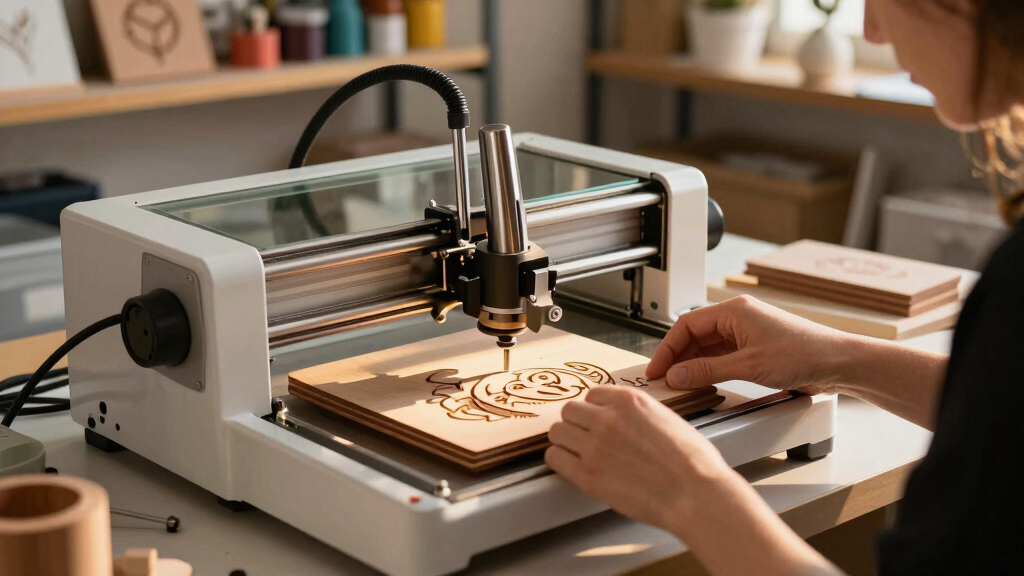

Finding the best laser engraver for a handmade business involves balancing power, precision, and ease of use. The ideal choice depends on your product focus—whether wood, leather, or acrylic—and your budget. The ATOMSTACK Swift 3W stands out as the best overall for its precision and versatility, while options like the LaserPecker LP2 excel in portability, and the ACMER S2 offers high power for more demanding projects. Each choice involves tradeoffs: higher power models tend to be more expensive and complex, while compact units may lack large work areas. Continue reading for a detailed breakdown of these options and what makes each one suitable for different needs.
Key Takeaways
- Power and precision are the primary factors that differentiate top-tier engravers for handmade items.
- Portability and ease of use matter more for small-scale or mobile businesses, favoring compact models like LaserPecker LP2.
- Higher wattage lasers offer faster engraving and cutting but often come with increased complexity and price.
- Work area size varies significantly; choosing based on typical project dimensions is essential.
- Features like WiFi, touchscreen, and offline operation add convenience but often increase cost.



More Details on Our Top Picks
ATOMSTACK Swift 3W Laser Engraver/Cutter (135×145mm, 0.04mm Precision) for Wood, Leather, Acrylic
This fully pre-assembled desktop laser engraver stands out for its straightforward setup and versatile workspace, making it a solid choice for small handmade business owners. Compared to the Twotrees TTS-55 Pro, it offers a more compact and user-friendly experience, although its smaller engraving area limits larger projects. The 3W diode enables crisp engravings and precise cuts on wood, leather, and acrylic, perfect for detailed craft work. Connectivity options like WiFi and USB simplify control, but the learning curve for software such as LightBurn or LaserGRBL can be a hurdle for absolute beginners. Its limited workspace and non-metal support are tradeoffs for ease of use and reliability in small batch production. Overall, this model is best suited for artisans needing a ready-to-go device for delicate, small-scale designs without extensive setup time.
Pros:- Fully pre-assembled for quick start-up
- Larger 135×145mm workspace for versatile projects
- High-precision 0.04mm engraving and cutting
- Multiple connectivity options (WiFi, hotspot, USB)
Cons:- Steep learning curve with software setup
- Limited to non-metallic materials (except coated metal)
- Smaller workspace compared to industrial models
Best for: Beginners and small business owners focused on detailed, small-area crafts with minimal setup fuss.
Not ideal for: Producers requiring large-scale engraving or metal marking, due to its limited workspace and material support.
- Power:3W (3000mW)
- Engraving Area:135×145mm
- Precision:0.04mm
- Materials Supported:Wood, leather, acrylic, paper, cardboard, cork, slate, MDF, coated metal
- Connectivity:WiFi, hotspot, USB
- Warranty:12-month limited warranty
Bottom line: Ideal for hobbyists and small-scale artisans seeking a reliable, ready-to-use laser engraver for detailed work on small projects.
Twotrees TTS-55 Pro Laser Engraver 5500mW Laser Engraving Machine, 30000mm/min Speed, 0.08mm Laser Spot Engraver Machine for DIY, Wood, Metal, Acrylic, Glass, Stainless Steel
The Twotrees TTS-55 Pro offers a powerful 5500mW laser and rapid engraving speeds up to 30,000mm/min, making it highly suitable for small businesses needing faster production. While it surpasses the ATOMSTACK Swift 3W with its higher wattage and larger 300x300mm workspace, it introduces a more complex setup process and a steeper learning curve, especially for beginners. Its dual focus on precision (0.08mm laser spot) and material versatility—including stainless steel and thicker woods—positions it as a flexible tool for expanding craft ranges. It features advanced compression laser technology and Wi-Fi control, but the heavier build and requirement for more technical calibration might deter users unfamiliar with laser systems. This model fits well for entrepreneurs aiming to scale up without sacrificing cutting power or speed.
Pros:- High-powered 5500mW laser for deep cuts and engraving
- Fast engraving speeds up to 30,000mm/min
- Large 300×300mm working area for bigger projects
- Supports multiple materials including metal and glass
Cons:- Requires more technical calibration and setup
- Heavier and bulkier, less portable
- Higher power consumption compared to lower-wattage models
Best for: Experienced hobbyists or small businesses needing faster, more powerful engraving on a variety of materials, including metals.
Not ideal for: Absolute beginners or those with limited technical skills, due to more complex calibration and setup requirements.
- Power:5500mW (5.5W)
- Engraving Area:300×300mm
- Speed:up to 30,000mm/min
- Laser Spot:0.08mm
- Materials Supported:Wood, metal, acrylic, glass, stainless steel
- Connectivity:Wi-Fi, SD card
Bottom line: Best suited for small business owners who need a robust, high-speed laser with versatile material support and are comfortable with technical setup.
AlgoLaser 3W Smart Laser Engraver Machine: Portable Laser Engraver with 3.5″ Touchscreen & AlgoOS System – Hand Draw/Wireless Transmission/SD Card/Offline – Laser Engraving for Wood
The AlgoLaser 3W Smart Laser Engraver is designed for ease of use, featuring a built-in 3.5″ touchscreen and AlgoOS system that eliminates the need for external software. It excels in portability and straightforward operation, making it ideal for hobbyists, educators, or small entrepreneurs just starting out. Compared to the ATOMSTACK Swift 3W, it offers a more integrated, user-friendly interface with wireless capabilities, though its smaller working area limits larger or multiple-piece projects. Its support for a variety of materials, combined with features like wireless transmission and offline operation, makes it versatile for small-scale craft and gift shop applications. However, it may lack the advanced power and speed of larger units, and optional accessories are sold separately. This engraver is perfect for those prioritizing simplicity and portability over large production runs.
Pros:- Built-in 3.5″ touchscreen for intuitive operation
- Supports wireless, hand draw, and offline engraving
- No need for additional software—uses AlgoOS system
- Portable and ready to use out of the box
Cons:- Limited engraving area for bigger projects
- Lower power (3W) restricts cutting thicker materials
- Optional accessories sold separately, increasing total cost
Best for: Beginners, educators, or small craft businesses seeking an easy-to-use, portable laser engraver with minimal setup.
Not ideal for: Large-scale production or engraving on thick or metal materials, due to its lower power and smaller workspace.
- Power:3W (3000mW)
- Working Area:Small, unspecified but limited
- Material Support:Wood, soft plastics, paper
- Connectivity:Wireless, SD card
- Display:Built-in 3.5″ touchscreen
- System:AlgoOS
Bottom line: Ideal for beginners and small entrepreneurs who value ease of use, portability, and integrated controls over large working areas or heavy-duty engraving.
Artilume T1 Laser Engraver 3000mW, Foldable Design Laser Engraving Machine, 0.01mm Precision, Large Working Area 200*150mm for Wood Leather Acrylic and More, Best for Beginners Small Business Class 1
The Artilume T1 combines a foldable, compact form with high-precision engraving (0.01mm), making it an excellent pick for small workshops or hobbyists with limited space. Its almost fully assembled design means minimal setup, contrasting with more complex models like the ACMER S2. The 200×150mm working area strikes a balance between size and portability, suitable for small business or home use. Its safety features and class 1 certification add peace of mind, though the smaller workspace and lower power (3W) limit deep cuts and larger projects. The foldable feature makes storage and transport simple, but optional accessories such as rotary modules are sold separately, which could limit expansion for growing businesses. This device works best for users prioritizing convenience and safety in a compact footprint.
Pros:- Foldable, compact design for easy storage
- High-precision 0.01mm engraving
- Almost fully assembled, ready to use
- Class 1 safety certification for secure operation
Cons:- Limited working area (200×150mm)
- Lower power restricts deep cuts
- Additional accessories sold separately
Best for: Beginners or hobbyists needing a space-saving, portable laser engraver for small projects and detailed designs.
Not ideal for: Pro users requiring larger working areas or cutting thicker materials, due to size and power limitations.
- Power:3000mW (3W)
- Engraving Area:200×150mm
- Precision:0.01mm
- Material Support:Wood, leather, acrylic
- Design:Foldable, portable
- Safety:Class 1
Bottom line: Perfect for space-conscious beginners or hobbyists seeking a highly precise, portable laser engraver with safety features.
ACMER S2 7000mW Laser Engraver/Cutter with 0.01mm Precision and 300x300mm Work Area
The ACMER S2 offers an impressive 7W laser and a large 300×300mm workspace, making it ideal for detailed engraving and cutting on thicker materials like wood and leather. Its ultra-fine 0.01mm precision surpasses many competitors, including the Twotrees TTS-55 Pro, especially for projects requiring delicate detail. While its advanced features, such as multiple software support (including LightBurn and LaserGRBL) and safety measures like an anti-UV shield, cater to DIY enthusiasts and educators, the higher power consumption and more complex setup may challenge beginners. Optional accessories like rotary modules are sold separately, which can increase costs for expanding functionalities. This model makes a strong choice for users who prioritize precision and larger working areas for versatile applications.
Pros:- Ultra-fine 0.01mm engraving precision
- Large 300×300mm work area for bigger projects
- Supports multiple software platforms (LightBurn, LaserGRBL)
- Includes safety features like anti-UV shield
Cons:- Optional accessories sold separately
- More complex setup requires some technical knowledge
- Higher power consumption than lower-wattage models
Best for: Experienced hobbyists, educators, or small businesses needing high precision over larger surfaces and thicker materials.
Not ideal for: Absolute beginners or those seeking a plug-and-play experience, due to its more complex setup and higher power requirements.
- Laser Power:7000mW (7W)
- Engraving Area:300×300mm
- Precision:0.01mm
- Materials Supported:Wood, metal, acrylic, leather
- Software Compatibility:AcmerTool, LightBurn, LaserGRBL
- Safety Features:Anti-UV shield, motion detection
Bottom line: Best suited for users who need high-precision engraving on large surfaces and are comfortable with technical setup and extra accessories.
LaserPecker LP2 Laser Engraver with Roller, Portable and Handheld Laser Engraving Machine for Wood Metal Leather Acrylic Engraving Laser Cutter, Suit Set with Versatile Rotary Roller
The LaserPecker LP2 stands out for its upgrade galvo technology, offering faster engraving speeds compared with more basic models like the Carverall 5W. Its compressed 0.05 mm spot size allows for fine detail, making it ideal for detailed projects on wood, leather, and coated metals. The inclusion of a versatile electric roller expands its capabilities for cylindrical objects—perfect for tumblers and pencils—setting it apart from simpler desktop engravers. However, its metal engraving is limited to coated or brushed surfaces, unlike the ACMER S1, which supports a broader material range with higher precision. The handheld design and portability make it easy to use anywhere, but the small size means it’s not suited for large-scale production. The device connects with smartphones and PCs effortlessly, making it accessible for hobbyists and small businesses alike.
Pros:- Fast engraving speeds and detailed output with galvo technology
- Versatile rotary roller for cylindrical objects
- Compact, portable design for mobile use
- Connects easily with smartphones and PCs
Cons:- Limited to coated or brushed metals, not suitable for polished or shiny surfaces
- Small engraving area restricts large projects
- No built-in enclosure or air assist for fumes
Best for: Handmakers and small-scale artisans who need portability and the ability to engrave on cylindrical surfaces.
Not ideal for: Pro businesses requiring high-volume or pure metal engraving, as the LP2’s metal compatibility is limited and it lacks a large working area.
- Max engraving speed:1417 inches/min
- Frame resolution options:1K / 1.3K / 2K
- Spot size:0.05 mm compressed
- Engraving modes:Handheld, slab, trolley, rotary
- Supported materials:Wood, paper, leather, coating metals, stainless steel
- Connectivity:Smartphone, PC
Bottom line: This pick is best for small businesses or hobbyists needing a portable, detailed engraver capable of handling cylindrical objects with ease.
Carverall 5W Desktop Laser Engraver with Camera, WiFi & AI (A1 Pro)
The Carverall 5W is tailored for newcomers to laser engraving, featuring a built-in HD camera that simplifies precise positioning—an advantage over fixed-position models like the ACMER S1. Its WiFi connectivity and AI-powered software make design adjustments intuitive, perfect for hobbyists and DIY enthusiasts. While it supports materials like wood, leather, and acrylic up to 4mm thick, it’s limited by its small work area and the need for separate accessories for cylindrical engraving. Compared to the LONGER Ray5, which offers a larger 400x400mm workspace, the Carverall excels in ease of setup and user-friendly automation. Its Class 1 safety certification and included safety features make it suitable for less experienced users, but it may lack the power for more demanding industrial tasks.
Pros:- Built-in HD camera for accurate material positioning
- WiFi and AI software for simplified design editing
- Class 1 safety certification with protective features
- Supports multiple design and software platforms
Cons:- Cylindrical roller attachment sold separately
- Limited to materials under 4mm thickness
- Small engraving area may restrict larger projects
Best for: Beginners and casual makers seeking an easy-to-use, connected laser engraver with smart features.
Not ideal for: Advanced users or those needing larger working areas or more powerful metal engraving capabilities.
- Weight:9.31 lbs
- Dimensions:12.76 x 10.98 x 10.91 inches
- Power:5W (5.12-5.35W)
- Max height adjustment:27cm
- Supported materials:Wood, leather, acrylic
- Connectivity:WiFi, TF card, USB
Bottom line: This device is ideal for beginners looking for a smart, connected engraver that offers precise control with minimal fuss.
ACMER S1 Laser Engraver, 6000mW Laser Engraver Machine Higher Accuracy Lazer Cutter and Engraving Machine with Working Area 130x130mm, 0.04mm Laser Spot Engraving Machines & Tools
The ACMER S1 distinguishes itself through its ultra-fine 0.04mm laser spot, delivering crisp, detailed engravings ideal for intricate artwork and professional crafts. Its 6000mW diode laser, supported by optimized AcmerTool software, makes it versatile for various projects, from jewelry to detailed prototypes. Compared to the Ray5, which offers larger work areas, the S1’s compact 130x130mm zone is perfect for small, detailed work but less suited for larger pieces. Its high accuracy of 0.01mm makes it a favorite in STEM education and professional settings. While it supports a wide range of materials, the smaller working area limits large-scale production, and setup may be more involved for beginners unfamiliar with laser calibration.
Pros:- Exceptional detail with 0.04mm laser spot size
- High accuracy of 0.01mm for fine work
- Supports a variety of materials including ceramics and metals
- Preassembled and ready to use out of the box
Cons:- Limited work area of 130x130mm
- Requires careful calibration for optimal results
- Higher price point for small engraver
Best for: Small-scale artisans and educators seeking high-precision engraving on detailed projects or teaching advanced digital fabrication.
Not ideal for: Makers requiring large working areas or heavy-duty cutting on thick materials, as the small zone can be restrictive.
- Laser power:6000mW
- Laser spot:0.04mm
- Engraving accuracy:0.01mm
- Working area:130x130mm
- Supported materials:Wood, leather, acrylic, ceramics, metals
- Preassembled:Yes
Bottom line: This engraver is best for professionals or educators focused on detailed, high-precision work within a compact space.
LONGER Laser Engraver Ray5 5W Higher Accuracy DIY Laser Engraving Machine with 3.5″ Touch Screen, Offline Usage Laser Cutter, 400x400mm, 0.08mm Laser Spot, CNC Laser Cutter for Wood Metal Acrylic Glass
The LONGER Ray5 offers a generous 400x400mm workspace, making it preferable over smaller models like the ACMER S1 for projects requiring larger surfaces. Its 5W laser provides high accuracy with an 0.08mm spot, suitable for detailed engraving on wood, acrylic, and even thin metals. The 3.5″ touch screen simplifies operation, and its offline capability means you can work without constant connection, a feature not common in entry-level models. Compared to the Carverall 5W, which emphasizes ease of use, the Ray5 balances user-friendly features with larger capacity, though it requires careful calibration and safety precautions due to its laser class. Its size and power make it ideal for small business owners and serious hobbyists with bigger projects.
Pros:- Large 400x400mm work area suitable for bigger projects
- High accuracy with 0.08mm laser spot
- Offline operation with touch screen controls
- Versatile for multiple materials including thin metal
Cons:- Requires thorough calibration and safety precautions
- Bulkier size may not suit small or portable setups
- Laser safety and ventilation are necessary for safe operation
Best for: Small business owners and hobbyists needing a larger working area for diverse materials.
Not ideal for: Beginners or those with limited space, as the larger footprint and setup complexity may be challenging.
- Laser power:5W
- Laser spot:0.08mm
- Engraving area:400x400mm
- Supported materials:Wood, metal, acrylic, glass
- Control interface:3.5″ touch screen
- Offline usage:Yes
Bottom line: This model suits makers seeking a larger workspace with reliable accuracy for diverse materials in a small business or serious hobby context.
ATOMSTACK A20 Pro V2 20W Laser Engraver/Cutter
The ATOMSTACK A20 Pro V2 is the most powerful in this lineup with a 20W laser, offering rapid cutting speeds up to 400mm/s—ideal for small businesses needing quick turnaround on thicker materials like wood, acrylic, and even thin metals. Its advanced dot compression technology ensures detailed engravings down to 0.08 x 0.1mm resolution, surpassing the detail levels of smaller lasers like the Carverall 5W. The sturdy aluminum alloy frame guarantees durability, and with a lifespan of 10,000 hours, it’s built for intensive use. Compared to the LONGER Ray5, which balances size and power, the A20 Pro V2 leans toward industrial applications with higher cutting capacity but requires more careful handling due to its Class 4 laser safety considerations. Assembly may be more involved, but its performance justifies the effort for demanding projects.
Pros:- Powerful 20W laser for fast cutting and engraving
- High resolution with fine detail precision
- Durable aluminum frame with long lifespan
- Compatible with popular software like Lightburn and LaserGRBL
Cons:- Requires careful handling and safety precautions due to Class 4 laser
- Assembly and calibration can be complex for newcomers
- Higher initial cost compared to lower wattage models
Best for: Small businesses and advanced hobbyists needing high-power, fast cutting, and detailed engraving on various materials.
Not ideal for: Beginners or casual users who don’t need or can’t handle the complexity of a Class 4 laser system.
- Laser power:20W
- Laser resolution:0.08×0.1mm
- Engraving speed:up to 400mm/s
- Lifespan:10,000 hours
- Supported materials:Wood, acrylic, metal
- Software compatibility:Lightburn, LaserGRBL
Bottom line: This engraver is best suited for small business owners or serious makers who need robust power and fast processing for professional results.
CREALITY Falcon A1 10W Laser Engraver with Air Assist and Smart Camera
The CREALITY Falcon A1 stands out for its impressive combination of speed and safety features, making it ideal for busy handmade businesses needing quick turnaround times. Its CoreXY motion system enables engraving at up to 600mm/s—three times faster than many traditional models like the Woxcker L2 MAX. The smart camera simplifies alignment, reducing setup time, while the enclosed design adds a layer of safety, blocking laser radiation, smoke, and noise. However, its limited working area compared to larger units may restrict larger projects, and its weight at 43.6 pounds makes it less portable. This model is perfect for those prioritizing safety and speed in a compact workspace but less suited for very large or reflective material projects.
Pros:- Fast engraving speeds up to 600mm/s for high productivity
- Smart camera system simplifies object alignment
- Enclosed, Class 1 safety design blocks laser radiation and smoke
- Pre-set parameters make setup quick
Cons:- Limited engraving area may restrict larger projects
- Heavy weight reduces portability
- Cannot engrave reflective surfaces
Best for: Small to medium-sized handmade businesses that need fast, safe operation and precise alignment
Not ideal for: Businesses requiring large working areas or engraving reflective materials like mirrored acrylic
- Power Output:10W (10,000mW)
- Working Area:381 × 305mm
- Speed:600mm/s
- Safety Rating:Class 1 Laser
- Weight:43.6 pounds
- Dimensions:25 x 22 x 10.5 inches
Bottom line: This is a strong pick for small to medium businesses that value speed, safety, and ease of use over large working areas.
xTool F1 2-in-1 Dual Laser Engraver, Lightning Speed Portable Laser Engraving Machine, HD Laser Engraver for Jewelry, Metal, Wood, Leather
The xTool F1 offers remarkable speed and versatility, making it suitable for small businesses aiming for high productivity with minimal space. Its dual lasers—2W infrared for metal and 10W diode for wood and acrylic—allow rapid processing of over 300 materials. Reaching speeds up to 4000mm/s, it can engrave detailed designs in seconds, ideal for batch jobs like jewelry or pet tags. Its fully enclosed design with integrated air filtration minimizes smoke and odor, making it perfect for craft fairs or small workshops. Unlike larger, more complex machines, its lightweight (<4.6kg) and user-friendly software support support quick setup and operation. The main tradeoff is that its small size limits larger projects, and safety precautions are critical due to the Class 4 laser.
Pros:- Revolutionary speed of up to 4000mm/s increases productivity
- Dual lasers handle over 300 materials, including metals and woods
- Enclosed design with air filtration reduces smoke and fumes
- Supports smartphones and tablets for easy operation
Cons:- Limited working area due to compact size
- Class 4 laser requires strict safety protocols
- Learning curve for software and calibration
Best for: Small business owners focused on high-speed, multi-material engraving at craft shows or markets
Not ideal for: Large-scale production or projects requiring very large engraving areas
Bottom line: Ideal for small businesses that need rapid, precise, multi-material engraving in a compact, portable form factor.
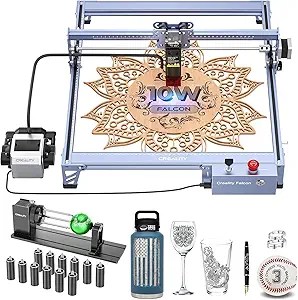
CREALITY Falcon 10W Laser Engraver with Air Assist and Rotary Roller for Wood, Metal, Acrylic, and Cylindrical Objects
The Creality Falcon 10W excels in its ability to handle cylindrical objects thanks to its included rotary roller, making it a versatile choice for businesses that produce customized gifts and decor. Its 10W Class 4 laser cuts through thicker materials like 12mm wood and 3mm acrylic, outperforming models like the Woxcker L2 MAX in power. The adjustable air assist promotes cleaner cuts and prolongs laser life. While its power and versatility are impressive, the Class 4 laser necessitates careful safety practices and supervision. Assembly is straightforward but requires some time, and the focus on non-metallic materials leaves metal engraving as a secondary option. Overall, this machine is best for those needing to work on round, cylindrical, or thicker materials with high precision.
Pros:- Powerful 10W laser easily cuts thick materials
- Rotary roller expands shape handling capabilities
- Adjustable air assist improves cut quality
- Compatible with popular software like LaserGRBL and LightBurn
Cons:- Requires strict safety measures due to Class 4 laser
- Manual setup and assembly may take time
- Limited to non-metallic cutting for thickness
Best for: Businesses creating personalized cylindrical and thick-material projects, like engraved glasses or thick wood plaques
Not ideal for: Small-scale hobbyists or those working mainly with reflective or thin materials
- Laser Output Power:10W (10,000mW)
- Laser Class:Class 4
- Rotary Range:1-130mm diameter
- Precision:0.06mm laser spot
- Compatibility:LaserGRBL, LightBurn
Bottom line: This laser is perfect for businesses that need to engrave cylindrical objects or thicker materials with high precision and safety awareness.
Woxcker L2 MAX 10W Enclosure Laser Cutter and Engraver Machine, 300x300mm Bed Size with 0.01mm Precision
The Woxcker L2 MAX offers a large 300x300mm bed combined with exceptional 0.01mm focus precision, making it a strong contender for detailed work on larger items. Its fully enclosed safety design includes flame detection and emergency shutdown, comparable to the safety features of the CREALITY Falcon A1. Its high-precision focus allows for intricate engraving on wood, metal, and glass, suitable for detailed jewelry or signage. However, its modular assembly might challenge beginners, and the enclosure can generate noise during operation. Compared with other models like the Creality Falcon A1, its larger working area and focus precision are standout features, though it requires a more involved setup process.
Pros:- Large 300x300mm working area supports bigger projects
- Exceptional 0.01mm focus precision for fine details
- Advanced safety features including flame detection
- Supports multiple materials like metal, glass, and wood
Cons:- Modular assembly can be complex for newcomers
- Enclosed design may produce operational noise
- Higher initial setup effort required
Best for: Small to medium-sized craft businesses that need detailed engraving on larger projects
Not ideal for: Beginners or those who need a portable or quick-to-setup machine
Bottom line: Ideal for makers who prioritize detailed, large-area engraving with high precision and safety features, but are comfortable with assembly complexity.
How We Picked
To determine the best laser engravers for handmade businesses, I evaluated each product based on performance, build quality, usability, and value. Performance metrics included engraving precision, power, and speed—crucial for high-quality, efficient output. Usability factors covered ease of setup, software interface, and additional features like touchscreen controls or wireless connectivity. I also considered build durability, maintenance requirements, and overall value—balancing price against features and capabilities. The ranking reflects a combination of versatility for varied handmade projects, ease of use for small business owners, and long-term reliability.
Devices were compared directly against each other, prioritizing those that deliver consistent results without overwhelming beginners or requiring extensive technical skills. Special attention was given to models that suit different business sizes and project types, ensuring there’s a strong option for everyone from hobbyists to serious entrepreneurs.
Factors to Consider When Choosing Best Laser Engraver For Handmade Business
Choosing the right laser engraver for your handmade business involves understanding several key factors. These considerations ensure you select a machine that suits your current needs while allowing room for growth. Balancing power, size, and features can prevent costly mistakes and help you get the most value from your investment.Power and Material Compatibility
Wattage directly impacts your machine’s ability to cut or engrave thicker or denser materials. For small crafts like leather or thin wood, lower power models may suffice, but for more demanding projects involving thicker materials or metals, higher wattage lasers are essential. Consider your typical projects and future needs—buying a machine with a little more power than you currently require can extend its usefulness and reduce upgrade costs.
Work Area Size
The size of the engraving bed determines the maximum dimensions of your projects. Small work areas are suitable for jewelry or small crafts, while larger beds support bigger items like signs or furniture accents. Keep in mind that larger machines often come with higher costs and may take up more space—balance your project size needs against available workspace and budget.
Ease of Use and Software Compatibility
Simplicity matters, especially if you’re new to laser engraving. Look for units with intuitive interfaces, such as touchscreens or straightforward software. Compatibility with popular design programs like Adobe Illustrator or CorelDRAW can streamline your workflow. Features like wireless connectivity and offline operation add convenience but may come at a premium—assess whether these extras justify their cost based on your workload.
Power and Safety Features
High-power lasers can cut through tougher materials faster but also demand stricter safety measures. Ensure your workspace is equipped with proper ventilation, protective enclosures, and safety interlocks. For hobbyists or small-scale businesses, lower wattage models with built-in safety features might be more appropriate, reducing risks and setup complexity.
Budget and Long-Term Value
While cutting costs is tempting, investing in a reliable, well-built machine can save money over time through fewer repairs and better results. Consider total cost of ownership, including consumables, maintenance, and software updates. Sometimes, paying a bit more upfront for a durable, feature-rich model yields better value and supports your business growth more effectively.
Frequently Asked Questions
Can I engrave metals with these laser machines?
Most laser engravers in this roundup are capable of engraving metals, but the process often requires a higher wattage laser and specific settings. For example, the ACMER S2 with 7000mW can handle metals like stainless steel with proper marking techniques. However, for detailed or frequent metal work, investing in a machine explicitly designed for metal engraving, or considering a fiber laser, might be more appropriate. Always verify the machine’s capabilities and recommended materials before purchasing for metal engraving.
Are portable laser engravers suitable for a small business?
Portable laser engravers like the LaserPecker LP2 are excellent for mobile or small-scale operations, especially when space is limited. They offer convenience and flexibility, allowing you to work on-site with clients or in different locations. However, their smaller work areas and lower power may restrict the size and complexity of projects. For larger or more demanding items, a desktop model with a bigger bed and higher wattage will provide better efficiency and results.
What safety precautions should I take with a laser engraver?
Safety should always be a priority when operating a laser engraver. Use protective eyewear designed for laser wavelengths, and ensure your workspace has proper ventilation or fume extraction, especially when working with plastics, leather, or other materials that emit fumes. Enclosures with safety interlocks can prevent accidental exposure to laser beams. Regular maintenance and following manufacturer guidelines help ensure safe operation, reducing risks of injury or damage.
How much should I expect to spend for a reliable laser engraver for handmade products?
Prices vary widely based on power, size, and features. Entry-level models suitable for small crafts can start around $300 to $800, but these may have limited work areas or lower precision. For more serious small business use, investing between $1,000 and $3,000 provides better performance, safety features, and durability. High-end, professional-grade machines can exceed $5,000 but offer faster processing, larger beds, and more advanced capabilities—consider your projected workload and growth plans when budgeting.
Is it worth paying extra for features like WiFi or a touchscreen?
Features like WiFi and touchscreens add significant convenience, especially if you prefer a wireless workflow or want a more intuitive interface. For busy small businesses, these features can speed up project setup and reduce technical hurdles. However, they also typically increase the initial cost. If your projects are straightforward and you prefer to work with basic software, a simpler model without these extras might be more cost-effective while still meeting your needs.
Conclusion
For those starting a handmade business, the Atomstack Swift 3W offers a balanced mix of precision, versatility, and value, making it a strong overall choice. If budget is a concern, the Artilume T1 provides good performance for small-scale projects. For buyers who prioritize portability and quick setup, the LaserPecker LP2 is ideal. Serious entrepreneurs needing higher power and larger work areas should consider the ACMER S2 or the CREALITY Falcon A1. Ultimately, your choice depends on your project size, materials, and budget—matching the machine’s features with your business goals will lead to the best results.