
Finding the best sublimation printer for hard blanks requires balancing print quality, compatibility, and ease of use. The Sawgrass SG500 stands out as the best overall choice thanks to its dedicated design and reliable ink system, ideal for serious crafters. For those needing a broader format, the Epson EcoTank ET-8550 offers versatile printing with high-quality results. Meanwhile, the Brother SP-1 Starter Bundle delivers excellent value with comprehensive accessories. Keep in mind that tradeoffs often involve print size limits, ink costs, and initial investment. Continue reading to see how each option stacks up and which may be right for your needs.
Key Takeaways
- Dedicated sublimation printers like the Sawgrass SG500 excel in color accuracy and ease of use for hard blanks.
- Versatile all-in-one models such as Epson EcoTank ET-8550 provide larger print formats but may require additional setup for sublimation.
- Bundles that include inks, transfer sheets, and blanks offer better value but can limit customization options.
- Print size capacity and ink cost are critical factors influencing long-term affordability and output quality.
- Entry-level options can be suitable for beginners, but more advanced models deliver higher consistency and durability for professional use.


More Details on Our Top Picks
Sawgrass SG500 Sublimation Printer Bundle with Anti-Clog Technology | Only Printer Designed Exclusively for Sublimation | Includes 31mL SubliJet UHD Inks & TruePix Paper | Wi-Fi
The Sawgrass SG500 stands out for its dedicated design for sublimation, offering exceptional color vibrancy and high-definition output. Unlike the Epson EcoTank ET-8550, which is a versatile all-in-one but less specialized for sublimation, the SG500 delivers more consistent results on hard blanks thanks to its proprietary SubliJet UHD inks. Its compact size makes it ideal for small workspaces, yet it supports media up to 8.5” x 14”, with bypass tray options for larger formats. The included software and TruePix paper streamline the process, but the specialized inks and software mean a learning curve for newcomers. Compared to larger, more expensive models like the SG1000, the SG500 offers a great balance of performance and affordability for those focused solely on sublimation. This pick makes the most sense for entrepreneurs or hobbyists who want reliable, vivid transfers on hard substrates without complexity.Pros:- Designed exclusively for sublimation with optimized ink formulation
- Compact and desktop-friendly size
- Vivid, high-definition color output with SubliJet UHD inks
- Wi-Fi connectivity and user-friendly software
Cons:- Limited to media up to 8.5 x 14 inches, restricting larger projects
- Requires purchasing proprietary inks, which adds ongoing costs
- Learning curve for users unfamiliar with sublimation-specific software
Best for: Small business owners and hobbyists focused on high-quality sublimation on hard blanks
Not ideal for: Users seeking a multifunction device with scanning or copying features or those printing very large formats regularly
- Printer Type:Inkjet
- Print Size:8.5″ x 14″
- Inks:SubliJet UHD CMYK
- Connectivity:Wi-Fi
- Included Paper:TruePix Sublimation Paper
- Software:MySawgrass platform
Bottom line: This printer is perfect for small-scale sublimation projects on hard blanks, especially for entrepreneurs who prioritize color quality and reliability.
Epson EcoTank Photo ET-8550 Wireless Wide-format Color All-in-One Supertank Printer with Scanner Copier, Ethernet and 4.3-inch Colorfull Touchscreen
The Epson EcoTank ET-8550 excels at producing large, vibrant prints with incredibly low running costs, making it ideal for those who need both sublimation and photo printing versatility. While the Sawgrass SG500 is focused solely on sublimation, the Epson offers wide-format capabilities up to 13” x 19” and supports a variety of media types, including thick cardstock and specialty papers. Its refillable ink tanks and high-yield bottles mean you can print thousands of images economically, though setup and configuration can be complex for some users. Compared to the dedicated sublimation models, this all-in-one provides more flexibility but sacrifices some color precision and consistency. It’s best suited for small business owners who juggle sublimation with photo printing, or hobbyists who need a versatile device capable of handling larger hard blanks and high-volume tasks.Pros:- Wide-format printing up to 13″ x 19″ for larger projects
- Low-cost refillable ink tanks for high volume savings
- Supports a variety of media, including thick cardstock
- Wireless and Ethernet connectivity with a large touchscreen
Cons:- Setup and maintenance are more complex than dedicated sublimation printers
- Color accuracy on hard blanks may not match dedicated sublimation printers
- Larger footprint requires more space
Best for: Photographers and small business owners needing versatile, high-volume printing on hard substrates
Not ideal for: Beginners seeking a straightforward sublimation-only device or those primarily focused on soft substrates
- Printer Type:All-in-One Inkjet
- Print Size:Up to 13″ x 19″
- Inks:Claria ET Premium 6-color
- Connectivity:Wi-Fi, Ethernet
- Media Support:Cardstock, specialty media
- Print Speed:15 seconds for 4×6
Bottom line: This model is best for users requiring flexible, high-volume printing on both hard and soft substrates, including larger formats.
Liene M100 4×6” Photo Printer, Phone Printer 100 Sheets & 3 Cartridges, Full-Color Photo, Portable Instant Photo Printer for iPhone Android, Thermal Dye Sublimation, Wi-Fi Picture Printer 100 Papers
The Liene M100 offers an ultra-portable solution for printing vibrant 4×6 photos directly from smartphones. Unlike larger, more complex sublimation printers like the Sawgrass SG500, this device focuses on convenience and quick results, making it ideal for personal use, events, or small-scale gifting. Its thermal dye sublimation tech ensures rich colors and water-resistant prints, but it’s limited to 4×6 photos and does not support larger or harder substrates. The built-in Wi-Fi hotspot simplifies connection from multiple devices without requiring cables or network setup, though the smaller print size and limited media versatility mean it’s not suited for hard blanks or professional projects. This makes it perfect for individuals wanting to print memorable photos while on the move, but not for those aiming at large or durable hard surface sublimation.Pros:- Compact, lightweight, and portable design
- Wi-Fi hotspot for easy, cable-free connection
- Deeply penetrating dyes for water-resistant photos
- Supports multiple device connections simultaneously
Cons:- Limited to 4×6 inch photo prints, not suitable for larger projects
- Not compatible with hard substrates or larger formats
- Requires careful maintenance of print head for best quality
Best for: Individuals needing portable, instant 4×6 photo printing from mobile devices
Not ideal for: Professional crafters or businesses focused on sublimation on hard blanks or large formats
- Printer Type:Thermal Dye Sublimation
- Print Size:4×6 inches
- Inks:3 color cartridges
- Connectivity:Wi-Fi hotspot
- Sheets Included:100
- Portability:Yes
Bottom line: This printer suits users seeking quick, portable printing of vibrant 4×6 photos from mobile devices, not larger or hard surface projects.
Sawgrass SG1000 Sublimation Printer Bundle with Wi-Fi and 31mL Inks
The Sawgrass SG1000 is tailored for expanding sublimation operations, with its ability to handle 11″ x 17″ prints ideal for signs, banners, and hard blanks. Compared to the SG500, it offers larger media support and a more robust automatic maintenance system, reducing downtime and head clogging risks. While it comes at a higher price point, the professional-grade inks and software make it a smart choice for serious entrepreneurs. The bundle includes TruePix paper and a 2-year warranty, emphasizing durability and quality. Nevertheless, its size and complexity may be overkill for hobbyists or those with limited space. This machine is best for businesses already familiar with sublimation or those planning to scale up on hard blank projects like plaques and large mugs.Pros:- Supports large 11″ x 17″ prints for signage and hard blanks
- Automatic head maintenance reduces clogging and downtime
- Includes professional-grade 31mL inks with vibrant color output
- Comprehensive software and 2-year warranty
Cons:- Higher initial investment compared to smaller models
- Requires more space and technical know-how for setup
- Learning curve for advanced software features
Best for: Established small businesses and entrepreneurs expanding into large-format sublimation on hard blanks
Not ideal for: Beginners or hobbyists looking for a budget-friendly, smaller sublimation printer
- Printer Type:Sublimation Inkjet
- Print Size:11″ x 17″
- Inks:31mL SubliJet UHD CMYK
- Connectivity:Wi-Fi
- Included Paper:TruePix Sublimation Paper
- Warranty:2 years
Bottom line: Ideal for established businesses seeking larger format sublimation capability on hard surfaces and signage.
Epson EcoTank ET-15000 Wireless Color All-in-One Supertank Printer
The Epson ET-15000 is a multifunction powerhouse suited for busy offices, providing high-quality color printing, scanning, and copying. While it supports media up to 13″ x 19″ and handles various paper types, it is less specialized for sublimation compared to dedicated units like the Sawgrass SG500 or SG1000. Its refillable ink tanks and broad media support make it excellent for creating durable prints on hard blanks like signs and promotional items, but achieving precise sublimation results requires careful calibration and may not match the color accuracy of dedicated sublimation printers. Its larger footprint and complex setup may be daunting for hobbyists or small-scale crafters. This device is best for small businesses that need a reliable, versatile printer capable of handling diverse substrates, including some hard surfaces, without sacrificing quality on standard documents.Pros:- All-in-one functionality with printing, scanning, copying, and faxing
- Supports media up to 13″ x 19″ for large hard surface projects
- Wireless, Ethernet, and USB connectivity for flexible placement
- High-quality color output on various media types
Cons:- Setup complexity and larger physical size
- Color precision for sublimation may be less consistent than dedicated printers
- Larger footprint requires ample space
Best for: Small offices and businesses requiring multi-functionality and large-format printing on hard surfaces
Not ideal for: Pure sublimation crafters or hobbyists focused solely on hard blanks with high color finesse
- Printer Type:All-in-One Inkjet
- Print Size:Up to 13″ x 19″
- Inks:Claria ET Premium 6-color
- Connectivity:Wi-Fi, Ethernet, USB
- Media Support:Thick cardstock, specialty media
- Maximum Paper Size:13″ x 19″
Bottom line: This all-in-one offers versatile, large-format printing suitable for multifunctional use, including some hard substrates, but not optimized solely for sublimation on hard blanks.
Epson SureColor F170 Dye-Sublimation Printer – Compact 8.5″ x 11″ Format – Includes Genuine Epson Ink, User Guide & Power Cable – Original OEM Product with Full Manufacturer Support
The Epson SureColor F170 stands out for its professional-grade print quality, thanks to Epson’s PrecisionCore printhead technology that delivers sharp, vibrant images on hard blanks like mugs and tiles. Compared with the Brother SP-1 bundle, which offers a broader material compatibility and design software, the F170 emphasizes superior image clarity and reliability, making it a better choice for those prioritizing high-quality transfers. Its space-saving design and included OEM inks reduce the risk of clogs and color inconsistencies, but it has a smaller printing size limited to 8.5″ x 11″, which could be restrictive for larger projects. The dust-resistant closed tray simplifies media handling, and the auto-stop ink bottles minimize mess during refills. This pick makes the most sense for hobbyists or small business owners who want consistent, professional results without dealing with complex setups.
Pros:- Outstanding print clarity with PrecisionCore printhead
- Includes genuine Epson OEM inks for consistent quality
- Compact, space-saving design with dust-resistant tray
Cons:- Limited to 8.5″ x 11″ printing size, restricting larger projects
- Higher cost per print compared to bulk ink solutions
Best for: Small business owners or hobbyists needing reliable, high-quality sublimation on small to medium hard blanks.
Not ideal for: Those requiring larger format printing or working with bulk production due to size and capacity limitations.
- Maximum Print Size:8.5″ x 11″
- Print Technology:PrecisionCore
- Inks Included:Genuine Epson sublimation ink
- Media Support:Auto-feed tray for 150 sheets
- Connectivity:USB, Ethernet, Wi-Fi
- Compatibility:Mac & Windows
Bottom line: Ideal for users seeking consistent, high-quality sublimation on small to medium-sized hard blanks.
Brother SP-1 Sublimation Printer Bundle with Ink Set, Transfer Sheets, Blanks & Tape
The Brother SP-1 offers a comprehensive starter kit that integrates a compact sublimation printer, a full set of vibrant CMYK inks, and an array of transfer sheets and blanks, making it a strong choice for newcomers. Unlike the Epson F170, which focuses on high-end print quality, the Brother bundle caters to those seeking an all-in-one package to start customizing t-shirts, mugs, and bags immediately. Its versatility across multiple materials and included design templates are advantageous for hobbyists and small business owners testing the waters, but the higher initial price and the learning curve for proper sublimation techniques could be hurdles for absolute beginners. The software and templates ease design creation, but mastering heat press settings remains necessary for optimal results. This option makes the most sense for entrepreneurs or hobbyists who want a one-stop solution with everything included.
Pros:- All-in-one bundle with printer, inks, transfer sheets, and blanks
- Versatile for multiple materials including shirts, mugs, and bags
- Includes design software and templates for easy customization
Cons:- Higher upfront cost for complete starter package
- Requires learning proper sublimation techniques and heat press adjustments
Best for: Beginners or small-scale entrepreneurs looking for an all-in-one sublimation setup with versatile materials.
Not ideal for: Experienced users needing larger format or higher-volume production capabilities, as this is more suited to small batches.
- Inks:Full CMYK set (47ml each)
- Transfer Sheets:460 sheets in various sizes
- Blanks Included:50 pieces
- Compatibility:Windows, Mac, Mobile Apps
- Printer Size:Compact
- Software:Design templates included
Bottom line: Best suited for beginners and small-scale creators seeking an affordable, ready-to-go sublimation kit.
OIIEE 5-in-1 Heat Press Machine with Swing-Away Design and Digital Control
This OIIEE 5-in-1 Heat Press combines versatility with safety, offering presses for T-shirts, mugs, hats, plates, and bags within a single machine. Its swing-away design enhances safety and ease of use, especially when handling multiple hard blanks. Compared to dedicated sublimation printers, this tool is a must for those who need to transfer onto various hard surfaces, but it doesn’t handle printing directly—only heat pressing—so it’s a complementary device rather than a standalone solution. The digital controls and double-tube heating system promise even heat distribution, yet the learning curve may be steep for beginners unfamiliar with heat press settings. Plus, the size and weight may be cumbersome for small workspaces. This press is perfect for crafters or small businesses doing a variety of hard blank projects, but not for those solely seeking high-volume printing or larger formats.
Pros:- Multi-functional with presses for various hard blanks
- Safe swing-away design with even heat distribution
- Digital temperature and time controls with safety alarms
Cons:- No direct printing capabilities, only heat transfer
- Cumbersome size and weight for small spaces
- Learning curve for proper heat press operation
Best for: Small business owners or hobbyists who need a versatile press for multiple hard blanks and materials.
Not ideal for: People looking for an all-in-one printing and pressing solution, as this device does not print but only transfers heat.
- Platen Size:15 x 15 inches
- Design:Swing-away
- Control:Digital temperature and timer
- Heating System:Double-tube
- Warranty:1 month money-back + 12 months support
- Best Sellers Rank:#35,070
Bottom line: Ideal for crafters and small businesses who need a reliable, versatile heat press for hard blanks and multiple items.
Brother Sublimation Printer
The Brother Sublimation Printer emphasizes portability and ease of use, especially suited for on-the-go projects or small batches. Its integration with the Artspira app simplifies creating designs directly on mobile devices, making it ideal for quick, vibrant transfers on mugs, shirts, and small blanks. While it may not match the high resolution or large printing size of the Epson F170, it excels in speed and convenience, especially for crafters who value mobility. The reliance on the Artspira app and heat press for transfers means it’s less suitable for those seeking a dedicated, large-format sublimation solution. The machine’s compact size and fast printing make it perfect for personal use or mobile craft businesses, but it isn’t designed for high-volume production or larger blanks.
Pros:- Portable and easy to operate on the go
- Fast printing speeds with vibrant colors
- Integration with Artspira app for design flexibility
Cons:- Limited to small print sizes suitable for mugs and small blanks
- Requires a separate heat press for transfers
- Less suitable for large-volume or large-format projects
Best for: Crafters and small-scale entrepreneurs needing portable, fast sublimation for small blanks and quick projects.
Not ideal for: Users requiring larger print sizes or high-volume production, as the device is limited in capacity and size.
- Design App:Artspira
- Connectivity:Wireless
- Print Size:Limited to small blanks
- Speed:Fast
- Color:Vibrant
- Portability:High
Bottom line: Best for mobile crafters or small projects where portability and speed matter most.
Hiipoo 580ML Sublimation Ink for Supertank Inkjet Printer ET-2400 ET-2720 ET-2760 ET-2800 ET-2803 ET-2850 ET-3760 ET-4800 ET-15000 Heat Press Transfer on T-Shirt (Autofill/ICC-Free/Anti-UV)
The Hiipoo 580ML Sublimation Ink offers a cost-effective solution for users with compatible Epson supertank printers, making it an attractive choice for those who already own a sublimation-capable printer like the ET series. Compared to dedicated sublimation printers like Sawgrass or Epson F170, this ink provides vibrant, long-lasting results at a fraction of the price, especially for small to medium projects involving mugs, shirts, and other hard blanks. Its large volume reduces refilling frequency, but it requires a compatible printer and proper setup to avoid issues like color inconsistency or clogging. The water-based dye formula ensures vivid, durable images, but it’s not a standalone printer — the user must have or acquire a compatible inkjet device. This makes it a good option for experienced users who want to upgrade their existing equipment without high upfront costs.
Pros:- High-volume capacity reduces refilling frequency
- Vivid, long-lasting color output
- Cost-effective compared to dedicated sublimation printers
Cons:- Requires a compatible Epson supertank printer
- Potential for setup challenges or clogging if improperly configured
- Not a standalone printing solution
Best for: Experienced crafters or small business owners with compatible Epson supertank printers seeking affordable, vibrant sublimation inks for hard blanks.
Not ideal for: Beginners or those without compatible printers, as this solution depends on existing hardware and proper setup.
- Volume:580ml
- Compatibility:Epson ET series
- Color:Vibrant, long-lasting
- Application:Hard blanks, shirts, mugs
- Type:Water-based dye sublimation ink
- Anti-UV:Yes
Bottom line: Great for experienced users seeking vibrant sublimation ink for existing Epson printers working on hard blanks.
Brother SP-1 Sublimation Printer Starter Bundle with Full Ink Set, 160 Sublimation Transfer Sheets, 50 Blanks, Tape and More
The Brother SP-1 stands out for offering a comprehensive starter bundle that caters well to newcomers and small-scale entrepreneurs. Unlike the Sawgrass SG500, which is optimized for high-volume production, the SP-1 provides a solid set of supplies at a more accessible price point, making it ideal for those just getting started. Its included full ink set, transfer sheets, blanks, and design software create a convenient all-in-one package. However, compared with dedicated sublimation printers like the Sawgrass SG500, the Brother SP-1 may lack some advanced color management features and slightly slower print speeds, which could be a drawback for more serious users. The device’s compact size and Wi-Fi connectivity enhance its appeal for hobbyists working in tight spaces, but its lower ink capacity and limited print volume make it less suitable for large batches. This pick makes the most sense for beginners or hobbyists who want a complete, budget-friendly solution without the need for high-volume output.
Pros:- Complete bundle with inks, transfer sheets, blanks, and design software
- Compact and easy to set up for small spaces
- Wi-Fi and Ethernet connectivity for flexible setup
Cons:- Lower ink capacity limits large batch printing
- Slower print speeds compared to larger, dedicated sublimation printers
- Limited advanced color management features
Best for: Beginners, hobbyists, and small business owners just starting with sublimation on hard blanks
Not ideal for: High-volume production or professional shops requiring rapid turnaround and advanced color control
- Printer Type:Dye-Sublimation
- Connectivity:Wi-Fi & Ethernet
- Inks Included:Full set of CMYK inks
- Paper Sheets:160 sheets sublimation paper
- Blanks Included:50 sublimation blanks
- Additional Supplies:Heat resistant tape, design software
- Compatibility:Windows, Mac, App
- Size:Compact footprint
Bottom line: This printer is perfect for beginners and small-scale creators looking for an all-in-one starter kit for sublimation on hard blanks.
How We Picked
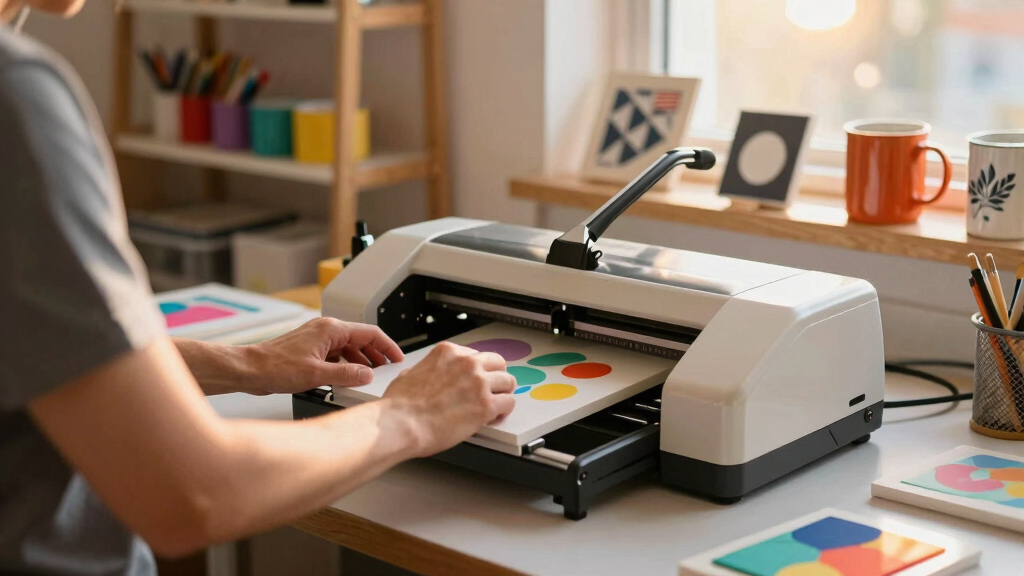
Each product was selected based on its ability to produce high-quality prints on hard blanks, with a focus on performance, usability, and value. We evaluated print resolution, ink system reliability, compatibility with sublimation inks, and ease of setup. Durability and maintenance requirements also influenced rankings, as these impact long-term operational costs. We prioritized models that balance affordability with professional-grade results, especially for small businesses or serious hobbyists. The final list reflects a mix of dedicated sublimation printers, versatile all-in-ones, and value bundles that meet different user needs.
Factors to Consider When Choosing Best Sublimation Printer For Hard Blanks
Choosing the right sublimation printer for hard blanks involves considering several key factors to ensure you get the best results and value. Not all printers handle the demands of sublimation equally, especially on rigid surfaces, so understanding these aspects can prevent costly mistakes and improve your crafting experience.
Print Quality and Resolution
High resolution is essential for sharp, vibrant images on hard surfaces. Look for printers offering at least 1200 dpi for crisp details, which is especially important for detailed logos or intricate artwork. Cheaper models may compromise on color accuracy or resolution, leading to dull or blurry prints. Opting for a dedicated sublimation printer often guarantees better color fidelity and consistency for hard blanks.
Ink System and Cost
Ink quality and system design significantly impact print durability and ongoing expenses. Printers with refillable cartridges and bulk ink options tend to be more cost-effective over time, reducing the per-print expense. Be wary of models that use proprietary inks or have high refill costs, as these can add up quickly, especially if you plan to produce a high volume of items.
Print Size Capacity
For hard blanks such as tiles, mugs, or plaques, larger print sizes are often necessary. Consider the maximum printable area and whether it matches your project needs. While smaller printers may be more affordable and easier to manage, they limit the size of the items you can produce. Conversely, larger format models command higher prices but expand creative possibilities.
Ease of Use and Maintenance
Simplicity in setup and operation can save time and frustration, particularly for beginners. Features like Wi-Fi connectivity, user-friendly interfaces, and automatic cleaning functions make the process smoother. However, more complex models might require regular maintenance and calibration, adding to the learning curve and ongoing effort. Balance your comfort level with the technical demands of the printer.
Compatibility and Versatility
Ensure the printer is compatible with your preferred sublimation inks and compatible surfaces. Some printers are optimized for rigid substrates, while others are better suited for textiles or ceramics. Versatile models that can handle multiple media types can be more valuable if you plan to diversify your projects. Confirming compatibility before purchase prevents unexpected limitations and additional equipment costs.
Frequently Asked Questions
Can I use regular ink in a sublimation printer for hard blanks?
No, regular ink is not suitable for sublimation printing since it won’t bond with the polymer coating on hard blanks. Sublimation inks are specially formulated to turn into gas when heated, allowing the dye to embed into the surface. Using incompatible inks can lead to poor adhesion, fading, or incomplete transfers, so always opt for genuine sublimation inks designed for your printer and substrate.
Is a larger print size necessary for sublimating hard blanks?
It depends on the size of the blanks you plan to work with. For small items like keychains or ornaments, a compact printer with a smaller maximum print area may suffice. However, if you want to create larger items, such as plaques or tiles, a printer with a wider format capability becomes essential. Assess your typical project size to choose a model that won’t limit your creativity.
How important is print resolution on hard blanks?
Print resolution directly affects the clarity and vibrancy of your designs. Higher resolution printers produce sharper images with more precise color gradations, which is vital for professional-looking results on hard surfaces. While lower-resolution models can work for simpler graphics, investing in at least 1200 dpi ensures your images are crisp and detailed, especially when printing small or intricate designs.
Are all sublimation printers suitable for DIY hobbyists?
Not all sublimation printers are equally beginner-friendly. Some models require more setup, calibration, and maintenance, which can be daunting for newcomers. Dedicated sublimation printers like the Sawgrass SG500 are designed with user-friendly features and comprehensive support, making them better suited for hobbyists. Meanwhile, versatile all-in-ones may need additional configuration but can serve multi-purpose needs, appealing to hobbyists who want flexibility.
What’s the typical cost of ongoing ink refills for sublimation printers?
Ongoing ink costs vary widely depending on the printer model and ink system. Refillable cartridges with bulk sublimation ink tend to be more economical, often costing around $50-$100 for a large refill. Proprietary ink systems can be more expensive, sometimes exceeding $200 per refill. Budgeting for ink is crucial because it can significantly influence your overall printing expenses over time, especially if you produce high volumes regularly.
Conclusion
For those starting out with small-scale projects or hobbyists, the Sawgrass SG500 offers a reliable, user-friendly experience with professional results. If you need larger print formats and want a versatile all-in-one, the Epson EcoTank ET-8550 stands out, though it may require some setup adjustments. Serious small business operators or experienced crafters should consider the Brother SP-1 Starter Bundle for its value-packed accessories, or a dedicated model like the Epson SureColor F170 for consistent, high-quality output. Ultimately, your choice depends on your project size, budget, and experience level, but these options cover the spectrum of needs effectively.