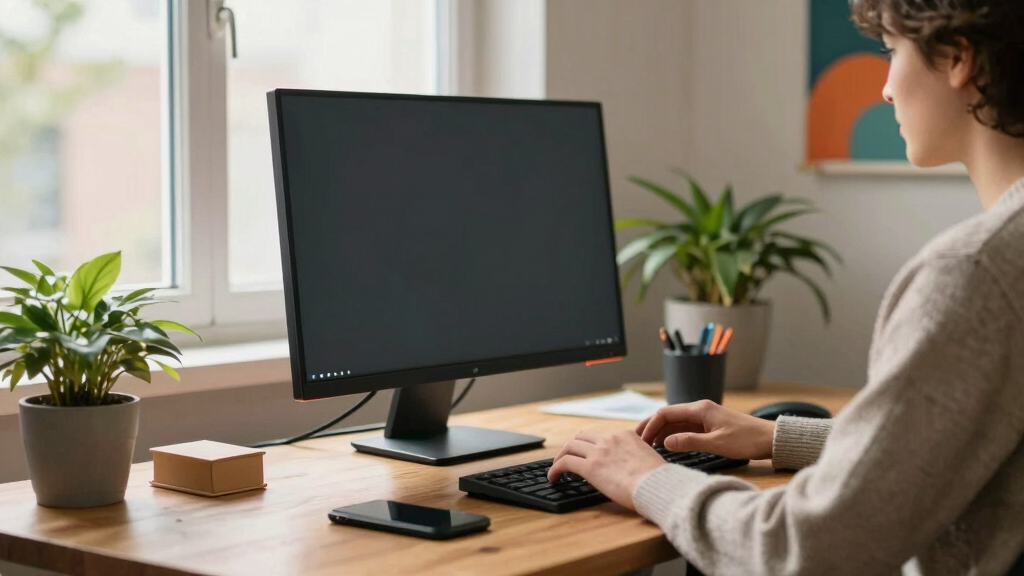

Finding the best all-in-one desktop computer for a small apartment office involves balancing performance, size, and value. The ideal choice should save space while delivering enough power for daily tasks without cluttering your workspace. The Lenovo ThinkCentre M820z stands out as the best overall due to its reliable performance and compact design. For budget-conscious buyers, the HP 2025 22″ offers decent features at a lower price, while the Acer Aspire 27 provides a larger display and strong specs for those who need more screen real estate. Keep reading to explore these options and find your perfect fit, along with the tradeoffs involved in each.
Key Takeaways
- Compact size remains the top priority for fitting into small apartment offices, but it often limits upgrade options.
- Performance needs vary—light tasks favor budget models, while more demanding work benefits from higher-end CPUs and more RAM.
- Display size is a key differentiator; larger screens improve productivity but take up more space.
- Built-in features like webcams, Wi-Fi 6, and ports can influence overall usability and future-proofing.
- Price ranges widely, but paying more often yields better performance, build quality, and longevity for long-term use.


More Details on Our Top Picks
Lenovo ThinkCentre M820z All-in-One Desktop (Renewed)
This model stands out for its compact, space-saving design combined with a robust 6-core Intel Core i5-8400t processor, making it ideal for multitasking in a small office. Compared to the Dell 24 (ec24250), it offers slightly more processing power, though it lacks a built-in webcam, which can be a drawback for video calls. Its 8GB RAM is enough for everyday tasks, but not for heavy multitasking or advanced applications. The 256GB SSD provides fast storage, yet might fill quickly if you handle large files regularly. The vibrant 21.5-inch Full HD display enhances both work and entertainment, fitting neatly into tight spaces. However, limited RAM upgradeability and absence of a camera mean it’s less suited for collaborative or multimedia-heavy workflows. This pick is best for small offices prioritizing space efficiency and reliable performance.
Pros:- Space-efficient all-in-one design fits small offices easily
- 6-core i5 processor handles multitasking smoothly
- Fast SSD storage improves responsiveness
- Vibrant Full HD display for clear visuals
Cons:- No built-in webcam limits video conferencing capabilities
- RAM upgradeability is restricted to 8GB, reducing long-term flexibility
- 256GB SSD may be insufficient for heavy data storage
Best for: Small business owners or remote workers who need a reliable, space-efficient desktop for multitasking and productivity
Not ideal for: Creative professionals or teams requiring video conferencing and extensive storage, due to the lack of a built-in webcam and limited SSD capacity
- Processor:Intel Core i5-8400t (up to 3.3GHz)
- RAM:8GB
- Storage:256GB SSD
- Display:21.5″ Full HD (1920×1080)
- OS:Windows 11 Pro
- Ports:4 x USB 3.1, HDMI, RJ45
Bottom line: This model suits small office users who value compactness and solid performance over multimedia features.
Lenovo 24″ FHD All-in-One Desktop PC with Intel N100, 16GB RAM, 128GB SSD, Windows 11
This pick makes the most sense for users who need a balance of speed and connectivity, thanks to its 16GB RAM and Wi-Fi 6. Compared with the Dell 24, it offers significantly more memory, allowing for smoother multitasking with multiple applications open. Its 128GB SSD is small but supplemented by the inclusion of a 500GB portable HDD, providing extra storage flexibility. The 23.8-inch FHD IPS display offers excellent color accuracy and viewing angles, ideal for multimedia and work tasks. However, the limited SSD capacity and lack of an upgrade path restrict long-term storage expansion, making it less suitable for heavy data users. The absence of a built-in card reader or optical drive is another minor inconvenience for some users. This model is best suited for home offices or light professional environments where connectivity and multitasking are priorities.
Pros:- Ample 16GB RAM supports smooth multitasking
- Wi-Fi 6 and Bluetooth 5.2 enable fast, reliable wireless connectivity
- High-quality IPS display with excellent color accuracy
- Includes wireless keyboard and mouse for convenience
Cons:- Limited to 128GB SSD, which may fill quickly
- No internal upgrade options for storage or RAM
- No built-in card reader or optical drive
Best for: Home-based professionals or students needing high RAM and reliable Wi-Fi for multitasking
Not ideal for: Heavy media editors or data-heavy users who require larger internal storage or upgrade options
- Processor:Intel N100 (4 cores, 3.4GHz max turbo)
- RAM:16GB DDR4
- Storage:128GB PCIe SSD + 500GB HDD
- Display:23.8″ FHD IPS (1920×1080)
- Connectivity:Wi-Fi 6, Bluetooth 5.2
- OS:Windows 11
Bottom line: Ideal for users who prioritize connectivity and multitasking in a compact, space-saving design.
Lenovo 24″ FHD All-in-One Desktop with Intel N100, 8GB RAM, 128GB SSD
This model is best suited for users who need a straightforward, affordable all-in-one for basic tasks. Its 8GB RAM and Intel N100 processor deliver decent performance for everyday productivity, but may struggle with more demanding applications. The 23.8-inch anti-glare IPS display offers a good visual experience for work and casual media consumption, while the included wireless keyboard and mouse add convenience. Compared to the Lenovo 24 with 16GB RAM, this option is more budget-friendly but sacrifices speed and multitasking capability. The 128GB SSD, while quick, could be a limiting factor for users with larger storage needs. Its lack of upgrade options makes it less future-proof for intensive use. This pick is better for small offices or home users with light computing demands.
Pros:- Affordable price point for basic use
- Good display quality with anti-glare coating
- Includes wireless peripherals for easy setup
- Compact and space-saving design
Cons:- Limited RAM and processor power for intensive tasks
- Small 128GB SSD may require external storage
- No upgrade options for RAM or storage
Best for: Budget-minded users or those with minimal storage needs
Not ideal for: Power users or professionals handling large files or multitasking heavily
- Processor:Intel N100 (4 cores, 3.40 GHz max turbo)
- RAM:8GB DDR4
- Storage:128GB PCIe SSD
- Display:23.8″ FHD IPS (1920×1080)
- Wi-Fi:6 (AX203, 802.11ax)
- OS:Windows 11
Bottom line: This model fits small offices with light computing needs and tight budgets, but isn’t future-proof for demanding workflows.
Acer Aspire 27 All-in-One Desktop, 27″ IPS FHD, AMD Ryzen 7 5825U, 16GB DDR4, 1TB SSD, Wi-Fi 6E, Webcam, Bluetooth 5.3, Windows 11 Home
This model makes a compelling case for those who want a large, high-quality display combined with serious processing power. Its AMD Ryzen 7 5825U processor outperforms many Intel-based options, especially for multitasking and demanding applications. The 27-inch IPS screen offers vibrant visuals and wide viewing angles, ideal for both work and entertainment. Compared to the Dell ec24250, it provides a larger display and more RAM, but it lacks a dedicated graphics card, limiting gaming potential. Its 1TB SSD ensures ample storage space and speed, suitable for media-heavy tasks or large project files. The inclusion of a webcam and Wi-Fi 6E adds to its versatility. However, its size, while still compact for a 27-inch display, might be slightly bulky for very tight spaces. This computer suits power users who need a larger screen and high performance in a small footprint.
Pros:- Powerful AMD Ryzen 7 processor handles multitasking easily
- Large 27-inch IPS display with vivid colors
- 1TB SSD provides extensive, fast storage
- Wi-Fi 6E and Bluetooth 5.3 for seamless connectivity
Cons:- Lacks a dedicated graphics card, limiting gaming and 3D applications
- Size might be less ideal for extremely tight spaces
- Design may be bulkier compared to smaller all-in-ones
Best for: Creative professionals or power users who need a large display and fast processing in a small office setting
Not ideal for: Gaming enthusiasts or users requiring dedicated graphics for intensive gaming or 3D work
- Processor:AMD Ryzen 7 5825U
- RAM:16GB DDR4
- Storage:1TB SSD
- Display:27″ IPS FHD
- Connectivity:Wi-Fi 6E, Bluetooth 5.3
- OS:Windows 11 Home
Bottom line: This is best for users needing serious performance and a large display in a compact footprint for productivity and media tasks.
Dell 24 All-in-One Desktop (ec24250) – 23.8-inch FHD Display, Intel Core 3 Processor, 8GB DDR5 RAM, 512GB SSD, Windows 11 Home – White
This Dell model excels in delivering vibrant visuals and reliable everyday performance. Its 23.8-inch FHD IPS display with 99% sRGB makes it ideal for creative work, casual media, and general productivity. Compared with the Lenovo ThinkCentre, it offers a more colorful display and a slightly faster SSD, but the Intel Core 3 processor limits its ability for heavy multitasking. The 8GB DDR5 RAM is efficient for daily tasks but may fall short when tackling multiple demanding applications. The inclusion of a 5MP HDR-enabled camera and Dolby Atmos sound supports video calls and media consumption. Its 512GB SSD provides ample room for documents and media, yet it may be overkill for users with minimal storage needs. This system suits small offices or home setups with a focus on visual quality and basic performance.
Pros:- Vivid, color-rich FHD IPS display with sRGB coverage
- HDR-enabled camera for clear video calls
- Fast 512GB SSD enhances responsiveness
- Built-in Dolby Atmos speakers for immersive sound
Cons:- Intel Core 3 processor may limit multitasking power
- Limited RAM for intensive multi-application workflows
- No upgrade options for RAM or storage
Best for: Users who prioritize display quality and multimedia capabilities in a compact all-in-one
Not ideal for: Power users or heavy multitaskers who need advanced processing or large storage
- Display Size:23.8″ FHD IPS
- Processor:Intel Core 3 100U
- RAM:8GB DDR5
- Storage:512GB SSD
- Camera:5MP HDR with IR
- OS:Windows 11 Home
Bottom line: Ideal for users who want excellent display quality and multimedia features for everyday office tasks.
HP 2025 22″ FHD All-in-One Desktop Computer • The New Version for Everyday Use • Latest 13th Gen Intel Quad-Core CPU • 8GB DDR5 • 128GB Storage • HDMI • Type-C • Wi-Fi • HD Webcam • Win11 Pro • Black
This HP model stands out for its balanced combination of performance and affordability, making it ideal for small office setups that demand reliability without excessive complexity. Its latest 13th Gen Intel N100 processor ensures smooth handling of daily tasks, outperforming older or less capable options like the Dell OptiPlex 5250, which relies on a dual-core Pentium. The 8GB DDR5 RAM supports multitasking, but the 128GB SSD may require supplementary storage for larger files, representing a tradeoff for its compact price point. The full suite of ports, including USB-C, HDMI, and Wi-Fi 6, guarantees solid connectivity, making it a versatile choice for video conferencing and peripheral use. While the display is clear and anti-glare, the screen size and storage limit make it less suitable for intensive media editing or large data storage needs. Overall, this pick makes the most sense for small business owners or professionals who prioritize a straightforward, secure, and responsive all-in-one for everyday work.
Pros:- Latest 13th Gen Intel N100 processor ensures efficient everyday performance
- Fast DDR5 RAM supports smooth multitasking
- Comprehensive port selection with Wi-Fi 6 guarantees versatile connectivity
Cons:- Limited 128GB SSD may necessitate external or additional storage
- Small display size (21.5″) could be less immersive for media tasks
- Basic integrated graphics are unsuitable for high-end creative work
Best for: Small business owners or remote professionals needing a reliable, all-in-one desktop with current-gen performance.
Not ideal for: Power users requiring extensive storage or high-end graphics for media editing or gaming.
- Processor:13th Gen Intel N100 (4 cores, up to 3.4GHz)
- RAM:8GB DDR5
- Storage:128GB SSD
- Display:21.5″ FHD (1920×1080), anti-glare
- Ports:USB-C, HDMI, multiple USB-A, Ethernet
- Operating System:Windows 11 Pro
Bottom line: A well-rounded choice for small offices seeking a secure, current-generation all-in-one for routine tasks.
Dell OptiPlex 5250 All in One Desktop PC, 21.5-inch AIO Computer, Intel Pentium G4560, 8 GB RAM, 256 GB SSD, No-Camera, Wi-Fi, Keyboard and Mouse, Windows 11 Pro (Renewed)
This Dell OptiPlex model prioritizes straightforward, dependable performance at a budget-conscious price, making it suitable for small offices that need reliable daily productivity. Compared to the HP 2025, which sports a newer processor, the Dell relies on an older Pentium G4560, which still handles standard office applications but may lag behind in multitasking speed. Its 8GB DDR4 RAM and 256GB SSD provide a balance of responsiveness and storage, though the SSD capacity might fill quickly with larger files. The 21.5″ IPS display offers vibrant visuals and wide viewing angles, making it ideal for collaborative environments or reception areas. The absence of a camera simplifies security and privacy concerns. Connectivity options are robust, with multiple USB ports and Ethernet, yet the lack of a touchscreen limits some interactive uses. This model is best for budget-sensitive buyers who need a dependable, space-saving all-in-one for basic tasks and occasional multitasking.
Pros:- Vibrant 21.5″ IPS display with accurate color reproduction
- Reliable Windows 11 Pro pre-installed for security and manageability
- Compact all-in-one design reduces desk clutter
Cons:- Older dual-core Pentium processor may limit multitasking speed
- Limited storage at 256GB SSD might require external drives
- No built-in camera reduces some conferencing capabilities
Best for: Small businesses or home offices needing a cost-effective, reliable all-in-one for routine work.
Not ideal for: Creative professionals or heavy multitaskers who require more power and storage expansion options.
- Processor:Intel Pentium G4560
- RAM:8GB DDR4
- Storage:256GB SSD
- Display:21.5″ FHD IPS
- Ports:Multiple USB, HDMI, Ethernet
- Operating System:Windows 11 Pro
Bottom line: A budget-friendly, dependable all-in-one suitable for basic office tasks and small teams.
HP 2025 21.5″ FHD All-in-One Desktop Computer with 13th Gen Intel N100 Processor, 8GB DDR5 RAM, 128GB SSD, Windows 11 Pro
This HP model makes sense for newcomers to small office setups or those seeking simplicity with current specs. Its 13th Gen Intel N100 processor ensures smooth handling of everyday tasks, comparable to the more powerful options but at a lower cost. The 8GB DDR5 RAM supports multitasking, though the 128GB SSD limits storage, making it less suitable for media-heavy use without external drives. The 21.5″ Full HD anti-glare display offers comfortable viewing, and ports like USB-C, HDMI, and Wi-Fi 6 provide adequate connectivity for most users. The inclusion of Windows 11 Pro adds a layer of security and manageability for less tech-savvy users. However, the system’s performance is geared toward basic to moderate workloads, and the small storage capacity could be a bottleneck over time. It’s ideal for users new to small offices or those who need a straightforward, secure machine for daily tasks.
Pros:- Current 13th Gen Intel N100 processor for reliable performance
- Windows 11 Pro enhances security and remote management
- Full HD anti-glare display for comfortable daily use
Cons:- Limited 128GB SSD storage may require external solutions
- Basic integrated graphics restrict high-end multimedia tasks
- Small screen size may be less immersive for content creation
Best for: Beginners or small teams seeking a simple, secure all-in-one with current generation processing.
Not ideal for: Power users or those with heavy storage needs or demanding creative workflows.
- Processor:13th Gen Intel N100
- RAM:8GB DDR5
- Storage:128GB SSD
- Display:21.5″ FHD anti-glare
- Ports:USB-C, HDMI, Wi-Fi 6
- Operating System:Windows 11 Pro
Bottom line: A straightforward, secure choice for beginners or small teams with light daily computing needs.
Lenovo 24 All-in-One Desktop (23.8″, Intel i3-N305, 16GB RAM, 512GB SSD)
This Lenovo all-in-one excels at balancing power and display quality, making it a prime candidate for small offices that handle multitasking, light content creation, or frequent video calls. Its 8-core i3-N305 processor, combined with 16GB RAM, provides a noticeable upgrade over basic dual-core options like the Dell G4560, enabling smoother multitasking and even some light creative work. The 23.8″ FHD IPS display with 99% sRGB ensures vibrant visuals and color accuracy, ideal for presentations or digital content review. The 512GB PCIe NVMe SSD guarantees fast boot times and ample space for documents and media. Connectivity options such as Wi-Fi 6 and multiple ports make peripherals easy to connect. The all-in-one design minimizes clutter, but the integrated graphics limit its suitability for demanding gaming or heavy rendering tasks. This system is best for users who want a versatile, visually rich workspace with enough power for diverse office activities.
Pros:- Powerful 8-core i3-N305 processor handles multitasking efficiently
- Vibrant 23.8″ FHD IPS display with 99% sRGB coverage
- Large 512GB SSD for fast access and ample storage
Cons:- Integrated graphics not suited for intensive gaming or 3D rendering
- All-in-one design limits upgrade options
- Higher price point compared to basic models
Best for: Creative professionals or multitaskers needing a high-quality display and decent performance for content editing or frequent calls.
Not ideal for: High-end gamers or those requiring professional-grade editing tools and extensive expandability.
- Processor:Intel Core i3-N305 (8C/8T, 3.8GHz max turbo)
- RAM:16GB DDR4
- Storage:512GB PCIe NVMe SSD
- Display:23.8″ FHD IPS (99% sRGB)
- Ports:Multiple USB, HDMI, Ethernet
- Connectivity:Wi-Fi 6, Bluetooth 5.2
Bottom line: An excellent choice for small offices that want a visually vibrant, capable all-in-one for multitasking and light creative work.
Lenovo IdeaCentre 24 23.8″ All-in-One with Lifetime Office 365 for Web, 8GB DDR4 RAM, 512GB PCIe SSD, Intel N100 Processor, FHD AIO Desktop Computer, WiFi 6, Bluetooth, Jet Black, Win 11 Home
The Lenovo IdeaCentre 24 stands out for its balance of performance, storage, and sleek design, making it ideal for small offices where space is limited but reliable multitasking is needed. Compared with the HP 27-inch AIO, it offers a more compact footprint and sufficient power for daily tasks, though it sacrifices some high-end specs like larger RAM capacity. Its 8GB DDR4 RAM and 512GB SSD ensure responsive performance, and the IPS FHD display with 99% sRGB supports long hours of work without eye strain. The built-in WiFi 6 and Bluetooth 5.2 keep connectivity stable, while the professional Jet Black aesthetic fits well into small, modern spaces. However, it lacks a card reader and has limited upgrade options, which could be a drawback for power users. This pick makes the most sense for small business owners or remote workers seeking a dependable all-in-one that maximizes desk space without sacrificing essential features.
Pros:- Compact 24-inch design maximizes small desk space
- 512GB PCIe NVMe SSD provides fast storage and responsiveness
- Built-in WiFi 6 and Bluetooth 5.2 ensure stable wireless connectivity
- Professional Jet Black aesthetic suits small office environments
Cons:- Limited RAM upgrade potential beyond 8GB
- No card reader for expandable media options
- Basic integrated graphics may not handle demanding creative work
Best for: Small office professionals who need a reliable, space-saving desktop with good storage and connectivity.
Not ideal for: Power users requiring extensive RAM or upgrade flexibility, or those needing dedicated graphics for intensive tasks.
- Processor:Intel N100
- RAM:8GB DDR4
- Storage:512GB PCIe SSD
- Display Size:23.8 inches
- Display Resolution:1920×1080
- Connectivity:WiFi 6, Bluetooth 5.2
- Weight:around 4.3 kg
- Operating System:Windows 11 Home
Bottom line: This model is perfect for small office users prioritizing space efficiency and reliable everyday performance.
Lenovo 24″ FHD All-in-One (AIO) Desktop – 16GB RAM – 512GB SSD – Intel Core – Office 365 for The Web | Stylish & Sleek – Stunning Display – Easy Task Management & Clear Calls – Fast & Quick Access
The Lenovo IdeaCentre AIO i excels for those who need more memory and faster performance, making it ideal for multitasking, content creation, or demanding office applications. Compared with the Lenovo IdeaCentre 24, it offers 16GB RAM and up to 2TB SSD options, which are better suited for heavy workloads and extensive file storage. Its QHD display with immersive visuals, combined with Harman speakers and low blue light tech, enhances both work and entertainment experiences. The 5MP AI webcam with AI noise suppression ensures crystal-clear video calls, crucial for remote work. While it provides impressive customization, the high-performance specs come with a higher price and potentially more power consumption. This model is best for small offices or remote workers who prioritize speed, multitasking, and superior audiovisual quality.
Pros:- Up to 16GB RAM supports seamless multitasking
- 512GB or 2TB PCIe SSD delivers rapid data access
- QHD display with immersive visuals and Harman audio
- AI-enhanced webcam and noise cancelling improve remote meetings
Cons:- Higher cost compared to models with less RAM
- Potentially larger power draw and size for a small office
- Limited upgradeability due to all-in-one design
Best for: Small business owners or remote professionals needing high RAM and fast storage for multitasking and content creation.
Not ideal for: Budget-conscious users or those with limited space who only perform basic tasks, as it might be overkill and pricier than necessary.
- Processor:Intel Core
- RAM:Up to 16GB
- Storage:Up to 2TB PCIe SSD
- Display Size:24 inches
- Display Resolution:QHD (2560×1440)
- Webcam:5MP AI Camera with IR
- Speakers:Harman audio-enhanced
- Operating System:Windows 11
Bottom line: Ideal for small offices that demand high performance, excellent display quality, and smooth video conferencing.
Lenovo IdeaCentre Everyday Tasks 24″ Full HD All-in-One Desktop Computer • Office 365 for the Web • Intel 4-Cores • 256GB SSD • 8GB RAM • KB and Mouse • Windows 11
The Lenovo IdeaCentre Everyday Tasks offers an affordable, reliable solution for users who mainly perform basic office tasks and web browsing. Compared with the Lenovo 24″ FHD All-in-One (AIO) with 16GB RAM, this model provides a more budget-friendly option, though with slightly less RAM and storage. Its 8GB RAM and 256GB SSD are sufficient for daily productivity, email, and light multitasking, especially when paired with Windows 11. The 24-inch FHD display with anti-glare coating supports comfortable viewing for extended periods. Its simple setup makes it suitable for small home offices or those new to all-in-one systems. The main tradeoff is limited upgrade potential and modest specs, which might hinder future-proofing or intensive multitasking. This makes it perfect for users who want straightforward, space-saving performance without paying for extras they won’t need.
Pros:- Affordable price point for basic office use
- Compact design saves desk space
- Pre-installed Windows 11 for easy setup
- Reliable performance for everyday tasks
Cons:- Limited RAM (8GB) restricts heavy multitasking
- Smaller 256GB SSD may fill quickly with files
- Limited upgrade options due to all-in-one form factor
Best for: Home office workers or students seeking an affordable, space-efficient computer for basic productivity tasks.
Not ideal for: Power users or creative professionals needing high RAM, storage, or advanced graphics capabilities.
- Processor:Intel 4-Core
- RAM:8GB DDR4
- Storage:256GB SSD
- Display Size:24 inches
- Display Resolution:1920×1080
- Operating System:Windows 11
- Webcam:5MP AI Camera
- Connectivity:WiFi, Bluetooth
Bottom line: Best suited for budget-conscious users who need a straightforward, space-saving desktop for light work.
HP 27-inch All-in-One Desktop PC with Full HD Display, AMD Ryzen 7 7730U, 32 GB RAM, 1 TB SSD, AMD Radeon Graphics, Windows 11 Home (Model 27-cr0012, 2024)
The HP 27-inch AIO delivers high-end performance with a large, immersive display, making it ideal for small offices that require multitasking, creative work, or media consumption. Compared to the Lenovo models, it offers a larger 27-inch screen with a sleek three-sided micro-edge design, perfect for a more modern aesthetic. Its AMD Ryzen 7 processor, 32GB RAM, and 1TB SSD ensure speedy workflows and ample space for large files or multiple applications. The full HD display with up to 90% screen-to-body ratio provides sharp visuals, while the eco-friendly certifications add value for conscientious buyers. However, its size and power might be less suitable for very tight spaces, and upgrade options are limited in an all-in-one. This is best for small offices where performance and visual experience take priority over compactness.
Pros:- Large 27-inch Full HD display with micro-edge design
- Powerful AMD Ryzen 7 CPU and 32GB RAM for demanding tasks
- Fast 1TB SSD provides quick access and ample storage
- Energy-efficient with EPEAT Gold and ENERGY STAR certifications
Cons:- Size may be unsuitable for very small desks
- Limited upgrade paths in all-in-one design
- Higher price point compared to smaller or less powerful models
Best for: Creative professionals or power users in small offices who need a large display and robust specs for multitasking and media editing.
Not ideal for: Users with very limited space or those on a strict budget, as it is larger and more expensive than entry-level options.
- Processor:AMD Ryzen 7 7730U
- RAM:32GB
- Storage:1TB SSD
- Display Size:27 inches
- Display Resolution:Full HD (1920×1080)
- Graphics:AMD Radeon
- Operating System:Windows 11 Home
- Certifications:EPEAT Gold, ENERGY STAR
Bottom line: This model is ideal for small offices that prioritize large visuals and high performance without space constraints.

How We Picked
Our evaluation focused on key factors that matter most for small office environments: size and space efficiency, performance for typical office tasks, build quality and longevity, and value for the price. We prioritized models that balance compactness with enough power to handle daily productivity, avoiding overly bulky designs that defeat the purpose of an all-in-one for small spaces. The ranking reflects a mix of user-friendly features, upgradeability, and overall reliability, ensuring each pick serves a specific buyer need, from budget-friendly options to high-performance premium models.
We also considered design aesthetics, connectivity options, and user reviews to gauge real-world usability. The goal was to identify models that combine space-saving design with enough performance headroom to prevent obsolescence. Ultimately, the list aims to help buyers find a well-rounded computer that fits seamlessly into a small apartment office without sacrificing essential features.
Factors to Consider When Choosing Best All-in-one Desktop Computers For Small Apartment Offices
Choosing the right all-in-one desktop for a small apartment office requires understanding your specific needs and making tradeoffs. Beyond specs, consider how the device will fit into your space, your typical workload, and future upgrade potential. The following factors will help clarify what to look for when making your pick, ensuring your investment balances practicality and performance.
Size and Space Efficiency
Since small apartment offices prioritize saving space, size and form factor are paramount. Look for models with slim profiles and integrated stands to maximize desk real estate. Be mindful that larger displays, while enhancing productivity, may encroach on limited space, so balance screen size with overall footprint. Compact designs with fold-away stands or minimal bezels can offer a sleek look without sacrificing functionality.
Performance for Daily Tasks
The core purpose of your all-in-one should guide your choice. Basic tasks like web browsing, email, and document editing require less power, allowing for budget and mid-range CPUs. For multitasking or multimedia use, aim for models with at least 8GB RAM and modern processors like Intel i5 or AMD Ryzen 5. Higher-tier models with more RAM and faster CPUs will better handle future software updates and multi-application workflows, extending the device’s useful life.
Display Size and Quality
Display size directly influences productivity and comfort. Larger screens (24-27 inches) provide more workspace but demand more desk space. Consider resolution—Full HD is standard, but 4K options are available for sharper visuals, especially useful for creative tasks. IPS panels offer better color accuracy and viewing angles, which can be beneficial if you do visual work or prefer a more vibrant display for everyday use.
Connectivity and Future-Proofing
Good connectivity options include multiple USB ports, HDMI, and Wi-Fi 6 for faster, more reliable network connections. Built-in webcams and microphones are essential for video calls, especially in remote work setups. Think about future needs—models with upgradeable RAM or ports can extend their lifespan. Wireless features like Bluetooth 5.3 also enhance peripheral compatibility, making your workspace more flexible and clutter-free.
Budget and Long-Term Value
Price varies widely in this category, but investing a bit more can improve performance, longevity, and overall satisfaction. Cheaper options may save money upfront but often lack future relevance or sufficient power for demanding tasks. Conversely, premium models tend to feature better build quality, faster components, and longer software support. Consider your budget alongside expected use to find a balanced choice that won’t feel obsolete in a few years.
Frequently Asked Questions
Can I upgrade the components in an all-in-one desktop?
Most all-in-one desktops have limited upgrade options, often restricted to RAM and storage. This design choice helps keep the device compact but can restrict future performance improvements. If upgrading flexibility is important, look for models explicitly offering easy access to RAM slots or storage drives. Keep in mind that for significant hardware upgrades, a traditional desktop may be more suitable.
Is a larger display always better for small spaces?
While a larger display can boost productivity by providing more screen real estate, it also consumes more space, which might be problematic in very tight setups. A 24-inch display often strikes a good balance, offering enough workspace without overwhelming the desk. Consider your available space and how much room you need for comfortable viewing before opting for larger screens, especially in small apartments.
Are built-in webcams and microphones important for remote work?
Yes, integrated webcams and microphones are essential for video conferencing and remote collaboration, which are common in small office setups. Features like 1080p webcams and noise-canceling microphones improve communication clarity. If a model lacks these, you may need to purchase external peripherals, which can add to clutter and cost. Prioritizing all-in-one units with quality built-in peripherals simplifies your workspace.
Should I prioritize a higher-resolution display?
Higher resolution displays, such as 4K, provide sharper images and more workspace, but they also tend to be more expensive and consume more power. For most small office tasks, Full HD is sufficient and helps keep costs down. Only consider 4K if your work involves detailed visual editing or if you want the best image quality for multimedia use. Balance the display quality with your budget and space constraints.
How important is warranty and after-sales support?
Warranty and support are especially relevant for small office setups where downtime can impact productivity. Look for models from reputable brands offering at least one year of coverage, along with options for extended support. Good after-sales service can save you time and money if issues arise, ensuring your investment remains protected. This is particularly valuable when choosing higher-priced premium options, which often include better support packages.
Conclusion
For buyers seeking a reliable, space-efficient solution, the Lenovo ThinkCentre M820z offers a balanced mix of performance and compactness, making it the best overall choice. Budget-conscious users should consider the HP 2025 22″ for its affordability, while those with demanding workflows may prefer the Acer Aspire 27 for its larger display and robust specs. Beginners will benefit from models with straightforward setup and decent performance like the Dell 24 All-in-One, whereas advanced users might prioritize premium features and future-proofing in the HP 27-inch model. Your ideal pick depends on your space constraints, workload, and budget—use this guide to make a tailored decision.