The Cricut Maker 4 Smart Cutting Machine is my best overall pick in this roundup because it offers the broadest room to grow across craft projects. For smaller spaces and quick labels, Cricut Joy Xtra bundles are more approachable, while the Cricut Explore 5 Essential Bundle offers a middle ground for common paper and vinyl crafts. The main tradeoff is between a machine’s project range and the footprint, learning curve and included supplies that come with it. Bundles aimed at stickers, cards, vinyl or shirts can make a first project easier, but they are less flexible if your interests change. Read on for how I rank all 14 options and which one suits your craft plans.

Get business pricing on tools and workshop supplies
- Business-only prices and quantity discounts
- Tax-exempt purchasing
- Multiple users, one account, clear invoices
Complete the kit



Key Takeaways
- Maker 4 is the broadest starting point for varied projects: its standalone machine and sticker, card and vinyl bundles suit buyers who want room to branch out.
- Joy Xtra bundles share a compact machine but differ in the supplies they emphasize: sticker paper and card kits, digital content, Smart Vinyl and Mini EasyPress accessories point to different first projects.
- Explore 5 fills the middle ground: it is a stronger fit than Joy models for a broader mix of everyday crafts, while Maker 4 is the more capable choice for buyers with varied ambitions.
- Joy and Joy 2 bundles prioritize compact crafting: their smaller format favors quick labels and simple projects over the wider project range of Maker and Explore machines.
- Bundle contents matter as much as the machine name: a project-specific kit can reduce initial supply hunting, but buyers should check that the included materials match the crafts they plan to make.
| Cricut Maker 4 Sticker Making Bundle, Seashell |  | Best for Sticker Small Businesses | Brand: Cricut | Model: z20-11084-N4 | Color: Seashell | VIEW LATEST PRICE | See Our Full Breakdown |
| Cricut Joy Xtra Cutting Machine Bundle with Sticker Paper and Card Kit |  | Best for Card and Sticker Variety | Machine: Cricut Joy Xtra | Included items: Printable sticker paper pack, card kit, pen set, Standard Grip Mat, Card Mat, weeding tool, and digital guides | Compatible materials: 50+ materials, including vinyl, heat-transfer vinyl, and cardstock | VIEW LATEST PRICE | See Our Full Breakdown |
| Cricut Joy Xtra Smart Cutting Machine – Ultimate Starter Bundle |  | Best for Guided First Projects | Machine: Cricut Joy Xtra | Machine mat size: 8.5 x 12 in (21.6 x 30.5 cm) | Included vinyl samplers: Elegance Sampler (White, Black, Red) and Roller Skate Sampler (Aqua, Party Pink, Purple) | VIEW LATEST PRICE | See Our Full Breakdown |
| Cricut Joy Xtra Smart Cutting Machine Starter Bundle |  | Best Simple Accessory Starter | Machine: Cricut Joy Xtra | Compatible materials: 50+ materials, including vinyl, iron-on HTV, cardstock, and stickers | Functions: Cuts, writes, draws, and foils | VIEW LATEST PRICE | See Our Full Breakdown |
| Cricut Joy 2 Ultimate Bundle, Coral |  | Best Lightweight Travel Craft Setup | Color: Coral | Cutting width: 4.5 in (11.4 cm) | Weight: Just over 2 lbs (0.91 kg) | VIEW LATEST PRICE | See Our Full Breakdown |
| Cricut Explore 5 Essential Bundle with Digital Content, Taupe | 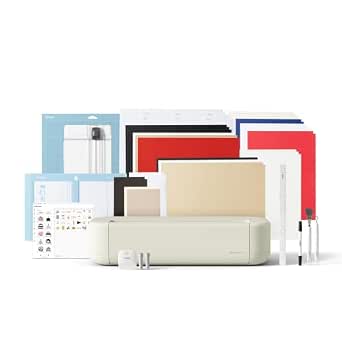 | Best Beginner Bundle | Cutting width: 12 in (30.5 cm) | Compatible materials: 100+ materials, including vinyl, iron-on, cardstock, and printable materials | Connectivity: Bluetooth | VIEW LATEST PRICE | See Our Full Breakdown |
| Cricut Maker 4 Smart Cutting Machine – Seashell |  | Best for Material Range and Speed | Model: Cricut Maker 4 | Maximum Smart Material cut length: 12 ft (3.6 m) | Speed: Up to 2X faster than the previous model | VIEW LATEST PRICE | See Our Full Breakdown |
| Cricut Joy Xtra Smart Cutting Machine with Digital Content Bundle | 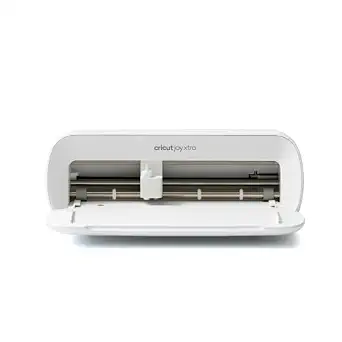 | Best Compact Pick | Compatible materials: 50+ materials, including vinyl, iron-on HTV, cardstock, and stickers | Functions: Cuts, writes, draws, and foils | App: Cricut Design Space | VIEW LATEST PRICE | See Our Full Breakdown |
| Cricut Maker 4 Card Making Bundle |  | Best for Card Makers | Machine: Cricut Maker 4 | Included mat: 2×2 card mat | Included components: Cardstock, card inserts, envelopes, rainbow vinyl sampler, HTV sampler, and crafting materials | VIEW LATEST PRICE | See Our Full Breakdown |
| Cricut Maker 4 Vinyl Cutting Bundle with Rainbow Smart Vinyl and Tools |  | Best for Vinyl Projects | Machine: Cricut Maker 4 | Cutting capability: Cuts 300+ materials | Included vinyl: 5 multicolored Smart Vinyl rolls | VIEW LATEST PRICE | See Our Full Breakdown |
| Cricut Joy Xtra Cutting Machine and Smart Vinyl Bundle |  | Best for Home Labels and Decals | Included: Cricut Joy Xtra machine, rainbow Smart Vinyl, transfer tape, tools, and design guides | Vinyl type: Permanent | Mat required: No for compatible Smart Vinyl | VIEW LATEST PRICE | See Our Full Breakdown |
| Cricut Joy Xtra Cutting Machine and Mini EasyPress T-Shirt Making Bundle |  | Best for Small Apparel Designs | Included items: Cricut Joy Xtra machine, Cricut Mini EasyPress, Smart Iron-On materials, crafting tools, and design guides | Intended projects: T-shirts, hoodies, baby clothes, tote bags, hats, and gifts | Heat press use: Small designs, curved surfaces, and hard-to-reach areas | VIEW LATEST PRICE | See Our Full Breakdown |
| Cricut Joy Machine & Digital Content Library Bundle |  | Best Lightweight Starter | Weight: 3.9 lb | Materials supported: 50+ | Maximum single-shape cut length: 4 ft | VIEW LATEST PRICE | See Our Full Breakdown |
| Cricut Joy 2 Essential Bundle with Rainbow Sampler |  | Best for Compact Creative Variety | Weight: Just over 2 lb (0.91 kg) | Cutting width: 4.5 in (11.4 cm) | Material compatibility: 75+ materials | VIEW LATEST PRICE | See Our Full Breakdown |
More Details on Our Top Picks
Cricut Maker 4 Sticker Making Bundle, Seashell
The Maker 4 Sticker Making Bundle is the strongest fit here for makers who want to produce custom stickers, labels, and decals while keeping room for broader craft projects. Its included sticker materials, adhesive vinyl, tools, and project guidance give a new seller more to start with than the Cricut Joy Xtra Starter Bundle, which is a more compact choice for smaller projects. Print Then Cut pairs Design Space with an inkjet printer, so you can make designs with printed color and let the machine handle the outline cuts. That workflow does depend on having a compatible printer, and water resistance depends on the supplied materials. This bundle makes sense when sticker work is a central use, but buyers who mainly make cards or occasional decals may find a smaller Joy Xtra bundle easier to fit into their workspace.
Pros:- Includes sticker materials, adhesive vinyl, tools, and project guidance
- Print Then Cut supports custom printed stickers, labels, and decals
- Maker 4 platform suits a range of craft projects beyond stickers
- Bundle can help small-business makers get started with supplies
Cons:- Print Then Cut requires a compatible inkjet printer
- Water resistance varies with the included materials
- A larger machine may be more than occasional sticker makers need
Best for: Home crafters and early-stage sticker sellers who want a Maker 4 plus sticker materials and tools in one bundle.
Not ideal for: Crafters without an inkjet printer, or those who mostly make small cards and labels and want a compact machine.
- Brand:Cricut
- Model:z20-11084-N4
- Color:Seashell
- Included components:Maker 4 cutting machine, sticker materials, adhesive vinyl, tools, and project guidance
- Print Then Cut:Compatible with Cricut Design Space and an inkjet printer
- Warranty:1 year against manufacturer defects
Our verdict“Choose this bundle if sticker production and room for varied crafts matter more than a compact footprint.”
Cricut Joy Xtra Cutting Machine Bundle with Sticker Paper and Card Kit
This Joy Xtra bundle gives card makers and sticker enthusiasts a practical mix: printable sticker paper, a card kit, pens, two mats, and a weeding tool. Compared with the Cricut Joy Xtra Smart Cutting Machine Starter Bundle, this package puts a card kit and pen set front and center, making it the more natural pick for alternating between greetings and full-color stickers. The machine also cuts, writes, draws, and foils across more than 50 materials, so it can support projects beyond the included supplies. Its compact size helps in a shared or small workspace. The tradeoffs are Bluetooth-only connectivity and reliance on a compatible computer or mobile device; the guides are digital, and card kit or pen colors may vary. For larger cutting projects, a Maker 4 bundle offers a different scale of machine.
Pros:- Includes sticker paper, a card kit, pens, mats, and a weeding tool
- Cuts, writes, draws, and foils on more than 50 materials
- Print Then Cut supports full-color designs from a home inkjet printer
- Compact machine connects to Design Space over Bluetooth
Cons:- Bluetooth is the only listed connectivity option
- Requires a compatible computer or mobile device
- Instructions are digital, and some bundle colors may vary
Best for: New crafters who want to make both inkjet-printed stickers and custom cards from a compact setup.
Not ideal for: Buyers who prefer wired connectivity, printed instructions, or a machine for larger-format projects.
- Machine:Cricut Joy Xtra
- Included items:Printable sticker paper pack, card kit, pen set, Standard Grip Mat, Card Mat, weeding tool, and digital guides
- Compatible materials:50+ materials, including vinyl, heat-transfer vinyl, and cardstock
- Connectivity:Bluetooth
- Printer compatibility:Home inkjet printers for Print Then Cut
- Functions:Cutting, writing, drawing, and foiling
- Dimensions:12.5 x 6 x 5.5 in (31.7 x 15.2 x 13.9 cm)
- Machine warranty:12 months
Our verdict“Pick this Joy Xtra bundle if cards and printed stickers are your main projects and you want supplies for both.”
Cricut Joy Xtra Smart Cutting Machine – Ultimate Starter Bundle
The Ultimate Starter Bundle is a good match for beginners who want a compact machine and supplies for trying several project types. Its LightGrip and card mats, two Smart Vinyl samplers, transfer tape, and insert card sampler provide a more varied launch point than the Joy Xtra bundle with sticker paper and card kit, which is more focused on printable stickers and preselected card projects. Design Space adds guided flows and a free starter library, so a newcomer can begin without bringing finished artwork. The Joy Xtra cuts, writes, draws, and foils, giving those first materials room to grow into decals and cards. The main limitation is that the larger content library requires an optional subscription; the mat adhesive may also wear over time. Choose this bundle for guided experimentation, not for the broadest included digital library.
Pros:- Compact Joy Xtra supports cutting, writing, drawing, and foiling
- Includes mats, vinyl sampler packs, transfer tape, and insert cards
- Design Space offers free images, fonts, projects, and guided flows
- Works with desktop and mobile versions of Design Space
Cons:- Full content library requires an optional Cricut Access subscription
- Machine mat adhesive may wear over time
- Starter bundle is less centered on printable sticker paper than the sticker-and-card bundle
Best for: Beginners with limited workspace who want starter materials for vinyl decals, insert cards, and guided Design Space projects.
Not ideal for: Crafters who need the full digital content library included or expect long-term mat adhesive without replacement.
- Machine:Cricut Joy Xtra
- Machine mat size:8.5 x 12 in (21.6 x 30.5 cm)
- Included vinyl samplers:Elegance Sampler (White, Black, Red) and Roller Skate Sampler (Aqua, Party Pink, Purple)
- Software:Cricut Design Space, free on desktop and mobile
- Free content library:3,000+ images, 100+ fonts, and 1,000+ projects
- Full library with subscription:1,500,000+ images, 1,000+ fonts, and 100,000+ projects
- Included accessories:LightGrip machine mat, card mat, transfer tape, and insert card sampler pack
Our verdict“This is a fitting first Cricut bundle for space-conscious beginners who want to learn across several craft formats.”
Cricut Joy Xtra Smart Cutting Machine Starter Bundle
If you already have project ideas and want practical tools to carry them out, this Joy Xtra Starter Bundle keeps the package straightforward: a StandardGrip mat, Smart Vinyl sampler, transfer tape, and five-piece tool set. It covers vinyl and iron-on work as well as stickers, cardstock, and full-color Print Then Cut projects with most inkjet printers. Compared with the Joy Xtra Ultimate Starter Bundle, it offers fewer distinct starter materials and less detail about included digital content, but its accessory set is useful for weeding and applying decals. Design Space templates and guided flows can help shape a project, though the full content library may require a subscription. The compact Joy Xtra suits smaller projects; an inkjet printer is still needed for printed sticker designs. This is best for buyers who value hands-on tools over a broader sampler assortment.
Pros:- Includes StandardGrip mat, Smart Vinyl sampler, transfer tape, and five-piece tool set
- Works with more than 50 materials, including iron-on HTV and cardstock
- Supports cutting, writing, drawing, foiling, and Print Then Cut
- Design Space provides templates and guided flows
Cons:- Print Then Cut requires an inkjet printer
- Full Design Space content library requires an optional subscription
- Starter materials are less varied than the Ultimate Starter Bundle
Best for: Vinyl and iron-on crafters who want a compact Joy Xtra with core application tools and a transfer tape roll.
Not ideal for: Sticker makers without an inkjet printer or beginners seeking a wider assortment of starter materials and cards.
- Machine:Cricut Joy Xtra
- Compatible materials:50+ materials, including vinyl, iron-on HTV, cardstock, and stickers
- Functions:Cuts, writes, draws, and foils
- Print Then Cut:Compatible with most inkjet printers
- Included accessories:StandardGrip machine mat, Smart Vinyl Sampler Pack, 9.5 in x 20 ft transfer tape roll, and five-piece tool set
- Software:Cricut Design Space app for desktop and mobile
Our verdict“Choose this bundle if vinyl projects and useful application tools matter more than a broad starter assortment.”
Cricut Joy 2 Ultimate Bundle, Coral
At just over two pounds, the Cricut Joy 2 Ultimate Bundle is the easiest option here to move between a shelf and a crafting table. It supports more than 75 materials and adds scoring to cutting, writing, drawing, and foiling, while the included EasyPress Mini LT opens the door to small heat-transfer projects. That combination gives it a broader technique mix than the Joy Xtra Starter Bundle, though its 4.5-inch cutting width makes project size the clear compromise. It can also precision-cut full-color designs printed on a home inkjet printer, useful for compact stickers and labels. Supplies for up to 75 projects give buyers room to start, but extra Design Space content may involve a subscription. Pick this package for portable, small-format crafting; choose a Joy Xtra bundle when wider projects matter more.
Pros:- Weighs just over 2 pounds for easy storage and transport
- Supports 75+ materials and cutting, writing, drawing, foiling, and scoring
- Includes an EasyPress Mini LT for small heat-transfer projects
- Bundle includes supplies and tools for up to 75 projects
Cons:- 4.5-inch cutting width limits project dimensions
- Print Then Cut requires a home inkjet printer
- Additional Design Space content and Cricut Access may cost extra
Best for: Apartment crafters and mobile hobbyists who need a light machine for small cards, labels, decals, and heat-transfer projects.
Not ideal for: Makers who regularly cut wider designs, larger apparel graphics, or full-size craft materials.
- Color:Coral
- Cutting width:4.5 in (11.4 cm)
- Weight:Just over 2 lbs (0.91 kg)
- Material compatibility:75+ materials
- Connectivity:Bluetooth
- Compatible printer:Home inkjet printer
- Included heat press:Cricut EasyPress Mini LT
- Bundle capacity:Supplies for up to 75 projects
Our verdict“This bundle suits crafters who prioritize portability and technique variety for small projects over cutting width.”
Cricut Explore 5 Essential Bundle with Digital Content, Taupe
The Explore 5 Essential Bundle is a practical starting point for someone who wants a 12-inch machine and materials for several projects in the same box. Its included Smart Vinyl, Smart Iron-On, cardstock, and printable vinyl are listed for up to 65 projects, so buyers can try different crafts before choosing a favorite. It cuts more than 100 materials and supports Print Then Cut stickers with a compatible inkjet printer. Compared with the Cricut Joy Xtra Smart Cutting Machine with Digital Content Bundle, this model offers a wider 12-inch cutting format and a larger stated project capacity, making it a better fit for broader crafting plans. The tradeoff is that some tools and materials are separate purchases, and the wider Design Space library and certain features require a paid subscription. Bluetooth and high-speed internet are also part of the setup.
Pros:- Cuts more than 100 materials, including vinyl, iron-on, cardstock, and printable materials
- Included supplies are listed for up to 65 projects
- 12-inch cutting width supports larger designs than the Cricut Joy Xtra
- Print Then Cut supports full-color stickers and decals with a compatible inkjet printer
Cons:- Some tools, materials, and accessories are sold separately
- Some Design Space content and features require a paid Cricut Access subscription
- Requires a compatible Bluetooth device and high-speed internet connection
Best for: New crafters who want a 12-inch machine, a varied supply of starter materials, and room to try vinyl, iron-on, and paper projects.
Not ideal for: Buyers who want an especially small machine or prefer crafting without an internet-connected app and possible subscription costs.
- Cutting width:12 in (30.5 cm)
- Compatible materials:100+ materials, including vinyl, iron-on, cardstock, and printable materials
- Connectivity:Bluetooth
- Bundle project capacity:Up to 65 projects
- Compatible tools:6 tools; Deep Cutting Tool sold separately
- Digital content:25 premium images, 1 font, and free library with 3,000+ images, 100+ fonts, and 1,000+ projects
- Compactness:30% more compact than previous Explore models
- Color:Taupe
Our verdict“Choose the Explore 5 Essential Bundle if you want a full-width starter machine with varied materials ready for a range of projects.”
Cricut Maker 4 Smart Cutting Machine – Seashell
The Cricut Maker 4 is the strongest fit here for crafters who want to move among varied materials and tools, including projects such as engraved metal and debossed leather. Its stated speed is up to 2X faster than the previous model, while Smart Materials allow continuous cuts up to 12 feet. That combination can help when making longer designs or producing repeated work. Compared with the Cricut Explore 5 Essential Bundle, the Maker 4 is positioned for broader material and tool use, while the Explore bundle supplies more starter materials and digital content for getting underway. This machine is a standalone option, so buyers should factor in the materials and tools their projects need. Smart Materials can add ongoing supply costs, and the broad capabilities may take time to learn if you are new to cutting machines.
Pros:- Supports a wide range of materials and tools, including engraving metal and debossing leather
- Cuts up to 2X faster than the previous model
- Smart Materials support continuous cuts up to 12 ft
- Design Space provides cut settings and project inspiration
Cons:- Smart Materials may add ongoing supply costs
- Advanced capabilities can create a learning curve for beginners
- This listing does not specify included starter materials or accessories
Best for: Experienced hobby crafters who plan to work across different materials, use specialty tools, or make long Smart Material cuts.
Not ideal for: Beginners seeking an all-in-one starter bundle with supplies, or occasional crafters who only need basic paper and vinyl cuts.
- Model:Cricut Maker 4
- Maximum Smart Material cut length:12 ft (3.6 m)
- Speed:Up to 2X faster than the previous model
- Software:Cricut Design Space app
- Material and tool use:Compatible with a wide range of materials and tools
- Example project capabilities:Custom cards, T-shirts, full-color stickers, engraved metal, and debossed leather
- Color:Seashell
Our verdict“Pick the Maker 4 if material versatility and longer, faster cuts matter more to you than receiving a supply-filled starter bundle.”
Cricut Joy Xtra Smart Cutting Machine with Digital Content Bundle
The Cricut Joy Xtra brings cutting, writing, drawing, and foiling into a compact machine that works with more than 50 materials. Its Print Then Cut support lets buyers make full-color sticker designs with most inkjet printers, and this bundle adds accessories plus 30 bonus digital images. Compared with the 12-inch Cricut Explore 5 Essential Bundle, the Joy Xtra has a narrower role: it suits smaller workspaces and everyday projects, while the Explore 5 offers a wider cutting format and supplies listed for up to 65 projects. The Joy Xtra’s material range and functions are useful for its size, but buyers wanting larger cuts or a substantial stock of project materials may prefer the Explore bundle. Sticker printing also depends on having a compatible inkjet printer, and Cricut Access is an optional paid subscription.
Pros:- Cuts, writes, draws, and foils on more than 50 materials
- Print Then Cut works with most inkjet printers for full-color sticker designs
- Bundle includes accessories and 30 bonus digital images
- Design Space app is available for creating projects
Cons:- Print Then Cut requires a compatible inkjet printer
- Cricut Access is optional and paid
- The listing does not specify a cutting width or a large project-material supply
Best for: Apartment crafters and occasional makers who want a compact machine for stickers, labels, cards, and small iron-on designs.
Not ideal for: Crafters who regularly make wide or long projects, need a broad supply of included materials, or do not have an inkjet printer for Print Then Cut.
- Compatible materials:50+ materials, including vinyl, iron-on HTV, cardstock, and stickers
- Functions:Cuts, writes, draws, and foils
- App:Cricut Design Space
- Print Then Cut:Compatible with most inkjet printers
- Included accessories:Fine-Point Blade, Fine Point Pen, Mini Weeder, welcome card, USB cable, power adapter, and practice materials
- Digital content:30 bonus images
- Warranty:1-year manufacturer warranty
Our verdict“Choose the Joy Xtra bundle if compact size and multiple craft functions matter more than a wider cutting area or extensive starter materials.”
Cricut Maker 4 Card Making Bundle
This Maker 4 Card Making Bundle pairs the machine with a 2×2 card mat, cardstock, card inserts, envelopes, and samplers of vinyl and iron-on. That makes it the most directly prepared choice in this batch for greeting cards, invitations, and layered paper crafts: buyers have supplies for card projects while retaining the Maker 4’s broader cutting-machine role. Compared with the standalone Cricut Maker 4 Smart Cutting Machine – Seashell, the bundle adds a focused set of materials and a card mat, reducing the need to source those pieces separately. Its tradeoff is that the included supplies steer the package toward cards and paper crafts; vinyl samplers do not make it a dedicated vinyl supply kit. Projects also depend on Cricut Design Space, so buyers who want a machine independent of the app should look elsewhere.
Pros:- Includes a 2×2 card mat for card projects
- Comes with cardstock, card inserts, and envelopes
- Vinyl and HTV samplers allow some projects beyond paper crafts
- Maker 4 platform supports custom and layered designs
Cons:- Project creation requires Cricut Design Space
- Included materials are oriented toward card making rather than a broad supply of other craft materials
Best for: People who make greeting cards, invitations, and layered paper crafts for events, gifts, or regular personal use.
Not ideal for: Crafters focused on long vinyl runs or varied materials who would get little use from the card mat, cardstock, and envelopes.
- Machine:Cricut Maker 4
- Included mat:2×2 card mat
- Included components:Cardstock, card inserts, envelopes, rainbow vinyl sampler, HTV sampler, and crafting materials
- Software:Cricut Design Space
- Warranty:1 year against manufacturer defects
- Unit count:1
Our verdict“Choose this bundle if card making is your main craft and you want the Maker 4 with card materials and a dedicated card mat.”
Cricut Maker 4 Vinyl Cutting Bundle with Rainbow Smart Vinyl and Tools
The Maker 4 Vinyl Cutting Bundle is aimed at buyers who already know decals and labels are a priority: it includes five colors of Smart Vinyl, transfer tape, and tools for applying cut designs. Because Smart Vinyl can be cut without a mat, simple vinyl jobs need fewer setup steps than mat-based materials. The Maker 4 itself cuts more than 300 materials, so the machine can support crafts beyond vinyl as projects change. Compared with the Cricut Maker 4 Card Making Bundle, this package puts its included supplies toward decal work, while the card bundle adds a card mat, cardstock, inserts, and envelopes. The limitation is clear: each roll is only three feet long, and the included materials lean heavily toward vinyl. Buyers who want to start with cards or varied supplies should choose a different bundle.
Pros:- Includes five multicolored Smart Vinyl rolls
- Smart Vinyl can be cut without a mat
- Transfer tape helps move finished designs onto a surface
- Maker 4 cuts more than 300 materials beyond vinyl
Cons:- Each included vinyl roll is 13 in x 3 ft
- Bundle supplies are focused on vinyl crafting
- Longer or larger projects may call for additional material
Best for: Decal and label makers who want several vinyl colors, transfer tape, and tools ready for projects such as lettering and DIY designs.
Not ideal for: Crafters looking for card-making supplies, a broad variety of starter materials, or long vinyl rolls for larger continuous projects.
- Machine:Cricut Maker 4
- Cutting capability:Cuts 300+ materials
- Included vinyl:5 multicolored Smart Vinyl rolls
- Roll size:13 in x 3 ft each
- Mat-free cutting:Smart Vinyl can be cut without a mat
- Included accessories:Transfer tape and tools
Our verdict“Pick this bundle if you want the Maker 4 set up for decals and labels with several Smart Vinyl colors included.”
Cricut Joy Xtra Cutting Machine and Smart Vinyl Bundle
This bundle is the clearest fit here for someone who wants to start making labels, decals, and signs without gathering materials separately. Its permanent Smart Vinyl feeds into the Cricut Joy Xtra without a mat, which makes longer cuts easier to set up than a workflow that requires a mat for every project. Compared with the Cricut Joy Xtra and Mini EasyPress T-Shirt Making Bundle, this package puts its materials toward adhesive vinyl projects rather than apparel. The included transfer tape and tools also cover the steps between cutting and applying a design. The tradeoff is scale: the Joy Xtra suits smaller projects than full-size machines such as the Cricut Maker 4, and matless cutting depends on using compatible Smart Vinyl. Buyers who want broad material flexibility or large-format work should look at a larger Cricut instead.
Pros:- Includes the machine, permanent Smart Vinyl, transfer tape, and tools for a ready-to-start vinyl workflow
- Smart Vinyl loads without a mat, reducing setup for compatible cuts
- Design guides help beginners get started
- Useful for labels, decals, signs, gifts, and home organization
Cons:- Smaller project capacity than full-size Cricut machines
- Matless cutting only works with compatible Smart Vinyl
Best for: Beginners who want an all-in-one setup for permanent vinyl labels, decals, and home organization projects
Not ideal for: Crafters making large signs or working with materials that require a cutting mat, since the Joy Xtra has a smaller project range and matless cutting is limited to compatible Smart Vinyl
- Included:Cricut Joy Xtra machine, rainbow Smart Vinyl, transfer tape, tools, and design guides
- Vinyl type:Permanent
- Mat required:No for compatible Smart Vinyl
- Skill level:Beginner-friendly
- Project types:Labels, decals, signs, gifts, and home organization
- Machine format:Compact Cricut Joy Xtra
Our verdict“Choose this bundle if permanent vinyl projects are your priority and you want the core materials and tools included.”
Cricut Joy Xtra Cutting Machine and Mini EasyPress T-Shirt Making Bundle
For buyers who want to put cut designs on clothing, this bundle pairs the Cricut Joy Xtra with the materials and tools for a heat-transfer workflow. The included Mini EasyPress is intended for small designs, curved surfaces, and hard-to-reach spots, making it a better match for detailed placements on hats or baby clothes than for covering a broad shirt front. Compared with the Smart Vinyl Bundle, this package shifts the emphasis from labels and decals to apparel and fabric gifts. That specialization is useful if iron-on projects are already on your list, but it narrows the press’s role: larger graphics may call for a larger heat press. The Joy Xtra is also a compact cutter, so people planning larger designs or frequent garment production may find a full-size Cricut and press setup more suitable.
Pros:- Combines the Joy Xtra, Mini EasyPress, Smart Iron-On materials, and tools
- Supports apparel and fabric gift projects
- Compact press can reach curved and detailed areas
- Includes design guides for a beginner-friendly start
Cons:- Mini EasyPress is limited to small or detailed application areas
- Less suited to large garment graphics than a larger heat press
- Joy Xtra’s compact format limits project scale compared with full-size Cricut machines
Best for: Beginners making small iron-on designs for baby clothes, hats, tote bags, and personalized gifts
Not ideal for: Makers applying large shirt graphics or producing apparel in volume, since the Mini EasyPress is meant for smaller and detailed application areas
- Included items:Cricut Joy Xtra machine, Cricut Mini EasyPress, Smart Iron-On materials, crafting tools, and design guides
- Intended projects:T-shirts, hoodies, baby clothes, tote bags, hats, and gifts
- Heat press use:Small designs, curved surfaces, and hard-to-reach areas
- Cutter:Cricut Joy Xtra
- Iron-On material:Smart Iron-On
- Skill level:Beginner-friendly
Our verdict“Pick this bundle for small custom apparel projects where a compact heat press is more useful than a large pressing surface.”
Cricut Joy Machine & Digital Content Library Bundle
At 3.9 pounds, the original Cricut Joy is the most portable choice in this group, and its digital library gives new owners a set of projects to try alongside the machine. It handles more than 50 materials, draws and writes, and can make a single shape up to four feet long or repeated cuts up to 20 feet. That long-feed capability gives it more reach for narrow banners and repeated labels than its compact size suggests. Compared with the Cricut Joy 2 Essential Bundle, this older Joy has a smaller material count and lacks the listed full-color sticker workflow, while its included 30 images and 50 projects offer a defined starting library. Its narrow format still rules out wider work, and using the machine depends on Design Space and account registration.
Pros:- Lightweight 3.9-pound design is easy to move and store
- Cuts more than 50 materials, including cardstock, vinyl, and iron-on
- Supports single cuts up to 4 feet and repeated cuts up to 20 feet
- Includes a mat, pen, digital images, and ready-to-make projects
Cons:- Limited cutting width compared with larger Cricut machines
- Requires the Design Space app and account registration
- Digital library is smaller than the content listed for the Joy 2 Essential Bundle
Best for: Crafters who value a lightweight machine and want guided digital projects for cards, labels, and narrow vinyl designs
Not ideal for: People making wide designs or seeking full-color sticker projects, since the Joy has a limited cutting width and this bundle does not list that workflow
- Weight:3.9 lb
- Materials supported:50+
- Maximum single-shape cut length:4 ft
- Maximum repeated cut length:20 ft
- Connectivity:Wireless Bluetooth
- Compatible platforms:iOS, Android, Windows, and Mac
- Included accessories:Blade and housing, fine point black pen, StandardGrip mat, power adapter, and welcome card
- Digital content:30 images, 50 ready-to-make projects, and Cricut Access free trial
Our verdict“Choose this bundle if portability and guided narrow-format projects matter more than wider cuts or the Joy 2’s expanded capabilities.”
Cricut Joy 2 Essential Bundle with Rainbow Sampler
The Joy 2 Essential Bundle suits crafters who want a small machine for more than basic vinyl cuts: it handles 75+ materials and can cut, write, draw, foil, and score. Its listed support for a home inkjet printer adds a route to full-color stickers, a project distinction from the Cricut Joy Machine & Digital Content Library Bundle, which emphasizes its lightweight build and long cuts on narrow materials. At just over two pounds, the Joy 2 is easy to store, though its 4.5-inch cutting width keeps projects compact. The bundle includes supplies for up to 75 projects, while the Design Space content offers a large menu of ideas and assets. That breadth may depend on separate purchases or a subscription, so buyers who want a self-contained vinyl kit may prefer the Joy Xtra Smart Vinyl Bundle.
Pros:- Just over 2 pounds for easy storage and portability
- Supports more than 75 materials and several crafting functions
- Works with a home inkjet printer for full-color stickers
- Bundle includes materials for up to 75 projects
Cons:- 4.5-inch cutting width restricts project size
- Some Design Space content may require separate purchases or a subscription
- Printer-assisted stickers require a compatible home inkjet printer
Best for: Space-conscious crafters who want to make small cards, labels, decals, and printer-assisted full-color stickers
Not ideal for: Makers who need wide cuts or want all digital content included without possible separate purchases or a subscription
- Weight:Just over 2 lb (0.91 kg)
- Cutting width:4.5 in (11.4 cm)
- Material compatibility:75+ materials
- Connectivity:Bluetooth
- Functions:Cut, write, draw, foil, and score
- Sticker workflow:Full-color stickers using a home inkjet printer
- Included project capacity:Up to 75 projects
- Design Space content:3,000+ images, 100+ fonts, and 1,000+ projects
Our verdict“Choose the Joy 2 if you need a compact cutter with varied craft functions and have a printer for full-color sticker projects.”
How We Picked
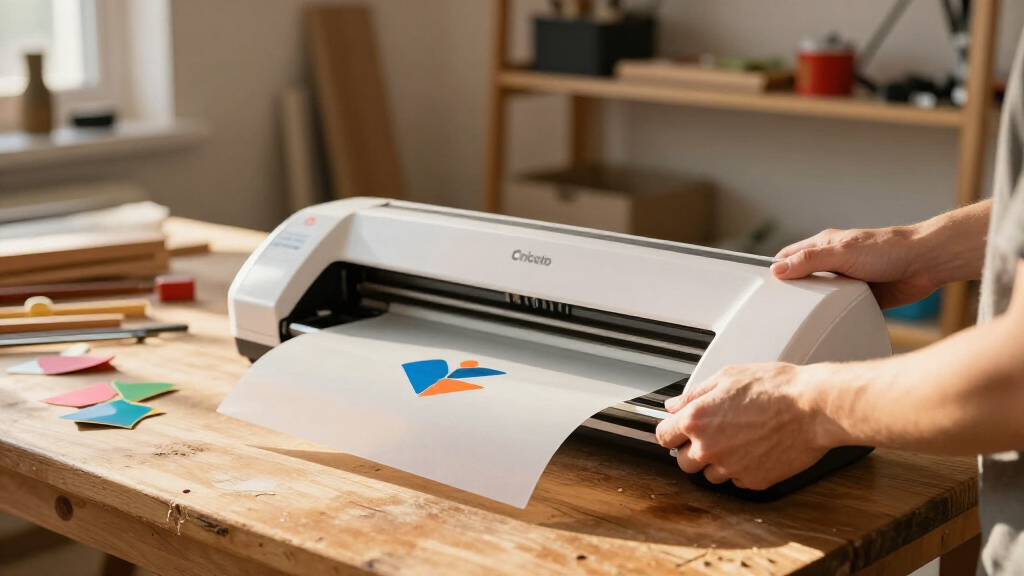
I compared these 14 listings by the machine they include, the kinds of projects their bundle contents support, and how much room each option leaves for a crafter to expand. I gave more weight to machine versatility and a clear path from first project to regular use than to a large accessory count alone. Since several listings pair the same machine with different supplies, I treated those as distinct choices where the bundle meaningfully changes the likely first project.
That logic puts Maker 4 first for its broad project potential, with the Explore 5 bundle as a more focused middle ground and Joy Xtra packages ranked by the usefulness of their included project materials. Compact Joy and Joy 2 options serve buyers who value a small setup and straightforward crafts, but their narrower scope places them lower for a general roundup. Every pick has a tradeoff: project-specific supplies can limit flexibility, and compact machines may not suit plans that grow beyond smaller crafts.
Factors to Consider When Choosing Cricut Cutting Machines
Before choosing a Cricut, I would start with the projects you expect to repeat, the space you can dedicate to crafting, and how much setup you want to handle yourself. These decisions can matter more than the bundle label because two packages built around one machine may lead to very different first projects.
Choose the machine around your project range
Write down the projects you expect to make in a typical month, then choose for the broadest recurring task rather than a one-time ambition. Cards, decals and simple labels may point toward a compact Joy option, while a mix of materials and project types makes Maker 4 or Explore 5 easier to grow into. A common mistake is buying the most capable machine without a project that benefits from its extra range. The reverse mistake is choosing a narrow setup because it looks simple, then finding that the crafts you enjoy need a different format. If your plans are uncertain, prioritize flexibility over a bundle packed for one craft.
Check the actual bundle contents
Bundle names such as sticker, card or vinyl kit signal a starting point, but the specific included materials determine what you can make right away. Compare supplies, tools and digital content against your planned first project, and note what you would still need to buy separately. A larger kit is not automatically better if much of it supports crafts you do not plan to make. Digital content can help you get started with designs, while physical materials give you something to cut immediately. I would favor a focused bundle when its contents fit a project you already want to make.
Plan for the space you have
A cutting machine needs more than its own footprint: you may also need room to handle materials, organize tools and clear a surface for assembly. Compact Joy models suit a small craft corner or occasional use, while a broader setup may be easier to manage if you already have a dedicated work area. Think about where supplies will live after the first project, especially if a bundle includes several types of material. Buying a larger machine for capabilities you rarely use can make crafting less convenient. Measure your usable workspace before settling on a machine family.
Match the learning curve to your habits
Consider whether you enjoy learning a design workflow or want to move quickly from a template to a finished craft. A project-specific bundle can reduce early decisions by giving you a defined first task, but it does not remove the need to learn the machine’s software and material setup. If you are new, a clear first project and familiar supplies can be more helpful than a long accessory list. Experienced crafters may prefer a machine with wider potential, even if setup takes more attention. Choose based on how much time you want to spend preparing designs as well as cutting them.
Decide when paying for more capability makes sense
Extra machine range is useful when it supports projects you will actually make, not simply because it leaves more possibilities open. If you mainly want labels, small cards or occasional decals, a compact model may meet your needs with less equipment to manage. A more capable Maker 4 or Explore 5 makes more sense when you expect your craft mix to expand or want one machine for several regular projects. Bundle supplies can also reduce early shopping, though only if they match your intended use. Compare the cost of a focused starter kit with the supplies you would realistically add to a simpler package.
Think beyond the first project
Your first successful cut is only part of the ownership experience; repeated use depends on storing materials, replacing consumables and keeping a workable craft routine. Avoid choosing a kit solely because it makes one attractive project possible if you have no interest in repeating it. Instead, ask which project you would make next and whether the machine still fits that plan. A compact machine can be a sensible long-term choice for occasional small crafts, while frequent experimentation favors a more versatile base. This simple second-project check can prevent a bundle from feeling limiting after its starter supplies are gone.
Frequently Asked Questions
Which Cricut machine makes the most sense if I have not settled on one craft?
I would start with the Cricut Maker 4 if you want room to explore different project types, since it leads this lineup on overall versatility. The Explore 5 is a middle-ground choice for buyers focused on common paper and vinyl crafts. A Joy or Joy Xtra is a better match when you already know you mainly want compact projects such as labels, cards or decals. Think about the materials and project sizes you expect to use repeatedly, not just the first idea that brought you to Cricut.
Should I choose a bundle or buy the cutting machine by itself?
A bundle is useful when its included supplies align with a project you are ready to make, such as stickers, cards or vinyl crafts. It can simplify the first supply decisions, but the contents may be less useful if you change direction. A machine-only option gives you more freedom to select materials and tools around your own plans. Before choosing, list what the bundle includes and what you would still need for your first two projects. That comparison helps show whether the kit saves effort or simply adds items you may not use.
Is a compact Cricut enough for making stickers and cards?
The Joy Xtra listings in this roundup are aimed at buyers whose first projects include stickers and cards, and several bundles provide supplies or digital content for those crafts. A compact format can make sense when your projects are relatively small and you value a modest setup. If you expect to branch into a wider range of crafts, compare its scope with Explore 5 and Maker 4 before deciding. Also check the exact bundle materials: one package may be ready for sticker projects, while another emphasizes vinyl or apparel. Pick based on your repeated project plans rather than the machine’s compact appeal alone.
What is the practical difference between Joy and Joy Xtra bundles here?
The Joy and Joy 2 options are positioned for compact crafting, while the Joy Xtra packages in this roundup pair that compact approach with bundles for stickers, cards, vinyl and even a Mini EasyPress shirt project. The package contents therefore shape the choice as much as the model name. Compare the included materials and tools to see which gives you the most useful route into your intended craft. If you want wider project flexibility, Maker 4 or Explore 5 may be a better fit. Check the machine and bundle details closely rather than assuming every Joy-branded package contains the same setup.
When should I choose Maker 4 over Explore 5?
Maker 4 is my stronger recommendation when you want the broadest project range in this lineup or expect your interests to change over time. Explore 5 is a sensible middle ground when your plans center on everyday paper and vinyl projects and you want a more focused machine choice. Bundle options for Maker 4 also let you start with stickers, cards or vinyl, depending on the package. Consider whether those project paths are likely to become regular habits before paying for broader capability. If you already know your craft scope is narrow, a compact Joy option may suit you better than either.
Conclusion
I recommend the Cricut Maker 4 Smart Cutting Machine as the best overall pick for buyers who want flexibility across projects. For a middle-ground setup centered on everyday paper and vinyl crafts, choose the Explore 5 Essential Bundle; for a compact entry into stickers and cards, look at the Joy Xtra packages and select by included supplies. The Maker 4 sticker, card and vinyl bundles are the best premium direction for buyers who already know which materials they want to use, while the focused Joy bundles can be the best value when their contents match your first projects. If your needs center on a small workspace or quick labels, consider Joy or Joy 2. Match the machine to your recurring crafts and the bundle to the supplies you will actually use.
Fall Picks
fall essentials
As an affiliate, we earn on qualifying purchases.