TL;DR

Get business pricing on tools and workshop supplies
- Business-only prices and quantity discounts
- Tax-exempt purchasing
- Multiple users, one account, clear invoices
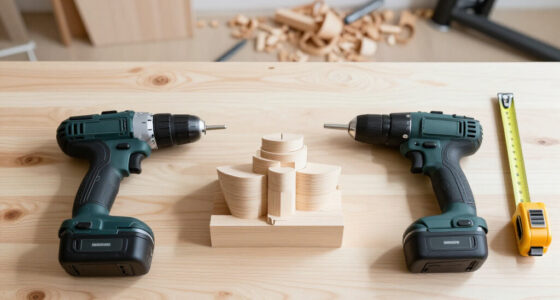
A cordless power drill set usually includes a drill or drill driver, a rechargeable battery, a charger, and a case, but larger kits may add extra batteries, bits, or an impact driver. Choose by matching the tool and battery platform to your projects, then compare comfort, chuck size, and what the box actually contains.
A basic cordless power drill set usually has a drill driver, battery, charger, and case; verify the exact box contents.
Choose a drill driver for mixed drilling and screwdriving; add an impact driver if you regularly drive many or larger fasteners.
Use voltage as a platform clue, then compare tool design, battery capacity, weight, and intended tasks.
Compare chuck size, speed control, clutch, comfort, battery count, warranty, and charger before buying.
Match each bit to the material, secure the workpiece, wear eye protection, and remove the battery before adjustments.
What should a cordless power drill set include?
A cordless power drill set usually includes a drill or drill driver, at least one rechargeable battery, a compatible charger, and a case or bag. Larger kits may add a second battery, driver bits, drill bits, sockets, or a separate impact driver, so check the box contents before you compare prices. Those items affect how soon and how conveniently you can get work done. A spare battery, for example, lets you keep drilling while the other charges; it is most useful during longer projects, but it adds cost and weight to the kit. A neighbor buying a kit to assemble shelves may get more value from two batteries and a dependable charger than from a tub of 100 assorted bits. A bundle can look generous while including accessories that don’t suit the materials or screws you use. Use this quick check while shopping:- Tool: Is it a drill driver, an impact driver, or both? A drill driver covers holes and controlled screwdriving; an impact driver is specialized for driving fasteners.
- Battery: How many are included, and what is each battery’s capacity in amp-hours (Ah)? More capacity can extend runtime, though it usually adds bulk and weight.
- Charger: Is one included, and does it match the tool’s platform? Without a compatible charger, an included battery is not ready to use.
- Extras: Are the bits and case useful for your likely projects? A few suitable bits can be more useful than a large assortment you will replace or leave unused.
Choose a drill driver for mixed jobs or an impact driver for fasteners
A drill driver handles holes and everyday screwdriving, while an impact driver focuses on driving screws and other fasteners with rapid rotational impacts. They work well together, but they don’t replace each other for every task. The difference matters because a drill driver gives you finer control for ordinary mixed jobs, while an impact driver can keep demanding fastening work moving with less effort from your wrist. Its impacts can also be louder and less suited to delicate screws or materials. Imagine hanging curtain brackets in a wooden window frame. A drill driver lets you make a pilot hole and then drive the screws with a clutch setting that helps avoid burying the heads. If you’re driving a long row of deck screws, an impact driver can make the fastening work easier; the drill driver still handles the pilot holes.| Tool | Best fit | What to know |
|---|---|---|
| Drill driver | Drilling holes and general home repairs | Its clutch helps control screwdriving force, which is useful when fastener depth matters. |
| Impact driver | Driving many or larger fasteners | It is designed mainly for fastening, not routine drilling. Its forceful action can be less controlled on small or delicate screws. |
| Combo kit | Frequent drilling and fastening | Includes both tools; costs more and adds another tool to store, but avoids swapping between drilling and fastening setups. |
Pick 12V or 18V/20V Max by the work you do
A 12V kit often suits routine home jobs when you want a lighter tool, while an 18V/20V Max platform commonly offers a wider range of tools and suits heavier or more frequent work. The label alone cannot tell you how powerful or comfortable a drill will be; the motor, gearing, battery, design, and task all play a part. The practical tradeoff is handling versus headroom: a compact tool can be easier to maneuver in tight spaces, while a larger platform may give you more options as projects grow. A homeowner who tightens cabinet hardware, assembles flat-pack furniture, and hangs lightweight shelves may prefer the feel of a compact 12V drill. Someone building a workbench or adding tools for regular renovation projects may get more out of an 18V/20V Max platform. Try holding both if you can: a heavier tool can feel tiring when you reach above a doorway, and that fatigue can make careful work harder. Some brands use “20V Max” for a peak voltage rating, while the same platform may be described as 18V nominal. Treat voltage as a clue about the platform, then compare the complete drill and kit. Battery capacity, stated in Ah, can affect runtime; higher capacity often means more runtime, but also more weight and bulk. That extra capacity is most useful when work lasts long enough that stopping to recharge would interrupt it; for brief household tasks, a lighter battery may be more comfortable.Check these five features before you buy
The features that matter most in a cordless power drill set are a useful clutch, controllable speed, a chuck that fits your bits, comfortable handling, and batteries that suit your workload. These shape what the drill can do and how easy it is to control: a clutch can protect a screw or surface, and a comfortable grip can matter more over a series of holes than a headline specification. A torque number can help with comparisons, but manufacturers may measure it under different conditions, so don’t use it as your only guide. Use these five checks in the store or on a product page:- Test the grip and balance. Hold the drill at chest height and imagine working overhead for several minutes. Weight and balance affect how tiring it feels and how steadily you can guide the bit.
- Check the chuck. Many models have a keyless chuck in either 3/8-inch or 1/2-inch size; choose one that accepts the bits your projects require. A larger chuck accepts a wider range of bit shank sizes, but can add bulk, so match it to the work rather than assuming bigger is automatically better.
- Look for two speeds and a variable-speed trigger. Slower settings can help with controlled screwdriving; faster settings suit many drilling tasks. This range makes it easier to adapt the tool to different bits and materials.
- Try the clutch and lighting. A clutch helps reduce overdriving by limiting force at a selected setting, and built-in lighting can help when you’re working inside a cabinet. The clutch is especially useful when repeating screws in a surface where consistent depth matters.
- Compare battery count and capacity. A second battery can keep a project moving while the first charges. A higher-capacity battery may last longer but can make the drill heavier, so consider both uninterrupted work and handling.
Match the bits to the surface—and work safely
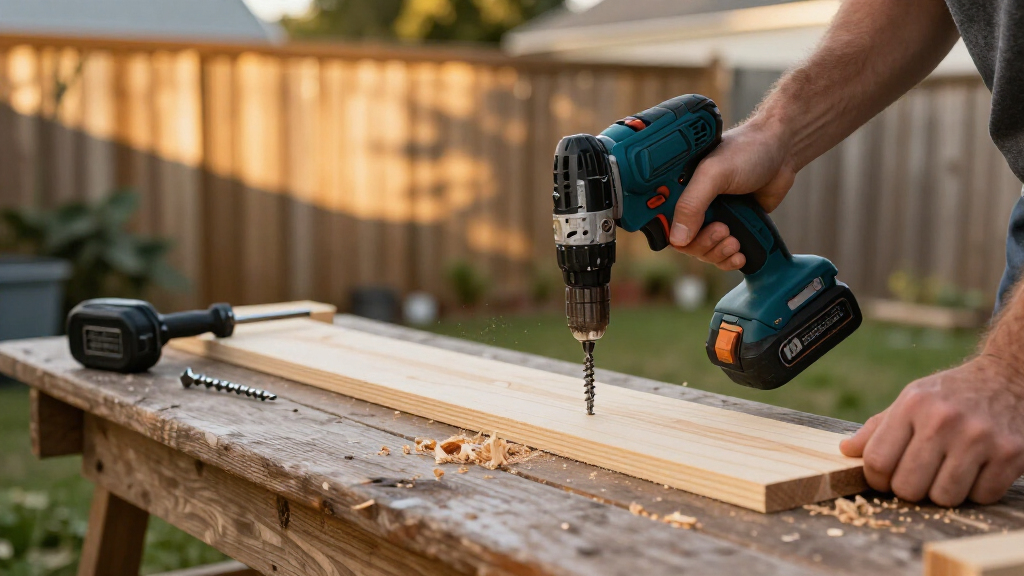
The right bit and a secured workpiece make drilling safer and cleaner; the wrong bit can slip, damage a surface, or stall the tool. A standard drill can handle many wood and metal jobs with suitable twist bits, while masonry work calls for a masonry bit and may call for a hammer drill, especially for larger or frequent holes. A bit made for one material may cut poorly in another, so matching the bit helps prevent wasted effort and damage as well as making the tool easier to control. For example, if you’re putting a small shelf into a brick wall, check the drill’s manual and use a masonry-rated bit. A regular drill may manage a small hole in some masonry, but a hammer drill is usually better suited to the task. Its hammering action helps the bit advance through masonry; for frequent or larger masonry work, a rotary hammer may be the right tool because it is designed for that heavier demand. Before each job, secure the workpiece, wear eye protection, and choose a bit made for the material. Securing the work helps stop the material from spinning or shifting as the bit catches. Remove the battery before changing bits or making adjustments. Keep batteries dry, inspect them and their charger for visible damage, and use the charger specified for the platform; follow the maker’s instructions for charging and storage.Buy for your next few projects, not the biggest bundle
The most useful cordless power drill set is the one that fits your likely jobs and leaves you with a battery platform you can use again. A set can become better value over time if its batteries also fit other tools from the same brand and platform; batteries from different brands are generally not interchangeable. Choosing a platform with tools you expect to use can spread the cost of its batteries across future purchases, while a broad lineup offers little value if you do not need those tools. Take a renter who needs to hang curtain rods, assemble a desk, and make occasional repairs. A comfortable drill driver, one battery, a charger, and a compact case may cover the work without paying for a second tool. A new homeowner planning shelves, garden structures, and ongoing repairs may prefer a platform with a second battery and a wider tool range. The difference is how often work is interrupted and whether future tools will use the same batteries; the bigger kit is useful when those extras have a job to do. Before paying, compare the exact kit contents, battery capacity, chuck size, weight, warranty, and tool type. Runtime depends on the material, bit, speed, battery age, and workload, so don’t rely on a fixed promise about holes or screws per charge unless it comes from a clearly described test. A big bit assortment can look tempting; a smaller set of suitable, quality bits may serve you better. Comparing the whole kit this way helps show whether its price reflects equipment you will use or extras that mainly make the bundle appear larger.Frequently Asked Questions
What does a cordless power drill set usually include?
A cordless power drill set usually includes a drill or drill driver, rechargeable battery, charger, and case. Larger kits may add a spare battery, bits, sockets, or an impact driver. Check the exact contents because the word “set” can describe very different bundles.Should I buy a 12V or 18V/20V Max drill set?
A 12V drill often suits lighter household tasks and may feel easier to handle. An 18V/20V Max platform often offers a wider tool selection and may suit heavier or more frequent projects. Match the kit to your work and comfort rather than relying on voltage alone.Do I need an impact driver as well as a drill driver?
A drill driver is the flexible choice for drilling holes and driving ordinary screws; its clutch helps control screw depth. An impact driver is useful when you drive many or larger fasteners. A combo kit makes sense when you expect to use both tools regularly.Is a brushless drill worth the extra cost?
A brushless motor can improve efficiency and reduce motor wear, but the benefit depends on the model and how often you use it. For occasional furniture assembly, a brushed drill may be adequate. Compare the whole kit and warranty as well as the motor type.Can a cordless drill make holes in brick or concrete?
A standard drill may handle small holes in some masonry with a suitable masonry bit, but a hammer drill is usually a better fit. For frequent or larger masonry work, consider a rotary hammer. Check the tool manual and use eye protection.Conclusion
Choose a drill driver that feels comfortable in your hand, includes batteries and accessories you’ll use, and belongs to a platform that fits your future projects. The right kit turns a rattling shelf or loose cabinet handle into a quick fix—and stays ready in its case for the next one.Fall Picks
fall essentials
As an affiliate, we earn on qualifying purchases.