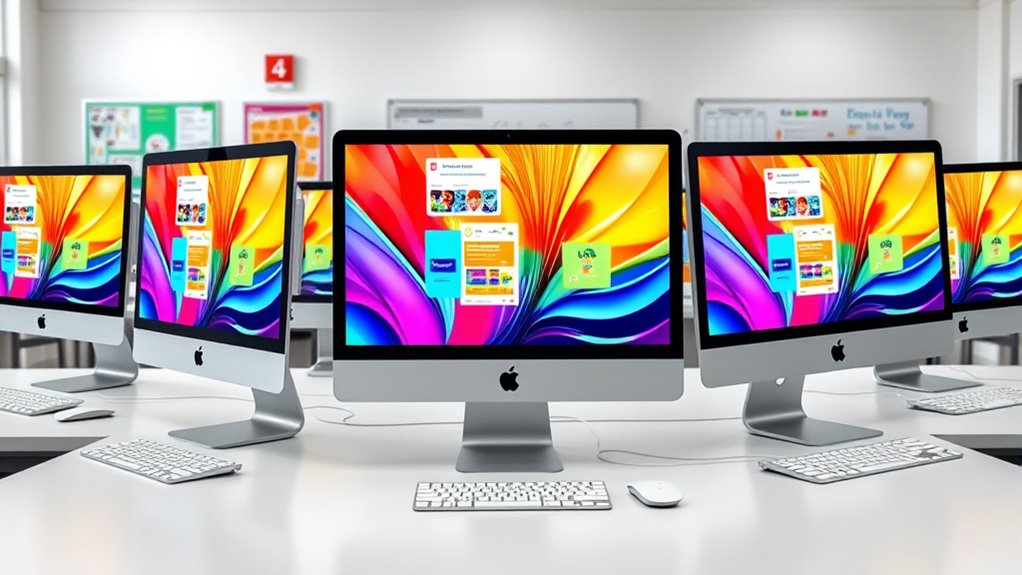

Choosing the right iMac for classroom labs involves balancing performance, budget, and usability. The Apple iMac with M1 Chip (24-inch, 8GB RAM, 256GB SSD) offers a reliable and colorful option for schools on a budget, thanks to its impressive display and capable M1 processor. The Apple 2024 iMac with M4 Chip (16GB RAM, 256GB SSD, Green) provides a more powerful experience with seamless Apple ecosystem integration, ideal for tech-forward labs. Meanwhile, the Apple 2024 iMac with M4 Chip (16GB RAM, 256GB SSD, Silver) combines performance and aesthetics, suited for versatile classroom environments where vibrant design and speed matter. Each choice involves tradeoffs, primarily around storage capacity, upgrade options, and pricing, which I’ll unpack below.

Get business pricing on tools and workshop supplies
- Business-only prices and quantity discounts
- Tax-exempt purchasing
- Multiple users, one account, clear invoices
Complete the kit


Key Takeaways
- The M1-based iMac is the most budget-friendly, but its storage is limited and upgrade options are constrained.
- The M4-based iMac with 16GB RAM offers superior performance and connectivity, though at a higher cost.
- Color options and design may influence aesthetic choices, especially for vibrant classroom environments.
- All models share a 24-inch Retina display, but the M4 models provide more RAM and the latest connectivity features.
- Limited internal storage in all options suggests external drives might be necessary for larger data needs.
| Apple iMac with M1 Chip (24-inch, 8GB RAM, 256GB SSD) – Silver (Renewed) |  | Best Budget-Friendly iMac for Classroom Labs | Display: 24-inch 4.5K Retina | Processor: Apple M1, 8-core CPU, 7-core GPU, 3.1 GHz | Memory: 8GB DDR5 RAM (max 16GB) | VIEW ON AMAZON | See Our Full Breakdown |
| Apple 2024 iMac with M4 Chip (24-inch Retina, 16GB RAM, 256GB SSD, Green) |  | Most Powerful and Future-Ready Classroom iMac | Display: 24-inch Retina 4.5K | Processor: Apple M4, 8-core CPU, 8-core GPU | Memory: 16GB Unified Memory | VIEW ON AMAZON | See Our Full Breakdown |
| Apple 2024 iMac with M4 Chip (24-inch Retina, 16GB RAM, 256GB SSD, Silver) |  | Best All-Around Aesthetic and Performance iMac for Classrooms | Display: 24-inch Retina 4.5K | Processor: M4, 10-core CPU, 10-core GPU | Memory: 16GB Unified Memory | VIEW ON AMAZON | See Our Full Breakdown |
| imac for classroom lab | Display | Processor | Memory | Storage |
|---|---|---|---|---|
| Apple iMac with M1 Chip | 24-inch 4.5K Retina | Apple M1, 8-core CPU, 7-core GPU, 3.1 GHz | 8GB DDR5 RAM (max 16GB) | 256GB SSD |
| Apple 2024 iMac with M4 Chip | 24-inch Retina 4.5K | Apple M4, 8-core CPU, 8-core GPU | 16GB Unified Memory | 256GB SSD |
| Apple 2024 iMac with M4 Chip | 24-inch Retina 4.5K | M4, 10-core CPU, 10-core GPU | 16GB Unified Memory | 256GB SSD |
More Details on Our Top Picks
Apple iMac with M1 Chip (24-inch, 8GB RAM, 256GB SSD) – Silver (Renewed)
This model stands out for its reliable performance powered by the M1 chip, a vivid 4.5K Retina display, and compact all-in-one design. It’s well-suited for labs where basic tasks like presentations, light editing, and student demonstrations take precedence. However, the limited 256GB SSD might be a bottleneck if large datasets or extensive student projects are involved, and the fact it’s refurbished could affect warranty and longevity. Compared with newer M4 models, it offers slightly less raw power but remains a capable choice for educational use on a budget.
Pros:- Vivid 4.5K Retina display perfect for visual work
- Efficient M1 chip delivers smooth performance for everyday tasks
- All-in-one design minimizes clutter
- Colorful options help match classroom aesthetics
Cons:- Refurbished condition may limit warranty
- Limited to 256GB SSD storage, with limited upgrade options
- No dedicated GPU for graphics-intensive tasks
Best for: Budget-conscious schools or classrooms needing reliable performance without high costs
Not ideal for: Labs requiring extensive storage or the latest connectivity features
- Display:24-inch 4.5K Retina
- Processor:Apple M1, 8-core CPU, 7-core GPU, 3.1 GHz
- Memory:8GB DDR5 RAM (max 16GB)
- Storage:256GB SSD
- Operating System:macOS
- Weight:15.6 pounds
Our verdict“A solid, affordable choice for basic classroom needs, especially where budget constraints matter.”
Apple 2024 iMac with M4 Chip (24-inch Retina, 16GB RAM, 256GB SSD, Green)
This pick makes the most sense for classrooms that prioritize speed and seamless integration. The M4 chip with its 8-core CPU and 8-core GPU provides a noticeable boost over the M1, especially for multitasking, multimedia editing, and running more demanding educational software. The vibrant 24-inch Retina display with high brightness and color accuracy enhances visual learning, while the 16GB RAM ensures smooth performance even with multiple applications open. The main tradeoff is its premium price and limited internal storage, which could require external drives for larger data needs. Compared to the M1 model, this one offers better future-proofing and connectivity options, like Wi-Fi 6E and Thunderbolt 4.
Pros:- Powerful M4 chip supports demanding tasks
- Vibrant, high-brightness Retina display improves visual clarity
- Excellent connectivity with Wi-Fi 6E and Thunderbolt 4
- Sleek, compact design
Cons:- Limited to 256GB SSD, external storage may be needed
- Higher price point compared to older models
- No upgrade options for RAM or storage post-purchase
Best for: Tech-forward classrooms that need a high-performance, seamless device
Not ideal for: Budget-conscious schools or environments needing extensive local storage
- Display:24-inch Retina 4.5K
- Processor:Apple M4, 8-core CPU, 8-core GPU
- Memory:16GB Unified Memory
- Storage:256GB SSD
- Connectivity:Wi-Fi 6E, Thunderbolt 4
- Camera:12MP Center Stage
Our verdict“Ideal for classrooms that demand speed, modern features, and seamless Apple ecosystem integration, despite the higher cost.”
Apple 2024 iMac with M4 Chip (24-inch Retina, 16GB RAM, 256GB SSD, Silver)
This model combines the latest M4 chip’s power with a sleek, colorful design that can brighten up any classroom space. Its 10-core CPU and 10-core GPU provide robust performance for multitasking, multimedia projects, and collaborative learning. The 24-inch Retina display supports a billion colors, making it perfect for creative applications. Its multiple Thunderbolt 4 ports and high brightness ensure excellent connectivity and visual clarity. However, like the other M4 options, its 256GB SSD limits internal storage, and its price might be a barrier for some schools. Compared with the green version, this silver option offers a more neutral aesthetic that fits various environments.
Pros:- Latest M4 chip with 10-core CPU and GPU for robust multitasking
- Colorful, vibrant design enhances classroom aesthetics
- Supports up to four Thunderbolt 4 ports for extensive connectivity
- Supports a billion colors on the Retina display
Cons:- Limited internal storage (256GB SSD), external drives recommended
- Premium price may limit accessibility for some schools
- No dedicated GPU options beyond the integrated GPU
Best for: Versatile classrooms that need high performance paired with stylish design
Not ideal for: Schools on a tight budget or needing extensive local storage
- Display:24-inch Retina 4.5K
- Processor:M4, 10-core CPU, 10-core GPU
- Memory:16GB Unified Memory
- Storage:256GB SSD
- Ports:Up to four Thunderbolt 4
- Brightness:500 nits
Our verdict“Best suited for creative, future-proofed classrooms where design and performance go hand in hand, despite higher costs.”

How We Picked
My selection process focused on models that balance performance, price, and classroom practicality. I prioritized Apple’s latest chips—M1 and M4—for speed and longevity, while considering display quality, connectivity, and ease of use in educational settings. I also evaluated storage capacity, upgrade potential, and design versatility. The goal was to identify options that suit different budget levels and classroom needs, from entry-level setups to more advanced, future-proof systems.
| imac for classroom lab | Processor |
|---|---|
| Apple iMac with M1 Chip | Apple M1, 8-core CPU, 7-core GPU, 3.1 GHz |
| Apple 2024 iMac with M4 Chip | Apple M4, 8-core CPU, 8-core GPU |
| Apple 2024 iMac with M4 Chip | M4, 10-core CPU, 10-core GPU |
Factors to Consider When Choosing Imac For Classroom Labs
When selecting an iMac for classroom labs, I focus on performance, flexibility, and longevity. The key is understanding how much power your teaching environment needs and whether budget constraints influence your choice. Connectivity options, display quality, and storage capacity are vital for ensuring the device can handle current and future curriculum demands. I also consider design and color, which can impact the classroom aesthetic and student engagement.
Performance and Power
For classroom labs, the processor’s speed and multitasking ability are essential. The M1 chip provides reliable performance for standard tasks, but the M4 chip with its higher core count offers a noticeable boost for more demanding software, multimedia editing, or multiple applications running simultaneously. Choose the M1 if budget is tight; opt for the M4 if future-proofing and speed are priorities.
Display and Visuals
The 24-inch Retina display with P3 wide color gamut remains standard across these models, delivering sharp, vibrant visuals suitable for creative work and presentations. Brightness levels at 500 nits enhance visibility even in well-lit classrooms. For visual learners or creative projects, a high-quality display improves engagement and learning outcomes.
Storage and Expandability
All options come with 256GB SSD, which can be limiting if large files or software are used extensively. External storage solutions might be necessary, especially for multimedia-heavy curricula. Upgradability is limited, so consider whether internal storage suffices for your needs or if future expansion is required from the outset.
Connectivity and Ports
Latest models with Thunderbolt 4, Wi-Fi 6E, and Bluetooth 5.3 ensure fast data transfer, reliable network connections, and compatibility with peripherals. These features support modern classroom setups, especially if students or teachers need to connect multiple devices or external displays.
Frequently Asked Questions
Which iMac is best for a budget-friendly classroom?
The Apple iMac with M1 Chip (24-inch, 8GB RAM, 256GB SSD) offers a dependable experience at a lower cost, making it suitable for schools with limited budgets. Its performance is sufficient for most educational tasks, though storage is limited and being refurbished might influence warranty coverage.
Are the M4 models worth the extra cost for classroom labs?
In most cases, yes. The M4 chips deliver faster performance, better multitasking, and more future-proof connectivity, which benefits schools planning to run demanding applications or aiming for longer device longevity. The higher price reflects these improvements, but for tech-heavy curricula, they can justify the investment.
Can these iMacs handle multimedia projects for students?
Yes, especially the M4 models with their higher core count and improved graphics. The Retina display, combined with powerful processors, allows for editing photos, videos, and other creative work effectively. The main limitation remains storage, so external drives may be necessary for larger files.
Is the 256GB SSD enough for classroom use?
While sufficient for basic tasks, 256GB can quickly fill up with multimedia, software, and student projects. External storage options are advisable if large files are common. For future-proofing, consider models with more internal storage or plan for external drives from the start.
Are color options important for classroom environments?
Color and design can influence classroom aesthetics and student engagement. The vibrant colors of the 2024 M4 models, like the green and silver options, add a lively touch, which may help create a stimulating learning environment. However, neutrality might suit more formal or minimalist settings better.
Conclusion
For schools with tight budgets or basic needs, the iMac with M1 chip remains a practical option. For classrooms that require higher performance, future-proofing, and a seamless Apple ecosystem experience, the 2024 M4 iMac with 16GB RAM or the Silver M4 model are better choices. If aesthetics and vibrant design are priorities, the colorful M4 models can enhance the learning environment while providing powerful specs. Ultimately, your choice depends on your budget, performance needs, and aesthetic preferences.