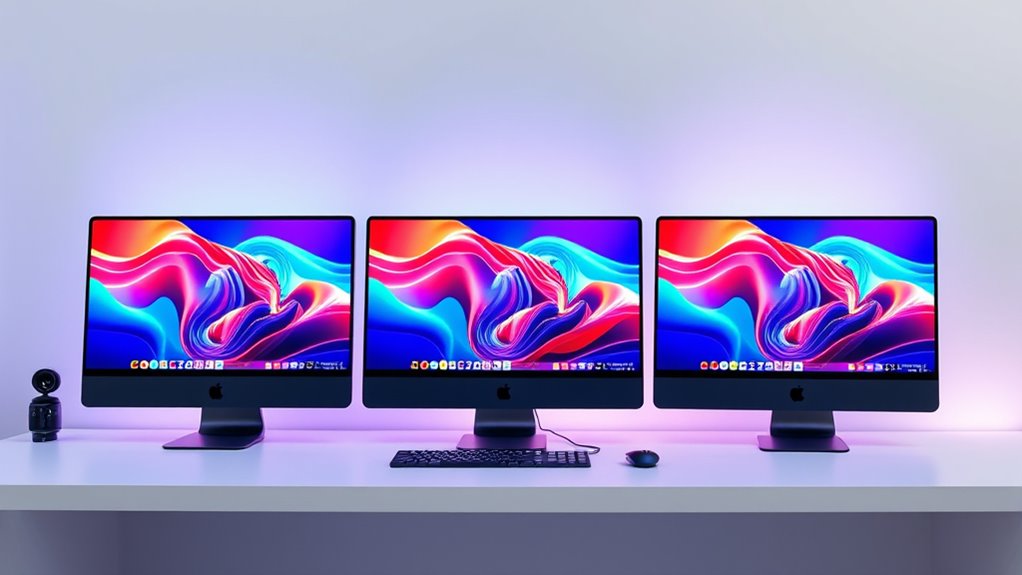

Choosing a Mac Studio with 128GB of unified memory in 2026 requires balancing raw power, workflow needs, and budget. The Apple Mac Studio with M3 Ultra 32-Core CPU and 80-Core GPU stands out for maximum performance, especially for intensive creative tasks. The Mac Studio M3 Ultra 28-Core CPU / 60-Core GPU offers a slightly more affordable yet still professional-level option, while the M3 Ultra 32-Core / 80-Core GPU with 256GB RAM and 4TB SSD provides a high-end setup with ample storage for demanding projects. Each choice offers distinct advantages, but all come with high price tags and limited upgradeability, making them best suited for serious professionals or power users.

Get business pricing on tools and workshop supplies
- Business-only prices and quantity discounts
- Tax-exempt purchasing
- Multiple users, one account, clear invoices
Complete the kit



Key Takeaways
- All three options feature the M3 Ultra chip with 128GB or more of unified memory, targeting heavy-duty workflows.
- High-end specifications like 80-core GPU and large SSD storage are common, but premium pricing and limited upgrades are tradeoffs.
- The choice depends on whether maximum GPU power or larger storage capacity is more critical for your projects.
- These Macs are designed for demanding creative professionals, not casual users or those on tight budgets.
- Connectivity and support for multiple 8K displays are consistent benefits across all options.
| Apple Mac Studio with M3 Ultra 32-Core CPU and 80-Core GPU, 256GB Storage |  | Best Overall for Maximum Power | Processor: M3 Ultra 32-Core CPU | Graphics: 80-Core GPU | Memory: 256GB Unified Memory | VIEW ON AMAZON | See Our Full Breakdown |
| Apple Mac Studio M3 Ultra 28-Core CPU / 60-Core GPU, 256GB Unified Memory, 2TB SSD |  | Best for Professional Balance | Processor: M3 Ultra 28-Core CPU | Graphics: 60-Core GPU | Memory: 256GB Unified Memory | VIEW ON AMAZON | See Our Full Breakdown |
| Apple Mac Studio M3 Ultra 32-Core CPU / 80-Core GPU, 256GB RAM, 4TB SSD | | Best for High-End Creative Work | Processor: M3 Ultra 32-Core CPU | Graphics: 80-Core GPU | Memory: 256GB Unified Memory | VIEW ON AMAZON | See Our Full Breakdown |
| mac studio with 128gb unified memory | Processor | Graphics | Memory | Storage |
|---|---|---|---|---|
| Apple Mac Studio with M3 Ultra | M3 Ultra 32-Core CPU | 80-Core GPU | 256GB Unified Memory | 1TB SSD |
| Apple Mac Studio M3 Ultra 28-C | M3 Ultra 28-Core CPU | 60-Core GPU | 256GB Unified Memory | 2TB SSD |
| Apple Mac Studio M3 Ultra 32-C | M3 Ultra 32-Core CPU | 80-Core GPU | 256GB Unified Memory | 4TB SSD |
More Details on Our Top Picks
Apple Mac Studio with M3 Ultra 32-Core CPU and 80-Core GPU, 256GB Storage
This model stands out for its exceptional processing and graphics capabilities. The 32-core CPU paired with an 80-core GPU makes it suitable for the most demanding creative tasks, from 3D rendering to high-resolution video editing. Compared to the other options, it offers the highest GPU performance, but that also means a higher price point and potentially overkill for less intensive workflows. Its extensive connectivity supports up to 8 displays at 8K resolution, which is crucial for multi-monitor setups. However, the premium cost and ecosystem lock-in might deter casual or budget-conscious users.
Pros:- High-performance 32-core CPU and 80-core GPU
- Supports multiple 8K displays
- Fast SSD storage with 256GB memory
Cons:- Premium price can be prohibitive
- Limited upgrade potential
- Requires macOS ecosystem commitment
Best for: Professional creators and power users needing peak performance for multimedia production.
Not ideal for: Casual users, those with limited budgets, or anyone seeking upgradeability.
- Processor:M3 Ultra 32-Core CPU
- Graphics:80-Core GPU
- Memory:256GB Unified Memory
- Storage:1TB SSD
- Display Support:Up to 8K, 8 displays
- Connectivity:Thunderbolt 5, USB 3, HDMI 2.1, 10Gb Ethernet
Our verdict“This Mac Studio is best suited for professionals demanding the highest processing and graphics power, accepting the premium cost and fixed configuration.”
Apple Mac Studio M3 Ultra 28-Core CPU / 60-Core GPU, 256GB Unified Memory, 2TB SSD
This model strikes a balance between raw GPU power and overall system efficiency. Equipped with a 28-core CPU and 60-core GPU, it offers excellent performance for demanding workflows like video editing, 3D work, and software development. Compared with the top-tier 32-core/80-core GPU option, it’s slightly less powerful but more affordable and still capable of handling multi-display setups at 8K resolution. The large 2TB SSD supports extensive project libraries, though upgrade options are limited once purchased. It’s a robust choice for professionals needing serious horsepower without the highest GPU core count.
Pros:- Strong 28-core CPU and 60-core GPU
- Supports multiple 8K displays
- Large 2TB SSD for extensive storage
Cons:- High price for top-tier performance
- Limited upgradeability
- Potential overkill for light workloads
Best for: Creative professionals who need high GPU performance but seek a more balanced and slightly more affordable system.
Not ideal for: Users who require maximum GPU cores or plan to upgrade later, as upgradeability is limited.
- Processor:M3 Ultra 28-Core CPU
- Graphics:60-Core GPU
- Memory:256GB Unified Memory
- Storage:2TB SSD
- Display Support:Up to 8K, 8 displays
- Connectivity:Thunderbolt 5, USB 3, HDMI 2.1, 10Gb Ethernet
Our verdict“This Mac Studio offers a compelling middle ground with professional-grade specs that suit demanding workflows without the highest GPU core count and price.”
Apple Mac Studio M3 Ultra 32-Core CPU / 80-Core GPU, 256GB RAM, 4TB SSD
This configuration pushes the limits with a 32-core CPU and 80-core GPU, combined with 256GB of unified memory and a massive 4TB SSD. Designed for intensive professional tasks like 4K/8K video editing, complex 3D rendering, and large-scale simulations, it offers the most potent hardware package. Compared to the other options, it provides the largest storage capacity, ideal for large project files and asset libraries. The high cost and size make it less suitable for casual or portable use, but it’s unmatched for those needing maximum computational muscle.
Pros:- Maximum 32-core CPU and 80-core GPU performance
- Huge 256GB memory and 4TB SSD
- Supports multiple 8K displays
Cons:- Very high cost
- Large size requiring dedicated workspace
- Limited upgrade options
Best for: Top-tier professionals in video production, 3D rendering, and large-scale data processing.
Not ideal for: Budget-conscious users or those who need upgrade options, as the system is highly integrated and fixed.
- Processor:M3 Ultra 32-Core CPU
- Graphics:80-Core GPU
- Memory:256GB Unified Memory
- Storage:4TB SSD
- Display Support:Up to 8K, 8 displays
- Connectivity:Thunderbolt 5, USB 3, HDMI 2.1, 10Gb Ethernet
Our verdict“This Mac Studio is tailored for professionals who need the utmost computing power, accepting the high investment and size tradeoffs.”

How We Picked
Our selection process focused on performance, expandability, and value within the 128GB unified memory category. We prioritized models with the latest M3 Ultra chips, extensive GPU cores, and large storage options to meet professional workflows. Price and upgradeability were secondary factors, as these machines are aimed at power users willing to invest in top-tier hardware. We compared specifications, connectivity, and targeted use cases to identify the best options for different types of demanding users.
| mac studio with 128gb unified memory | Processor |
|---|---|
| Apple Mac Studio with M3 Ultra | M3 Ultra 32-Core CPU |
| Apple Mac Studio M3 Ultra 28-C | M3 Ultra 28-Core CPU |
| Apple Mac Studio M3 Ultra 32-C | M3 Ultra 32-Core CPU |
Factors to Consider When Choosing Mac Studio With 128gb Unified Memory
When selecting a Mac Studio with 128GB of unified memory, the key is understanding your workload demands, budget constraints, and desired performance level. These models are all designed for professional use, but subtle differences in GPU cores, storage, and connectivity can significantly impact their suitability. Consider whether your workflow relies heavily on GPU acceleration, large storage needs, or multi-display support, as these factors should guide your choice.
Performance Needs
If you require the absolute maximum GPU and CPU power for rendering, 3D work, or video editing, the Apple Mac Studio with 80-Core GPU is the clear choice. For slightly less demanding workflows but still professional-grade performance, the 28-core CPU / 60-core GPU model offers a balanced alternative. Those with extensive storage needs or working with large files should prioritize models with larger SSD capacities, like the 4TB version. Budget considerations and future upgradeability should also influence your decision, as these systems are not designed to be easily upgraded after purchase.
Display and Connectivity
All models support multiple high-resolution displays, including up to 8K resolution, making them suitable for multi-monitor setups. But, if your work involves connecting many peripherals or requires the fastest data transfer, look for models with Thunderbolt 5 and 10Gb Ethernet. These ports support high-speed data, essential for professional workflows involving large files or multi-device setups.
Budget and Future Proofing
Expect to pay a premium for these configurations, especially with maximum GPU cores and large storage. The most expensive options, like the 32-core CPU with 80-core GPU and 4TB SSD, are aimed at professionals who need that level of performance daily. If budget limits are a concern, the 28-core CPU / 60-core GPU model provides a strong mix of power and cost-efficiency. Keep in mind that upgrade options are limited, so buying the right configuration upfront is essential.
Frequently Asked Questions
Can I upgrade the memory on these Mac Studio models?
No, these Mac Studio models with 128GB unified memory are configured with memory integrated on the motherboard, making upgrades impossible after purchase. Buyers should choose their memory configuration carefully at the time of order, as future upgrades are not supported.
What kind of workflows are these Mac Studios best suited for?
These systems excel in demanding professional workflows such as 3D rendering, video editing at 8K resolution, software development, and large-scale data processing. The high GPU core counts and extensive memory make them ideal for tasks that require intense computational power and multitasking across multiple high-resolution displays.
Are these Mac Studios portable or suitable for mobile work?
Due to their size and power requirements, Mac Studios are not portable. They are designed as stationary workstations, best used in a dedicated workspace with ample room and proper cooling. For mobile workflows, a MacBook Pro or other portable device would be more appropriate.
How do these models compare in terms of price and value?
The most high-end configurations come with a significant price tag, reflecting their professional-grade performance. The 32-core CPU / 80-core GPU with 4TB SSD offers the best performance but at a premium cost. The 28-core CPU / 60-core GPU model provides a slightly more accessible price point while still meeting demanding needs. Buyers should evaluate their specific workload requirements against their budget to choose the best value.
What connectivity options do these Mac Studios provide?
All models include Thunderbolt 5 ports, USB 3, HDMI 2.1, and 10Gb Ethernet, supporting high-speed data transfer and multiple display connections. These ports are designed to handle demanding professional workflows involving large files, multiple peripherals, and high-resolution displays, ensuring seamless integration into professional environments.
Conclusion
Serious professionals and power users should consider the highest-end options with maximum GPU cores and large storage, like the 32-core CPU / 80-core GPU with 4TB SSD, despite the high cost. Those who need robust performance but want a slightly more balanced setup might prefer the 28-core CPU / 60-core GPU model, which offers excellent flexibility and value. Casual users or those with tighter budgets should probably look at other Mac configurations or consider less powerful options, as these high-performance models are designed for intensive workflows and come with significant investment.