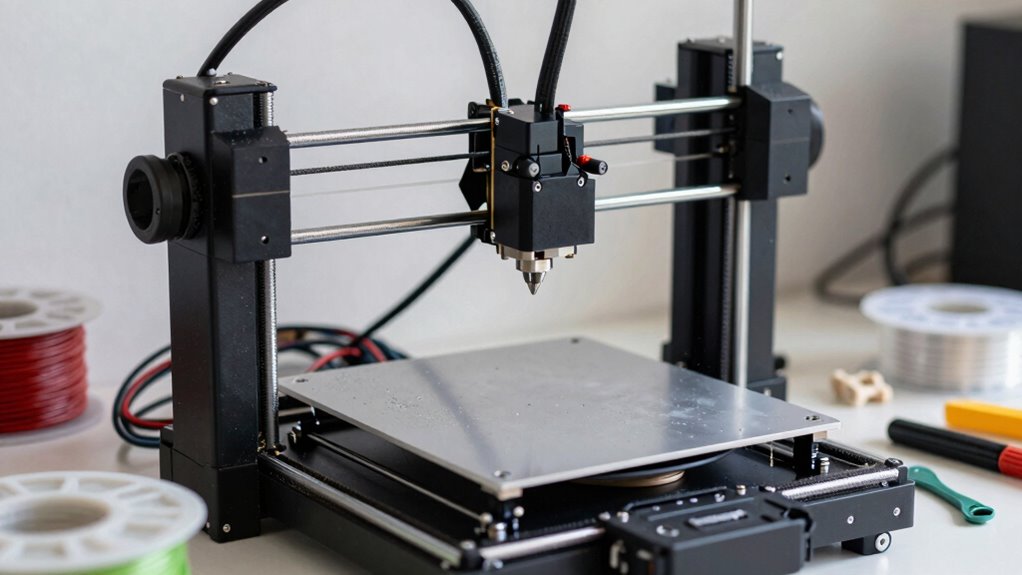

Owning a 3D printer at home means regularly maintaining it to keep prints high quality and prevent issues. You’ll need to store filament properly to avoid moisture, calibrate the printer often, and inspect it for loose belts or dust. Routine maintenance also includes cleaning and updating firmware. Consistent care reduces errors, extends your printer’s lifespan, and makes the whole experience smoother. If you want to learn more about keeping your printer in top shape, keep exploring.

Get business pricing on tools and workshop supplies
- Business-only prices and quantity discounts
- Tax-exempt purchasing
- Multiple users, one account, clear invoices
Key Takeaways
- Regular calibration and bed leveling are essential for accurate, high-quality prints and to prevent common issues like warping.
- Proper filament storage in airtight containers prevents moisture absorption, ensuring better print quality and filament longevity.
- Routine maintenance, including cleaning and belt tightening, reduces print failures and extends the printer’s lifespan.
- Firmware updates and component inspections help maintain optimal performance and identify potential problems early.
- Consistent upkeep creates a smoother, more reliable 3D printing experience, minimizing downtime and improving overall satisfaction.
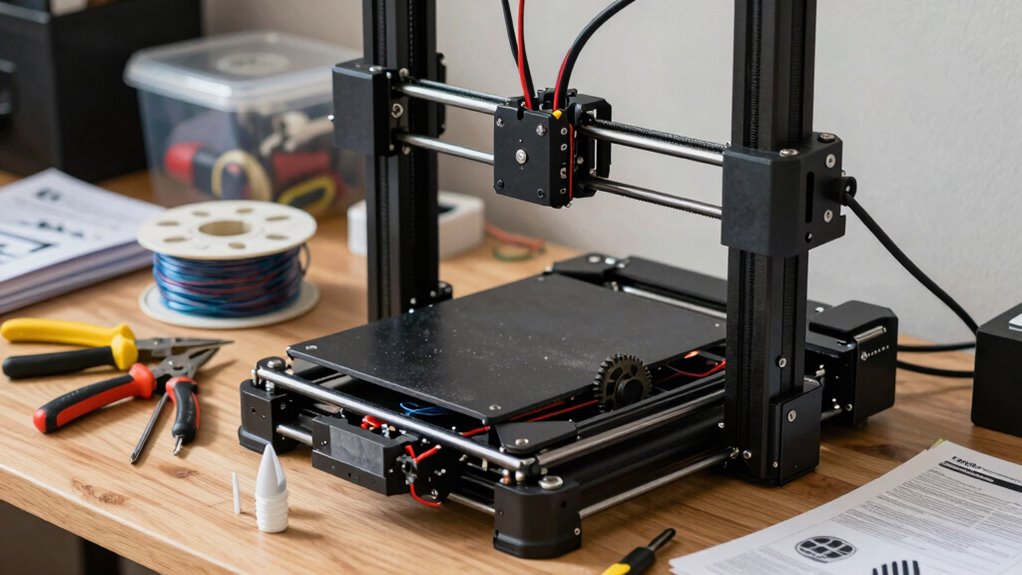
Have you ever wondered how to keep your 3D printer running smoothly at home? The key lies in understanding the importance of proper maintenance routines, especially when it comes to filament storage and calibration procedures. These two aspects play a vital role in ensuring consistent print quality and extending the lifespan of your machine. Proper filament storage prevents issues like moisture absorption, which can cause brittle prints, stringing, or poor layer adhesion. You want to keep your filament in a dry, airtight container, ideally with desiccants to absorb any excess moisture. Storing filament upright on a spool holder in a cool, dark place also helps maintain its quality over time. When you’re ready to print, always check the filament for any signs of moisture or dust that could compromise your print quality. This simple step can save you hours of troubleshooting later. Regularly monitoring and maintaining your printer’s performance can prevent many common issues before they start. Additionally, paying attention to filament quality can make a significant difference in your print results.
Calibration procedures are equally important in maintaining your 3D printer’s performance. Regularly calibrating your printer ensures that the extruder is depositing filament accurately and that the bed is level. An uncalibrated printer can produce prints with poor adhesion, warping, or dimensional inaccuracies. You should routinely check the bed level and adjust it as needed, especially after moving the printer or replacing parts. Some printers have automatic bed leveling features, but manual calibration might still be necessary for precise results. Also, calibrate your extruder to verify it’s extruding the correct amount of filament during each print. This involves measuring the filament extruded over a set distance and adjusting the flow rate accordingly. When you perform these calibration procedures regularly, you minimize print failures and improve the overall quality of your projects.
Maintaining your 3D printer isn’t just about fixing problems when they arise; it’s about establishing a routine to prevent issues from happening in the first place. Keep a schedule for inspecting and cleaning your machine, tightening loose belts, lubricating moving parts, and updating firmware. By doing so, you’ll make your 3D printer more reliable and extend its lifespan. Remember, a well-maintained 3D printer not only produces better prints but also reduces frustration and saves you money in the long run. Taking the time to properly store your filament and perform calibration procedures might seem small, but these actions greatly influence your printing experience. With consistent care and attention, you’ll enjoy smoother prints, fewer errors, and a more satisfying 3D printing journey at home.
3D printer filament storage container
As an affiliate, we earn on qualifying purchases.
As an affiliate, we earn on qualifying purchases.
Frequently Asked Questions
How Often Should I Replace My 3D Printer’s Nozzle?
You should replace your 3D printer’s nozzle every 3 to 6 months, especially if you notice print quality issues. Keep in mind that filament compatibility and frequent calibration procedures can affect nozzle wear, so monitor your prints closely. If you see signs of clogging, uneven extrusion, or poor adhesion, it’s time for a replacement. Regular maintenance guarantees peak print quality and extends your nozzle’s lifespan.
What Safety Precautions Are Needed During Maintenance?
Did you know that improper maintenance causes over 30% of 3D printer accidents? During maintenance, always wear safety gear like gloves and eye protection to prevent burns and debris injuries. Guarantee electrical safety by unplugging the printer before working on it, and avoid touching hot components. Keep your workspace well-ventilated to avoid inhaling fumes. Following these precautions minimizes risks and keeps your 3D printing experience safe and enjoyable.
Can I Repair a Broken Extruder Myself?
Yes, you can repair a broken extruder yourself if you’re comfortable with basic troubleshooting. Start by checking filament storage to guarantee no jams, then use calibration techniques to align the extruder properly. Carefully disassemble the extruder components, replace any damaged parts, and reassemble them. Always follow safety precautions, like unplugging the printer, and consult your printer’s manual or online guides for specific repair steps.
How Do I Troubleshoot Print Adhesion Issues?
To troubleshoot print adhesion issues, first check filament compatibility—some filaments stick better than others. Next, make sure your bed is properly leveled; an uneven surface causes poor adhesion. Clean the bed surface with isopropyl alcohol to remove oils or dust. Adjust the bed temperature if necessary, and consider using adhesion aids like glue stick or painter’s tape. These steps help improve first layer adhesion and overall print quality.
What Are the Signs of a Failing Stepper Motor?
You notice your 3D printer hesitating or skipping steps, and suddenly, you suspect a failing stepper motor. Signs include unusual motor noise, inconsistent movement, or loss of position accuracy. If your motor’s lifespan is nearing its end, these symptoms worsen. Diagnose by listening for grinding sounds or jerky motions—these clues reveal a failing motor, prompting timely replacement and preventing print failures.
Conclusion
Owning a 3D printer at home is like tending a delicate garden—you’ll need to regularly nurture and care for it to keep it blooming. With routine maintenance and a little patience, you’ll enjoy smooth prints and endless creative possibilities. Remember, a well-maintained machine is your trusty partner on every project, turning your ideas into reality. Stay vigilant, and let your 3D printer be the steady heartbeat of your innovation journey.
Evergreen bestsellers Picks
bestsellers
As an affiliate, we earn on qualifying purchases.