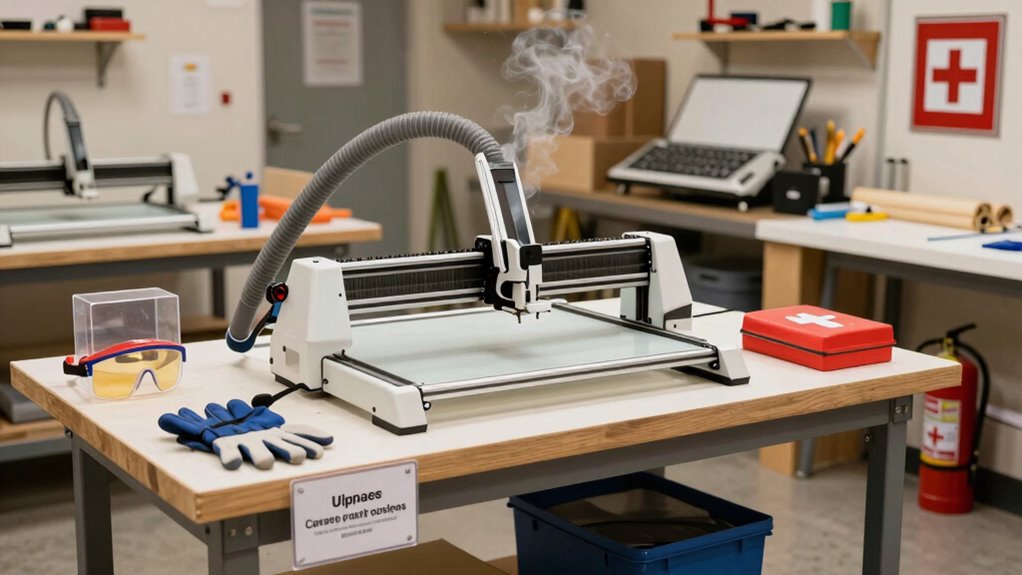

To set up a safe home laser crafting workspace, follow established safety protocols, including wearing protective goggles and keeping the laser beam confined within barriers. Allocate enough space for equipment and safety gear, maintain clear pathways, and ensure proper ventilation. Regularly inspect and clean your equipment, and always be prepared for emergencies with fire safety measures. Proper electrical setup is essential to prevent hazards. Keep safety guidelines in mind, and you’ll discover more tips to guarantee a secure, efficient setup.
Key Takeaways
- Designate a well-ventilated, clutter-free workspace with enough room for equipment and safety barriers.
- Implement strict laser safety protocols, including protective gear and enclosure barriers to contain the laser beam.
- Schedule regular maintenance and inspections of the laser machine for optimal safety and performance.
- Keep emergency procedures and fire safety measures clearly accessible, and train all household members accordingly.
- Ensure electrical wiring complies with safety standards and prevents hazards or malfunctions.
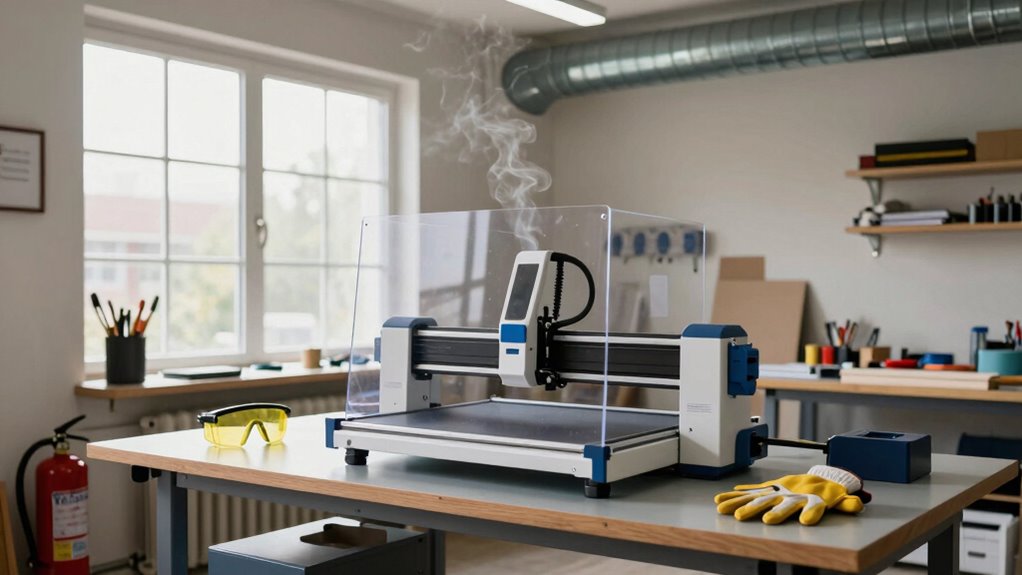
Setting up a laser crafting station at home can be both exciting and rewarding, but safety should always come first. Before you start, take the time to understand laser safety protocols. Your laser equipment can be powerful, and mishandling it can lead to serious injuries or damage. Always wear appropriate protective gear, such as laser safety goggles designed for your specific laser wavelength, and ensure that everyone in your household knows the risks involved. Keep the laser beam confined within your designated workspace using proper enclosures or barriers, and never leave the machine unattended while it’s operating. Proper ventilation is also essential to avoid inhaling potentially harmful fumes or particulates generated during cutting or engraving. Installing a fume extractor or working in a well-ventilated area helps maintain a safe environment, especially if you’re working with materials that release toxic fumes.
When planning your setup, consider the layout of your workspace. You want to ensure there’s enough room for your laser machine, tools, and safety equipment, with clear pathways to prevent accidents. A sturdy, non-flammable surface is critical to prevent fires, especially if sparks or heat are involved. Position your laser so that it’s easily accessible for maintenance and troubleshooting, making routine equipment maintenance straightforward. Regular maintenance is vital to keep your laser safe and functioning efficiently. This includes cleaning lenses and mirrors, checking for loose connections, and inspecting the cooling system if your laser has one. Neglecting equipment maintenance can lead to malfunctions, reduced safety, and compromised engraving quality. Additionally, understanding laser safety protocols is crucial for preventing accidents and ensuring proper operation. Familiarizing yourself with emergency procedures can also help minimize risks during unforeseen incidents. It’s also important to stay informed about fire safety measures in your workspace, as laser cutting can sometimes pose fire hazards. Incorporating proper training ensures that all users are knowledgeable about safe operation and emergency response. Moreover, ensuring that your electrical setup adheres to electrical safety standards will help prevent electrical hazards and potential damage to your equipment.

FreeMascot IPL 200nm-2000nm Laser Safety Glasses for Laser Hair Removal Treatment and Laser Cosmetology Operator Eye Protection with Case (Green)
Wavelength: 200nm-2000nm, broad spectrum protection, block UV, Blue, Red and Infrared Laser Light
As an affiliate, we earn on qualifying purchases.
As an affiliate, we earn on qualifying purchases.
Frequently Asked Questions
What Safety Gear Should I Always Wear During Laser Crafting?
You should always wear protective eyewear to shield your eyes from harmful laser beams and potential debris. Additionally, prioritize fire safety by keeping a fire extinguisher nearby and avoiding flammable materials near your laser setup. Never operate the laser without proper eye protection, and stay alert for any signs of overheating or sparks. These safety measures help prevent accidents and guarantee a secure crafting environment at home.
How Do I Choose the Right Ventilation System for Laser Fumes?
You should prioritize fume extraction and ventilation options that effectively remove laser fumes from your workspace. Consider installing a dedicated fume extractor or upgrading your existing ventilation system to include HEPA and activated carbon filters. Make certain proper airflow by positioning vents near the laser machine and exhaust fans outside. Regularly maintain and test your system to keep fumes at bay, creating a safer environment for your laser crafting activities.
Are There Specific Materials I Should Avoid Laser Cutting at Home?
Imagine your laser as a picky eater—only craving safe, compatible dishes. You should avoid materials like PVC, ABS plastic, and painted or treated woods, as they release toxic fumes or hazardous residues. Always check material compatibility and use laser-resistant surfaces designed for crafting. Ignoring these guidelines risks dangerous fumes and damage, turning your creative haven into a hazardous zone. Stay safe, and let your laser’s appetite be well-behaved!
How Often Should I Perform Maintenance on My Laser Machine?
You should perform maintenance on your laser machine regularly, ideally after every few projects or weekly, to keep it running smoothly. Focus on laser calibration to guarantee precise cuts and engravings, and don’t forget to clean the machine thoroughly—removing dust and debris from mirrors and lenses. Regular maintenance prolongs your machine’s lifespan and maintains safety, so stay consistent with these tasks to get the best results.
What Emergency Procedures Should I Have in Place?
You must have emergency procedures ready—think of them as your laser crafting safety lifeline. Keep a fire extinguisher nearby and guarantee everyone knows how to use it instantly. Establish a clear emergency evacuation plan, practicing it until it’s second nature. When disaster strikes, quick, calm action can save your home and life. Never underestimate the power of preparedness; it’s the ultimate safeguard against unexpected laser mishaps.

Creality Laser Engraver Enclosure 2.0, Universal Laser Engraver Protective Cover Tent, Fits for Most Laser Engraver Machine, Eye Protection, Insulates Against Noise, Fumes and Odors, 720x720x400mm
【Universal Compatibility】It features a spacious design of 28.3*28.3*15.7 inches (720x720x400mm), compatible not only with the Creality Falcon series…
As an affiliate, we earn on qualifying purchases.
As an affiliate, we earn on qualifying purchases.
Conclusion
By following these safety tips, you’re setting yourself up for success in laser crafting without the usual headaches. Remember, safety isn’t just a box to check; it’s the foundation of your creative journey. Keep your workspace well-ventilated, wear proper gear, and stay vigilant. When you prioritize safety, you’re not just protecting yourself—you’re ensuring your passion for laser crafting can flourish. After all, it’s better to be safe than sorry, especially when working with precision tools.
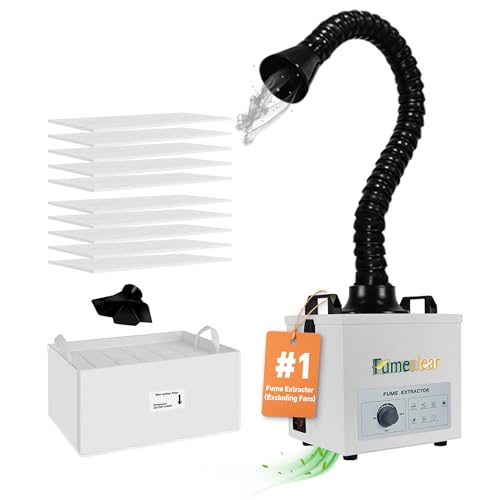
FumeClear Solder Fume Extractor – Powerful 100W Suction 200m³/h, Low-Noise, 3-Stage Filtration System with 12PCS Filters for Laser Welding Smoke Absorption and Desktop Soldering
99.97% Purification Rate: The FumeClear FC100A fume extractor is ideal for small bench soldering. It has a maximum…
As an affiliate, we earn on qualifying purchases.
As an affiliate, we earn on qualifying purchases.

AlgoLaser 10W Laser Engraver Machine – Laser Engraver/Cutter with 3.5" Smart Touchscreen & AlgoOS System, 12000mm/min Speed, 0.05mm Laser Spot, Laser Engraving for Metal, Wood, Glass & Leather
【PC-Free Smart Control】 Built-in AlgoOS 2.0 allows this laser engraver machine to operate without a computer. Access hundreds…
As an affiliate, we earn on qualifying purchases.
As an affiliate, we earn on qualifying purchases.