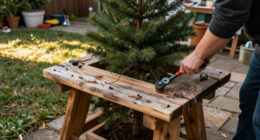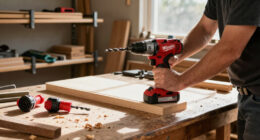

Choose a cordless power drill set that fits your projects, then use its drill, bits, battery, and settings to make a hole or drive a screw safely. This guide is for beginners buying or using a first set for household repairs and basic woodworking. Allow 30–60 minutes to compare a set, read its manual, and practice on scrap material.

Get business pricing on tools and workshop supplies
- Business-only prices and quantity discounts
- Tax-exempt purchasing
- Multiple users, one account, clear invoices

DEWALT 20V MAX Cordless Drill and Impact Driver Combo Kit (DCK240C2)
- ✔ Voltage: 20V MAX
- ✔ Tools included: DCD771 drill/driver and DCF885 impact driver
- ✔ Batteries: 2 lithium-ion

BLACK+DECKER 20V MAX POWERCONNECT Cordless Drill Driver Kit, 100-Piece
- ✔ Voltage: 20V MAX
- ✔ Battery: 1 lithium-ion, 1.5 Ah
- ✔ Maximum torque: 150 in-lb

COMOWARE 20V Cordless Drill and Bit Set with Battery, Charger, and Storage Case
- ✔ Voltage: 20V
- ✔ Battery: Lithium-ion, 1500mAh
- ✔ Maximum torque: 266 in-lb (30 Nm)
Difficulty: Beginner | Time: 30-60 minutes to choose and learn the set; project time varies
What You’ll Need
Tools & Materials:
- Cordless drill or drill-driver set with battery and charger
- Drill bits and screwdriver bits suited to the materials and fasteners
- Safety glasses
- Work gloves only when appropriate; keep loose clothing and hair secured
- Scrap material for practice
- Pencil, tape measure, and clamps for marking and securing work
Knowledge:
- Basic ability to identify the material being drilled or fastened
- Ability to read the drill manual and follow its battery and bit instructions
Choose bits rated for the material, such as wood, metal, or masonry. A standard drill-driver is not necessarily an impact driver or hammer drill. Check the manual for the set’s intended uses, battery compatibility, charging directions, and any limits. For hidden wiring, plumbing, or gas lines, locate services before drilling; if their location is uncertain, do not drill there.
DEWALT 20V MAX Cordless Drill and Impact Driver Combo Kit (DCK240C2)
The DEWALT stands apart because this is the only kit in our roundup that supplies two different powered tools. The DCD771 drill/driver handles general drilling and screwdriving, while the DCF885 impact driver gives buyers a separate tool for fastening. That division is useful when a project moves between drilling pilot holes and driving screws, and it gives this kit a wider role than either single-drill set.Its compact design, LED lights with a 20-second delay, and included contractor bag make the pair easier to move between work areas. Two batteries also let us keep one available while the other is in use or charging. The tradeoff is that the listed battery capacity is 1.3 Ah, so the extra battery improves flexibility without indicating long runtime per charge. The listed drill speed tops out at 1,500 rpm, and the kit is heavier as a purchase to carry than a lone drill. Compared with BLACK+DECKER’s large accessory assortment or COMOWARE’s more adjustable drill clutch, DEWALT prioritizes powered-tool versatility over accessory variety and fine clutch options.
Pros:
- Includes both a 20V drill/driver and a separate impact driver.
- Two lithium-ion batteries support swapping while the other battery charges.
- Both tools have LED work lights with a 20-second delay.
- Compact design and contractor bag help with storage and access in tight spaces.
Cons:
- Listed battery capacity is 1.3 Ah, which may limit work between charges.
- Costs more space and carrying weight than a single-drill kit.
Best for: DIYers and household users who regularly switch between drilling and driving and want two tools with a spare battery.
Not ideal for: Buyers who mainly need a low-complexity drill for occasional assembly, or those prioritizing a large assortment of included bits.
Bottom line: For buyers who will use both tools, DEWALT offers the most capable all-around set in this comparison.
“For buyers who will use both tools, DEWALT offers the most capable all-around set in this comparison.”
BLACK+DECKER 20V MAX POWERCONNECT Cordless Drill Driver Kit, 100-Piece
BLACK+DECKER makes its case with a 100-piece bit and accessory set, giving a new drill owner a broad starting assortment for common household jobs. Its two-speed operation and 24-position clutch help us adjust control for different screw sizes and materials, which is more useful for careful assembly than relying on speed alone. The soft-grip handle and storage case further suit a kit that may live in a home workshop or utility cupboard.Compared with the DEWALT, this is a simpler purchase: it includes one drill/driver rather than a drill and impact driver, and just one battery. Compared with COMOWARE, its clutch has fewer stated positions and its maximum torque is lower at 150 in-lb, but the accessory assortment is substantially larger. That makes it a sensible entry point for varied light tasks, not a shortcut to heavier fastening. The 10 mm maximum chuck and listed 650 rpm maximum speed also make the set less compelling for buyers who want broader capacity or faster drilling. The battery is 1.5 Ah, so longer sessions may call for a charging pause.
Pros:
- 100-piece bit and accessory assortment covers a range of basic household tasks.
- 24-position clutch supports controlled screwdriving.
- Two speeds and a soft-grip handle help with comfort and control.
- POWERCONNECT battery works with other tools in the same system.
Cons:
- Single 1.5 Ah battery may require breaks for recharging on longer projects.
- 10 mm chuck and 150 in-lb maximum torque limit its appeal for more demanding work.
Best for: First-time drill owners who want one easy-to-store kit with many common bits and accessories for household projects.
Not ideal for: Users who need an impact driver, higher torque for demanding fastening, or a larger chuck for broader bit compatibility.
Bottom line: This is the most approachable starter set for light home tasks when accessory variety matters more than a second powered tool.
“This is the most approachable starter set for light home tasks when accessory variety matters more than a second powered tool.”
COMOWARE 20V Cordless Drill and Bit Set with Battery, Charger, and Storage Case
COMOWARE is the more control-focused alternative to BLACK+DECKER. Its 25+1-position clutch, variable speed, and two defined ranges—0–350 rpm and 0–1,300 rpm—give us more detail for adapting screwdriving and drilling to the task. The 3/8-inch metal keyless chuck accepts common bits without a separate chuck key, and the set includes an LED light, charger, storage case, and assorted accessories.At a listed 266 in-lb, its maximum torque is higher than BLACK+DECKER’s 150 in-lb, though it remains a single drill and cannot duplicate the DEWALT’s separate impact driver. Its included accessory selection is listed as a 23-piece kit, a more modest spread than BLACK+DECKER’s 100-piece assortment. The 1500mAh battery capacity also sets a practical limit for longer projects, and the maker’s intended-use guidance excludes concrete, masonry, and heavy-duty industrial jobs. This pick makes the most sense when we want adjustable household drilling and driving in one compact kit, rather than a second tool or an extensive accessory library.
Pros:
- 25+1 clutch positions support controlled screw depth.
- Two speed ranges suit slower fastening and faster drilling.
- Metal keyless 3/8-inch chuck allows quick bit changes.
- Includes battery, charger, LED light, accessories, and storage case.
Cons:
- 1500mAh battery may need recharging during longer projects.
- Not intended for concrete, masonry, or heavy-duty industrial work.
- 23-piece accessory set is smaller than BLACK+DECKER’s assortment.
Best for: Home DIYers who want a single drill with a fine clutch adjustment, metal keyless chuck, and useful speed range.
Not ideal for: Buyers tackling masonry or heavy-duty work, or anyone who needs an impact driver or more than one battery.
Bottom line: COMOWARE is a useful single-drill choice when adjustable control matters more than a second tool or a large bit collection.
“COMOWARE is a useful single-drill choice when adjustable control matters more than a second tool or a large bit collection.”
As an Amazon Associate we earn from qualifying purchases.
Before You Start
Inspect the tool, battery, charger, and bits for damage. Charge the battery using the supplied charger and keep it away from moisture and extreme heat. Remove the battery before changing a bit or making adjustments if the manual recommends it. Put on safety glasses, secure the workpiece, and keep hands away from the bit’s path. Do not wear gloves near rotating parts, where fabric can catch.
Step-by-Step Instructions
Step 1: Choose a set for your projects
List the jobs you expect to do, such as assembling furniture, hanging shelves, or drilling into wood. Compare sets by checking the drill type, voltage class, battery capacity, included bits, charger, and warranty. For routine household work, a drill-driver set with a clutch and variable speed is usually suitable. Select a set whose batteries can be replaced or shared with tools you already own if that matters to you.
Check that the package includes the accessories you need or budget for suitable bits separately. Avoid choosing by voltage alone: the tool’s weight, balance, chuck size, battery availability, and intended materials also affect how useful it will be.
Tip: A masonry job may require a hammer drill and masonry bits. Confirm the tool is designed for that job before buying or drilling.
Check: You can name the jobs the set is meant to handle and confirm that its tool and bits match those materials.
Step 2: Read the manual and prepare the battery
Read the manual sections on charging, bit changes, speed settings, clutch adjustment, and safe operation. Charge the battery as directed, then slide it into the tool until it locks. Check the battery gauge if the set has one. Keep the charger and battery dry and use only the charger specified for the battery system.
Tip: Battery platforms are not universally interchangeable. Match batteries and chargers to the manufacturer’s listed model family.
Check: The battery is charged, seated securely, and compatible with the drill.
Step 3: Fit the correct bit
Choose a bit made for the material and the task. Use a drill bit to make a hole and a screwdriver bit that fits the screw head to drive a fastener. With the drill stopped, open the keyless chuck, insert the bit straight, and tighten the chuck firmly according to the manual. Tug the bit gently to check that it is held securely.
Tip: A poorly fitting driver bit can slip and damage the screw head. Replace worn or bent bits before use.
Check: The bit sits straight in the chuck and does not wobble when turned by hand with the tool off.
Step 4: Set the direction, speed, and clutch
Set the forward/reverse selector to forward for drilling or driving. Use reverse to back out a screw or free a bit, and place the selector in its center position to lock the trigger if the drill provides that setting. Choose a lower speed for driving screws and a higher speed for drilling, following the manual and bit guidance. For screws, start with a low clutch setting so the clutch can limit excess turning force; raise it gradually only if the screw stops too soon.
Tip: The clutch is for driving screws, not for drilling. Select the drill setting for drilling if your tool has a separate mode.
Check: The direction and mode match the job, and the trigger is released when you change settings.
Step 5: Mark and secure the work
Measure and mark the hole or screw location. Check the other side of the material and the area behind it for people, wires, pipes, or other obstructions. Clamp the workpiece to a stable surface; do not hold a small piece in your hand while drilling. For a screw, make a pilot hole when the material or fastener calls for one.
Tip: Use a suitable detector and follow its instructions where services may be concealed. A detector reduces uncertainty but does not make an unknown location safe to drill.
Check: The mark is in the intended position, the work cannot shift, and the drilling path is clear.
Step 6: Practice on scrap material
Put on safety glasses and hold the drill with a firm, balanced grip. Place the bit tip on the mark before squeezing the trigger. Start slowly, then increase pressure on the trigger as needed while keeping the drill aligned. Practice a short hole or drive a screw into scrap of the same material to judge the speed and clutch setting.
Tip: Let the bit cut; forcing the drill can make it slip, overheat, or bind. Release the trigger if the bit catches or the tool behaves unexpectedly.
Check: The bit stays aligned, the work remains secure, and you can stop the tool promptly by releasing the trigger.
Step 7: Drill the hole or drive the screw
Return to the marked work and keep the drill perpendicular to the surface unless the project calls for an angle. Squeeze the trigger gradually and maintain steady control. For a deep hole, ease off periodically to clear material from the bit, following the bit maker’s guidance. To drive a screw, keep the driver bit seated in the screw head, apply steady pressure, and stop when the screw reaches the intended depth or the clutch clicks.
If the bit binds, release the trigger, wait for the tool to stop, and use reverse only when it is safe to back the bit out. Do not pull a jammed bit free while the motor is running.
Tip: Stop if the battery, bit, or tool becomes unusually hot, or if you smell burning. Let it cool and check the manual before continuing.
Check: The hole is at the marked location and desired depth, or the screw is seated without a stripped head or damaged surface.
Step 8: Remove the bit and store the set
Release the trigger and wait until the chuck stops. Set the direction selector to its lock position if available, then remove the battery before changing or storing bits when directed by the manual. Loosen the chuck, remove the bit, and put accessories back in their case. Wipe dust from the tool, allow hot parts to cool, and store the battery and charger in a dry place as the manufacturer specifies.
Tip: Keep bits organized by type and size so you can identify the correct one for the next job.
Check: The drill is off, the bit is removed or secured for storage, and the battery and accessories are stored safely.
Common Mistakes to Avoid
- Using a bit made for a different material or task. — Check the bit marking and packaging before use. Use a matching wood, metal, or masonry bit, and a driver bit that fits the screw head.
- Applying too much force or using high speed to drive a screw. — Start at low speed with a low clutch setting, keep the bit seated, and raise the clutch only if needed.
- Holding the workpiece by hand while drilling. — Clamp it to a stable surface and keep hands clear of the bit and its exit path.
- Assuming a drill can handle masonry or heavy-duty work. — Check the manual and tool specifications. Use a hammer drill or other suitable tool when the material or project requires one.
Troubleshooting
Problem: The drill will not start.
Solution: Release the trigger, check that the battery is charged and fully seated, and confirm the direction selector is not in its center lock position. Follow the manual if the tool still does not respond.
Problem: The bit slips or wobbles.
Solution: Stop the drill and remove the battery if directed. Refit the bit straight and tighten the chuck securely. Replace a bent bit or have a damaged chuck serviced.
Problem: The screw will not go in or the head begins to strip.
Solution: Stop before further damage. Use the correct driver bit, realign it with the screw, reduce speed, and make a pilot hole if appropriate. Replace a damaged screw.
Problem: The drill stalls or the bit binds.
Solution: Release the trigger immediately and hold the tool securely. Once it stops, switch to reverse to back out the bit if safe. Check for a dull or incorrect bit, excessive pressure, or an obstruction before trying again.
What Success Looks Like
The set is matched to the materials and tasks you plan to handle. The battery is compatible and charged, and the correct bit is secured in the chuck. During use, the work stays clamped, the drill remains under control, and the bit follows the marked path. A successful hole is clean and in the intended location and depth; a successful screw is seated securely with its head and surrounding material intact. The drill is switched off and stored with its accessories after the job.
Next Steps
After the first project, note which bits and clutch settings worked well for each material. Check bits and batteries for wear before future jobs, and replace damaged accessories. Keep the manual with the set and follow its instructions for cleaning and battery storage. For work involving uncertain concealed services, structural changes, or materials the drill is not rated for, identify a suitable method or ask a qualified professional before drilling.
Frequently Asked Questions
What is usually included in a cordless drill set?
A set commonly contains a drill-driver, one or more batteries, a charger, and a case. Some include drill and screwdriver bits. Read the item list carefully; the word “set” does not guarantee that every accessory is included.
Can I use one set for wood, metal, and masonry?
Often, a drill-driver can handle common wood and light metal jobs with the right bits. Masonry may require a hammer drill and masonry bits. Check the tool’s manual and ratings before working on any material.
When should I use the clutch?
Use the clutch when driving screws to limit turning force. Begin with a low setting and increase it if the screw stops before reaching the desired depth. Use the drill mode for drilling holes when the tool provides a separate mode.
How do I know which battery fits my drill?
Use a battery listed as compatible with the exact drill model or its battery platform. Similar voltage labels or the same brand do not always mean that batteries and chargers fit every tool.
What should I do if the battery or drill gets hot?
Stop using the tool and let it cool in a dry, ventilated place. Check the manual for temperature limits and battery care instructions. Do not charge a hot, wet, swollen, or visibly damaged battery; contact the manufacturer or follow its service guidance.