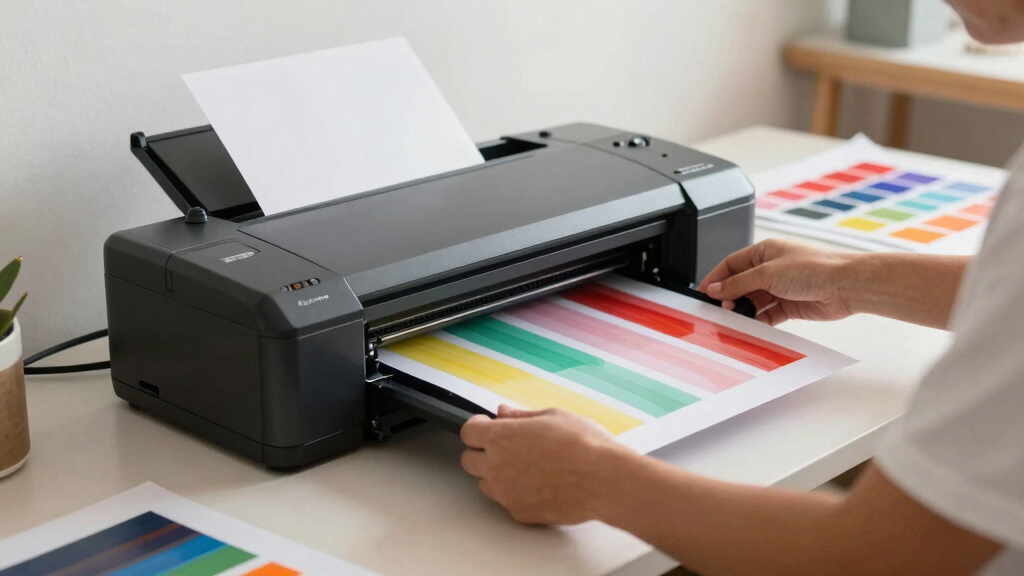
Starting with DTF printing can seem overwhelming, but the right bundle can make all the difference. The InkSonic L13 DTF Printer stands out as the best overall choice, thanks to its user-friendly design and comprehensive accessories. For budget-conscious newcomers, the Brother SP-1 Sublimation Starter Bundle offers great value, though it’s more suited to sublimation than full DTF. Meanwhile, the xTool Apparel Printer Bundle combines high-speed printing with auto-maintenance, appealing to those who want efficiency from the start. Buyers typically face tradeoffs between upfront cost, ease of setup, and feature set. Continue reading for a detailed breakdown of each option and how to choose the best bundle for your needs.
Key Takeaways
- Top bundles balance ease of use with essential features like white ink support and automatic maintenance.
- Higher-priced options often include accessories like ovens and auto-maintenance, ideal for serious hobbyists or small shops.
- Budget-friendly bundles tend to lack advanced features but still deliver reliable results for beginners.
- Bundles with roll feeders and multiple printheads offer versatility but can be more complex to operate.
- Choosing the right bundle depends heavily on your intended volume and future growth plans.


More Details on Our Top Picks
InkSonic L13 DTF Printer with Powder Shaker & Dryer, L18058 Apparel Printer with Laptop, XP600 Printhead, A3 DTF Printer Bundle, 13″ Easy Lightweight T Shirt Transfer Printing Machine, Direct to Film
This InkSonic L13 stands out for its lightweight, compact form factor, making it ideal for small spaces or those just starting out. Compared to the Lancelot M1630 Pro, it offers a more streamlined setup process with included accessories like a pre-installed laptop and easy-to-use software, reducing initial complexity. Its stability and reliability are enhanced by the XP600 printhead and automatic cleaning system, but it does have a limited maximum print width of 13 inches, which may restrict larger projects. The faster print speed helps beginners meet tight deadlines, while its compatibility with a wide fabric range expands creative options. The main tradeoff is that this model is designed for lighter usage and smaller production runs, so high-volume users may find it less suitable. This pick suits newcomers who prioritize ease of use, portability, and a comprehensive starter bundle.
Pros:- Lightweight and compact, easy to move around
- Includes pre-installed laptop and comprehensive starter kit
- Automatic cleaning reduces maintenance hassle
- Vibrant color output at 1440×1440 DPI
Cons:- Limited maximum print width (13 inches), restricting larger designs
- Smaller footprint means less suitable for high-volume output
Best for: Beginners who want a ready-to-go, lightweight DTF setup with minimal fuss
Not ideal for: Heavy-duty production environments or users needing large-format prints
- Maximum Print Width:13 inches
- Resolution:1440×1440 DPI
- Print Head:XP600
- Weight:16 kg
- Supported Fabrics:Cotton, polyester, leather, denim
- Bundle Includes:Printer, laptop, powder shaker, dryer, inks, transfer films
Bottom line: This model is perfect for beginners seeking a straightforward, portable DTF solution with all-in-one convenience.
A3 L805 Multifunction DTF/DTG Printer with White Ink Mixing and Semi-Automatic Cleaning for T-Shirts, Hoodies, Pants, Hats, Shoes
This A3 L805 model offers high-resolution printing at 2880×1440 DPI, making it ideal for producing detailed, vibrant images suitable for professional-looking designs. Unlike the InkSonic L13, it provides a dedicated white ink system capable of printing on dark fabrics, which is crucial for more complex or layered designs. Its vacuum platform ensures precise alignment, reducing errors during printing. However, its setup and maintenance can be complex for absolute beginners, and the inks are not included, adding to initial costs. Compared to the Lancelot M1630, it’s less portable and bulkier, but it excels in producing crisp, colorful images on a variety of fabrics. This machine is better suited for users who want high-quality output and are comfortable with some technical learning curve. This pick makes the most sense for those focused on detailed, vibrant prints on dark garments.
Pros:- High-resolution output with sharp details
- White ink system for printing on dark fabrics
- Vacuum platform for precise alignment
- Supports a wide range of fabrics
Cons:- Complex installation and maintenance process
- Inks are not included in the package
- Bulky size may require dedicated space
Best for: Experienced beginners or small business owners aiming for detailed, professional-quality prints
Not ideal for: Total novices or hobbyists without experience in complex setup procedures
- Resolution:2880×1440 DPI
- Maximum Print Size:A3
- White Ink:Supported
- Features:Vacuum platform, semi-automatic cleaning
- Dimensions:24.8″D x 29.92″W x 20.08″H
Bottom line: This printer suits users seeking high-resolution, vibrant images on dark fabrics who are ready for a slightly steeper learning curve.
A3 DTF & DTG Printer Multifunction Printing Machine Automatic Flatbed Printer for T-Shirts, Hoodies, Pants, Hats, Shoes, etc.
This A3 DTF & DTG multifunction machine stands out for its ability to print on virtually any fabric or material, including garments and accessories, eliminating the need for separate machines. Its automatic features and standard A3 suction platform make it easier for newcomers to achieve consistent results. Compared to the InkSonic L13, it offers broader flexibility in materials and DIY customization. However, the device’s complexity may be daunting for absolute beginners, and it lacks included inks, meaning additional purchase is necessary. Its smaller size and multifunctionality make it ideal for hobbyists or small-scale entrepreneurs who want to expand their options beyond T-shirts. The main tradeoff is that it requires some familiarity with printing technology and maintenance. This machine is perfect for versatile, small-scale production with a focus on ease of use for those willing to learn.
Pros:- Supports printing on a wide array of materials
- Automatic suction platform ensures consistent quality
- Allows DIY design customization
- Eliminates need for pretreatment on most fabrics
Cons:- Setup can be complex for beginners
- Inks are not included, increasing initial costs
- Requires maintenance knowledge for long-term use
Best for: Hobbyists or small business owners needing a multifunctional printer for various fabric types
Not ideal for: Complete beginners who prefer a plug-and-play system without much setup
- Maximum Print Size:A3
- Supported Materials:Clothing, accessories, various fabrics
- Automatic Features:Flatbed, suction, intermittent stirring
- Print Resolution:720 x 1440 dpi
- White Ink System:Supported
Bottom line: This multifunction printer excels for users wanting to diversify their printing projects with an all-in-one machine, despite a steeper learning curve.
Epson SureColor F170 Dye-Sublimation Printer – Compact 8.5″ x 11″ Format – Includes Genuine Epson Ink, User Guide & Power Cable – Original OEM Product with Full Manufacturer Support
The Epson SureColor F170 is an excellent choice for hobbyists or small-scale producers focused on sublimation. Its compact 8.5″ x 11″ format makes it perfect for printing on mugs, mousepads, and small apparel transfers, contrasting with larger format DTF printers like the Lancelot M1630. The included genuine Epson inks and full manufacturer support ensure reliable, high-quality results with minimal fuss. Its user-friendly setup and space-efficient design are ideal for home use, but its small size limits larger production runs. Compared to the other models, it doesn’t support direct fabric printing but excels in producing vibrant, durable transfers on sublimation-compatible items. The main limitation is the narrow print size, which restricts use to small items. This is the best pick for those interested in crafting personalized sublimation products on a smaller scale.
Pros:- Reliable OEM Epson quality and support
- Includes full set of sublimation inks
- Compact and space-saving design
- Produces vibrant, durable transfers
Cons:- Limited to small format (8.5″ x 11″)
- Not suitable for direct fabric printing
- Ideal for smaller production volumes
Best for: Hobbyists and small businesses focusing on sublimation items like mugs and small apparel
Not ideal for: Producers needing large-format or direct-to-fabric printing capabilities
- Print Size:8.5″ x 11″
- Printer Type:Dye-sublimation
- Inks Included:Yes, OEM
- Support:Mac & Windows
- Manufacturer Support:Full
Bottom line: This sublimation printer is perfect for hobbyists or small-scale entrepreneurs focused on high-quality transfers on small items.
Lancelot M1630 Pro DTF Printer Bundle with Roll Feeder, White Ink Circulation & Laptop
The Lancelot M1630 Pro is tailored for users who need double the speed of previous models, featuring an auto-cut system and roll feeder for efficient production. Its white ink circulation system extends print-head lifespan, making it suitable for frequent use. Unlike the lighter InkSonic L13, this model is heavier and less portable but offers more robust features for small business operations. Its compatibility is limited to Windows, which might be a drawback for some users. The semi-automatic cleaning and advanced clog prevention make it a reliable choice for those who want minimal downtime during longer runs. The main tradeoff is its weight and system complexity—best suited for users with some technical support available. This machine is ideal for small businesses or serious hobbyists ready for higher-volume, faster printing.
Pros:- Double-speed printing capability
- Auto-cut system for efficiency
- White ink circulation for longer head life
- Handles both roll and sheet media
Cons:- Heavy (76 kg), less portable
- Limited to Windows (not Mac)
- Requires some technical knowledge for setup
Best for: Small business owners or dedicated hobbyists seeking fast, reliable roll and sheet media handling
Not ideal for: Casual hobbyists or Mac users, due to weight and system limitations
- Maximum Resolution:720 x 1440 dpi
- Supported Media:Roll and sheet
- Print Speed:Doubles previous models
- Weight:76 kg
- Connectivity:Windows only
- Additional Features:White ink circulation, auto-cut
Bottom line: This bundle is designed for those aiming for higher throughput with reliable, fast printing in a small business setting, despite its weight and complexity.
A3 M1630 Pro DTF Printer Bundle Auto Maintenance&Cutter for T-Shirt Direct to Film Printing,White Ink Circulation Heat Transfer Home Use Machine for Fabric(Printer,Oven,Laptop,Supplies)
The M1630 Pro bundle stands out for its comprehensive setup, including an automatic maintenance system, cutter, and high-speed printing capabilities. Its built-in white ink circulation system reduces clogging, which is a common issue with other models like the Brother SP-1. Compared with simpler bundles, this offers robust features suited for high-volume production, though it comes with a heavier weight of 56 kilograms, making it less portable. The integrated vacuum and auto/Manual cutter ensure minimal waste and consistent quality, perfect for a small business or professional setting. The machine’s speed and 6-color system (CMYK+2W) deliver vibrant, detailed prints on dark and light fabrics alike. Customer support is responsive, with lifetime software updates adding peace of mind. The tradeoff is the bulk and higher initial investment—best for those ready to scale their operations.
Pros:- High-speed printing with 2x faster speeds than comparable models
- Built-in white ink circulation prevents clogs and maintains print quality
- Complete bundle with oven, cutter, and supplies for a ready-to-start setup
- Lifetime free software updates and responsive support
Cons:- Heavy and large, less suitable for small or portable setups
- Higher price point that may be prohibitive for casual users
Best for: Manufacturers or entrepreneurs seeking high throughput and durability for frequent, large-volume printing.
Not ideal for: Home hobbyists or small-scale crafters with limited space and lower volume needs.
- Printer Type:DTF
- Built-In Media:250ml Printhead Moisturizing Liquid
- Weight:56 Kilograms
- Max Media Size:13 inches
- Resolution:1440 x 1440 dpi
- Connectivity:USB
- Warranty:Limited lifetime support
Bottom line: Ideal for serious small businesses or professional setups that prioritize speed, quality, and low maintenance, despite bulkier size.
DXZ A3 DTG Printer for Direct-to-Garment Printing with 2800×1440 DPI and White Ink Mixing
The DXZ A3 DTG Printer is tailored for vibrant, detailed prints on cotton fabrics, delivering up to 2800×1440 DPI resolution. Its eco-friendly, water-based inks are ideal for sensitive skin and small, detailed designs, making it a better choice than the xTool Apparel Printer for those prioritizing environmental safety. Compared to basic DTF bundles, this offers superior resolution and color quality, though it is significantly heavier at 149 pounds, limiting portability. The semi-automatic cleaning and durable design ensure consistent performance, suitable for small business owners or artists focusing on intricate graphics. The main tradeoff is its weight and lack of a built-in oven or cutter, making it less integrated than the xTool bundle. Nonetheless, it excels in delivering high-end, professional-quality prints on garments.
Pros:- Exceptional print resolution up to 2800×1440 DPI
- Eco-safe, water-based inks suitable for sensitive skin
- User-friendly setup with intuitive controls
- Durable design built for long-term use
Cons:- Heavy and not portable, requiring a dedicated space
- Lacks built-in oven or cutter, needing additional equipment for full workflow
Best for: Artists or small business owners focused on high-resolution, eco-friendly garment prints with a focus on cotton apparel.
Not ideal for: Hobbyists needing lightweight, portable, all-in-one solutions with heat transfer capabilities.
- Print Resolution:2800×1440 DPI
- Item Dimensions:35.82 x 27.36 x 23.22 inches
- Weight:149 pounds
- Max Media Size:13 inches
- Output Type:Color
- Connectivity:USB
Bottom line: Best suited for creators requiring ultra-high-resolution prints on cotton with a focus on safety and durability, despite its weight and size.
A3+ DTG Printer with 4720 Printhead for Vibrant T-Shirt and Clothing Printing (Includes Inks & Pretreatment)
This A3+ DTG Printer offers a high DPI (2800×2800) resolution with vibrant color fidelity, making it a top pick for detailed garment printing on cotton and blends. Unlike the Brother SP-1, it comes with a full set of 6 large ink bottles and pretreatment solutions, providing a more professional, ready-to-use package. Its versatility on various fabrics makes it ideal for small businesses or artists wanting more creative flexibility. Setup is straightforward thanks to user-friendly software, though it requires pretreatment application—a step not needed in DTF systems like the xTool. Price-wise, it is more expensive than basic DTG printers, but the quality justifies the investment for serious creators. The main limitation is the need for additional equipment like a drying station.
Pros:- High-resolution 2800×2800 DPI prints with vivid colors
- Includes a full set of large, professional-grade inks
- Versatile for printing on various cotton fabrics
- Pre-treatment included for best results
Cons:- Requires pretreatment process, adding complexity
- Higher price point than basic models
Best for: Small business owners or artists seeking high-quality, multi-fabric garment printing with vibrant details.
Not ideal for: Casual hobbyists or those with limited space who prefer simple, all-in-one solutions.
- Print Resolution:2800×2800 DPI
- Maximum Media Size:11.7 x 16.5 inches
- Included Inks:6x500ml DTG Textile Ink
- Power Compatibility:110V
- Software Support:Windows 7/10/11
- Item Dimensions:35.82 x 27.36 x 23.22 inches
Bottom line: A versatile, high-resolution printer suited for creators demanding detailed, colorful garment prints on multiple fabrics, with some workflow added complexity.
xTool Apparel Printer Bundle with Shaker Oven & Air Purifier, 14” A3 DTF Printer, One-Click Print-to-Bake, High-Speed with Dual I1600 Printheads, Multi-Fabric Compatible, 24/7 Auto-Maintenance
The xTool Apparel Printer Bundle emphasizes automation, with features like one-click print-to-bake, self-maintenance, and a safety air purifier. Its dual I1600 printheads and 720×1800 DPI resolution enable detailed, vibrant transfers on a variety of fabrics, surpassing basic bundles like the InkSonic L13 in speed and precision. The built-in AI camera automates calibration, making setup easier for beginners, while the included oven and air purifier support a streamlined, safe workflow. Its multi-fabric capability expands creative options beyond cotton, including polyester and blends. The main tradeoff is its significant weight of over 266 pounds, which makes it less suitable for small or mobile setups. This system is best for entrepreneurs or small shops aiming for high efficiency and automation at a higher price point.
Pros:- One-click print-to-bake automation streamlines workflow
- High-speed printing up to 50 sq/ft in 90 seconds
- Dual I1600 printheads deliver detailed, vibrant transfers
- Built-in AI calibration and safety features
Cons:- Very heavy and large, requiring dedicated space
- Higher initial cost, better suited for scaling businesses
Best for: Small businesses or entrepreneurs seeking high-speed, automated, multi-fabric printing with minimal manual intervention.
Not ideal for: Casual hobbyists or home users with space constraints and low-volume needs.
- Print Speed:90 seconds per A3
- Resolution:720×1800 DPI
- Weight:266.1 pounds
- Connectivity:Ethernet, USB, Wi-Fi
- Fabric Compatibility:Cotton, Polyester, Denim, Canvas
- Item Dimensions:29.41 x 35.59 x 43.69 inches
Bottom line: Perfect for fast-paced, automated production environments with multi-fabric compatibility, despite its size and cost.
Brother SP-1 Sublimation Printer Starter Bundle with Full Ink Set, 160 Sublimation Transfer Sheets, 50 Blanks, Tape and More
The Brother SP-1 Starter Bundle offers a reliable, compact solution for sublimation printing, perfect for hobbyists or small entrepreneurs starting out. Its included full ink set, 160 transfer sheets, and blanks make it a complete package, similar to the Brother SP-1 but with added value. The printer’s 600×600 dpi resolution ensures vibrant, full-color transfers on items like mugs, t-shirts, and coasters. Compared with higher-end DTF systems, this bundle is more affordable and easier to use, though it’s limited to sublimation-compatible materials and has a maximum media size of 8.5×14 inches. The setup is straightforward, with Wi-Fi and Ethernet for flexible workspace integration. The main tradeoff is its smaller media capacity and lower durability for high-volume production, making it best for enthusiasts or small-scale projects.
Pros:- Complete starter kit with inks, transfer sheets, and blanks
- Reliable Brother brand quality with consistent results
- Compact and user-friendly, ideal for home use
- Supports Wi-Fi & Ethernet connectivity
Cons:- Limited to sublimation media sizes up to 8.5×14 inches
- Lower durability for high-volume or industrial use
Best for: Hobbyists, crafters, or small businesses starting with sublimation on a budget and low to moderate volume.
Not ideal for: Large-scale production or users needing extensive media sizes and high durability for frequent use.
- Printer Type:Dye Sublimation
- Resolution:600 x 600 dpi
- Max Media Size:8.5 x 14 inches
- Included Transfer Sheets:160 sheets
- Color Ink:CMYK
- Connectivity:Wi-Fi, Ethernet
Bottom line: Excellent choice for beginners and hobbyists seeking a straightforward, all-in-one sublimation setup with good value, but not suited for large-scale needs.
Lancelot A3 L1800 DTF Transfer Printing Machine with Roll Feeder, White Ink Circulation and Easy Operation, DTF Printer Bundle for Dark and Light Clothing
The Lancelot A3 L1800 stands out for its user-friendly setup and comprehensive bundle, including a dedicated computer that simplifies the printing process. Unlike the InkSonic L13, which emphasizes high-volume production with additional powder shaker and dryer, this model prioritizes ease for newcomers by eliminating complex maintenance steps. Its ability to print on a wide variety of fabrics without pre-treatment makes it accessible for small start-ups or hobbyists. However, the reliance on Windows-only compatibility could be a drawback for Mac users, and its larger size may not suit tight workspaces. The integrated white ink circulation system ensures brighter results on dark fabrics, but the absence of advanced semi-automatic cleaning features found in some competitors means more manual care. Overall, this pick makes the most sense for beginners who want straightforward operation and broad fabric compatibility without sacrificing print quality or durability.
Pros:- Simple setup with included dedicated computer and software
- Prints on a variety of fabrics including cotton, polyester, leather
- White ink circulation system for brighter dark fabric prints
- Roll and sheet printing options reduce paper jams
Cons:- Limited to Windows OS, excludes Mac users
- Larger footprint may be unsuitable for small workspaces
- Manual cleaning required without semi-automatic features
Best for: Beginners starting a small custom apparel business or hobbyists wanting easy operation and versatile fabric options.
Not ideal for: Mac users or those seeking a compact, space-saving setup, as the bundled computer only supports Windows and the printer is relatively large.
- Print Size:A3/A4 and roll
- White Ink Circulation:Yes
- Connectivity:Pre-installed Windows-compatible computer
- Supported Fabrics:Cotton, polyester, leather, more
- Machine Type:L1800 DTF Printer
- Included Accessories:Oven, laptop, consumables
Bottom line: This printer bundle is ideal for beginners who prioritize ease of use, broad fabric compatibility, and a complete setup to start a small-scale DTF printing operation.
How We Picked
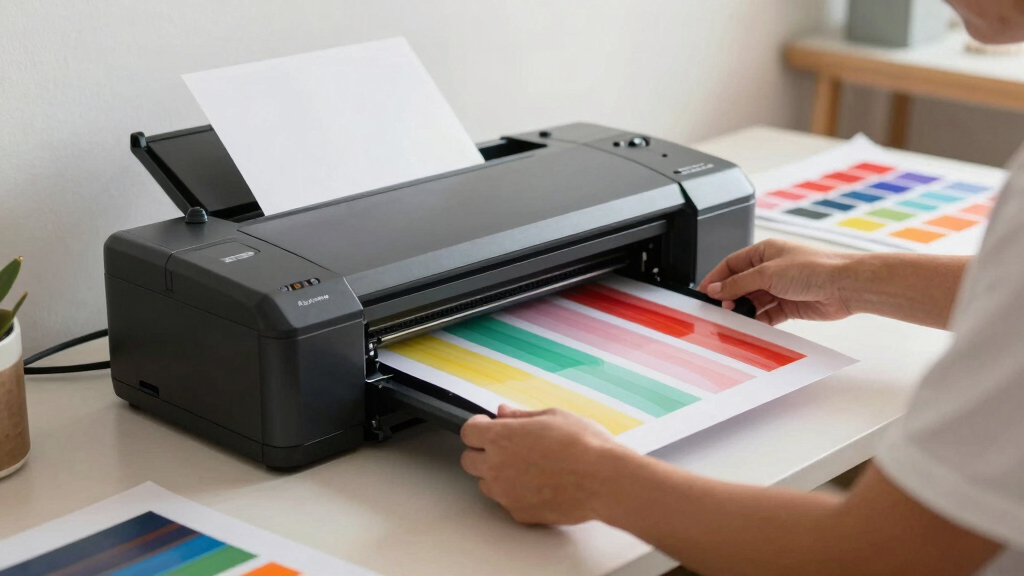
Products were evaluated based on their overall ease of use, build quality, feature set, and value for beginners. Priority was given to bundles that include necessary accessories like pre-treatment equipment, curing ovens, and user-friendly interfaces. We also considered the clarity of setup instructions and maintenance requirements, as these factors significantly impact a novice’s experience. The ranking reflects a balance between affordability and features, aiming to recommend options suitable for new users who want reliable results without overwhelming complexity.Factors to Consider When Choosing Best Dtf Printer Bundle For Beginners
Selecting the best DTF printer bundle for beginners involves understanding several key factors. It’s important to consider not just the initial purchase price but also the total cost of ownership, including consumables and maintenance. Ease of setup and operation can make or break your early experiences, so look for bundled packages that include comprehensive guides or customer support. Compatibility with different fabric types and the availability of support materials like pre-treatment solutions are also vital. By weighing these factors carefully, you can choose a bundle that aligns with your goals and skill level.Ease of Use and Setup
For beginners, a bundle that offers straightforward installation, user-friendly software, and clear instructions is essential. Avoid overly complex systems that require technical expertise or extensive training. Features like automatic maintenance, pre-installed inks, and bundled accessories can dramatically reduce the learning curve. Remember, the goal is to start producing quality prints quickly without frustration, so prioritize bundles with good customer support and detailed setup guides.
Included Accessories and Completeness
Look for bundles that come with everything needed to start printing right away, such as curing ovens, pre-treatment stations, and sample materials. These accessories often add significant value and save you from additional purchases. However, be cautious of overly large bundles that include features you don’t need immediately, as they can inflate the initial cost. Balance your current needs with potential future requirements when evaluating the completeness of a bundle.
Print Quality and Ink Compatibility
While beginner-friendly, a bundle still needs to deliver decent print quality, especially on dark fabrics. White ink support is a must-have for vibrant dark prints, so verify that the system includes reliable white ink circulation. Compatibility with standard sublimation or transfer inks can also expand your options. Keep in mind that higher print resolutions typically mean better results but may require more maintenance and higher ink costs.
Cost of Consumables and Maintenance
Initial affordability is tempting, but consider ongoing costs such as ink, pre-treatment solutions, and replacement parts. Bundles with automatic maintenance features tend to reduce the hassle and improve consistency but might come with higher consumable costs. Be mindful of the longevity of the included inks and supplies, and check whether refills are readily available and affordable.
Future Scalability and Support
Think about whether the bundle can grow with your business or hobby. Features like roll feeders, multiple printheads, and higher-capacity inks can future-proof your investment. Additionally, reliable customer support and accessible tutorials are critical for beginners. Investing in a system with good after-sales service can save time and frustration as you learn and expand your skills.
Frequently Asked Questions
Can I start DTF printing with a basic bundle and upgrade later?
Absolutely. Many beginner bundles are designed to be scalable, allowing you to upgrade components like printheads, add roll feeders, or expand print bed sizes as your skills and production demands grow. Starting with a simpler, more affordable system can help you learn the basics without a large upfront investment. As your experience increases, you can gradually invest in more advanced features to improve quality and efficiency.
What should I look for in a beginner DTF bundle to avoid costly mistakes?
Focus on bundles that include essential accessories such as curing ovens, pre-treatment stations, and user guides. Ensure the system supports white ink and has reliable circulation to prevent clogs. Checking reviews for ease of setup and customer support can save you from frustration. Avoid overly complicated setups or bundles lacking necessary supplies—these can lead to costly troubleshooting and downtime.
Is a higher-priced bundle worth it for a beginner?
While higher-priced bundles often include more features, accessories, and support, they are not always necessary for absolute beginners. If you plan to produce larger volumes or want faster, more consistent results, investing in a more comprehensive system can be a good idea. However, for casual or hobbyist use, a well-chosen mid-range bundle with good support typically offers the best balance of value and functionality.
How important is the availability of replacement parts and consumables?
Very important. A system that uses widely available consumables and replacement parts reduces downtime and ongoing costs. Check whether inks, pre-treatment solutions, and parts like printheads are easy to find and affordable. Good support from the manufacturer or supplier for consumables can prolong the lifespan of your system and ensure consistent quality over time.
Can I use a DTF printer bundle on different fabrics and materials?
Most beginner bundles are versatile enough to handle a variety of fabrics, including cotton, polyester, and blends. However, each material may require specific pre-treatment or settings adjustments. Ensure the bundle supports white ink for dark fabrics and verify compatibility with your desired substrates. Testing on sample materials first can help optimize your process and avoid costly mistakes.
Conclusion
For newcomers, the InkSonic L13 DTF Printer offers the best overall experience with its balance of ease of use, comprehensive accessories, and reliable results, making it ideal for hobbyists and small businesses. The xTool Apparel Printer Bundle appeals to those seeking high-speed, low-maintenance operation, suitable for users planning to scale quickly. Budget-conscious beginners will find the Brother SP-1 Sublimation Starter Bundle provides decent quality at a lower price, though with some limitations. Overall, your choice depends on your specific goals: start simple with a basic bundle, or invest in a more feature-rich system if you anticipate growth or higher volume production.