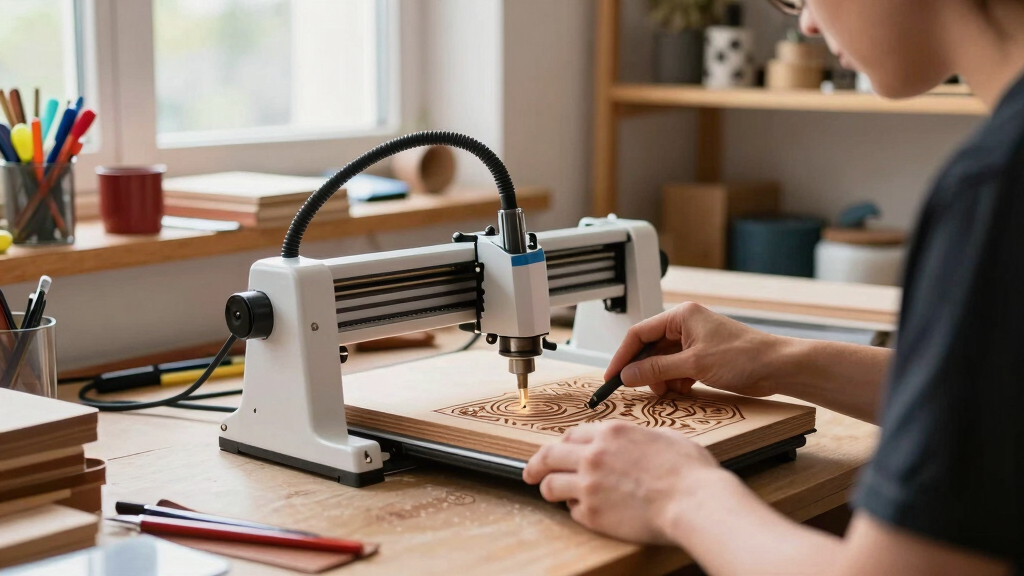

Finding the best laser engraver for a handmade business involves balancing performance, ease of use, and budget. The Twotrees TTS-55 Pro stands out for its reliable power and precision, making it a solid overall choice. The Artilume T1 offers a beginner-friendly, foldable design ideal for small-scale operations. Meanwhile, the ATOMSTACK A20 Pro V2 delivers impressive 20W power for more demanding projects. Buyers face tradeoffs between power, size, and complexity—continue reading to see how these options stack up across different needs and budgets.
Key Takeaways
- Power output and engraving speed vary significantly, affecting production capacity.
- Ease of use and safety features are critical for beginners and small business owners.
- Size and footprint matter; compact models fit better in limited spaces but may limit work area.
- Price ranges widely, so balancing budget against desired features is essential.
- Additional features like rotary attachments or AI integration can boost versatility but add cost.
| Twotrees TTS-55 Pro Laser Engraver |  | Best Overall for Versatile Precision | Laser Power: 5500mW (Class II) | Spot Size: 0.08*0.46mm | Engraving Speed: 30,000mm/min | VIEW LATEST PRICE | See Our Full Breakdown |
| Laser Engraver Woxcker L2 MAX 10W CNC Machine with 300x300mm Bed and Safety Features |  | Best for Safety-Conscious and High-Precision Professional Use | Laser Power: 10W (10,000mW) | Engraving Area: 300x300mm | Precision Focus: 0.01mm | VIEW LATEST PRICE | See Our Full Breakdown |
| xTool F1 2-in-1 Dual Laser Engraver for Metal, Wood, and Leather |  | Best for High-Speed, Multi-Material Industrial-Grade Projects | Laser Power (Infrared): 2000mW | Laser Power (Diode): 10000mW | Supported Materials: Acrylic, Glass, Metal, Plastic, Wood | VIEW LATEST PRICE | See Our Full Breakdown |
| LaserPecker LP2 Laser Engraver with Rotary Roller for Wood, Metal, and Leather |  | Best for Portability and Cylindrical Surface Engraving | Engraving Speed: up to 1417″/min | Rotary Support: Included | Weight: 10.17 pounds | VIEW LATEST PRICE | See Our Full Breakdown |
| LONGER Ray5 5W Laser Engraver with Touch Screen and Offline Functionality |  | Best for High-Speed, User-Friendly Operation | Laser Power: 5W | Laser Spot Size: 0.08mm x 0.08mm | Engraving Accuracy: 0.01mm | VIEW LATEST PRICE | See Our Full Breakdown |
| Artilume T1 Laser Engraver 3000mW, Foldable Design with High Precision for Wood, Leather, and Acrylic |  | Best for Beginners and Small Businesses | Power: 3000mW (3W/7W diode laser options) | Precision: 0.01mm | Working Area: 200x150mm (6×8 inch) | VIEW LATEST PRICE | See Our Full Breakdown |
| Creality Falcon A1 10W Laser Engraver and Cutter |  | Best for Fast, Enclosed Cutting and Envisioned Small-Scale Production | Laser Output Power: 10W (10,000mW) | Working Area: 381 × 305mm | Speed: 600mm/s | VIEW LATEST PRICE | See Our Full Breakdown |
| ACMER Laser Engraver Machine, Upgrade S2 7000mW Laser Cutter, 0.01mm Precision, 300×300mm Engraving Area |  | Best for Detailed, Large-Scale Projects with Safety Features | Laser Power: 7000mW (7W) | Working Area: 300×300mm | Precision: 0.01mm | VIEW LATEST PRICE | See Our Full Breakdown |
| ATOMSTACK A20 Pro V2 20W Laser Engraver/Cutter |  | Best for High-Speed, High-Power Professional Use | Laser Power: 20W (20,000mW) | Dot Size: 0.08 x 0.1mm | Engraving Speed: Up to 400mm/s | VIEW LATEST PRICE | See Our Full Breakdown |
| Carverall A1 Pro AA 5W Desktop Laser Engraver with Camera, WiFi & AI for Home DIY and Beginners |  | Best for Ease of Use and Precision for Beginners | Weight: 9.31 lbs | Dimensions: 12.76 x 10.98 x 10.91 inches | Power: 5W (actual 5.12-5.35W) | VIEW LATEST PRICE | See Our Full Breakdown |
| ACMER S1 Laser Engraver Machine (6000mW, 130x130mm Working Area) |  | Best for High-Detail Engraving and Versatile Material Support | Laser Power: 6000mW | Working Area: 130x130mm | Material Compatibility: Wood, acrylic, leather | VIEW LATEST PRICE | See Our Full Breakdown |
| AlgoLaser 3W Smart Laser Engraver with 3.5″ Touchscreen and AlgoOS System |  | Best for Portability and Multi-Mode Versatility | Dimensions: 10.5 x 8.5 x 7.7 inches | Weight: 4.4 pounds | Engraving Modes: Flat, roller, jaws | VIEW LATEST PRICE | See Our Full Breakdown |
| ATOMSTACK Swift Laser Engraver 3W (3000mW) – Pre-Assembled Desktop Cutter for Wood, Leather, and Crafts (135x145mm Area) |  | Best for Beginners and Small Projects with Larger Work Area | Power: 3W (3000mW) | Engraving Area: 135×145mm | Precision Spot Size: 0.04mm | VIEW LATEST PRICE | See Our Full Breakdown |
More Details on Our Top Picks
Twotrees TTS-55 Pro Laser Engraver
The Twotrees TTS-55 Pro stands out as the most balanced option for those seeking high-precision engraving across various materials. Its 5.5W laser with advanced compression technology delivers sharp details and 0.1mm accuracy, making it ideal for detailed artwork and professional-quality projects. Compared with the LONGER Ray5, it offers a wider support for diverse materials, though it requires some technical know-how to set up the air assist system. The Class II laser ensures safety risks if mishandled, but proper precautions can mitigate this. Its fast 30,000mm/min speed accelerates workflow, benefiting small businesses needing efficiency. Overall, this engraver fits creators who value versatility and precision but are comfortable with some technical setup.Pros:- High-precision cutting with 0.1mm accuracy
- Supports a wide range of materials including metal and glass
- Fast engraving speed of 30,000mm/min
- Wi-Fi connectivity for seamless control
Cons:- Requires technical skills for air assist setup
- Class II laser poses safety risks if mishandled
Best for: Small to medium handmade businesses needing precise, versatile engraving on multiple materials
Not ideal for: Beginners or hobbyists seeking an out-of-the-box, plug-and-play solution without technical setup
- Laser Power:5500mW (Class II)
- Spot Size:0.08*0.46mm
- Engraving Speed:30,000mm/min
- Working Area:300x300mm
- Materials Supported:Wood, Metal, Acrylic, Glass, Leather, Stainless Steel
- Software Compatibility:LaserGRBL (Windows), LightBurn (Windows/macOS/Linux)
Bottom line: This model suits experienced creators needing a versatile, high-precision laser for professional-quality craftsmanship.
Laser Engraver Woxcker L2 MAX 10W CNC Machine with 300x300mm Bed and Safety Features
The Woxcker L2 MAX elevates safety and speed, making it suitable for workshops that prioritize user protection without sacrificing precision. Its 10W laser with 0.01mm focus accuracy surpasses the xTool F1 in power, allowing for faster and deeper cuts, especially on thicker materials. Modular design simplifies assembly, which is advantageous for beginners willing to invest time, unlike the Longer Ray5, which is more straightforward but less powerful. Safety features like automatic lid shutdown and flame detection add peace of mind during prolonged use. The large 300x300mm bed supports bigger projects but demands a dedicated workspace. This laser is ideal for serious artisans who need safety and precision combined with larger working capacity.Pros:- Advanced safety features including automatic lid shutdown
- High focus accuracy of 0.01mm for detailed work
- Large 300x300mm working area suitable for multiple or large items
- Modular design eases assembly for newcomers
Cons:- Requires more time and effort for setup and learning software
- Larger footprint needs dedicated workspace
- Additional accessories may be necessary
Best for: Professionals or safety-conscious hobbyists working on larger, more complex projects
Not ideal for: Absolute beginners seeking a straightforward, minimal-setup engraver for light projects
- Laser Power:10W (10,000mW)
- Engraving Area:300x300mm
- Precision Focus:0.01mm
- Speed:20,000mm/min
- Safety Features:Automatic lid shutdown, flame sensor, emergency stop
- Materials Supported:Wood, stainless steel, glass, metal, leather, plastic
Bottom line: This engraver is best for users who need high safety standards and precision for larger or more detailed projects.
xTool F1 2-in-1 Dual Laser Engraver for Metal, Wood, and Leather
The xTool F1 excels in speed and dual-material versatility, making it ideal for small business owners who need rapid turnaround on diverse projects. Its combination of a 2W infrared laser for metals and a 10W diode laser for wood and acrylic enables quick, high-quality engraving at up to 4000mm/s—significantly faster than most desktop engravers like the LaserPecker LP2. The enclosed, smoke-free design with optional air purifier promotes cleaner operation, but the purifier costs extra, unlike the integrated systems on some competitors. While its portability at 4.6kg is a plus, heavy metal or shiny metal engraving is limited. This pick suits entrepreneurs focused on fast, multi-material production in a compact form.Pros:- High-speed engraving up to 4000mm/s
- Dual lasers for metal and non-metal materials
- Compact, portable design at only 4.6kg
- Enclosed, smoke-free workspace
Cons:- Air purifier sold separately, increasing overall cost
- Limited ability on pure or shiny metals
- Requires technical setup for advanced functions
Best for: Small business owners who need speed and versatility for metal and non-metal engraving on the go
Not ideal for: Heavy-duty metal fabricators or those requiring deep, intricate cuts on thick metals
- Laser Power (Infrared):2000mW
- Laser Power (Diode):10000mW
- Supported Materials:Acrylic, Glass, Metal, Plastic, Wood
- Engraving Speed:4000mm/s
- Product Weight:4.6 pounds
- Design:Enclosed with optional air purifier
Bottom line: This engraver suits small-scale, rapid production with diverse material needs, especially for entrepreneurs on the move.
LaserPecker LP2 Laser Engraver with Rotary Roller for Wood, Metal, and Leather
The LaserPecker LP2 offers a highly portable solution for creators needing on-the-spot engraving, especially on cylindrical objects. Its upgraded galvo system achieves speeds up to 1417″/min, making it suitable for quick, detailed designs. The included rotary roller expands capabilities to cylindrical surfaces like mugs or T-shirts, which appeals to small craft businesses. Compared to larger desktop models like the Twotrees TTS-55 Pro, it sacrifices some material versatility for portability, and it cannot handle heavy-duty metal engraving. Its light design at around 10 pounds makes it easy to carry, but it may require pre-treatment or light materials for best results. This device is perfect for mobile artisans or those needing rapid, on-site customization.Pros:- Fast engraving with galvo technology
- Rotary roller for cylindrical objects
- Lightweight and portable at just over 10 pounds
- Compatible with smartphones and PCs for flexible control
Cons:- Limited capability on pure, shiny metals
- Pre-treatment needed for some materials
- Not suitable for heavy-duty metal engraving
Best for: Small craft businesses and artists needing portable, detailed engraving on curved surfaces
Not ideal for: Heavy-duty metal fabrication or large-volume engraving projects
- Engraving Speed:up to 1417″/min
- Rotary Support:Included
- Weight:10.17 pounds
- Supported Materials:Wood, Leather, Coated metals
- Connectivity:Smartphone, PC
- Warranty:12 months
Bottom line: This engraver is ideal for mobile artisans and small-scale projects requiring quick, detailed surface work, especially on curved objects.
LONGER Ray5 5W Laser Engraver with Touch Screen and Offline Functionality
The LONGER Ray5 combines a 5W laser with a 240MHz ESP32 chipset, making it one of the fastest engravers in its class. Its 0.08mm laser spot supports intricate designs on materials like wood, glass, and metal, rivaling the precision of the Twotrees TTS-55 Pro, but with easier touchscreen controls. Its offline functionality via USB or TF card simplifies workflow without a constant internet connection, unlike the Woxcker L2 MAX, which relies more on network setup. While it’s lighter at just over 8 pounds, the setup and software learning curve may challenge complete beginners. This pick suits creators who want speed combined with user-friendly features for versatile projects.Pros:- High engraving speed of 10,000mm/min
- Precise 0.08mm laser spot for detailed artwork
- Touchscreen interface for easy operation
- Offline working via USB and TF card
Cons:- Heavier than some compact models
- Requires some familiarity with software and setup
- Limited to 5W laser power for deep cuts
Best for: Enthusiasts and small business owners seeking fast, precise engraving with easy-to-use controls
Not ideal for: Users requiring heavy-duty metal engraving or larger working areas
- Laser Power:5W
- Laser Spot Size:0.08mm x 0.08mm
- Engraving Accuracy:0.01mm
- Working Area:400x400mm
- Connectivity:USB, TF card, WiFi, App
- Dimensions:12.2 x 23.6 x 5.9 inches
Bottom line: This engraver is perfect for users wanting rapid, accurate results with straightforward operation on a variety of materials.
Artilume T1 Laser Engraver 3000mW, Foldable Design with High Precision for Wood, Leather, and Acrylic
The Artilume T1 stands out for its foldable, portable design, making it ideal for those just starting out or with limited space. Its high precision (0.01mm) and sizable 200x150mm working area give it an edge over smaller, less versatile models like the ATOMSTACK A20 Pro V2. While its support for a variety of materials, including ceramics and stone, expands creative possibilities, the lower power options (3W/7W) limit cutting thicker or denser materials, and it requires good ventilation due to fumes. Compared to the CREALITY Falcon A1, its ease of setup and safety features make it more accessible for beginners, but it sacrifices some power and versatility. Tradeoffs include limited material thickness and fumes management.
Pros:- Foldable design for easy storage and portability
- Exceptional 0.01mm precision for detailed work
- Pre-assembled and beginner-friendly setup
- Supports multiple materials including ceramics and stone
Cons:- Limited to thin materials due to lower laser power
- Requires well-ventilated workspace because of fumes
- Material restrictions can limit project scope
Best for: Beginners or hobbyists who want a compact, easy-to-use machine with high precision for small projects.
Not ideal for: Professionals needing to cut thicker materials or work with metals regularly, due to limited power and material restrictions.
- Power:3000mW (3W/7W diode laser options)
- Precision:0.01mm
- Working Area:200x150mm (6×8 inch)
- Laser Module Lifespan:>10,000 hours
- Materials Supported:Wood, Leather, Acrylic, Ceramics, Stone
Bottom line: This pick is perfect for newcomers seeking a portable, precise laser engraver for small-scale creative projects.
Creality Falcon A1 10W Laser Engraver and Cutter
The Creality Falcon A1 excels with its high-speed engraving (600mm/s) and enclosed, smoke-filtered design, making it suitable for small business environments where safety and efficiency matter. Its 10W power enables cutting thicker materials like 12mm wood, setting it apart from lower-powered machines such as the Artilume T1. The inclusion of a rotary roller for cylindrical objects and an air assist system ensures cleaner cuts and longer laser life, but its heavier weight (nearly 20 lbs) and complex assembly can challenge beginners. While its precision (0.06mm) is good, it’s less fine than the ATOMSTACK A20 Pro V2. The Class 4 laser class mandates strict safety precautions, but the enclosed design helps mitigate risk.
Pros:- High power allows cutting thicker materials up to 12mm
- Includes rotary roller for cylindrical objects
- Air assist system improves cut quality and machine longevity
- Fast engraving speed enhances productivity
Cons:- Heavy and less portable for mobile setups
- Complex assembly can be daunting for novices
- Requires strict safety measures due to Class 4 laser
Best for: Small businesses or experienced hobbyists needing fast, powerful cutting on thicker materials with safety features.
Not ideal for: Beginners or those with limited space, due to weight and complexity of setup, and safety requirements for Class 4 lasers.
- Laser Output Power:10W (10,000mW)
- Working Area:381 × 305mm
- Speed:600mm/s
- Safety Rating:Class 1
- Compatibility:Falcon Design Space, LightBurn, LaserGRBL, Cutlabx
Bottom line: This machine suits small-scale production environments where speed, safety, and thicker material cutting are priorities.
ACMER Laser Engraver Machine, Upgrade S2 7000mW Laser Cutter, 0.01mm Precision, 300×300mm Engraving Area
The ACMER S2 offers a powerful 7W laser and a large 300×300mm workspace, making it suitable for intricate designs on a variety of materials, including metal, wood, and acrylic. Its 0.01mm precision rivals higher-end models like the Atomstack A20 Pro V2 but with added versatility for larger projects. The machine’s upgrade system supports optional rotary modules and enclosures, appealing to makers who want flexibility. Its fast engraving speed (up to 10,000mm/min) and safety features like a protective shield and motion detection support safer operation in home or educational settings. However, its Class 4 laser necessitates strict safety measures, and its complex setup might challenge absolute beginners.
Pros:- High laser power enables detailed work on various materials
- Large 300x300mm working area for bigger projects
- Supports optional rotary modules and enclosures
- Fast engraving speeds improve throughput
Cons:- Requires strict safety precautions due to Class 4 laser
- Complex assembly process may be difficult for novices
- Higher cost and safety considerations
Best for: Intermediate to advanced hobbyists or small businesses needing precise, large-area engraving on diverse materials.
Not ideal for: Absolute beginners or users who prioritize portability over larger working area and safety complexity.
- Laser Power:7000mW (7W)
- Working Area:300×300mm
- Precision:0.01mm
- Speed:10,000mm/min
- Safety:Class 4 with protective shield
Bottom line: Ideal for serious hobbyists or small studios seeking high precision and large workspace with flexible expansion options.
ATOMSTACK A20 Pro V2 20W Laser Engraver/Cutter
The ATOMSTACK A20 Pro V2 is a 20W laser engraver that combines powerful cutting capabilities with advanced dot compression technology for high-resolution, detailed engravings. Its fast engraving speeds of up to 400mm/s significantly cut down project times, making it a favorite for small businesses looking to scale up. Its durable aluminum alloy frame and modular design provide stability and longevity. While the Class 4 laser demands strict safety protocols, its precision (0.08 x 0.1mm dots) allows for fine detail work, comparable to the ACMER S2. The model’s versatility across materials like metal and leather makes it suitable for diverse handmade products, but safety precautions are non-negotiable.
Pros:- High 20W laser power for efficient cutting and engraving
- Fast processing speeds up to 400mm/s
- Advanced dot compression technology for detailed designs
- Durable, modular aluminum frame
Cons:- Class 4 laser requires strict safety measures
- Higher price point can be a barrier for hobbyists
- No explicit mention of safety enclosures in data
Best for: Small business owners or professional makers needing fast, precise, and powerful engraving and cutting on various materials.
Not ideal for: Beginners or casual hobbyists who cannot handle Class 4 laser safety requirements or lack space for a larger, more complex machine.
- Laser Power:20W (20,000mW)
- Dot Size:0.08 x 0.1mm
- Engraving Speed:Up to 400mm/s
- Materials Supported:Wood, Metal, Acrylic, Leather
- Frame Material:Aluminum Alloy
Bottom line: This laser is best suited for small businesses or professionals demanding high power, speed, and precision with safety awareness.
Carverall A1 Pro AA 5W Desktop Laser Engraver with Camera, WiFi & AI for Home DIY and Beginners
The Carverall A1 Pro AA stands out for its user-friendly design, especially with a built-in HD camera that ensures precise alignment without guesswork. Its WiFi and AI-powered software make operation accessible for those new to laser engraving, contrasting with more complex models like the ACMER S1, which requires software learning but offers higher precision. The fully enclosed Class 1 safety design and adjustable height make it ideal for home use and delicate projects, but its 5W power limits the ability to cut thicker materials or perform heavy-duty engraving. Compared to larger or more powerful engravers, this model prioritizes safety and simplicity over raw cutting strength. It’s perfect for hobbyists or small-scale crafters who want consistent, accurate results without steep learning curves.
Pros:- Built-in HD camera for precise material positioning
- WiFi/Type-C connectivity and AI software for intuitive operation
- Fully enclosed Class 1 safety design with tilt protection
Cons:- Limited power (5W) restricts cutting thicker or denser materials
- Cylinder engraving requires an additional roller accessory
Best for: Beginner crafters and hobbyists focusing on detailed, small-scale projects at home
Not ideal for: Small businesses needing to engrave larger batches or cut thicker materials efficiently
- Weight:9.31 lbs
- Dimensions:12.76 x 10.98 x 10.91 inches
- Power:5W (actual 5.12-5.35W)
- Material Compatibility:Wood, leather, paper, plastic, fabric, food, painted metal
- Included Components:Double-sided engraving board, TF card & reader, user manual, cables
- Safety Rating:Class 1
Bottom line: This laser engraver is ideal for beginners prioritizing safety and precision over high power or large work areas.
ACMER S1 Laser Engraver Machine (6000mW, 130x130mm Working Area)
The ACMER S1 offers a significant upgrade in laser power and precision, with a 6000mW diode that produces a 0.04mm spot, making it well-suited for detailed engraving on a variety of materials like wood, acrylic, and leather. Its preassembled design means quick setup, and software compatibility with LightBurn and LaserGRBL simplifies customization. Compared to the Carverall A1 Pro AA, the ACMER S1 provides more precise engraving and supports more complex designs, though it doesn’t handle metal cutting and has a steeper learning curve for software adjustments. Its safety certification and fast engraving speed make it suitable for hobbyists who want professional-grade results without extensive setup time. However, its limited work area restricts larger projects, requiring multiple passes for bigger pieces.
Pros:- Ultra-fine 0.04mm laser spot for sharp, detailed images
- Supports multiple software platforms including LightBurn
- Preassembled for quick setup and operation
Cons:- Limited to non-metallic materials for cutting
- Learning curve exists for optimizing software and laser settings
Best for: Experienced hobbyists and small business owners seeking high-resolution, detailed engraving in a compact footprint
Not ideal for: Producers needing to cut or engrave larger items or metal substrates
- Laser Power:6000mW
- Working Area:130x130mm
- Material Compatibility:Wood, acrylic, leather
- Speed:10,000mm/min
- Warranty:12 months
- Certification:NRTL, Class 4 safety
Bottom line: This model is best suited for users wanting professional-grade detail on small-scale projects with versatile material support.
AlgoLaser 3W Smart Laser Engraver with 3.5″ Touchscreen and AlgoOS System
The AlgoLaser 3W excels in portability, combining a compact size with a built-in touchscreen and AlgoOS system that offers multiple engraving modes like flat, roller, and jaws. Its wireless connectivity via Wi-Fi and SD card support makes it convenient for craft enthusiasts and small business owners who need flexibility in where and how they work. Compared to the Carverall A1 Pro AA, this engraver sacrifices some precision and power for ease of use and mobility, making it less ideal for detailed or large-scale projects. While its customer rating suggests room for performance improvements, it remains a solid choice for those who prioritize quick setup and versatile material handling for on-the-go projects or small batches.
Pros:- Portable design with built-in touchscreen interface
- Supports Wi-Fi, SD card, and multiple engraving modes
- Includes built-in software library compatible with popular programs
Cons:- Relatively lower customer rating indicates mixed user satisfaction
- Heavier than some compact models, affecting portability slightly
Best for: Small business owners and hobbyists needing a portable, all-in-one engraving solution
Not ideal for: Users requiring high-precision engraving on complex or large projects regularly
- Dimensions:10.5 x 8.5 x 7.7 inches
- Weight:4.4 pounds
- Engraving Modes:Flat, roller, jaws
- Connectivity:Wi-Fi, SD card, USB
- Warranty:1 year
- Material Compatibility:Over 300 materials
Bottom line: This engraver suits small-scale, mobile projects where convenience and versatility outweigh the need for maximum detail.
ATOMSTACK Swift Laser Engraver 3W (3000mW) – Pre-Assembled Desktop Cutter for Wood, Leather, and Crafts (135x145mm Area)
The ATOMSTACK Swift 3W offers a balance of ease and capability, coming fully pre-assembled with a 3W diode and a sizable 135x145mm workspace. Its 0.04mm precision spot and 12,000mm/min speed make it suitable for detailed engraving on a variety of materials like wood, leather, and acrylic. Compared with the Carverall A1 Pro AA, it provides a larger work area, making it better for slightly bigger projects, although it sacrifices some advanced features like AI or camera alignment. Its multi-platform connectivity (Wi-Fi, USB) and compatibility with free software make it accessible for newcomers, but its limited power and optional accessories (like rotary rollers) mean it’s best suited for small, detailed projects rather than heavy-duty production.
Pros:- Fully pre-assembled, ready to use out of the box
- Larger engraving area than most compact models
- Supports multiple materials and software platforms
Cons:- Limited engraving area for larger projects
- Optional accessories like rotary rollers are sold separately
Best for: Hobbyists and small business owners starting out with modest-sized engraving projects
Not ideal for: Professionals needing to engrave very large items or cut thicker materials routinely
- Power:3W (3000mW)
- Engraving Area:135×145mm
- Precision Spot Size:0.04mm
- Speed:12000mm/min
- Connectivity:Wi-Fi, Hotspot, USB
- Materials Supported:Wood, leather, acrylic, paper, cork, slate
Bottom line: This engraver offers a practical balance for newcomers needing a larger workspace without complex setup or high power demands.
How We Picked
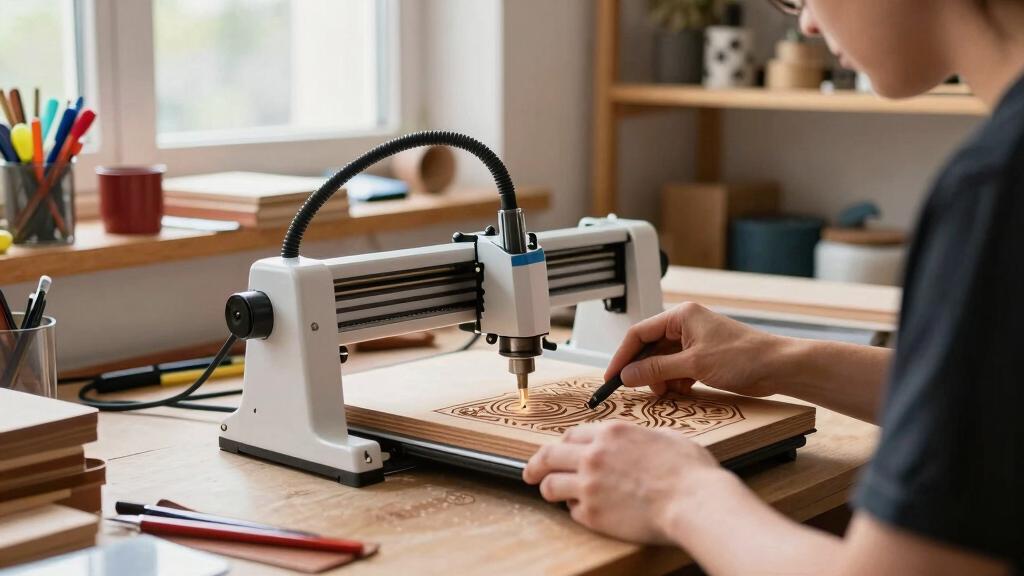
The products in this roundup were selected based on their suitability for small-scale, handmade businesses. Key criteria included engraving power, precision, user-friendliness, build quality, safety features, and overall value. We prioritized models that balance performance with affordability and those that cater to varying skill levels—from beginners to more experienced artisans. Products are ranked to reflect the best combination of these factors, with clear distinctions for different user needs, such as ease of use, power, and size constraints.Factors to Consider When Choosing Best Laser Engraver For Handmade Business
Choosing the right laser engraver for your handmade business requires considering several factors beyond raw specifications. Understanding your typical workload, space limitations, and budget will help narrow options. Beyond that, features like safety, software compatibility, and upgradeability can influence long-term satisfaction. Keep these considerations in mind to avoid common pitfalls such as overpaying for unnecessary power or selecting a machine incompatible with your preferred materials.Power and Engraving Speed
The laser’s wattage directly impacts its ability to cut and engrave various materials efficiently. Higher power usually means faster work and better suitability for tougher materials like metal, but it also increases cost and complexity. Speed matters if you plan to produce multiple items quickly. However, excessive power without proper safety measures can pose risks, so match the wattage to your project scale and material choices.
Ease of Use and Safety Features
For small businesses, especially those run by solo artisans or beginners, user-friendly interfaces and safety features are vital. Look for models with clear controls, safety shields, and emergency stop options. Software that’s intuitive and compatible with common design programs reduces learning curves and speeds up workflow. Investing in safety features also minimizes the risk of accidents, which is crucial in a busy workshop environment.
Size and Work Area
Laser engravers come in a range of sizes, from compact desktop units to larger, more powerful models. Smaller machines are easier to fit into limited spaces and are generally more affordable, but they restrict the size of your projects. Larger work areas enable bigger designs and batch processing but require more space and often come at a higher price. Consider your typical project size and workspace constraints before choosing.
Material Compatibility
Different machines support various materials, from wood and leather to acrylic and metal. Check the specifications to ensure your preferred materials are compatible. Some models include features like rotary attachments to engrave cylindrical objects, which can expand your product offerings. Failing to verify material compatibility can lead to frustration and limited project scope, especially as your business grows.
Price and Future Upgradability
Budget is often a deciding factor, but investing too cheaply can lead to frequent replacements or upgrades. Consider a machine that offers room for expansion, such as software upgrades, additional attachments, or higher power modules. A mid-range model might provide better long-term value by balancing initial cost with upgrade potential. Be cautious of very low-cost options that might lack durability or reliable support.
Frequently Asked Questions
Can I engrave metals with a laser engraver for handmade business?
Most typical desktop laser engravers are better suited for materials like wood, leather, and acrylic. Engraving metals often requires higher-powered machines with specialized capabilities, such as fiber lasers. Some models like the ACMER S1 or ATOMSTACK A20 Pro V2 can mark certain metals through anodization or coating processes, but deep engraving or cutting thick metal usually exceeds the capabilities of standard hobbyist engravers. If metal engraving is a priority, investing in a dedicated metal laser or fiber laser might be necessary.
What safety features should I prioritize for a small business laser engraver?
Safety features are essential to prevent accidents and protect your workspace. Look for machines with enclosed laser pathways, emergency stop buttons, and protective shields. Some models include auto-shutdown when doors are opened or safety interlocks. Adequate ventilation or air assist systems are also important to manage fumes and debris, especially when working with plastics or coated materials. Prioritizing these features reduces risks and creates a safer environment for solo operators or small teams.
How much space do I need for a typical small business laser engraver?
Most desktop models occupy between 12 to 24 inches in width and depth, with a height that allows for comfortable operation. While compact units fit into small workshops or home studios, larger machines with bigger work areas require more dedicated space, often 3×3 feet or more. Consider not only the machine’s footprint but also space for material storage, ventilation, and workspace around the device. Proper planning prevents overcrowding and ensures smooth workflow.
Is it worth paying extra for a laser engraver with AI or camera features?
AI integration and cameras can streamline your workflow by enabling automatic object recognition, alignment, and design adjustments. These features are especially useful for repetitive tasks or complex projects where precision matters. However, they also increase the initial cost and may require more technical setup. If your business focuses on high-volume, precise engraving, investing in these features can boost efficiency. For smaller or simpler projects, basic models often suffice.
What is the typical maintenance required for a laser engraver in a handmade business?
Regular maintenance includes cleaning the laser lens and mirrors, checking and replacing filters, and ensuring the cooling system functions properly. Keeping the workspace free of dust and debris prolongs component life and maintains engraving quality. Some machines also require software updates or calibration checks periodically. Establishing a routine maintenance schedule helps prevent unexpected breakdowns and extends the device’s lifespan, saving money in the long run.
Conclusion
For those just starting out or working with limited space, the Artilume T1 provides an affordable, easy-to-use option. The Twotrees TTS-55 Pro is ideal for small businesses needing a reliable, powerful machine with precise control. If your projects demand high power and speed, the ACMER S1 or ATOMSTACK A20 Pro V2 stand out as premium choices. Budget-conscious buyers should focus on models with essential safety features and good build quality, while larger operations might prioritize expandability and material versatility. Your ideal choice depends on your specific workflow, materials, and growth plans.