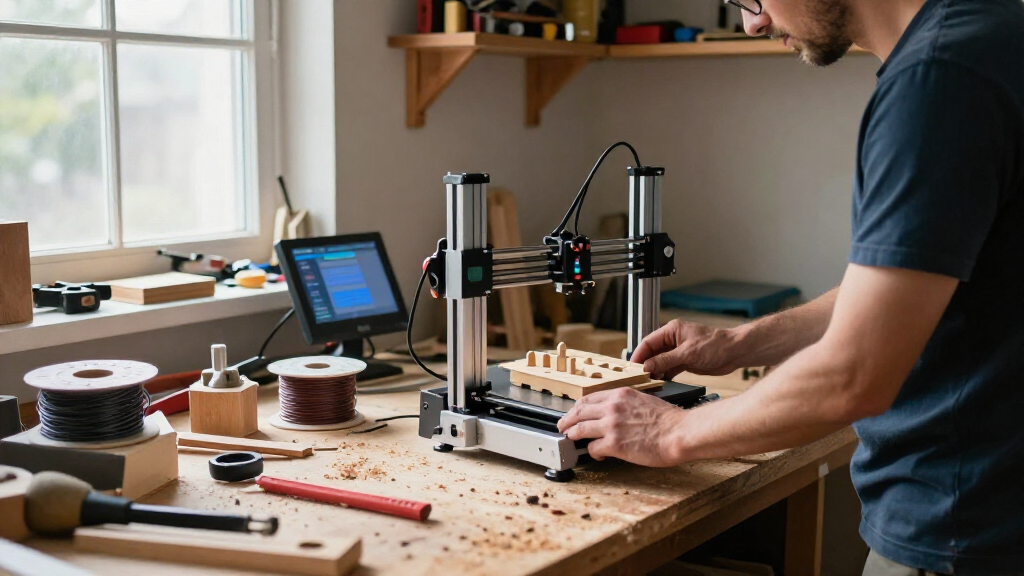

For most buyers, the Bambu Lab P1S is the best 3D printer in this lineup because its enclosed design and broad material support balance everyday ease with room to grow. The Bambu Lab A1 is a simpler pick for beginners, while the Original Prusa CORE One+ suits people who value a repairable, enclosed machine. The biggest tradeoffs are whether you need an enclosure, multiple colors or materials, or a larger build area—and how much setup and upkeep you’re willing to take on. Four-toolhead systems can reduce material waste during multicolor jobs, but they add complexity and take up more space. Read on for the full breakdown and recommendations by buyer type.

Get business pricing on tools and workshop supplies
- Business-only prices and quantity discounts
- Tax-exempt purchasing
- Multiple users, one account, clear invoices
Complete the kit


Key Takeaways
- The P1S is the most balanced pick: its enclosure and versatile FDM setup make it a stronger all-rounder than the simpler A1, especially for buyers who want more material flexibility.
- Multicolor printing comes in different forms: the Creator 5 Pro and Snapmaker U1 use four toolheads, while several other models pair with material-feeding systems; toolheads can reduce purge waste, but add mechanical complexity.
- Large printers solve a specific problem: the Creality K2 Plus and Anycubic Kobra S1 Max make more sense for oversized parts than for buyers whose projects fit standard build volumes.
- Enclosure is a practical filter: enclosed options such as the P1S and CORE One+ better suit users seeking a contained print area, while open-frame choices like the A1 are simpler to access.
- Beginner convenience and future flexibility are different priorities: the A1 favors an approachable starting point, while enclosed, multicolor, and larger-format machines reward buyers with clearer project needs.
| FLASHFORGE Adventurer 5M 3D Printer |  | Best for Fast, Simple Setup | Print volume: 220 × 220 × 220 mm | Maximum printing speed: 600 mm/s | Acceleration: 20,000 mm/s² | VIEW LATEST PRICE | See Our Full Breakdown |
| Bambu Lab P1S Enclosed FDM 3D Printer |  | Best Enclosed All-Rounder | Printer type: FDM | Design: Enclosed CoreXY | Maximum print speed: 500 mm/s | VIEW LATEST PRICE | See Our Full Breakdown |
| Original Prusa CORE One+ Enclosed CoreXY 3D Printer Kit |  | Best for Hands-On Advanced Materials Printing | Printer type: Enclosed CoreXY 3D printer kit | Frame: All-steel exoskeleton | Chamber temperature: Up to 55°C, actively controlled | VIEW LATEST PRICE | See Our Full Breakdown |
| FLASHFORGE Creator 5 Pro 4-Toolhead 3D Printer |  | Best for Multi-Material Production | Toolheads: 4 independent toolheads | Tool change time: 7 seconds | Maximum chamber temperature: 65°C | VIEW LATEST PRICE | See Our Full Breakdown |
| Anycubic Kobra X Multicolor 3D Printer |  | Best for Built-In Multicolor and Larger Prints | Built-in colors: 4 | Expandable colors: Up to 19 with 4 ACE 2 Pro units | Build volume: 260 × 260 × 260 mm | VIEW LATEST PRICE | See Our Full Breakdown |
| Snapmaker U1 3D Printer with Four Toolheads |  | Best for Multi-Material Printing | Toolheads: 4 | Tool change time: About 5 seconds | Build volume: 270 × 270 × 270 mm | VIEW LATEST PRICE | See Our Full Breakdown |
| Creality K1C High-Speed 3D Printer with AI Camera |  | Best for Enclosed High-Speed Printing | Printer type: Enclosed CoreXY | Build volume: 220 × 220 × 250 mm | Maximum speed: 600 mm/s | VIEW LATEST PRICE | See Our Full Breakdown |
| Creality K2 Plus 3D Printer |  | Best for Large-Format Prints | Printer type: FDM 3D printer | Build volume: 350 × 350 × 350 mm | Maximum print speed: 600 mm/s | VIEW LATEST PRICE | See Our Full Breakdown |
| Creality K2 Plus Combo 3D Printer with CFS Multi-Color System |  | Best Large-Format Multi-Color Pick | Build volume: 350 × 350 × 350 mm | Maximum print speed: 600 mm/s | Maximum acceleration: 30,000 mm/s² | VIEW LATEST PRICE | See Our Full Breakdown |
| FLASHFORGE AD5X Multi-Material 3D Printer |  | Best Lightweight Four-Color Pick | Color printing: Up to 4 colors | Frame: All-metal CoreXY | Maximum printing speed: 600 mm/s | VIEW LATEST PRICE | See Our Full Breakdown |
| Anycubic Kobra S1 ACE 2 Pro Combo 3D Printer |  | Best Enclosed Multicolor Pick | Printing technology: FDM | Frame: Fully enclosed CoreXY | Build volume: 250 × 250 × 250 mm³ | VIEW LATEST PRICE | See Our Full Breakdown |
| Bambu Lab A1 FDM 3D Printer |  | Best for Beginners | Printing technology: FDM | Acceleration: 10,000 mm/s² | Automatic calibration: Includes Z-offset and bed leveling | VIEW LATEST PRICE | See Our Full Breakdown |
| Bambu Lab P2S 3D Printer Combo with AMS 2 Pro |  | Best All-in-One Multimaterial Combo | Printer type: FDM 3D printer | Print speed: Up to 600 mm/s | Included system: AMS 2 Pro | VIEW LATEST PRICE | See Our Full Breakdown |
| Anycubic Kobra S1 Max Fully Enclosed CoreXY FDM 3D Printer |  | Best for Large Prints | Motion system: CoreXY | Enclosure: Fully enclosed | Build volume: 350 × 350 × 350 mm | VIEW LATEST PRICE | See Our Full Breakdown |
| ANYCUBIC Kobra X 3D Printer with Native 4-Color Printing |  | Best for Expanding Color Capacity | Printing technology: FDM | Build volume: 260 × 260 × 260 mm | Native color printing: 4 colors | VIEW LATEST PRICE | See Our Full Breakdown |
| 3D printer | Weight | Build volume |
|---|---|---|
| FLASHFORGE Adventurer 5M 3D Pr | — | — |
| Bambu Lab P1S Enclosed FDM 3D | 38.9 pounds | — |
| Original Prusa CORE One+ Enclo | — | — |
| FLASHFORGE Creator 5 Pro 4-Too | — | — |
| Anycubic Kobra X Multicolor 3D | — | 260 × 260 × 260 mm |
| Snapmaker U1 3D Printer with F | 57.9 pounds | 270 × 270 × 270 mm |
| Creality K1C High-Speed 3D Pri | 27.5 pounds | 220 × 220 × 250 mm |
| Creality K2 Plus 3D Printer | 99 pounds | 350 × 350 × 350 mm |
| Creality K2 Plus Combo 3D Prin | 70.4 pounds | 350 × 350 × 350 mm |
| FLASHFORGE AD5X Multi-Material | 22 pounds | — |
| Anycubic Kobra S1 ACE 2 Pro Co | — | 250 × 250 × 250 mm³ |
| Bambu Lab A1 FDM 3D Printer | 22 pounds | — |
| Bambu Lab P2S 3D Printer Combo | 46.3 pounds | — |
| Anycubic Kobra S1 Max Fully En | — | 350 × 350 × 350 mm |
| ANYCUBIC Kobra X 3D Printer wi | — | 260 × 260 × 260 mm |
More Details on Our Top Picks
FLASHFORGE Adventurer 5M 3D Printer
The Adventurer 5M pairs a CoreXY frame with automatic bed leveling, so it suits buyers who want quick prints without spending much time on initial calibration. Its 600 mm/s listed maximum speed and quick-change nozzle system put it ahead of the enclosed Bambu Lab P1S on stated speed, while the P1S is the better fit for materials that benefit from an enclosure. The 5M’s 220 mm cubic build area handles many household parts and hobby projects, but it gives less room than the Anycubic Kobra X with its 260 mm cube. The dual-sided PEI platform and app-based monitoring add practical convenience. Its open design limits its appeal for temperature-sensitive materials, and peak speed alone does not guarantee every model will print that fast.
Pros:- Automatic bed leveling reduces setup and first-layer adjustment
- CoreXY motion and vibration compensation support fast printing
- Quick-change nozzles make switching nozzle sizes less disruptive
- App-based remote monitoring and controls help track prints
Cons:- Open frame is less suited to materials that benefit from a controlled enclosure
- 220 mm cubic build volume is smaller than the Anycubic Kobra X’s
- 600 mm/s is a stated maximum, not a speed every model or material will reach
Best for: Hobbyists who want a fast, automatically leveled printer for PLA and PETG projects without an enclosure
Not ideal for: Buyers printing enclosure-dependent materials or large models that exceed a 220 mm build area
- Print volume:220 × 220 × 220 mm
- Maximum printing speed:600 mm/s
- Acceleration:20,000 mm/s²
- Extruder temperature:280°C
- Nozzle flow rate:32 mm³/s
- Bed leveling:Automatic
- Platform:Dual-sided PEI
- Structure:All-metal CoreXY
Our verdict“Choose the Adventurer 5M for quick, straightforward printing of everyday materials; choose an enclosed model if advanced filaments are your priority.”
Bambu Lab P1S Enclosed FDM 3D Printer
The Bambu Lab P1S earns its place as the enclosed all-rounder: its CoreXY design, automatic bed leveling, and enclosed build area make it a more adaptable choice for varied filament projects than the open-frame FLASHFORGE Adventurer 5M. It supports materials including ABS, ASA, nylon, and polycarbonate, giving buyers more options when a basic PLA workflow is not enough. The listed 500 mm/s maximum speed is lower than the Adventurer 5M’s 600 mm/s, but enclosure and material range matter more for buyers prioritizing versatility. Multicolor printing can reach 16 colors with a compatible AMS, which is sold separately. The tradeoff is that expansion adds another component to the setup, and carbon- and glass-fiber-reinforced filaments are not recommended. Its roughly 15-minute setup is also less involved than assembling the Prusa CORE One+ kit.
Pros:- Enclosed CoreXY design supports a wider filament range than an open-frame printer
- Automatic bed leveling simplifies setup
- Supports PLA, PETG, TPU, ABS, ASA, nylon, polycarbonate, and other listed materials
- Compatible AMS can expand printing to as many as 16 colors or materials
Cons:- AMS is required for multicolor printing and is sold separately
- Carbon- and glass-fiber-reinforced filaments are not recommended
- Listed maximum speed is lower than the FLASHFORGE Adventurer 5M’s
Best for: Home workshop owners who want an enclosed printer for switching among common and more demanding filament types
Not ideal for: Buyers who want multicolor printing without buying an add-on or who need recommended support for fiber-reinforced filaments
- Printer type:FDM
- Design:Enclosed CoreXY
- Maximum print speed:500 mm/s
- Maximum acceleration:20,000 mm/s²
- Supported filaments:PLA, PETG, TPU, PVA, PET, ABS, ASA, PA, PC
- Multicolor printing:Up to 16 colors with Bambu Lab AMS
- Setup time:About 15 minutes
- Weight:38.9 pounds
Our verdict“Pick the P1S if you want an enclosed, versatile printer and are comfortable adding the AMS separately for multicolor work.”
Original Prusa CORE One+ Enclosed CoreXY 3D Printer Kit
The Original Prusa CORE One+ kit is for buyers who want to build their printer and work with materials that benefit from a controlled chamber. Its actively controlled chamber reaches 55°C, a specific advantage over the Bambu Lab P1S, whose supplied details describe an enclosure but no active chamber temperature control. That makes the Prusa a more targeted pick for Nylon, ASA, and PC-Blend projects. The cost of that capability is time and effort: assembly typically takes 15–20 hours, while the P1S is listed as ready in about 15 minutes. The steel frame and 53.9-pound weight also make the CORE One+ less convenient to move than the lighter Adventurer 5M. Offline operation with a removable Wi-Fi module may appeal to buyers who want to keep designs local, but this kit suits patient builders more than plug-and-play seekers.
Pros:- Actively controlled chamber reaches 55°C for advanced material workflows
- All-steel exoskeleton provides a sturdy enclosed frame
- Offline-capable operation with a removable Wi-Fi module
- Solder-free assembly is supported by a photographic guide and hardware templates
Cons:- Assembly typically takes 15–20 hours
- At 53.9 pounds, it is difficult to move
- The kit demands more setup effort than the Bambu Lab P1S
Best for: Experienced makers who enjoy assembly and need an actively controlled chamber for Nylon, ASA, or PC-Blend
Not ideal for: Beginners seeking a quick start or anyone who needs to move the printer frequently
- Printer type:Enclosed CoreXY 3D printer kit
- Frame:All-steel exoskeleton
- Chamber temperature:Up to 55°C, actively controlled
- Assembly time:Typically 15–20 hours
- Assembly:Solder-free
- Connectivity:Offline-capable; removable Wi-Fi module
- Dimensions:16.3 × 17.5 × 21.8 inches
- Item weight:53.9 pounds
Our verdict“Choose the CORE One+ kit if you want chamber control and enjoy building your machine; skip it if you need a printer ready with minimal setup.”
FLASHFORGE Creator 5 Pro 4-Toolhead 3D Printer
With four independent toolheads and a seven-second tool change, the FLASHFORGE Creator 5 Pro is built for multi-material jobs where reducing filament purges matters. That approach differs from the Bambu Lab P1S, which can reach up to 16 colors with an optional AMS; the Creator 5 Pro’s separate toolheads are its defining advantage for switching between materials or colors with less purge waste. Its 65°C maximum chamber temperature and listed ABS, PC, and PA compatibility also point toward more demanding work than the open-frame Adventurer 5M is suited to. Automated calibration, a chamber camera, remote controls, and HEPA 13 plus activated-carbon filtration round out a production-minded setup. Its 600 mm/s maximum is not a promise of that speed with every material, and the supplied product information does not specify warranty details.
Pros:- Four independent toolheads support multi-material and color printing
- Seven-second tool change is designed to reduce time between toolheads
- Heated chamber supports listed ABS, PC, and PA materials
- HEPA 13 and activated-carbon filtration, camera, and remote control are included
Cons:- Maximum listed speed may not apply across all materials and print jobs
- Product information provided does not specify warranty details
- Four toolheads may be more capability than single-material users need
Best for: Makers or small production teams printing multi-color or multi-material parts and seeking reduced purge waste
Not ideal for: Buyers who mainly print single-material projects or need clear warranty information before choosing
- Toolheads:4 independent toolheads
- Tool change time:7 seconds
- Maximum chamber temperature:65°C
- Maximum printing speed:600 mm/s
- Motion system:CoreXY
- Filtration:HEPA 13 and activated carbon
- Compatible materials mentioned:ABS, PC, PA
- Item weight:39 pounds
Our verdict“Choose the Creator 5 Pro when separate toolheads and lower purge waste matter more than a simpler single-toolhead setup.”
Anycubic Kobra X Multicolor 3D Printer
The Anycubic Kobra X makes multicolor printing part of its base setup, with four colors built in and expansion to as many as 19 using compatible ACE 2 Pro units. That gives it a different appeal from the Bambu Lab P1S, where multicolor printing requires a separately sold AMS, and its 260 mm cubic build volume is larger than the P1S’s listed dimensions suggest but does not state a print volume for direct comparison. Compared with the FLASHFORGE Adventurer 5M, the Kobra X adds built-in color capability and a 300°C hardened-steel nozzle, though its 23-inch length takes more space. Automatic bed leveling and monitoring for spaghetti and foreign objects support a less hands-on workflow. Filament is not included, and expansion requires the ACE 2 Pro units; ACE Pro units are incompatible.
Pros:- Four-color printing is built in, with expansion to up to 19 colors
- 260 mm cubic build volume accommodates larger parts than a 220 mm cube
- Hardened-steel nozzle reaches 300°C and supports listed rigid and flexible filaments
- 49-point automatic leveling and AI monitoring features support unattended workflows
Cons:- Filament is not included
- The 23-inch listed length requires substantial bench space
- ACE Pro units are incompatible with the ACE 2 Pro expansion system
Best for: Makers who want four-color printing without a separate color system and need a 260 mm cubic build area
Not ideal for: Buyers with limited bench space or those who already own ACE Pro units and expect them to work with this printer
- Built-in colors:4
- Expandable colors:Up to 19 with 4 ACE 2 Pro units
- Build volume:260 × 260 × 260 mm
- Maximum print speed:600 mm/s
- Nozzle:Hardened steel
- Maximum nozzle temperature:300°C
- Bed leveling:LeviQ 3.0, 49-point automatic
- Supported filaments:PLA, PETG, TPU, PVA, ASA
Our verdict“Choose the Kobra X for built-in multicolor printing and a roomy build area, provided you have space and use the compatible ACE 2 Pro system.”
Snapmaker U1 3D Printer with Four Toolheads
The Snapmaker U1 gives each filament its own toolhead, so switching among up to four materials or colors takes about five seconds instead of relying on repeated filament swaps. That setup can reduce the time and purge waste involved in complex prints, while the 270 × 270 × 270 mm build volume leaves room for larger models than the Creality K1C. Its CoreXY system is rated for speeds up to 500 mm/s, and automatic calibration and filament management aim to ease setup. The tradeoff is a 57.9-pound frame that is awkward to relocate, plus a workflow that may require Snapmaker Orca slicer setup. I’d choose it for frequent multi-material work; the K1C is a simpler fit for buyers focused on enclosed single-material printing.
Pros:- Four independent toolheads support multi-color and multi-material prints
- About five-second tool changes can reduce changeover time and filament waste
- 270 × 270 × 270 mm build volume accommodates larger models
- Automatic calibration and filament management simplify routine setup
Cons:- At 57.9 pounds, it is difficult to move between workspaces
- The workflow may require setup with Snapmaker Orca slicer
Best for: Makers who regularly print models with multiple colors or materials and have a dedicated place for a heavier printer
Not ideal for: Buyers who need a compact, easy-to-move machine or want a straightforward single-material setup
- Toolheads:4
- Tool change time:About 5 seconds
- Build volume:270 × 270 × 270 mm
- Motion system:CoreXY
- Maximum print speed:500 mm/s
- Supported materials:PLA, PVA, TPU, PETG, PCTG, ABS, ASA, PA, PC, and more
- Weight:57.9 pounds
- Warranty:1 year
Our verdict“Choose the Snapmaker U1 if fast tool changes for multi-material prints matter more to you than portability or a simpler single-filament workflow.”
Creality K1C High-Speed 3D Printer with AI Camera
The Creality K1C is the more focused speed pick here: its enclosed CoreXY frame is rated up to 600 mm/s, and its hardened steel-tipped tri-metal nozzle supports carbon-fiber filament. Automatic leveling and an AI camera can help monitor jobs without requiring constant attention, while the built-in carbon filter and silent mode address practical concerns in a shared workspace. Compared with the much larger Creality K2 Plus, the K1C’s 220 × 220 × 250 mm build area limits oversized prints, but its 27.5-pound weight is easier to accommodate. It lacks the Snapmaker U1’s dedicated multi-material toolheads, so color changes are not its specialty. I’d pick it for enclosed, fast functional prints, not for large models or elaborate multi-material projects.
Pros:- Enclosed CoreXY design with a stated maximum speed of 600 mm/s
- Hardened steel-tipped nozzle supports carbon-fiber filaments
- AI camera and automatic leveling help with monitoring and setup
- Built-in carbon filter and a silent mode rated at 45 dB or less
Cons:- 220 × 220 × 250 mm build volume is smaller than the Creality K2 Plus
- The supplied dimensions may not reflect the printer’s full footprint
Best for: Makers who want an enclosed printer for fast functional parts, including prints with carbon-fiber filament
Not ideal for: Buyers making large models or prioritizing multi-color printing with dedicated toolheads
- Printer type:Enclosed CoreXY
- Build volume:220 × 220 × 250 mm
- Maximum speed:600 mm/s
- Maximum acceleration:20,000 mm/s²
- Maximum printing temperature:300°C
- Supported materials:CF, PLA, ASA, PETG, TPU
- Silent mode noise level:≤45 dB
- Weight:27.5 pounds
Our verdict“Choose the K1C for an enclosed, fast printer that supports carbon-fiber filament, provided its smaller build area suits your projects.”
Creality K2 Plus 3D Printer
The Creality K2 Plus earns its place through capacity: its 350 × 350 × 350 mm build volume is substantially larger than the K1C’s, making it a better match for sizable parts or batches that would need to be split on a smaller machine. It is pre-assembled and pairs a stated 600 mm/s maximum speed with dual AI cameras, 18 sensors, and automated setup features. The scale brings real costs in workspace and handling: the printer weighs 99 pounds and measures 19.29 × 20.28 × 25.2 inches. Multi-color printing also requires a Creality CFS unit sold separately. For buyers who want that system included, the K2 Plus Combo is the more direct option, though its data also describes a large, heavy machine. I’d choose this model when build volume matters more than portability or included multi-color hardware.
Pros:- 350 × 350 × 350 mm build volume accommodates large models and batches
- Stated maximum print speed of 600 mm/s
- Dual AI cameras and 18 sensors support print monitoring
- Pre-assembled with automated setup features
Cons:- Weighs 99 pounds, making relocation difficult
- Multi-color printing requires a separately sold Creality CFS unit
- Its large dimensions demand substantial dedicated workspace
Best for: Makers producing large single-color parts or batches who can dedicate a substantial, stable workspace
Not ideal for: Apartment users with limited space or buyers who expect multi-color capability to be included
- Printer type:FDM 3D printer
- Build volume:350 × 350 × 350 mm
- Maximum print speed:600 mm/s
- Maximum acceleration:30,000 mm/s²
- Noise level:45 dB
- Cameras:2 AI cameras
- Sensors:18
- Weight:99 pounds
Our verdict“Choose the K2 Plus if you need its large build area and can supply the space and separate CFS hardware for multi-color printing.”
Creality K2 Plus Combo 3D Printer with CFS Multi-Color System
The Creality K2 Plus Combo combines the K2 Plus’s 350 × 350 × 350 mm build area with a CFS multi-color system, so buyers can pursue large, colorful prints without sourcing the color system separately. It supports up to 16 colors when paired with four CFS units, though the full 16-color setup depends on adding three more units. A 350°C maximum nozzle temperature and 60°C chamber temperature also give it a higher stated temperature range than the K1C, while dual AI cameras and automatic bed leveling cover monitoring and setup. This is a more equipped path than the standalone K2 Plus, but it remains a sizable machine at 70.4 pounds. I’d choose it for large multi-color projects; the Snapmaker U1 is the more compact alternative for multi-material work with four toolheads.
Pros:- 350 × 350 × 350 mm build volume supports large prints and batches
- CFS system enables multi-color printing
- Supports up to 16 colors with four CFS units
- 350°C maximum nozzle temperature and 60°C maximum chamber temperature
Cons:- Four CFS units are required for the stated 16-color capacity
- At 70.4 pounds, it is not easy to relocate
- Its large-format frame requires dedicated workspace
Best for: Makers who want large multi-color prints and are prepared to add CFS units for expanded color capacity
Not ideal for: Buyers with little workspace or those who want the full 16-color configuration without additional CFS units
- Build volume:350 × 350 × 350 mm
- Maximum print speed:600 mm/s
- Maximum acceleration:30,000 mm/s²
- Maximum nozzle temperature:350°C
- Maximum chamber temperature:60°C
- Multi-color capacity:Up to 16 colors with four CFS units
- Cameras:2 AI cameras
- Weight:70.4 pounds
Our verdict“Choose the K2 Plus Combo if large multi-color prints are central to your work and you have space for the printer and any extra CFS units.”
FLASHFORGE AD5X Multi-Material 3D Printer
The FLASHFORGE AD5X brings up to four-color printing to a comparatively light 22-pound machine, giving it a different appeal from the 57.9-pound Snapmaker U1 and the large Creality K2 Plus Combo. Its all-metal CoreXY frame, automatic bed leveling, and vibration compensation are aimed at keeping setup and motion steady, with speeds rated up to 600 mm/s. Listed material support spans PLA, TPU, PETG, SILK, PLA-CF, and PETG-CF, so it can serve more than decorative color changes. The supplied data does not state its build volume or explain material-change and setup requirements, which makes it harder to judge project fit before buying. I’d shortlist it for color-capable printing where lighter weight matters, but favor the K2 Plus Combo when large-format capacity is a known requirement.
Pros:- Supports printing in up to four colors
- 22-pound weight is lower than the listed weights of the Snapmaker U1 and K2 Plus Combo
- All-metal CoreXY frame with vibration compensation
- Supports PLA, TPU, PETG, SILK, PLA-CF, and PETG-CF
Cons:- Product data does not specify build volume
- Product data does not detail setup or material-change requirements
Best for: Makers who want up to four-color printing in a lighter CoreXY machine and mainly print within a size they can confirm separately
Not ideal for: Buyers who need a verified build volume or clear details about material changes before choosing a printer
- Color printing:Up to 4 colors
- Frame:All-metal CoreXY
- Maximum printing speed:600 mm/s
- Maximum acceleration:20,000 mm/s²
- Supported materials:PLA, TPU, PETG, SILK, PLA-CF, PETG-CF
- Calibration:Automatic bed leveling
- Dimensions:14.8 × 16.26 × 14.29 inches
- Weight:22 pounds
Our verdict“Choose the AD5X for four-color capability in a lighter CoreXY printer if you can confirm that its unstated build volume fits your projects.”
Anycubic Kobra S1 ACE 2 Pro Combo 3D Printer
I’d choose the Kobra S1 ACE 2 Pro Combo for buyers who want an enclosed printer with multicolor printing and filament drying in one package. Its four-color setup handles varied-color models without adding another unit, while expansion to 16 colors leaves room to grow. The enclosed CoreXY design and 320°C hotend also give it a broader material range than an open-frame option such as the Bambu Lab A1. The tradeoff is that the headline 16-color capacity requires additional ACE 2 Pro units, and ACE Pro and ACE 2 Pro cannot run together. Its 250 mm build volume is more modest than the Kobra S1 Max, so larger functional parts may need to be split across prints. I’d rank it for versatile multicolor work rather than maximum size.
Pros:- Enclosed CoreXY design with a 320°C hotend supports a range of printing needs
- Four-color printing is included, with expansion available up to 16 colors
- Active filament drying up to 65°C can run while printing
- Auto leveling and filament runout detection reduce routine supervision
Cons:- Expanding to 16 colors requires additional ACE 2 Pro units
- ACE Pro and ACE 2 Pro systems cannot be used simultaneously
- 250 mm build volume is smaller than the Kobra S1 Max
Best for: Makers who want enclosed four-color printing, active filament drying, and a path to more colors without moving to a large-format machine
Not ideal for: Buyers printing oversized parts or expecting 16 colors from the included equipment alone
- Printing technology:FDM
- Frame:Fully enclosed CoreXY
- Build volume:250 × 250 × 250 mm³
- Maximum speed:600 mm/s
- Color printing:4 colors standard; expandable to 16
- Maximum hotend temperature:320°C
- Active filament drying:Up to 65°C
- Dimensions and weight:15.76 × 16.14 × 19.19 inches; 39.6 pounds
Our verdict“Choose the Kobra S1 ACE 2 Pro Combo for enclosed multicolor printing and drying in one setup, provided its build volume fits your projects.”
Bambu Lab A1 FDM 3D Printer
The Bambu Lab A1 suits first-time buyers who want the printer to handle calibration and routine setup. Automatic Z-offset and bed leveling reduce the adjustments that can frustrate a new owner, while active flow rate compensation helps keep extrusion consistent as print conditions change. Its quick-swap nozzle also makes maintenance less of a project. Compared with the enclosed Bambu Lab P2S Combo, the A1 is a more straightforward open-frame choice, but it gives up an enclosure and the Combo’s included multicolor and multi-material system. The A1 itself needs an AMS lite for multicolor printing, which may be sold separately. I’d pick it for accessible single-color printing and add multicolor only if that becomes a real need.
Pros:- Automatic calibration includes Z-offset and bed leveling
- Active flow rate compensation supports consistent extrusion
- Quick-swap nozzle simplifies maintenance
- Active motor noise canceling supports quieter operation
Cons:- AMS lite is required for multicolor printing and may need a separate purchase
- Open-frame design lacks the enclosure of the P2S Combo
- Listed dimensions take up a sizeable desktop footprint
Best for: New hobbyists who want automatic calibration, easy nozzle changes, and a manageable first FDM printer
Not ideal for: Buyers who need an enclosed chamber, included multicolor hardware, or a printer for temperature-sensitive materials
- Printing technology:FDM
- Acceleration:10,000 mm/s²
- Automatic calibration:Includes Z-offset and bed leveling
- Multicolor printing:Requires AMS lite
- Noise level:≤48 dB
- Dimensions:21.76 × 20.83 × 12.87 inches
- Weight:22 pounds
- Model number:PF002-A
Our verdict“Choose the A1 for an easier start with single-color FDM printing, and look elsewhere if you need an enclosure or multicolor hardware included.”
Bambu Lab P2S 3D Printer Combo with AMS 2 Pro
I’d put the Bambu Lab P2S Combo high on the list for buyers who want multicolor and multi-material printing without assembling a separate system from the start. The included AMS 2 Pro handles those jobs and can dry filament up to 65°C, while automatic calibration and AI failure detection help reduce hands-on monitoring. Its 600 mm/s maximum speed matches the Kobra models’ headline figure, but the P2S adds adaptive airflow and a chamber temperature up to 50°C for different filament needs. The Kobra S1 Max is the stronger fit for large parts, with a substantially bigger build volume and hotter chamber. The P2S Combo’s own tradeoff is configuration dependence: the printer alone does not support multicolor, so the Combo is the relevant version for buyers seeking that capability.
Pros:- Included AMS 2 Pro supports multi-color and multi-material printing
- AMS 2 Pro can dry filament up to 65°C
- Automatic calibration and AI failure detection support less hands-on operation
- Adaptive airflow and a heated chamber accommodate different filament requirements
Cons:- Multicolor printing depends on buying the Combo with AMS 2 Pro
- Build volume is smaller than the Kobra S1 Max
- At 46.3 pounds, it is a substantial machine to relocate
Best for: Makers who want an included multicolor and multi-material system, filament drying, and automated print monitoring
Not ideal for: Buyers whose main priority is large-format printing or who are considering the printer without the AMS 2 Pro
- Printer type:FDM 3D printer
- Print speed:Up to 600 mm/s
- Included system:AMS 2 Pro
- Filament drying temperature:Up to 65°C
- Chamber temperature:Up to 50°C
- Automatic features:Automatic calibration and AI failure detection
- Dimensions:18 × 22 × 18 inches
- Weight:46.3 pounds
Our verdict“Choose the P2S Combo if you want multicolor, multi-material printing and filament drying included in one setup.”
Anycubic Kobra S1 Max Fully Enclosed CoreXY FDM 3D Printer
The Kobra S1 Max earns its place for jobs that outgrow the standard build spaces in this lineup. Its 350 × 350 × 350 mm volume gives cosplay parts, larger prototypes, and functional components more room to print in one piece than the Kobra S1 ACE 2 Pro Combo or Bambu Lab P2S. The enclosed CoreXY frame, 350°C hotend, heated bed, and heated chamber also make it the most material-focused option among those smaller machines. The advertised 600 mm/s maximum is eye-catching, but its listed default is 300 mm/s, so I wouldn’t choose it on peak speed alone. At 69.3 pounds, it also takes commitment to place and move. This is a size-and-material pick, not the convenient choice for a crowded desk.
Pros:- 350 mm cubed build volume accommodates larger parts in one print
- Enclosed CoreXY frame with 350°C hotend supports varied materials
- Heated bed and chamber add support for demanding materials
- Silent mode is listed as low as 45 dB
Cons:- Weighs 69.3 pounds, making it difficult to move
- Default speed is 300 mm/s; 600 mm/s is the listed maximum
- Its larger dimensions require substantial dedicated space
Best for: Cosplay builders, prototyping teams, and makers who need an enclosed printer for large parts and a broad material range
Not ideal for: Desk-bound beginners who need a lightweight machine or rarely print parts larger than a compact build volume
- Motion system:CoreXY
- Enclosure:Fully enclosed
- Build volume:350 × 350 × 350 mm
- Maximum print speed:600 mm/s; default 300 mm/s
- Maximum acceleration:20,000 mm/s²
- Hotend temperature:350°C
- Heated bed and chamber:Bed up to 120°C; chamber up to 65°C
- Dimensions and weight:20.08 × 22.83 × 18.9 inches; 69.3 pounds
Our verdict“Choose the Kobra S1 Max when large enclosed prints matter more than a compact footprint or easy relocation.”
ANYCUBIC Kobra X 3D Printer with Native 4-Color Printing
The ANYCUBIC Kobra X stands apart for buyers who want multicolor printing to be part of the base machine, with a high expansion ceiling for later. It prints in four colors natively and can scale up to 19 with four ACE 2 Pro units, giving it more stated color capacity than the Kobra S1 ACE 2 Pro Combo’s 16-color expansion. Its 260 mm cubed build volume is also a little roomier than that Combo’s 250 mm cubed space, though it cannot match the large-format Kobra S1 Max. The 49-point auto-leveling, camera monitoring, and recovery features suit longer, more involved jobs. That extra capacity comes with added system complexity: reaching 19 colors calls for several expansion units, and AI monitoring depends on the camera and app.
Pros:- Native four-color printing is part of the printer setup
- Expansion supports up to 19 colors with four ACE 2 Pro units
- 260 mm cubed build volume exceeds the Kobra S1 ACE 2 Pro Combo’s stated volume
- 49-point auto-leveling and recovery features support longer jobs
Cons:- Maximum color expansion requires four ACE 2 Pro units
- AI monitoring features depend on the integrated camera and app
- Build volume is smaller than the Kobra S1 Max
Best for: Multicolor hobbyists who want four colors from the outset and may expand their setup for complex color projects
Not ideal for: Buyers who want a large-format enclosed printer or expect the maximum color capacity without extra hardware
- Printing technology:FDM
- Build volume:260 × 260 × 260 mm
- Native color printing:4 colors
- Expandable color printing:Up to 19 colors with 4 ACE 2 Pro units
- Auto-leveling:49-point LeviQ 3.0
- Camera:720p with AI monitoring
- Maximum printing speed:600 mm/s
- Dimensions and weight:17.93 × 17.53 × 18.16 inches; 20.9 pounds
Our verdict“Choose the Kobra X for native four-color printing with a path to 19 colors, if you can accommodate the extra expansion hardware.”
How We Picked
I ranked these printers by how well their design matches common buyer needs: dependable everyday printing, ease of setup and operation, build quality, material handling, maintenance demands, and flexibility for different projects. I also weighed the practical cost of added capability: an enclosure can broaden material options, a larger build area can handle bigger parts, and multicolor hardware can simplify some jobs, but each can bring extra space, setup, or upkeep requirements.
The Bambu Lab P1S leads because it offers a particularly useful balance of enclosure, usability, and versatility. The A1 ranks as a compelling simpler choice, while the CORE One+ stands out for buyers who value an enclosed platform and a more serviceable approach. The specialized large-format and multicolor systems rank according to how well they serve their intended use; they move up for buyers who need those capabilities, but their added complexity makes them less universal. Product names and configurations can vary by bundle, so I treat combos as distinct where included accessories change the workflow.
Factors to Consider When Choosing Best 3D Printers
Choosing among these printers starts with the work you expect to do, not the longest feature list. I’d narrow the decision by project size, materials, color workflow, available space, and how much maintenance feels acceptable.
Match the Build Volume to Your Typical Projects
Think about the largest object you expect to print regularly, then leave room for occasional failed prints and parts that need to be split. A larger machine can print bigger pieces in one go, but it also claims more desk or workshop space and may take longer to heat and manage. Buyers often overestimate how often they need a huge build area and underestimate how much ordinary parts can be divided and joined. If you mostly make brackets, miniatures, organizers, or small prototypes, a standard format may be easier to live with. For cosplay sections, large enclosures, or furniture components, a large-format model can reduce seams and assembly work. Check both the printer’s stated build volume and the physical footprint before deciding.
Choose an Open or Enclosed Frame for Your Materials
An enclosure helps maintain a more stable printing environment and can make some temperature-sensitive materials easier to handle. It also contains drafts and keeps the print area less exposed, though it adds bulk and can make access less immediate. Open printers are often simpler to reach and suit many common PLA projects, which is why they can be appealing for classrooms and first setups. A common mistake is buying an enclosure on the assumption that it makes every advanced material effortless; filament drying, correct settings, and ventilation may still matter. If you expect to stay with basic materials, prioritize ease of access and placement. If material range is central to your plans, treat enclosure as one part of the setup rather than a complete solution.
Decide Whether Multicolor Printing Earns Its Complexity
Multicolor printing is useful for labeled parts, visual prototypes, toys, and models where color changes are part of the design. Systems that swap filament through a feeder and systems that use multiple toolheads handle changes differently, affecting purge waste, setup, and mechanical complexity. More colors do not automatically make a printer better for everyday functional parts, where strength and material choice may matter more than appearance. Buyers can also overlook the time spent loading, organizing, and keeping several filaments in good condition. Start with the number of colors you actually expect to use in a typical job, not the maximum a bundle advertises. If color changes will be occasional, a basic printer may be the more convenient choice.
Look Beyond Speed Claims to the Whole Workflow
Fast motion is only useful when the printer can maintain the surface quality and dimensional accuracy your projects need. A speedy machine can still spend time on calibration, filament changes, cooling, supports, and removing or finishing parts. For functional prototypes, consistent dimensions and repeatable settings may matter more than the shortest headline print time. For decorative models, fine surface detail could outweigh raw throughput. Consider how often you will monitor prints, whether the interface makes common tasks clear, and how much troubleshooting you are comfortable doing. A manageable workflow usually has more effect on long-term satisfaction than a single speed figure.
Budget for Space, Consumables, and Upkeep
The printer itself is only one part of the setup: filament storage, a stable surface, tools, spare parts, and room for maintenance also shape the experience. Multicolor and larger machines may need more room around them for loading materials and accessing components. Filament exposed to moisture can cause print problems, so storage matters even for a capable printer. Before choosing a bundle, check which accessories it includes and which you would need to add for your planned workflow. A machine with more features may save time on a recurring task, but it can also introduce more parts to maintain. Pick the level of complexity you can support in your actual workspace.
Prioritize Support and Repairability for Long-Term Ownership
Every printer needs occasional troubleshooting, from a blocked nozzle to a worn component or a failed first layer. Before buying, look for accessible documentation, replacement-part availability, and a clear route to help when a problem exceeds routine maintenance. A highly automated workflow can reduce early friction, while a more serviceable design may appeal to owners who want to understand and repair their machine. Neither approach is automatically better; the right fit depends on whether you prefer guided convenience or hands-on control. Avoid assuming that a feature-rich printer will be easier to repair simply because it handles more tasks automatically. Long-term support deserves a place alongside print capability in the decision.
Frequently Asked Questions
Which of these 3D printers makes the most sense for a first-time buyer?
The Bambu Lab A1 is the most straightforward starting point in this selection if your projects are mostly common materials and standard-sized parts. Its open design is easier to access, though it does not offer the same enclosure benefits as the P1S or CORE One+. A first-time buyer who already expects to print temperature-sensitive materials may prefer to start with an enclosed model instead of upgrading later. Consider how much space you have and whether you want to add multicolor printing from the start. A simpler setup can help you learn the basics before adding more equipment and workflow steps.
Should I choose a four-toolhead printer or a filament switching system for multicolor work?
A four-toolhead design can reduce the need to purge one filament before changing to another, which may help on jobs with many color changes. A filament switching system can offer a different balance of machine complexity and material handling, and the best choice depends on the specific printer and bundle. Neither system eliminates setup: you still need to assign colors, manage filament, and account for print time. If your work uses color changes often, compare waste, maintenance access, and the number of materials supported in the exact configuration. For occasional accents, the added hardware may not justify the extra workflow.
Is an enclosed 3D printer worth choosing if I mostly print PLA?
For PLA alone, an enclosure is not always necessary, so an open printer may be easier to access and place in a compact workspace. An enclosed model can still be useful if you want a contained print area or expect to explore materials that benefit from a more stable environment. It also adds bulk and can affect how you reach the printer during loading and maintenance. Think about your likely materials over the next few years, not just your first spool. If your projects are likely to stay with PLA, prioritize workflow and footprint; if they are likely to expand, enclosure may save a later change of machine.
When should I choose a large-format printer over a standard-size model?
Choose a larger build area when your regular projects exceed standard dimensions or when splitting and joining parts would create unwanted seams or weaken the result. Occasional oversized jobs can often be divided into smaller pieces, so they do not always justify a larger machine. Large printers need more workspace and can make routine placement and maintenance less convenient. Consider the full object dimensions, including supports and the way it must sit on the build plate. If large pieces are central to your work, a model such as the Creality K2 Plus or Anycubic Kobra S1 Max is more relevant than a compact everyday option.
Do I need a combo bundle to start printing in multiple colors?
A combo can include the companion material system needed for multicolor work, making it a more complete starting configuration. It can also add setup steps, filament handling, and maintenance that a single-material workflow avoids. Check the exact bundle contents before deciding, since similar printer names can refer to different configurations. If you are unsure whether you will use multiple colors often, beginning with a standard setup can keep the workflow simpler. Choose the combo when multicolor or multi-material jobs are already part of your plans, rather than buying the capability just in case.
Conclusion
For the best overall balance, I recommend the Bambu Lab P1S: its enclosed design and versatile workflow suit a broad range of projects. The best value for a simpler setup is the FLASHFORGE Adventurer 5M, while the Bambu Lab A1 is my pick for beginners who want an accessible entry into everyday printing. For a premium, repair-minded choice, consider the Original Prusa CORE One+. Buyers focused on large prints should compare the Creality K2 Plus and Anycubic Kobra S1 Max; for frequent multicolor jobs, look at the Snapmaker U1, Creator 5 Pro, or a compatible combo configuration. Match the extra capability to work you expect to do often, and the right choice becomes much clearer.