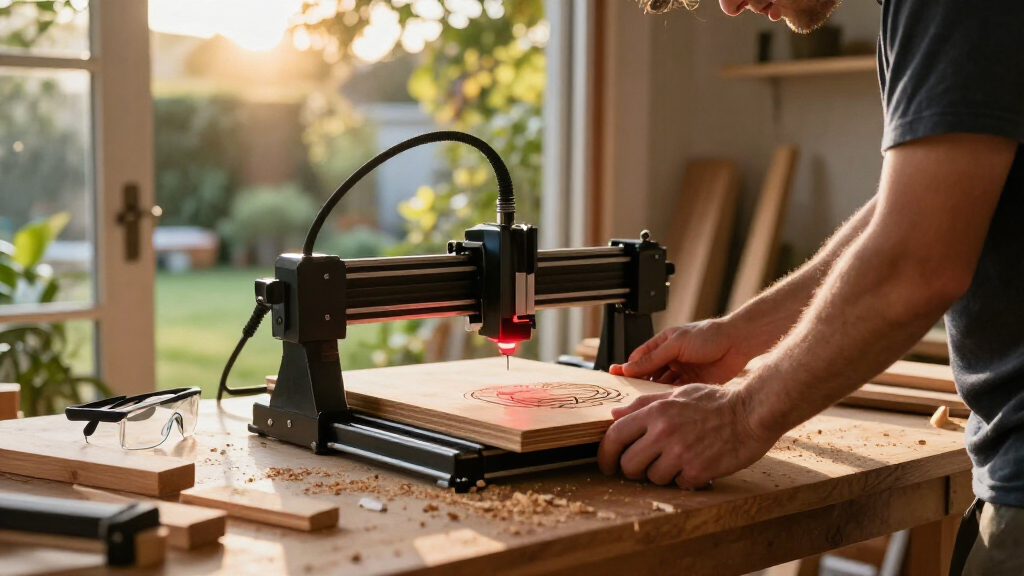

The xTool F2 Dual Laser is my best overall pick for its combination of diode and infrared lasers, which gives buyers more material flexibility than a diode-only machine. For higher-power work, the xTool F2 Ultra pairs a MOPA laser with a diode, while the Creality Falcon A1 stands out for buyers who want an enclosed setup. The main choice is between an open-frame machine with room for larger projects and a more enclosed or portable model with a different balance of workspace and convenience. Laser type, usable work area, setup needs, and material compatibility matter more than wattage alone. Read on for how all 15 options compare and which one fits your projects.

Get business pricing on tools and workshop supplies
- Business-only prices and quantity discounts
- Tax-exempt purchasing
- Multiple users, one account, clear invoices
Complete the kit


Key Takeaways
- Laser type sets the range of materials: the xTool F2 and LaserPecker LP4 combine diode and infrared lasers, while the xTool F2 Ultra adds a MOPA source for buyers with specialized marking needs.
- Higher wattage is not the whole story: the 20W Longer RAY5 models emphasize power and work area, while 10W options such as the Falcon A1 trade raw output for an enclosed format.
- Workspace changes what you can make: the Longer RAY5 20W with a 17.3 × 17.3-inch honeycomb worktable suits larger flat projects better than the LASERGRACE X2’s 200 × 200 mm area.
- Enclosure and portability address different constraints: the Falcon A1 and xTool M2 have enclosed designs, while the LaserPecker LP4 is aimed at buyers who value a compact dual-laser format.
- Accessories and controls can shape the first purchase: the RAY5 bundle with an air pump and honeycomb table includes useful cutting and work-surface equipment, while the AlgoLaser MK3 adds a touchscreen for more direct control.
| Twotrees TTS-10 Pro 10W Laser Engraver |  | Best Value for Mid-Size Projects | Optical power: 10W | Laser wavelength: 450nm | Work area: 300 × 300 mm | VIEW LATEST PRICE | See Our Full Breakdown |
| LASERGRACE X2 Laser Engraver and Cutter, 200 × 200 mm Workspace |  | Best Starter Kit for Small Projects | Laser power: 7W | Workspace: 200 × 200 mm | Structure material: Aluminum alloy | VIEW LATEST PRICE | See Our Full Breakdown |
| Longer RAY5 20W Laser Engraver with Air Pump and 17.3 x 17.3 in Honeycomb Worktable |  | Best for Larger Cutting Projects | Laser power: 20W | Worktable size: 17.3 × 17.3 in | Laser focus: 0.08 × 0.1 mm | VIEW LATEST PRICE | See Our Full Breakdown |
| xTool F2 Dual Laser Engraver with 5W IR and 15W Diode Lasers |  | Best Premium Enclosed Dual-Laser Pick | Diode laser output: 15W | Infrared laser output: 5W | Maximum speed: 6000 mm/s | VIEW LATEST PRICE | See Our Full Breakdown |
| LaserPecker LP4 Dual-Laser Engraver |  | Best Portable Fine-Detail Pick | Laser type: Infrared and diode | Resolution: 8K (1270 DPI) | Engraving speed: Up to 4000 mm/s | VIEW LATEST PRICE | See Our Full Breakdown |
| xTool F2 Ultra 60W MOPA & 40W Diode Dual Laser Engraver |  | Best for Metal Color and Material Range | Laser sources: 60W MOPA fiber and 40W diode | Laser class: Class 4 | Maximum speed: 15,000mm/s | VIEW LATEST PRICE | See Our Full Breakdown |
| Creality Falcon 10W Laser Engraver and Cutter |  | Best for a Large Desktop Work Area | Optical power: 10W | Laser spot size: 0.06 × 0.06mm | Maximum engraving speed: 10,000mm/min | VIEW LATEST PRICE | See Our Full Breakdown |
| Carverall K15 Pro 10W Laser Engraver and Cutter |  | Best Compact Option with Flexible Controls | Laser power: 10W | Work area: 11.8 × 7.9 inches | Precision: 0.01mm | VIEW LATEST PRICE | See Our Full Breakdown |
| LASER TREE K1 Mini Plus 20W Laser Engraver & Cutter |  | Best for Oversized Diode Projects | Power: 20W | Working area: 400 × 800mm (15.75 × 31.5 inches) | Maximum speed: 10,000mm/min | VIEW LATEST PRICE | See Our Full Breakdown |
| ORTUR Laser Master 2 S2 LU2-10A 10W Laser Engraver and Cutter |  | Best for Repairable, Modular Setup | Laser power: 10W | Laser class: Class 4 | Engraving area: 390 × 410mm | VIEW LATEST PRICE | See Our Full Breakdown |
| LONGER RAY5 20W Laser Engraver and Cutter |  | Best for Higher-Power Open-Frame Cutting | Laser power: 20W | Working area: 400 × 365 mm | Laser beam spot: 0.08 × 0.1 mm | VIEW LATEST PRICE | See Our Full Breakdown |
| Creality Falcon A1 10W Enclosed Laser Engraver |  | Best Enclosed Pick for Beginners | Laser type: 10W diode | Engraving speed: Up to 600 mm/s | Laser spot size: 0.06 × 0.08 mm | VIEW LATEST PRICE | See Our Full Breakdown |
| AlgoLaser DIY Kit MK3 8W Laser Engraver with 3.5-Inch Touchscreen |  | Best for Standalone Touchscreen Control | Laser power: 8W diode | Work area: 400 × 400 mm (15.75 × 15.75 in) | Maximum speed: 15,000 mm/min | VIEW LATEST PRICE | See Our Full Breakdown |
| xTool M2 10W Enclosed Laser Engraver with Dual Cameras |  | Best for Camera-Assisted Placement | Laser power: 10W diode | Safety class: Class 1 | Design: Fully enclosed | VIEW LATEST PRICE | See Our Full Breakdown |
| BlazeX M3 10W Laser Engraver and Cutter Machine with Enclosure and Honeycomb Bed |  | Best Compact Starter Kit | Power: 10W | Precision: 0.01 mm | Safety class: Class 1 | VIEW LATEST PRICE | See Our Full Breakdown |
| laser engraver | Weight |
|---|---|
| Twotrees TTS-10 Pro 10W Laser | — |
| LASERGRACE X2 Laser Engraver a | — |
| Longer RAY5 20W Laser Engraver | — |
| xTool F2 Dual Laser Engraver w | 10 lb (4.6 kg) |
| LaserPecker LP4 Dual-Laser Eng | 15.07 pounds |
| xTool F2 Ultra 60W MOPA & 40W | 67.9 pounds |
| Creality Falcon 10W Laser Engr | 7.05 pounds |
| Carverall K15 Pro 10W Laser En | 2.68kg |
| LASER TREE K1 Mini Plus 20W La | 11 pounds |
| ORTUR Laser Master 2 S2 LU2-10 | — |
| LONGER RAY5 20W Laser Engraver | 10.68 lb |
| Creality Falcon A1 10W Enclose | 28.7 lb |
| AlgoLaser DIY Kit MK3 8W Laser | — |
| xTool M2 10W Enclosed Laser En | 36.2 lb |
| BlazeX M3 10W Laser Engraver a | — |
More Details on Our Top Picks
Twotrees TTS-10 Pro 10W Laser Engraver
The Twotrees TTS-10 Pro pairs a 10W diode with a 300 × 300 mm work area, giving small signs, coasters, and batches of accessories more room than the LASERGRACE X2’s 200 × 200 mm bed. USB and TF card transfer add flexibility, while LightBurn and LaserGRBL support let buyers choose familiar design software. Its 0.069 mm spot size is suited to fine detail, and dual Y-axis motors drive the frame. The tradeoff is material-specific: bare steel and uncoated metal need marking spray or surface preparation, so it is not a direct substitute for the xTool F2’s infrared metal-marking capability. Its open work area also lacks the enclosure and built-in safeguards described for the Longer RAY5. I’d choose it for versatile desktop projects, not unattended indoor use or oversized pieces.
Pros:- 300 × 300 mm work area fits projects larger than the LASERGRACE X2 can accommodate
- 10W diode and 0.069 mm spot size support detailed engraving
- Works with LightBurn and LaserGRBL
- USB and TF card file transfer offer two ways to load jobs
Cons:- Bare steel and uncoated metal require marking spray or surface preparation
- Work area is limited to about 11.8 × 11.8 inches
- Monitoring jobs from the TF card requires a separately purchased monitor
Best for: Makers who want a 10W diode and room for small signs or several craft pieces in one layout
Not ideal for: Buyers focused on bare-metal marking, larger panels, or an enclosed setup with built-in operating safeguards
- Optical power:10W
- Laser wavelength:450nm
- Work area:300 × 300 mm
- Laser spot size:0.069mm
- Maximum speed:30000mm/min
- Motion system:Dual Y-axis 42 stepper motors; GT2 6mm synchronous belts
- File transfer:USB cable and TF card
- Software compatibility:LightBurn and LaserGRBL
Our verdict“Choose the TTS-10 Pro for a flexible 10W desktop engraver with a larger bed than the LASERGRACE X2, provided its open frame and metal-marking limits fit your workspace and materials.”
LASERGRACE X2 Laser Engraver and Cutter, 200 × 200 mm Workspace
The LASERGRACE X2 is the approachable choice in this group for a buyer who wants materials and basic accessories included with a compact machine. Its 7W laser and 200 × 200 mm workspace suit small signs, decorations, and personal accessories; the included basswood and aluminum sheet give a new owner something to work with from the start. LightBurn and LaserGRBL compatibility also leaves room to grow into common engraving workflows. That smaller bed is a clear constraint beside the Twotrees TTS-10 Pro’s 300 × 300 mm area, and the X2’s 7W output is below the Twotrees 10W diode. The supplied product data gives no cutting thickness or material limits, so I would not choose it when cutting performance is central. It makes more sense as a basic craft setup than a machine for demanding production jobs.
Pros:- Starter kit includes basswood, kraft paper, an aluminum sheet, and basic tools
- Aluminum alloy structure
- Compatible with LightBurn and LaserGRBL
Cons:- 200 × 200 mm workspace is smaller than the Twotrees TTS-10 Pro’s bed
- 7W output is lower than the 10W Twotrees TTS-10 Pro
- Product data does not specify cutting thickness or material limits
Best for: First-time hobbyists making small decorations or accessories who value a supplied starter kit and standard design software
Not ideal for: Makers planning larger layouts or buyers who need documented cutting limits before choosing a machine
- Laser power:7W
- Workspace:200 × 200 mm
- Structure material:Aluminum alloy
- Software compatibility:LightBurn and LaserGRBL
- Included basswood:2 pieces
- Included file materials:Kraft paper and aluminum sheet
- Included accessories:Laser module goggles, USB cable, power adapter, and tool kit
Our verdict“Pick the LASERGRACE X2 for small craft projects and a supplied starter kit, but look at the Twotrees TTS-10 Pro if you need more bed space or output.”
Longer RAY5 20W Laser Engraver with Air Pump and 17.3 x 17.3 in Honeycomb Worktable
The Longer RAY5 20W stands out for buyers whose projects demand a larger bed and more cutting capacity than the Twotrees TTS-10 Pro or LASERGRACE X2 offers. Its 17.3 × 17.3 inch worktable, 20W laser, adjustable air assist, and honeycomb surface support larger wood and acrylic jobs while helping limit smoke and scorching. The listed cutting capacity reaches 15 mm pine or 8 mm acrylic in one pass, with greater depths listed for multiple passes. That makes it the strongest fit here for cutting, though those deeper jobs take additional passes. The air pump runs at 60 dB, and the machine needs more bench space than the compact desktop choices. Protective cover, glasses, motion detection, and thermal detection add safeguards, but buyers still need a suitable operating setup for an open-frame machine.
Pros:- 20W laser and large 17.3 × 17.3 inch worktable suit larger cutting jobs
- Adjustable air assist helps reduce smoke, burning, and rough edges
- Honeycomb worktable supports smoke evacuation and protects the work surface
- Includes protective cover, safety glasses, motion detection, and thermal detection
Cons:- Deeper listed cuts require multiple passes
- Air pump operates at 60 dB
- Larger footprint demands more workspace than the Twotrees TTS-10 Pro
Best for: Makers cutting larger wood or acrylic pieces who have bench space and want included air assist and a honeycomb table
Not ideal for: Small-workspace hobbyists who mostly engrave compact pieces or need a quieter machine
- Laser power:20W
- Worktable size:17.3 × 17.3 in
- Laser focus:0.08 × 0.1 mm
- Air-assist airflow:10–30 L/min
- Air pump noise level:60 dB
- Cutting capacity:Up to 15 mm pine or 8 mm acrylic in one pass; up to 25 mm wood or 35 mm acrylic in multiple passes
- Safety features:Protective cover, safety glasses, motion detection, and thermal detection
- Item weight:10.38 lb
Our verdict“Choose the Longer RAY5 20W when bed size and cutting capacity matter more than a compact footprint or quiet operation.”
xTool F2 Dual Laser Engraver with 5W IR and 15W Diode Lasers
The xTool F2 is the most versatile material specialist in this batch: its 15W diode and 5W infrared lasers cover different tasks, including metal color marking and cutting. The built-in 50MP camera and stated alignment accuracy up to 0.1 mm help place designs precisely, while the enclosed, assembled body makes it easier to move between work areas than the open-frame Longer RAY5 20W. It is a better match for varied materials and careful placement than for large panels: its dimensions are compact, and an optional slide extension is needed for longer pieces. The Longer RAY5 has a much larger worktable and higher stated diode power for cutting, while the F2’s dual sources widen its material range. Its Class 4 classification calls for careful operation, and a purifier is optional.
Pros:- Infrared and diode lasers cover distinct marking and engraving tasks
- 50MP camera supports precise work placement
- Enclosed design and assembled delivery ease setup and relocation
- Compact 10 lb body is more portable than the Longer RAY5 20W
Cons:- Slide extension and purifier are optional accessories
- Class 4 laser classification requires careful operation
- Compact working format is less suited to large panels than the Longer RAY5 20W
Best for: Makers who switch between metal marking, detailed placement, and diode engraving in a compact enclosed machine
Not ideal for: Buyers focused on large-format cutting or seeking a setup that includes a purifier and slide extension
- Diode laser output:15W
- Infrared laser output:5W
- Maximum speed:6000 mm/s
- Camera:50MP
- Alignment accuracy:Up to 0.1 mm
- Material compatibility:300+ materials
- Design:Fully enclosed
- Weight:10 lb (4.6 kg)
Our verdict“Choose the xTool F2 for compact, enclosed versatility across metal marking and diode jobs, while the Longer RAY5 20W better fits large cutting work.”
LaserPecker LP4 Dual-Laser Engraver
The LaserPecker LP4 suits buyers who want a portable dual-laser machine for detailed marks and repeat jobs. Its infrared and diode sources handle different materials, while 8K resolution and a smart screen support fine text, QR codes, and saved designs that can be reloaded without rebuilding a job each time. Engraving speeds reach 4,000 mm/s, but the 160 × 120 mm work area is the smallest stated workspace among the machines here. It can cut wood up to 8 mm and acrylic up to 5 mm, which is useful for thinner craft pieces but far short of the Longer RAY5 20W’s listed cutting capacity. The LP4’s 15.07 lb weight also makes “portable” relative; it is easier to move than a large workshop bed, but not an especially light handheld tool. Choose it for detail and repeatability over panel size.
Pros:- Infrared and diode lasers handle a broader mix of marking and cutting tasks
- 8K resolution supports fine text and QR code engraving
- Smart screen saves and reloads designs for repeat jobs
- Engraving speed reaches 4,000 mm/s
Cons:- 160 × 120 mm work area limits project size
- Cutting is listed up to 8 mm wood and 5 mm acrylic, below the Longer RAY5 20W’s capacity
- At 15.07 lb, it is not especially light for a portable machine
Best for: Makers producing fine text, QR codes, and repeat designs across metal, plastic, wood, and thin acrylic
Not ideal for: Users cutting thick stock or engraving panels larger than its 160 × 120 mm work area
- Laser type:Infrared and diode
- Resolution:8K (1270 DPI)
- Engraving speed:Up to 4000 mm/s
- Work area:160 × 120 mm
- Cutting capacity:Up to 8 mm wood and 5 mm acrylic
- Dimensions:14.6 × 10.5 × 12 inches
- Weight:15.07 pounds
Our verdict“Pick the LP4 for fine, repeatable work in a compact format, but choose the Longer RAY5 20W for larger pieces or deeper cuts.”
xTool F2 Ultra 60W MOPA & 40W Diode Dual Laser Engraver
The xTool F2 Ultra is the most specialized high-capability pick here: its 60W MOPA fiber and 40W diode lasers cover metal marking alongside wood and acrylic work. That combination gives it a broader material reach than the single-diode Creality Falcon 10W, while its reported metal color engraving opens creative options the other models in this batch do not claim. Dual 48MP cameras support accurate placement, and speeds up to 15,000mm/s suit repeat jobs and batch work. The tradeoff is its 67.9-pound weight and Class 4 safety requirements, which make it a fixed, carefully managed workstation rather than a casual portable tool. Its metal cutting depth is limited to 2mm, so buyers focused on cutting thicker metal should look elsewhere.
Pros:- Fiber and diode lasers cover a wider mix of materials than the single-laser options in this batch
- Supports more than 100 color effects on metal surfaces
- Dual 48MP cameras provide 0.2mm positioning accuracy
- Up to 15,000mm/s speed can help with repeat production jobs
Cons:- At 67.9 pounds, it is difficult to move between work areas
- Class 4 operation calls for strict laser safety practices
- Metal cutting depth is limited to 2mm
Best for: Small businesses and makers who regularly engrave both metals and nonmetals and need camera-assisted placement for batch work
Not ideal for: Hobbyists seeking a lightweight desktop machine or buyers who need to cut metal thicker than 2mm
- Laser sources:60W MOPA fiber and 40W diode
- Laser class:Class 4
- Maximum speed:15,000mm/s
- Working area:8.7 × 8.7 inches; expandable to 8.7 × 19.7 inches
- Camera resolution:Dual 48MP
- Positioning accuracy:0.2mm
- Weight:67.9 pounds
- Dimensions:16.88 × 11.57 × 20.51 inches
Our verdict“Choose the xTool F2 Ultra if metal color work and broad material coverage matter more than portability or metal cutting depth.”
Creality Falcon 10W Laser Engraver and Cutter
The Creality Falcon 10W pairs a fine 0.06 × 0.06mm spot with a 15.7 × 16.3-inch work area, making it a practical choice for detailed signs, panels, and other projects that need more room than the Carverall K15 Pro provides. Its LightBurn and LaserGRBL compatibility gives buyers familiar software options, and SD card operation allows jobs to run without a computer connected. The 10W output can cut up to 5mm basswood or 3mm black acrylic in one pass, but those limits make it less suited to thicker stock than the 20W LASER TREE K1 Mini Plus. The open-frame format also calls for care around eye protection; the UV filter and included goggles are part of the operating setup, not a reason to ignore laser safety.
Pros:- 15.7 × 16.3-inch work area accommodates larger pieces than compact A4 machines
- 0.06 × 0.06mm spot supports fine engraving detail
- Works with LightBurn and LaserGRBL and can run jobs from an SD card
- Aluminum frame, steel shaft wheel guides, and belt tension adjustment support frame stability
Cons:- One-pass cutting is specified only for up to 5mm basswood or 3mm black acrylic
- Eye protection and careful operating practices are still required
- Open-frame design offers less physical containment than an enclosed engraver
Best for: Makers who want a generous open work area for detailed wood, leather, or dark acrylic projects and prefer LightBurn or LaserGRBL
Not ideal for: Buyers who need deeper one-pass cuts, bare-metal engraving, or an enclosed machine for a shared workspace
- Optical power:10W
- Laser spot size:0.06 × 0.06mm
- Maximum engraving speed:10,000mm/min
- Working area:15.7 × 16.3 inches
- Single-pass cutting:Up to 5mm basswood or 3mm black acrylic
- Software compatibility:LightBurn and LaserGRBL
- Offline operation:SD card
- Weight:7.05 pounds
- Warranty:1 year
Our verdict“Pick the Falcon 10W for a roomy, software-flexible desktop engraver when its modest single-pass cutting limits fit your materials.”
Carverall K15 Pro 10W Laser Engraver and Cutter
The Carverall K15 Pro suits makers who want a compact 10W diode engraver with several ways to run a job: app, computer, or TF card. Its 11.8 × 7.9-inch A4 work area is smaller than the Creality Falcon 10W’s, but that compact footprint is easier to fit into a small craft space. The listed 0.01mm precision and 15,000mm/min maximum speed support detailed work, while the optional IR head adds a path to bare-metal engraving. That capability comes at extra setup and equipment cost, and the diode alone is listed for coated metal rather than bare metal. Cutting thicker plywood or acrylic also takes multiple passes, so the larger 20W LASER TREE K1 Mini Plus is a better fit for buyers prioritizing faster cuts over compact size.
Pros:- Compact A4 work area fits smaller workspaces
- App, computer, and TF card control support different working habits
- Listed 0.01mm precision and 15,000mm/min maximum speed suit detailed jobs
- Optional 1W IR head can add bare-metal engraving capability
Cons:- Bare-metal engraving requires the optional IR laser head
- Listed plywood and acrylic cutting thicknesses require multiple passes
- Smaller work area limits the size of pieces compared with the Creality Falcon 10W
Best for: Home makers and craft sellers with limited bench space who value app, desktop, and offline job control
Not ideal for: Buyers who need bare-metal engraving out of the box or frequent fast cuts through thicker stock
- Laser power:10W
- Work area:11.8 × 7.9 inches
- Precision:0.01mm
- Maximum speed:15,000mm/min
- Cutting thickness:Up to 12mm plywood and 8mm acrylic, multi-pass
- Control options:App, computer, and TF card
- Compatible software:CutLabX, LightBurn, and LaserGRBL
- Weight:2.68kg
- Warranty:1 year
Our verdict“Choose the K15 Pro if compact size and flexible controls matter more than a large bed or out-of-box bare-metal engraving.”
LASER TREE K1 Mini Plus 20W Laser Engraver & Cutter
The LASER TREE K1 Mini Plus stands apart from the 10W machines in this batch with a 400 × 800mm work area and 20W output. That combination gives hobbyists and small shops room for long panels or multiple pieces in one setup, while the stated one-pass capacity of 10mm plywood and 8mm acrylic is more ambitious than the Creality Falcon 10W’s listed cutting limits. Fixed focal length keeps setup straightforward, though it gives less adjustment flexibility than an autofocus system. Metal work is another boundary: the listed capability covers anodized aluminum and coated surfaces, not bare metal. Its Class 4 rating means safety protocols matter, and this large open frame needs a suitable dedicated workspace. Buyers with mostly small projects may find the compact Carverall K15 Pro easier to accommodate.
Pros:- 400 × 800mm work area handles oversized pieces and batch layouts
- 20W power supports the listed one-pass cutting capacity for 10mm plywood and 8mm acrylic
- Fixed focal length simplifies setup
- Compatible with LightBurn and LaserGRBL on Windows and Mac
Cons:- Class 4 operation requires protective gear and strict safety practices
- Metal engraving is limited to anodized aluminum and coated surfaces
- Fixed focal length offers less flexibility than autofocus systems
Best for: Makers and small businesses producing long signs, larger panels, or batches of wood and acrylic pieces
Not ideal for: Users with limited bench space, buyers needing bare-metal engraving, or operators who want autofocus adjustment
- Power:20W
- Working area:400 × 800mm (15.75 × 31.5 inches)
- Maximum speed:10,000mm/min
- Listed one-pass cutting:Up to 10mm plywood and 8mm acrylic
- Safety class:Class 4
- Software compatibility:LightBurn and LaserGRBL
- Supported formats:SVG, DXF, BMP, JPG, and PNG
- Dimensions:31.5 × 31.75 × 5.87 inches
- Weight:11 pounds
Our verdict“Choose the K1 Mini Plus if large-format diode work and stronger listed cutting capacity justify its workspace and Class 4 safety demands.”
ORTUR Laser Master 2 S2 LU2-10A 10W Laser Engraver and Cutter
The ORTUR Laser Master 2 S2 is a sensible pick for buyers who value a metal frame and modular assembly, since those design choices can make part replacement and repair more approachable than a sealed, integrated machine. Its 390 × 410mm engraving area is close to the Creality Falcon 10W’s bed dimensions, while its 0.05 × 0.1mm compressed spot is specified for fine work. Air-assist support is aimed at cutting tasks, and automatic shutoffs respond to movement, connection, and idle conditions. Those protections do not remove the need for care: it remains a Class 4 laser, with a protective cover and goggles included. Software support is also narrower on macOS, where compatibility is specified for LightBurn; Windows users have LaserGRBL as another option.
Pros:- Metal frame and modular construction support assembly and part replacement
- 0.05 × 0.1mm compressed spot is suited to detailed engraving
- Air-assist interface supports cutting workflows
- Automatic shutoffs respond to movement, connection, and idle conditions
Cons:- Class 4 operation still requires careful handling and eye protection
- macOS compatibility is specified for LightBurn, while LaserGRBL support is listed for Windows
- Open-frame format requires a suitable controlled workspace
Best for: DIY makers who want a metal-frame engraver they can assemble, maintain, and use with common Windows engraving software
Not ideal for: Mac users who want software options beyond LightBurn or buyers seeking an enclosed, ready-contained laser
- Laser power:10W
- Laser class:Class 4
- Engraving area:390 × 410mm
- Compressed spot size:0.05 × 0.1mm
- Frame material:Metal
- Supported software:LaserGRBL and LightBurn
- Item dimensions:22.44 × 21.65 × 6.9 inches
- Item weight:9.03 pounds
Our verdict“Pick the ORTUR Laser Master 2 S2 if repairability and modular construction matter more than enclosure or broad macOS software choice.”
LONGER RAY5 20W Laser Engraver and Cutter
The 20W laser and 400 × 365 mm work area make the RAY5 a better fit for larger cutting jobs than the 8W AlgoLaser DIY Kit MK3. Its listed material range is broad, and the USB, TF card, Wi-Fi, and app connections give buyers several ways to send projects. The touchscreen also lets you monitor and adjust work at the machine, while LaserGRBL and LightBurn support more involved workflows. That power and flexibility come with setup tradeoffs: an air pump is recommended for better results, and cutting performance varies by material. Its open-frame design also lacks the built-in enclosure found on the Creality Falcon A1. I’d choose this when cutting capacity matters more than enclosed operation.
Pros:- 20W laser power suits buyers prioritizing cutting capability over lower-power options.
- 400 × 365 mm work area accommodates larger projects.
- USB, TF card, Wi-Fi, and app connectivity offer flexible project transfer.
- Touchscreen and LaserGRBL or LightBurn support both on-machine adjustments and computer workflows.
Cons:- An air pump is recommended for improved engraving and cutting results.
- Cutting capability varies by material, with limited thickness on stainless steel.
- Open-frame construction does not provide the enclosed operation of the Creality Falcon A1.
Best for: Makers who want a 20W diode laser, a large work area, and multiple ways to control projects.
Not ideal for: Buyers who want an enclosed Class 1 machine or prefer not to add an air pump for improved cutting results.
- Laser power:20W
- Working area:400 × 365 mm
- Laser beam spot:0.08 × 0.1 mm
- Maximum processing speed:10,000 mm/min
- Display:3.5-inch color touchscreen
- Connectivity:USB, TF card, Wi-Fi, app
- Compatible software:LaserGRBL, LightBurn
- Weight:10.68 lb
Our verdict“Choose the RAY5 if you want 20W power and a roomy work area and can accommodate an open-frame machine and recommended air pump.”
Creality Falcon A1 10W Enclosed Laser Engraver
The pre-assembled Class 1 enclosure makes the Falcon A1 a strong fit for newcomers who want built-in protection and a guided start. Its lid-opening pause and emergency stop add practical safeguards, while the built-in camera helps position designs on material. The 15 × 12-inch area gives it more room than the compact BlazeX M3, and its CoreXY system is listed for speeds up to 600 mm/s. This 10W diode machine does not match the LONGER RAY5’s 20W output, so buyers focused on heavier cutting may prefer the RAY5. The camera and enclosure also make this a larger, heavier machine, and the compatible honeycomb panel size is unusually specific. I’d favor it for approachable enclosed engraving over maximum cutting power.
Pros:- Class 1 enclosure includes an emergency stop and lid-opening pause.
- Built-in camera helps position designs on the workpiece.
- 15 × 12-inch engraving area is larger than the BlazeX M3’s compact footprint suggests.
- Pre-assembled design supports a simpler start, with Falcon Design Space, LightBurn, and LaserGRBL compatibility.
Cons:- 10W output is lower than the 20W LONGER RAY5 for buyers focused on cutting.
- Honeycomb panel compatibility is limited to a specific 18.11 × 13.62-inch size.
- Not recommended for highly reflective materials such as mirror-finished metal or mirrored acrylic.
Best for: First-time users seeking an enclosed, pre-assembled engraver with camera-assisted material placement and a generous work area.
Not ideal for: Makers prioritizing higher laser power, highly reflective materials, or freedom to use different honeycomb panel sizes.
- Laser type:10W diode
- Engraving speed:Up to 600 mm/s
- Laser spot size:0.06 × 0.08 mm
- Engraving area:15 × 12 inches
- Safety:Class 1 enclosure, emergency stop, lid-opening pause
- Software:Falcon Design Space, LightBurn, LaserGRBL
- Weight:28.7 lb
- Honeycomb panel compatibility:18.11 × 13.62 inches (460 × 346 mm) only
Our verdict“Pick the Falcon A1 if an enclosed, camera-equipped beginner machine matters more to you than higher laser power or flexible panel sizing.”
AlgoLaser DIY Kit MK3 8W Laser Engraver with 3.5-Inch Touchscreen
The AlgoLaser DIY Kit MK3 is unusual in this group because its built-in touchscreen and AlgoOS let buyers handle everyday projects without keeping a computer connected. Its 400 × 400 mm work area is slightly larger in one dimension than the LONGER RAY5’s, though its 8W diode laser is a lower-power choice than that 20W cutter. The flip-down focus column, material presets, and 95% pre-assembled delivery reduce setup steps; repeat-processing tools also help when making matching pieces. Safety alerts and included goggles add useful support for home workshops. The limits are clear: the laser is specified for laser-safe materials and prepared surfaces, and advanced work still calls for a computer or phone app. I’d choose it for accessible engraving controls over stronger cutting output.
Pros:- Touchscreen and AlgoOS support everyday projects without a computer.
- 95% pre-assembled design and flip-down focus column simplify setup.
- 400 × 400 mm work area, material presets, and repeat-processing mode support larger or repeated jobs.
- Includes goggles, flame detection, overheat alerts, and an emergency stop.
Cons:- 8W diode output is a lower-power option than the 20W LONGER RAY5.
- Material compatibility is limited to laser-safe materials and prepared surfaces.
- Advanced work requires a computer or phone app.
Best for: Home makers who want a mostly assembled machine with touchscreen controls and repeatable engraving workflows.
Not ideal for: Buyers who need stronger cutting performance, broad untreated material compatibility, or fully computer-free access to advanced features.
- Laser power:8W diode
- Work area:400 × 400 mm (15.75 × 15.75 in)
- Maximum speed:15,000 mm/min
- Display:3.5-inch HD IPS touchscreen
- Software:AlgoOS; compatible with LightBurn and LaserGRBL
- Connectivity:Wi-Fi, USB, SD card
- Assembly:95% pre-assembled
- Warranty:2 years
Our verdict“Choose the AlgoLaser if built-in controls and a straightforward setup matter more than high-power cutting.”
xTool M2 10W Enclosed Laser Engraver with Dual Cameras
The xTool M2’s dual cameras give it a distinct role for buyers who value previewing the workspace and placing material with visual guidance. Its fully enclosed Class 1 design brings a more contained setup than the open-frame LONGER RAY5, while the 10W diode handles wood, leather, felt, fabric, and paper. xTool Studio templates and its AI image generator offer a more guided design path than the Falcon A1’s listed software options. The M2 is also the heavier machine at 36.2 pounds, so it is better suited to a dedicated workspace than frequent moving. Optional modules add full-color printing, fine metal or plastic engraving, and rotary work, but those capabilities are add-ons. I’d choose it for camera-led placement and its supported craft materials, with the module costs and scope in mind.
Pros:- Dual cameras provide workspace previews and help with material placement.
- Fully enclosed Class 1 design offers a contained working setup.
- Supports craft materials including felt, fabric, leather, wood, and paper.
- xTool Studio includes templates and an AI image generator.
Cons:- CMYK inkjet, 3W IR laser, and rotary modules are sold separately.
- Fine engraving on metal or plastic and full-color printing require optional modules.
- At 36.2 pounds, it is heavier than the LONGER RAY5 and less suited to frequent moving.
Best for: Craft makers who work with fabric, felt, paper, leather, and wood and want camera-guided placement in an enclosed machine.
Not ideal for: Buyers who need metal engraving or color printing out of the box, or who need a lighter machine for frequent relocation.
- Laser power:10W diode
- Safety class:Class 1
- Design:Fully enclosed
- Cameras:Built-in dual cameras
- Compatible materials:Cardstock, felt, leather, wood, fabric, paper
- Optional modules:CMYK Inkjet module, 3W IR laser, RA3 Lite Rotary
- Weight:36.2 lb
- Included items:xTool M2 machine, base material kit
Our verdict“Pick the xTool M2 if camera-guided placement and enclosed craft engraving matter more than included specialty modules or portability.”
BlazeX M3 10W Laser Engraver and Cutter Machine with Enclosure and Honeycomb Bed
The BlazeX M3 is the most compact option here by its listed dimensions, and its starter bundle includes a protective enclosure, honeycomb bed, tool kit, and 13 engraving materials. That makes it a more ready-to-start package than the AlgoLaser DIY Kit MK3, which emphasizes touchscreen workflow and has a much larger 400 × 400 mm work area. BlazeX lists 0.01 mm precision and compatibility with LightBurn, LaserGRBL, and CutLabX across several operating systems, giving beginners multiple software routes. Its 10W power is still a constraint for cutting harder materials or thicker stock, and rotary rollers and air assist require separate purchases. The source does not give a work area or engraving speed, which makes project sizing harder to judge. I’d pick it for a compact, bundled entry point rather than ambitious cutting.
Pros:- Compact listed dimensions suit smaller workspaces.
- Class 1 enclosure, honeycomb bed, tool kit, and 13 engraving materials are included.
- 0.01 mm precision is specified for detailed engraving.
- LightBurn, LaserGRBL, and CutLabX support Windows, macOS, iOS, and Android.
Cons:- 10W output may limit cutting speed and thickness on harder materials.
- Rotary rollers and air assist require separate accessory purchases.
- No work area or maximum engraving speed is provided in the supplied specifications.
Best for: Beginners with limited workspace who want an enclosed 10W engraver and starter materials included.
Not ideal for: Makers planning large projects, fast or deep cuts in hard materials, or work requiring a specified large engraving area.
- Power:10W
- Precision:0.01 mm
- Safety class:Class 1
- Dimensions:14.28 × 11.28 × 8.6 inches
- Compatible software:LightBurn, LaserGRBL, CutLabX
- Compatible operating systems:Windows, macOS, iOS, Android
- Included components:Protective enclosure, tool kit, 13 engraving materials, honeycomb laser bed
- Power source:Corded electric
Our verdict“Choose the BlazeX M3 for a compact enclosed starter bundle, but look elsewhere if project size or cutting capacity is your priority.”
How We Picked
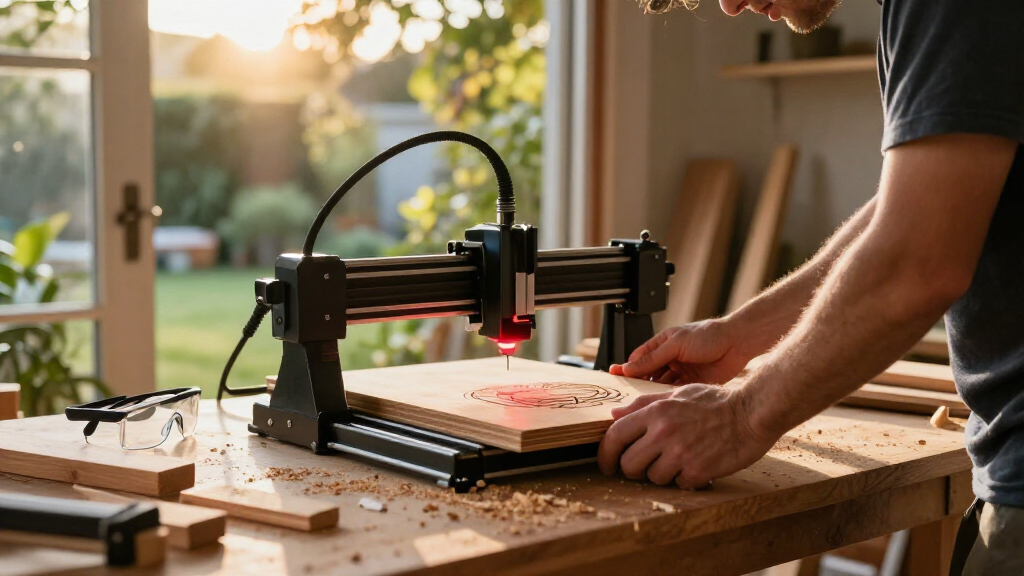
I compared these machines by the choices that most affect real projects: laser type and output, usable work area, supported material range, enclosure or frame design, included accessories, and control options. A dual-laser model can earn a higher place for buyers who need to mark both common craft materials and metals, while a high-power diode model may make more sense for cutting and larger work. I also weighed whether the design suits a home workspace, a portable workflow, or a more capable workshop setup.
The ranking reflects those tradeoffs rather than treating wattage as a universal score. The xTool F2 leads as a versatile option; the F2 Ultra ranks as a premium specialist, and the Longer RAY5 20W configurations appeal to buyers who prioritize output and area. Enclosed machines earn consideration for workspace containment, while value-oriented open-frame models can be compelling when buyers are comfortable planning ventilation and setup. Each pick has a limitation, so the best fit depends on the materials, project size, and working environment.
Factors to Consider When Choosing Best Laser Engravers
Before choosing a machine, I would work backward from the projects and space it needs to serve. Laser output matters, but material compatibility, work area, ventilation, and workflow can matter just as much. These broader checks help avoid buying a machine that looks capable on paper but does not fit your actual use.
Match the laser to the materials
Diode lasers suit many wood, paper, leather, and coated-material projects, but they do not handle every material equally well. Infrared lasers can extend marking options for certain metals and plastics, while MOPA systems give specialized users more control over marking effects. A dual-laser machine can reduce the need to choose one material family, though it adds complexity and may cost more to operate or learn. Check the manufacturer’s material guidance for the exact model and finish, since a material name alone does not tell you how a coating will behave. Avoid assuming that a higher wattage diode will replace an infrared source; output and wavelength solve different problems. If your work is mostly one material, a focused single-source machine may be simpler.
Size the work area around real projects
Measure the largest item you expect to engrave, then leave room for positioning and fixtures. A large advertised bed is useful for signs, batches, or repeated pieces, but it can take over a small workbench. Small beds can handle many personal projects yet force you to reposition or split larger artwork. Rotary accessories add another constraint because cylindrical items need clearance above the bed as well as a suitable footprint. Think about whether you will engrave one-off objects or run several pieces in a batch; those workflows value area differently. A machine with a smaller footprint can be the better choice when it stays set up and ready to use.
Plan ventilation and workspace safety
An enclosure can help contain light and fumes, but it does not remove the need for appropriate exhaust and safe operating practices. Open-frame machines may be easier to access and accommodate larger or irregular objects, though they need a deliberate workspace plan. Consider where the exhaust will go, whether a window or duct route is available, and how much room the machine needs around it. Check whether an enclosure is built in or sold separately, and whether it supports the exhaust arrangement you can use. Never engrave unknown materials; some can release hazardous fumes or damage the machine. If the workspace is shared or indoors, include ventilation and supervision in the purchase decision.
Compare included equipment with the workflow you need
Bundles can include an air pump, honeycomb bed, enclosure, or camera, and each accessory solves a different problem. Air assist can help clear smoke from the engraving area and support cleaner cutting, while a honeycomb bed gives cut pieces space below them. Cameras can help place designs on workpieces, but their usefulness depends on the software and calibration process. A touchscreen may make basic operation more direct, while computer-based controls can offer a broader design workflow. List the accessories you will need immediately and compare them with the package contents. An included part is valuable only if it works with your materials and process.
Choose a control workflow you can maintain
Before buying, check which design and control software the machine supports and whether it runs on your computer or tablet. A convenient touchscreen does not automatically replace the need to prepare artwork, set material parameters, and manage jobs. Camera alignment can reduce placement guesswork, but it still requires setup and may perform differently on reflective or uneven surfaces. Open-frame DIY kits can appeal to users who want to adjust and learn the machine, while a more integrated system may suit someone who values a guided workflow. Look for documentation, file compatibility, and access to replacement parts as well as headline features. The easiest machine to use is the one that fits the process you will actually repeat.
Frequently Asked Questions
Is a 20W diode laser a better buy than a dual-laser engraver?
It depends on whether your priority is cutting power or material range. A 20W diode model such as the Longer RAY5 is a stronger fit for buyers focused on larger diode-compatible jobs, while the xTool F2 pairs diode and infrared sources for a broader set of marking tasks. The dual-laser design does not make every job faster or simpler, and its extra capability may go unused if you work with a narrow material set. Check the materials and thicknesses you plan to process, then compare manufacturer guidance for the exact machine. Choose based on the work you expect to repeat, not the larger wattage figure alone.
Can I use an open-frame engraver in a home workshop?
It can fit a home workshop if you can provide a stable work surface, suitable exhaust, and a way to manage access to the operating laser. Open frames can accommodate larger objects, but fumes and light are more exposed than with an enclosed model. An enclosure such as the one on the Creality Falcon A1 can make containment easier, though exhaust still needs a plan. Review the manufacturer’s safety instructions and confirm that your workspace can meet them before choosing a machine. If you cannot route exhaust or keep the work area controlled, an open-frame model may not suit your room.
When is a dual-laser engraver worth the added complexity?
A dual-laser machine makes sense when your projects regularly span materials that benefit from different laser sources. The xTool F2 and LaserPecker LP4 combine diode and infrared capabilities, while the xTool F2 Ultra targets buyers who need a MOPA source alongside a diode. If you mainly engrave wood or other diode-friendly materials, the added source may not improve your day-to-day work enough to justify the tradeoff. Consider how often you will switch materials and whether your software workflow supports those changes clearly. A single-laser model is often easier to choose and operate for a focused project list.
How much work area do I need for signs and batch projects?
Start with the dimensions of your largest regular piece, then add clearance for alignment and any fixtures. For signs or batches, the Longer RAY5 20W with its 17.3 × 17.3-inch honeycomb worktable offers a larger flat workspace than compact models such as the LASERGRACE X2. A bigger bed is less useful if your room cannot accommodate the machine or if most projects are small objects. For batch work, also consider how quickly you can place and align multiple pieces, since bed area alone does not set throughput. Measure your bench and workpieces before settling on a format.
Should I prioritize an enclosure, a camera, or air assist?
Choose based on the bottleneck in your workspace and workflow. An enclosure helps contain light and fumes, a camera can make placement easier, and air assist can support cleaner cuts by clearing smoke from the work area. These features are not interchangeable, and none removes the need to follow material and ventilation guidance. If your machine will sit in a shared indoor space, enclosure and exhaust planning may come first. If you cut frequently, air assist may matter more; if precise placement on varied pieces slows you down, a camera may be more useful.
Conclusion
For the broadest mix of marking tasks, I recommend the xTool F2 as the best overall pick. Buyers focused on a larger work area and diode output should compare the Longer RAY5 20W models, including the bundle with an air pump and honeycomb table for added cutting support. The xTool F2 Ultra is my premium choice for specialized users who need MOPA and diode sources, while the Creality Falcon A1 is a strong beginner option for buyers who want an enclosed format. Choose the LaserPecker LP4 when compact dual-laser capability matters more than a large bed, or the AlgoLaser DIY Kit MK3 if direct touchscreen control appeals to you. Match the final choice to your materials, workspace, and largest recurring project.