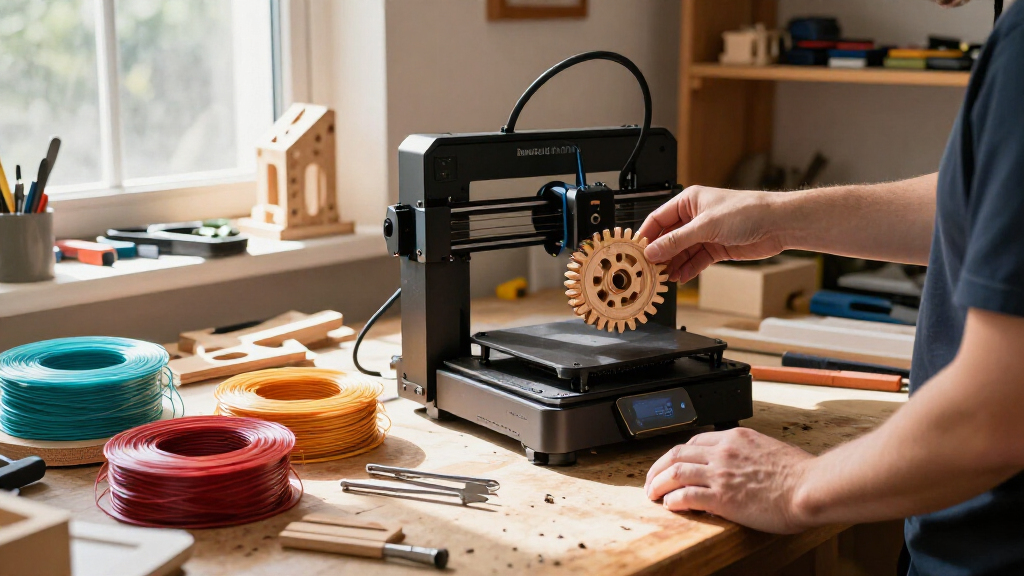
When I look at the current Bambu Lab lineup, three distinct machines stand out for different reasons. The Bambu Lab A1 serves as the accessible entry point into high-speed printing, offering robust automation without the complexity of enclosed systems. For those with limited desk space or who prioritize simplicity, the Bambu Lab A1 mini reduces the footprint while maintaining the core reliability Bambu is known for. Meanwhile, the Bambu Lab P2S Combo represents the premium tier, combining an enclosed chamber with advanced multi-material capabilities that the open-frame models simply cannot match.

Get business pricing on tools and workshop supplies
- Business-only prices and quantity discounts
- Tax-exempt purchasing
- Multiple users, one account, clear invoices
Choosing between these three depends largely on whether you need multi-color output out of the box or if you are willing to add accessories later. I have analyzed the tradeoffs in setup time, noise levels, and material versatility to help you decide which model fits your workspace and budget constraints.
Complete the kit


Key Takeaways
- The Bambu Lab P2S Combo is the only model in this lineup that includes the AMS 2 Pro for multi-color printing right out of the box.
- The A1 mini is significantly lighter and smaller than the standard A1, making it ideal for small desks but limiting large-scale projects.
- Only the P2S features an enclosed chamber and active filament drying, which are necessary for printing engineering materials like ABS or ASA.
- The standard A1 offers the best balance of speed and build volume for users who plan to add multi-color capabilities later via the AMS lite.
- All three printers utilize automatic calibration, removing the manual bed-leveling headaches associated with older FDM printers.
| Bambu Lab A1 FDM 3D Printer |  | Best Overall for High-Speed Performance and Value | Technology: FDM 3D printing | Acceleration: 10,000 mm/s² | Multicolor printing: Requires AMS lite, sold separately | VIEW LATEST PRICE | See Our Full Breakdown |
| Bambu Lab A1 mini 3D Printer with LED Lamp Kit |  | Best for Beginners and Small Workspaces | Product type: 3D printer | Included accessory: LED Lamp Kit | Dimensions: 15.21 x 16.77 x 17.94 inches | VIEW LATEST PRICE | See Our Full Breakdown |
| Bambu Lab P2S 3D Printer Combo with AMS 2 Pro |  | Best Premium Option for Multi-Material and Advanced Users | Print technology: FDM | Maximum print speed: 600 mm/s | Filament drying temperature: Up to 65 °C | VIEW LATEST PRICE | See Our Full Breakdown |
| Bambu Lab 3D printer | Dimensions | Weight | Model number | Calibration |
|---|---|---|---|---|
| Bambu Lab A1 FDM 3D Printer | 21.76 × 20.83 × 12.87 inches | 22 pounds | PF002-A | Automatic Z-offset and bed leveling |
| Bambu Lab A1 mini 3D Printer w | 15.21 x 16.77 x 17.94 inches | 12.1 pounds | PF002-M-EU | Automatic |
| Bambu Lab P2S 3D Printer Combo | 18 x 22 x 18 inches | 46.3 pounds | PF004-U+SA007-AU | — |
More Details on Our Top Picks
Bambu Lab A1 FDM 3D Printer
The Bambu Lab A1 stands out as the most versatile option for users who want high-speed printing without the commitment to an enclosed system. Its ability to reach 10,000 mm/s² acceleration is not just a marketing number; it translates to noticeably shorter print times for complex geometries compared to the slower legacy printers many beginners start with. When I compare this to the A1 mini, the A1 offers a more substantial build area and better stability during high-acceleration moves, which reduces the risk of layer shifts on taller models. However, unlike the P2S Combo, the A1 does not include an AMS for multi-color printing, meaning users must purchase the AMS lite separately if they want to print in multiple colors immediately.
The active flow rate compensation is a critical feature here, ensuring that pressure advance adjustments are handled automatically. This results in cleaner corners and smoother surfaces right out of the box, a feature that often requires manual tuning on other brands. The quick-swap nozzle design is another practical advantage, allowing for rapid changes between different nozzle sizes without disassembling the hotend. This is particularly useful for users who alternate between detailed miniatures and rough structural parts. While the open-frame design limits it to materials like PLA, PETG, and TPU, it excels in these categories by offering a quiet, efficient workflow that fits easily on a standard desk.
Pros:- Extremely high acceleration reduces print times significantly.
- Automatic calibration removes the most common setup frustrations.
- Quick-swap nozzles make switching between print qualities easy.
- Quiet operation suitable for shared workspaces or offices.
Cons:- Multi-color printing requires a separate AMS lite purchase.
- Open frame design limits material options to lower-temperature filaments.
- Build volume specifications are not explicitly detailed in the provided data.
Best for: Users who want a reliable, fast main printer for PLA and PETG and plan to add multi-color capabilities later.
Not ideal for: Beginners who want multi-color printing immediately or users needing to print ABS/ASA without an enclosure.
- Technology:FDM 3D printing
- Acceleration:10,000 mm/s²
- Multicolor printing:Requires AMS lite, sold separately
- Calibration:Automatic Z-offset and bed leveling
- Nozzle:1-Clip quick-swap
- Noise level:≤48 dB
- Dimensions:21.76 × 20.83 × 12.87 inches
- Weight:22 pounds
- Model number:PF002-A
Our verdict“The A1 is the smartest choice for most hobbyists who prioritize speed and ease of use over immediate multi-color functionality.”
Bambu Lab A1 mini 3D Printer with LED Lamp Kit
The Bambu Lab A1 mini is designed for those who find the standard A1 too bulky or expensive for their initial entry into 3D printing. Its compact footprint allows it to sit comfortably on a small shelf or a crowded desk, a significant advantage over the wider Bambu Lab A1. I find that this model retains the core automatic calibration and quiet operation of its larger sibling, meaning the learning curve is virtually nonexistent. The inclusion of an LED Lamp Kit adds a unique creative angle, allowing users to immediately produce decorative items without needing to search for compatible models elsewhere. This makes it an excellent gift option or a starter kit for families.
However, the smaller build volume is a tangible constraint. While the P2S offers a more robust platform for larger or multi-material projects, the A1 mini is strictly for smaller decorative items, miniatures, and quick prototypes. The weight difference is also notable; at just 12.1 pounds, it is half the weight of the standard A1, which makes it easier to move but potentially less stable during extreme high-speed maneuvers. It does not support the full AMS system, limiting its future scalability for complex multi-color workflows. This printer is best viewed as a specialized tool for small, frequent prints rather than a general-purpose machine for large-scale production.
Pros:- Extremely compact size fits easily on small desks or shelves.
- Includes an LED Lamp Kit for immediate creative projects.
- Lightweight design makes it easy to transport or reposition.
- Simple setup process with no manual calibration required.
Cons:- Limited build volume restricts the size of printable objects.
- No support for the full AMS multi-color system.
- LED lamp projects require specific compatible models.
Best for: Beginners, students, or anyone with very limited desk space who wants to print small, single-color items.
Not ideal for: Users who need to print large parts, use engineering materials, or require multi-color printing.
- Product type:3D printer
- Included accessory:LED Lamp Kit
- Dimensions:15.21 x 16.77 x 17.94 inches
- Weight:12.1 pounds
- Model number:PF002-M-EU
- Noise level:≤48 dB
- Calibration:Automatic
- Connectivity:Wi-Fi and USB
- Material Support:PLA, PETG, TPU (Basic)
Our verdict“The A1 mini is the perfect low-barrier entry point for casual users who prioritize convenience and small-scale creativity.”
Bambu Lab P2S 3D Printer Combo with AMS 2 Pro
The Bambu Lab P2S Combo is the clear leader for users who need more than just basic PLA printing. By bundling the AMS 2 Pro, this package solves the multi-color puzzle that requires separate purchases for the A1 and A1 mini. The AMS 2 Pro does not just feed filament; it actively dries it at up to 65 °C, which is a game-changer for users dealing with hygroscopic materials like nylon or TPU. I consider this feature alone to be worth the premium for anyone serious about print quality, as wet filament is a primary cause of stringing and poor surface finish.
The enclosed chamber is another major differentiator. While the open-frame A1 models are prone to drafts affecting print quality, the P2S maintains a stable chamber temperature up to 50 °C. This allows for reliable printing of ABS, ASA, and PC, materials that warp easily on open printers. The AI failure detection adds a layer of reliability, watching for spaghetti failures and pausing the print to save filament. Although the 600 mm/s print speed is slightly lower than the peak acceleration figures of the A1, the P2S focuses on consistency and material range. It is a heavier, more substantial machine at 46.3 pounds, indicating a build quality designed for long-term reliability rather than portability.
Pros:- Includes AMS 2 Pro for seamless multi-color and multi-material printing.
- Enclosed chamber enables printing of engineering materials like ABS.
- Built-in filament drying in the AMS 2 Pro improves print quality.
- AI failure detection prevents wasted time and filament.
Cons:- Significantly heavier and larger than the A1 series.
- Higher initial cost compared to open-frame models.
- Build volume specifications are not explicitly detailed in the provided data.
Best for: Advanced hobbyists, professionals, and users who need to print with ABS/ASA or multi-materials.
Not ideal for: Budget-conscious beginners or users with very limited space who only print PLA.
- Print technology:FDM
- Maximum print speed:600 mm/s
- Filament drying temperature:Up to 65 °C
- Chamber temperature:Up to 50 °C
- Dimensions:18 x 22 x 18 inches
- Weight:46.3 pounds
- Model number:PF004-U+SA007-AU
- Included system:AMS 2 Pro
- AI Features:Failure detection
Our verdict“The P2S Combo is the ultimate all-in-one solution for users who want professional-grade versatility and multi-material support without buying add-ons.”
How We Picked
I selected these three models because they represent the complete spectrum of Bambu Lab’s current FDM offerings. My evaluation focused on three primary criteria: ease of setup, material versatility, and workflow efficiency. I compared the open-frame designs of the A1 and A1 mini against the enclosed architecture of the P2S to determine where each fits in a user’s workflow. I also examined the necessity of external accessories, noting that multi-color printing is not inherent to the base A1 and A1 mini models. This comparison highlights the real-world differences in noise, footprint, and project scope, ensuring readers understand not just what the specs say, but how those specs translate to daily printing habits.
| Bambu Lab 3D printer | Calibration | Model number |
|---|---|---|
| Bambu Lab A1 FDM 3D Printer | Automatic Z-offset and bed leveling | PF002-A |
| Bambu Lab A1 mini 3D Printer w | Automatic | PF002-M-EU |
| Bambu Lab P2S 3D Printer Combo | — | PF004-U+SA007-AU |
Factors to Consider When Choosing Best Bambu Lab 3D Printers
Selecting the right 3D printer is rarely about finding the one with the highest spec sheet; it is about matching the machine’s capabilities to your specific workflow. My guide breaks down the critical differences between the Bambu Lab A1, A1 mini, and P2S to help you avoid buying features you will never use or missing out on capabilities you need. Here is how to navigate the choices.
Open Frame vs. Enclosed Chamber
The most significant structural difference in this lineup is the enclosure. The A1 and A1 mini are open-frame printers. This design is excellent for PLA, PETG, and TPU, as these materials do not require a heated chamber to prevent warping. Open frames are also easier to access for maintenance and allow for better visibility of the print process. However, they are susceptible to drafts, which can cause warping in high-temperature materials like ABS or ASA. The P2S features a fully enclosed chamber with a maximum temperature of 50 °C. This containment is necessary for printing engineering-grade materials. If you plan to print functional parts from ABS or PC, the P2S is the only viable option in this group. For pure PLA printing, the open frame of the A1 is perfectly adequate and offers a more open, airy workspace feel.
Multi-Color and Multi-Material Capabilities
Multi-color printing is a major selling point for Bambu Lab, but it is not included in every package. The A1 and A1 mini do not come with an Automatic Material System (AMS) by default. The A1 can support the AMS lite, which is sold separately, allowing for up to four colors. The A1 mini has more limited multi-color support compared to its larger sibling. In contrast, the P2S Combo includes the AMS 2 Pro. This is not just a color changer; it is a filament dryer. The ability to dry filament while it feeds is critical for maintaining print quality with hygroscopic materials. If you buy the A1, you must factor in the extra cost and desk space for the AMS lite. If you buy the P2S Combo, the system is integrated and ready to go, offering a more streamlined workflow for complex projects.
Print Speed and Acceleration
Bambu Lab printers are known for speed, but the numbers can be confusing. The A1 boasts acceleration up to 10,000 mm/s², while the P2S lists a maximum print speed of 600 mm/s. These metrics measure different things. Acceleration determines how quickly the print head can change direction, which is crucial for detailed models with many small moves. The P2S’s enclosed chamber and heavier build are designed for stability at high speeds, which is why its top linear speed is stated differently. In practical terms, all three printers are significantly faster than traditional 3D printers. The A1 and A1 mini may feel snappier for small, intricate prints due to the lighter moving mass, while the P2S maintains consistent quality during long, heavy prints of larger parts. For the average user, the difference in speed between the A1 and P2S is negligible for standard projects.
Size and Footprint Considerations
Physical size is a deciding factor for many buyers. The A1 mini is the smallest option, measuring roughly 15 x 17 x 18 inches. It is lightweight at 12.1 pounds, making it easy to move. The A1 is larger at 21.76 x 20.83 x 12.87 inches and weighs 22 pounds. This extra size provides a larger build volume and better stability. The P2S is the heaviest at 46.3 pounds and has a footprint of 18 x 22 x 18 inches. While its width is similar to the A1, the depth and height are greater due to the enclosure. You must ensure you have a sturdy desk for the P2S, as its weight and vibration during high-speed printing require a stable surface. If you have limited space, the A1 mini is the only realistic choice, but be aware that you will be limited to smaller prints.
Frequently Asked Questions
Can I print in multiple colors with the standard Bambu Lab A1?
The standard Bambu Lab A1 does not include the multi-color system in the base package. To print in multiple colors, you must purchase the AMS lite separately. This accessory connects to the printer and allows for up to four different filament spools to be loaded at once. Once installed, the printer automatically switches between filaments during the print job. If you do not buy the AMS lite, the A1 functions as a single-color printer, which is still highly capable but limits your design options to monochrome outputs unless you manually swap filament mid-print, which is time-consuming and prone to errors.What is the main difference between the A1 mini and the standard A1?
The primary difference is physical size and build volume. The A1 mini is significantly smaller and lighter, making it easier to fit on crowded desks or transport. It is designed for smaller projects and beginners who may feel overwhelmed by the larger machine. The standard A1 offers a larger print area, which is essential for printing big functional parts or multiple items at once. Additionally, the A1 supports the AMS lite for multi-color printing, whereas the A1 mini’s multi-color capabilities are more restricted. If you plan to print large cosplay props or household items, the standard A1 is the better choice. For small trinkets, miniatures, or gifts, the A1 mini is sufficient.Do I need an enclosure for the Bambu Lab P2S?
The Bambu Lab P2S comes with a built-in enclosure, which is one of its key advantages over the A1 models. You do not need to buy an external enclosure. This integrated chamber allows the printer to maintain a stable temperature up to 50 °C, which is necessary for printing materials like ABS, ASA, and Nylon that are prone to warping when exposed to cool air. The enclosure also helps contain fumes and noise, making it more suitable for home offices or bedrooms. If you only plan to print PLA and PETG, the enclosure is not strictly necessary, but it adds versatility for future projects involving engineering materials.Is the AMS 2 Pro in the P2S Combo worth the extra cost?
For most users considering the P2S, the AMS 2 Pro is highly valuable. Unlike the basic AMS lite, the AMS 2 Pro includes active filament drying capabilities, keeping spools dry at up to 65 °C while printing. This feature significantly improves print quality, especially with hygroscopic materials like TPU, Nylon, and PETG, which absorb moisture from the air. Wet filament causes stringing, bubbles, and poor adhesion. The AMS 2 Pro also offers better reliability and faster filament swaps. If you are serious about multi-color printing or want the best possible surface finish, the included AMS 2 Pro justifies the premium price of the Combo package.Which Bambu Lab printer is the quietest for an office environment?
All three printers listed are designed to be relatively quiet, with noise levels specified at ≤48 dB for the A1 and A1 mini. This is comparable to a quiet library or a soft conversation, making them suitable for office environments. The Bambu Lab P2S also operates quietly due to its enclosed design, which dampens motor noise. However, the A1 mini might feel slightly quieter in practice simply because it is printing smaller objects with less movement mass. The A1 and P2S are both excellent choices for shared spaces, but if noise sensitivity is your absolute priority, the enclosed nature of the P2S provides an additional layer of sound insulation that open-frame printers cannot match.Conclusion
Choosing the right Bambu Lab printer depends on your specific needs. If you are a beginner with limited space who wants to print small decorative items, the A1 mini is the most practical and affordable entry point. It removes the complexity of setup and offers a fun, immediate creative outlet with its included kit. For hobbyists who want a versatile, high-speed machine for PLA and PETG, the Bambu Lab A1 is the best overall choice. It offers a larger build volume and the option to add multi-color capabilities later, providing a great balance of performance and flexibility.
If you are an advanced user or professional who needs to print with engineering materials like ABS or requires seamless multi-color and multi-material workflows, the Bambu Lab P2S Combo is the superior option. The included AMS 2 Pro with filament drying and the enclosed chamber make it a complete solution for demanding projects. I recommend evaluating your material needs and space constraints carefully before purchasing, as these factors are the primary differentiators between these excellent machines.