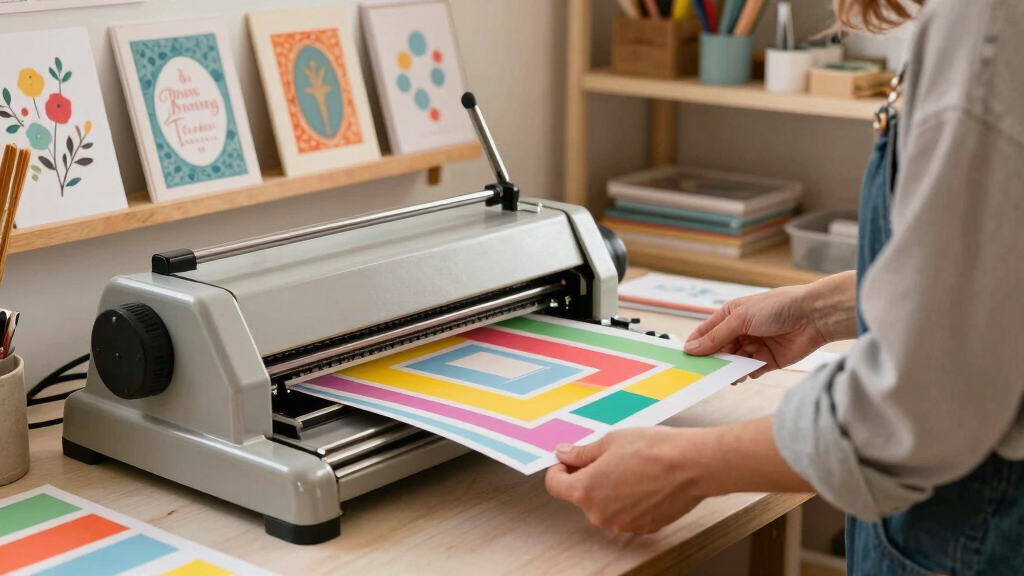

Finding the best cutting machine for invitation makers requires balancing precision, versatility, and ease of use. The ideal choice depends on whether you prioritize detailed cuts for intricate designs or need a machine that handles a variety of materials efficiently. The Brother ScanNCut DX SDX325 stands out for its built-in scanner and detailed pattern library, making it perfect for highly detailed invitations. The Cricut Maker 4 offers impressive speed and material compatibility, making it a versatile choice for frequent crafters. However, tradeoffs include higher cost and a steeper learning curve compared to simpler models. Continue reading for a detailed breakdown of these options and more, to find your best fit in 2026.
Key Takeaways
- The top models combine advanced cutting force with user-friendly interfaces, ideal for intricate invitation designs.
- Versatility in material compatibility is a key factor, especially for makers working with specialty papers, foils, or cardstock.
- Built-in scanners and pattern libraries add value for detailed customization, but often come at a higher price point.
- Budget-friendly options like the Cricut Joy Xtra offer simplicity and affordability, suited for beginners or occasional use.
- More advanced machines tend to have steeper learning curves but provide greater precision and professional results.
| Brother ScanNCut DX SDX325 Electronic Cutting Machine |  | Best Overall for Versatile Invitation Makers | Built-in Designs: 1,303 | Cutting Thickness: up to 3mm | Display: 5″ LCD touch screen | VIEW LATEST PRICE | See Our Full Breakdown |
| Cricut Maker 4 Smart Cutting Machine (Seashell) with Digital Content Bundle |  | Best for Material Versatility and Digital Content | Supported Materials: 300+ | Speed: 2X faster | Cutting Force: 10X stronger | VIEW LATEST PRICE | See Our Full Breakdown |
| Cricut Maker 3 Smart Cutting Machine with Digital Content Library (2X Faster, 10X Cutting Force, Cuts 300+ Materials) – Blue | 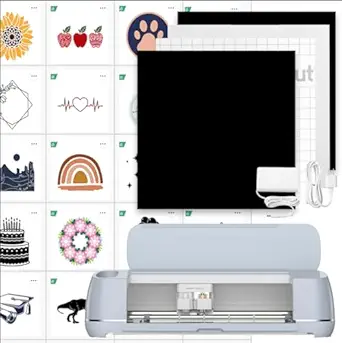 | Best for Speed and Large-Scale Projects | Supported Materials: 300+ | Speed: 2X faster | Cutting Force: 10X | VIEW LATEST PRICE | See Our Full Breakdown |
| Cricut Maker 4 Starter Kit for Beginners – Smart Cutting Machine with Vinyl & Iron-On (HTV), Tools & Materials for Stickers, Shirts & DIY Crafts |  | Best for Beginners Starting Small | Included Materials: Vinyl, iron-on, tools | Connectivity: Wireless, Bluetooth | Supported Materials: Vinyl, HTV | VIEW LATEST PRICE | See Our Full Breakdown |
| Brother ScanNCut SDX125E Electronic DIY Cutting Machine with Scanner and 682 Included Patterns |  | Best for Hand-Drawn and Custom Designs | Supported Materials: Paper, vinyl, fabric, foam, chipboard | Cutting Thickness: up to 3mm | Included Patterns: 682 | VIEW LATEST PRICE | See Our Full Breakdown |
| Cricut Personal Electronic Cutting Machine |  | Best for Portable, Basic Invitation Making | Weight: 9 lbs | Dimensions: 17-4/5 x 9-2/3 x 12-8/9 inches | Maximum Cut Height: 5.5 inches | VIEW LATEST PRICE | See Our Full Breakdown |
| Cricut Maker 4 Sticker Making Bundle with Print Then Cut Machine and Waterproof Materials | 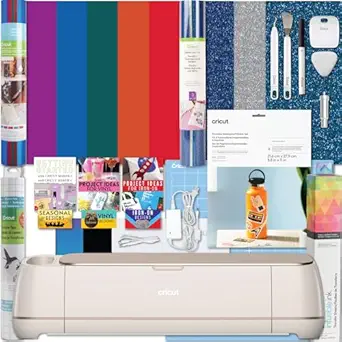 | Best for Professional-Quality Stickers and Small Business Use | Included Components: Cricut Maker 4, waterproof sticker paper, tools | Item Height: 10.3 inches | Maximum Material Thickness: Supports 300+ materials | VIEW LATEST PRICE | See Our Full Breakdown |
| Cricut Explore 4 Machine with Vinyl and Iron-On Bundle |  | Best for Beginners and DIY Decor Projects | Item Height: 5.9 inches | Supported Materials: Over 100 including vinyl, paper, iron-on | Cutting Speed: Up to 2X faster | VIEW LATEST PRICE | See Our Full Breakdown |
| Cricut Maker 4 Vinyl Cutting Bundle – Smart Cutting Machine with Rainbow Smart Vinyl Rolls & Tools |  | Best for Colorful, Intricate Vinyl Decals and Labels | Material Support: 300+ materials, including Smart Vinyl | Cutting Method: Matless support for Smart Vinyl | Included Vinyl Rolls: 5 rainbow rolls, 13 in x 3 ft | VIEW LATEST PRICE | See Our Full Breakdown |
More Details on Our Top Picks
Brother ScanNCut DX SDX325 Electronic Cutting Machine
The Brother ScanNCut DX SDX325 stands out for its built-in scanner and extensive design library, making it ideal for those who want to create intricate, custom invitation designs without needing additional software. Unlike the Cricut Maker 4, which relies heavily on external digital content, this model’s scanner allows direct conversion of hand-drawn designs into cut files, saving time and expanding creative possibilities. Its Blade Sensor Technology ensures precise cuts through a variety of materials up to 3mm thick, which is especially useful for thicker cardstock and textured papers. The 5″ LCD touch screen adds to its user-friendly interface, making editing straightforward. However, the machine’s slightly bulkier size and more complex interface might challenge novices or those with limited space. Compared to the Cricut models, this is better suited for makers who prefer hands-on design input and working with thicker materials. The tradeoff is that it may require more initial setup and familiarity with its software.
Pros:- Built-in scanner for converting hand-drawn designs directly into cut files
- Extensive library of 1,303 designs, including quilt patterns and fonts
- Blade Sensor Technology for precise cuts on a variety of materials
Cons:- Larger footprint may be challenging for small craft spaces
- More complex interface could be overwhelming for beginners
Best for: Invitation makers who want a versatile machine with built-in scanning and extensive design options, including those who work with textured or thicker materials.
Not ideal for: Beginners seeking a simple, plug-and-play machine, or crafters who prioritize a lightweight, space-saving device.
- Built-in Designs:1,303
- Cutting Thickness:up to 3mm
- Display:5″ LCD touch screen
- Connectivity:Wireless, USB
- Features:Scanning, auto blade, fabric cutting
Bottom line: This machine is perfect for seasoned invitation makers who value customization and working with a broad range of materials, despite its size and learning curve.
Cricut Maker 4 Smart Cutting Machine (Seashell) with Digital Content Bundle
The Cricut Maker 4 excels in versatility, supporting over 300 materials, which makes it a prime choice for invitation makers who want to experiment with different textures and finishes. Its Fast Cutting Speed and 10X stronger cutting force give it an edge over older Cricut models, allowing for quicker production of layered or detailed invitations. The included Digital Content Bundle with 30 images and access to thousands more via Cricut Access enhances creative options. Unlike the ScanNCut, it relies on external digital libraries, which might require a subscription for full access, but offers seamless integration with the Design Space app. This machine is ideal for those wanting to combine precision with a user-friendly interface. Its main tradeoff is the need for a subscription for full content access, and beginners might face a learning curve when mastering the software.
Pros:- Supports over 300 materials, including leather and wood
- Fast 2X cutting speed with 10X cutting force for efficient projects
- Includes a digital library of 30 images plus access to thousands more
Cons:- Requires subscription (Cricut Access) for full content library
- Learning curve associated with the Design Space software
Best for: Invitation designers who prioritize material variety and digital content integration, especially with a focus on speed and precision.
Not ideal for: Crafters who prefer built-in design libraries or who want a scanner feature, as the Cricut Maker 4 depends on external design sources.
- Supported Materials:300+
- Speed:2X faster
- Cutting Force:10X stronger
- Included Content:30 images + access to 3,000+
- Maximum Cut Length:12 ft
Bottom line: This machine is ideal for invitation makers seeking speed, material flexibility, and digital content, with a willingness to navigate software subscription requirements.
Cricut Maker 3 Smart Cutting Machine with Digital Content Library (2X Faster, 10X Cutting Force, Cuts 300+ Materials) – Blue
The Cricut Maker 3 pushes the boundaries with its 2X faster cutting speed and ability to handle large projects up to 12 feet long, making it a powerful option for busy invitation makers. Compared with the Maker 4, it offers similar material versatility but focuses more on larger, continuous cuts, which is perfect for bulk invitation runs or extended designs. Its enhanced cutting force ensures clean, precise results across a wide array of materials, including thicker fabrics and leather. The inclusion of a digital library with 30 images and free project templates supports quick start-ups. However, like the Maker 4, full access to the content library requires a subscription, which can add to ongoing costs. The machine’s bulk and initial price point mean it’s better suited for professional or semi-professional makers rather than casual hobbyists.
Pros:- Supports over 300 materials, including heavy-duty options
- Extra-long cut length up to 12 ft for large projects
- Fast cutting speed with strong force for precise, clean results
Cons:- High initial investment and bulky size
- Subscription required for full digital content access
Best for: Professionals or serious hobbyists who need to produce large batches of invitations efficiently with high accuracy.
Not ideal for: Casual crafters or beginners who lack space for a large machine or don’t need long continuous cuts.
- Supported Materials:300+
- Speed:2X faster
- Cutting Force:10X
- Maximum Cut Length:12 ft
- Digital Content:30 images + templates
Bottom line: This model is a strong choice for high-volume invitation production or larger projects, though it demands space and a higher budget.
Cricut Maker 4 Starter Kit for Beginners – Smart Cutting Machine with Vinyl & Iron-On (HTV), Tools & Materials for Stickers, Shirts & DIY Crafts
This Cricut Maker 4 Starter Kit offers a complete package for newcomers to invitation making who want to dip their toes into vinyl and iron-on projects. Its straightforward setup and included tools make it easier for beginners to start creating personalized invites, stickers, and apparel. Compared with the ScanNCut or more advanced Cricut models, this kit emphasizes ease of use, with pre-selected materials and simple instructions. While it’s perfect for small-scale projects and learning the craft, it may not have the extensive design library or scanning capabilities of more advanced machines. The main tradeoff is that it’s less suited for complex or large-volume productions, and users might outgrow it as skills develop.
Pros:- All-in-one beginner kit with tools, vinyl, and materials
- User-friendly setup and interface for new crafters
- Includes essential supplies to start making stickers, decals, and shirts
Cons:- Limited design options compared to more advanced machines
- Not ideal for large-scale or complex projects
Best for: First-time invitation makers who want an easy, all-in-one starter kit to learn and create small batches of custom invitations and decor.
Not ideal for: Experienced crafters or those needing advanced features like scanning or cutting thick materials regularly.
- Included Materials:Vinyl, iron-on, tools
- Connectivity:Wireless, Bluetooth
- Supported Materials:Vinyl, HTV
- Designed for:Beginners
- Machine Type:Smart cutting machine
Bottom line: This starter kit is best for beginners eager to learn with a complete, easy-to-use package, but may lack the advanced features professionals require.
Brother ScanNCut SDX125E Electronic DIY Cutting Machine with Scanner and 682 Included Patterns
The Brother ScanNCut SDX125E is tailored for makers who want to incorporate hand-drawn or custom artwork into their invitation designs. Its built-in scanner and 682 included patterns make it versatile for creating unique, personalized invitations. The auto-blade technology automatically adjusts for materials up to 3mm thick, similar to the ScanNCut DX series, but with a more streamlined interface. While it offers extensive pattern options, it requires trial cuts to perfect material settings, and its interface can feel complex for beginners unfamiliar with digital editing. Compared to the Cricut Maker 4, which relies on external design sources, this model’s strength lies in converting physical drawings directly into cut files, making it ideal for artists and crafters who want to customize every detail. Its main drawback is the need for some trial and error to optimize cuts with different materials.
Pros:- Built-in scanner converts drawings into cut files
- Auto-blade technology for precise cuts on various materials
- Includes 682 patterns for diverse design options
Cons:- Requires trial cuts for optimal settings
- Interface may overwhelm beginners
Best for: Invitation makers who want to incorporate hand-drawn or custom artwork into their designs, especially those who prefer working with physical sketches.
Not ideal for: Crafters seeking a simple, software-driven machine without the need for scanning or manual input.
- Supported Materials:Paper, vinyl, fabric, foam, chipboard
- Cutting Thickness:up to 3mm
- Included Patterns:682
- Display:5″ touchscreen LCD
- Connectivity:Wireless, USB
Bottom line: This machine is suited for artists and makers who want to incorporate custom hand-drawn designs into their invitations, accepting some initial setup complexity.
Cricut Personal Electronic Cutting Machine
The Cricut Personal Electronic Cutting Machine stands out as the most portable option in this lineup, weighing only 9 pounds and featuring a built-in handle, making it perfect for crafters who need mobility. Unlike the Cricut Explore 4 or Maker 4, it operates solely on a cartridge system, which limits design flexibility but simplifies setup for beginners. Its small maximum cut height of 5.5 inches is ideal for small invitations and paper crafts but less suited for larger projects or intricate designs that require bigger cutting areas. This model is a great choice for casual users or those just starting out, who prioritize ease of use over advanced features. Compared with the Cricut Maker 4, it lacks the ability to cut a wide array of materials or connect via Bluetooth, which can be a drawback for more ambitious projects. However, its straightforward operation and included cartridges make it accessible for quick, simple invitation designs. The main tradeoff is the limited size and material options, but for small, one-off invitations, this device excels.
Pros:- Lightweight and portable with a handle for easy transport
- No computer required—operates via cartridges, ideal for beginners
- Cuts multiple materials including vinyl and cardstock
- Includes essential design cartridges for immediate use
Cons:- Limited maximum cut height of 5.5 inches restricts larger or more detailed projects
- Requires additional cartridges for expanded design options
- Less intuitive setup for first-time users unfamiliar with cartridge systems
Best for: Small-scale invitation makers who need portability and simplicity, such as hobbyists or crafters on the go.
Not ideal for: Professional invitation creators or those needing to produce large batches or complex designs, due to its limited cut size and material compatibility.
- Weight:9 lbs
- Dimensions:17-4/5 x 9-2/3 x 12-8/9 inches
- Maximum Cut Height:5.5 inches
- Material Compatibility:Vellum, paper, cardstock, vinyl
- Warranty:1-year limited
- Operation Mode:Cartridge-based, no computer needed
Bottom line: This model suits casual invitation makers seeking a compact and straightforward machine for small projects, at the expense of size and material versatility.
Cricut Maker 4 Sticker Making Bundle with Print Then Cut Machine and Waterproof Materials
The Cricut Maker 4 Sticker Making Bundle makes a compelling case for small businesses or serious hobbyists who want high-precision, professional-looking stickers. Its print-then-cut technology is more advanced than the Explore 4, allowing for detailed, full-color designs with waterproof, durable materials included in the bundle. Compared with the Cricut Joy Xtra, this machine boasts a larger cutting area, though it’s less portable and requires more space. The ability to cut a wide range of materials up to 300+ types makes it highly versatile, perfect for creating custom decals, labels, and invitations with intricate details. However, its higher price point and more complex setup may deter casual crafters or beginners. It’s better suited for users who need consistent, high-quality output and are comfortable with a slightly steeper learning curve. The main tradeoff is the size and cost, but the quality and flexibility it offers make it a top choice for those focused on sticker production.
Pros:- Print-then-cut technology for precise, full-color designs
- Includes waterproof, long-lasting materials for professional results
- Large cutting area supports bigger and more detailed projects
- Cuts over 300 materials, offering high versatility
Cons:- Higher price compared to basic crafting machines
- More complex setup and operation for new users
- Requires space for the larger machine
Best for: Small business owners or dedicated hobbyists seeking professional-grade stickers and decals for invitations and branding.
Not ideal for: Casual crafters or those looking for a simple, compact machine, due to its size and investment level.
- Included Components:Cricut Maker 4, waterproof sticker paper, tools
- Item Height:10.3 inches
- Maximum Material Thickness:Supports 300+ materials
- Cutting Area:Supports large projects
- Connectivity:Wireless and USB
- Warranty:1 year
Bottom line: This bundle is ideal for those producing high-quality stickers and decals regularly, accepting the higher cost and setup complexity.
Cricut Explore 4 Machine with Vinyl and Iron-On Bundle
The Cricut Explore 4 strikes a balance between ease of use and versatility, making it a smart pick for newcomers to invitation making. Its ability to cut over 100 materials, including paper, vinyl, and iron-on, along with its faster cutting speed—up to twice as fast as previous models—appeals to hobbyists looking to complete projects quickly. Compared to the Maker 4, it’s more compact and budget-friendly but with less cutting force and material compatibility. This bundle includes essential materials like vinyl and iron-on sheets, ideal for customizing invitations, cards, and home decor. Its digital guide and tutorials lower the learning curve for first-time users, but more complex or larger-scale projects might require an upgrade later. This machine makes a great entry point for DIY invitation makers who want reliable results without the premium price or size.
Pros:- Faster cut speeds—up to 2X faster than older models
- Cuts over 100 materials including vinyl and paper
- Compact, space-saving design for small craft spaces
- Includes beginner-friendly digital guides and tutorials
Cons:- Less powerful than the Maker 4 for thicker materials
- Limited maximum cut size for larger invitations
- Requires additional purchases for advanced features
Best for: Beginners or casual crafters focused on small-scale, personalized invitation projects and home decor.
Not ideal for: Professional or bulk invitation makers needing larger cut sizes or extensive material options.
- Item Height:5.9 inches
- Supported Materials:Over 100 including vinyl, paper, iron-on
- Cutting Speed:Up to 2X faster
- Connectivity:Wireless, Bluetooth, USB
- Included Materials:Vinyl, iron-on sheets
- Warranty:1 year
Bottom line: This machine provides a user-friendly, fast, and reliable experience for newcomers making small invitations and decor.
Cricut Maker 4 Vinyl Cutting Bundle – Smart Cutting Machine with Rainbow Smart Vinyl Rolls & Tools
The Cricut Maker 4 Vinyl Cutting Bundle shines for users who want to create vibrant, detailed vinyl decals, labels, and invitations. Its smart technology allows cutting without a mat, speeding up workflows and supporting over 300 materials for maximum versatility. Compared to the Sticker Maker bundle, it lacks the print-then-cut feature but offers precise, intricate cuts with professional results. The bundle includes five rainbow-colored vinyl rolls and transfer tape, making it perfect for colorful, layered designs on invitations or decor. Its high speed and accuracy make it suitable for hobbyists and DIY enthusiasts who want quick, eye-catching results. The main tradeoff is that it’s primarily focused on vinyl projects, so it’s less versatile for other materials or printing needs. Still, for detailed, colorful vinyl invitations, it’s a standout machine.
Pros:- Supports over 300 materials with fast, accurate cuts
- No mat needed for supported Smart Vinyl rolls
- Includes five rainbow-colored vinyl rolls for colorful projects
- Creates detailed, professional-looking decals and labels
Cons:- Limited to vinyl and similar materials, less versatile for print projects
- Higher price point for a vinyl-centric bundle
- Primarily focused on vinyl, less suited for paper-only invitations
Best for: DIYers and hobbyists prioritizing vibrant, multi-layered vinyl decorations and invitations with fast, precise cuts.
Not ideal for: Users seeking a multifunctional device with print-then-cut capabilities or working with non-vinyl materials extensively.
- Material Support:300+ materials, including Smart Vinyl
- Cutting Method:Matless support for Smart Vinyl
- Included Vinyl Rolls:5 rainbow rolls, 13 in x 3 ft
- Maximum Cutting Speed:Fast
- Connectivity:Wireless, Bluetooth, USB
- Warranty:1 year
Bottom line: This cutter is perfect for colorful, intricate vinyl designs and labels, especially for users who value speed and precision over material diversity.

How We Picked
Our evaluation focused on performance, usability, build quality, and value for invitation makers. We prioritized machines with high cutting accuracy, compatibility with a variety of materials, and ease of operation for detailed and repetitive tasks. Additional factors included the availability of digital content, tools included in starter bundles, and overall reliability. The ranking reflects a balance between professional features and affordability, aiming to recommend options suitable for both hobbyists and small business owners. We also considered user reviews and industry reputation to ensure practical, long-term satisfaction.Factors to Consider When Choosing Best Cutting Machine For Invitation Makers
Choosing the best cutting machine for invitation makers involves understanding several key factors. While price is important, features like material compatibility, ease of use, and the ability to handle complex designs often matter more for crafting detailed invitations. It’s also worth considering the availability of digital design libraries and whether additional tools are included or need to be purchased separately. Avoiding common pitfalls, such as overestimating your need for professional features or underestimating the learning curve, can help you select a machine that truly fits your needs. Here are some critical factors to review:Material Compatibility
Not all cutting machines can handle the same variety of materials. If you plan to work with thin papers, cardstock, foil sheets, or specialty materials like leather or fabric, ensure the machine supports these. Machines like the Cricut Maker 4 excel in this area, offering high cutting force and versatility, whereas simpler models might be limited to paper and vinyl. Choosing a machine with broad material compatibility means fewer restrictions and more creative freedom for your invitations.
Ease of Use and Learning Curve
For invitation makers new to digital cutters, user-friendly interfaces and clear instructions are vital. Machines with touchscreen controls or integrated design libraries reduce setup time and help avoid frustration. Conversely, more complex models with advanced features may require a longer learning period but can deliver finer detail and customization once mastered. Consider your comfort level and whether you prefer a straightforward device or one with more advanced capabilities, even if it takes time to learn.
Design Software and Digital Content
Many machines come with proprietary software or access to online design libraries. For invitation makers, having a rich selection of pre-made templates and fonts can significantly streamline workflow. Compatibility with popular design programs like Adobe Illustrator or Silhouette Studio can also be a deciding factor. Remember, investing in a machine with good digital content support can save time and expand your creative options, especially for intricate or themed invitations.
Price and Long-Term Value
While budget-friendly models appeal to hobbyists, they may lack advanced features or require additional purchases for tools and materials. Conversely, premium machines often include comprehensive bundles, better durability, and more sophisticated features but come at a higher cost. Consider your intended volume of work and whether the investment aligns with your craft goals. Sometimes paying more upfront results in better efficiency and professional results, making it worthwhile for serious invitation makers.
Size and Portability
The physical dimensions and portability of your machine can impact workflow, especially if space is limited or if you plan to take your equipment to craft fairs or classes. Compact models like the Cricut Joy Xtra are ideal for small spaces and quick projects, while larger, more robust machines like the Brother ScanNCut SDX325 suit dedicated craft areas. Think about your workspace and whether mobility or storage is a priority for your operation.
Frequently Asked Questions
Can I use the same cutting machine for both making intricate invitations and larger craft projects?
Yes, many versatile cutting machines like the Cricut Maker 4 or Brother ScanNCut SDX325 can handle both detailed invitation cuts and larger projects. Their adjustable settings and support for a range of materials make them suitable for a variety of craft sizes. However, larger models with bigger cutting beds may be more efficient for bigger projects, while compact models excel in detailed, small-scale work. Consider your typical project size and complexity when choosing between models.
Are digital content libraries necessary for creating custom invitation designs?
Digital content libraries offer pre-made design templates, fonts, and images that can significantly speed up your workflow and enhance creativity. For invitation makers, having access to a variety of styles and themes can be a game-changer, especially if you lack design experience. While some machines come with extensive libraries, others require separate purchases or subscriptions. Think about how much time you want to spend designing from scratch versus customizing existing templates.
Is it worth paying extra for a machine with a built-in scanner?
A built-in scanner adds a valuable layer of customization, allowing you to digitize hand-drawn designs or patterns directly into your cutting projects. This feature is especially useful for invitation makers who prefer personal sketches or unique artwork. While scanners increase the upfront cost, they can save time and expand your creative options, making them worthwhile if detailed, personalized invitations are your goal.
How important is the speed of the cutting machine for invitation production?
Speed can be a significant factor if you produce large batches of invitations or operate a small business. Faster machines like the Cricut Maker 3 or 4 can complete cuts more quickly, saving you time on repetitive tasks. However, speed often comes with higher complexity and price. For occasional or hobbyist use, slower models may suffice, but for high-volume production, investing in a faster machine is often justified.
Should I prioritize a machine with Bluetooth or Wi-Fi connectivity?
Wireless connectivity increases convenience by allowing you to send designs from your computer or mobile device without cables, streamlining your workflow. This feature is especially helpful if your workspace is limited or if you prefer a clutter-free environment. While most modern machines include Bluetooth or Wi-Fi, verify compatibility with your devices and software. Wireless features tend to add to the cost but can significantly enhance ease of use for frequent makers.
Conclusion
For those starting out or working on occasional projects, the Cricut Joy Xtra offers affordability and simplicity, making it perfect for beginners. Small business owners or serious hobbyists will find the Cricut Maker 4 to be the best overall choice, combining speed, versatility, and advanced features. If you’re willing to invest in a premium setup with scanner capabilities and extensive material support, the Brother ScanNCut DX SDX325 stands out as the best premium option. Budget-conscious crafters should consider models like the Cricut Personal Cutter for reliable basic functionality. Ultimately, your decision should align with your project volume, complexity, and budget constraints.