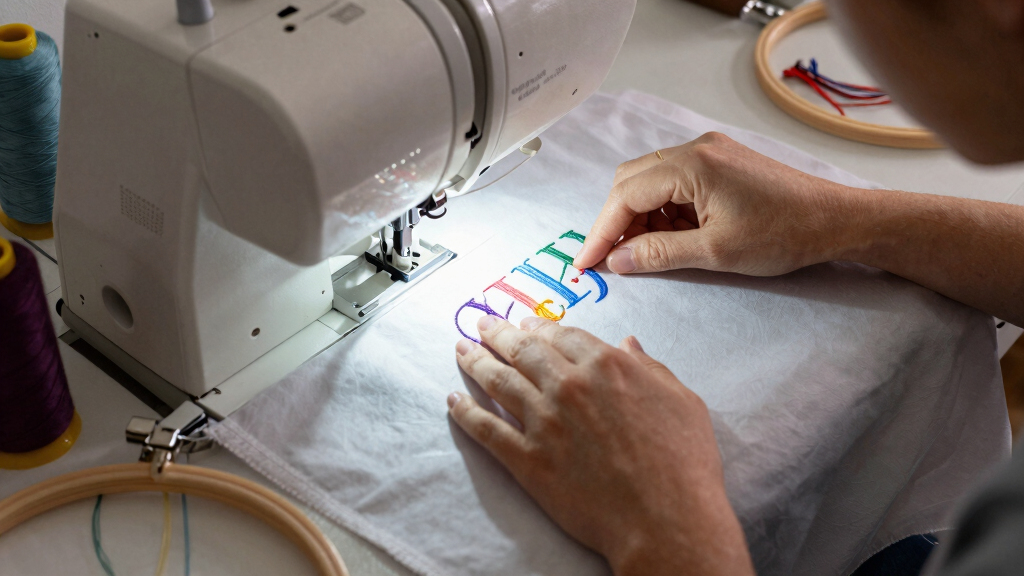
Choosing the best embroidery machine for monogram projects involves balancing features like hoop size, design options, ease of use, and budget. The Brother PE900 stands out as the top overall pick thanks to its large workspace and extensive design library. For those seeking a more affordable option, the Brother PE535 offers solid performance with 80 built-in designs and a user-friendly touchscreen. Meanwhile, the Brother SE2000 provides a versatile combo machine ideal for users who want both sewing and embroidery capabilities. The main tradeoffs in this category often revolve around size, complexity, and price — more advanced features come with higher costs, while budget models may lack larger hoops or design variety. Continue reading for a detailed breakdown of these options and how to choose the right machine for your monogramming needs.
Key Takeaways
- Larger hoop sizes like 5″ x 7″ are essential for more ambitious monogram projects, but they typically come with higher price tags.
- User-friendly interfaces and touchscreen controls significantly reduce learning curves, especially for beginners.
- Built-in design libraries vary greatly; more designs mean less reliance on external files but often increase the cost.
- Wireless connectivity and WLAN features streamline design transfer, making workflow more efficient.
- Budget models can handle basic monogramming well, but more advanced features like larger hoops and extensive design options are worth investing in for serious crafters.


More Details on Our Top Picks
Brother PE535 Embroidery Machine, 80 Built-in Designs, 4″ x 4″ Hoop Area, Large 3.2″ LCD Touchscreen, USB Port, 9 Font Styles
The Brother PE535 stands out for its user-friendly interface with a large 3.2″ color touchscreen, making it ideal for beginners. Compared with the PE900, it offers fewer design options but is more budget-friendly and easier to operate. Its 80 built-in designs cover common monogram motifs, and the USB port simplifies importing new patterns. The 4″ x 4″ hoop size is sufficient for most monogram projects but limits larger designs. While it excels in straightforward embroidery, it doesn’t function as a sewing machine, so users seeking combo features should look elsewhere. The build quality is solid for its price point, but the design library feels somewhat basic, and the machine’s embroidery area is modest. Overall, this pick makes the most sense for hobbyists new to embroidery who want a simple, reliable device for monograms and small projects.Pros:- Intuitive 3.2″ color touchscreen for easy design preview
- Lightweight and compact, easy to move and store
- USB port allows importing custom designs effortlessly
- Affordable price point for entry-level embroidery
Cons:- Limited to 4″ x 4″ embroidery area, restricting larger monograms
- No sewing functions included, requiring separate sewing machine
- Design library could be more modern and diverse
Best for: Beginners and hobbyists focused on monogramming without needing extensive design options or sewing features.
Not ideal for: Advanced users or small business owners requiring larger embroidery fields and a broader design library.
- Built-in Designs:80
- Embroidery Area:4″ x 4″
- Display:3.2″ LCD Touchscreen
- USB Port:Yes
- Font Styles:9
- Power Source:Corded Electric
- Weight:10 Pounds
Bottom line: Ideal for beginners seeking a straightforward, dedicated monogram embroidery machine without extra sewing capabilities.
Brother SE600 Sewing and Embroidery Machine, 80 Designs, 103 Built-In Stitches, Computerized, 4″ x 4″ Hoop Area, 3.2″ LCD Touchscreen Display, 7 Included Feet
The Brother SE600 makes a compelling choice for those wanting both sewing and embroidery in one machine, with a 4″ x 4″ hoop suitable for monogram projects. Compared to the PE535, it offers a broader range of 103 stitches and 7 included presser feet, providing more versatility for sewing combined with embroidery. Its large 3.2″ color touchscreen allows easy design preview and simple editing, which is great for customizing monograms. However, the 4″ x 4″ hoop size limits larger design options, much like the PE535. The machine’s built-in 80 designs are sufficient for monogramming but are somewhat basic; importing additional designs through the USB or software is straightforward. The dual function is a plus, but it’s heavier and slightly more expensive. Overall, this model works well for sewists who want to add monogramming and decorative stitches without buying separate machines.Pros:- Combines sewing and embroidery functions in one device
- 103 built-in stitches for extensive sewing projects
- 7 presser feet included for different sewing techniques
- Easy-to-use 3.2″ LCD touchscreen for design editing
Cons:- Limited embroidery hoop size (4″ x 4″) for larger monograms
- Heavier and bulkier compared to single-focus embroidery machines
- Design library, while sufficient, lacks modern or intricate motifs
Best for: Small business owners or serious hobbyists wanting a versatile machine for sewing and monogram embroidery.
Not ideal for: Purely embroidery-focused users needing larger design areas or advanced embroidery features.
- Built-in Designs:80
- Embroidery Area:4″ x 4″
- LCD Screen:3.2″ Color Touchscreen
- Built-in Stitches:103
- Included Feet:7
- Power Source:Corded Electric
- Weight:15 Pounds
Bottom line: Perfect for sewists seeking a compact, all-in-one machine that handles monogramming and basic sewing tasks with ease.
Brother PE900 Embroidery Machine with WLAN
The Brother PE900 is tailored for users who want bigger and more detailed embroidery, with a generous 5″ x 7″ hoop that makes monogramming more flexible. Compared to the PE535 and SE600, it offers a significantly larger embroidery area, ideal for elaborate monogram designs or multiple initials. Its 193 built-in designs and 13 fonts, including Cyrillic, appeal to a broad range of personalization needs. The wireless connectivity and advanced editing features—like rotate, mirror, and resize—allow for greater customization directly on the large 3.7″ LCD screen. While it’s more expensive and slightly heavier, it’s a clear upgrade for serious monogram projects that require more space and design complexity. The design library is more modern, and importing patterns via USB or wireless is seamless. This pick suits those ready to invest in a high-performance embroidery-only machine.Pros:- Large 5″ x 7″ embroidery area for detailed monograms
- 193 built-in designs plus 13 fonts including Cyrillic
- Wireless connectivity for easy design transfer
- Enhanced editing options on a 3.7″ LCD display
Cons:- Higher price tag compared to smaller models
- Embroidery-only machine, no sewing features
- Requires firmware updates and setup for wireless use
Best for: Experienced crafters or small business owners needing larger embroidery fields for custom monograms and complex designs.
Not ideal for: Beginners or those looking for a combo machine with sewing functions, as PE900 is purely embroidery-focused.
- Built-in Designs:193
- Embroidery Area:5″ x 7″
- Display:3.7″ LCD Touchscreen
- Connectivity:Wireless LAN
- Font Options:13
- Power Source:120V
- Weight:16 Pounds
Bottom line: Best suited for experienced embroiderers who want larger, more sophisticated monogram designs with wireless transfer capabilities.
Brother SE2000 5″ x 7″ Combo Embroidery & Sewing Machine with Deluxe 130 Thread Spools & Accessories
The Brother SE2000 combines sewing and embroidery with a large 5″ x 7″ hoop, making it suitable for bigger monogram patterns. Compared to the PE900, it offers 130 thread spools and a broader range of sewing stitches, appealing to users who want both functionalities. The easy-to-navigate 3.2″ color touchscreen simplifies design editing and customization, perfect for monogram enthusiasts. Its extensive accessory bundle, including 50 embroidery threads, provides plenty of options for detailed work. While the machine’s weight is a bit higher, its dual capabilities make it a strong choice for those who want a flexible machine for monograms, decorative sewing, and larger embroidery designs. The design library is substantial but may lack some of the more intricate modern motifs available in higher-end models. Overall, it balances versatility and value for users wanting one machine for multiple projects.Pros:- 5″ x 7″ embroidery area for larger monograms
- 130 built-in embroidery designs plus extensive sewing stitches
- Touchscreen interface for simple design editing
- Includes a generous accessory kit with 50 threads
Cons:- Slightly heavier than dedicated embroidery-only machines
- Design library, while extensive, may lack ultra-modern motifs
- Higher price point for combo features
Best for: Home sewists and hobbyists seeking a dual-function machine for monogramming and general sewing with a large hoop and comprehensive accessories.
Not ideal for: Pure embroidery users or those requiring a larger embroidery field for very big monograms or commercial use.
- Built-in Designs:130
- Embroidery Area:5″ x 7″
- Display:3.2″ LCD Touchscreen
- Stitches:103
- Included Threads:50
- Connectivity:USB
- Weight:20 Pounds
Bottom line: Excellent for versatile home users who want a reliable machine for both embroidery monograms and sewing projects with a large workspace.
Brother SE700 Sewing and Embroidery Machine with Hoop Area – Touchscreen, USB Port, and Wireless Connectivity – 135 Built-in Designs & 103 Stitches Bundle with Sewing Accessories (5 Items)
The Brother SE700 offers a balanced mix of sewing and embroidery features, with a 5″ x 7″ embroidery area suitable for monogramming. It’s particularly appealing for those new to embroidery but wanting room to grow, thanks to the large touchscreen for easy design selection and editing. Compared to the SE600, it boasts a slightly larger design library and more advanced connectivity options like wireless transfer, making it easier to customize monograms. The 135 built-in designs and 103 stitches provide plenty of creative options, and the included accessories add value. However, it’s a bit heavier and more expensive than dedicated embroidery-only machines, and the design options are good but not as extensive as high-end models. This machine fits well for beginners who want a user-friendly, versatile machine that can handle monogram projects and basic sewing.Pros:- Large 5″ x 7″ embroidery hoop for monogramming
- 135 built-in embroidery designs plus 103 sewing stitches
- Wireless connectivity for easy design transfer
- Intuitive touchscreen for on-screen editing
Cons:- Heavier than single-function embroidery machines
- Limited to 5″ x 7″ hoop, smaller than some commercial models
- Design library, while extensive, may lack ultra-fine detail
Best for: Beginner sewists and crafters starting their embroidery journey who want a machine with room to develop their skills.
Not ideal for: Advanced or professional embroidery users needing large design areas or commercial-grade features.
- Built-in Designs:135
- Embroidery Area:5″ x 7″
- Display:3.2″ Touchscreen
- Stitches:103
- Included Accessories:5 Items
- Connectivity:Wireless LAN
- Weight:22 Pounds
Bottom line: Perfect for beginners wanting a versatile, easy-to-use machine for monograms and general sewing with modern features.
Brother SE2000 Computerized Sewing and Embroidery Machine
The Brother SE2000 stands out for combining sewing and embroidery with a large 3.7-inch touchscreen that simplifies editing. Compared to the Brother PE900, which is embroidery-only, the SE2000 offers more flexibility for users who want both functions in one device. Its wireless LAN transfer makes file management easier, but it requires firmware updates and USB drives for full functionality, which can be slightly cumbersome. This model makes the most sense for hobbyists who want an all-in-one machine with extensive stitch options and a user-friendly interface. However, if pure embroidery is your focus, the PE900 might be more streamlined. Pros: Dual sewing and embroidery functions; Large, intuitive touchscreen; Wireless transfer capability; Wide range of stitches and designs. Cons: Firmware updates needed; Limited to non-commercial use of patterns; Slightly complex setup for beginners. Verdict: Best suited for those seeking a versatile machine that handles both sewing and embroidery with ease, despite some setup requirements.
Pros:- Combines sewing and embroidery in one machine
- Large touchscreen for easy design editing
- Wireless file transfer capabilities
- Extensive stitch library
Cons:- Requires firmware updates which can be confusing
- Embroidery patterns limited to personal use
- Setup can be complex for complete beginners
Best for: Intermediate hobbyists wanting a combo machine for monogramming and general sewing projects
Not ideal for: Pure embroidery enthusiasts who prefer a dedicated device with fewer features to manage
- Embroidery Field Size:5″ x 7″
- Touchscreen Display:3.7-inch
- Built-in Stitches:241 sewing stitches, 193 embroidery designs
- Wireless Connectivity:Wi-Fi and USB
- Warranty:25-year limited
Bottom line: This machine offers the most flexible features for users who want both sewing and embroidery capabilities in one device, despite some technical setup.
Brother PE545 Embroidery Machine, Wireless LAN Connected, 135 Built-in Designs, 4″ x 4″ Hoop Area, Large 3.7″ LCD Touchscreen, USB Port, 10 Font Styles
The Brother PE545 is a dedicated embroidery machine that delivers a solid range of 135 built-in designs and 10 fonts, making it perfect for monogram projects and personalization. Its 4″ x 4″ embroidery area is suitable for most monogram sizes, and the large 3.7-inch LCD touchscreen simplifies editing and positioning. It surpasses the PE535 in design options and adds wireless transfer, but it doesn’t include sewing stitches, which could be a drawback for those wanting a combined sewing-embroidery machine. This pick makes the most sense for users focused solely on embroidery, particularly for monogramming and embellishments. For those wanting sewing features, the SE700 or SE2000 might be better options. Pros: Dedicated embroidery machine with wireless transfer; Large, easy-to-use touchscreen; Comprehensive accessory bundle; 135 built-in designs. Cons: No sewing capabilities; Limited embroidery field size; Slight learning curve for advanced design editing. Verdict: Ideal for monogrammers and crafters looking for a focused embroidery machine with wireless convenience, without the need for sewing functions.
Pros:- Specialized embroidery with extensive design options
- Wireless transfer for convenient design management
- Large, user-friendly touchscreen
- Multiple font styles for monogramming
Cons:- No sewing functions included
- Limited 4″ x 4″ embroidery area
- Higher price compared to basic models
Best for: Crafters and monogram enthusiasts seeking a dedicated embroidery device with wireless capabilities
Not ideal for: Users who want a sewing function integrated into their embroidery machine or larger embroidery areas
- Built-in Embroidery Designs:135
- Embroidery Field Size:4″ x 4″
- Touchscreen Display:3.7″ large color
- Included Accessories:USB port, various hoops
- Wireless Connectivity:Yes
- Font Styles:10
Bottom line: This machine excels for monogram projects and embellishments, offering wireless ease but lacking sewing versatility.
Brother PE900 5″ x 7″ Embroidery Machine with 5pc Embroidery Hoop Set, Embroidery Threads, & Accessories
The Brother PE900 provides a generous 5″ x 7″ embroidery area, making it ideal for larger monogram projects and detailed designs. Its 193 built-in designs and 13 fonts, combined with a bright 3.7-inch LCD screen, make editing and customizing straightforward. Compared to the PE545, the PE900 offers a larger hoop size and more advanced features, but it comes at a higher price point. It’s perfect for users who want professional-level results and larger design capacity, but the size and price may be overkill for small monograms or casual hobbyists. This machine makes the most sense for serious monogrammers with larger projects or those who want to expand their embroidery repertoire. On the downside, it requires more space and investment. Pros: Larger embroidery area; Extensive design and font library; Advanced editing features; Compatible with iBroidery downloads. Cons: Higher cost; Larger footprint; Slightly more complex operation for beginners. Verdict: Best suited for monogram enthusiasts who need a larger workspace and more design flexibility, with an understanding of the investment involved.
Pros:- Large 5″ x 7″ embroidery area for bigger designs
- Rich library of designs and fonts
- Easy-to-use touchscreen with editing tools
- Compatible with downloadable embroidery designs
Cons:- Higher price point and bigger size
- More complex setup for beginners
- Requires more workspace
Best for: Professional monogrammers or hobbyists aiming for larger, more intricate embroidery projects
Not ideal for: Casual users who only require small designs or have limited space and budget
- Embroidery Field Size:5″ x 7″
- Built-in Designs:193
- Embroidery Speeds:up to 650 stitches/min
- LCD Display:3.7-inch
- Included Accessories:Hoops, threads, tools
- Connectivity:iBroidery compatible
Bottom line: This machine is perfect for monogram projects that call for larger designs and professional results, with a higher investment.
Brother SE700 Sewing and Embroidery Machine
The Brother SE700 offers an excellent entry point for beginners interested in both sewing and embroidery, with 135 built-in embroidery designs and a 3.7-inch touchscreen for easy editing. Its 103 sewing stitches and auto-size buttonholes add versatility, making it a good choice for those starting with monogramming and small projects. Compared to the SE2000, the SE700 lacks some advanced features but is more affordable and user-friendly. Its wireless LAN simplifies design transfer, and the included accessories make it ready to use right out of the box. However, the learning curve for advanced features may be steep for complete novices, and it’s limited to 120V US markets. This makes it ideal for beginners wanting a straightforward, modern device for monogramming and small embellishments. For more complex projects, the SE2000 or PE900 might be better suited. Pros: User-friendly touchscreen; Wireless transfer; Multiple design and stitch options; Compact size. Cons: Slightly limited design library; Lacks some advanced features; No large embroidery area. Verdict: Excellent for beginners seeking a simple yet capable combo machine for monogramming and basic embroidery, with room to grow.
Pros:- Beginner-friendly touchscreen interface
- Wireless LAN for easy design transfer
- Includes variety of stitches and fonts
- Compact and lightweight for easy storage
Cons:- Limited embroidery size (4″ x 4″)
- Design library smaller than high-end models
- Lacks advanced editing features
Best for: Beginners interested in learning monogramming with a sewing-embroidery combo machine
Not ideal for: Advanced users needing large embroidery areas or extensive design libraries
- Built-in Embroidery Designs:135
- Sewing Stitches:103
- Embroidery Field Size:4″ x 4″
- Touchscreen Display:3.7″
- Included Feet:8
- Wireless Connectivity:Yes
Bottom line: This machine is best for newcomers eager to start monogramming and embroidery with a straightforward, modern device that’s easy to operate.
How We Picked
These embroidery machines were evaluated based on performance, ease of use, build quality, and value for money. Priority was given to models that offer enough design flexibility and hoop sizes suitable for monogram projects. We also considered connectivity features, display quality, and the availability of support and accessories. The ranking reflects a balance between beginner-friendly options and more feature-rich, professional-grade machines, ensuring each product serves a distinct user need while maintaining overall reliability and quality.Factors to Consider When Choosing Best Embroidery Machine For Monogram Projects
When selecting the best embroidery machine for monogram projects, understanding key factors can help you make a more informed decision. Balance your budget with desired features like hoop size, design capacity, and ease of use. Keep in mind that investing in a machine with larger hoops and more design options often pays off for frequent monogramming. Compatibility with design software and connectivity features can also streamline your workflow, especially if you plan to expand your projects over time. Avoid common pitfalls like choosing a machine with a limited design library or one that’s too complex to operate comfortably for your skill level.Hoop Size and Workspace
The size of the embroidery hoop directly impacts the scale of your monogram projects. Larger hoops, such as 5″ x 7″, allow for more detailed and larger monograms without re-hooping, saving time and effort. However, larger machines tend to be bulkier and more expensive. Consider your available space and how often you’ll work on bigger designs. Smaller hoops, like 4″ x 4″, are more compact and budget-friendly but limit project size. Choose a machine that balances your typical project size with your workspace constraints.
Design Library and Software Compatibility
A rich collection of built-in designs simplifies monogramming, especially if you’re starting out or prefer quick projects. Some machines come with hundreds of preloaded options, while others require external design software, which can add to your cost and setup time. Wireless connectivity can make transferring custom or purchased designs more seamless. Be aware that some design formats are proprietary, so check compatibility with your preferred software or online design sources before buying.
Ease of Use and User Interface
Intuitive interfaces with large, clear touchscreens drastically improve the user experience. For beginners, features like automatic thread tension, simple navigation, and step-by-step guides can make a big difference. More complex machines with extensive features may require a learning curve, but they offer greater flexibility for advanced projects. Decide how much time you want to spend learning the machine versus creating. A well-designed interface minimizes frustration and speeds up your workflow.
Connectivity and Expansion Options
Wireless features like WLAN and USB ports enable easy transfer of designs, reducing setup time. Some machines support external design cards or SD cards, which can be limiting but reliable. Consider future needs—if you plan to expand your design library or connect to a computer, look for machines with Wi-Fi or USB connectivity. These features can save time and increase your creative possibilities, especially as you take on more complex projects.
Build Quality and Support
Durability and manufacturer support are often overlooked but vital. Investing in a well-built machine ensures it withstands frequent use and provides consistent results. Brands like Brother are known for reliable customer service and a broad network of repair centers. Check warranty terms and available accessories, as these can extend your machine’s lifespan and versatility. A solid support system gives confidence, especially when troubleshooting or upgrading your setup.
Frequently Asked Questions
Can I use my own designs on these embroidery machines?
Most of these machines support external design files, often via USB or SD cards. Compatibility depends on the specific model and the file formats it accepts, such as PES or DST. Many models also allow software integration for editing or creating custom designs, which increases flexibility. Before purchasing, verify that your preferred design sources and formats are supported to ensure seamless workflow. External designs can help expand your creative options beyond the built-in library.
Are larger hoops worth the extra cost for monogram projects?
Yes, larger hoops like 5″ x 7″ provide more flexibility for monogram projects, particularly for larger or more detailed initials. They reduce the need for re-hooping and improve efficiency. However, machines with bigger hoops tend to be bulkier and more expensive, so consider your available space and frequency of larger projects. If monogramming is a core part of your work, investing in a machine with a bigger workspace can pay off in convenience and quality.
Is it better to buy a combo sewing and embroidery machine?
Combo machines like the Brother SE2000 offer versatility, allowing you to sew and embroider in one device. This is especially appealing for hobbyists or small business owners who want multi-functionality without multiple machines. However, they tend to be more complex and may have a steeper learning curve. If you primarily focus on monogramming, a dedicated embroidery machine might offer better features and ease of use, but for mixed projects, a combo model offers excellent value.
How important is wireless connectivity for monogram projects?
Wireless connectivity simplifies the transfer of new designs, especially if you frequently update your library or work with designs from online sources. It can save time and reduce cable clutter, making your workflow smoother. For dedicated monogram projects, this feature is a convenient bonus rather than a necessity, but it becomes very useful as your collection of designs grows. If you value quick access to a variety of fonts and motifs, prioritize machines with WLAN or Wi-Fi support.
Should I prioritize built-in designs or expand through external sources?
Built-in designs are great for immediate use and simplicity, especially for beginners, but they often limit your options. External sources, whether via USB, SD card, or software, allow for a much broader creative palette but require additional setup and sometimes extra purchase costs. If you plan to do a lot of custom or varied monogram projects, investing in a machine with robust external design support is a wise choice. Balancing your current needs with future expansion can help you make the best long-term decision.
Conclusion
For most users starting with monogram projects, the Brother PE535 offers a reliable, budget-friendly option that covers basic needs. If you want a versatile machine with a good balance of features and ease of use, the Brother SE2000 fits well for both beginners and intermediate crafters. Serious monogrammers or small business owners should consider the Brother PE900 or similar models with larger hoops and extensive design libraries, providing room to grow. Budget-conscious buyers will find value in models like the PE535, while those seeking premium performance and larger workspace should look toward higher-end options. Ultimately, your choice depends on your project scope, skill level, and how much you’re willing to invest in future projects.