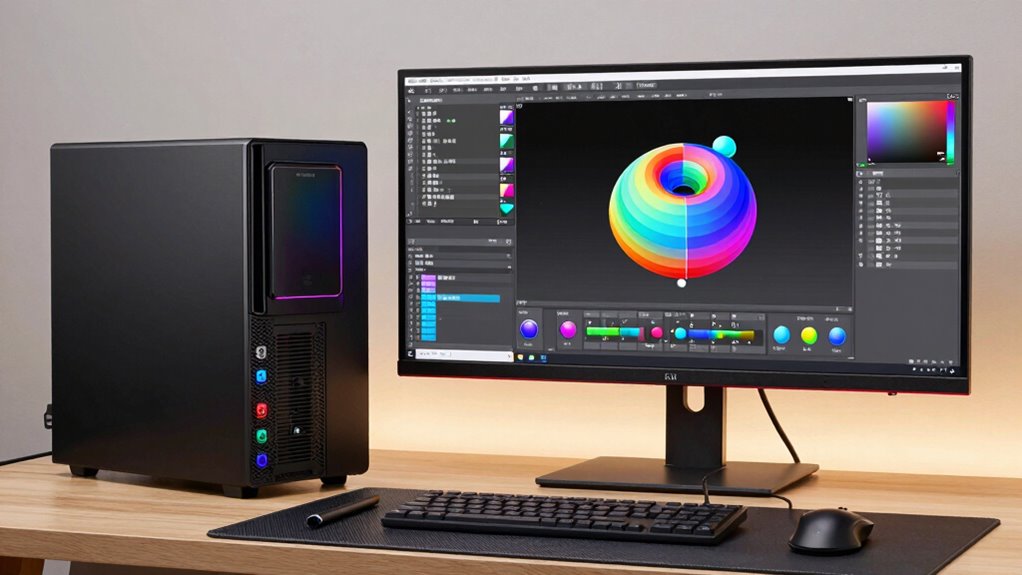

Choosing the right desktop computer for 3D modeling depends on balancing power, reliability, and budget. The Dell Tower Desktop with Intel Core Ultra 7 and NVIDIA GeForce RTX 5060 stands out as the best overall for its strong GPU and CPU combo. For those seeking a more budget-friendly option, the Dell Optiplex 3060 offers solid performance with less investment. Creative professionals will appreciate the Lenovo ThinkStation P2 for its massive RAM and storage capacity. The main tradeoffs involve balancing high-end specs against cost and future-proofing. Keep reading for a detailed comparison to find your perfect match.

Get business pricing on tools and workshop supplies
- Business-only prices and quantity discounts
- Tax-exempt purchasing
- Multiple users, one account, clear invoices
Complete the kit


Key Takeaways
- High-core-count CPUs like Intel Core i9-12900K deliver the best performance for complex 3D rendering.
- A dedicated GPU such as NVIDIA RTX 5060 significantly accelerates viewport rendering and GPU-accelerated tasks.
- More RAM (at least 32GB) is essential for smooth multitasking and handling large 3D scenes.
- Storage speed, particularly SSDs, impacts load times and project saving; PCIe SSDs are preferable.
- Build quality and future upgradeability remain critical for long-term use and avoiding early obsolescence.
| Dell Tower Desktop Computer with Intel Core Ultra 7 and NVIDIA GeForce RTX 5060 |  | Best Overall for Power and Versatility | Processor: Intel Core Ultra 7 265F (20-Core, up to 5.3 GHz) | Graphics: NVIDIA GeForce RTX 5060 8GB GDDR7 | Memory: 32GB DDR5 5600MT/s | VIEW ON AMAZON | See Our Full Breakdown |
| Dell Optiplex 3060 Desktop Computer with Intel i5-8500, 32GB RAM, 1TB SSD, WiFi, Bluetooth, Windows 11 Pro |  | Best Value for Balanced Performance | Processor: Intel i5-8500 | RAM: 32GB DDR4 | Storage: 1TB SSD | VIEW ON AMAZON | See Our Full Breakdown |
| ASUS Business Desktop Computer PC, Intel Core i7-13620H, 32GB DDR5, 1TB SSD, Windows 11 Pro |  | Best for Multitasking and Business-Grade Reliability | Processor: Intel Core i7-13620H, 10 cores | Memory: 32GB DDR5 5600 MT/s | Storage: 1TB PCIe NVMe SSD | VIEW ON AMAZON | See Our Full Breakdown |
| ASUS V500 Business Tower Desktop Computer with Intel Core i7-13620H, 16GB DDR5, 512GB SSD, Windows 11 |  | Best for Entry-Level Creative Work and Office Use | Processor: Intel Core i7-13620H | RAM: 16GB DDR5 | Storage: 512GB SSD | VIEW ON AMAZON | See Our Full Breakdown |
| Dell Tower Desktop Computer with Intel Ultra 7 265F and RTX 5060 |  | Best for Creative Professionals and Gamers | Processor: Intel Core Ultra 7 265F, 20 cores | Graphics Card: NVIDIA GeForce RTX 5060 8GB GDDR7 | RAM: 32GB DDR5 | VIEW ON AMAZON | See Our Full Breakdown |
| Dell OptiPlex 3060 Tower PC with Intel Core i5-8500, 16GB RAM, 1TB SSD, Quadro P620, Windows 11 Pro, WiFi, Bluetooth, Keyboard & Mouse (Renewed) |  | Best Budget-Friendly Entry for Professional 3D Modeling | Processor: Intel Core i5-8500 | RAM: 16GB DDR4 | Storage: 1TB SSD | VIEW ON AMAZON | See Our Full Breakdown |
| Dell Workstation Desktop Computer – Editing/Design, Nvidia Quadro P620 2GB, Intel i7-9700, 32GB RAM, 1TB SSD + 4TB HDD, Windows 11 Pro |  | Best for Demanding Creative Professionals with Large Storage Needs | Processor: Intel i7-9700 | RAM: 32GB DDR4 | Graphics Card: NVIDIA Quadro P620 2GB | VIEW ON AMAZON | See Our Full Breakdown |
| Dell Tower Plus EBT2250 Workstation Desktop (Next-gen XPS) |  | Best for Cutting-Edge Performance and Future-Proofing | Processor: Intel Ultra 7-265 (15th Gen, 2.40GHz, up to 5.3GHz, 20 cores) | Graphics: GeForce RTX 5060 8GB GDDR7 | Memory: 32GB DDR5 | VIEW ON AMAZON | See Our Full Breakdown |
| Dell Desktop Computer with Intel Core i7-14700, 16GB DDR5 RAM, 1TB PCIe SSD |  | Best for Versatile Performance with Enterprise Security | Processor: Intel Core i7-14700, 20-core/28-thread | RAM: 16GB DDR5 | Storage: 1TB PCIe SSD | VIEW ON AMAZON | See Our Full Breakdown |
| Dell Tower Desktop Computer with Intel Core Ultra 7 265F and RTX 5060 Graphics |  | Best Compact Powerhouse for Creative and Professional Use | Processor: Intel Ultra 7 265F (20-Core, 2.4 GHz up to 5.3 GHz) | Graphics Card: NVIDIA GeForce RTX 5060 8GB GDDR7 | Memory: 32GB DDR5 5600MT/s | VIEW ON AMAZON | See Our Full Breakdown |
| Lenovo ThinkStation P2 Gen 2 Workstation Desktop with Intel Core Ultra 7 265K, 128GB DDR5 RAM, 3TB Storage, Windows 11 Pro |  | Best Overall for Heavy-Duty 3D Modeling | Processor: Intel Core Ultra 7 265K, up to 5.5 GHz, 20 cores, 20 threads | RAM: 128GB DDR5 | Storage: 3TB (2TB SSD + 1TB HDD) | VIEW ON AMAZON | See Our Full Breakdown |
| Dell Tower Desktop Computer with NVIDIA RTX 5060, 32GB RAM, 1TB SSD, Windows 11 Pro |  | Best for High-Quality Visuals and Versatility | Processor: Intel Core Ultra 7 265F (20 cores, 2.4GHz, up to 5.3GHz Turbo) | Graphics Card: NVIDIA GeForce RTX 5060 8GB GDDR7 | Memory: 32 GB DDR5 5600MT/s | VIEW ON AMAZON | See Our Full Breakdown |
| Dell Desktop Tower with Intel Core i9-12900K, 32GB DDR5 RAM, 1TB SSD, Dual 4K Monitor Support, Windows 11 Pro |  | Best for Content Creation and Multi-Monitor Productivity | Processor: Intel Core i9-12900K (16 cores, 24 threads) | RAM: 32GB DDR5 | Storage: 1TB PCIe SSD | VIEW ON AMAZON | See Our Full Breakdown |
| desktop computer for 3d modeling | Processor | Storage | Operating System | RAM |
|---|---|---|---|---|
| Dell Tower Desktop Computer wi | Intel Core Ultra 7 265F (20-Core, up to 5.3 GHz) | 1TB SSD | Windows 11 Pro | — |
| Dell Optiplex 3060 Desktop Com | Intel i5-8500 | 1TB SSD | Windows 11 Pro | 32GB DDR4 |
| ASUS Business Desktop Computer | Intel Core i7-13620H, 10 cores | 1TB PCIe NVMe SSD | Windows 11 Pro | — |
| ASUS V500 Business Tower Deskt | Intel Core i7-13620H | 512GB SSD | Windows 11 | 16GB DDR5 |
| Dell Tower Desktop Computer wi | Intel Core Ultra 7 265F, 20 cores | 1TB PCIe NVMe SSD | Windows 11 Pro | 32GB DDR5 |
| Dell OptiPlex 3060 Tower PC wi | Intel Core i5-8500 | 1TB SSD | Windows 11 Pro | 16GB DDR4 |
| Dell Workstation Desktop Compu | Intel i7-9700 | — | Windows 11 Pro | 32GB DDR4 |
| Dell Tower Plus EBT2250 Workst | Intel Ultra 7-265 (15th Gen, 2.40GHz, up to 5.3GHz, 20 cores) | 1TB PCIe NVMe SSD | — | — |
| Dell Desktop Computer with Int | Intel Core i7-14700, 20-core/28-thread | 1TB PCIe SSD | Windows 11 Pro | 16GB DDR5 |
| Dell Tower Desktop Computer wi | Intel Ultra 7 265F (20-Core, 2.4 GHz up to 5.3 GHz) | 1TB SSD | — | — |
| Lenovo ThinkStation P2 Gen 2 W | Intel Core Ultra 7 265K, up to 5.5 GHz, 20 cores, 20 threads | 3TB (2TB SSD + 1TB HDD) | Windows 11 Pro | 128GB DDR5 |
| Dell Tower Desktop Computer wi | Intel Core Ultra 7 265F (20 cores, 2.4GHz, up to 5.3GHz Turbo) | 1TB PCIe NVMe SSD | Windows 11 Pro | — |
| Dell Desktop Tower with Intel | Intel Core i9-12900K (16 cores, 24 threads) | 1TB PCIe SSD | — | 32GB DDR5 |
More Details on Our Top Picks
Dell Tower Desktop Computer with Intel Core Ultra 7 and NVIDIA GeForce RTX 5060
This Dell tower stands out for its exceptionally powerful 20-core Intel Core Ultra 7 processor and dedicated NVIDIA GeForce RTX 5060 graphics, making it ideal for demanding 3D modeling, multitasking, and content creation. Compared to the ASUS i7 system, it offers significantly more CPU cores and a superior GPU, which translates into smoother rendering and faster workflow. However, its high-performance components generate more heat, and upgrade options are not clearly outlined, potentially limiting future flexibility. Its compact design fits well in most workspaces, and fast Wi-Fi 6 with Bluetooth 5.4 ensures reliable connectivity. This setup is perfect for professionals who need robust hardware now, without sacrificing space.
Pros:- Exceptional 20-core Intel Core Ultra 7 processor for intensive tasks
- Dedicated NVIDIA GeForce RTX 5060 GPU supports demanding 3D rendering
- Fast 1TB SSD ensures quick load times and system responsiveness
- Compact design fits into most workspaces
Cons:- High-performance hardware may produce significant heat and noise
- Limited information on upgradeability could restrict future enhancements
Best for: Power users engaged in complex 3D modeling, rendering, or multi-application workflows that demand top-tier CPU and GPU performance
Not ideal for: Casual hobbyists or users with limited space who don’t require high-end components or graphics capability
- Processor:Intel Core Ultra 7 265F (20-Core, up to 5.3 GHz)
- Graphics:NVIDIA GeForce RTX 5060 8GB GDDR7
- Memory:32GB DDR5 5600MT/s
- Storage:1TB SSD
- Operating System:Windows 11 Pro
- Dimensions:11.54″ L x 6.06″ W x 12.77″ H
Our verdict“This desktop suits professionals needing maximum processing power and graphics performance in a compact form factor.”
Dell Optiplex 3060 Desktop Computer with Intel i5-8500, 32GB RAM, 1TB SSD, WiFi, Bluetooth, Windows 11 Pro
This refurbished Dell Optiplex 3060 offers a solid combination of performance and affordability, featuring an Intel i5-8500 processor paired with 32GB of DDR4 RAM and a 1TB SSD, making it capable of handling intermediate 3D modeling tasks without breaking the bank. While it lacks a dedicated GPU—unlike the ASUS i7 system—it provides enough power for modeling, editing, and light rendering, especially for those on a budget. The inclusion of WiFi and Bluetooth adds convenience, but as a refurbished model, its long-term reliability depends on the prior condition. Compared to the more powerful ASUS or Dell workstations, it’s less suited for very intensive rendering or large scene management, but it offers excellent value for entry-level to mid-range workloads.
Pros:- Affordable refurbished price with quality support
- Ample 32GB RAM and fast SSD for smooth multitasking
- Wireless connectivity with WiFi and Bluetooth
- Compact and space-efficient design
Cons:- No dedicated graphics card limits performance in graphics-intensive tasks
- Refurbished condition may affect long-term reliability
Best for: Budget-conscious 3D artists and students who need reliable hardware for moderate modeling and rendering
Not ideal for: High-end professionals requiring dedicated GPUs and maximum multitasking capacity
- Processor:Intel i5-8500
- RAM:32GB DDR4
- Storage:1TB SSD
- Wireless:WiFi
- Bluetooth:Yes
- Operating System:Windows 11 Pro
Our verdict“This system is well-suited for learners and hobbyists who need decent performance at a lower cost, but it falls short for demanding professional work.”
ASUS Business Desktop Computer PC, Intel Core i7-13620H, 32GB DDR5, 1TB SSD, Windows 11 Pro
This ASUS desktop is optimized for multitasking and professional workflows, featuring a high-performance 13th Gen Intel Core i7-13620H with 10 cores and fast DDR5 RAM. Its 1TB SSD enables quick loading and file access, similar to the Dell models but with a slight edge in CPU speed and memory speed. Unlike the Dell systems, it supports multiple display outputs via DisplayPort and HDMI, making it a good choice for artists managing complex scenes across dual monitors. However, it relies on integrated graphics, which limits its 3D rendering capabilities compared to the dedicated GPU options. It’s best suited for office-based 3D tasks or light creative work, where reliability and speed are priorities, but not for GPU-heavy rendering or gaming.
Pros:- Fast 13th Gen Intel Core i7 CPU with high multitasking capacity
- Supports multiple displays with extensive connectivity options
- Fast DDR5 RAM and NVMe SSD for quick responsiveness
- Pre-installed with Windows 11 Pro for security and productivity
Cons:- Lacks dedicated GPU, limiting 3D rendering performance
- Expandable memory and storage may involve additional costs
Best for: Business professionals or students performing multitasking and moderate 3D modeling without intense rendering demands
Not ideal for: Power users needing dedicated graphics for rendering or gaming-level performance
- Processor:Intel Core i7-13620H, 10 cores
- Memory:32GB DDR5 5600 MT/s
- Storage:1TB PCIe NVMe SSD
- Display Support:Dual display via HDMI and DisplayPort
- Connectivity:Wi-Fi 6, Bluetooth
- Operating System:Windows 11 Pro
Our verdict“Ideal for professional environments where multitasking and reliable performance matter more than high-end graphics capabilities.”
ASUS V500 Business Tower Desktop Computer with Intel Core i7-13620H, 16GB DDR5, 512GB SSD, Windows 11
The ASUS V500 offers a balanced mix of performance and affordability, equipped with a 10-core Intel Core i7-13620H processor and 16GB DDR5 RAM, suitable for lighter 3D modeling and everyday productivity. Its 512GB SSD supports quick startup, though it may fill rapidly with large models. While it provides essential connectivity, including HDMI, DisplayPort, Wi-Fi 6, and Bluetooth 5.4, it doesn’t specify a dedicated graphics card, which limits its ability for rendering complex scenes compared to the more powerful Dell or ASUS systems. This makes it a good choice for students or small studios focusing on modeling and basic visualization, but not for high-res rendering or gaming.
Pros:- Decent 10-core CPU with fast multi-threading
- Includes Wi-Fi 6 and Bluetooth 5.4 for connectivity
- Compact tower design suitable for small spaces
- Pre-installed Windows 11 for ease of use
Cons:- Limited to integrated graphics, restricting rendering performance
- 512GB SSD may be insufficient for large project files without additional storage
Best for: Aspiring artists or small design teams needing reliable hardware for modeling and visualization with modest rendering needs
Not ideal for: High-end professionals or gamers requiring dedicated GPU horsepower for rendering or intensive graphics work
- Processor:Intel Core i7-13620H
- RAM:16GB DDR5
- Storage:512GB SSD
- Connectivity:Wi-Fi 6, Bluetooth 5.4
- Operating System:Windows 11
Our verdict“A practical choice for those starting out or working on moderate 3D models, but not for highly detailed rendering tasks.”
Dell Tower Desktop Computer with Intel Ultra 7 265F and RTX 5060
This Dell tower combines a 20-core Intel Ultra 7 265F processor with NVIDIA GeForce RTX 5060 graphics, making it the most capable in this lineup for rendering, gaming, and complex 3D modeling. Its 32GB DDR5 RAM and 1TB NVMe SSD deliver fast performance and smooth multitasking, especially when working with large files or detailed scenes. Unlike the other options, it emphasizes high-end graphics, which makes it ideal for GPU-accelerated tasks like real-time rendering and visualizations. However, it lacks specific details about upgrade options, and the premium specs come with a higher price tag. This desktop is a top pick for professionals who need maximum performance and plan to push the limits of their 3D work or gaming.
Pros:- Powerful 20-core Intel Ultra 7 processor for demanding tasks
- Dedicated RTX 5060 GPU supports real-time rendering and gaming
- Fast 32GB DDR5 RAM and 1TB NVMe SSD for high-speed workflows
- Versatile connectivity options including HDMI and DisplayPort
Cons:- No explicit upgrade pathways provided
- Higher cost may be prohibitive for some users
Best for: Creative professionals and serious gamers demanding top-tier CPU, GPU, and storage performance for 3D rendering and complex visualizations
Not ideal for: Casual users or those on a tight budget who won’t utilize high-end graphics or processing power
- Processor:Intel Core Ultra 7 265F, 20 cores
- Graphics Card:NVIDIA GeForce RTX 5060 8GB GDDR7
- RAM:32GB DDR5
- Storage:1TB PCIe NVMe SSD
- Operating System:Windows 11 Pro
- Ports:HDMI 2.1, DisplayPort 1.4a, USB-C
Our verdict“This desktop delivers maximum performance for professionals working on GPU-intensive projects or high-end gaming scenarios.”
Dell OptiPlex 3060 Tower PC with Intel Core i5-8500, 16GB RAM, 1TB SSD, Quadro P620, Windows 11 Pro, WiFi, Bluetooth, Keyboard & Mouse (Renewed)
The Dell OptiPlex 3060 Tower stands out for delivering reliable performance at a lower cost, especially compared to the Dell Workstation Desktop with i7-9700, which offers more RAM and storage but at a higher price. Its Intel Core i5-8500 and 16GB RAM provide enough power for most mid-level 3D modeling tasks, while the Quadro P620 GPU offers professional-grade graphics without the premium cost of high-end cards. However, being a renewed product, it may have limited warranty and uncertain condition, and its overkill for casual hobbyists. This makes it ideal for budget-conscious professionals who need a dependable workstation without the latest specs. Pros: Affordable, reliable professional GPU, ample SSD storage, pre-installed Windows 11 Pro, wireless connectivity. Cons: Renewed product may have limited support, potentially more power than needed for simple modeling.
Verdict: This pick suits budget-minded users who want a solid 3D modeling machine for professional use without high-end gaming or rendering needs.Pros:- Affordable professional-grade GPU
- Fast SSD for quick data access
- Pre-installed Windows 11 Pro with wireless connectivity
Cons:- Renewed product may have limited warranty
- May be overpowered for very simple tasks
Best for: Budget-conscious professionals needing reliable 3D modeling performance
Not ideal for: Power users requiring high-end rendering or extensive expandability
- Processor:Intel Core i5-8500
- RAM:16GB DDR4
- Storage:1TB SSD
- Graphics:NVIDIA Quadro P620 2GB
- Operating System:Windows 11 Pro
- Connectivity:WiFi, Bluetooth
- Included Accessories:Keyboard, Mouse
Our verdict“This system is best for users seeking a cost-effective yet capable workstation for moderate 3D modeling tasks.”
Dell Workstation Desktop Computer – Editing/Design, Nvidia Quadro P620 2GB, Intel i7-9700, 32GB RAM, 1TB SSD + 4TB HDD, Windows 11 Pro
This Dell Workstation Desktop is tailored for serious creators, boasting an Intel i7-9700 and 32GB RAM, which outperform the Dell OptiPlex 3060 in multitasking and rendering speeds. Its dual storage setup—fast 1TB SSD plus a massive 4TB HDD—supports complex projects and large files without bottlenecks. The NVIDIA Quadro P620 GPU enhances professional workflows but falls short for high-end rendering or gaming. Compared with more modern systems like the Dell Tower Plus EBT2250 with newer CPUs, this desktop offers solid performance but might feel dated in raw processing power. This makes it ideal for users prioritizing extensive storage and stable performance over the latest tech. Pros: High RAM capacity, large storage options, professional GPU, multiple connectivity ports. Cons: Bulkier design, limited support for gaming or high-end rendering, potential for higher energy use.
Verdict: Best suited for professionals who need reliable, high-capacity workflows with detailed project storage.Pros:- High RAM for demanding multitasking
- Large storage capacity for project files
- Professional-grade GPU for design workflows
Cons:- Bulkier form factor
- Less suitable for high-end gaming or rendering
Best for: Creative professionals requiring large storage and multitasking capacity for detailed projects
Not ideal for: Gamers or users needing high-end rendering capabilities beyond Quadro P620
- Processor:Intel i7-9700
- RAM:32GB DDR4
- Graphics Card:NVIDIA Quadro P620 2GB
- Primary Storage:1TB SSD
- Additional Storage:4TB HDD
- Operating System:Windows 11 Pro
Our verdict“This desktop offers a balanced mix of power and storage for demanding creative workflows in a professional setting.”
Dell Tower Plus EBT2250 Workstation Desktop (Next-gen XPS)
The Dell Tower Plus EBT2250 excels with a 15th Gen Intel Ultra 7-265 processor and RTX 5060 graphics, making it a strong choice for high-end 3D modeling and gaming alike. Its 32GB DDR5 RAM and 1TB PCIe NVMe SSD deliver lightning-fast performance, surpassing older systems like the OptiPlex 3060 or Workstation in raw processing speed. The inclusion of Thunderbolt 4, Wi-Fi 6, and numerous ports offers extensive connectivity, but the absence of upgradeability details could be a concern for future expansion. It’s a premium machine suited for users who want top-tier specs today and plan to keep it for years. The high power draw—due to a 460W PSU—might be unnecessary for less demanding workloads. Pros: Latest generation CPU, advanced RTX graphics, fast DDR5 RAM, multiple high-speed ports. Cons: Potentially high power consumption, limited mention of upgrade options.
Verdict: Perfect for professionals seeking a future-proof, high-performance workstation with the latest tech features.Pros:- Latest generation CPU with high core count
- Advanced RTX 5060 GPU
- Fast DDR5 RAM and NVMe storage
- Versatile connectivity options
Cons:- High power consumption
- Limited info on upgrade paths
Best for: Power users who want the latest tech for demanding 3D modeling and future expandability
Not ideal for: Those with limited budgets or minimal upgrade plans, due to high power use and cost
- Processor:Intel Ultra 7-265 (15th Gen, 2.40GHz, up to 5.3GHz, 20 cores)
- Graphics:GeForce RTX 5060 8GB GDDR7
- Memory:32GB DDR5
- Storage:1TB PCIe NVMe SSD
- Power Supply:460W
- Connectivity:Wi-Fi 6, Bluetooth 5.4, Thunderbolt 4
Our verdict“This system is ideal for users demanding cutting-edge specs and long-term performance in 3D workflows.”
Dell Desktop Computer with Intel Core i7-14700, 16GB DDR5 RAM, 1TB PCIe SSD
The Dell i7-14700 desktop offers robust performance with a 20-core processor and DDR5 RAM, excelling in multitasking and large dataset handling, outperforming older models like the OptiPlex 3060. Its dual 4K monitor support and enterprise security features make it suitable for professional environments. While it lacks built-in Wi-Fi, its comprehensive port selection and security support make it a reliable choice for remote work and complex projects. However, the absence of an optical drive and limited ports for peripherals may require additional adapters. Compared to more GPU-focused systems, this desktop emphasizes processing power and security over graphics performance, making it less ideal for GPU-intensive rendering. Pros: Extremely capable CPU, supports dual 4K displays, enterprise security features, fast PCIe SSD. Cons: No Wi-Fi built-in, limited peripheral ports, no optical drive.
Verdict: Best for professionals needing reliable, secure multitasking with high processor demands and dual monitor setup.Pros:- High-performance multi-core processor
- Supports dual 4K displays
- Enterprise-grade security features
Cons:- No built-in Wi-Fi
- Limited peripheral ports
- No optical drive included
Best for: Business professionals requiring secure multitasking and dual 4K display support
Not ideal for: Gamers or high-end rendering users needing advanced GPU capabilities
- Processor:Intel Core i7-14700, 20-core/28-thread
- RAM:16GB DDR5
- Storage:1TB PCIe SSD
- Display Support:Dual 4K monitors
- Ports:Multiple USB, HDMI, DisplayPort
- Operating System:Windows 11 Pro
Our verdict“This desktop is well-suited for demanding multitasking environments where security and dual display support are priorities.”
Dell Tower Desktop Computer with Intel Core Ultra 7 265F and RTX 5060 Graphics
The Dell Ultra 7 265F with RTX 5060 graphics packs impressive power into a compact form factor, making it highly suitable for users who need high performance without occupying much space. Its 20-core Intel Ultra 7 processor and 32GB DDR5 RAM outperform many traditional setups in multitasking and rendering, surpassing older models like the OptiPlex 3060. Its connectivity options, including Wi-Fi 6 and Bluetooth 5.4, make it flexible for both office and creative environments. However, the limited ports and lack of upgrade information might be a concern for those planning future expansions. The absence of an optical drive could be a drawback for users needing physical media access. This machine appeals most to professionals who value a small footprint with high-end performance. Pros: Compact design, powerful multi-core CPU, RTX 5060 graphics, fast DDR5 RAM. Cons: Limited ports, no detailed upgradeability info, no optical drive.
Verdict: Ideal for space-constrained users who require serious processing and graphics power for creative work.Pros:- Small, space-saving design
- High-core-count CPU
- Advanced RTX graphics
- Fast DDR5 RAM
Cons:- Limited ports
- No upgrade details
- No optical drive
Best for: Creative professionals needing high power in a compact footprint with advanced graphics
Not ideal for: Users who require extensive ports or future upgrade flexibility
- Processor:Intel Ultra 7 265F (20-Core, 2.4 GHz up to 5.3 GHz)
- Graphics Card:NVIDIA GeForce RTX 5060 8GB GDDR7
- Memory:32GB DDR5 5600MT/s
- Storage:1TB SSD
- Connectivity:Wi-Fi 6, Bluetooth 5.4
- Dimensions:11.54″ L x 6.06″ W x 12.77″ H
Our verdict“This desktop offers a rare combination of compact size and high-end performance, perfect for demanding creative workflows in tight spaces.”
Lenovo ThinkStation P2 Gen 2 Workstation Desktop with Intel Core Ultra 7 265K, 128GB DDR5 RAM, 3TB Storage, Windows 11 Pro
The Lenovo ThinkStation P2 Gen 2 stands out for its exceptional processing power and expandability, making it ideal for complex 3D modeling tasks that demand high multi-core performance. Its Intel Core Ultra 7 265K processor with 20 cores ensures smooth handling of large scenes and rendering workloads, outperforming less robust options like the Dell i9-12900K in multi-threaded scenarios. The whopping 128GB DDR5 RAM offers ample headroom for large datasets and virtualization, a significant advantage over typical 32GB setups. The 3TB storage, combining SSD and HDD, provides fast access and large capacity, but this high-end build comes with a steep price point and may be overkill for casual users. Its tool-less design simplifies upgrades, yet the size and weight may pose challenges in compact workspaces.
Pros:- Exceptional multi-core performance with 20 cores and high clock speeds
- Massive 128GB DDR5 RAM supports large datasets and virtualization
- Fast 3TB hybrid storage for quick data access and ample capacity
- Easy tool-less upgrades for future hardware expansion
Cons:- High price may be prohibitive for casual or entry-level users
- Large and heavy chassis limits placement options in small offices
Best for: Professionals engaged in large-scale 3D modeling, rendering, and simulation who need maximum performance and upgrade flexibility.
Not ideal for: Hobbyists or students with modest projects, as the cost and size make it less practical for light workloads or limited spaces.
- Processor:Intel Core Ultra 7 265K, up to 5.5 GHz, 20 cores, 20 threads
- RAM:128GB DDR5
- Storage:3TB (2TB SSD + 1TB HDD)
- Operating System:Windows 11 Pro
- Connectivity:Ethernet, WiFi 7, Bluetooth 5
Our verdict“This workstation is best suited for professionals who require top-tier performance and expandability for demanding 3D modeling tasks.”
Dell Tower Desktop Computer with NVIDIA RTX 5060, 32GB RAM, 1TB SSD, Windows 11 Pro
This Dell Tower Desktop offers a compelling balance of power and graphics, making it suitable for those who need strong visual performance alongside robust CPU capabilities. Its Intel Core Ultra 7 265F with 20 cores and 2.4GHz base, turbo up to 5.3GHz, handles multitasking and rendering efficiently, though not quite as high in core count as the Lenovo P2. The NVIDIA GeForce RTX 5060 with 8GB GDDR7 memory gives it an edge in rendering real-time visuals, shading, and GPU-accelerated tasks, outperforming integrated graphics options like the Intel UHD in the Dell i9-12900K-based system. The 32GB DDR5 RAM and 1TB SSD ensure fast data processing and smooth workflow, but the absence of a dedicated high-end GPU like a Quadro limits its use for specialized CAD or rendering software. Its expandable chassis and multiple ports provide flexibility, yet some users might find the port selection limiting compared to larger workstations.
Pros:- Powerful 20-core CPU suitable for demanding applications
- High-performance NVIDIA RTX 5060 GPU enhances rendering and real-time visualization
- Fast 32GB DDR5 RAM and 1TB SSD support smooth multitasking
- Expandable chassis with multiple connectivity options
Cons:- Price and component choices may limit suitability for entry-level budgets
- Limited port variety for extensive peripherals compared to larger workstations
- High-performance hardware can generate significant heat, requiring good cooling
Best for: Creative professionals who need strong graphics performance, multitasking power, and moderate expandability for complex 3D modeling and rendering.
Not ideal for: Extreme workstation users requiring massive RAM or specialized professional GPUs, or those needing ultra-compact setups due to its size.
- Processor:Intel Core Ultra 7 265F (20 cores, 2.4GHz, up to 5.3GHz Turbo)
- Graphics Card:NVIDIA GeForce RTX 5060 8GB GDDR7
- Memory:32 GB DDR5 5600MT/s
- Storage:1TB PCIe NVMe SSD
- Operating System:Windows 11 Pro
Our verdict“This desktop provides excellent graphics and CPU power for professionals who need balanced performance and expandability in a versatile package.”
Dell Desktop Tower with Intel Core i9-12900K, 32GB DDR5 RAM, 1TB SSD, Dual 4K Monitor Support, Windows 11 Pro
The Dell i9-12900K desktop excels in multi-tasking and content creation, especially for users managing multiple high-resolution displays. Its Intel Core i9-12900K with 16 cores and 24 threads offers formidable processing power, ideal for rendering, simulations, and heavy multitasking, though it lacks a dedicated GPU, making it less suitable for GPU-accelerated rendering unless paired with a discrete card. The support for dual 4K monitors enhances productivity, especially for detailed modeling and editing workflows. The 32GB DDR5 RAM and 1TB SSD provide fast access to large files, but its modest graphics capabilities and wired peripherals may limit use in GPU-intensive applications. Its footprint is compact enough for most desks, but the absence of a dedicated GPU could be a drawback for graphics-heavy tasks.
Pros:- High-core-count 12th Gen Intel Core i9 processor for demanding workloads
- Supports dual 4K monitors for expanded workspace
- Fast 32GB DDR5 RAM and 1TB SSD enable quick data handling
- Relatively compact size fits well in most workspaces
Cons:- No dedicated professional graphics card limits GPU-accelerated workflows
- Wired peripherals reduce wireless flexibility
- Graphics performance may be insufficient for some GPU-intensive applications
Best for: Content creators and professionals who require high processing power, multiple monitor support, and a compact, reliable system for multitasking.
Not ideal for: Users engaged in GPU-heavy rendering or gaming, since it lacks a dedicated graphics card, and those with limited desk space who prefer smaller setups.
- Processor:Intel Core i9-12900K (16 cores, 24 threads)
- RAM:32GB DDR5
- Storage:1TB PCIe SSD
- Graphics:Intel UHD Graphics 770
- Supports:Dual 4K monitors
Our verdict“This system is ideal for professionals who prioritize CPU performance and multi-monitor setups over dedicated GPU power for 3D modeling workflows.”

How We Picked
We evaluated each desktop based on core performance metrics such as CPU and GPU power, RAM capacity, and storage speed, all crucial for demanding 3D modeling tasks. Usability features like expandability options and system cooling were also considered, since professional workflows benefit from upgrade paths. Reliability and build quality played a role, along with value for money—balancing high-end specs against price. The final ranking reflects a combination of raw power, future-proofing, and overall usability tailored specifically for 3D artists and designers, with a focus on delivering consistent performance over time.| desktop computer for 3d modeling | Operating System |
|---|---|
| Dell Tower Desktop Computer wi | Windows 11 Pro |
| Dell Optiplex 3060 Desktop Com | Windows 11 Pro |
| ASUS Business Desktop Computer | Windows 11 Pro |
| ASUS V500 Business Tower Deskt | Windows 11 |
| Dell Tower Desktop Computer wi | Windows 11 Pro |
| Dell OptiPlex 3060 Tower PC wi | Windows 11 Pro |
| Dell Workstation Desktop Compu | Windows 11 Pro |
| Dell Tower Plus EBT2250 Workst | — |
| Dell Desktop Computer with Int | Windows 11 Pro |
| Dell Tower Desktop Computer wi | — |
| Lenovo ThinkStation P2 Gen 2 W | Windows 11 Pro |
| Dell Tower Desktop Computer wi | Windows 11 Pro |
| Dell Desktop Tower with Intel | — |
Factors to Consider When Choosing Desktop Computer For 3d Modeling
When selecting a desktop computer for 3D modeling, several key factors influence your experience and investment. Understanding these can help avoid common pitfalls like underpowered hardware or limited upgrade options. A well-balanced system ensures smooth workflows and better productivity, especially as project complexity grows. Here are the main considerations to keep in mind:Performance: CPU and GPU Power
For 3D modeling, a powerful CPU with multiple cores like Intel Core i7 or i9 is vital for rendering and viewport manipulation. Pairing it with a dedicated GPU such as NVIDIA RTX series accelerates rendering and real-time previews. Skimping on these components can lead to frustrating slowdowns, particularly with large scenes or complex textures. Investing in higher-tier CPUs and GPUs pays off in faster, more reliable work sessions, especially if you handle demanding software like Blender, Maya, or 3ds Max.
Memory and Storage
Having at least 32GB of RAM is increasingly essential for handling large projects without lag. More RAM allows for smoother multitasking and working with complex models. When it comes to storage, PCIe SSDs dramatically reduce load and save times compared to traditional HDDs, which is critical in professional environments. Consider systems with expandable RAM and multiple storage bays if future upgrades are anticipated, avoiding the trap of buying a system that quickly becomes obsolete.
Expandability and Upgradability
Choosing a desktop with accessible RAM slots, PCIe slots, and easy CPU upgrades extends the system’s lifespan. Many prebuilt options sacrifice some of this flexibility for a sleeker design, but professionals should prioritize expandability to keep pace with evolving software demands. The ability to add more RAM, upgrade the GPU, or swap out storage drives can be a game-changer for long-term value and performance consistency.
Build Quality and Reliability
Workstations and higher-end desktops often feature better cooling systems and more durable components, reducing the risk of overheating during intensive rendering. A sturdy build minimizes downtime and maintenance costs. While gaming PCs might be tempting, they often lack the reliability features that professionals need for extended, uninterrupted work sessions. Investing in reputable brands with good warranty support can save headaches down the line.
Value and Budget Considerations
While high-end systems deliver unmatched performance, they come at a premium. For hobbyists or those just starting out, mid-tier options with solid specs can suffice. Conversely, professionals should consider the cost of future upgrades and the potential productivity gains from more powerful hardware. Avoid the mistake of choosing a system based solely on initial price; instead, weigh long-term performance and upgrade paths to maximize value.
Frequently Asked Questions
Is a workstation really necessary for 3D modeling?
While high-end gaming PCs can handle many 3D modeling tasks, workstations are designed specifically for professional workloads. They typically offer better reliability, higher RAM capacities, and more extensive upgrade options, which are critical for large, complex projects. If you frequently work with detailed models, large textures, or rendering tasks, investing in a workstation can reduce bottlenecks and improve overall workflow stability.
How much RAM do I need for professional 3D work?
At least 32GB of RAM is recommended for serious 3D modeling and rendering, especially with complex scenes or high-resolution textures. Larger projects benefit from even more, such as 64GB or 128GB, if your motherboard supports it. Insufficient RAM causes slowdowns, crashes, and longer rendering times, so prioritizing memory capacity ensures smoother productivity and future-proofing your workstation.
Should I prioritize GPU or CPU for 3D modeling?
Both are important, but the specific workload determines the focus. For real-time viewport performance and GPU-accelerated rendering, a powerful dedicated GPU like an NVIDIA RTX series makes a significant difference. For CPU-heavy tasks like simulation, complex calculations, or rendering with CPU-based engines, a high-core-count processor is crucial. Ideally, a balanced system with strong CPU and GPU components provides the best overall performance.
Is SSD storage necessary for 3D modeling?
Yes, SSDs—particularly PCIe NVMe types—are essential for reducing load times and speeding up file access. Large projects and assets are quicker to open, save, and process when stored on fast SSDs. Combining SSDs for active projects and HDDs for archival storage offers a cost-effective way to maintain speed without sacrificing capacity. This setup enhances overall workflow efficiency and minimizes waiting times during intensive tasks.
How important is upgradeability in choosing a desktop for 3D work?
Upgradeability plays a key role in extending the lifespan of your system. For professional 3D artists, the ability to add more RAM, upgrade the GPU, or swap storage drives means the machine can keep pace with software updates and increasing project demands. Systems with accessible slots and clear upgrade paths reduce the need for buying a new computer every few years, providing better long-term value and flexibility for evolving workflows.
Conclusion
For general professionals, the Dell Tower Desktop with Intel Core Ultra 7 and NVIDIA GeForce RTX 5060 offers a strong balance of power and upgrade potential, making it the best overall choice. Budget-conscious users who still want reliable performance will find the Dell Optiplex 3060 a solid value. Creative pros needing maximum performance should consider the Lenovo ThinkStation P2 with its massive RAM and storage. Beginners or hobbyists might prefer more affordable prebuilt options, while highly demanding users should look at systems with high-core CPUs and professional-grade GPUs. Each choice depends on your specific workload, budget, and future plans, but understanding these distinctions helps ensure you get a system that truly supports your 3D modeling needs.