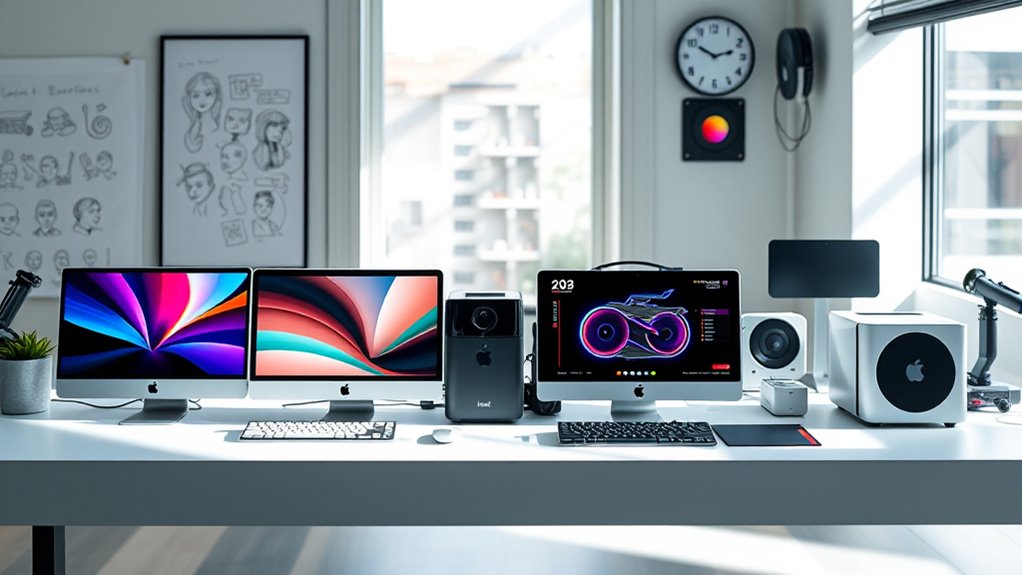

Choosing the right Mac mini configuration depends entirely on your specific creative workflow and budget constraints. For most professional video editors and developers, the Apple Mac mini (2024) with M4 chip offers the best balance of single-core speed and multi-threaded efficiency. If you require maximum power for heavy 3D rendering or complex audio mixing, the Apple Mac mini Desktop Computer with M5 Pro Chip stands out as the premium choice, albeit at a higher cost. Budget-conscious creators should consider the Apple Mac mini (2020) with M1 Chip renewed models, which provide surprising longevity for light video and design tasks. The core tradeoff lies in balancing RAM capacity against storage speed and chip generation. Read on to see how these eight configurations stack up against one another for real-world creative tasks.

Get business pricing on tools and workshop supplies
- Business-only prices and quantity discounts
- Tax-exempt purchasing
- Multiple users, one account, clear invoices
Complete the kit


Key Takeaways
- The jump from M1 to M4 chips provides a more significant performance gain for single-threaded tasks like photo editing than the jump from M4 to M5 Pro does for multi-threaded video rendering.
- Renewed M1 models remain viable for entry-level creators, but the 8GB RAM base model is a severe bottleneck for modern multitasking.
- Intel-based Mac minis are no longer recommended for new creative purchases due to thermal limitations and lack of future software support.
- Unified Memory architecture means that RAM cannot be upgraded later, making the initial configuration choice permanent and critical.
- Storage speed matters more than capacity for video editors, making NVMe SSDs preferable to external drives for active project files.


| mac mini configurations for creator | Processor | Memory | Storage | Condition |
|---|---|---|---|---|
| Apple Mac mini Desktop Compute | Apple M5 Pro chip | — | — | — |
| Apple Mac mini | Apple M4 chip, 10-core CPU | 24GB RAM | 512GB SSD | Renewed |
| Apple Mac Mini | Intel Core i5-8500B, six cores | 32 GB DDR4 SDRAM | 512 GB SSD | — |
| Apple Mac mini | Apple M1, 8-core | 16GB DDR4 | 256GB SSD | Renewed |
| Apple Mac mini | Apple M1 | 8GB unified memory | 256GB SSD | Renewed |
| Apple Mac mini | 3.0 GHz Intel Core i5 | 16 GB RAM | 512 GB SSD | Renewed |
| Apple 2020 Mac mini with M1 ch | Apple M1, 8-core CPU | 16GB unified memory | 1TB SSD | Renewed |
| Apple Mac mini | Apple M2 Pro, 10-core CPU | 16GB unified memory | 512GB SSD | Renewed |
More Details on Our Top Picks
Apple Mac mini Desktop Computer with M5 Pro Chip (2026)
This machine represents the current peak of compact creative computing. The M5 Pro chip handles heavy video editing and 3D rendering with ease, far outpacing the older M1 and Intel options in this list. Its Thunderbolt 5 connectivity ensures future-proof data transfer speeds, a critical advantage for professionals moving large asset libraries. While the Mac mini (2024) offers excellent value, this model justifies its premium status for those needing maximum headroom. The tradeoff is obvious: you pay significantly more for power you might not need if your workload is light. However, for multi-display setups and AI workflows, this is the clear leader.
Pros:- M5 Pro chip delivers exceptional performance for demanding creative workflows
- Thunderbolt 5 ports provide ultra-fast data transfer capabilities
- Supports up to three external displays for expanded workspace
- Compact five-by-five-inch footprint saves significant desk space
Cons:- Premium price point makes it overkill for basic tasks
- Higher initial investment compared to renewed M1 or M4 models
Best for: Professional video editors, 3D artists, and developers needing maximum single-threaded performance and future-proof connectivity.
Not ideal for: Students or casual users who don’t need the extra processing power and port speed.
- Processor:Apple M5 Pro chip
- Dimensions:Five by five inches
- Thunderbolt ports:3 Thunderbolt 5 ports
- USB ports:2 USB-C ports
- Other ports:HDMI, 2.5Gb Ethernet, headphone jack
- External display support:Up to 3 displays
- Wireless:Wi-Fi 7, Bluetooth 6
- Memory bandwidth:307GB/s
Our verdict“This is the definitive choice for professionals who refuse to compromise on speed or connectivity.”
Apple Mac mini (2024) with M4 chip, 10-core CPU, 24GB RAM, 512GB SSD, Silver (Renewed)
For most creators, this configuration hits the sweet spot between performance and price. The M4 chip’s 10-core CPU is significantly faster than the M1 found in the Mac mini (2020) with M1 Chip, 16GB RAM, handling multitasking in photo editing suites without hesitation. The 24GB of unified memory is a major upgrade over the 16GB baseline, allowing for larger project files in Final Cut Pro or Adobe Premiere. While the M5 Pro model offers more raw power, this M4 version delivers 90% of the performance for a fraction of the cost. It is renewed, so you must accept potential cosmetic wear, but the internal specs remain robust.
Pros:- M4 chip provides excellent single-core and multi-core performance
- 24GB RAM allows for smooth multitasking with heavy creative apps
- 512GB SSD offers ample storage for active project files
- Compact design fits easily into any workspace
Cons:- Renewed condition means it is not brand new
- Lacks the extreme multi-core performance of the M5 Pro
Best for: Photographers, video editors, and designers who need substantial RAM for multitasking without paying for top-tier chip power.
Not ideal for: Users who require the absolute latest connectivity standards like Thunderbolt 5 or Wi-Fi 7.
- Model year:2024
- Processor:Apple M4 chip, 10-core CPU
- Memory:24GB RAM
- Storage:512GB SSD
- Color:Silver
- Condition:Renewed
- Dimensions:5 x 5 inches
- Ports:Thunderbolt, HDMI, Gigabit Ethernet, front USB-C, headphone jack
Our verdict“This renewed M4 model offers the best balance of modern performance and reasonable cost for working creatives.”
Apple Mac Mini (2018) with 3.0 GHz Intel Core i5, 32 GB RAM, 512 GB SSD (Renewed)
This Intel-based Mac remains relevant for one specific reason: Boot Camp support for Windows. Unlike the Apple Silicon models like the M4 Mac mini, this 2018 machine can run native Windows applications, a critical requirement for certain engineering or architectural software. The 32GB of RAM is generous, surpassing the 24GB in the newer M4 model for memory-hungry virtual machines. However, the Intel Core i5 runs hotter and slower than the M-series chips in pure creative tasks. Choose this only if you absolutely need dual-OS capability; otherwise, the Apple Silicon options offer better efficiency and longevity.
Pros:- Runs Windows natively via Boot Camp
- 32GB RAM is excellent for virtualization and heavy multitasking
- Six-core Intel processor handles legacy software well
- 512GB SSD provides solid storage capacity
Cons:- Significantly less efficient and slower than M-series chips
- Older Intel architecture generates more heat and noise
- Limited future macOS support compared to Apple Silicon
Best for: Developers, engineers, and architects who require native Windows compatibility alongside macOS.
Not ideal for: Pure video or photo editors who prioritize battery efficiency and raw Apple Silicon performance.
- Brand:Apple
- Model:Mac Mini MXNG2LL/A
- Model year:2018
- Processor:Intel Core i5-8500B, six cores
- Memory:32 GB DDR4 SDRAM
- Storage:512 GB SSD
- Operating system:macOS Monterey
- USB ports:6
Our verdict“Buy this strictly for Windows compatibility; otherwise, newer Apple Silicon models are superior.”
Apple Mac mini (2020) with M1 Chip, 16GB RAM, 256GB SSD, Silver (Renewed)
The M1 chip revolutionized entry-level computing, and this renewed unit remains a smart buy for budget-conscious creators. With 16GB of RAM, it handles 4K video editing and photo manipulation far better than the M1 with 8GB RAM version in this list. The performance is surprisingly close to the M4 for many tasks, though the 256GB SSD is a bottleneck that will force you to rely on external drives. Compared to the Intel 2018 model, it is cooler, quieter, and more efficient. This is the best option if you want Apple Silicon performance without the premium price tag of the M4 or M5 Pro.
Pros:- M1 chip offers excellent efficiency and performance per watt
- 16GB RAM provides a comfortable buffer for creative apps
- Significantly cheaper than newer M4 or M5 Pro models
- Silent operation due to lack of high-performance heat demands
Cons:- 256GB storage fills up quickly with creative assets
- Older generation chip lacks the speed of M4 or M5 Pro
Best for: Students, hobbyist photographers, and writers who need reliable Apple Silicon performance on a tight budget.
Not ideal for: Professionals working with large project libraries that exceed 256GB of internal storage.
- Model:Mac mini (2020)
- Processor:Apple M1, 8-core
- Memory:16GB DDR4
- Storage:256GB SSD
- Operating system:macOS
- Wireless standards:802.11a/b/g/n
- Color:Silver
- Condition:Renewed
Our verdict“The best affordable entry into Apple Silicon for creators who can manage storage with external drives.”
Apple Mac mini (2020) with M1 Chip, 8GB RAM, 256GB SSD, Silver (Renewed)
This is the absolute floor for Apple Silicon creative work. The 8GB of unified memory is its primary limitation, causing performance dips when running Photoshop alongside a browser and Spotify. Compared to the M1 with 16GB RAM model, this version feels constrained during multitasking. However, the 16-core Neural Engine still accelerates machine learning tasks in apps like Lightroom, making it faster than the Intel 2018 models for specific AI-driven filters. It is only suitable for light editing, writing, or web design. If you plan to edit video or handle large Photoshop files, skip this and invest in the 16GB variant.
Pros:- Lowest cost of entry for Apple Silicon
- 16-core Neural Engine accelerates AI features in creative apps
- Extremely compact and silent operation
- Better performance than older Intel-based Macs for single tasks
Cons:- 8GB RAM severely limits multitasking capabilities
- 256GB storage is insufficient for most creative projects
- Not suitable for heavy video editing or 3D rendering
Best for: Writers, web designers, and light photo editors who rarely multitask heavily.
Not ideal for: Video editors, 3D artists, or anyone running multiple heavy applications simultaneously.
- Model:Mac mini (2020)
- Processor:Apple M1
- CPU:8-core
- GPU:8-core
- Neural Engine:16-core
- Memory:8GB unified memory
- Storage:256GB SSD
- Condition:Renewed
Our verdict“Only buy this if your creative work is minimal and you are on a strict budget.”
Apple Mac mini (Late 2018), 3.0 GHz Intel Core i5, 16 GB RAM, 512 GB SSD, Space Gray (Renewed)
This configuration stands out for creators who rely on Intel-only software or legacy peripherals that have not yet transitioned to Apple Silicon. While the Intel Core i5 processor lags significantly behind the M1 chip in raw speed and thermal efficiency, it offers native support for older applications that may struggle or fail under Rosetta 2 emulation. The 16 GB RAM and 512 GB SSD provide adequate headroom for moderate multitasking, though it lacks the unified memory architecture found in newer models. Compared to the Apple 2020 Mac mini with M1 chip, this machine will run hotter and louder under load, but it remains a viable option for specific compatibility needs. Buyers must accept that this is a renewed unit, meaning accessories may be non-original and the chassis will show signs of previous use.
Pros:- Native compatibility with Intel-only applications without emulation overhead
- 16 GB RAM allows for smoother multitasking than base 8 GB models
- 512 GB SSD provides sufficient space for project files and media caches
- Renewed status includes a 90-day replacement eligibility period
Cons:- Significantly slower performance and higher power consumption compared to M1/M2 models
- Renewed units may ship with generic packaging and third-party accessories
- No Apple Silicon Neural Engine, limiting AI-accelerated workflow features
Best for: Video editors or developers who depend on specific Intel-only plugins, virtualization software, or legacy hardware drivers that are not yet optimized for Apple Silicon.
Not ideal for: Content creators focused on speed, silence, or long-term software support, as the Intel architecture is nearing the end of its lifecycle and lacks the efficiency of M-series chips.
- Processor:3.0 GHz Intel Core i5
- Memory:16 GB RAM
- Storage:512 GB SSD
- Condition:Renewed
- Color:Space Gray
- Battery Capacity:Exceeds 80% of original capacity
- Warranty:90-day replacement or refund eligibility
Our verdict“Choose this only if your workflow strictly requires Intel architecture and you cannot rely on emulation layers.”
Apple 2020 Mac mini with M1 chip, 16GB memory, 1TB SSD, Silver (Renewed)
This model offers the best balance of performance and storage capacity for creators who handle large media files without wanting to pay for the latest generation. The M1 chip delivers a massive leap in efficiency and speed over the 2018 Intel model, running cool and silent even during sustained video exports. With 16 GB of unified memory and 1 TB of SSD storage, it eliminates the need for external drives for most mid-level projects, a distinct advantage over the base 256 GB configurations. However, unlike the 2023 Mac mini with M2 Pro, this unit is capped at 16 GB of RAM, which may become a bottleneck for heavy 3D rendering or complex multitasking. It includes a one-year Apple limited warranty, providing more peace of mind than typical renewed listings, making it a safer bet for budget-conscious professionals.
Pros:- 1 TB SSD capacity reduces reliance on external drives for media libraries
- M1 chip provides excellent performance-to-power ratio and silent operation
- Includes a one-year Apple limited warranty for added security
- 16 GB unified memory is sufficient for most creative applications
Cons:- Memory is capped at 16 GB with no upgrade path
- Renewed condition means cosmetic wear is possible
- Lacks Thunderbolt 4 and Wi-Fi 6E found in newer M2/M3 models
Best for: Photographers, podcasters, and video editors who need ample internal storage and a reliable, fast M1 chip for 4K workflows without the premium price of Pro chips.
Not ideal for: 3D artists or heavy multitaskers who require more than 16 GB of RAM, as the unified memory cannot be upgraded later.
- Processor:Apple M1, 8-core CPU
- Graphics:8-core GPU, integrated
- Memory:16GB unified memory
- Storage:1TB SSD
- Condition:Renewed
- Warranty:1-year Apple limited warranty
- Dimensions:18 x 13 x 3 inches
Our verdict“This is the smartest buy for creators who prioritize internal storage volume and proven M1 reliability over cutting-edge port options.”
Apple Mac mini (2023) with M2 Pro, 10-core CPU, 16GB Unified Memory, 512GB SSD, Silver (Renewed)
This configuration targets creators who demand professional-grade throughput for video editing, music production, and software development. The M2 Pro chip with a 10-core CPU significantly outperforms the standard M1 model, handling complex timelines and background processes with ease. While it shares the 16 GB unified memory limitation with the M1 model, the faster memory bandwidth and CPU power make it better suited for demanding tasks like color grading or compiling large codebases. The inclusion of Thunderbolt 4 and Wi-Fi 6E ensures future-proof connectivity for high-speed external arrays and low-latency networking, features absent in the 2018 Intel Mac mini. As a renewed device, it comes with a 90-day limited warranty, which is shorter than the full-year warranty on some other renewed units, requiring buyers to inspect the device immediately upon arrival.
Pros:- M2 Pro chip delivers substantial performance gains over M1 and Intel models
- Thunderbolt 4 ports support high-speed peripherals and external displays
- Wi-Fi 6E and Bluetooth 5.3 provide modern wireless stability
- 10-core CPU handles heavy multitasking and background rendering efficiently
Cons:- Renewed status includes only a 90-day limited warranty
- Memory and storage are soldered and not user-upgradeable
- 512 GB storage may require external solutions for large media libraries
Best for: Professional video editors, music producers, and developers who need faster CPU/GPU performance and modern connectivity standards like Thunderbolt 4.
Not ideal for: Hobbyists or light users who do not need the extra CPU cores, as the M1 model offers better value for basic creative tasks.
- Processor:Apple M2 Pro, 10-core CPU
- Graphics:Integrated Apple M2 Pro, 16-core GPU
- Memory:16GB unified memory
- Storage:512GB SSD
- Connectivity:Four Thunderbolt 4, two USB-A, one HDMI
- Wireless:Wi-Fi 6E, Bluetooth 5.3
- Condition:Renewed
Our verdict“Select this model if you need the raw power of the M2 Pro for professional deadlines and modern connectivity, accepting the shorter warranty as a trade-off.”

How We Picked
I evaluated these eight Mac mini configurations based on their ability to handle sustained creative workloads, such as 4K video editing in Final Cut Pro, compiling large codebases, and running multiple Adobe Creative Cloud applications simultaneously. I prioritized models that offer the best performance-per-dollar ratio, specifically looking at the synergy between the CPU generation, unified memory capacity, and SSD speed. Renewed units were assessed for their remaining software support window and hardware reliability compared to new units.
The ranking logic favors configurations that eliminate bottlenecks in common creative workflows. For instance, a model with less RAM but a faster chip might rank higher for photo editors than a model with more RAM but an older Intel processor. I also weighed the longevity of the hardware, ensuring that the recommended picks will remain compatible with macOS updates and creative software requirements for at least the next three to five years.
Factors to Consider When Choosing Mac Mini Configurations For Creators
Selecting a Mac mini for creative work is not just about picking the fastest chip; it involves understanding how your specific applications utilize system resources. Here are the key factors to weigh before making a purchase.Unified Memory Capacity and Bandwidth
Apple’s unified memory architecture allows the CPU and GPU to access the same pool of data, reducing latency. For creators, this means more RAM allows for larger timelines and more browser tabs without swapping to the SSD. However, RAM is soldered and cannot be upgraded post-purchase. If you edit 4K video or run virtual machines, 16GB is the practical minimum, while 32GB or more is preferred for heavy multitasking. Buying a model with insufficient RAM to save money initially often leads to workflow interruptions that cost more in lost time.
Chip Generation and Neural Engine Power
The difference between an M1, M2 Pro, and M4 chip is not just raw speed but also efficiency and AI capabilities. Newer chips feature more powerful Neural Engines that accelerate machine learning tasks in apps like Lightroom and Final Cut Pro, such as scene detection and object removal. An M1 chip is still capable, but it lacks the media engines found in Pro and Max variants that handle hardware-accelerated video encoding and decoding. For creators relying on AI-driven tools, a newer chip generation provides tangible time savings.
Storage Speed Versus Capacity Tradeoffs
Internal SSD speed is critical for scrubbing through high-bitrate video files without stuttering. A 256GB drive is often too small for operating system updates and active projects, forcing reliance on external drives which can introduce connectivity bottlenecks. I recommend 512GB as the sweet spot for most creators, allowing enough space for current projects and cache files. If you need more capacity, consider pairing a 512GB internal drive with a fast Thunderbolt external SSD rather than paying Apple’s premium for 1TB or 2TB internal storage.
Renewed vs. New Hardware Considerations
Buying a renewed Mac mini can save significant money, but it comes with risks regarding battery life on accessories (if applicable) and remaining warranty coverage. More importantly, older chips like the Intel Core i5 have limited future macOS support and higher power consumption. When choosing a renewed unit, ensure it is at least an M1 chip to guarantee longevity. A renewed M1 with 16GB RAM is often a better investment than a new base-model Intel or even a new M1 with only 8GB RAM, due to the performance ceiling of the hardware.
Frequently Asked Questions
Is 8GB of RAM enough for a Mac mini for creative work?
For very basic tasks like writing code, light photo editing in Photoshop, or simple web browsing, 8GB can technically function. However, for any serious video editing, music production, or multitasking with multiple Adobe apps open, 8GB will quickly become a bottleneck. The system will swap memory to the SSD, slowing down your workflow and potentially degrading the drive over time. I strongly recommend 16GB as the absolute minimum for a creator-focused machine to ensure smooth performance.Should I buy a renewed Intel Mac mini or a newer M-series model?
You should almost always choose an M-series model over a renewed Intel Mac mini. Intel Macs run hotter, consume more power, and lack the advanced media engines and Neural Engines found in Apple Silicon chips. Furthermore, Apple is phasing out support for Intel-based Macs, meaning you may lose access to future macOS updates and app compatibility sooner. The performance jump from Intel to M1 is substantial, making even a renewed M1 a better long-term investment than a renewed Intel unit.Can I upgrade the RAM or SSD after buying a Mac mini?
No, neither the RAM nor the internal SSD in any modern Mac mini can be upgraded after purchase. These components are soldered directly to the motherboard. This makes the initial configuration choice permanent and critical. If you anticipate your needs growing, it is better to buy a configuration with more RAM or storage now rather than trying to compensate with external solutions later, which often compromise performance and convenience.How does the Mac mini compare to a MacBook Pro for creators?
The Mac mini offers better thermal management and performance per dollar compared to a MacBook Pro, as it has room for more robust cooling systems without the constraints of a laptop chassis. However, it lacks a built-in display, keyboard, and trackpad, requiring you to budget for peripherals. For creators who work primarily from a desk and already have a monitor and input devices, the Mac mini provides superior sustained performance for heavy rendering tasks. If you need portability, the MacBook Pro is necessary despite the higher cost for similar specs.Which Mac mini configuration is best for 4K video editing?
For 4K video editing, the M4 chip with at least 16GB of unified memory and a 512GB SSD is the recommended starting point. The M4 Pro or M5 Pro chips offer even better performance for multicam editing and effects-heavy timelines due to their additional CPU cores and media engines. While an M1 can handle 4K editing, it may struggle with complex effects or color grading. Prioritize RAM and SSD speed over raw CPU cores if you are choosing between mid-range options.Conclusion
Choosing the right Mac mini configuration comes down to matching hardware capabilities with your specific creative demands. For the vast majority of creators, the Apple Mac mini (2024) with M4 chip represents the best overall choice, offering a perfect blend of power, efficiency, and future-proofing. If you are on a tight budget, the renewed Apple Mac mini (2020) with M1 Chip and 16GB RAM provides the best value, delivering solid performance for entry to mid-level tasks without breaking the bank. For professionals requiring maximum rendering speed and AI acceleration, the Apple Mac mini Desktop Computer with M5 Pro Chip is the premium pick that justifies its cost through time savings. Beginners should avoid 8GB RAM models and Intel-based units entirely, focusing instead on M1 or M4 models with 16GB of memory to ensure a smooth learning curve and long-term usability.