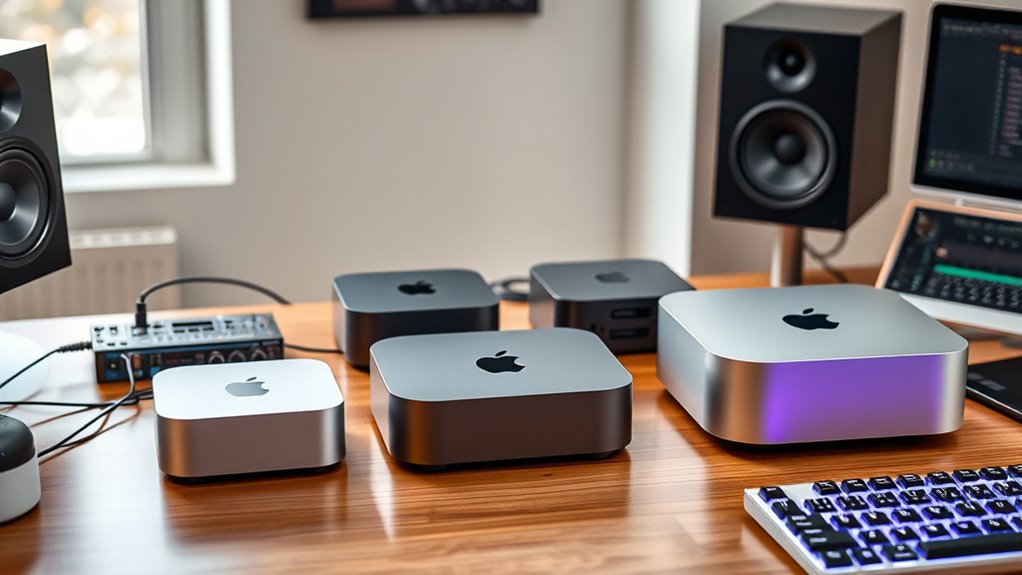

Choosing the right Mac mini for a home studio setup involves balancing processing power, connectivity, and budget. The Apple 2022 Mac Studio with M1 Max offers robust performance for demanding audio and video work, but it’s renewed and may lack some original accessories. The 2024 Mac mini with M4 Pro provides a compact yet powerful option, ideal for those needing space efficiency. For cutting-edge AI workflows and multi-display support, the 2026 Mac mini with M6 chip series stands out, though at a higher price. Each option has tradeoffs in storage, expandability, and cost, so I’ll help clarify which one suits your specific needs.

Get business pricing on tools and workshop supplies
- Business-only prices and quantity discounts
- Tax-exempt purchasing
- Multiple users, one account, clear invoices
Complete the kit


Key Takeaways
- The Apple Mac Studio with M1 Max offers unmatched power but is more expensive and less portable.
- The M4 Pro Mac mini balances performance and size, perfect for space-conscious users with demanding tasks.
- The M6-based Mac mini models excel in AI and multi-display support, ideal for advanced workflows.
- All options vary in storage and upgradeability, making it vital to consider your future needs.
- Price and accessory inclusion are key differences, especially between renewed and new models.
| Apple 2022 Mac Studio with M1 Max Chip, 10-Core CPU, 32GB RAM, 512GB SSD (Renewed) |  | Best for Raw Power and Demanding Tasks | Operating System: macOS High Sierra | Processor: Apple M1 Max Chip, 10-Core CPU | Memory: 32GB RAM | VIEW ON AMAZON | See Our Full Breakdown |
| Apple 2024 Mac mini Desktop Computer with M4 Pro Chip, 24GB Memory, 512GB SSD |  | Best for Compact Power and Versatile Connectivity | Processor: M4 Pro chip, 12-core CPU, 16-core GPU | Memory: 24GB Unified Memory | Storage: 512GB SSD | VIEW ON AMAZON | See Our Full Breakdown |
| Apple 2026 Mac mini Desktop Computer with M6 Chip |  | Best for Future-Proof Performance & AI-Enhanced Workflows | Processor: M6 chip | Memory: Up to 32GB | Storage: Up to 2x faster storage (details pending) | VIEW ON AMAZON | See Our Full Breakdown |
| Apple 2026 Mac mini Desktop Computer with M6 Chip |  | Best for AI Workflows & Multi-Display Power | Processor: M6 chip | Memory: Up to 32GB | Storage: Fast, unspecified capacity | VIEW ON AMAZON | See Our Full Breakdown |
| Apple 2026 Mac mini Desktop Computer with M6 Chip | | Best for High-Performance AI & Multi-Monitor Setups | Processor: M6 chip | Memory: Up to 32GB | Storage: Fast, unspecified capacity | VIEW ON AMAZON | See Our Full Breakdown |
| mac mini for home studio workstation | Processor | Memory | Storage | Ports |
|---|---|---|---|---|
| Apple 2022 Mac Studio with M1 | Apple M1 Max Chip, 10-Core CPU | 32GB RAM | 512GB SSD | — |
| Apple 2024 Mac mini Desktop Co | M4 Pro chip, 12-core CPU, 16-core GPU | 24GB Unified Memory | 512GB SSD | Thunderbolt, HDMI, USB-C, Ethernet |
| Apple 2026 Mac mini Desktop Co | M6 chip | Up to 32GB | Up to 2x faster storage (details pending) | Three Thunderbolt 4, HDMI, Ethernet, USB-C |
| Apple 2026 Mac mini Desktop Co | M6 chip | Up to 32GB | Fast, unspecified capacity | Thunderbolt 4, HDMI, Ethernet, USB-C |
| Apple 2026 Mac mini Desktop Co | M6 chip | Up to 32GB | Fast, unspecified capacity | Thunderbolt 4, HDMI, Ethernet, USB-C |
More Details on Our Top Picks
Apple 2022 Mac Studio with M1 Max Chip, 10-Core CPU, 32GB RAM, 512GB SSD (Renewed)
This renewed Mac Studio stands out for its powerful M1 Max chip with a 10-core CPU, making it ideal for heavy audio processing, mixing, and even video editing in a home studio. Its 32GB of RAM supports multitasking and large projects without lag, while the 512GB SSD ensures quick access to your files. Compared with newer Mac minis, it offers superior raw processing but at the expense of portability and potentially higher noise levels. Accessories may not be original, and it’s a renewed product, so some buyers might prefer a new unit for peace of mind.
Pros:- Robust M1 Max chip with 10-core CPU
- Large 32GB RAM for multitasking
- Fast 512GB SSD storage
- Inspected and tested by professionals
Cons:- Accessories may not be original
- May come in a generic box
- Renewed, not brand new
Best for: Producers and engineers needing maximum processing power for complex projects
Not ideal for: Users seeking a compact, portable solution or those on a tight budget
- Operating System:macOS High Sierra
- Processor:Apple M1 Max Chip, 10-Core CPU
- Memory:32GB RAM
- Storage:512GB SSD
- Graphics:Integrated Graphics, DDR4 SDRAM
- Display Size:24 inches
Our verdict“This option is best suited for those prioritizing processing power over portability and budget constraints.”
Apple 2024 Mac mini Desktop Computer with M4 Pro Chip, 24GB Memory, 512GB SSD
The 2024 Mac mini with the M4 Pro chip delivers impressive performance in a tiny footprint, making it perfect for space-limited home studios. Its 12-core CPU and 16-core GPU ensure smooth handling of demanding audio and video workflows. Multiple ports (Thunderbolt, HDMI, USB-C) simplify connecting audio interfaces, MIDI controllers, and external drives. However, it’s limited to 512GB SSD storage, which might fall short for large sample libraries or multi-track projects. Its premium price reflects its performance and compactness, making it a strong choice for versatile, high-quality studio setups.
Pros:- Compact and space-efficient design
- Powerful M4 Pro chip with 12-core CPU
- Multiple ports including front USB-C
- Seamless Apple ecosystem integration
Cons:- Limited storage options beyond 512GB
- No dedicated GPU (integrated only)
- High price for the features
Best for: Home studio owners needing a balance of power and space efficiency
Not ideal for: Users requiring extensive storage upgrades or dedicated graphics capabilities
- Processor:M4 Pro chip, 12-core CPU, 16-core GPU
- Memory:24GB Unified Memory
- Storage:512GB SSD
- Ports:Thunderbolt, HDMI, USB-C, Ethernet
- Dimensions:5 x 5 x 2 inches
Our verdict“Ideal for space-conscious users who want high performance with versatile connectivity.”
Apple 2026 Mac mini Desktop Computer with M6 Chip
The 2026 Mac mini with the M6 chip introduces advanced AI capabilities and supports up to three external displays, making it ideal for complex, multi-tasking home studio environments. Its fast memory and storage are designed for demanding workflows, with multi-display support that’s invaluable for visual and audio mixing. While specific storage details aren’t provided, it’s positioned as a top-tier choice for users who need cutting-edge performance and expandability, albeit at a higher price point. Its sleek, compact design makes it suitable for modern, clutter-free studios.
Pros:- Powerful M6 chip with AI enhancements
- Supports up to three external displays
- Multiple high-speed ports
- Supports large, demanding projects
Cons:- Specific storage capacities not detailed
- Price may be prohibitive for some
- Requires compatible external displays
Best for: Advanced users and AI-focused workflows needing multi-monitor setups
Not ideal for: Entry-level users or those with limited budgets
- Processor:M6 chip
- Memory:Up to 32GB
- Storage:Up to 2x faster storage (details pending)
- Ports:Three Thunderbolt 4, HDMI, Ethernet, USB-C
- Display Support:Supports up to three external displays
Our verdict“Best suited for professionals and enthusiasts pushing the limits of AI and multi-monitor productivity.”
Apple 2026 Mac mini Desktop Computer with M6 Chip
This M6-powered Mac mini is designed for demanding AI tasks, offering a compact form factor while supporting up to three external displays. Its fast memory and storage speeds are tailored for real-time processing and heavy multitasking. Its multiple Thunderbolt 4 ports and support for high-resolution displays make it highly versatile, especially for creative professionals who need reliable multi-monitor setups. The main tradeoff is its high price and limited internal upgrade options, which may restrict future expandability.
Pros:- Advanced AI capabilities with M6 chip
- Supports up to three external displays
- Multiple high-speed ports
- Fast memory and storage
Cons:- High price point
- Limited internal upgrade options
- Details on storage capacity are not provided
Best for: AI developers and multimedia professionals needing multiple displays
Not ideal for: Budget-conscious users or those needing extensive internal storage upgrades
- Processor:M6 chip
- Memory:Up to 32GB
- Storage:Fast, unspecified capacity
- Ports:Thunderbolt 4, HDMI, Ethernet, USB-C
- Display Support:Up to three external displays
Our verdict“Designed for cutting-edge AI and multi-display environments, best for professionals with demanding workflows.”
Apple 2026 Mac mini Desktop Computer with M6 Chip
This latest M6 model continues to push AI workflows forward, supporting multiple high-resolution displays with a compact footprint. Its fast memory and storage speeds are tailored for intensive tasks like real-time audio processing, multi-threaded editing, and AI workloads. The multiple Thunderbolt 4 ports and support for up to three displays make it extremely versatile in a creative or multimedia home studio. The potential downside is the lack of specific storage details and the high entry cost, which might be a barrier for some users.
Pros:- Powerful M6 chip with AI enhancements
- Supports up to three external displays
- Multiple high-speed ports
- Excellent for demanding multitasking
Cons:- Costly compared to basic models
- Limited info on internal storage options
- Requires external displays for full setup
Best for: Professionals seeking a future-ready, multi-display capable workstation
Not ideal for: Entry-level users or those needing internal storage upgrades
- Processor:M6 chip
- Memory:Up to 32GB
- Storage:Fast, unspecified capacity
- Ports:Thunderbolt 4, HDMI, Ethernet, USB-C
- Display Support:Supports up to three external displays
Our verdict“Best suited for users demanding maximum multitasking and AI performance in a compact form.”

How We Picked
I evaluated these Mac mini options based on their processing power, connectivity for audio interfaces and external gear, size, and expandability—factors essential for a home studio. I compared their CPU and GPU capabilities, port options, RAM, and storage speeds, focusing on how well they support demanding audio production, multi-track recording, and real-time effects. Cost, availability, and practicality for a typical home setup also influenced my choices. Each selection aims to serve different studio sizes, workflows, and budget levels, ensuring a tailored recommendation for varied user priorities.
| mac mini for home studio workstation | Processor | Ports | Display Support |
|---|---|---|---|
| Apple 2022 Mac Studio with M1 | Apple M1 Max Chip, 10-Core CPU | — | — |
| Apple 2024 Mac mini Desktop Co | M4 Pro chip, 12-core CPU, 16-core GPU | Thunderbolt, HDMI, USB-C, Ethernet | — |
| Apple 2026 Mac mini Desktop Co | M6 chip | Three Thunderbolt 4, HDMI, Ethernet, USB-C | Supports up to three external displays |
| Apple 2026 Mac mini Desktop Co | M6 chip | Thunderbolt 4, HDMI, Ethernet, USB-C | Up to three external displays |
| Apple 2026 Mac mini Desktop Co | M6 chip | Thunderbolt 4, HDMI, Ethernet, USB-C | Supports up to three external displays |
Factors to Consider When Choosing Mac Mini For Home Studio Workstations
When selecting a Mac mini for a home studio, consider the balance between processing power, connectivity, size, and future-proofing. Your choice depends on the scale of your projects, the number of external devices, and your budget. The key is to match the hardware capabilities with your workflow demands, whether that’s recording multi-track sessions, mixing, or multimedia editing.
Processing Power and Performance
The CPU and GPU determine how well your Mac mini can handle demanding audio plugins, real-time effects, and multi-track recording. The M1 Max offers high-end performance for complex projects, while the M4 Pro and M6 chips bring a balance of speed and efficiency in smaller packages. Consider your workload intensity to select the right chip for smooth operation without bottlenecks.
Connectivity and Expansion
Multiple Thunderbolt, USB-C, and HDMI ports are essential for connecting audio interfaces, MIDI controllers, external drives, and monitors. The newer M6 models provide more versatile port options, supporting up to three external displays, which can be invaluable in a multi-monitor studio setup. Internal storage capacity is also critical; larger SSDs or external drives might be necessary for large sample libraries.
Size and Space Considerations
Compact models like the M4 Pro and M6 series excel in small spaces, offering high performance without clutter. The Mac Studio, while powerful, is bulkier and less portable. Think about your workspace size and whether a tiny footprint or maximum expandability aligns better with your studio’s layout.
Budget and Futureproofing
Prices vary significantly, with newer M6 models at the premium end but offering longer-term relevance through AI features and multi-display support. Renewed or older models may save money initially but could require upgrades sooner. Balancing current needs with potential future upgrades will help you choose a Mac mini that remains capable as your studio grows.
Frequently Asked Questions
Is the M1 Max Mac Studio still a good choice for home studios?
Absolutely, the M1 Max Mac Studio remains a powerhouse for demanding audio and video tasks, offering exceptional processing and graphics performance. It’s especially suitable for large projects, complex mixing, and multi-track recording. However, it’s less portable and more expensive, so if space or budget is a concern, a newer Mac mini might be more appropriate.
Should I choose a Mac mini with M4 Pro or M6 chip for my home studio?
If you need a compact, cost-effective machine that still handles demanding tasks well, the M4 Pro Mac mini is a solid choice. For future-proofing, AI workflows, and multi-display support, the M6 models offer more power and expandability. Your decision depends on your specific workflow needs and budget constraints.
How much RAM do I need for a home studio setup?
For most home studio applications, 16GB of RAM is the minimum recommended, especially for multitasking and plugin-heavy projects. The 32GB options available on some models ensure smoother performance with large sample libraries and complex sessions. If you work with high-resolution video or extensive virtual instruments, opting for 32GB can provide extra headroom.
Can these Mac minis support multiple external displays?
Yes, the latest M6 Mac mini models support up to three external displays, making them suitable for multi-monitor setups essential in mixing and editing environments. The earlier models and the M4 Pro version support fewer displays, so check the specifications carefully if multiple screens are critical for your workflow.
Are renewed or refurbished Mac minis a reliable choice?
Renewed models like the Mac Studio with M1 Max can be a cost-effective way to access high-end performance, provided they are inspected and tested thoroughly. They may lack some original accessories or come in generic packaging, but if purchased from reputable sources, they generally offer good reliability. For peace of mind, new models carry the full warranty and latest features but at a higher price.
Conclusion
For professional-grade home studios with demanding workflows, the Mac Studio with M1 Max remains a top choice, offering unmatched power. If space efficiency and seamless Apple ecosystem integration are priorities, the M4 Pro Mac mini provides a balanced, compact solution. For those looking toward the future with AI and multi-monitor setups, the M6 series models are well-suited, though at a premium. Budget-conscious users or beginners might lean toward earlier or renewed models, but they should carefully consider future expansion needs. Ultimately, your selection should align with your current project scope and long-term growth plans.