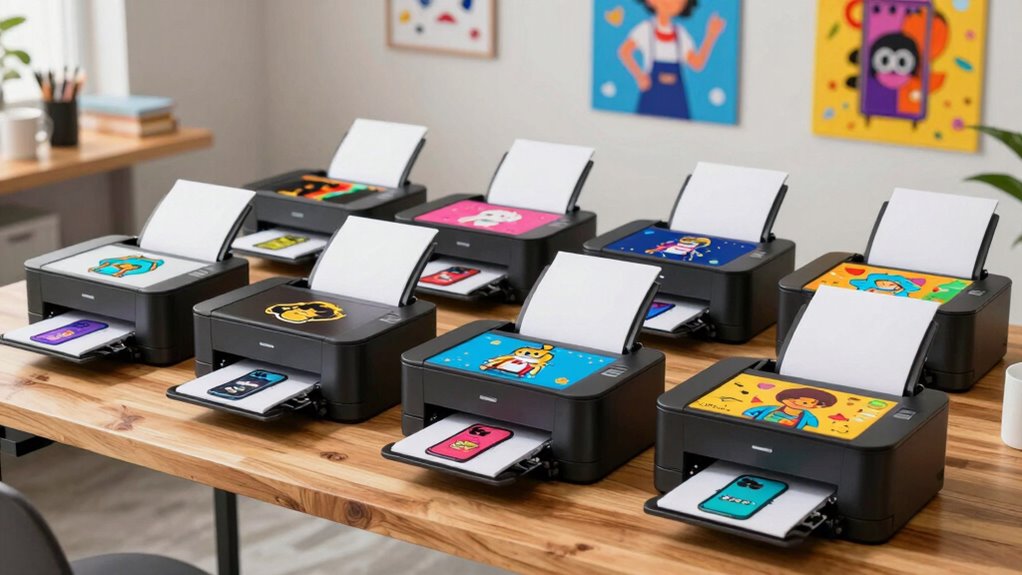

If you’re looking for the top sublimation printers for small businesses in 2026, I can help you find the best options. From high-quality Epson models with PrecisionCore printheads to versatile Brother starter kits, there are plenty of reliable, cost-effective choices. Whether you’re printing custom mugs, shirts, or promotional items, each offers features like excellent media handling and connectivity. Keep going to discover the specific models that match your needs and budget.
Key Takeaways
- Top sublimation printers with high resolution (600 x 1200 dpi) and advanced printhead technologies like PrecisionCore or Micro Piezo for professional-quality results.
- Models offering versatile media handling, including coated media, textiles, ceramics, and larger formats up to 13” x 19”, suitable for small business needs.
- Printers with high-capacity, refillable ink tanks and support for OEM or compatible sublimation inks for cost-efficient production.
- Connectivity options such as Wi-Fi, Ethernet, and USB, with user-friendly interfaces like touchscreens to streamline workflow.
- Designed for small-scale production, easy setup, and reliable performance, making them ideal for hobbyists and small business entrepreneurs.
| Epson SureColor F170 Dye-Sublimation Printer Kit |  | Best Overall | Connectivity: Wi-Fi and USB | Ink System: OEM sublimation ink, auto-stop bottles | Media Support: 150-sheet auto-feed | VIEW LATEST PRICE | See Our Full Breakdown |
| Epson EcoTank ET-4800 Wireless All-in-One Printer |  | Cost-Effective | Connectivity: Wireless and Ethernet | Ink System: Refillable ink tanks, eco-friendly bottles | Media Support: Various paper sizes, large capacity | VIEW LATEST PRICE | See Our Full Breakdown |
| Brother SP-1 Sublimation Printer Starter Kit |  | Beginner Friendly | Connectivity: Wi-Fi and Ethernet | Ink System: CMYK sublimation inks, full set included | Media Support: Up to 8.5×11″, various sizes | VIEW LATEST PRICE | See Our Full Breakdown |
| Epson EcoTank ET-15000 Wireless Color All-in-One Printer |  | High-Volume Capable | Connectivity: Wi-Fi, Ethernet, USB | Ink System: Refillable ink bottles, high capacity | Media Support: Up to 13×19 inches, multiple media types | VIEW LATEST PRICE | See Our Full Breakdown |
| Epson Surecolor F170 Sublimation Starter Kit |  | Complete Starter Kit | Connectivity: Ethernet and Wi-Fi | Ink System: CMYK sublimation inks, included | Media Support: Sublimation paper, tumblers included | VIEW LATEST PRICE | See Our Full Breakdown |
| Sawgrass SG500 Sublimation Printer Bundle with Inks |  | Professional Quality | Connectivity: Wi-Fi | Ink System: SubliJet UHD inks, full set | Media Support: Up to 8.5×14″, bypass tray | VIEW LATEST PRICE | See Our Full Breakdown |
| Epson SureColor F170 Dye-Sublimation Printer with Ink |  | Authentic Epson | Connectivity: USB, Wi-Fi, Ethernet | Ink System: OEM sublimation ink, auto-stop bottles | Media Support: Up to 8.5×14″, media versatility | VIEW LATEST PRICE | See Our Full Breakdown |
| Sublimation Heat Transfer Printing Bundle for T-shirts and Mugs |  | All-in-One Flexibility | Connectivity: Wi-Fi and Ethernet | Ink System: Sublimation ink, OEM not included | Media Support: Sublimation paper sheets, compatible | VIEW LATEST PRICE | See Our Full Breakdown |
| Brother Sublimation Printer |  | Brand Trust | Connectivity: Wi-Fi and Ethernet | Ink System: Dye-based CMYK inks, included | Media Support: Up to 8.5×14″, compatible media | VIEW LATEST PRICE | See Our Full Breakdown |
| Brother SP-1 Sublimation Printer Deluxe Bundle |  | Small Business Favorite | Connectivity: Wi-Fi and Ethernet | Ink System: Dye-based CMYK inks, included | Media Support: Up to 8.5×14″, large capacity tray | VIEW LATEST PRICE | See Our Full Breakdown |
More Details on Our Top Picks
Epson SureColor F170 Dye-Sublimation Printer Kit
If you’re a small business owner looking for a reliable and high-quality sublimation printer, the Epson SureColor F170 is an excellent choice. Its PrecisionCore printhead with Precision Droplet Control guarantees sharp, detailed images every time. The kit comes with everything you need—genuine Epson sublimation ink, a user guide, and an AC power cable—making setup straightforward. The high-capacity ink bottles with auto-stop save money and minimize mess, while the 150-sheet auto-feed tray streamlines media handling. Plus, its Wi-Fi and USB support give you flexible printing options from Windows, macOS, or mobile devices, making it perfect for small-scale production.
- Connectivity:Wi-Fi and USB
- Ink System:OEM sublimation ink, auto-stop bottles
- Media Support:150-sheet auto-feed
- Dimensions:Compact, 14.8 x 19.8 x 7.4 in
- Software Compatibility:Epson Print Layout, Epson Edge Print
- Intended Use:Professional sublimation
- Additional Feature:Dust-resistant closed tray
- Additional Feature:Wi-Fi and USB support
- Additional Feature:High-capacity ink bottles
Epson EcoTank ET-4800 Wireless All-in-One Printer
The Epson EcoTank ET-4800 Wireless All-in-One Printer is an excellent choice for small business owners who need reliable, cost-effective printing with versatile functionality. Its cartridge-free design with high-capacity EcoFit ink tanks makes refilling easy and mess-free, reducing waste and supporting sustainability. It delivers sharp text, vibrant photos, and detailed graphics thanks to Micro Piezo Heat-Free Technology, suitable for diverse paper types. The device combines printing, scanning, copying, and faxing in one compact unit. With wireless and Ethernet options plus a color display, it offers seamless connectivity and simple operation, making it a practical and eco-friendly solution for small business needs.
- Connectivity:Wireless and Ethernet
- Ink System:Refillable ink tanks, eco-friendly bottles
- Media Support:Various paper sizes, large capacity
- Dimensions:Compact, size not specified but small footprint
- Software Compatibility:Compatible with Windows and Mac
- Intended Use:Home office, general printing
- Additional Feature:All-in-one scanner and copier
- Additional Feature:EcoFit ink bottles
- Additional Feature:Wireless and Ethernet connectivity
Brother SP-1 Sublimation Printer Starter Kit
For small business owners seeking an all-in-one sublimation solution, the Brother SP-1 Sublimation Printer Starter Kit stands out with its compact design and versatile connectivity options. It features Wi-Fi and Ethernet, making it easy to print from Windows, Mac, or the dedicated app. The kit includes a full set of CMYK inks, 160 sheets of sublimation transfer paper, heat-resistant tape, and 50 blanks for various projects. Plus, you get 500 designs from SoFontsy and access to Artspira Design Software, helping you create vibrant, professional-quality items like mugs, T-shirts, and coasters. It’s an all-in-one, user-friendly choice for small-scale sublimation business ventures.
- Connectivity:Wi-Fi and Ethernet
- Ink System:CMYK sublimation inks, full set included
- Media Support:Up to 8.5×11″, various sizes
- Dimensions:Compact, 14.8 x 19.8 x 7.4 in
- Software Compatibility:Compatible with Windows and Mac, Artspira app
- Intended Use:Hobbyist, small business
- Additional Feature:Designed for small projects
- Additional Feature:Includes sublimation blanks
- Additional Feature:Access to 500 designs from SoFontsy
Epson EcoTank ET-15000 Wireless Color All-in-One Printer
As a small business owner looking to produce high-quality sublimation prints, the Epson EcoTank ET-15000 stands out thanks to its versatile all-in-one design and large-format capabilities. It can print, scan, copy, and fax up to 13 x 19 inches, perfect for custom products. Its wireless connectivity, including Wi-Fi, Ethernet, and USB, makes printing from multiple devices easy. The 2.7-inch touchscreen simplifies operation, while the refillable ink tanks cut costs and waste—enabling about 6,000 pages per set. With high-resolution color printing and duplex features, this printer efficiently handles various media types, making it a reliable choice for growing sublimation businesses.
- Connectivity:Wi-Fi, Ethernet, USB
- Ink System:Refillable ink bottles, high capacity
- Media Support:Up to 13×19 inches, multiple media types
- Dimensions:Larger, approx. 29.6 x 19.6 x 14.3 in
- Software Compatibility:Epson software, compatible with multiple OS
- Intended Use:Office, high-volume printing
- Additional Feature:Borderless up to 11×17 in
- Additional Feature:Voice-activated printing
- Additional Feature:Supports duplex and wide media
Epson Surecolor F170 Sublimation Starter Kit
If you’re starting a small business or hobbyist venture, the Epson SureColor F170 Sublimation Starter Kit stands out because of its professional-grade print quality and all-inclusive starter bundle. It features a high resolution of 600 x 1200 dpi, producing vibrant colors and crisp details perfect for tumblers, shirts, and mugs. The kit includes everything you need to begin, such as sublimation ink, paper, heat tape, and a variety of tumblers. Plus, with design resources like fonts and ready-made sets, creating eye-catching products is straightforward. Its compatibility with both Mac and Windows, along with Epson’s support, makes setup and troubleshooting simple for beginners.
- Connectivity:Ethernet and Wi-Fi
- Ink System:CMYK sublimation inks, included
- Media Support:Sublimation paper, tumblers included
- Dimensions:Compact, 14.8 x 19.8 x 7.4 in
- Software Compatibility:Creative Fabrica, compatible with Mac/Windows
- Intended Use:Hobbyist, small business sublimation
- Additional Feature:Includes 10 sublimation tumblers
- Additional Feature:60 fonts and 60 design sets
- Additional Feature:Certified for textiles and mugs
Sawgrass SG500 Sublimation Printer Bundle with Inks
The Sawgrass SG500 Sublimation Printer Bundle with Inks stands out as an excellent choice for small business owners seeking professional-quality results in a compact, easy-to-use package. It delivers vibrant, high-definition prints on a variety of substrates, thanks to the full set of SubliJet UHD inks that produce rich, consistent colors. Its compact design fits well in small spaces, supporting media up to 8.5” x 14” and larger formats with the bypass tray. With Wi-Fi connectivity and auto-maintenance, it offers reliability and convenience. The included software tools make creating custom designs straightforward, helping your business grow with efficient, high-quality sublimation printing.
- Connectivity:Wi-Fi
- Ink System:SubliJet UHD inks, full set
- Media Support:Up to 8.5×14″, bypass tray
- Dimensions:Small, desktop size
- Software Compatibility:MySawgrass platform, web-based
- Intended Use:Small business, professional sublimation
- Additional Feature:Supports media up to 8.5×14
- Additional Feature:Access to MySawgrass online platform
- Additional Feature:Print head auto-maintenance
Epson SureColor F170 Dye-Sublimation Printer with Ink
For small business owners seeking reliable, professional-quality sublimation printing, the Epson SureColor F170 stands out with its factory-sealed packaging and full manufacturer warranty. It comes with OEM Epson sublimation inks that are ECO PASSPORT certified, ensuring safe and vibrant prints on textiles, mugs, and mousepads. Powered by PrecisionCore technology, it produces sharp details and consistent colors. The 150-sheet auto-feed tray boosts efficiency, and the dust-resistant design makes setup easy on both Mac and Windows. With user-friendly features like auto-stop ink bottles, it offers clean refills and hassle-free maintenance, making it an excellent choice for small businesses and hobbyists alike.
- Connectivity:USB, Wi-Fi, Ethernet
- Ink System:OEM sublimation ink, auto-stop bottles
- Media Support:Up to 8.5×14″, media versatility
- Dimensions:Compact, dimensions similar to #1
- Software Compatibility:Compatible with Windows and Mac
- Intended Use:Hobbyist, small business sublimation
- Additional Feature:Factory-sealed, genuine Epson
- Additional Feature:Compact, 10.2 lbs design
- Additional Feature:Supports precision droplet control
Sublimation Heat Transfer Printing Bundle for T-shirts and Mugs
A sublimation heat transfer printing bundle is an excellent choice for small business owners looking to expand their product offerings with customized T-shirts and mugs. This all-encompassing kit includes a new sublimation printer, 100 sheets of sublimation paper, a printhead cleaning kit, and heat transfer tape—everything you need to get started right away. It’s perfect for printing vibrant, durable designs on light-colored polyester fabrics and coated items like mugs and phone cases. The bundle is cost-efficient, minimizing ink consumption without sacrificing quality. Just remember to store your sublimation paper properly for the best results, and you’ll be creating personalized products with ease.
- Connectivity:Wi-Fi and Ethernet
- Ink System:Sublimation ink, OEM not included
- Media Support:Sublimation paper sheets, compatible
- Dimensions:Size not specified, designed for desktop
- Software Compatibility:Compatible with Windows/Mac, proprietary software
- Intended Use:Crafting, small scale sublimation
- Additional Feature:Suitable for light-colored polyester
- Additional Feature:Includes heat transfer tape
- Additional Feature:Cost-efficient ink usage
Brother Sublimation Printer
If you’re looking for a reliable sublimation printer that combines ease of use with versatile design options, the Brother Sublimation Printer is an excellent choice for small businesses. It’s compatible with the Artspira app, allowing you to import, save, and access over 100 designs, including stylistic photos and patterns. You can create custom projects like clothing, accessories, and gifts by designing on Artspira, then transferring and heat pressing your prints. Known for fast printing speeds and consistent quality, Brother guarantees durability and reliability. Just remember, it’s designed for the US market at 120 volts, so use it within recommended conditions for the best results.
- Connectivity:Wi-Fi and Ethernet
- Ink System:Dye-based CMYK inks, included
- Media Support:Up to 8.5×14″, compatible media
- Dimensions:Compact, size not specified
- Software Compatibility:Artspira app, compatible with mobile/desktop
- Intended Use:DIY projects, small business
- Additional Feature:Compatible with Artspira app
- Additional Feature:Designed for DIY projects
- Additional Feature:Fast printing speeds
Brother SP-1 Sublimation Printer Deluxe Bundle
The Brother SP-1 Sublimation Printer Deluxe Bundle stands out as an excellent choice for small business owners and hobbyists seeking a compact yet high-performance device. It delivers vibrant, professional-quality full-color prints on materials like t-shirts, mugs, and tote bags, supporting media sizes up to 8.5 x 14 inches. The bundle includes dye-based inks, sublimation transfer paper, blanks, tools, and design resources, making it a complete package. With Wi-Fi and Ethernet connectivity, it’s easy to integrate into any workspace. Its reliable performance, fast printing, and versatility make it ideal for personalized projects and small batch production, all backed by solid support and a limited warranty.
- Connectivity:Wi-Fi and Ethernet
- Ink System:Dye-based CMYK inks, included
- Media Support:Up to 8.5×14″, large capacity tray
- Dimensions:Large, approx. 29.6 x 19.6 x 14.3 in
- Software Compatibility:Artspira, compatible with multiple OS
- Intended Use:Crafting, small business sublimation
- Additional Feature:Includes 460 sheets sublimation paper
- Additional Feature:50 sublimation blanks
- Additional Feature:Supports media up to 8.5×14 inches
Factors to Consider When Choosing a Sublimation Printer for Small Business

When selecting a sublimation printer for my small business, I focus on factors like print quality, ink options, and media handling to guarantee the best results. I also consider connectivity and budget to match my needs and resources. Understanding these points helps me choose a machine that’s reliable and cost-effective.
Print Quality Standards
Ever wondered what sets a top-tier sublimation printer apart when considering print quality? It starts with high print resolution, typically 600 x 1200 dpi or higher, which guarantees detailed, vibrant images. Consistent color accuracy and saturation are vital for professional results, often achieved through premium inks and precise printheads. A versatile printer that handles various media sizes and types allows for diverse product creation with sharp, durable results. Uniform, crisp images across batches are essential for maintaining quality in a small business. Advanced print technologies like Precision Core or Micro Piezo contribute to high-quality outputs, minimizing issues like banding or color bleed. These standards guarantee your prints look professional, consistent, and eye-catching, helping your business stand out.
Ink Compatibility Options
Choosing the right sublimation printer hinges on its ink compatibility, as this directly impacts print quality, cost, and flexibility. I look for printers that support OEM or compatible sublimation inks specifically formulated for dye-sublimation. Confirming a full set of CMYK colors is essential for vibrant, accurate images. High-capacity ink bottles or cartridges help reduce refill frequency, cutting operational costs. I also verify that the ink type is certified safe for textiles, ceramics, and other substrates—OEKO-TEX approved inks are a plus. Additionally, I consider whether the printer allows third-party or compatible inks, offering more flexibility and potential savings. These factors ensure I get consistent, high-quality results without breaking the bank, making ink compatibility a vital part of my selection process.
Media Handling Features
Selecting a sublimation printer with robust media handling features is essential for small business efficiency. Look for models with an auto-feed tray that can hold at least 150 sheets to streamline production and reduce manual refilling. It’s important that the printer supports various media sizes, from standard 8.5 x 11 inches to larger formats like 13 x 19 inches, to meet different project demands. A dust-resistant or enclosed paper tray helps maintain media quality and prevents contamination. Versatility is key, so choose printers that handle different types of sublimation papers and specialty media, including coated or rigid substrates. Additionally, a bypass tray or manual feed is vital for printing on thicker or custom media that can’t be loaded via the main tray, ensuring flexibility for your small business needs.
Connectivity Versatility
To guarantee smooth operations, it is vital to prioritize a sublimation printer with versatile connectivity options. Look for models offering Wi-Fi, Ethernet, and USB connections to suit different workspace setups. Wireless connectivity enables remote printing from multiple devices, providing greater flexibility in small business environments. Compatibility with mobile apps or cloud services makes transferring designs seamless and quick, saving time and reducing errors. A reliable network connection is crucial, as it minimizes downtime caused by connectivity issues and ensures a steady production flow. Additionally, support for standard network protocols allows easy integration into existing office or studio networks, streamlining operations. Overall, a printer with strong connectivity options helps boost efficiency and keeps your workflow smooth and responsive.
Cost and Budgeting
When evaluating sublimation printers for your small business, it’s essential to contemplate both the upfront costs and ongoing expenses. Consider the initial purchase price and how it fits into your budget. Don’t forget to include ongoing costs like ink, paper, and maintenance supplies, which can substantially impact your total cost of ownership. Look for printers with high ink yields or refillable tanks, as these can save you money long-term. Also, compare bundled starter kits with buying supplies separately to determine which option is more cost-effective. Finally, assess the printer’s durability and reliability—investing in a sturdy, dependable machine reduces future repair or replacement costs, ultimately helping you better manage your budget while ensuring smooth operations.
Ease of Use
Choosing a sublimation printer that’s easy to operate can make a big difference in managing your small business efficiently. A user-friendly interface, like a touchscreen or simple software controls, helps you navigate settings quickly. Features such as automatic ink refilling and minimal maintenance reduce the learning curve, especially if you’re new to sublimation printing. Clear setup instructions and compatibility with common design software make the entire process smoother. Wireless connectivity and plug-and-play functionality allow for quick setup and flexible placement in your workspace, saving valuable time. Additionally, extensive customer support and troubleshooting resources are vital for resolving operational issues promptly. Overall, prioritizing ease of use ensures you can focus on creating great products without getting bogged down by complicated equipment.
Maintenance Requirements
Regular maintenance is essential for keeping your sublimation printer running smoothly and producing high-quality prints. I always make sure to clean printheads and internal parts regularly to prevent clogs and maintain sharp image quality. Opting for printers with automated features like self-cleaning cycles makes upkeep easier and less time-consuming. Monitoring ink levels closely and refilling with genuine supplies helps avoid damage to printheads and keeps colors consistent. Additionally, I recommend periodically calibrating the printer and running test prints to catch potential issues early, reducing downtime. Proper storage of inks and consumables, following manufacturer guidelines, also extends the lifespan of the printer’s components. Staying on top of these maintenance requirements ensures reliable performance and helps protect your investment over time.
Brand Reliability
A reliable brand makes all the difference in guaranteeing your sublimation printer performs consistently and lasts over time. Choosing a reputable brand means you’ll get consistent print quality and fewer technical issues. Established companies usually offer extensive customer support, warranties, and readily available replacement parts, which is vital for small businesses. Well-known brands also invest in advanced technology, resulting in better color accuracy, print durability, and user-friendly features. Selecting a trusted brand minimizes the risk of counterfeit products and guarantees compatibility with high-quality inks and supplies. Additionally, a strong brand reputation backed by positive reviews and industry certifications is a good indicator of long-term reliability. Overall, prioritizing brand reliability helps protect your investment and ensures smooth, professional results.
Frequently Asked Questions
What Is the Typical Lifespan of Sublimation Printers?
The typical lifespan of sublimation printers is around 3 to 5 years, depending on usage and maintenance. I’ve found that regular cleaning, using quality inks, and following manufacturer guidelines can extend their life. While some models might last longer with proper care, I recommend investing in a reliable brand and staying attentive to wear and tear to get the most out of your investment.
How Much Maintenance Do Sublimation Printers Require?
Sublimation printers require regular maintenance to stay in top shape. I clean the print heads and make certain the ink system is free of clogs at least once a month. Changing the sublimation inks and cleaning the rollers every few months also helps prevent issues. While it’s not overly demanding, consistent upkeep keeps my printer running smoothly and extends its lifespan, saving me time and money in the long run.
Are Sublimation Printers Suitable for Large-Volume Production?
Yes, sublimation printers can handle large-volume production, but it depends on the model and your setup. I’ve found that high-capacity printers with faster print speeds and durable ink systems are best suited for larger runs. If you’re planning consistent, high-volume orders, investing in commercial-grade equipment pays off. Just remember, regular maintenance and proper workflow management are key to keeping the production smooth and efficient.
What Safety Precautions Are Necessary for Sublimation Printing?
Thinking about safety, I always guarantee proper ventilation when sublimation printing. I wear gloves and a mask to avoid inhaling fumes or touching hot surfaces. Keeping my workspace clean and following manufacturer instructions helps prevent accidents. I also store chemicals safely, away from children and pets. These simple precautions make my process safer and more enjoyable, giving me peace of mind while I create vibrant, professional designs.
How Do Ink Costs Impact Long-Term Profitability?
Ink costs considerably impact my long-term profitability because they’re one of my biggest expenses. When ink prices are high, my profit margins shrink, making it harder to stay competitive. To manage this, I look for cost-effective suppliers, buy in bulk, and optimize my designs to use less ink. Staying mindful of ink expenses helps me maintain healthy profits and ensures my small business stays sustainable over time.
Conclusion
Ready to take your small business to the next level? The right sublimation printer can unlock endless creative possibilities—and possibly even more profit. But with so many options, choosing the perfect one isn’t easy. I’ve shared some top contenders, but the real game-changer depends on your unique needs. Curious which one will transform your ideas into stunning products? Stay tuned—your next big breakthrough might be just a decision away.