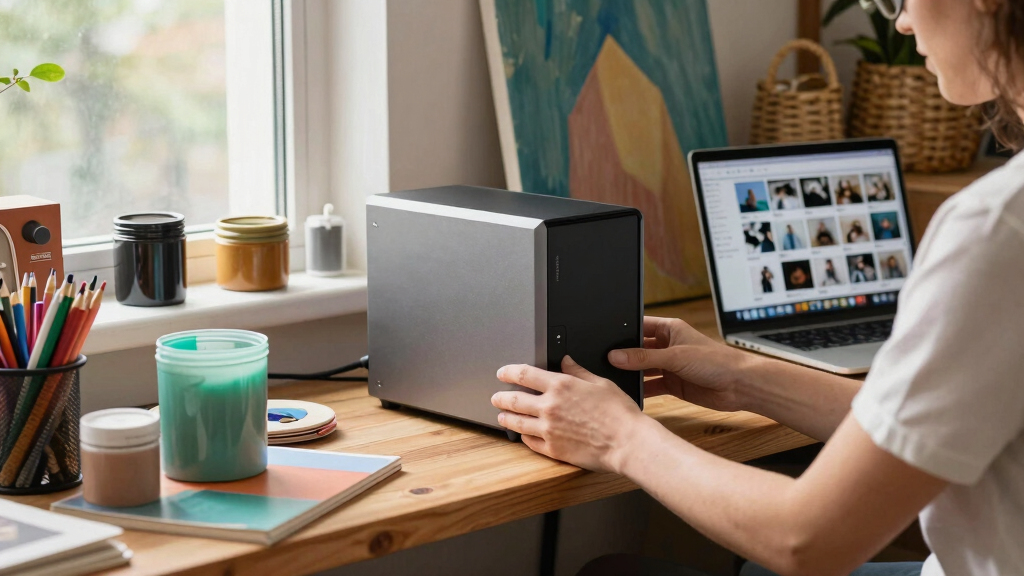
When searching for the best NAS systems for storing years of documents and photos, you need options that combine ample capacity with reliable performance. The Synology DS425+ stands out for its robust features and scalability, making it ideal for long-term storage needs. The Ugreen DXP4800 Plus offers excellent value for families and small teams, while the Yxk Zero1 provides a budget-friendly, diskless option for customization. The main tradeoffs involve balancing capacity, ease of setup, and budget constraints. Continue reading for a detailed breakdown of these top choices and how to pick the best NAS for your storage needs.

Get business pricing on tools and workshop supplies
- Business-only prices and quantity discounts
- Tax-exempt purchasing
- Multiple users, one account, clear invoices
Complete the kit

Key Takeaways
- The best NAS systems for long-term storage prioritize capacity and expandability, with 4-bay models often offering the best balance.
- Diskless options provide flexibility but require additional investment in drives, which can impact initial costs.
- Performance features like hardware transcoding are more relevant for media-heavy use but less critical solely for document storage.
- Ease of use and setup are crucial for non-technical users, making brands like Synology appealing for beginners.
- Price varies widely; investing in a more capable system can save money and hassle over years of storage.
| Yxk Zero1 2-Bay Desktop NAS for Home & Personal Storage (Diskless) |  | Best Overall for Simplicity and Privacy | Number of Bays: 2 | Connectivity: 2.5GbE | Drive Compatibility: Diskless (hard drives sold separately) | VIEW LATEST PRICE | See Our Full Breakdown |
| UGREEN NAS DXP4800 GT 4-Bay for Creators, Tech Enthusiasts and Office Teams |  | Best for Heavy Multitasking and Surveillance | Processor: AMD Ryzen Embedded R2514, 4 cores, up to 3.70GHz | RAM: 8GB DDR4, expandable to 64GB | Storage Capacity: Up to 144TB (4 bays, 32TB each), NVMe SSD support | VIEW LATEST PRICE | See Our Full Breakdown |
| Synology 2-Bay DiskStation DS223j (Diskless) |  | Best for Secure Private Cloud and Automated Backups | Number of Bays: 2 | Diskless: Yes | Warranty: 2 years | VIEW LATEST PRICE | See Our Full Breakdown |
| Synology DS225+ Private Cloud Media Server – 2-Bay NAS with Intel CPU for Hardware Transcoding | 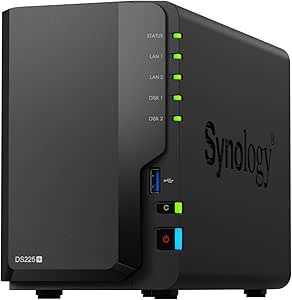 | Best for Media and Surveillance with Transcoding | Brand: Synology | Model: DS225+ | Number of Bays: 2 | VIEW LATEST PRICE | See Our Full Breakdown |
| UGREEN DXP4800 Plus 4-Bay NAS for Families, Creators & Small Teams |  | Best for Large Storage and Advanced Features | Digital Storage Capacity: 144 TB | Hard Disk Interface: Serial ATA | Connectivity Technology: Ethernet, HDMI, SATA, USB | VIEW LATEST PRICE | See Our Full Breakdown |
| Synology 4-Bay DiskStation DS925+ |  | Best Overall for Performance and Versatility | Drive Bays: 4 | Network Ports: 2 x 2.5GbE | Sequential Read/Write Throughput: 522/565 MB/s | VIEW LATEST PRICE | See Our Full Breakdown |
| UGREEN NAS DXP2800 2-Bay for Advanced Home Users, Remote Workers & Creators |  | Best for Large Capacity and Advanced Features | Processor: Intel N100 Quad-Core | RAM: 8GB DDR5 | Network: 2.5GbE | VIEW LATEST PRICE | See Our Full Breakdown |
| Synology DS425+ 4-Bay Diskless NAS Private Cloud Media Server |  | Best for Business and Media Sharing | Number of Bays: 4 | Type: Diskless NAS | Max Speed: 278 MB/s | VIEW LATEST PRICE | See Our Full Breakdown |
| NAS systems for storing years of documents and photo | Number of Bays | Processor |
|---|---|---|
| Yxk Zero1 2-Bay Desktop NAS fo | 2 | — |
| UGREEN NAS DXP4800 GT 4-Bay fo | — | AMD Ryzen Embedded R2514, 4 cores, up to 3.70GHz |
| Synology 2-Bay DiskStation DS2 | 2 | — |
| Synology DS225+ Private Cloud | 2 | Intel CPU |
| UGREEN DXP4800 Plus 4-Bay NAS | — | Intel 5-Core CPU |
| Synology 4-Bay DiskStation DS9 | — | — |
| UGREEN NAS DXP2800 2-Bay for A | — | Intel N100 Quad-Core |
| Synology DS425+ 4-Bay Diskless | 4 | — |
More Details on Our Top Picks
Yxk Zero1 2-Bay Desktop NAS for Home & Personal Storage (Diskless)
The Yxk Zero1 stands out for its straightforward setup and robust security features, making it a top choice for personal users who prioritize privacy. Unlike the Synology DS223j, which offers excellent security but limited expandability, the Zero1 provides faster data transfer thanks to 2.5GbE connectivity, ensuring quick access to your files. Its RAID options give flexibility but require users to buy drives separately, potentially increasing initial costs. This model is ideal for individuals seeking a private, easy-to-manage storage solution without enterprise-level complexity or ongoing fees.
Pros:- Easy to set up and use, perfect for beginners
- Fast data transfer with 2.5GbE connectivity
- Secure private cloud with encryption and permissions
- No subscription fees for software or cloud services
Cons:- Requires purchasing hard drives separately, increasing initial cost
- Limited to personal and home use, not suitable for large businesses
- Lacks included drives, which could slow deployment
Best for: Home users who want an easy, secure way to store and access personal photos and documents
Not ideal for: Power users needing large-scale expansion or enterprise features, as it lacks multiple bays and advanced management tools
- Number of Bays:2
- Connectivity:2.5GbE
- Drive Compatibility:Diskless (hard drives sold separately)
- Weight:2 kg
- Supported Devices:Windows, macOS, iOS, Android
Our verdict“This NAS suits individuals seeking a simple, secure private cloud for personal document and photo storage without complexity.”
UGREEN NAS DXP4800 GT 4-Bay for Creators, Tech Enthusiasts and Office Teams
The UGREEN DXP4800 GT is designed for demanding environments, offering high-performance hardware with AMD Ryzen embedded processors that outperform most consumer NAS units like the Synology DS225+. Its dual 10GbE ports support rapid data transfers, essential for creators and small offices needing quick backups and media processing. The extensive expandability and surveillance features make it a versatile choice, but the setup is complex, and drives are not included, adding to the cost. It’s best suited for users who require raw power and multi-purpose functionality in one device.
Pros:- High-performance hardware capable of multitasking
- Dual 10GbE ports for ultra-fast network speeds
- Supports extensive storage expansion up to 144TB
- Built-in surveillance features with ONVIF and RTSP support
Cons:- Drives are sold separately, increasing setup costs
- Complex initial setup and configuration
- Pre-installed RAM is non-ECC, limiting error resilience
Best for: Small business owners, media creators, or security-conscious users needing high throughput and surveillance integration
Not ideal for: Casual home users or those seeking an easy, plug-and-play solution, as its complexity and cost may be overwhelming
- Processor:AMD Ryzen Embedded R2514, 4 cores, up to 3.70GHz
- RAM:8GB DDR4, expandable to 64GB
- Storage Capacity:Up to 144TB (4 bays, 32TB each), NVMe SSD support
- Network:Dual 10GbE ports
- Connectivity:USB 3.2, USB-C, HDMI, SD card slot
Our verdict“This NAS is aimed at power users who need robust performance, extensive storage, and integrated security features for demanding workloads.”
Synology 2-Bay DiskStation DS223j (Diskless)
The Synology DS223j is a reliable choice for home users seeking secure file sharing and automated backups, with the advantage of Synology’s user-friendly interface. Compared with the UGREEN DXP4800 Plus, which offers more raw power and expandability, the DS223j focuses on simplicity and security, making it ideal for non-technical users. It supports multi-platform access and IP camera monitoring, but its limited two-bay design restricts storage expansion, and it requires users to supply their own drives. It strikes a balance between ease of use and reliable private cloud storage.
Pros:- Secure private cloud with multi-platform access
- Automated backups for multiple devices
- Supports IP camera monitoring for home security
- Reliable hardware with a 2-year warranty
Cons:- No included drives, additional purchase needed
- Limited to 2 bays, less scalable for large data sets
- Basic hardware may be less suitable for intensive tasks
Best for: Home users prioritizing data security, remote access, and automated backups without complex setup
Not ideal for: Users needing extensive storage or advanced media processing, as it has limited bays and features
- Number of Bays:2
- Diskless:Yes
- Warranty:2 years
- Features:Private cloud, file sharing, automated backup, home security support
Our verdict“This NAS is perfect for home users who want straightforward, secure storage with automation and remote access.”
Synology DS225+ Private Cloud Media Server – 2-Bay NAS with Intel CPU for Hardware Transcoding
The Synology DS225+ excels for users needing media streaming combined with data security, thanks to its Intel CPU supporting hardware transcoding. This makes it ideal for families or small offices that require on-the-fly media conversion, outperforming the DS223j in multimedia capabilities. However, its two-bay design limits storage expansion, and it demands a bit more technical management, especially for setting up surveillance or virtual machines. It’s well-suited for those who want a compact device that handles media and security simultaneously.
Pros:- Supports 4K media streaming and hardware transcoding
- Multi-layer data protection with RAID, snapshots, and backups
- Supports up to 30 IP cameras with AI detection
- Three-year warranty adds peace of mind
Cons:- Setup and management require technical knowledge
- Limited to 2 bays, restricting storage expansion
- Additional disks needed for full deployment
Best for: Families or small teams needing reliable media streaming and surveillance with transcoding capabilities
Not ideal for: Users with large storage needs or those seeking a hassle-free, beginner-friendly NAS
- Brand:Synology
- Model:DS225+
- Number of Bays:2
- Processor:Intel CPU
- Transfer Speed:282 MB/s
- Supports IP Cameras:Up to 30
Our verdict“This NAS suits multimedia users and small security setups who need robust media processing and surveillance features in a compact form.”
UGREEN DXP4800 Plus 4-Bay NAS for Families, Creators & Small Teams
The UGREEN DXP4800 Plus provides massive storage capacity, making it ideal for users with extensive data needs, such as creators or small businesses. Its 144TB capacity combined with fast transfer speeds and support for Docker and virtual machines positions it above smaller models like the DS225+ for power users. However, the lack of included drives and reliance on wired Ethernet limits flexibility for some home environments. This device is best for those who need serious storage and advanced virtual capabilities in a centralized location, with an understanding of network setup complexities.
Pros:- Massive 144TB storage capacity for large data collections
- Fast transfer speeds with 10GbE and USB ports
- Supports Docker and virtual machines for technical customization
- Secure private cloud with encryption and permission controls
Cons:- Drives are not included, adding to initial setup costs
- Speed depends on network environment and hardware setup
- Supports only wired Ethernet, no Wi-Fi option
Best for: Small teams or creators needing large-scale storage, virtual machine support, and advanced computing features
Not ideal for: Home users seeking simple plug-and-play solutions or wireless connectivity, as it lacks Wi-Fi and drives are sold separately
- Digital Storage Capacity:144 TB
- Hard Disk Interface:Serial ATA
- Connectivity Technology:Ethernet, HDMI, SATA, USB
- Processor:Intel 5-Core CPU
- Network Ports:1x 10GbE, 1x 2.5GbE
- RAM:8GB DDR5
Our verdict“This NAS is designed for power users who need extensive storage, virtualization, and high-speed data transfer in a centralized setup.”
Synology 4-Bay DiskStation DS925+
The Synology DS925+ stands out for its impressive data transfer speeds—up to 565 MB/s—which makes it ideal for handling large photo libraries and extensive documents efficiently. Unlike the DS425+, which emphasizes multi-user access and media streaming, the DS925+ offers a balanced mix of high-speed performance and versatile applications like virtualization and surveillance. Its dual 2.5GbE ports provide redundancy and fast network connectivity, ensuring seamless access for multiple users. The primary tradeoff is its diskless design, requiring buyers to purchase drives separately, which could add to costs and complexity. While setup might challenge beginners, its robust hardware and broad feature set make it a top pick for tech-savvy users seeking dependable, fast storage for years of data.
Pros:- High data transfer speeds up to 565 MB/s for quick file access
- Dual 2.5GbE ports for redundancy and fast network connections
- Supports virtualization, surveillance, and extensive file management
Cons:- Diskless configuration demands buying drives separately, increasing initial costs
- Complex setup process may be daunting for users unfamiliar with NAS configurations
Best for: Power users who need high-speed data transfer and versatile management for large archives of photos and documents
Not ideal for: Beginners or those seeking an all-in-one solution with included drives and simple setup
- Drive Bays:4
- Network Ports:2 x 2.5GbE
- Sequential Read/Write Throughput:522/565 MB/s
- Warranty:3 years
Our verdict“This NAS suits experienced users who prioritize speed and feature flexibility over plug-and-play simplicity.”
UGREEN NAS DXP2800 2-Bay for Advanced Home Users, Remote Workers & Creators
The UGREEN NAS DXP2800 is tailored for users with substantial storage needs, supporting up to 80TB—far more than the 4-bay options like the DS425+. Its powerful Intel N100 quad-core processor and 8GB DDR5 RAM allow it to handle large files and demanding workloads, making it ideal for remote workers, creators, and advanced home users. Unlike the Synology DS425+, which emphasizes multi-user access and media streaming, the DXP2800 offers AI-powered surveillance features and multi-device data management, appealing to those needing integrated security and extensive data handling. The main tradeoff is its requirement for users to purchase HDDs/SSDs separately, adding to setup complexity and costs. This pick makes the most sense for those who need extensive storage capacity combined with high performance and security features.
Pros:- Supports up to 80TB of storage capacity for massive archives
- Powerful hardware capable of heavy workloads and large files
- AI-powered surveillance for integrated home security
- Flexible multi-device data management
Cons:- Requires purchasing HDDs/SSDs separately, increasing total cost
- Setup demands technical knowledge and drive compatibility checks
Best for: Remote workers, creators, and power users needing high capacity and AI surveillance features
Not ideal for: Less technical users or those seeking an all-in-one package with included drives and simple setup
- Processor:Intel N100 Quad-Core
- RAM:8GB DDR5
- Network:2.5GbE
- Storage Capacity:Up to 80TB
- Drive Bays:2 HDD + 2 M.2 NVMe
- HDDs/SSDs Included:No
Our verdict“This NAS is best suited for users who need extensive storage and advanced security features with high performance.”
Synology DS425+ 4-Bay Diskless NAS Private Cloud Media Server
The Synology DS425+ offers a solid balance of speed and multi-user support, making it well-suited for small offices or households with multiple simultaneous users. With a maximum speed of 278 MB/s, it’s slower than the DS925+ but still capable of handling large photo collections and document libraries efficiently. Its support for over 10 concurrent users and integrated surveillance makes it a versatile choice for small teams. Compared to the DS925+, it sacrifices some speed but gains in user capacity and data protection features like RAID and snapshots. Its main limitation is the need for additional disks to reach substantial storage capacity, and its 4-bay design may limit future expansion for those with growing storage needs. It’s best for users prioritizing data protection and multi-user access over raw speed.
Pros:- Supports multiple users simultaneously with 278 MB/s transfer speed
- Includes multi-layered data protection features like RAID and snapshots
- Supports up to 30 IP cameras for integrated surveillance
- Three-year warranty provides peace of mind
Cons:- Requires additional disks to achieve desired storage capacity
- Setup may be complex for less experienced users
- Limited to 4 bays, restricting large-scale data expansion
Best for: Small businesses or households needing multi-user access and comprehensive data protection
Not ideal for: Power users requiring the fastest transfer speeds or those with large storage demands beyond 4 bays
- Number of Bays:4
- Type:Diskless NAS
- Max Speed:278 MB/s
- Supports:Concurrent access from 10+ users
- Surveillance Support:Up to 30 IP cameras
- Warranty:3 years
Our verdict“This NAS offers reliable multi-user support and data protection, ideal for small teams or households with moderate storage needs.”

How We Picked
These NAS systems were evaluated based on several criteria crucial for long-term document and photo storage. Performance and reliability are key, especially considering the volume of data accumulated over years. Ease of setup and user interface influence long-term usability, particularly for users without extensive technical skills. Expandability and scalability determine whether the system can grow with your storage needs. Price-to-value ratio was also a factor, ensuring that buyers get features they need without paying for unnecessary extras. The ranking reflects a balance of these factors, prioritizing systems that offer dependable, long-term storage solutions for a variety of user needs.| NAS systems for storing years of documents and photo | Processor |
|---|---|
| Yxk Zero1 2-Bay Desktop NAS fo | — |
| UGREEN NAS DXP4800 GT 4-Bay fo | AMD Ryzen Embedded R2514, 4 cores, up to 3.70GHz |
| Synology 2-Bay DiskStation DS2 | — |
| Synology DS225+ Private Cloud | Intel CPU |
| UGREEN DXP4800 Plus 4-Bay NAS | Intel 5-Core CPU |
| Synology 4-Bay DiskStation DS9 | — |
| UGREEN NAS DXP2800 2-Bay for A | Intel N100 Quad-Core |
| Synology DS425+ 4-Bay Diskless | — |
Factors to Consider When Choosing Best NAS Systems For Storing Years Of Documents And Photos
Choosing the right NAS system for storing years of documents and photos involves considering several important factors. Beyond raw capacity, it’s vital to think about ease of setup, expandability, and how well the system integrates into your existing environment. Understanding these factors helps avoid common pitfalls like underestimating future storage needs or overpaying for features you’ll never use. The following sections highlight key considerations to guide your decision, ensuring you select a NAS that remains effective and easy to manage over the years.Capacity and Expandability
When storing years of documents and photos, capacity is paramount. Look for systems with at least 4 bays, as these allow for larger drives and RAID configurations for redundancy. Consider models that support expansion via additional drives or external enclosures, especially if your storage needs are expected to grow. Avoid systems with limited scalability if you anticipate significant future data accumulation, as replacing units later can be costly and inconvenient.
Ease of Use and Setup
User-friendly interfaces and straightforward setup processes matter greatly, especially if you’re not technically inclined. Brands like Synology are known for intuitive software and comprehensive support, reducing frustration over time. Skipping this can lead to complex management or data loss risks. For casual users, choosing a system with simple app integrations and clear instructions is often worth the extra investment.
Performance and Reliability
While performance might seem less critical for basic storage, reliable hardware ensures your data stays safe and accessible over years. Features like hardware transcoding are less relevant if you’re only storing documents and photos but can be beneficial if media streaming is also a goal. Prioritize systems with good build quality, reputable components, and solid warranty support to minimize downtime and maintenance hassles.
Security and Backup Options
Protecting years of valuable data requires robust security measures and backup capabilities. Look for NAS systems with encryption options, snapshot features, and support for remote backups. These features help prevent data loss from hardware failure, theft, or ransomware attacks. Integrating your NAS into a broader backup strategy ensures your stored files remain safe over the long term.
Price and Total Cost of Ownership
Initial costs vary widely, especially when considering diskless systems versus pre-populated models. Remember to account for the ongoing expense of drives and potential expansion units. Sometimes, paying more upfront for a system with better hardware or features results in lower maintenance costs later. Avoid choosing solely based on price; instead, weigh the system’s longevity and ease of expansion to determine true value.
Frequently Asked Questions
How much storage do I need for years of photos and documents?
Estimating storage needs depends on your data volume, but a common rule is to allocate at least 4 to 8 terabytes for a few years of high-resolution photos and documents. If your collection is large or you want to future-proof, opting for 12 or 16 terabytes can provide extra peace of mind. Remember, choosing a system that supports expansion allows you to add drives over time, avoiding costly replacements later.
Is it better to buy a diskless NAS or one with drives pre-installed?
Diskless NAS systems typically cost less initially and give you the flexibility to choose your drives, which can be advantageous if you prefer certain brands or capacities. However, they require additional effort to install and configure drives properly. Pre-installed drives simplify setup but tend to be more expensive upfront. Your choice depends on your comfort with hardware installation and your specific capacity needs.
Do I need a NAS with hardware transcoding for storing photos and documents?
Hardware transcoding is primarily beneficial for media streaming, such as videos or music, and is less relevant for documents and photos. If your main use case is long-term storage and occasional access, a system without transcoding capabilities will suffice. Prioritize reliable hardware and ample storage over media-specific features unless you also plan to stream high-resolution videos regularly.
How important is remote access for long-term storage?
Remote access is highly valuable for long-term storage, especially if you want to retrieve files from multiple locations or devices. Look for NAS systems with secure remote access options, such as VPN support or proprietary apps. Good security practices are essential to prevent unauthorized access, making this a feature worth considering if you need flexible, remote retrieval of your stored data.
What is the best way to protect my data stored on a NAS?
Implementing RAID configurations for redundancy, enabling encryption, and regularly backing up your NAS are key steps to protect your data. Many NAS systems support snapshots and automated backups, which add layers of safety. Combining local backups with off-site copies provides comprehensive protection against hardware failure, theft, or cyber threats, ensuring your years of stored photos and documents stay safe.
Conclusion
For most users seeking a reliable, long-term storage system, the Synology DS425+ offers an excellent balance of capacity, ease of use, and scalability, making it the best overall choice. Budget-conscious buyers or those customizing their setup might prefer the Yxk Zero1 for its affordability. If you’re a power user or professional with larger storage needs, the Synology DS925+ or the UGREEN DXP4800 Plus provide high performance and expandability. Beginners should consider systems with intuitive interfaces like Synology, while advanced users may prioritize hardware features and expansion options. Carefully aligning your specific storage needs and technical comfort will guide you toward the best NAS for your long-term photo and document archive.
Black Friday Picks

Vitamix 5200 Blender with 64 oz Container, Black
As an affiliate, we earn on qualifying purchases.