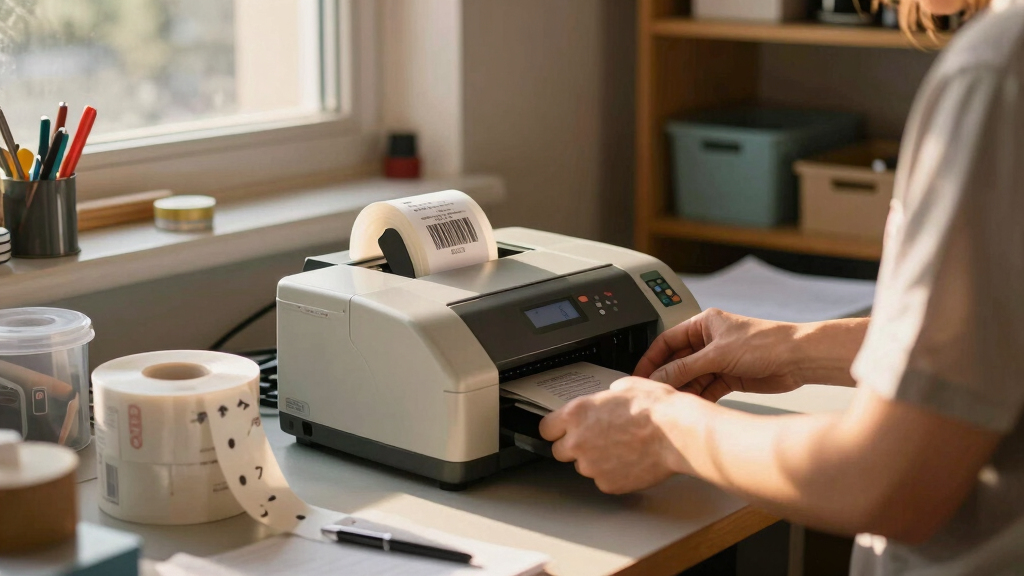

Finding the best barcode label printer for inventory involves balancing speed, durability, and ease of use. The top pick, Brother P-touch PT-D610BT, offers professional-quality labels with seamless Bluetooth connectivity, making it ideal for most inventory setups. For those prioritizing affordability, the Phomemo M220 Bluetooth Label Maker delivers portability and decent print quality at a lower price point. Meanwhile, the iDPRT Industrial High-Speed Thermal Printer stands out for large-scale warehouse environments needing high volume and fast throughput. Each option involves tradeoffs—some excel in speed, others in usability or cost—so continue reading for a detailed breakdown of the best choices for your inventory needs.
Key Takeaways
- The top picks balance speed, durability, and user-friendliness, with the Brother PT-D610BT leading overall.
- Portability is a key factor for small businesses and mobile inventory management, as seen with Phomemo models.
- Industrial environments demand high-speed printers like the iDPRT, which support wider labels and larger volumes.
- Connectivity options such as Bluetooth and Ethernet significantly influence ease of integration into existing systems.
- Cost varies widely; professional-grade printers tend to be more expensive but pay off in high-volume settings.


More Details on Our Top Picks
Phomemo M220 Bluetooth Label Maker – 3.14″ Portable Thermal Printer with 3 Labels and 2200mAh Battery
The Phomemo M220 stands out for its compact, lightweight design, making it ideal for on-the-go labeling tasks. Its thermal printing technology eliminates the need for ink or toner, which reduces ongoing costs. Compared to the Phomemo M120, this model offers longer battery life and supports a broader range of devices via Bluetooth and USB, making it more versatile for mobile and desktop use. However, its monochrome output and limited label size range, capped at 3.14 inches, might be restrictive for larger or color labels. The included templates and voice input features streamline everyday labeling, especially for small businesses or inventory management on the move. This makes it perfect for users needing a portable, multi-platform device, but less so for those requiring color or larger labels.
Pros:- Ultra-portable and lightweight (0.72 lbs) for on-the-go use
- Supports Bluetooth and USB connectivity across iOS, Android, Windows, and Mac
- Long battery life with 2200mAh capacity (up to 36 label rolls)
- Inkless thermal printing reduces ongoing costs
Cons:- Limited to monochrome printing, no color options
- Supports only label widths up to 3.14 inches, restricting larger labels
- Requires separate app for advanced features, which may add complexity
Best for: Small business owners, retail employees, or warehouse personnel needing portable, multi-device label printing.
Not ideal for: Users requiring color labels or larger formats beyond 3.14 inches, or those with high-volume printing needs at a fixed location.
- Printer Type:Thermal
- Weight:0.72 lbs (328g)
- Dimensions:5.7″D x 6.2″W x 3.4″H
- Battery Life:2200mAh (up to 36 labels)
- Compatibility:iOS/Android via Bluetooth, Windows/Mac/Linux via USB
- Print Resolution:203 x 203 DPI
Bottom line: This pick is best suited for mobile professionals who need versatile, multi-device labeling without color or large-format options.
Rollo Direct Thermal 2×1 Barcode Labels – Roll of 1,000 Thermal Labels for Shipping (Commercial Grade Stickers)
The Rollo 2×1 thermal labels excel at providing high-quality, cost-effective labels in bulk, making them ideal for high-volume shipping and inventory tagging. Unlike the Phomemo M220, which is portable and device-compatible, these labels are designed to be used with specific thermal printers like Zebra or Munbyn, focusing solely on label quality and quantity. The labels are ultra-white with deep contrast for reliable barcode scanning, and the fade resistance ensures durability in warehouse environments. The main tradeoff is that these labels are not printable by themselves—they require an appropriate thermal printer, making them less flexible for instant printing needs. They are perfect for businesses with dedicated thermal printers needing large quantities of reliable labels, but less suitable for casual or mobile labeling tasks.
Pros:- High-quality, deep-contrast white labels for reliable scanning
- Pack of 1,000 labels offers excellent bulk value
- Compatible with multiple thermal printers like Zebra and Munbyn
- Fade-resistant and durable for warehouse use
Cons:- Requires a compatible thermal printer, adding hardware cost
- Limited to 2×1 inch size, not suitable for larger labels
- No printing capability—labels are pre-printed for barcode application
Best for: Ecommerce sellers, warehouse managers, or logistics teams needing large volumes of durable barcode labels for shipping and inventory.
Not ideal for: Small businesses or individuals needing portable, on-demand label printing, or those who want color labels or varied sizes on the fly.
- Label Size:2 x 1 inches (51mm x 25mm)
- Quantity:1000 labels per roll
- Color:Ultra-white with high contrast
- Material:Thermal paper
- Compatibility:Zebra, Munbyn, Polono, and others
- Fade Resistance:Yes
Bottom line: These labels are ideal for high-volume, durable barcode needs in professional shipping and warehouse environments, but not for quick or mobile printing.
CLABEL Label Maker Machine with Tape, 221B Thermal Bluetooth Label Printer 2 Inch Portable Barcode Inkless Sticker for Small Business, Retail Office,Office, Home, Came with 3 Roll Label
The CLABEL 221B offers a portable, inkless thermal solution with a flexible app that boosts productivity for small business and retail labeling tasks. It supports labels from 25 to 50mm wide, making it suitable for a variety of small labels like price tags, QR codes, and ingredient lists. Unlike the Phomemo M220, which targets general portability, this model emphasizes affordability and the ability to reuse existing rolls, reducing operational costs. The app provides numerous templates, and setup is straightforward—ideal for quick, on-demand labels. However, it’s limited to 2-inch width and not designed for high-volume or color printing, which may be a drawback for larger or more complex labeling needs. It’s best for users who prioritize cost savings and flexibility for small-scale labeling.
Pros:- Supports labels from 25-50mm wide, offering flexibility
- Uses thermal technology, no ink or toner needed
- Supports multiple device types via Bluetooth and USB
- Includes 3 starter rolls for immediate use
Cons:- Limited to 2-inch wide labels, restricting larger formats
- Not suitable for high-volume or industrial-grade printing
- App features may require some learning curve for advanced templates
Best for: Small retail stores, craft businesses, or home-based entrepreneurs looking for affordable, versatile label options.
Not ideal for: Users needing large labels, color labels, or high-volume printing for industrial purposes.
- Printer Type:Thermal
- Label Width Support:25-50mm (0.98-1.96 inches)
- Connectivity:Bluetooth and USB
- Included Labels:3 rolls
- Power:Rechargeable lithium-ion battery
- Resolution:203 x 203 DPI
Bottom line: This model suits small businesses seeking flexible, cost-effective labeling without the need for large or color labels, but isn’t ideal for bulk industrial applications.
CLABEL Desk Bluetooth Barcode Label Printer: 221D Label Maker with Direct Thermal Printing, 2 Inch Print Width for Barcodes Address Office Warehouse with 1 Roll Label
The CLABEL 221D combines ease of use with versatile software, making it a solid choice for small business or office labeling tasks. Its compact design fits comfortably on a desk, and setup takes under five minutes, appealing to users who want quick installation and operation. It supports printing on self-adhesive labels from 20 to 50mm wide, suitable for barcodes, addresses, and product labels. Compared to the Phomemo M220, which emphasizes portability, the 221D is more of a stationary desktop solution with advanced software features, including barcode and QR code support, multiple fonts, and templates. The main tradeoff is that it’s limited to monochrome output and small labels; it’s not designed for large or color labels. This makes it ideal for office or retail environments needing reliable, professional labels at a low cost.
Pros:- Compact, lightweight, fits on a desk
- Supports self-adhesive labels from 20-50mm wide
- Extensive software with barcode, QR, and template options
- Supports multiple fonts and icons for customization
Cons:- Limited to monochrome printing
- Small label width maximum of 50mm restricts larger labels
- Requires software setup, not ideal for quick on-the-fly printing
Best for: Small offices, retail counters, or inventory management for businesses that prefer a dedicated desktop label printer with extensive software options.
Not ideal for: Users needing large or color labels, or portable labeling tools that must be used in various locations.
- Printer Type:Thermal
- Maximum Media Size:20-50mm
- Connectivity:Bluetooth
- Label Roll Capacity:1 roll
- Print Resolution:120 x 120 DPI
- Item Weight:0.94 kg
Bottom line: This desktop model suits small business or office environments seeking reliable, feature-rich label printing without portability needs.
Phomemo M120 Bluetooth Label Maker – Portable Thermal Barcode Printer with App, 2″ Wide Labels, Wireless Sticker Printer for Small Business,Home Office,QR Codes,Address Labels – iOS/Android Compatible
The Phomemo M120 delivers a highly portable, lightweight solution for quick labeling in small businesses, homes, or on-the-go scenarios. Weighing only 235 grams, it can produce over 3,000 labels per charge, thanks to its efficient battery. Unlike the CLABEL 221B, which emphasizes affordability and app-based templates, the M120 offers broader device compatibility with Bluetooth connectivity and a simple app interface, making it straightforward for casual or mobile users. Its 2-inch label width supports QR codes, address labels, and small product tags, but it’s limited in size and color options. The device’s compact form factor and versatile app features make it ideal for mobile entrepreneurs or home organizers, though it’s less suited for high-volume or industrial use.
Pros:- Extremely lightweight (235g) and portable
- Supports over 3,000 labels per charge
- Bluetooth connectivity with iOS and Android
- App offers voice recognition, OCR, and extensive templates
Cons:- Limited to 2-inch wide labels
- No color printing capability
- App features may require some learning curve for advanced functions
Best for: Mobile professionals, home organizers, or small business owners who need quick, portable labeling with smartphone compatibility.
Not ideal for: Users who require large labels, color printing, or high-volume industrial labeling needs.
- Printer Type:Thermal
- Label Width:2 inches (50mm)
- Connectivity:Bluetooth
- Weight:235g
- Print Resolution:203 x 203 DPI
- Battery Life:Over 3,000 labels per charge
Bottom line: This device is ideal for mobile users needing quick, reliable labels without bulky hardware, but it’s not suitable for large or color labels.
Brother® P-touch PT-D610BT Business Professional Connected Label Maker With Bluetooth®
This model stands out for its advanced connectivity options, including Bluetooth and USB, making it ideal for dynamic workspaces where multiple users need access. Compared with the iDPRT printer, the PT-D610BT offers richer design options—17 fonts, 17 styles, 160 frames, and 900 symbols—plus a large full-color LCD for easy label preview, which reduces errors and waste. Its ability to store up to 90 labels speeds up repetitive tasks, and the 175 preset templates streamline asset and inventory management. While it’s bulkier and more expensive than basic portable models like the Phomemo M220, the tradeoff is clear: higher functionality for professional-grade results. It’s best suited for retail, warehousing, or office environments where quality and flexibility matter. However, its size and price might be a hurdle for small home use or occasional labeling needs.
Pros:- Seamless Bluetooth and USB connectivity for multi-device use
- High-resolution printing for crisp barcodes, logos, and graphics
- Large color LCD for label preview reduces errors
- Extensive design options with 17 fonts, 17 styles, and 900 symbols
Cons:- Relatively bulky and heavier than portable options
- Higher price point may be a barrier for casual users
- Requires power adapter—less portable without external power
Best for: Small to medium-sized businesses needing high-quality, customizable labels with multi-user support
Not ideal for: Home users or small offices with minimal labeling requirements due to its size and cost
- Printer Type:Thermal
- Connectivity:Bluetooth, USB
- Print Resolution:180 x 360 dpi
- Media Compatibility:Brother TZe tapes up to 1 inch
- Max Label Width:1 inch
- Weight:2.1 pounds
Bottom line: This pick is best for businesses that need reliable, versatile, and professionally finished labels across multiple users and devices.
iDPRT Industrial High-Speed Thermal Printer – 6IPS, 203 DPI, for Large Warehouses & Logistics, USB/Ethernet, Supports 4.25″ Wide Labels, Perfect for Barcode Shipping & Receipts
This industrial-grade thermal printer excels in high-volume environments where speed and durability are critical. Capable of printing at 8 inches per second with a crisp 203 DPI resolution, it outperforms the iDPRT in raw speed, making it perfect for large warehouses and logistics centers. Its support for labels up to 4.25 inches wide makes it versatile for shipping labels, barcodes, and receipts. Unlike the Brother PT-D610BT, which is more suited for detailed asset management, the iDPRT prioritizes speed and robustness, though it sacrifices some design flexibility. Its simple USB and Ethernet connections facilitate easy integration into existing systems, and it’s built for heavy-duty, continuous use. This model is ideal for companies needing reliable, fast printing without the need for complex customization or design features.
Pros:- High-speed printing at 8 inches per second for maximum efficiency
- Supports wide labels up to 4.25 inches for versatile shipping and barcode labels
- Robust construction for heavy-duty, continuous operation
- Easy USB and Ethernet setup for seamless system integration
Cons:- Limited design customization compared to Brother’s advanced features
- Primarily monochrome printing—no color or graphics
- Lacks LCD display, so no real-time label preview
Best for: Large-scale warehouses, shipping centers, and logistics companies needing fast, durable label printing
Not ideal for: Small businesses or retail stores that require detailed design options or portable labeling solutions
- Printer Type:Thermal
- Connectivity:USB, Ethernet
- Print Speed:8 inches/sec
- Maximum Label Width:4.25 inches
- Print Resolution:203 DPI
- Weight:3.64 pounds
Bottom line: This printer is ideal for large, busy operations that prioritize speed and durability over design flexibility.
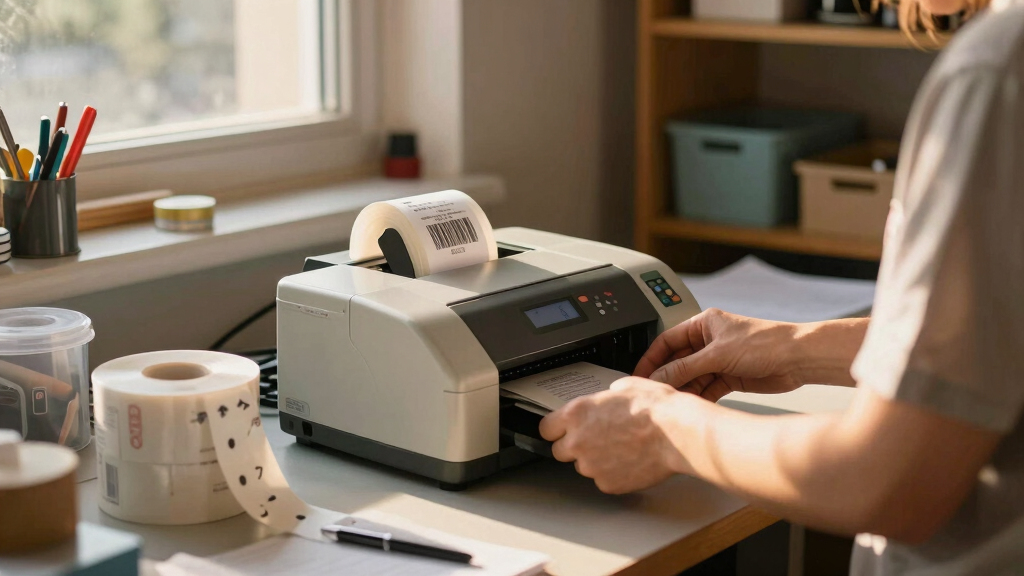
How We Picked
The products were evaluated based on performance, print quality, durability, usability, connectivity, and value. I focused on printers that reliably produce clear, scannable barcodes while considering the typical inventory environments—ranging from small retail spaces to large warehouses. The ranking reflects a balance between affordability and professional-grade features, with a preference for models that suit common inventory workflows. We considered user reviews, brand reputation, and feature sets to ensure each product offers a meaningful advantage for its target audience.Factors to Consider When Choosing Best Barcode Label Printer For Inventory
Choosing the right barcode label printer for inventory requires understanding several key factors. Beyond basic features, consider how the printer will fit into your workflow, volume needs, and the types of labels it can produce. Making an informed decision involves evaluating durability, connectivity, and maintenance requirements to ensure long-term value and efficiency.Print Speed and Volume Capacity
High-volume inventory environments benefit from printers with faster print speeds and larger roll capacities. Industrial models like the iDPRT can handle thousands of labels daily, reducing downtime. For smaller operations, slower but more affordable models may suffice, but always ensure they can accommodate your expected volume without constant refilling or jams.
Connectivity Options
Wireless options such as Bluetooth and Wi-Fi simplify integration with existing systems and mobile devices. If you need mobility or remote printing, select a model with reliable Bluetooth or Wi-Fi connectivity. Ethernet ports are preferable for fixed, high-volume setups requiring stable, wired connections. Avoid models with limited connectivity if you plan to scale or automate your labeling process.
Label Compatibility and Sizes
Ensure the printer supports the label sizes you need, especially if you’re printing barcode labels for varied inventory items. Some models excel with 2-inch labels, while others handle wider or specialty labels. Compatibility with thermal or inkless printing can affect long-term costs—thermal printers typically offer maintenance-free operation, but check if they support your preferred label types.
Ease of Use and Maintenance
Look for user-friendly interfaces, straightforward setup, and easy roll loading. Maintenance features like automatic cleaning or simple refills save time and reduce errors. Consider whether the printer offers software support or mobile apps to streamline label creation, especially if your staff frequently generates labels in different locations.
Total Cost of Ownership
Beyond the initial purchase price, factor in label and ribbon costs, maintenance, and potential upgrades. Industrial models tend to have higher upfront costs but lower long-term expenses due to their durability and efficiency. Small business owners might prioritize affordability, but investing in a slightly more capable model can improve reliability and reduce downtime over time.
Frequently Asked Questions
Can these printers handle different label materials?
Yes, most barcode label printers support a variety of thermal labels, including paper and synthetic materials suitable for different environments. Be sure to check each model’s compatibility—some are optimized for specific label types or thicknesses. Selecting the right material ensures labels stay durable and scannable in your inventory conditions, whether in cold storage or high-humidity areas.
Is wireless connectivity necessary for inventory labeling?
Wireless connectivity offers significant convenience, especially for mobile or dynamic inventory setups. It allows staff to print labels directly from tablets or smartphones without physical connection, reducing clutter and setup time. However, wired options like Ethernet provide more stability for high-volume, fixed installations. Your choice depends on your workflow and whether mobility or stability is more critical for your operation.
How important is print speed for inventory labels?
Print speed becomes critical in high-volume environments such as warehouses or logistics centers. Faster printers can produce hundreds of labels per hour, minimizing delays and bottlenecks. For small-scale retail or occasional labeling, slower models are typically sufficient and more cost-effective. Always match the printer’s speed to your expected daily volume to avoid workflow interruptions.
What maintenance should I expect with thermal printers?
Thermal printers generally require minimal maintenance, mainly periodic cleaning and label roll replacement. Unlike ink or ribbon-based printers, thermal models don’t need ink cartridges, reducing ongoing costs. Regularly cleaning the print head and ensuring proper roll loading can prolong the device’s lifespan and maintain print quality without frequent repairs.
Is investing in an industrial-grade printer worth it for small businesses?
For small businesses with low to moderate labeling needs, industrial printers may be more than necessary, as their higher costs don’t always translate into better performance at small scales. However, if your inventory grows rapidly or you require high-volume, durable labels, investing in a robust, industrial-grade printer can improve efficiency and reduce long-term expenses. It’s about matching the printer’s capacity to your projected needs to avoid future upgrades or replacements.
Conclusion
For most small to medium-sized inventory operations, the Brother P-touch PT-D610BT offers a perfect blend of ease of use, connectivity, and professional-quality labels, making it the best overall choice. If budget is your primary concern, the Phomemo M220 Bluetooth Label Maker provides portability and decent performance for light-duty tasks. For large warehouses or high-volume logistics, the iDPRT Industrial High-Speed Thermal Printer stands out as the best premium option, delivering unmatched speed and durability. Ultimately, your choice depends on your volume, workspace, and connectivity needs—matching the right model to your specific inventory environment ensures efficiency and long-term value.