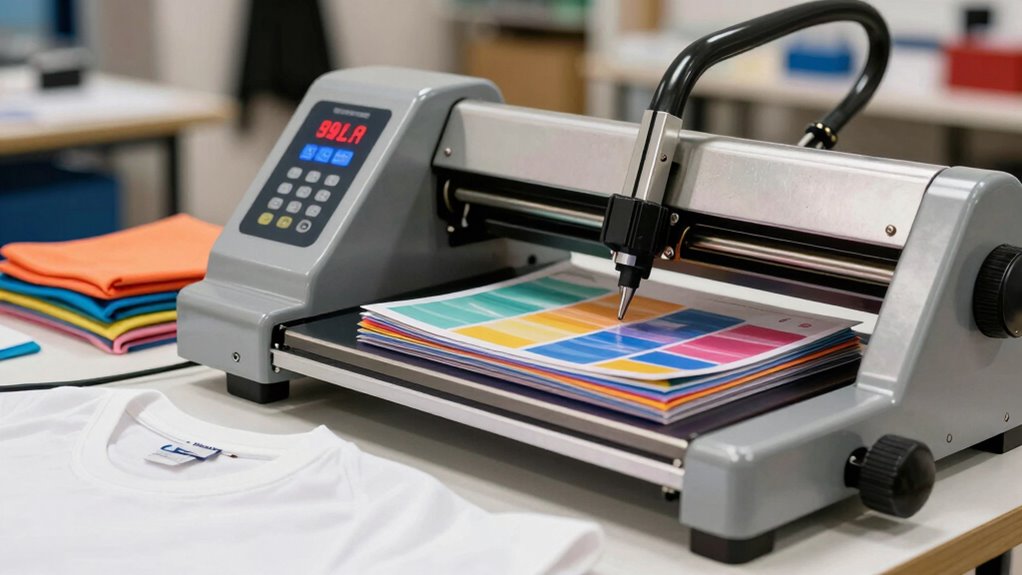
Many first-time heat press buyers overlook how crucial proper pressure calibration is for consistent, high-quality transfers. If you don’t regularly check and adjust your machine’s pressure, you risk uneven results, poor adhesion, and transfer failure. Misalignment or worn parts can throw off pressure, causing inconsistent outcomes. Focusing on setting and maintaining the right pressure is key to professional results. Stay with us to discover the essential tips for mastering pressure calibration and ensuring perfect transfers every time.
Listen free for 30 days with Audible
Thousands of audiobooks and originals — cancel anytime.
As an affiliate, we earn on qualifying purchases.
Key Takeaways
- Many first-time buyers overlook the need for precise pressure calibration for consistent transfer quality.
- Incorrect pressure settings can cause uneven transfers, affecting durability and appearance.
- Regularly testing and adjusting pressure ensures optimal results across different materials and projects.
- Machine wear and platen misalignment can impact pressure accuracy over time if not checked.
- Understanding how to properly calibrate and maintain pressure is critical for professional, repeatable outcomes.

When you’re new to heat pressing, it’s easy to focus on choosing the right temperature and time, but one essential factor often gets overlooked: pressure. Many first-time buyers underestimate how critical proper pressure is to achieving consistent, high-quality results. Without correct pressure, your projects can suffer from inconsistent results, leaving you frustrated and wasting materials. That’s where understanding heat press calibration and pressure settings becomes imperative. If your machine isn’t calibrated properly, you might think you’re applying the right amount of pressure, but in reality, it’s either too much or too little. This imbalance directly affects the adhesion of your transfers, the durability of your prints, and overall quality.
Inconsistent results are often a sign that your heat press isn’t calibrated correctly or that you’re not applying adequate pressure. Many users assume that once they set the temperature and time, the process will work smoothly every time. But the truth is, pressure consistency can vary based on the machine’s age, wear, and even how the platen is aligned. When you don’t pay attention to this key detail, your projects may come out with uneven colors, improper transfer adhesion, or incomplete image transfer. These issues can be confusing, especially when everything else seems correct. That’s why proper heat press calibration is essential for maintaining consistent pressure and achieving predictable results. Regularly checking your machine’s pressure calibration can help prevent these issues before they arise. Additionally, understanding how to properly adjust pressure can make a significant difference in your results. Moreover, familiarizing yourself with the machine’s features and limitations will help you better manage pressure settings for different projects. Recognizing the importance of pressure uniformity ensures each project produces professional results.
You might find that adjusting pressure manually is a bit tricky at first. Some presses have a pressure adjustment knob or dial, but even then, it’s easy to misjudge the right amount. To prevent inconsistent results, it’s best to regularly check and calibrate your machine. Use a pressure gauge or test with a simple piece of scrap material to see if the pressure feels even across the platen. If it doesn’t, make small adjustments and test again. This process helps you understand your machine’s pressure range and ensures each press is as consistent as possible. Over time, you’ll develop a feel for the right pressure needed for different materials and transfer types.
As an affiliate, we earn on qualifying purchases.
Frequently Asked Questions
How Does Pressure Affect Different Types of Materials?
You need to adjust pressure based on material compatibility to guarantee a quality press. Too much pressure can damage delicate fabrics like polyester or vinyl, while too little may result in poor adhesion. For different materials, maintaining pressing consistency is key, so always test and fine-tune pressure settings. This way, you prevent scorching or incomplete transfers, ensuring your designs come out perfect every time.
Can Pressure Settings Be Adjusted During a Pressing Session?
Yes, you can adjust pressure settings during a pressing session, but it’s essential to guarantee proper pressure calibration first. Regular equipment maintenance helps keep your heat press functioning accurately, making adjustments safer and more effective. Always monitor the pressure gauge and make small changes as needed, especially if you notice uneven transfers. Proper calibration and maintenance ensure consistent results and prolong the life of your heat press.
What Safety Precautions Are Necessary When Adjusting Pressure?
When adjusting pressure, you should first make sure the machine is unplugged to prevent injury. Wear safety gear like gloves and eye protection, and handle the machine carefully. Check that the heat press is properly calibrated to avoid excessive pressure that could damage materials or cause accidents. Always follow the manufacturer’s instructions, and double-check the calibration before making adjustments, guaranteeing your safety and ideal results during your pressing session.
How Does Ambient Temperature Influence Pressure Requirements?
Ambient temperature acts like the weather in a dance, influencing your heat press’s rhythm. When temperatures fluctuate, it affects temperature consistency, so your equipment calibration needs regular checking. Higher ambient temperatures may require less pressure, while cooler environments may need more. By maintaining stable conditions and calibrating your equipment properly, you guarantee even, professional results every time, avoiding surprises like uneven transfers or poor adhesion.
Is There a Recommended Pressure for Delicate Fabrics?
For delicate fabrics, you should use light to medium pressure during heat transfer to protect fabric durability. Too much pressure can damage delicate fibers or cause uneven prints, so aim for gentle but consistent pressure. Adjust your heat press accordingly, and always perform a test on a scrap piece first. This guarantees you achieve a quality transfer without compromising the fabric’s integrity or durability.
Conclusion
Don’t let the pressure setting intimidate you — it’s a learning curve, not a obstacle. Many first-timers worry about damaging their shirts or ruining their investment, but with a little practice and proper testing, you’ll find the right balance. Remember, adjusting the pressure is part of mastering your heat press. Stay patient, keep experimenting, and trust that every mistake is a step toward perfecting your craft. Your confidence will grow with each successful press.
NFL season / tailgating Picks
team gear
As an affiliate, we earn on qualifying purchases.