
Overheating in DEWALT power tools can be frustrating and may lead to reduced performance or damage if not addressed promptly. Whether you’re using a cordless drill like the DEWALT 20V MAX Cordless Drill and Impact Driver or other models, understanding the causes of overheating and knowing how to fix it can save you time and money. This guide provides clear, safe, and effective steps to troubleshoot and resolve overheating issues in your DEWALT tools.

Get business pricing on tools and workshop supplies
- Business-only prices and quantity discounts
- Tax-exempt purchasing
- Multiple users, one account, clear invoices
Before diving into repairs, always prioritize safety. Disconnect the tool from power sources, wear protective gear, and work in a well-ventilated area. Let’s explore how to keep your DEWALT tools running cool and efficiently.
Key Takeaways
| Overheating causes | Overuse, poor ventilation, or worn brushes can cause overheating. |
| Immediate steps | Stop use immediately to prevent damage and allow cooling. |
| Maintenance | Regular cleaning and inspecting vents help prevent overheating. |
| Battery health | Worn or incompatible batteries can contribute to overheating. |
| Proper use | Using the tool within recommended parameters avoids overheating. |
Identify the Overheating Symptoms
First, recognize the signs your DEWALT tool is overheating. Common indicators include the tool shutting down unexpectedly, a burning smell, excessive heat on the housing, or the trigger becoming unresponsive. If you notice these signs, it’s essential to stop using the tool immediately to prevent further damage. Frequent overheating may also cause the tool to slow down or lose power during operation. Being attentive to these symptoms helps you take timely action and extend the lifespan of your equipment.
Immediate Steps to Cool and Protect Your Tool
- Power Off and Disconnect: Turn off the tool and unplug or remove the battery to prevent any accidental activation.
- Allow Cooling Time: Place the tool in a cool, dry area and give it at least 30 minutes to cool down before inspecting or attempting any repairs.
- Inspect for Damage or Blockages: Check vents and surrounding areas for dust, debris, or obstructions that may trap heat. Clear any blockages carefully.
Perform Routine Maintenance and Cleaning
Regular maintenance is key to preventing overheating. Use a soft brush or compressed air to clean vents, cooling fins, and motor housing. Ensure that no dust or debris accumulates, especially near ventilation openings. For cordless models, check that the battery contacts are clean and free of corrosion, which can cause poor contact and overheating. Lubricate moving parts as recommended by the manufacturer, and replace worn brushes if your model has them.
Troubleshoot Internal Causes
If overheating persists, internal components such as brushes, bearings, or the motor itself might be worn or damaged. Worn brushes can cause electrical arcing, generating excess heat. In such cases, it’s advisable to consult a professional or authorized service center for inspection and replacement. Additionally, ensure that the battery is compatible and functioning correctly; a faulty or incompatible battery can cause the tool to overheat due to poor power regulation.
Prevent Future Overheating
To keep your DEWALT tools running cool, follow these tips:
- Use the tool within its recommended load and duty cycle.
- Allow sufficient breaks during extended use, especially in hot environments.
- Store the tool in a cool, dry place when not in use.
- Regularly inspect and clean vents and cooling components.
- Use high-quality batteries and replace them when they no longer hold charge effectively.
The Products in This Guide

DEWALT 20V MAX Cordless Drill and Impact Driver
- ✔ Model: DCK277D2
- ✔ Color: Yellow and black
- ✔ Tools Included: Drill and impact driver

DEWALT Drill Bit Set
- ✔ Size Range: Various
- ✔ Compatibility: Fits 3/8-inch chucks
- ✔ Application: Multi-material
DEWALT 20V MAX Cordless Drill and Impact Driver
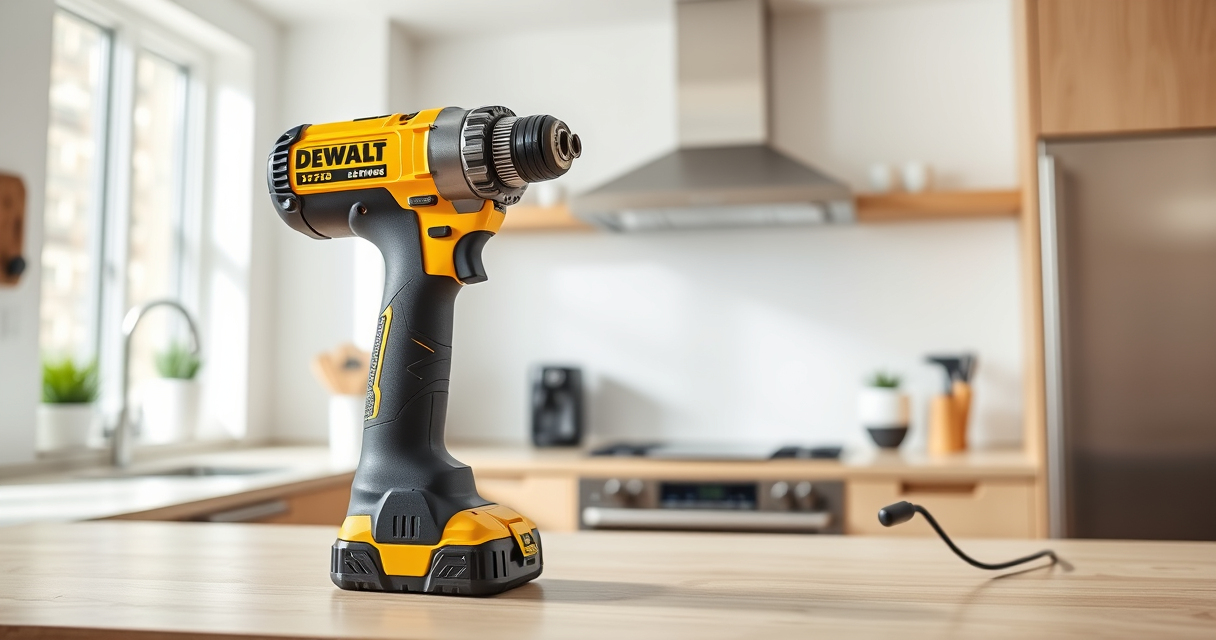
The DEWALT 20V MAX Cordless Drill and Impact Driver set is known for its compact design, ergonomic grip, and efficient brushless motors. Its overheating issues are rare when used properly, but regular maintenance is crucial for longevity.
Pros:
- Lightweight and compact for tight spaces
- Brushless motors for durability
- Includes 2 batteries and charger
- Bright LED for visibility
Cons:
- Overheating can occur with prolonged use
- Battery life may vary with heavy work
- Limited to 20V MAX system
Best for: Home improvement, DIY projects, light to medium tasks
Not ideal for: Heavy industrial use or continuous high-load operations
Bottom line: A versatile, reliable drill set that benefits from regular maintenance to prevent overheating.
DEWALT Drill Bit Set
Pair your DEWALT drill with this high-quality drill bit set, designed for durability and precision in plastic, wood, and metal. It complements your tool’s performance and reduces strain, helping prevent overheating caused by excessive force or improper bits.
Pros:
- 14-piece set with various sizes
- 135-degree split point for reduced walking
- High Speed Steel construction
- Corrosion-resistant coating
Cons:
- Requires proper bit size for tasks
- Not suitable for heavy-duty industrial drilling
- Bits can dull with extensive use
Best for: General drilling tasks at home and on-site projects
Not ideal for: Heavy industrial or continuous high-speed drilling
Bottom line: A high-quality drill bit set that ensures reliable performance and reduces overheating from improper bits.
Frequently Asked Questions
Why does my DEWALT tool overheat so quickly?
Overheating can result from prolonged use beyond recommended duty cycles, blocked vents, worn brushes, or incompatible batteries. Regular maintenance and proper use can prevent this.
How often should I clean the vents of my DEWALT tool?
Clean the vents at least once a month or more often if you notice dust buildup or reduced airflow. Use compressed air or a soft brush for cleaning.
Can I continue using my DEWALT tool after it cools down?
Yes, but only if the overheating was minor. If the tool frequently overheats, inspect for internal damage or component wear and consider professional servicing.
Are batteries a common cause of overheating?
Worn or incompatible batteries can cause overheating, especially if they have poor contact or are damaged. Use only recommended batteries and check their condition regularly.
What safety precautions should I follow when troubleshooting overheating?
Always disconnect power sources, wear safety gear, work in a well-ventilated area, and avoid opening sealed or complex components unless qualified.
Keeping Your DEWALT Tools Cool and Efficient
Proper maintenance, cautious usage, and timely troubleshooting are essential for preventing overheating in your DEWALT power tools. Regular cleaning, inspecting internal components, and using compatible batteries will extend the life of your equipment and ensure safe operation. Remember, when in doubt, consult a professional to avoid further damage and maintain safety standards.
Affiliate disclosure: As an Amazon Associate we earn from qualifying purchases. Prices and availability are accurate as of the time of publishing.
Fall Picks
fall essentials
As an affiliate, we earn on qualifying purchases.