
Finding the best cutting machine for vinyl decals depends on your specific needs, whether you’re a hobbyist or a small business. The Cricut Maker 4 stands out as the overall top choice thanks to its versatility and smart features, while the Silhouette Cameo 5 offers quieter operation for home use. For budget-conscious buyers, the Likcut Glee S501 provides portability and simplicity. Each option balances performance, ease of use, and value differently, presenting tradeoffs between advanced features and affordability. Keep reading to see how each model compares so you can find the best fit for your vinyl decal projects.
Key Takeaways
- The top picks vary significantly in automation, with some models offering smart features and others being manual; choose based on your comfort with technology.
- Build quality and software compatibility are key factors that impact long-term satisfaction, especially for frequent decal makers.
- Budget options like Likcut Glee S501 prioritize portability and simplicity, but may lack advanced features found in higher-end models.
- Most premium models include bundled supplies and design tools, which can provide better value for serious crafters.
- Quiet operation and ease of use are common features that improve the crafting experience, especially for home-based projects.



More Details on Our Top Picks
VEVOR Vinyl Cutter 34 Inch Bundle, Vinyl Cutter Machine Manual Vinyl Plotter Cutter with Signmaster Software for Design and Cut, with Supplies and Tools
This VEVOR vinyl cutter stands out for its impressive cutting capacity and high precision, offering a maximum cut width of over 30 inches and a cutting accuracy of +/-0.01mm, making it suitable for large-scale projects. Its digital control panel and compatibility with various file formats like SVG and PDF mean I can work with complex designs without fuss. Compared to the Silhouette Cameo 5, it’s less feature-rich in software but more capable in handling bigger materials. The included Signmaster software is straightforward, though some might find it less intuitive than Cricut’s Design Space. The sturdy build and adjustable parameters give me control over speed and pressure, but the setup process is more involved, and software updates can be slow. This pick makes the most sense for small business owners or hobbyists who need reliable, large-format cutting without breaking the bank.
Pros:- Large cutting width up to 34 inches for big projects
- High cutting precision of +/-0.01mm ensures detailed designs
- Compatible with SVG, PDF, and Signmaster software for flexible workflows
- Adjustable pressure and speed for versatile materials
Cons:- Initial setup can be complicated and time-consuming
- Software interface may feel outdated or less intuitive for some users
- Heavy and bulky, requiring stable workspace
Best for: Small business owners or serious hobbyists needing large-format vinyl cuts with precise control
Not ideal for: Beginners or casual crafters who prefer plug-and-play simplicity, due to the setup complexity and software learning curve
- Maximum Cutting Width:30.7 inches
- Cutting Accuracy:+/-0.01mm
- Cutting Speed:20-800 mm/sec
- Cutting Pressure:20-500g adjustable
- File Compatibility:SVG, PDF, HP/GL, Signmaster
- Control Interface:USB, COMPIM
Bottom line: Ideal for users who need a large, precise cutter with professional features and are comfortable with a moderate learning curve.
Cricut Maker 4 – Smart Cutting Machine (Seashell) | Digital Content Bundle – Includes 30 Images in Design Space App
The Cricut Maker 4 is a standout choice for newcomers thanks to its user-friendly Design Space software and extensive material compatibility, including leather, wood, and vinyl. It’s less suited for large projects compared to the VEVOR but excels in detailed, small-scale designs, especially with the Print-Then-Cut feature for full-color stickers. While the Silhouette Cameo 5 offers more advanced registration mark features, the Cricut’s intuitive interface and massive content library make it easier for beginners to start creating right away. The bundle includes essential tools and materials, reducing the need for immediate extra purchases. However, its cutting width is limited to around 12 inches, which might disappoint those working on larger decals. This machine makes perfect sense for hobbyists or small business owners focused on intricate crafts rather than large-format signage.
Pros:- Extensive material compatibility including leather, wood, and vinyl
- User-friendly Design Space software with no prior experience needed
- Includes a comprehensive bundle of tools and materials for immediate crafting
- Print-Then-Cut capability for full-color design projects
Cons:- Limited maximum cutting width (~12 inches) for larger decals
- Higher price point relative to smaller cutters for hobbyists
- Some advanced features require subscription plans
Best for: Beginners or hobbyists looking for an easy-to-use, versatile cutter with a rich content library
Not ideal for: Users needing large-scale cuts or commercial-grade production, due to its smaller maximum cut size
- Maximum Cutting Width:11.5 inches
- Material Compatibility:300+ materials
- Connectivity:Bluetooth, USB
- Included Software:Design Space
- Print-Then-Cut:Yes
- Content Library:Over 1.5 million images
Bottom line: A perfect choice for beginners who want a versatile, easy-to-operate machine with a vast content library for small projects.
Silhouette America Cameo 5 Alpha (α) – Smart Cutting Machine for Print & Cut – Quiet Operation with AutoBlade, Studio Software, Cutting Mat- Matte Black (Deluxe Bundle)
The Silhouette Cameo 5 Alpha excels in delivering flawless, detailed cuts thanks to its upgraded 4-point registration system and AutoBlade, making it ideal for intricate sticker and heat transfer projects. Its included Studio software is powerful yet intuitive, and the bundle with vinyl sheets, tools, and PixScan mat offers immediate crafting potential. Compared with the Cricut Maker 4, it provides higher precision on small, complex designs, especially with registration mark support. However, its maximum cutting width of approximately 12 inches limits larger decal projects, and the machine is less suitable for high-volume production. The quiet operation and versatile material handling appeal to professional crafters and small businesses focusing on detailed work. This cutter is best suited for users who prioritize accuracy over large-scale cuts.
Pros:- High-precision cuts with 4-point registration system
- Quiet operation and AutoBlade for consistent results
- Includes comprehensive bundle with tools, vinyl, and PixScan mat
- Powerful Studio software with design flexibility
Cons:- Limited to around 12 inches width, restricting large decals
- Relatively higher price point for hobbyists
- Learning curve for advanced features
Best for: Professional crafters or small business owners needing precise, detailed cuts with registration mark support
Not ideal for: Casual hobbyists or those working on large decals, due to limited cutting width and higher cost
- Maximum Cutting Width:12 inches
- Registration System:4-point
- Operation Noise:Quiet
- Included Software:Studio
- AutoBlade:Yes
- Material Handling:Vinyl, heat transfer, cardstock
Bottom line: Best suited for professionals demanding high accuracy and detailed designs in small formats.
VEVOR 28-inch Cutting Machine for Vinyl, Features LCD Screen, Dual Adjustable Spring Rollers for Sign Crafting, Includes Signmaster for Creative Design & Cutting
This 28-inch VEVOR cutter offers a balanced mix of size and features, making it suitable for small to medium sign projects. Its LCD screen allows quick adjustments of speed and force, while dual adjustable spring rollers and a precise dividing ruler help ensure consistent, clean cuts. Compared to the larger 34-inch VEVOR model, it’s more compact and easier to fit into smaller workspaces but still offers professional-level precision with a +/-0.01mm cut accuracy. The included Signmaster software supports various other programs like Flexi and SignCut, providing flexibility. The frame’s aluminum stand and caster wheels make it portable and durable. Nonetheless, its maximum cutting width is narrower than the 34-inch model, so it’s less ideal for very large decals. This machine makes sense for sign makers needing reliable, mid-sized equipment with professional features.
Pros:- Maximum cutting width of 24.8 inches for medium projects
- LCD control screen simplifies adjustments on the fly
- Dual adjustable spring rollers for steady feeding
- Compatible with Signmaster, Flexi, and SignCut software
Cons:- Limited maximum width compared to larger cutters like VEVOR 34 inch bundle
- Weight of nearly 40 pounds requires stable setup
- Some users find software integration complex at first
Best for: Sign makers and small business owners who need a reliable, mid-sized cutter for versatile applications
Not ideal for: Large-scale decal producers or hobbyists working on big projects, due to narrower maximum width
- Maximum Cutting Width:24.8 inches
- Cutting Precision:±0.01 mm
- Control Interface:LCD screen
- Roller Type:Dual adjustable spring rollers
- Software Compatibility:Signmaster, Flexi, SignCut
- Power Supply:AC
Bottom line: Suitable for small to medium sign shops requiring precise, reliable cuts with flexible software options.
Cricut Joy Xtra Smart Cutting Machine
The Cricut Joy Xtra offers a highly portable and easy-to-use option for casual crafters and small-scale projects. Its compact size makes it ideal for quick, on-the-go vinyl decals, and the Design Space app provides a user-friendly interface with access to over 1.5 million images and fonts. While it doesn’t match the larger cutting widths of the VEVOR or Silhouette machines, it excels in handling small to medium projects with minimal setup. Compared to the Cricut Maker 4, it’s less versatile with materials but is much more portable and budget-friendly. Its ability to cut over 50 materials, including iron-on, vinyl, and cardstock, makes it a versatile choice for hobbyists. However, its small cut size limits its suitability for large decals or bulk production. This machine makes the most sense for casual crafters and hobbyists prioritizing portability and ease of use.
Pros:- Compact and portable for easy storage and travel
- User-friendly Design Space software with extensive free content
- Cuts over 50 materials, including vinyl, iron-on, and cardstock
- Connects via Bluetooth for cord-free operation
Cons:- Limited maximum cutting width (~4 inches), unsuitable for large decals
- Less versatile for high-volume commercial use
- Material size restrictions may limit project scale
Best for: Casual crafters or hobbyists needing a portable, straightforward cutter for small projects
Not ideal for: Professional sign shops or users needing large decals, due to limited cutting width
- Maximum Cutting Width:4 inches
- Material Compatibility:Over 50 materials
- Connectivity:Bluetooth
- Design Software:Design Space
- Portable:Yes
- Included Content:Over 3,000 images
Bottom line: Best suited for hobbyists looking for a portable, easy-to-use cutter for small projects and quick crafts.
Cricut Joy Xtra Cutting Machine with Rainbow Smart Vinyl Sampler Packs and Tools Bundle – Beginner Portable Bluetooth Compatible Craft Machine
The Cricut Joy Xtra stands out for its small footprint and ability to handle a variety of projects, including stickers, cards, and vinyl decals, thanks to its print-then-cut functionality. Compared with the Cricut Explore 4, it offers more portability and is ideal for small spaces, but it sacrifices some of the wide material compatibility and advanced features found in larger models. Its Bluetooth connectivity is seamless for mobile crafting, making it perfect for crafters who want a versatile, easy-to-store machine. However, its limited size restricts larger projects, and it lacks the high-volume cutting capacity of bigger cutters like the VEVOR 34 Inch Bundle. Overall, this pick makes the most sense for beginners or hobbyists who prioritize convenience and portability without needing extensive material options.
Pros:- Compact size fits easily in small spaces
- Supports print-then-cut for full-color stickers
- Bluetooth connectivity simplifies wireless operation
- Includes starter vinyl and tools for immediate projects
Cons:- Limited cutting width restricts larger decals
- Requires high-speed internet for full functionality
- No advanced material compatibility for heavy-duty projects
Best for: Beginners, crafters with limited space, and those interested in print-then-cut projects
Not ideal for: Experienced professionals or those needing large-scale production capabilities
- Size:Small (about the size of a loaf of bread)
- Connectivity:Bluetooth only
- Material Compatibility:Smart Materials, vinyl, paper, cardstock
- Cutting Width:Up to 4.5 inches
- Print-then-Cut:Yes
- Included Tools:Tool set, transfer tape, sampler vinyl
Bottom line: This machine is a perfect starter for hobbyists who want portability and print-then-cut features without the bulk of larger cutters.
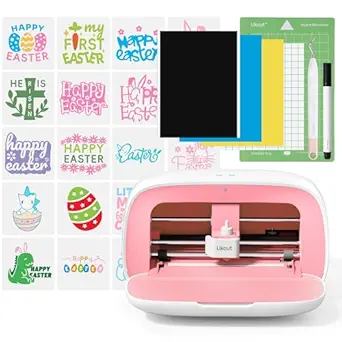
Likcut Glee S501 Vinyl Cutter – Portable Smart Cutting Tool for DIY Crafts
The Likcut Glee S501 excels in providing a portable, lightweight option capable of cutting over 46 different materials, making it highly adaptable for a wide range of DIY projects, including vinyl decals. Unlike the Cricut Joy Xtra, it does not support print-and-cut functionality, which limits its use for full-color sticker projects but keeps it simple for straight cuts and labels. Its built-in pen offers additional customization, and the compact size makes it easy to carry to craft fairs or craft sessions outside the home. The main tradeoff is that it’s not suitable for children or unsupervised use, and it lacks advanced features like automatic material detection or larger cutting widths. This model is best suited for experienced hobbyists who value material flexibility and portability over integrated print functions.
Pros:- Cuts over 46 materials with high precision
- Compact and lightweight for easy transport
- Includes a built-in pen for handwritten details
- Seamless connection to mobile and PC devices
Cons:- No print-and-cut or full-color sticker support
- Not suitable for children or unsupervised use
- Limited to straight cuts and basic shapes
Best for: DIY enthusiasts who need a portable cutter for multiple materials and simple projects
Not ideal for: Beginners or those wanting print-and-cut capabilities for full-color decals
- Brand:LIKCUT
- Included Components:1 Cutting Machine, Adapter, USB C Cable
- Height:11.5 centimeters
- Material Compatibility:Over 46 materials
- Connectivity:App via Bluetooth
- Rating:4.2/5 (242 reviews)
Bottom line: This cutter is ideal for experienced hobbyists seeking a versatile, portable device for various materials without the complexity of print-and-cut features.
Cricut Explore 4 – Smart Cutting Machine (Seashell) | Engagement Bundle – Includes Smart Vinyl, Cardstock, Transfer Tape, Iron On HTV, Mat, Pens, Tool Kit, & 30 Images in Design Space App
The Cricut Explore 4 offers a significant upgrade in versatility, supporting over 100 materials including vinyl, cardstock, and iron-on, making it highly suitable for detailed vinyl decal projects. Its ability to cut, draw, foil, and score surpasses the simpler functions of the Cricut Joy Xtra, especially for users who want more creative options without the bulk of larger cutters like the VEVOR 28-inch model. The included bundle with tools, materials, and design content makes it a comprehensive choice for those ready to explore complex projects. However, it is less portable and more expensive than simpler models, and its learning curve might challenge absolute beginners. This machine makes the most sense for hobbyists or small businesses wanting a versatile, feature-rich cutter with a large material library.
Pros:- Supports over 100 materials for diverse projects
- Includes scoring, foiling, and drawing functions
- Large design library and easy-to-use software
- Bundles with essential tools and materials
Cons:- Bulkier and less portable than smaller models
- Higher price point for beginners
- Requires some design knowledge to maximize features
Best for: Intermediate to advanced crafters, small business owners, and hobbyists seeking variety and depth in projects
Not ideal for: Absolute beginners or those with minimal space for a larger machine
- Material Compatibility:Vinyl, cardstock, iron-on, stickers, and more
- Functions:Cut, draw, foil, score
- Connectivity:Wi-Fi and Bluetooth
- Included Content:Tools, materials, digital images
- Design Library:Over 1.5 million images
- Size:Larger footprint suitable for desktop use
Bottom line: This model suits creative users who want a versatile machine capable of handling complex vinyl decals and other craft projects with multiple functions.
How We Picked
Our evaluation focused on performance, usability, build quality, and value for money. We prioritized machines that deliver precise cuts with minimal setup, ensuring they can handle detailed vinyl decals reliably. Ease of use, including software intuitiveness and features like autoBlade or LCD screens, was also essential. We considered durability and customer reviews to gauge reliability over time. Our ranking balances these factors with price, aiming to recommend options for different budgets and skill levels, from beginners to advanced users.
Factors to Consider When Choosing Best Cutting Machine For Vinyl Decals
Choosing the right cutting machine for vinyl decals involves understanding several key factors. The ideal model balances performance, ease of use, and affordability, depending on your specific needs. Here are some considerations to keep in mind before making your decision.Cutting Precision and Software Compatibility
High-quality decals require precise cuts, especially for intricate designs. Look for machines with advanced blades and compatible software that supports detailed vector graphics. Software ease of use can significantly impact your workflow; choose a system that aligns with your skill level and integrates smoothly with your devices.
Size and Portability
The size of your workspace often dictates your choice. Larger machines can handle bigger decals but may be less portable. Conversely, compact models like the Cricut Joy Xtra are perfect for small projects and limited spaces but might limit larger decal sizes or complex designs.
Ease of Use and Automated Features
User-friendly features such as autoBlade, LCD screens, and wireless connectivity streamline the crafting process. These features reduce setup time and minimize mistakes, making them ideal for beginners or those who prefer a straightforward workflow. However, more automation often comes at a higher price.
Durability and Customer Support
Investing in a sturdy machine with good customer support can save headaches down the line. Read reviews to gauge reliability and consider brands that offer comprehensive warranties or responsive service. This is especially important if you plan to use the machine frequently or for commercial purposes.
Budget and Value
Prices vary widely, from budget-friendly portable cutters to high-end models with advanced features. Balance your budget against the features you need most. Sometimes, investing a little more upfront yields better durability and performance, saving money and frustration over time.
Frequently Asked Questions
Can I use any software with these cutting machines?
While many machines come with dedicated software like Design Space or Studio, some brands support third-party applications or have open file formats. Checking compatibility before purchase ensures you can work with your preferred design tools, especially if you already have experience with certain software. Most advanced models offer seamless integration, but budget options might require workarounds or limited features.
Are portable cutting machines suitable for detailed and complex designs?
Portable models like the Cricut Joy Xtra are generally capable of handling detailed designs, but they may have limitations in cutting size and complexity compared to larger, more robust machines. For frequent use with intricate decals, a slightly larger model with a more powerful blade and auto features might produce cleaner results. Consider your typical project complexity when choosing portability versus capability.
How important is the blade quality and replacement cost?
Blade quality directly affects cut precision and longevity. Higher-quality blades tend to produce cleaner cuts and last longer, reducing replacement frequency. However, premium blades are often more expensive. Budget models may require more frequent replacements, which can add to ongoing costs. Assess the blade system’s availability and cost before selecting a machine, especially if you plan to create decals regularly.
Do I need a machine with built-in rollers or can I manually feed the material?
Many machines come with built-in adjustable rollers that help feed vinyl smoothly and maintain consistent tension, leading to more precise cuts. Manual feeding can be suitable for occasional users or smaller projects but may result in less consistent results over time. For frequent or professional use, a model with automated or adjustable rollers is generally more reliable and easier to operate.
Is it worth investing in bundles that include software and supplies?
Bundles often provide a good value by including essential tools, materials, and design resources, especially for beginners. They can save you money and help you start creating right away. However, verify that the included supplies meet your project needs and that the software is compatible with your workflow. For experienced users, standalone machines might be more flexible if you already own preferred tools and materials.
Conclusion
For those new to vinyl decal crafting, the Cricut Joy Xtra offers an affordable, portable option that’s easy to learn. The Cricut Maker 4 makes an excellent all-around choice for hobbyists and small businesses seeking versatility and advanced features. If you prioritize quiet operation and detailed design capabilities, the Silhouette Cameo 5 stands out. Budget-conscious buyers should consider the Likcut Glee S501 for its simplicity and portability. Ultimately, your ideal machine depends on your project scope, skill level, and budget, so weigh these factors carefully to find your best fit in 2026.