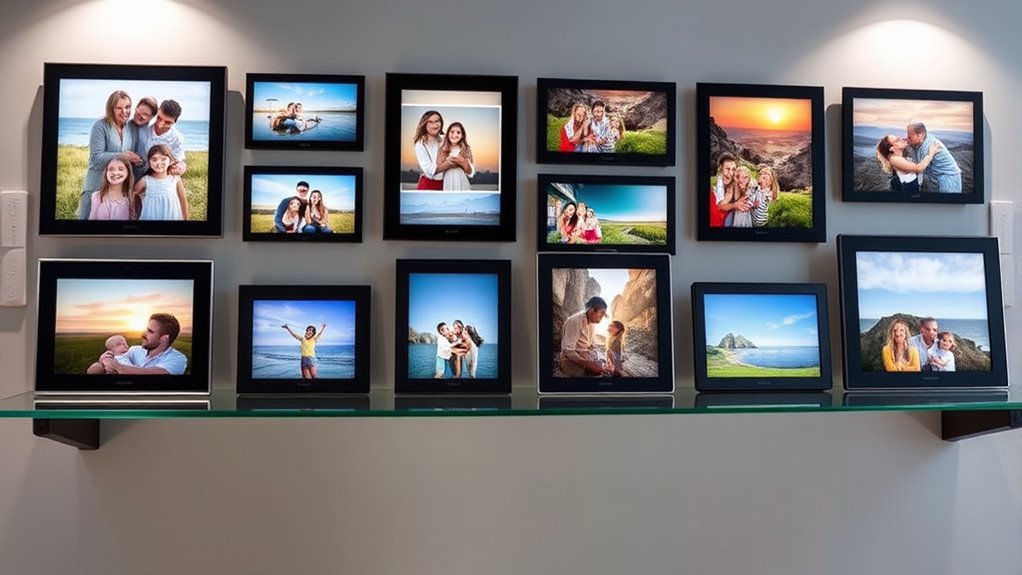

When choosing a digital photo frame that sends photos via email, the key considerations are ease of use, connectivity reliability, and sharing flexibility. The best overall pick is the Nixplay 10.1-Inch WiFi Digital Photo Frame because of its intuitive touchscreen and seamless cloud sharing. The Frameo 15.6-inch Digital Picture Frame stands out for its generous size and straightforward email sharing, while the Dragon Touch 10.1” WiFi Frame offers a budget-friendly option with reliable WiFi. Each model balances features and ease of setup differently, with tradeoffs in price, size, and sharing options. Keep reading for a detailed breakdown to find the right fit for your sharing needs.

Get business pricing on tools and workshop supplies
- Business-only prices and quantity discounts
- Tax-exempt purchasing
- Multiple users, one account, clear invoices
Complete the kit


Key Takeaways
- Top picks excel in ease of email photo sharing, with intuitive interfaces and reliable WiFi connections.
- Larger screens tend to offer better viewing but may cost more and require more space.
- Some models, like Frameo, prioritize simplicity and app-based sharing, while others offer cloud storage options.
- Build quality and user interface significantly impact ease of use, especially for less tech-savvy users.
- Price varies widely; premium models often include additional features like auto-rotation and high-resolution screens.


| digital photo frame send photos via email | Resolution | Display Size | Touch Screen |
|---|---|---|---|
| Nixplay 10.1-Inch WiFi Digital | 1280×800 | 10.1 inches | — |
| 64GB 15.6" Frameo Digital Pict | — | — | Yes |
| Dragon Touch 10.1” WiFi Digit | 1280×800 | 10.1 inches | — |
| Euphro 15.6” Digital Picture | 1920×1080 | — | Yes |
| Nixplay 10.1-Inch HD Touch Scr | HD Touch Screen | 10.1 inches | — |
| 32GB Frameo 10.1 Inch Smart Wi | 1280×800 | 10.1 inches | Yes |
| AEEZO Digital Picture Frame | 1280×800 | 10.1 inches | Yes |
| 10.1 inch WiFi Digital Picture | 1280×800 | 10.1 inches | Yes |
| Frameo 10.1 Inch WiFi Digital | 1280 x 800 | 10.1 inches | Yes |
| Frameo 10.1 Inch WiFi Digital | 1280×800 | 10.1 inches | Yes |
| 10.1 Inch WiFi Digital Photo F | 1280×800 HD | 10.1 inches | Yes |
| Skylight Digital Picture Frame | 1280×800 | 10 inches | — |
More Details on Our Top Picks
Nixplay 10.1-Inch WiFi Digital Photo Frame with Touchscreen and Cloud Storage
This Nixplay model stands out for its combination of high-quality visuals, versatile sharing options, and smart features like Alexa integration. Its 1280×800 IPS touchscreen ensures vivid, wide-angle viewing, surpassing the smaller, lower-resolution options like the Skylight. While it excels in ease of use and remote updates via app or email, the lack of SD card support and reliance on continuous power could be limiting for some users seeking offline flexibility or portability. This pick makes the most sense for those who want a reliable, feature-rich frame with seamless remote sharing and voice control.Pros:- High-definition IPS touchscreen with vivid colors
- Supports sharing via app, email, and cloud with easy setup
- Includes smart features like auto-rotation and Alexa integration
Cons:- No SD card support limits offline transfer options
- Requires continuous power, reducing portability
Best for: Families or seniors who value high-quality display and smart home integration for remote photo sharing.
Not ideal for: Travelers or those who prefer battery-powered frames, as this model needs to stay plugged in and lacks SD support.
- Resolution:1280×800
- Display Size:10.1 inches
- Touchscreen:Yes
- Connectivity Technology:Wi-Fi
- Memory Storage Capacity:32 GB
- Control Method:Touch
- Item Dimensions L x W:9.56″ x 7.47″
- Power Source:Corded Electric
Our verdict“This is best suited for users seeking a smart, high-quality display with multiple sharing channels and voice control.”
64GB 15.6″ Frameo Digital Picture Frame WiFi
This Frameo model offers a sizeable 15.6-inch Full HD IPS display, making it ideal for users who want vibrant, large-format images. Compared to the more compact Nixplay, it provides a bigger viewing area and expandable storage, supporting SD cards and USB drives for offline content. However, it only supports 2.4GHz Wi-Fi networks, which might limit connectivity in some setups, and the app’s 15-second video upload limit can be restrictive for those sharing longer clips. This frame is perfect for those who prioritize size and vivid visuals over advanced smart features.Pros:- Large 15.6-inch Full HD display with vivid colors
- Supports multiple media formats and expandable storage
- Easy wireless sharing via the Frameo app
Cons:- Limited to 2.4GHz Wi-Fi networks, reducing flexibility
- Video upload limit of 15 seconds may frustrate users wanting longer clips
Best for: Homeowners looking for a large, bright display to showcase family photos and videos with expandable storage.
Not ideal for: Tech-savvy users who want robust smart features or dual-band Wi-Fi support, as this model lacks those functionalities.
- Storage:64GB
- Display:15.6-inch IPS Full HD (1920 x 1080)
- Wi-Fi Support:2.4GHz only
- Touch Screen:Yes
- Supported Formats:JPG, JPEG, BMP, PNG, MP4
- Dimensions:15.43 x 9.61 inches
Our verdict“This frame makes the most sense for users who want a large, colorful display with flexible storage options and straightforward sharing.”
Dragon Touch 10.1” WiFi Digital Picture Frame
The Dragon Touch 10.1” frame emphasizes simplicity and ease of use, making it suitable for less tech-savvy users. Its 1280×800 resolution provides clear images, comparable to the Nixplay, but with a smaller size. It supports large storage options via SD and USB, similar to the Frameo model, but limits sharing to Wi-Fi only—no Bluetooth or app-based instant transfer. Compared to the Nixplay, it lacks voice control and smart features, making it a straightforward choice for basic photo display needs, though resetting can be inconvenient since external devices must be removed during setup.Pros:- Simple setup and user-friendly interface
- High-quality display with auto-rotate
- Supports large storage via SD and USB
Cons:- Limited to Wi-Fi sharing, no Bluetooth option
- External device removal needed when resetting
Best for: Elderly users or beginners who want a simple, reliable digital frame without extra smart features.
Not ideal for: Advanced users seeking smart home integration or multi-device synchronization, as this model lacks those features.
- Display Size:10.1 inches
- Resolution:1280×800
- Wi-Fi:Yes (2.4 GHz)
- Memory:16GB
- Supported Storage:SD card, USB
- Aspect Ratio:16:9
Our verdict“This is ideal for users who want a basic, easy-to-use digital frame without extra bells and whistles.”
Euphro 15.6” Digital Picture Frame with 1920×1080 IPS Touch Screen, 32GB Storage, WiFi Sharing
The Euphro 15.6-inch frame offers stunning 1920×1080 visuals, surpassing smaller models like the Dragon Touch in clarity. Its support for multiple formats and micro SD cards enhances flexibility, akin to the Frameo’s expandable storage, but it relies entirely on WiFi for sharing—similar to the Nixplay—without smart features like voice control. The large, vibrant display is perfect for showcasing detailed memories, though users must be comfortable with WiFi dependency to utilize sharing features fully. Its size and resolution make it ideal for living rooms and family spaces.Pros:- High-resolution IPS touch screen for vivid visuals
- Supports multiple photo/video formats and micro SD
- Easy sharing via WiFi with a free app
Cons:- Requires WiFi for sharing—no offline mode
- No built-in smart assistant or AI features
Best for: Homeowners who want a large, crisp display with straightforward WiFi sharing and expandable storage options.
Not ideal for: Users seeking advanced AI or voice features, since this model focuses on visual quality and basic sharing.
- Screen Size:15.6 inches
- Resolution:1920×1080
- Touch Screen:Yes
- Storage:32GB
- Supports Micro SD:Yes
- WiFi Connectivity:Yes
Our verdict“This frame suits those prioritizing image clarity and size with simple WiFi sharing for a memorable display.”
Nixplay 10.1-Inch HD Touch Screen Digital Picture Frame
This Nixplay model combines a high-resolution HD touchscreen with a suite of smart features like face-centering AI and activity sensors, making it more advanced than the simpler Dragon Touch. Its secure cloud storage and seamless app or email sharing create a smooth experience for families wanting to keep everyone connected. However, this enhanced functionality comes at a higher price, and reliance on WiFi for full operation may be limiting in low-connectivity environments. Compared to the other Nixplay, this version offers more automation and photo management tools, appealing to tech-savvy users who want effortless updates.Pros:- High-resolution, vibrant HD touchscreen display
- Smart features like face-centering AI and auto-rotation
- Easy photo sharing via app, email, or web with secure cloud storage
Cons:- Requires WiFi for full feature set, limiting offline use
- Higher cost compared to basic frames
Best for: Tech-oriented families or busy individuals who want automated features and secure cloud storage for remote sharing.
Not ideal for: Budget-conscious users or those with unreliable WiFi, as some features depend heavily on internet stability.
- Display Size:10.1 inches
- Resolution:HD Touch Screen
- Connectivity:Wi-Fi
- Features:Auto-Rotation, AI Face Centering
- Storage:Secure cloud storage
- Control Method:App, Email, Web
Our verdict“This frame is best for users wanting a smart, automated display with advanced photo management and sharing features.”
32GB Frameo 10.1 Inch Smart WiFi Digital Photo Frame with Touch Screen
This model stands out for its comprehensive remote sharing capabilities via the Frameo app, making it ideal for families who want to stay connected without physical proximity. Its 1280×800 IPS touch screen offers vibrant, wide-angle viewing, surpassing smaller or lower-resolution screens like the one on the 10.1 inch WiFi Digital Photo Frame with 1280×800 HD IPS Touch Screen. However, its limitation to 15-second videos and dependence on WiFi for remote uploads mean it’s less suited for users seeking unlimited video length or offline functionality. The intuitive touch interface and customizable display options are strong points, but some may find the app setup complex.
Pros:- Easy to share photos and videos remotely via WiFi and app
- High-quality IPS touch screen with wide viewing angles
- Supports multiple photo and video formats with customizable display options
- Includes additional features like weather, clock, and calendar
Cons:- Limited to 15-second videos, restricting longer content
- Requires WiFi connection for remote sharing, which can be inconvenient in weak signal areas
Best for: Families or friends who want to share photos and videos remotely with minimal fuss and high display quality.
Not ideal for: Users who prefer offline operation or need to upload longer videos frequently, as the video limit and WiFi dependency can be restrictive.
- Display Size:10.1 inches
- Resolution:1280×800
- Touch Screen:Yes
- Built-in Memory:32GB
- Supported Storage:Micro SD card
- Video Format:MP4
Our verdict“This pick is best for tech-savvy families seeking seamless remote photo sharing with a vibrant display.”
AEEZO Digital Picture Frame, 10.1 Inch HD Touch Screen, 32GB Built-in Memory, Wi-Fi Sharing, Auto-Rotate, Black
Compared with the Frameo 10.1-inch model, the AEEZO Digital Picture Frame offers auto-rotation and ambient light sensors, making it ideal for display in rooms with varying lighting conditions. Its 1280×800 IPS touchscreen provides sharp, vivid images, but it falls short in direct playback from SD cards, which can be limiting for users wanting offline access. The Wi-Fi sharing via the AiMOR app is straightforward once set up, but some may find the initial configuration complex. This frame makes a strong case for households seeking a more adaptable display that adjusts to their environment.
Pros:- Auto-rotation and ambient light sensors for optimal viewing
- High-definition IPS touchscreen with vivid colors
- Large internal 32GB storage supports many photos
- Supports remote sharing via Wi-Fi
Cons:- Photos and videos cannot be played directly from SD cards
- Setup with the app may be complex for less tech-savvy users
Best for: Homeowners or seniors wanting a versatile frame that adjusts to room lighting and supports easy remote updates.
Not ideal for: People who prefer simple, plug-and-play solutions without app setup or those needing direct SD card playback without Wi-Fi dependence.
- Display Size:10.1 inches
- Resolution:1280×800
- Touch Screen:Yes
- Built-in Storage:32GB
- Auto-Rotate:Yes
- Wi-Fi Connectivity:Yes
Our verdict“This model is best suited for users who value automatic adjustments and flexible placement over simple offline operation.”
10.1 inch WiFi Digital Picture Frame with 1280×800 HD IPS Touch Screen, Send Photos or Videos via App or Email, Support USB Drive/SD Card, Auto-Rotate, Wall Mountable
This frame excels in flexibility, supporting external storage options like USB drives and SD cards, making it a good choice for those with large photo collections. Its 1280×800 IPS display guarantees clear viewing, and the ability to send photos via email or app provides convenience. Unlike the Frameo models, it offers more diverse storage options, but its setup process can be more involved, and it requires a Wi-Fi connection for sending content. It’s well-suited for users who want a mix of wired and wireless options in a single device.
Pros:- Supports sending photos via email and app
- Supports external storage like USB and SD cards including larger capacities
- High-resolution IPS touchscreen with auto-rotate
- Wall-mountable, versatile placement options
Cons:- Setup process can be complex for some users
- Wi-Fi needed for remote sharing, limiting offline use
Best for: Families or individuals with large photo libraries who want multiple ways to update their display, including external storage and email or app sharing.
Not ideal for: Casual users who prefer straightforward, app-only updates or those with limited technical skills, as setup may be more complex.
- Display Size:10.1 inches
- Resolution:1280×800
- Touch Screen:Yes
- Memory Storage Capacity:32GB
- Supported Storage:USB, SD
- Auto-Rotate:Yes
Our verdict“Ideal for tech-savvy users with large photo collections seeking flexible storage and sharing options.”
Frameo 10.1 Inch WiFi Digital Picture Frame with 32GB Memory, Touch Screen, Auto-Rotate, Share Photos & Videos via App
The Frameo 10.1 Inch WiFi Digital Picture Frame offers a substantial 32GB of internal storage, making it suitable for users who want to display thousands of photos without external support. Its high-resolution IPS touch screen ensures crisp images, and the auto-rotate feature enhances viewing angles. Compared with the AEEZO model, it has similar features but emphasizes easy remote sharing directly from a smartphone app. The 15-second video limit is a drawback for those wanting to showcase longer clips. Overall, this frame suits individuals seeking straightforward, large-capacity digital photo displays.
Pros:- Large 32GB internal storage supports thousands of images
- Easy sharing via app from anywhere in the world
- Vivid display with high resolution and touch control
- Auto-rotation for flexible placement
Cons:- Videos are limited to 15 seconds when uploaded via app
- Limited microSD card support (up to 32GB) may restrict offline expansion
Best for: Tech-savvy individuals or families who prefer hassle-free photo sharing directly from their phone with ample internal storage.
Not ideal for: People who need to display longer videos or offline operation, as video length is limited and WiFi is required for sharing.
- Display Size:10.1 inches
- Resolution:1280 x 800
- Touch Screen:Yes
- Memory:32GB
- Supported Micro SD Card:Up to 32GB
- Auto-Rotate:Yes
Our verdict“Best for users who prioritize large internal storage and easy remote sharing from their phone or computer.”
Frameo 10.1 Inch WiFi Digital Picture Frame with HD IPS Touch Screen, 32GB Memory, Auto-Rotate, Wall Mount, Share Photos & Videos from Phone
This Frameo 10.1 Inch WiFi Digital Picture Frame emphasizes user-friendly setup and versatile placement with its wall-mount capability and straightforward app-based sharing. Its high-resolution IPS touch screen provides vibrant images, and 32GB of storage is ample for most users. Compared to models like the 32GB Frameo, it adds features like customizable albums and a more polished design. However, it still requires Wi-Fi for sharing and does not support offline updates, making it less ideal for those who prefer no internet dependency. This frame makes a solid choice for gifting or casual home use where ease of use is valued.
Pros:- High-resolution IPS touch screen with vivid images
- Supports sharing via app from phone or email
- Auto-rotate and wall-mountable design for flexible placement
- Large 32GB storage capacity
Cons:- Requires Wi-Fi for content updates, limiting offline use
- Setup may be slightly complex for less tech-savvy users
Best for: Casual users or gift buyers seeking an easy-to-use, versatile frame with good display quality and simple sharing options.
Not ideal for: Power users who want offline functionality or support for longer videos, as the reliance on Wi-Fi and app setup can be limiting.
- Display Size:10.1 inches
- Resolution:1280×800
- Touch Screen:Yes
- Memory:32GB
- Auto-Rotate:Yes
- Wall Mountable:Yes
Our verdict“This frame is best suited for users wanting an easy, attractive display with flexible placement and simple sharing features.”
10.1 Inch WiFi Digital Photo Frame with Frameo App, 1280×800 HD IPS Touch Screen, 32GB Storage, Auto-Rotate, Wall Mountable
This model stands out for its intuitive touchscreen interface and seamless app integration, making it ideal for those who want a reliable, all-in-one solution for sharing and displaying photos. Compared with the Skylight Frame, which offers a simpler setup, the Frameo-powered frame provides more customization options and higher internal storage, but it relies heavily on WiFi for full functionality. Its auto-rotation and auto-brightness features ensure the display adapts well to different environments, enhancing user experience. The need for a WiFi connection could be a drawback for users with unstable internet, and the absence of detailed battery info means it’s best for stationary setups.
bestFor: Tech-savvy users who want flexible sharing options and high-quality display in a single device.
notIdealFor: Those seeking a portable, battery-powered frame or minimal setup hassle.
- Easy instant sharing of photos and videos via app
- High-quality HD display with vibrant colors
- Ample internal storage and micro SD support
- User-friendly auto-rotation and auto-brightness features
- Requires WiFi for full functionality
- Limited details on battery or power options
Verdict: This pick makes the most sense for users who want a versatile, high-quality display that’s easy to update remotely.
- Display Size: 10.1 inches
- Resolution: 1280×800 HD
- Storage: 32GB
- Touch Screen: Yes
- Wall Mountable: Yes
- Connectivity: WiFi
Pros:- Easy instant sharing of photos and videos via app
- High-quality HD display with vibrant colors
- Ample internal storage and micro SD support
- User-friendly auto-rotation and auto-brightness
Cons:- Requires WiFi connection for full functionality
- Limited details on battery life or power options
- Display Size:10.1 inches
- Resolution:1280×800 HD
- Storage:32GB
- Touch Screen:Yes
- Wall Mountable:Yes
- Connectivity:WiFi
Our verdict“Best suited for users wanting a flexible, high-resolution display with simple remote sharing capabilities.”
Skylight Digital Picture Frame, 10-inch Black with Load from Phone Capability
The Skylight Frame excels in providing a straightforward setup with its plug-and-play design, making it perfect for those who prefer an uncomplicated experience. Unlike the Frameo-based model, which relies heavily on WiFi for uploading new photos, Skylight offers a simple load-from-phone process that feels more immediate and user-friendly, especially for less tech-savvy users. Its high-resolution touchscreen ensures vibrant image display, and the cloud storage makes it easy to access photos from multiple devices. However, its offline mode only shows preloaded images, and its limited 8GB storage means large collections may require frequent management. It’s best for users who want a reliable, easy-to-use frame with basic Wi-Fi features.
bestFor: Families or seniors who want a hassle-free way to display and update photos without complex setup.
notIdealFor: Tech enthusiasts who need extensive storage or frequent photo updates via Wi-Fi from multiple sources.
- Easy plug-and-play setup with Wi-Fi connectivity
- High-resolution 1280×800 touchscreen display
- Cloud-based storage for convenient photo access
- Simple load from phone feature for quick updates
- Requires Wi-Fi for uploading new photos
- Offline mode displays only preloaded images
- Limited 8GB storage may restrict large collections
Verdict: This frame is ideal for users seeking a straightforward, reliable display that can be quickly updated from a phone without fuss.
- Resolution: 1280×800
- Display Size: 10 inches
- Color: Black
- Memory Storage Capacity: 8 GB
- Touchscreen: Yes
- Connectivity Technology: Wireless
- Power Source: Corded Electric
Pros:- Easy plug-and-play setup with Wi-Fi connectivity
- High-resolution touchscreen display
- Cloud-based storage for convenient photo access
- Simple load from phone feature for quick updates
Cons:- Requires Wi-Fi for uploading new photos
- Offline mode only displays preloaded photos
- Limited storage capacity for large photo collections
- Resolution:1280×800
- Display Size:10 inches
- Color:Black
- Memory Storage Capacity:8 GB
- Touchscreen:Yes
- Connectivity Technology:Wireless
- Power Source:Corded Electric
Our verdict“Best for users who prioritize simplicity and reliable offline viewing with minimal setup fuss.”

How We Picked
The products in this roundup were selected based on their ability to send photos via email reliably, ease of setup, user interface clarity, and overall build quality. We prioritized models with WiFi connectivity, straightforward sharing methods, and positive user reviews for reliability. Devices with additional features like cloud storage, touchscreen controls, and versatile mounting options were also considered. The ranking reflects a balance between value, performance, and user-friendliness, aiming to help buyers find options suitable for different needs and budgets.Factors to Consider When Choosing Digital Photo Frame Send Photos Via Email
Choosing a digital photo frame that sends photos via email involves understanding several key factors. First, consider the ease of sharing—does the device support simple email uploads or app-based sharing? Second, evaluate the screen size and resolution to match your viewing preferences and space constraints. Third, look at connectivity features like WiFi stability and whether the device supports cloud storage for additional backup. Fourth, assess the user interface for intuitiveness, especially if less tech-savvy users will operate it. Lastly, consider the device’s physical design and mounting options, especially if it will be wall-mounted or placed on a stand. These factors ensure you select a model that balances functionality with convenience.Ease of Sharing and Connectivity
The primary reason for choosing a device that sends photos via email is seamless sharing. Look for models with reliable WiFi and straightforward email or app-based upload options. Some frames, like Frameo, excel here by offering dedicated apps that simplify photo transfers, while others rely solely on email, which can be less intuitive if your email setup isn’t straightforward. Also, verify that the device maintains a stable connection to prevent failed uploads or delays. A good balance ensures you can share photos effortlessly without technical frustrations.
Screen Size and Resolution
The visual experience depends heavily on the display quality. Larger screens, such as 15.6 inches, offer more immersive viewing but require more space and typically come at a higher price. Resolution matters too—aim for at least Full HD (1920×1080) for crisp images. Touchscreen capability can enhance usability, especially for navigating menus or changing settings, but may add to the cost. Consider your space and viewing distance to choose a size that feels natural and a resolution that keeps images sharp.
Software and User Interface
A simple, intuitive interface reduces setup time and ongoing frustration. Devices with clear menus, minimal steps for uploading photos, and straightforward sharing options are preferable. Some frames, like Nixplay, offer advanced cloud management but may require a learning curve, whereas others, like Frameo, focus on simplicity. Check for responsiveness and ease of navigation, especially if the device will be used by family members unfamiliar with technology. A smooth interface makes sharing via email feel effortless rather than burdensome.
Physical Design and Mounting
Think about where the frame will sit or hang—wall-mountable frames save space, while others come with stands for tabletop placement. Material quality influences durability and appearance, with sturdy frames resisting wear over time. Ensure the device’s size and weight suit your intended location, and verify mounting options if wall installation is desired. A well-designed frame that fits your decor and space enhances the overall experience.
Additional Features and Value
Extra features like auto-rotation, built-in storage, and remote management can add convenience. Some models include cloud storage, which helps safeguard your photos, while others rely solely on local storage or direct email uploads. Consider if features like video playback, multiple user accounts, or customizable slideshows are important for your use case. Balancing these extras against the price will help you choose a device that offers the best value for your specific needs.
Frequently Asked Questions
Can I send photos to a digital photo frame from any email provider?
Most digital photo frames that support email sharing are compatible with common email providers like Gmail, Outlook, and Yahoo. The key is ensuring that the device’s email address is whitelisted or correctly configured in your email account. Some frames have their own dedicated email addresses, making it simple to send photos directly without additional setup. Always check the manufacturer’s instructions to confirm compatibility and any specific requirements for successful photo delivery.
How many photos can I send via email to a digital photo frame?
The number of photos you can send depends on the device’s storage capacity and email size limits. Many frames support multiple photos per email or batch uploads, especially if they have cloud storage or local memory. For example, a frame with 32GB of storage can handle thousands of images at standard resolutions. However, larger image files or videos will reduce the total number you can store or display. Consider both your sharing habits and storage features to avoid running out of space unexpectedly.
Is it possible to set up multiple users to send photos to the same frame?
Some digital photo frames allow multiple email addresses or user accounts, enabling family members or friends to send photos independently. Devices like Nixplay and Frameo support this feature, making collaborative sharing easier. Check whether the frame supports multiple accounts or email addresses in its setup options. This flexibility is especially useful in family settings, where several people want to contribute photos without sharing one account or email login.
Do I need a smartphone or computer to send photos via email to the frame?
Yes, a smartphone or computer is typically necessary to compose and send emails with photos. Most frames accept images via email, so using your device’s email app or web interface is the usual method. Some models also support app-based uploads, which can be more convenient if you prefer not to use email. Regardless, ensure your device has a stable internet connection to facilitate quick and successful uploads.
What should I do if my photos aren’t appearing on the digital photo frame after sending?
If photos don’t appear, first verify that the frame is connected to WiFi and that the email address used is correct and recognized by the device. Check for any pending updates or notifications on the frame. Sometimes, a simple restart or re-sending the email resolves the issue. Also, review the email size and format restrictions—large files or unsupported formats can prevent successful uploads. Following these steps often restores smooth photo sharing.
Conclusion
For most users, the Nixplay 10.1-Inch WiFi Digital Photo Frame offers the best overall experience, combining ease of use, reliable sharing, and a clear interface. If you seek a budget-friendly option with decent performance, the Dragon Touch 10.1” WiFi Frame makes a solid choice. Those who prioritize simplicity and straightforward email sharing should consider the Frameo models, especially if you want a device designed specifically for easy photo uploads. For larger spaces or more advanced features, premium options like the Nixplay or high-resolution frames are worth the investment. Ultimately, your choice should match your tech comfort level, space, and sharing habits.
As an affiliate, we earn on qualifying purchases.Black Friday Picks

Vitamix 5200 Blender with 64 oz. Container, Black