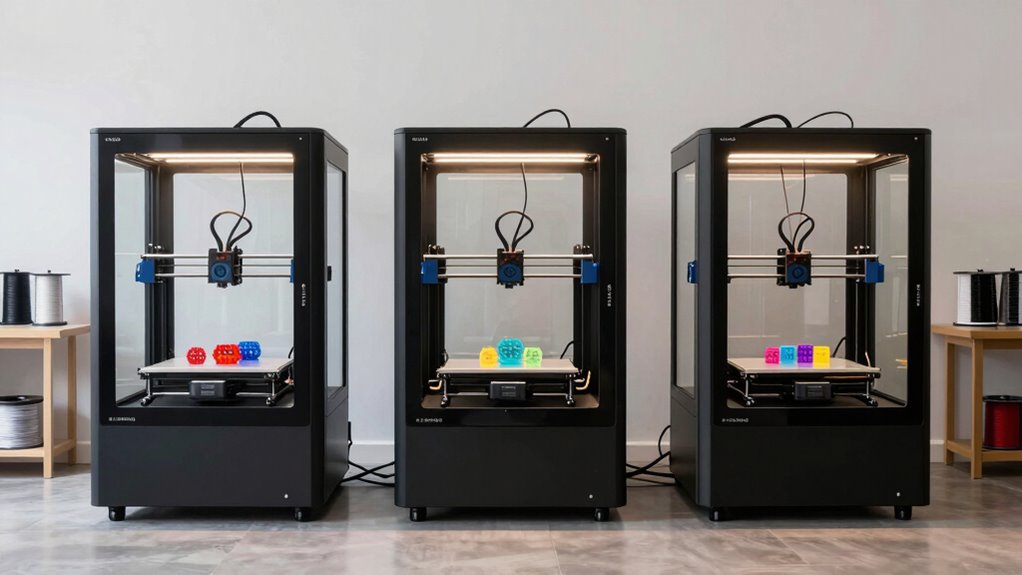

For home use, I recommend the QIDI Q2C, QIDI Q1 Pro, and Creality K1C. The QIDI Q2C offers excellent enclosure safety and high-temp capabilities, while the Q1 Pro adds a built-in camera and fast auto-leveling for convenience. The Creality K1C stands out with its high-speed printing and AI-powered monitoring, perfect for quick projects. If you want to learn more about these top choices and why they’re ideal, keep going.
Key Takeaways
- The QIDI Q2C offers quick setup, reliable auto-leveling, and supports high-temp materials, ideal for versatile home use.
- Creality K1C features ultra-high-speed printing and AI-powered monitoring, perfect for fast, high-quality home projects.
- All three models provide enclosed environments, safety features, and effective dust/fume filtration for a safe home workspace.
- Compatibility with popular slicers and open-source firmware ensures flexible customization for hobbyists and professionals.
- Low noise operation and compact designs make these printers suitable for seamless integration into home environments.
| QIDI Q2C Enclosed 3D Printer with Auto Leveling | Versatile Multi-Material | Enclosure: Fully enclosed FDM design | Auto-Leveling: Full auto-leveling with new-generation sensor | Speed: Up to 600mm/s | VIEW LATEST PRICE | See Our Full Breakdown | |
| QIDI Q1 Pro 3D Printer with Auto Leveling and Camera |  | Beginner Friendly | Enclosure: Fully enclosed with active chamber heating | Auto-Leveling: Full auto-leveling with dual sensors | Speed: Up to 600mm/s | VIEW LATEST PRICE | See Our Full Breakdown |
| Creality K1C 3D Printer with Fast Speed & Auto Leveling | Fast & Reliable | Enclosure: Fully enclosed with cooling system | Auto-Leveling: Auto calibration including auto Z offset and auto leveling | Speed: 600mm/s | VIEW LATEST PRICE | See Our Full Breakdown |

More Details on Our Top Picks
QIDI Q2C Enclosed 3D Printer with Auto Leveling
If you’re looking for a reliable enclosed 3D printer that combines ease of use with professional-level performance, the QIDI Q2C is an excellent choice. Its enclosed FDM design, full-metal CoreXY structure, and linear rails guarantee stability and durability, while the 1.5GT belt minimizes vibrations for smooth finishes. Setup is quick—just 15 minutes from unboxing—thanks to pre-assembled components. The advanced auto-leveling sensor guarantees perfect first layers every time, regardless of bed conditions. With a hotend reaching 370°C, it handles materials like ABS, PETG, and fiber-reinforced composites, making it versatile for various projects.
- Enclosure:Fully enclosed FDM design
- Auto-Leveling:Full auto-leveling with new-generation sensor
- Speed:Up to 600mm/s
- Build Volume:270x270x256mm
- Material Support:Advanced materials like PPS-CF, ABS, PETG, TPU, PA, PC
- User Interface/Remote Monitoring:Compatible with QIDI BOX software, basic user interface
- Additional Feature:Multi-color/multi-material printing
- Additional Feature:Full auto-leveling sensor
- Additional Feature:Supports fiber-reinforced composites
QIDI Q1 Pro 3D Printer with Auto Leveling and Camera
The QIDI Q1 Pro stands out as an excellent choice for home users seeking high-quality, reliable 3D printing with minimal setup. Its independent dual Z-axis motors and lightweight CoreXY system enable fast printing up to 600mm/s with smooth acceleration, ensuring precise results quickly. The fully enclosed design with active chamber heating up to 60°C improves layer adhesion, especially for warping-prone materials like ABS and PC. Auto-leveling with dual sensors simplifies setup, while filament sensors reduce failures. The 1080P camera allows real-time monitoring and time-lapse creation via the mobile app. Overall, it offers a seamless, versatile printing experience suitable for hobbyists and professionals alike.
- Enclosure:Fully enclosed with active chamber heating
- Auto-Leveling:Full auto-leveling with dual sensors
- Speed:Up to 600mm/s
- Build Volume:Not specified exactly, but suitable for various sizes
- Material Support:Wide range including PLA, PETG, TPU, PVA, ABS, ASA, PA, PC, fiber-reinforced
- User Interface/Remote Monitoring:HD camera, remote control via app, open-source customization
- Additional Feature:HD remote camera monitoring
- Additional Feature:Filament runout/tangle detection
- Additional Feature:Active chamber heating
Creality K1C 3D Printer with Fast Speed & Auto Leveling
Designed for those who prioritize speed and ease of use, the Creality K1C 3D Printer stands out with its rapid printing capabilities and auto-leveling features. It can print at 600mm/s with an acceleration of 20,000mm/s², making it incredibly fast—twelve times quicker than standard printers. The large build volume supports bigger projects, and setup takes about three minutes thanks to auto calibration, auto Z offset, and auto input shaping. Its well-designed extruder supports high-temperature filaments like carbon fiber, while AI-powered camera monitoring guarantees consistent quality. Overall, the K1C combines speed, precision, and user-friendly features, perfect for efficient home 3D printing.
- Enclosure:Fully enclosed with cooling system
- Auto-Leveling:Auto calibration including auto Z offset and auto leveling
- Speed:600mm/s
- Build Volume:Approximately 8.66 x 8.66 x 9.84 inches (~220x220x250mm)
- Material Support:Supports carbon fiber, high-temp materials up to 300°C
- User Interface/Remote Monitoring:AI camera, time-lapse, auto operation, user-friendly setup
- Additional Feature:AI-powered print monitoring
- Additional Feature:Rapid auto calibration
- Additional Feature:Upgraded cooling system
Factors to Consider When Choosing an Enclosed 3D Printer for Home
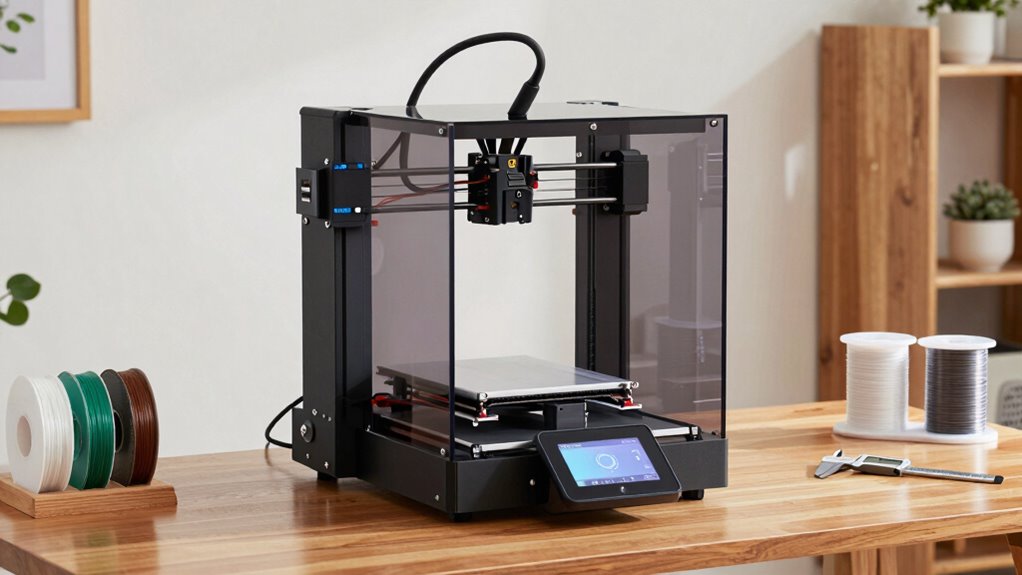
When choosing an enclosed 3D printer for home, I focus on safety features to protect everyone, especially beginners. I also consider printing speed and material options to match my projects, along with how easy it is to set up and maintain. These factors help guarantee I pick a printer that’s reliable, safe, and suited to my needs.
Safety Features Needed
Choosing an enclosed 3D printer for home safety means paying close attention to essential features that protect users and the environment. Enclosed chambers are indispensable because they prevent accidental contact with hot components and moving parts during operation. Filament run-out sensors and filament tangle detection help reduce print failures and fire hazards caused by misfeeds. Auto shut-off systems and emergency stop buttons are critical for immediate halting during emergencies, ensuring safety. Activated carbon filters can markedly cut down harmful fumes and dust, especially when using materials like ABS. Properly designed enclosures with ventilation and temperature controls further minimize risks of overheating and fires. These safety features collectively create a safer environment, giving me peace of mind while printing at home.
Printing Speed Priorities
Speed is a crucial factor when selecting an enclosed 3D printer for home use, especially if you need to produce parts quickly or want to reduce wait times. Higher printing speeds, like 600mm/s, can cut down production time but often require more robust hardware to maintain quality. Prioritizing speed involves balancing faster print rates with potential compromises in layer accuracy and surface finish. An enclosed printer with advanced motion control and high-speed components ensures consistent, rapid printing without sacrificing precision. Features like auto-calibration and auto-leveling help maximize efficiency by minimizing setup and adjustment times. For home users, choosing a model with adjustable speed settings allows you to optimize performance based on project complexity and desired quality, providing flexibility for different printing needs.
Material Compatibility Options
Selecting an enclosed 3D printer for home use requires careful attention to material compatibility, as not all printers support the same range of filaments. I look for models that handle a variety of materials like PLA, ABS, PETG, TPU, and composites such as carbon fiber or fiber-reinforced polymers. Hotend temperature capabilities are essential; I prefer printers that reach 370°C or higher for advanced filaments. Filament management features like drying systems help me print moisture-sensitive materials reliably. Additionally, support for multi-material or multi-color printing is a plus, requiring compatible extruder systems. I also consider whether the enclosure creates an ideal environment for challenging materials prone to warping or adhesion issues. Ensuring these factors guarantees versatile, high-quality prints at home.
Ease of Setup
When setting up an enclosed 3D printer for home use, ease of assembly and initial calibration are essential factors that can save you time and frustration. Many models come with pre-assembled components, allowing you to get started in as little as 10 to 15 minutes. Automated features like auto-leveling and auto-calibration make initial setup straightforward, especially for beginners. Clear, step-by-step instructions and user-friendly interfaces further simplify the process, reducing the learning curve. Lightweight, modular designs also help with quick assembly and disassembly, making setup hassle-free. Additionally, all-encompassing user guides and accessible customer support can assist with troubleshooting or questions, ensuring that you can get your printer up and running smoothly without unnecessary delays.
Maintenance Requirements
Maintaining an enclosed 3D printer is key to keeping it running smoothly and guaranteeing high-quality prints over time. Regular cleaning of the build chamber is crucial to remove filament debris and prevent print defects. You should also check and calibrate auto-leveling sensors to assure consistent first-layer adhesion. Lubricating linear rails, belts, and moving parts helps prevent mechanical failures and keeps operations seamless. Monitoring and replacing filters or air purification components is necessary to manage dust, fumes, and filament particles inside the enclosure. Additionally, keeping firmware and software updated assures maximum performance and access to new features or fixes. Staying on top of these maintenance tasks may seem tedious, but they’re essential for prolonging your printer’s lifespan and achieving consistent, professional results.
Size and Workspace
Choosing an enclosed 3D printer that fits well within your home workspace requires careful consideration of its size and footprint. You need to verify the dimensions comfortably suit your available space, including height and overall footprint. If space is limited, a compact model is ideal, but double-check that it still provides the build volume you need. Also, consider the total weight, making sure your surface or stand can support it securely. Don’t forget to leave extra room for ventilation, maintenance, and easy access to filament and controls. Enclosed designs often require additional space for proper airflow and cooling, especially when printing with high-temperature materials. Balancing size, accessibility, and functionality will help you select a model that fits seamlessly into your home environment.
Software Flexibility
Selecting an enclosed 3D printer with flexible software options can substantially enhance your printing experience. I look for open-source software support, as it offers greater customization and compatibility with various slicers and control programs. It’s important that the firmware allows updates and modifications so I can add new features or fix bugs over time. Compatibility with popular software like Cura, Simplify3D, or proprietary options ensures I can optimize my prints easily. API access or SDKs are a bonus, enabling me to integrate third-party tools or develop custom workflows tailored to my projects. Additionally, software ecosystems that support multi-material, multi-color, or auto-leveling features make my prints more precise and versatile. Overall, flexible software options empower me to adapt my printer to evolving needs and creative ambitions.
Noise Levels
Since noise levels can considerably impact the comfort of my home environment, I pay close attention to how quiet an enclosed 3D printer operates. Enclosed models generally produce less noise because sound-dampening enclosures contain the noise from motors and fans. The design helps reduce high-frequency sounds, making the printing process much quieter. Many enclosed printers feature quieter fans or noise-reduction tech, which further minimizes sound during operation. Noise levels are measured in decibels (dB), and good models usually operate below 50 dB, suitable for home use. Additionally, proper insulation and vibration-damping materials in the enclosure help cut down vibrations that can transfer to nearby surfaces, making the environment more comfortable for daily living while printing.
Frequently Asked Questions
How Energy-Efficient Are These Enclosed 3D Printers?
Enclosed 3D printers in 2026 are quite energy-efficient, I’ve found. They use advanced power management features, like automatic shut-offs and optimized heating elements, which reduce electricity consumption. Plus, their insulation minimizes heat loss, meaning less energy is needed to maintain consistent temperatures. Overall, I’d say they’re designed to balance high performance with lower energy use, making them a smart choice for eco-conscious homes.
What Safety Features Are Included in These Models?
I look for models with safety features like enclosed chambers that contain fumes and hot components, preventing accidental burns or inhalation. Many include automatic shut-off if overheating occurs, door sensors that stop printing when opened, and filtration systems to improve air quality. These features give me peace of mind, knowing that my home environment stays safe while I enjoy 3D printing.
Can These Printers Handle Flexible or Special Filament Types?
Yes, many enclosed 3D printers in 2026 are designed to handle flexible and specialty filaments. I’ve found that models with direct drive extruders and adjustable temperature controls perform best with materials like TPU, PETG, or nylon. These printers usually feature specialized nozzles and heated chambers, allowing for consistent layer adhesion and minimal warping. So, if you’re interested in printing with flexible filaments, choosing a model with these capabilities is essential.
How Noisy Are These Enclosed 3D Printers During Operation?
These enclosed 3D printers are surprisingly quiet during operation, often comparable to a whisper or light background noise. I’ve found that their enclosures help dampen the sound of the motors and fans, making them ideal for home environments. While some models may produce minor noise during high-speed printing or cooling phases, overall, they’re much quieter than open-frame printers, allowing me to work or relax without disruption.
Are Replacement Parts and Support Widely Available for These Printers?
Yes, replacement parts and support are generally widely available for these enclosed 3D printers. I’ve found that popular brands maintain strong customer service and stock spare components, making repairs straightforward. Whether it’s print beds, nozzles, or electronics, you can usually find what you need online or through authorized service centers. This availability gives me peace of mind, knowing I won’t be left stranded if something needs fixing.
Conclusion
Choosing the right enclosed 3D printer for home isn’t just about features—it’s about trusting technology that’s proven to improve print quality and safety. I believe that with advances like auto-leveling and faster speeds, these models are shaping the future of desktop 3D printing. If we embrace these innovations now, we’re more likely to gain access to consistent, high-quality results at home—making 3D printing not just a hobby, but a reliable part of our creative lives.