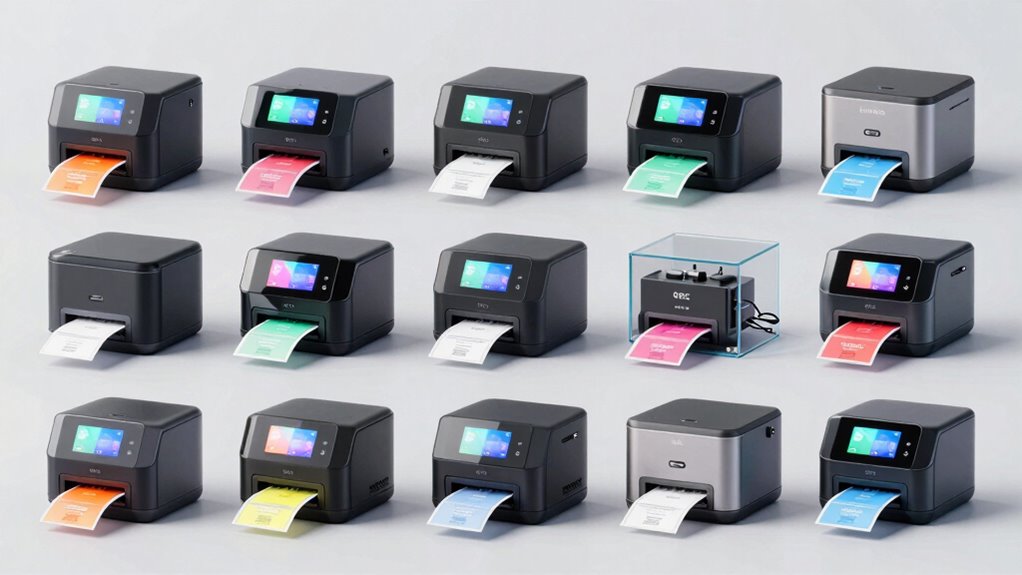
If you’re searching for the best label printer with a cutter in 2026, you’re likely balancing quality, versatility, and ease of use. Right now, the Liene PixCut S1 stands out for its all-in-one design and AI-powered precision, perfect for creative DIY projects. Meanwhile, the Epson ColorWorks CW-4000 offers high-speed professional printing suited for small businesses. The iColor 250 caters to smaller-scale label production with versatile media support, while the Brother P-Touch PT-D410 is ideal for organizational labels at home or in the office. Each of these options involves tradeoffs, whether in complexity, cost, or scope, making it essential to match features with your specific needs.

Get business pricing on tools and workshop supplies
- Business-only prices and quantity discounts
- Tax-exempt purchasing
- Multiple users, one account, clear invoices
Complete the kit


Key Takeaways
- All-in-one devices like the Liene PixCut S1 and PixCut Inspire offer creative freedom with AI-powered auto-cutting and vibrant color printing.
- Professional models such as the Epson CW-4000 deliver high speed and durability but at a higher cost and complexity.
- The iColor 250 balances media versatility with a focus on short-run production, suitable for small business needs.
- Budget-friendly options like the Brother P-Touch PT-D410 excel for organizational labeling but lack advanced features.
- Choosing the right printer depends on your primary use—DIY crafts, professional labeling, or organizational needs—and your willingness to manage complexity.
| Liene PixCut S1 Color Sticker Printer & Cutting Machine |  | Best All-in-One Creative Sticker Printer | Technology: Thermal dye-sublimation | Resolution: 300 DPI | Colors: 16.7 million | VIEW ON AMAZON | See Our Full Breakdown |
| Epson ColorWorks CW-4000 Matte Inkjet Printer |  | Best Professional-Grade Label Printer | Ink Type: CMYK Pigment Ink | Automatic Label Cutter: Yes | Print Speed: Up to 4 inches/sec | VIEW ON AMAZON | See Our Full Breakdown |
| Liene PixCut S1 Inspire Kit – All-in-One Color Sticker Printer & Cutting Machine |  | Best Creative Kit for DIY Projects | Resolution: 300 DPI | Color Capabilities: 16.7 million colors | Paper Sheets Included: 180 sheets (36 photo + 144 sticker) | VIEW ON AMAZON | See Our Full Breakdown |
| iColor 250 Inkjet Color Label Printer & Cutter with CustomCUT Software |  | Best For Small-Scale Professional Label Production | Printer Type: Inkjet Color Label Printer & Cutter | Media Width: 0.5” to 4.50” | Cut Width: 0.5” to 4.10” | VIEW ON AMAZON | See Our Full Breakdown |
| Brother P-Touch PT-D410 Home / Office Advanced Label Maker |  | Best Budget-Friendly Label Maker | Label Tape Width: ~3/4 inch (18mm) | Connectivity: USB | Included Tape: 4m Black Print on White | VIEW ON AMAZON | See Our Full Breakdown |
| label printer with cutter | Connectivity |
|---|---|
| Liene PixCut S1 Color Sticker | Bluetooth |
| Epson ColorWorks CW-4000 Matte | — |
| Liene PixCut S1 Inspire Kit | Bluetooth |
| iColor 250 Inkjet Color Label | Windows 10/11, Mac OS X 10.11+ |
| Brother P-Touch PT-D410 Home / | USB |
More Details on Our Top Picks
Liene PixCut S1 Color Sticker Printer & Cutting Machine
The Liene PixCut S1 stands out for combining high-resolution photo printing with precise die-cutting, making it a flexible choice for hobbyists and small creators. Its AI-powered image extraction and auto-cutting features deliver professional-looking stickers with vibrant, waterproof finishes. Compared to other options, it excels in creative versatility but requires a smartphone or tablet for operation, which may introduce a learning curve. It’s perfect for those who want to produce custom stickers, labels, or gifts without needing separate devices.
Pros:- All-in-one device for printing and cutting
- Vivid, durable, waterproof stickers
- AI-powered auto-cutting and image extraction
- Extensive free resources and templates
Cons:- Requires smartphone or device connectivity
- Limited to sticker and label projects
- Learning curve for new AI features
Best for: DIY enthusiasts and small creators seeking versatile, vibrant stickers and labels
Not ideal for: Users seeking large-format or general document printing, or those without smartphones or tablets
- Technology:Thermal dye-sublimation
- Resolution:300 DPI
- Colors:16.7 million
- Connectivity:Bluetooth
- Features:AI image extraction, auto-cutting
- App Compatibility:iOS, Android, Desktop
Our verdict“A versatile, creative tool perfect for DIYers who prioritize vibrant, waterproof stickers with precise cuts.”
Epson ColorWorks CW-4000 Matte Inkjet Printer
The Epson ColorWorks CW-4000 offers high-speed, professional label printing with vibrant, fade-resistant ink. Its automatic cutter streamlines production, and multiple connectivity options, including Ethernet and optional WiFi, cater to business environments. Compared with smaller or more hobby-oriented printers, it excels in speed and durability but is primarily designed for label production, not general printing. Its cost and setup complexity make it better suited for businesses with consistent labeling needs.
Pros:- High-speed printing up to 4 inches/sec
- Multiple connectivity options including WiFi
- Automatic cutter for efficiency
- Durable, fade-resistant labels
Cons:- WiFi is optional and may require additional purchase
- Limited to label printing, not general documents
- Higher initial investment
Best for: Small businesses requiring high-quality, durable labels quickly
Not ideal for: Casual home use or hobbyists who prefer smaller, simpler devices
- Ink Type:CMYK Pigment Ink
- Automatic Label Cutter:Yes
- Print Speed:Up to 4 inches/sec
- Connectivity Options:Ethernet, USB 2.0, WiFi (optional)
- Compatibility:SAP, Windows, Mac OS, Linux
Our verdict“A robust, fast professional label printer ideal for business use where durability and speed matter most.”
Liene PixCut S1 Inspire Kit – All-in-One Color Sticker Printer & Cutting Machine
The PixCut S1 Inspire Kit extends the original model with a larger supply of waterproof, scratch-resistant stickers and photos, making it ideal for extensive creative projects. Its AI-powered image extraction and precision cutting deliver vibrant, durable results, while including 180 sheets to support ongoing creation. Compared to the basic PixCut S1, it offers more value for those who want to produce a high volume of custom stickers and labels without additional purchases. However, operation still depends on a smartphone or tablet, which may be a barrier for some.
Pros:- All-in-one device for printing and cutting
- Includes 180 sheets for endless projects
- Vibrant, waterproof, scratch-resistant prints
- AI-powered precision features
Cons:- Must use a smartphone or tablet
- Limited to supplied paper without extra purchase
- Learning curve for new users
Best for: Creative hobbyists and small-scale crafters needing a comprehensive kit
Not ideal for: Users who prefer standalone printers or do not want to manage app-based workflows
- Resolution:300 DPI
- Color Capabilities:16.7 million colors
- Paper Sheets Included:180 sheets (36 photo + 144 sticker)
- Connectivity:Bluetooth
- Technology:Thermal dye-sublimation
- Durability:Waterproof, scratch-resistant
Our verdict“A creative powerhouse for hobbyists who want a large supply of waterproof stickers and vibrant prints in one kit.”
iColor 250 Inkjet Color Label Printer & Cutter with CustomCUT Software
The iColor 250 is designed for businesses requiring short runs of custom, full-color labels. It supports a wide range of media sizes and shapes, with an integrated die cutter and proprietary software facilitating precise, custom-cut labels. Compared with hobby models, it offers more media versatility and professional-grade features, but it requires specific media with chipped hubs and additional software setup. This makes it a strong candidate for small businesses but less suitable for casual or one-off projects.
Pros:- Supports a wide variety of media and shapes
- Integrated die-cutting with custom software
- Cost-effective for short runs
- Supports media up to 4.5 inches wide
Cons:- Additional media purchase needed
- Limited Mac software functionality
- Requires chipped media for digital cutting
Best for: Small businesses and professionals producing custom labels in limited quantities
Not ideal for: Casual users or those needing large-volume label printing without dedicated software
- Printer Type:Inkjet Color Label Printer & Cutter
- Media Width:0.5” to 4.50”
- Cut Width:0.5” to 4.10”
- Supported Media:Up to 5” wide rolls
- Print Speed:Up to 4.5 inches/sec
- Connectivity:Windows 10/11, Mac OS X 10.11+
Our verdict“A flexible, professional-grade label printer ideal for small-scale production and custom shapes.”
Brother P-Touch PT-D410 Home / Office Advanced Label Maker
The Brother P-Touch PT-D410 is a straightforward, budget-friendly label maker designed for quick, durable labels in home or small office settings. It connects via USB and offers a variety of fonts, symbols, and templates, supporting tapes up to 3/4 inch wide. While it lacks the digital connectivity and advanced features of more sophisticated printers, it excels in simplicity and ease of use, making it suitable for organizing and basic labeling tasks. Its main tradeoff is the need for a USB connection and limited tape width.
Pros:- Supports a wide range of fonts and symbols
- Durable TZe tapes up to 3/4 inch wide
- USB connectivity for easy PC/Mac use
- Preloaded templates for quick labels
Cons:- Requires connection to a computer for full functionality
- Limited tape width and features
- Less suitable for complex or high-volume labeling
Best for: Home users and small office workers needing quick, reliable labels
Not ideal for: Professionals requiring high-volume or complex label production, or wireless connectivity
- Label Tape Width:~3/4 inch (18mm)
- Connectivity:USB
- Included Tape:4m Black Print on White
- Display:2-line, 15-character
- Fonts:15 fonts, 13 styles
- Symbols:700 symbols
Our verdict“A simple, effective label maker perfect for home or small office organization on a budget.”

How We Picked
Our selection process focused on balancing features like cutting precision, print quality, connectivity options, and ease of use. We considered whether the printers excelled in creative projects, professional label production, or home organization, and evaluated tradeoffs such as cost, learning curve, and media support. Each product was chosen to represent distinct roles, ensuring that whether you prioritize DIY flexibility, speed, or simplicity, you’ll find a suitable option.
| label printer with cutter | Connectivity |
|---|---|
| Liene PixCut S1 Color Sticker | Bluetooth |
| Epson ColorWorks CW-4000 Matte | — |
| Liene PixCut S1 Inspire Kit | Bluetooth |
| iColor 250 Inkjet Color Label | Windows 10/11, Mac OS X 10.11+ |
| Brother P-Touch PT-D410 Home / | USB |
Factors to Consider When Choosing Label Printer With Cutter
Choosing the right label printer with a cutter involves considering your intended uses—whether for creative projects, professional labeling, or organizational tasks. Key factors include the type of printing technology, connectivity options, media support, and whether you need an all-in-one device that combines printing and cutting. Understanding these differences helps ensure you pick a device that aligns with your workflow, budget, and desired output quality.
Type of Printer and Cutting Mechanism
Some printers like the Liene PixCut S1 are designed as all-in-one devices that combine high-quality printing with AI-powered cutting, making them ideal for creative projects and custom stickers. Professional models like the Epson CW-4000 focus on high-speed, durable label production, emphasizing speed and longevity over versatility. Meanwhile, compact devices like the Brother PT-D410 focus on simple, reliable label creation for home or office, sacrificing advanced features for ease of use. Your choice depends heavily on whether you prioritize creative flexibility or production efficiency.
Connectivity and Software
Wireless options such as Bluetooth and WiFi can streamline workflows, especially for creative or mobile use. Devices like the PixCut S1 and Inspire Kit support Bluetooth, enabling quick mobile printing and cutting, but require a compatible device. Professional models often include Ethernet and USB, catering to fixed setups in business environments. Software support, including dedicated apps and design tools, is also crucial—some models excel with extensive free resources, while others may require proprietary software, which can influence ease of integration into your workflow.
Media Support and Durability
If you need waterproof, scratch-resistant stickers or labels, models like the PixCut series excel by supporting dye-sublimation technology and including durable media. Professional printers like the Epson CW-4000 support a range of media widths and types, suitable for various label needs, but often at a higher cost. Simpler label makers like the Brother PT-D410 support polypropylene tapes for everyday organization but lack advanced media versatility. Consider the durability and media options that match your project requirements.
Price and User Skill Level
Budget options like the Brother PT-D410 are accessible but limited in scope, making them good for straightforward labeling tasks. Mid-range devices like the iColor 250 offer more customization and media support, suited for small businesses. Premium models like the Epson CW-4000 come with higher price tags and setup complexity, better suited for frequent professional use. Always weigh the upfront cost against your expected volume and whether you’re comfortable managing more advanced features.
Frequently Asked Questions
What should I consider when choosing a label printer with a cutter?
Consider your primary use—whether for creative stickers, professional labels, or organizational tags. Think about the printing technology (inkjet, dye-sublimation, thermal), connectivity options (Bluetooth, WiFi, USB), media support, and whether you need an all-in-one device with integrated cutting. Your budget and skill level also influence which features are most suitable, ensuring you select a device that integrates smoothly into your workflow.
Are all label printers with cutters suitable for professional use?
Not all are designed for professional environments. High-speed, durable printers like the Epson CW-4000 are tailored for business use, supporting large volumes and various media types. Many smaller or hobby-oriented models focus on creative flexibility or personal organization, which may lack the speed, media versatility, or durability needed for commercial applications. Match the printer’s capabilities with your expected workload and quality requirements.
Do I need special media for printers that cut labels or stickers?
In many cases, yes. Professional and some hobby printers often require specific media with chipped hubs or compatible substrates to enable digital cutting and ensure proper feeding. The choice of media impacts the durability, waterproofing, and overall appearance of your labels or stickers. Always check manufacturer recommendations to avoid compatibility issues and achieve optimal results.
Can I use a label printer with cutter for large-format printing?
Typically, no. Most label printers with cutters are optimized for small to medium-sized media, suitable for labels, stickers, or organizational tags. Large-format printing generally requires specialized large-format printers that are designed to handle bigger media sizes and higher resolutions. If your projects demand large prints, consider a device specifically built for that purpose.
Is a wireless connection necessary for a label printer with cutter?
Wireless options like Bluetooth and WiFi add convenience, especially for mobile or multi-user environments. They allow you to print from multiple devices without physical connections and streamline workflows. However, some reliable models operate effectively through USB or Ethernet alone, which might be preferable in settings where wireless connectivity is less stable or security concerns exist. Choose based on your environment and preferred setup.
Conclusion
If you prioritize creative projects, waterproof stickers, and flexibility, the Liene PixCut S1 or its Inspire Kit variant will serve you well, despite some setup complexity. For small businesses needing fast, durable labels, the Epson CW-4000 offers professional-grade quality at a higher cost. The iColor 250 fits those who require versatile media support for limited runs, while the Brother PT-D410 remains a reliable, budget-friendly choice for home or office organization. Your ideal choice hinges on your specific use case, budget, and willingness to manage technology complexity.
Fall yard work Picks
leaf blowers
As an affiliate, we earn on qualifying purchases.