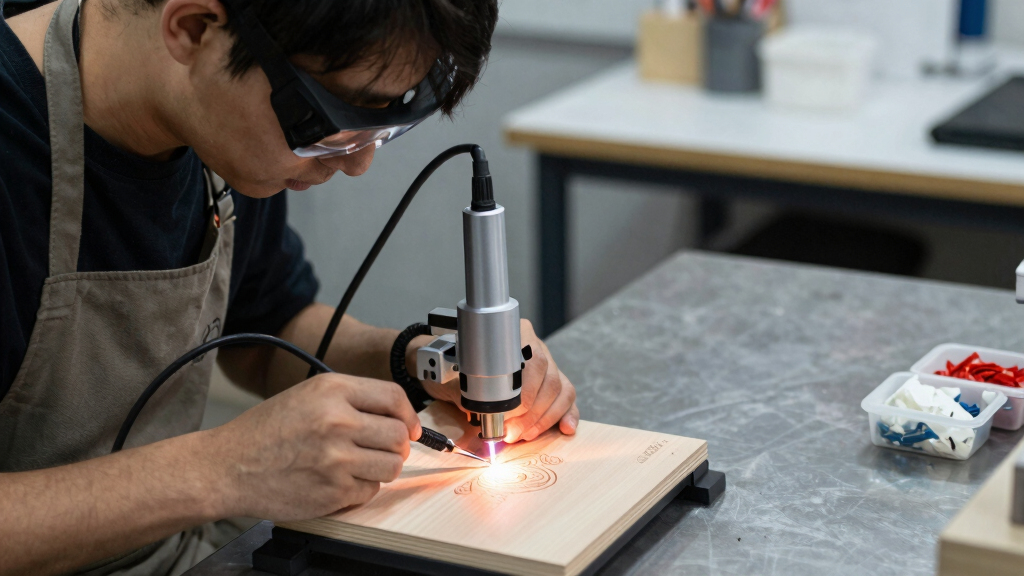

Finding the best diode laser engraver for crafts involves balancing power, precision, ease of use, and price. The AlgoLaser 3W stands out as the top overall choice thanks to its portability and user-friendly AlgoOS system, making it ideal for hobbyists and small-scale projects. The WIZMAKER Wand 12W offers higher power for more demanding craft work, while the xTool F2 provides dual-laser versatility for intricate designs. Buyers often face tradeoffs between affordability and capability, with more powerful models generally costing more and requiring more space or experience. Keep reading for a detailed breakdown of these options to find the best fit for your crafting needs.
Key Takeaways
- Power levels vary significantly, influencing cut depth and speed; higher wattage models like the WIZMAKER Wand 12W are better for thicker materials.
- Ease of use and software compatibility are crucial; models with built-in systems or simple interfaces reduce setup frustration.
- Size and workspace matter; compact options like the AlgoLaser 3W suit small spaces, while larger engravers support bigger projects.
- Price ranges are broad; budget models work for light projects, but investing in more powerful, feature-rich engravers pays off long-term.
- Versatility in materials—some models handle wood and acrylic well, while others can also engrave on metal, ceramics, or glass with accessories.
| AlgoLaser 3W Smart Laser Engraver Machine, Class 1 Portable Laser Cutter with Built-in 2.0 AlgoOS System, No PC Needed, Laser Engraving for Wood, Acrylic, Leather |  | Best Overall for Ease of Use and Versatility | Laser Power: 3W (3000mW) | Touch Screen: 3.5 inches | Connectivity: WiFi, SD card, Type-C | VIEW LATEST PRICE | See Our Full Breakdown |
| T1 Foldable Laser Engraver (3000mW) with 0.01mm Accuracy for Wood, Leather, Acrylic & Coated Metal |  | Best for Portability and Precision in Small-Scale Projects | Power Output: 3000mW (3W) | Working Area: Approx. 150 x 200mm | Accuracy: 0.01mm | VIEW LATEST PRICE | See Our Full Breakdown |
| Longer Ray5 5W Laser Engraver with Touch Screen, 400x400mm Work Area for Wood/Metal/Acrylic/Glass |  | Best for High-Speed, Large Area Projects with Versatile Material Compatibility | Laser Power: 5W (5000mW) | Work Area: 400 x 400mm | Precision: 0.01mm | VIEW LATEST PRICE | See Our Full Breakdown |
| Creality Laser Engraver Machine 10W Output, DIY Cutter for Wood/Metal/Acrylic |  | Best for Heavy-Duty Cutting and High Power Needs | Output Power: 10W (72,000mW machine power) | Cutting Speed: Up to 10,000mm/min | Focus Spot: 0.06mm | VIEW LATEST PRICE | See Our Full Breakdown |
| ACMER S1 Laser Engraver Machine, 3500mW with 130x130mm Working Area |  | Best Compact and Precise for Small-Scale Crafting | Laser Power: 3.5W (3500mW) | Working Area: 130 x 130mm | Accuracy: 0.01mm | VIEW LATEST PRICE | See Our Full Breakdown |
| Twotrees TTS-55 Pro Laser Engraver (5500mW, 30000mm/min Speed) |  | Best Overall for Power and Versatility | Power: 5500mW (Class II) | Precision: 0.1mm engraving accuracy | Speed: 30,000mm/min | VIEW LATEST PRICE | See Our Full Breakdown |
| Colored Laser Engraving Paper for CO2/Diode Lasers – 12 Sheets (Ceramics, Glass, Stone Compatible) |  | Best for Creative Color Effects on Non-Metallic Materials | Number of Sheets: 12 | Laser Compatibility: CO2, Diode | Suitable Materials: Ceramics, Glass, Stone | VIEW LATEST PRICE | See Our Full Breakdown |
| ACMER S2 Laser Engraver/Cutter (7W, 300×300mm Workspace) |  | Best for Precision and Large Projects | Laser Power: 7W | Engraving Area: 300x300mm | Speed: Up to 10,000mm/min | VIEW LATEST PRICE | See Our Full Breakdown |
| ACMER K1 Laser Engraver, 7000mW Desktop Machine with 150×150mm Work Area |  | Best Compact for Home Use and Small Projects | Laser Power: 7W (48W total system power) | Work Area: 150×150mm | Spot Size: 0.08mm | VIEW LATEST PRICE | See Our Full Breakdown |
| xTool F2 Dual-Laser Engraver with 5W IR and 15W Diode Lasers |  | Best for Dual-Laser Functionality and Speed | Laser Types: 5W IR & 15W Diode | Camera Resolution: 50MP | Max Speed: 6000mm/s | VIEW LATEST PRICE | See Our Full Breakdown |
| WIZMAKER Wand 12W Laser Engraver with 300×300mm Workspace for Wood, Leather, and Acrylic |  | Best Overall for Versatile Crafting and Ease of Use | Power: 12W | Workspace Size: 300×300mm | Materials Supported: Wood, leather, paper, MDF, felt, coated metals, dark acrylic | VIEW LATEST PRICE | See Our Full Breakdown |
| xTool Black Laser Marking Spray 8.5 oz |  | Best for Permanent High-Contrast Metal and Glass Markings | Size: 8.5 oz | Compatibility: CO2 lasers (25W+), fiber lasers (10W+), diode lasers (10W+) | Materials: Metals, ceramics, glass | VIEW LATEST PRICE | See Our Full Breakdown |
| 24-Pack 1/8″ (3mm) Basswood Sheets, 12″x12″ |  | Best for Beginners and Versatile Craft Projects | Product Type: Craft Wood | Number of Pieces: 24 | Dimensions: 12″ x 12″ x 1/8″ (3mm) | VIEW LATEST PRICE | See Our Full Breakdown |
| K15 Pro 10W Laser Engraver and Cutter with A4 Work Area for Wood, Metal, Acrylic & More |  | Best for Large-Scale DIY Projects and Versatile Material Support | Work Area: 7.9″ x 11.8″ | Laser Power: 10W Diode | Materials Supported: Wood, Acrylic, Coated Metal, Leather, Glass, Stone | VIEW LATEST PRICE | See Our Full Breakdown |
| ACMER S1 6000mW Laser Engraver/Cutter with 130x130mm Working Area | 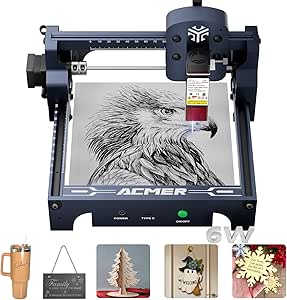 | Best for Precision in Compact Size for Beginners and Professionals | Power: 6000mW (48W output) | Working Area: 130x130mm | Positioning Accuracy: 0.01mm | VIEW LATEST PRICE | See Our Full Breakdown |
More Details on Our Top Picks
AlgoLaser 3W Smart Laser Engraver Machine, Class 1 Portable Laser Cutter with Built-in 2.0 AlgoOS System, No PC Needed, Laser Engraving for Wood, Acrylic, Leather
This model stands out for its all-in-one design, making it ideal for beginners and casual crafters who want a portable, ready-to-use device. Its built-in AlgoOS system and 3.5″ touchscreen eliminate the need for a computer, simplifying operation compared to the more software-dependent Longer Ray5. Support for a wide variety of materials, combined with safety features like automatic alerts and smoke removal, makes it a reliable choice for home and small business use. However, its 3W laser, while versatile, may lack the cutting power needed for thicker materials, which is a tradeoff for its user-friendly setup. Compared with the Creality 10W, this engraver offers more convenience but less raw power for demanding projects.
Pros:- All-in-one system with no PC required, simplifying operation
- Built-in multilingual support and OTA updates keep it current
- Supports a wide range of materials and DIY project creation
Cons:- Limited laser power may restrict cutting thicker or harder materials
- Small engraving area of approximately 300mm works best for smaller projects
Best for: Beginners and hobbyists who prioritize ease of use, portability, and a built-in system for quick setup.
Not ideal for: Experienced users needing high-power cutting or large-scale production, as its 3W laser limits thickness and speed.
- Laser Power:3W (3000mW)
- Touch Screen:3.5 inches
- Connectivity:WiFi, SD card, Type-C
- Compatibility:LightBurn, LaserGRBL
- Materials:Wood, acrylic, leather, fabric, more
- Safety Features:Automatic alerts, safety guard
- Work Area:Approx. 300 x 300mm
Bottom line: This engraver is perfect for craft enthusiasts seeking a straightforward, portable device with versatile but moderate power.
T1 Foldable Laser Engraver (3000mW) with 0.01mm Accuracy for Wood, Leather, Acrylic & Coated Metal
The T1 Foldable Laser Engraver shines for its compact, foldable design that makes storage and transport effortless, making it ideal for small workshops or mobile use. Its 3W laser and 0.01mm accuracy ensure detailed engraving on various materials, outperforming larger, bulkier engravers in portability. The included starter kit with safety goggles and materials makes it accessible for beginners ready to jump into crafting without additional purchases. On the downside, its customer rating suggests mixed experiences, possibly due to inconsistency in build quality or initial setup challenges. Compared with the AlgoLaser 3W, the T1 offers more portability at the expense of slightly smaller engraving surface and potential reliability issues for some users.
Pros:- Foldable design for easy storage and transport
- High precision with 0.01mm engraving accuracy
- Complete starter kit simplifies initial setup
Cons:- Mixed review scores suggest some variability in quality
- Requires removal of protective tape before use, adding a step
Best for: Small business owners or hobbyists needing a portable, precise engraver for on-the-go projects.
Not ideal for: Users requiring larger working areas or higher power for thicker materials, as the foldable design limits size and power.
- Power Output:3000mW (3W)
- Working Area:Approx. 150 x 200mm
- Accuracy:0.01mm
- Dimensions:145.28 x 141.73 x 57.87 inches
- Weight:4.51 pounds
- Material Compatibility:Wood, leather, acrylic, coated metal
Bottom line: This pick suits craft creators who value portability and detailed work, even if it means working within limited material sizes.
Longer Ray5 5W Laser Engraver with Touch Screen, 400x400mm Work Area for Wood/Metal/Acrylic/Glass
The Longer Ray5 offers a significant advantage with its large 400x400mm work area and high-speed capabilities, making it suitable for bigger projects or batch engraving. Its 5W laser and 0.01mm precision deliver detailed results across a variety of materials, rivaling some industrial models in accuracy. Multiple connectivity options, including WiFi and app control, provide flexibility for offline and remote operation, surpassing the simpler interfaces of AlgoLaser. However, it demands a steeper learning curve and proper safety precautions due to its more powerful laser and complex setup process. Compared to the Creality 10W cutter, the Ray5 emphasizes versatility and size over cutting power, making it better for detailed engraving rather than heavy-duty cutting.
Pros:- Large 400x400mm engraving area for bigger projects
- High-speed operation up to 10,000mm/min
- Multiple connectivity options for flexible use
Cons:- Requires technical setup and safety awareness
- Steeper learning curve compared to simpler models
Best for: Experienced hobbyists or small business owners needing large work areas and faster throughput.
Not ideal for: Beginners or casual crafters who prefer plug-and-play simplicity, as setup and safety require technical knowledge.
- Laser Power:5W (5000mW)
- Work Area:400 x 400mm
- Precision:0.01mm
- Connectivity:USB, TF, WiFi, App
- Materials:Wood, metal, acrylic, glass, leather
- Speed:Up to 10,000mm/min
Bottom line: This engraver is ideal for users seeking a large, fast, and versatile machine capable of handling complex or multiple projects efficiently.
Creality Laser Engraver Machine 10W Output, DIY Cutter for Wood/Metal/Acrylic
The Creality 10W Laser Engraver excels in cutting thicker materials like 5mm basswood or 3mm black acrylic with ease, making it a top choice for demanding craft projects. Its 10W laser and 0.06mm focus spot deliver precise, clean cuts that are difficult for lower-power engravers such as the AlgoLaser. Its sturdy aluminum structure and safety features, including UV filters, enhance reliability and safety during intensive use. However, assembly takes around 10-20 minutes, and mastering the software (LightBurn or LaserGRBL) can pose a learning curve for newcomers. Compared to the Longer Ray5, this unit prioritizes cutting power over large engraving areas, making it more suitable for projects requiring thicker materials or detailed cuts rather than bulk engraving.
Pros:- High power output capable of cutting thick materials
- Precise 0.06mm focus for detailed engraving and cutting
- Compatibility with popular software like LightBurn and LaserGRBL
Cons:- Requires assembly and initial calibration
- Higher power means increased safety and setup considerations
Best for: Experienced hobbyists or small workshops needing high power for cutting thicker materials with precision.
Not ideal for: Beginners or those focused solely on small, intricate engravings, due to its larger size and complexity.
- Output Power:10W (72,000mW machine power)
- Cutting Speed:Up to 10,000mm/min
- Focus Spot:0.06mm
- Materials:Wood, metal, acrylic, glass
- Connectivity:Wi-Fi, USB, SD card
- Work Area:Approx. 300 x 300mm
Bottom line: This cutter is best suited for experienced users who need a powerful, reliable machine for thicker materials and demanding projects.
ACMER S1 Laser Engraver Machine, 3500mW with 130x130mm Working Area
The ACMER S1 offers a compact, preassembled design that makes it straightforward to start engraving on small projects, perfect for craft enthusiasts with limited space. Its 3.5W laser provides high accuracy at 0.01mm repeatability, comparable to higher-end models like the Longer Ray5, but within a smaller footprint. Its 130x130mm workspace suits small intricate designs rather than large pieces, which is a tradeoff compared to larger engravers. The device’s compatibility with popular software and its plug-and-play nature make it accessible for beginners, but the smaller work area limits the scope of larger projects.
Pros:- Preassembled, easy setup for beginners
- High-precision 0.01mm repeatability
- Lightweight and portable for small workshops
Cons:- Limited work area restricts larger projects
- Requires learning specific software workflows
Best for: Beginners and hobbyists focusing on small, detailed crafts or jewelry making.
Not ideal for: Users who need larger engraving surfaces or heavy-duty cutting, as the compact size restricts project scale.
- Laser Power:3.5W (3500mW)
- Working Area:130 x 130mm
- Accuracy:0.01mm
- Weight:2kg (4.4 lbs)
- Material Compatibility:Wood, leather, acrylic, PCB, ceramics
- Connectivity:USB, LightBurn, LaserGRBL
Bottom line: This engraver is ideal for small-scale, detailed craft projects where precision and ease of use are priorities.
Twotrees TTS-55 Pro Laser Engraver (5500mW, 30000mm/min Speed)
The Twotrees TTS-55 Pro stands out as the most powerful option in this roundup, with a 5500mW laser capable of cutting and engraving a wide range of materials, including metals and glass. Its high speed of 30,000mm/min and 0.1mm accuracy make it ideal for detailed, professional-quality crafts. Compared to the ACMER S2, which offers finer accuracy at a lower power, the TTS-55 Pro is better suited for projects that demand both speed and versatility. The main tradeoff is its weight and technical complexity; at over 8 pounds and with advanced setup requirements, it’s less user-friendly for complete beginners. This pick makes the most sense for experienced hobbyists and small business owners who need a robust, multi-material machine.
- Powerful 5500mW laser with air assist
- Fast, precise engraving (0.1mm accuracy)
- Supports multiple software platforms
- Large 300x300mm working area
- Heavy (8.28 lbs), less portable
- Requires technical setup for full feature access
Pros:- High-powered laser with air assist for cleaner cuts
- Ultra-precise 0.1mm engraving accuracy
- Fast 32-bit control board with wireless connectivity
Cons:- Heavy at 8.28 lbs, less portable
- Requires technical setup for advanced features
Best for: Experienced hobbyists and small craft businesses needing versatile, high-speed cutting and engraving.
Not ideal for: Beginners or users seeking a lightweight, plug-and-play device with minimal setup.
- Power:5500mW (Class II)
- Precision:0.1mm engraving accuracy
- Speed:30,000mm/min
- Working Area:300x300mm
- Materials Supported:Wood, Metal, Acrylic, Glass, Leather, Stainless Steel
- Weight:8.28 lbs
Bottom line: This model suits experienced users who want a powerful and adaptable laser engraver for diverse crafts.
Colored Laser Engraving Paper for CO2/Diode Lasers – 12 Sheets (Ceramics, Glass, Stone Compatible)
This laser engraving paper set provides vibrant, multi-colored options for decorating ceramics, glass, and stone, making it perfect for personalized gifts and décor projects. Unlike the ACMER K1, which is a dedicated engraver, this paper allows for creative versatility without the need for a separate machine. The 12-color palette enables unique, eye-catching results, but it requires manual adjustment of laser parameters and is limited to non-metallic surfaces. It’s ideal for crafters who want to add color and personalization but don’t need a full engraver. The main tradeoff is that it’s incompatible with plastics and metals, so it’s not suitable for all craft projects. This product makes the most sense for DIYers focused on decorative embellishments.
- Works with CO2 and diode lasers
- 12 vibrant colors for customization
- Customizable sheet sizes for flexibility
- Limited to ceramics, glass, and stone (not plastics or metals)
- Requires manual parameter adjustments for best results
Pros:- Vibrant, multi-color options for creative projects
- Compatible with both CO2 and diode lasers
- Customizable sheet sizes for various projects
Cons:- Limited to non-metallic surfaces only
- Requires manual laser adjustments for optimal results
Best for: DIY enthusiasts creating colorful, personalized crafts on ceramics, glass, or stone.
Not ideal for: Users wanting to engrave on plastics or metals, as this product isn’t compatible with those materials.
- Number of Sheets:12
- Laser Compatibility:CO2, Diode
- Suitable Materials:Ceramics, Glass, Stone
- Sheet Size:36cm x 24cm
- Colors Included:Black, White, Gold, Silver, Blue, Gray, Dusty Blue, Lake Blue, Green, Army Green, Brown, Pink
- Not Compatible With:Plastic, Metal
Bottom line: This product is ideal for craft makers who want bright, colorful effects on ceramics, glass, or stone surfaces.
ACMER S2 Laser Engraver/Cutter (7W, 300×300mm Workspace)
The ACMER S2 offers a powerful 7W laser with a large 300x300mm workspace, making it suitable for detailed engravings on wood, metal, and acrylic. Its 0.01mm accuracy outperforms many similar models like the ACMER K1, which has a smaller work area, making it perfect for bigger projects and intricate designs. While its high precision is appealing, it involves a higher cost and a steeper learning curve, especially considering optional accessories like rotary modules are sold separately. The main drawback is that it requires some familiarity with laser settings to optimize results, and it isn’t the most portable. This makes it a strong choice for dedicated hobbyists and small workshops who prioritize detail and size. The tradeoff is that it’s less beginner-friendly and more expensive than smaller, simpler models.
- High-precision 0.01mm engraving
- Large 300x300mm working area
- Supports detailed, large-scale projects
- Higher price point
- Requires some technical knowledge for setup
Pros:- Superb 0.01mm accuracy for detailed engraving
- Large 300x300mm work area accommodates bigger projects
- Supports engraving on multiple materials including metal
Cons:- Higher cost and complexity
- Accessories sold separately, adding to expense
Best for: Small-scale professional hobbyists or craft businesses focusing on detailed, large projects.
Not ideal for: Beginners or casual hobbyists seeking an easy, affordable entry-level machine.
- Laser Power:7W
- Engraving Area:300x300mm
- Speed:Up to 10,000mm/min
- Precision:0.01mm
- Materials Supported:Wood, Metal, Acrylic
- Max Cutting Depth:13mm (wood), 6mm (acrylic)
Bottom line: This engraver excels for detailed, large-scale projects where precision is a priority and the user has some experience.
ACMER K1 Laser Engraver, 7000mW Desktop Machine with 150×150mm Work Area
The ACMER K1 offers a compact, desktop design with a 7000mW laser, making it an attractive choice for small-scale crafts and home projects. Its 0.08mm spot size provides high precision on materials like wood, acrylic, and leather, comparable to larger models like the Twotrees TTS-55 Pro, but with a significantly smaller work area ideal for hobbyists with limited space. The adjustable power from 3.5W to 12W allows for versatile material compatibility, and the included free software simplifies operation for beginners. However, the small 150x150mm workspace limits larger projects, and some users report mixed results with certain materials. This model is perfect for those starting out or working on jewelry, tags, or small decorative items. Its main drawback is its limited size, which restricts larger or more complex projects.
- High-precision 0.08mm spot size
- Adjustable power (3.5W-12W)
- Compact and lightweight (7.85 lbs)
- Small 150x150mm work area
- Limited to small projects
Pros:- High 0.08mm precision spot size
- Adjustable power settings for different materials
- Lightweight and space-saving design
Cons:- Limited 150x150mm work area
- Mixed customer reviews regarding material compatibility
Best for: Beginners or hobbyists focusing on small, detailed engravings at home or small workshops.
Not ideal for: Users requiring larger work areas or producing bigger projects regularly.
- Laser Power:7W (48W total system power)
- Work Area:150×150mm
- Spot Size:0.08mm
- Max Cutting Depth:8mm
- Weight:7.85 pounds
- Software:Free AcmerTool
Bottom line: This machine offers great precision in a small form factor, perfect for hobbyists focused on small crafts.
xTool F2 Dual-Laser Engraver with 5W IR and 15W Diode Lasers
The xTool F2 combines a 5W IR laser for vivid metal marking and a 15W diode laser for cutting and 3D embossing, making it highly versatile. Its built-in 50MP camera with 0.1mm alignment accuracy allows for precise positioning, and its remarkable engraving speeds of up to 6000mm/s set it apart from all others in this list. Compared with the Twotrees TTS-55 Pro, which focuses on material versatility, the F2 emphasizes speed and multi-functionality, especially for on-site applications. The main tradeoff involves safety considerations due to its Class 4 laser, requiring strict precautions. This model suits active professionals or small businesses that need rapid, multi-material engraving in a portable form. It’s less ideal for beginners due to its complexity and safety requirements.
- Dual-laser system for metal marking and material cutting
- Fast engraving speeds (up to 6000mm/s)
- High-resolution camera for precise positioning
- Class 4 laser demands strict safety protocols
- Complex operation may challenge beginners
Pros:- Dual-laser system for metal and material engraving
- Ultra-fast speeds up to 6000mm/s
- Built-in 50MP camera for precise alignment
Cons:- Class 4 laser requires strict safety measures
- Complex setup for new users
Best for: Small businesses and professionals requiring fast, multi-material, on-site engraving with high precision.
Not ideal for: Complete beginners or users seeking a simple, low-maintenance device for occasional use.
- Laser Types:5W IR & 15W Diode
- Camera Resolution:50MP
- Max Speed:6000mm/s
- Weight:4.6 kg (10.1 lbs)
- Material Compatibility:300+ materials
- Laser Class:Class 4
Bottom line: This dual-laser model is best suited for experienced users needing speed and multifunctionality in a portable package.
WIZMAKER Wand 12W Laser Engraver with 300×300mm Workspace for Wood, Leather, and Acrylic
The WIZMAKER Wand 12W stands out for its combination of high power, precise results, and flexible connectivity, making it ideal for serious craft enthusiasts. Compared with the ACMER S1 6000mW, it offers a larger workspace and faster engraving speeds, suitable for more complex projects. However, the Wand’s class 4 laser demands careful handling, and its learning curve for software optimization can be steep for newcomers. Its ability to handle multiple materials like coated metals and dark acrylic at high speed sets it apart, but the safety considerations and limited metal engraving restrict its use somewhat. Best suited for crafters who want professional results with minimal setup time and are comfortable with safety protocols.
Pros:- Fast setup with modular design for quick deployment
- High precision (0.1mm) suitable for intricate designs
- Flexible connectivity across devices and OS
Cons:- Requires careful handling due to Class 4 laser safety concerns
- Limited to non-metallic and coated materials, restricting some applications
Best for: Experienced hobbyists or small business owners seeking fast, multi-material engraving with a compact setup
Not ideal for: Beginners or those working primarily with metal, as the laser is limited to non-metallic and coated materials
- Power:12W
- Workspace Size:300×300mm
- Materials Supported:Wood, leather, paper, MDF, felt, coated metals, dark acrylic
- Connectivity:Wi-Fi, USB, hotspot (Windows/Mac/Android/iOS)
- Engraving Speed:Up to 10,000 mm/min
- Precision:0.1mm
Bottom line: This engraver is best for those needing versatile, high-speed craft results with safety awareness in mind.
xTool Black Laser Marking Spray 8.5 oz
The xTool Black Laser Marking Spray makes a strong impression with its ability to produce durable, fade-resistant black engravings on metals, ceramics, and glass, especially when paired with CO2 or fiber lasers. Compared to the WIZMAKER Wand 12W, which is more about versatile engraving on various materials, this spray specializes in creating high-contrast, permanent marks, but it depends on the laser type used. Its even application and clog-proof nozzle make for consistent results, yet it requires careful shaking before use and isn’t suitable for vertical application or shaking during the process. This makes it perfect for detailed, lasting markings but less so for large-scale or multi-material projects. Ideal for craftspeople needing durable, black markings on metal or glass surfaces.
Pros:- Produces fade-resistant, high-contrast black engravings
- Compatible with multiple laser types and materials
- Provides an even, consistent coating for professional results
Cons:- Requires careful shaking to avoid bulging and inconsistent application
- Not suitable for vertical spraying or shaking during use
Best for: Crafters and jewelry makers needing permanent, high-contrast markings on metal, ceramic, or glass
Not ideal for: Users working primarily with wood or coated materials, as this spray targets metallic and non-porous surfaces
- Size:8.5 oz
- Compatibility:CO2 lasers (25W+), fiber lasers (10W+), diode lasers (10W+)
- Materials:Metals, ceramics, glass
- Nozzle Type:Clog-proof
- Finish:Black, fade-resistant
- Application:Even coating
Bottom line: This spray is best for those seeking durable, high-quality markings on metal and glass surfaces.
24-Pack 1/8″ (3mm) Basswood Sheets, 12″x12″
The 24-pack basswood sheets provide a reliable foundation for laser cutting, engraving, and DIY projects. Their smooth, burr-free surface and even grain make them ideal for detailed work on both simple and complex designs. Compared with the ACMER S1 6000mW, which offers higher power and cutting capacity, these sheets prioritize ease of use and safety for beginners or casual crafters. The lightweight design and eco-friendly material support a wide array of projects, from model-making to painting, but the 3mm thickness might limit structural applications requiring thicker or more durable wood. The large pack size is excellent for bulk projects but may be excessive for small-scale crafting. Best suited for hobbyists or educators focusing on laser cutting and detailed decorating.
Pros:- Smooth, splinter-free surface for safe handling
- Versatile for laser cutting, painting, and modeling
- Eco-friendly and easy to work with
Cons:- Limited thickness restricts some structural uses
- Large pack size may be unnecessary for small projects
Best for: Beginner crafters, educators, or those working on intricate laser-cut projects with a focus on safety and ease
Not ideal for: Pro-level woodworkers needing thicker or more durable wood for structural projects
- Product Type:Craft Wood
- Number of Pieces:24
- Dimensions:12″ x 12″ x 1/8″ (3mm)
- Material:Basswood
- Finish:Unfinished
- Compatibility:Laser cutting, engraving
Bottom line: These basswood sheets are perfect for beginners and educational projects needing safe, reliable material for laser work.
K15 Pro 10W Laser Engraver and Cutter with A4 Work Area for Wood, Metal, Acrylic & More
The K15 Pro 10W Laser Engraver offers a substantial A4 work area and support for over 100 materials, making it a flexible choice for craft enthusiasts who want more space. Its AI-powered app simplifies design, making it accessible for beginners, yet its advanced features appeal to more experienced users. Compared to the WIZMAKER Wand 12W, which emphasizes speed and precision, the K15 Pro’s larger work area and upgrade options for fiber laser make it more adaptable for diverse projects. The need for a fiber upgrade for metal marking is a consideration, and its heat management may require breaks during extended sessions. Still, its wide compatibility and user-friendly interface make it ideal for multi-material crafts. Best suited for hobbyists and small businesses aiming for larger, varied projects with ease of use.
Pros:- Large A4 work area supports bigger projects
- Supports over 100 materials, with upgrade options
- AI design tools simplify complex projects
Cons:- Fiber laser upgrade necessary for metal marking
- Learning curve for advanced features and software
- Heat management may need attention during long sessions
Best for: DIYers and small-scale crafters seeking a large workspace and multi-material support with beginner-friendly software
Not ideal for: Users focused solely on metal engraving or those needing ultra-fine resolution at the micro-level
- Work Area:7.9″ x 11.8″
- Laser Power:10W Diode
- Materials Supported:Wood, Acrylic, Coated Metal, Leather, Glass, Stone
- Engraving Speed:15,000mm/s
- Precision:0.01mm
- Upgrade Option:1W Fiber Laser Module
Bottom line: This engraver is a smart choice for craft enthusiasts wanting a versatile, beginner-friendly device with a large workspace.
ACMER S1 6000mW Laser Engraver/Cutter with 130x130mm Working Area
The ACMER S1 6000mW excels in delivering high-precision engraving and cutting within its compact 130x130mm workspace. Its 0.01mm accuracy rivals larger, more expensive models, making it suitable for detailed work on wood, leather, and acrylic. Compared with the WIZMAKER Wand 12W, it’s more limited in size but offers easier portability and setup, appealing to beginners or those with space constraints. Its dual functionality for engraving and cutting, combined with a portable design, makes it a versatile choice. However, its small working area and limited capacity for thicker materials mean it’s less suitable for large projects or heavy-duty cutting. It’s best for detailed crafts rather than production-scale work. Ideal for hobbyists or professionals needing precise, small-scale work in a portable format.
Pros:- Exceptional 0.01mm accuracy for detailed work
- Compact, portable design for easy setup and movement
- Dual engraving and cutting capabilities
Cons:- Limited to small projects due to 130x130mm workspace
- Cannot cut thick or large materials efficiently
- Requires ventilation for fumes during operation
Best for: People needing high-precision, detailed engraving in a portable, easy-to-use device
Not ideal for: Crafters working on large projects or thick materials, due to the small working area and limited power
- Power:6000mW (48W output)
- Working Area:130x130mm
- Positioning Accuracy:0.01mm
- Materials Supported:Wood, leather, acrylic, PCB, ceramics
- Weight:4.2 pounds (2kg)
- Warranty:12 months
Bottom line: This model is best for those prioritizing precision and portability over large-scale or thick material projects.
How We Picked
These products were selected based on their suitability for crafts, focusing on performance, user-friendliness, build quality, and value. Priority was given to models that balance power and precision with ease of operation, making them accessible for hobbyists and small business crafters. We compared wattage, engraving area, software compatibility, and unique features like portability or dual-laser setups. The ranking reflects a combination of versatility, affordability, and reliability, aiming to meet different craft project needs while avoiding overly complex or underpowered options.Factors to Consider When Choosing Best Diode Laser Engraver For Crafts
Choosing the best diode laser engraver for crafts requires understanding key factors that influence usability, versatility, and results. Buyers should consider power, size, software, and material compatibility, among other aspects. Making an informed decision helps prevent costly mistakes and ensures the machine will support your specific crafting projects effectively.Power and Material Compatibility
Power determines how effectively an engraver can cut or etch different materials. Lower wattage models, around 3-5W, are suitable for soft woods, acrylics, and leather, but may struggle with thicker or tougher materials. Higher wattage units like 7W or more can handle denser materials like hardwoods, coated metals, or ceramics with proper accessories. Consider your typical projects and choose a machine that offers enough power for those materials without overpaying for unnecessary wattage that adds cost and complexity.
Size and Work Area
The workspace size directly impacts what projects you can undertake. Compact models with smaller engraving areas are perfect for jewelry or small crafts, while larger units support bigger panels or multiple items simultaneously. Think about your typical project dimensions and available workspace; larger engravers usually come at a higher price and may require more setup space. Balancing size with your current workspace constraints ensures smoother operation and better results.
User Interface and Software
Ease of use is vital, especially for hobbyists or newcomers. Machines with built-in controls or simple, intuitive software significantly reduce setup time and frustration. Compatibility with popular design programs like LightBurn or proprietary software can also streamline workflows. Beware of models with buggy, outdated, or overly complex interfaces, as they can hinder your creative process rather than enhance it.
Material Versatility and Accessories
While many diode lasers excel at engraving wood, acrylic, and leather, some models support additional materials like coated metals, ceramics, or glass with optional accessories or special settings. If your projects vary widely, look for a versatile machine that can adapt with compatible attachments. Investing in accessories such as rotary engravers or special coatings can expand your creative possibilities but also adds to the initial investment.
Budget and Long-term Value
Budget constraints influence which features are feasible. Entry-level models are suitable for light, occasional projects but may lack the power or durability for frequent use. Higher-end units, though more expensive upfront, often provide greater reliability, faster engraving, and broader material compatibility—making them a better value over time. Carefully consider the long-term benefits versus immediate savings to find a machine that matches your crafting ambition and budget.
Frequently Asked Questions
Can a diode laser engraver cut through thick wood or acrylic?
Most diode laser engravers are optimized for engraving rather than cutting, especially at lower wattages. While some higher-powered units, like the WIZMAKER Wand 12W, can cut thin sections of wood or acrylic, thicker materials may require a CO2 laser or a more powerful diode with specialized features. For occasional light cutting, ensure the machine’s wattage and cooling system are sufficient; otherwise, expect limited cutting depth and longer processing times.
Is software compatibility a major factor when choosing a diode laser engraver?
Yes, software compatibility significantly impacts your workflow. Machines with widely supported, user-friendly software like LightBurn or proprietary interfaces tend to be easier to learn and integrate into your design process. Compatibility also affects updates and troubleshooting; choosing a machine with active software support can save time and frustration, especially if you’re new to laser engraving.
How much should I expect to spend for a good beginner-friendly diode laser engraver?
Entry-level models suitable for hobbyists typically range from around $200 to $500. These units often feature smaller work areas and lower power but are simple to operate and great for small crafts. Investing a bit more, say up to $700, can provide additional features like larger workspaces, better software, and higher power, offering a more versatile experience without overwhelming a beginner.
Are portable laser engravers reliable for regular craft use?
Portable models like the AlgoLaser 3W are designed for convenience and ease of transport, making them ideal for small-scale projects or mobile setups. However, their smaller size often means lower power and limited engraving areas, which can impact durability and performance over time. For frequent or large projects, a slightly larger, more robust machine may provide better results and longer-lasting reliability.
Can I engrave on metals with a diode laser engraver?
Standard diode lasers are generally not capable of engraving on most metals directly. To engrave on coated metals or ceramics, you may need special accessories or coatings, and results can vary. For true metal engraving, a CO2 or fiber laser is usually required. However, diode lasers excel at engraving on coated or treated surfaces, making them suitable for decorative crafts on metal objects with proper prep.
Conclusion
For most hobbyists and small craft businesses, the AlgoLaser 3W offers a reliable, easy-to-use option that balances size, power, and affordability. If you need higher power for thicker materials or larger projects, the WIZMAKER Wand 12W stands out as the best premium choice. Beginners seeking simplicity should consider the ACMER S1 6000mW or similar models, which combine straightforward operation with decent performance. For those prioritizing versatility and advanced features, dual-laser units like the xTool F2 provide expanded creative options. Ultimately, your selection should align with your project scope, budget, and experience level to get the most satisfying results.