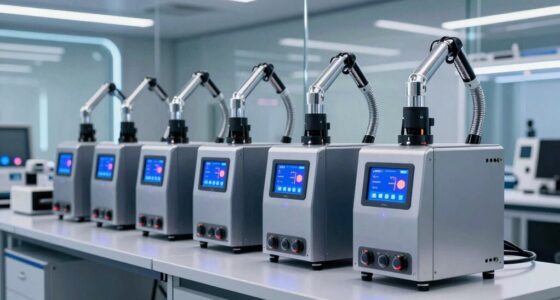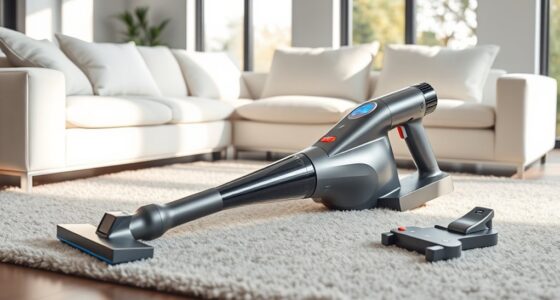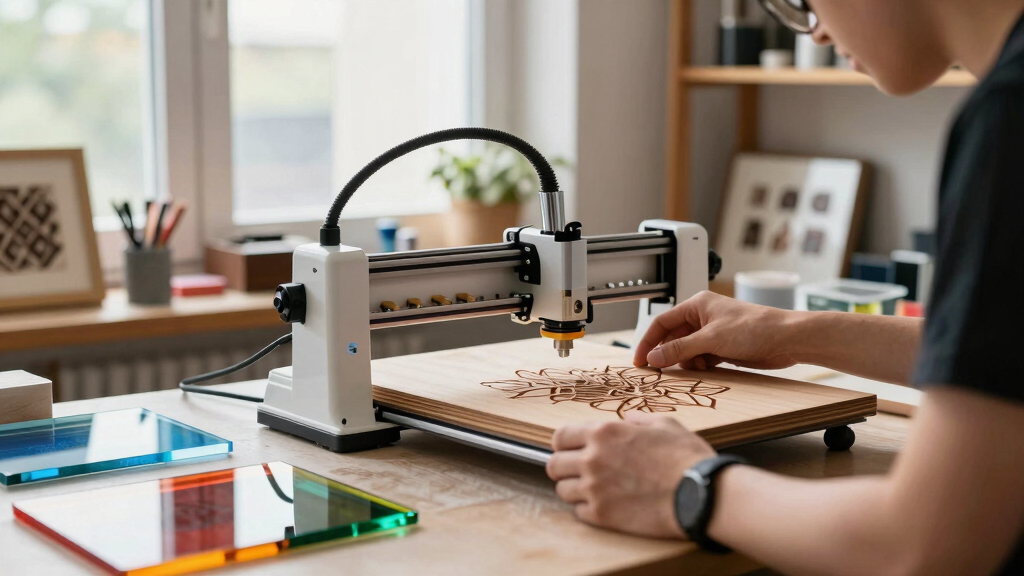

Choosing the best laser engraver bundle for beginners can feel overwhelming with so many options available. The ideal starter kit should be easy to operate, safe, and versatile enough to handle different materials. The xTool S1 stands out as the best overall for its balanced performance and user-friendly features. LaserPecker LP2 offers exceptional portability, perfect for those who want to engrave on the go, while the xTool M1 provides an advanced bundle for serious hobbyists. Keep reading to see how these and other options compare, along with the key tradeoffs to consider before making your choice.
Key Takeaways
- The most balanced all-in-one option is the xTool S1, blending ease of use with substantial engraving size.
- Portability is a key feature in the LaserPecker LP2, making it ideal for mobile projects but with some limitations on material size.
- Higher power units like the CREALITY FALCON A1 are better suited for users who want to work with metal, but they come with higher price tags and complexity.
- Bundles that include accessories like rotary rollers or cameras offer more versatility but may be more complex for absolute beginners.
- Price varies widely, but investing in a slightly higher-cost model often brings better safety features, software, and expansion options.




More Details on Our Top Picks
xTool S1 Laser Engraver with Air Assist & Honeycomb, 23.93″ x 15.16″ Bed Size
The xTool S1 stands out for its combination of safety, large working area, and high-precision engraving, making it ideal for beginners who want to tackle bigger projects right away. Its 10W laser offers ultra-fine detail (0.06 x 0.04mm spot), surpassing smaller models like the Carverall 5W in resolution and project size. The enclosed design with safety features provides peace of mind for new users, while the spacious bed supports larger items—perfect for custom plaques or multiple small items simultaneously. Compared to the CREALITY Falcon A1, the S1’s larger bed makes it better suited for bigger projects, though it comes at a higher price and requires more setup. The user-friendly AI software simplifies operation but may involve a learning curve for advanced features. This pick makes the most sense for those seeking versatile, large-scale engravings with safety built-in, willing to invest a bit more for flexibility.
Pros:- Large bed size supports big projects and multiple items at once
- Ultra-fine engraving resolution (0.06 x 0.04mm spot)
- Class 1 safety enclosure with flame sensors and emergency stop
- Patented Pin-point Positioning for curved surfaces
Cons:- Higher price point compared to smaller, simpler models
- Requires more initial setup and learning curve for advanced features
Best for: Beginners who plan to work on larger, detailed projects like signs, plaques, or multiple small items simultaneously.
Not ideal for: Small hobbyists or casual users with limited workspace who don’t need a large bed or high precision, as it’s more complex and costly.
- Laser Power:10W (10,000mW)
- Bed Size:23.93″ x 15.16″
- Safety Class:Class 1
- Included Components:Laser Material Trial Kit, Honeycomb Panel, Smart Air Assist
- Warranty:1 Year
- Spot Size:0.06 x 0.04mm
Bottom line: This is the best choice for beginners wanting to produce larger, detailed engravings with safety and precision in mind.
LaserPecker LP2 Laser Engraver with Roller, Portable and Handheld Laser Engraving Machine for Wood Metal Leather Acylic Engraving Laser Cutter, Suit Set with Versatile Rotary Roller
The LaserPecker LP2 excels in portability and versatility, making it an excellent starting point for beginners who want to engrave on various surfaces without a bulky setup. Its upgrade galvo technology allows for fast engraving speeds—up to 1417″/min—more than enough for small to medium projects. The 0.05 mm compressed spot offers detailed results on materials like wood, leather, and coated metals, but it cannot handle pure or shiny metals, which is a key limitation compared to larger, more powerful models like the xTool S1. The included rotary roller adds cylindrical surface capability, expanding creative options for cups and tumblers. Its plug-and-play design and compatibility with smartphones mean beginners can start immediately, though the limited metal compatibility may be restrictive for those interested in metal engraving. This makes the LP2 ideal for users prioritizing portability and quick setup for small, detailed projects.
Pros:- Compact, portable design for easy storage and mobile use
- Fast engraving speeds for quick project completion
- Versatile rotary roller for cylindrical objects
- Plug-and-play with smartphone and PC connectivity
Cons:- Limited to non-shiny, coated, or painted metals; cannot engrave pure or reflective metals
- Smaller engraving area compared to larger, desktop models
Best for: Beginners seeking a portable, easy-to-use laser engraver for small crafts, gifts, and surface engraving on non-reflective materials.
Not ideal for: Users wanting to engrave highly reflective metals or larger projects, as the device’s power and surface size are limited.
Bottom line: This pick is perfect for beginners who want a portable, straightforward machine for small surface engravings and personalized gifts.
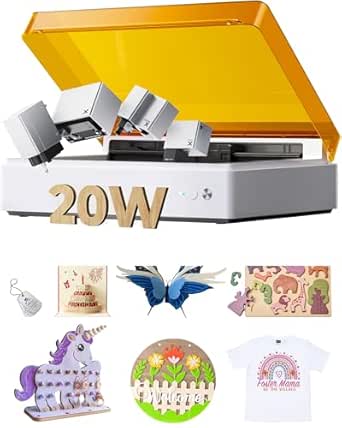
xTool M1 Ultra 4-in-1 Laser Engraving & Crafting Machine (20W, Advanced Bundle)
The xTool M1 Ultra offers a unique all-in-one approach, combining laser engraving, inkjet printing, blade cutting, and pen drawing in a single device. Its 20W laser provides more power than typical beginner models, enabling it to cut and engrave on over 1000 materials, including curved surfaces—an advantage over single-function engravers like the Carverall 5W. Quick module switching (3 seconds) and pre-assembled setup make it accessible for newcomers, although the bundle’s higher price may be a barrier for casual hobbyists. The AI-powered software simplifies design and parameter adjustments, but mastering all four functions requires some learning. It’s best for creative users who want to explore multiple crafting techniques without buying separate machines. This makes it a flexible yet slightly complex option for ambitious beginners ready to expand their skills.
Pros:- Four-in-one functionality for engraving, printing, cutting, and drawing
- Fast 3-second module switching for multi-tech projects
- Supports over 1000 materials, including curved surfaces
- Pre-assembled, beginner-friendly setup with AI software
Cons:- Higher price compared to single-function beginner models
- Learning curve for mastering all four functions and software
Best for: Creative beginners interested in experimenting with multiple craft techniques such as engraving, printing, cutting, and drawing, on a wide range of materials.
Not ideal for: Budget-conscious users or those seeking a simple, dedicated engraver, as the multi-functionality and price add complexity.
- Laser Power:20W (20000mW)
- Included Modules:Laser, Inkjet, Blade, Pen
- Quick Module Switch:3 seconds
- Support Materials:Over 1000 including curved surfaces
- Warranty:12 Months
- Setup:Pre-assembled
Bottom line: This is a strong choice for beginners eager to explore multiple crafting techniques with a single versatile machine.
Carverall 5W Desktop Laser Engraver with Camera, WiFi & AI, A1 Pro AA Beginner Smart Laser Engraver Machine for Home DIY, Beginners, Personal Gifts Engraves Wood/Leather/Paper/Glass/Food, Class 1
The Carverall 5W is designed specifically for home DIYers and beginners who want precise control and smart features in a compact package. Its built-in HD camera allows real-time preview and drag-and-drop positioning, simplifying setup compared to the larger xTool S1. It supports engraving on a variety of materials including wood, leather, paper, and food, but cannot handle highly reflective or shiny metals—limiting its scope for metal work. The safety features conform to Class 1 standards, making it suitable for family environments. Its WiFi connectivity and AI software facilitate easy operation, but the 5W laser limits the depth and speed of engraving on harder materials. This machine is perfect for small, detailed projects, especially where space and ease of use are priorities, but less so for larger or more demanding tasks.
Pros:- Built-in HD camera for real-time preview and precise positioning
- Easy drag-and-drop interface with AI software
- Compact, lightweight design suitable for home use
- Supports multiple materials like wood, leather, paper, and food
Cons:- Limited to 5W laser power, restricting engraving depth and speed on hard materials
- Cannot engrave highly reflective or shiny metals
Best for: Beginners interested in small, detailed engravings on wood, leather, or food with minimal setup and real-time preview.
Not ideal for: Users needing to engrave large items or work extensively on reflective metals, due to power and material limitations.
- Laser Power:5W (5.12-5.35W)
- Max Height Adjustment:27cm (10.63 inch)
- Safety Class:Class 1
- Supported Materials:Wood, Leather, Paper, Food
- Speed:12000mm/min
- Camera:HD with real-time preview
Bottom line: Ideal for beginners focused on small, detailed projects with quick setup and smart features in a compact form.
xTool F1 Lite Laser Engraver, 4000mm/s Lightning Speed Portable Laser Engraving Machine, Ultra HD Engraver for Wood, Leather, Acrylic, Glass, and More
The xTool F1 Lite stands out for its incredible engraving speed of 4000mm/s, making it ideal for those who want quick results without sacrificing detail. Its compact, lightweight design (just 4.45kg) and pre-assembled setup make it perfect for newcomers who need portability and ease of use. Compared to larger or more complex models like the xTool S1, this pick sacrifices some power (10W diode laser only) and material versatility, but its auto-focus, live preview, and trusted XCS software keep the learning curve minimal. The HD precision and ultra-fast speed enable swift customization projects, though it’s limited to non-metal materials and does not support engraving on metals directly. This machine truly caters to hobbyists or small-scale crafters prioritizing simplicity and mobility over heavy-duty industrial capabilities.
Pros:- Blazing-fast engraving speed of 4000mm/s for quick production
- Lightweight and portable design, easy to carry anywhere
- Pre-assembled with auto-focus and live preview for beginner-friendly setup
- High-detail Ultra Galvo system for HD precision
Cons:- Limited to diode laser with 10W output, not suitable for metal or rubber engraving
- Smaller working area, less ideal for larger projects
- Heavy-duty applications like metal engraving are outside its scope
Best for: Beginners who value speed, portability, and straightforward operation for small crafts and personalized gifts
Not ideal for: Users needing to engrave on metals or pursue large, high-power projects, as it lacks the power and material range of more advanced models like the xTool S1
- Laser Power:10W diode
- Engraving Speed:4000mm/s
- Weight:4.45kg
- Material Compatibility:Wood, Leather, Acrylic, Glass (not metal)
- Dimensions:smaller than A4 sheet
- Precision:0.00199mm motion, 0.000248 repeat
Bottom line: This pick makes the most sense for beginners who want a fast, portable, and easy-to-use laser engraver for small, detailed projects.
xTool S1 40W Laser Cutter and Laser Engraver for Tumblers, 23.93″ x 15.16″ Bed Size, 600mm/s Speed, Laser Engraving Machine, Laser Engraver for Wood and Metal, Acrylic, Big Project – Rotary Bundle
The xTool S1 offers a significant leap in power with its 40W laser, capable of cutting through 18mm cherry wood in a single pass and handling larger projects with its 23.93″ x 15.16″ bed and auto-passthrough technology. This model excels for those wanting to tackle bigger, more complex jobs, including engraving on curved surfaces thanks to its patented Pin-point Positioning. Its enclosed design, safety features, and pre-tested 400+ materials make it ideal for small businesses or serious hobbyists ready to scale up. Compared to the xTool F1 Lite, the S1 sacrifices portability and simplicity for durability and material versatility, supporting both wood and metal engraving. While it is heavier and more expensive, its robust build and advanced features make it suitable for users aiming for professional results and larger batches.
Pros:- Powerful 40W laser capable of cutting thick wood and engraving on metal
- Large working area with auto-passthrough for big projects
- Advanced Pin-point Positioning for precise engraving on curved surfaces
- Enclosed safety design with multiple sensors and auto-shutdown features
Cons:- Heavy and requires a stable setup space, less portable
- Higher price point, more complex for complete beginners
- Longer learning curve due to advanced features
Best for: Serious hobbyists or small business owners needing large workspace, high power, and versatile material options
Not ideal for: Beginners or casual users who prioritize portability and simple setup, as the S1 is heavy, more complex, and more costly
- Laser Power:40W
- Bed Size:23.93 x 15.16 inches
- Engraving Speed:up to 600mm/s
- Material Compatibility:Wood, Metal, Acrylic
- Safety Features:Enclosed, sensors, auto-shutdown
- Weight:86.8 pounds
Bottom line: This laser cutter makes the most sense for users who need high power, large capacity, and professional-grade results for bigger projects.
xTool F2 5W IR & 15W Diode Dual Laser Engraver, Built-in 50MP Camera, 6000mm/s Ultra Fast, 3D Embossing, Color Marking on Metal, On-Site & Small-Batch Ready, Portable Desktop Laser Engraving Machine
The xTool F2 combines dual lasers—5W IR for deep metal marking and 15W diode for fast engraving—making it a flexible choice for users working with over 300 materials. Its 50MP camera ensures precise positioning, and its ultra-fast speed of 6000mm/s drastically reduces production time, ideal for small batch runs or on-site customization. Compared with the xTool F1, the F2 offers more material versatility, including color marking and 3D embossing, along with safety features like a leak-proof enclosure and optional air purifier. While it’s portable at just 4.6kg, its advanced capabilities come with a steeper learning curve and higher cost, but it’s well suited for hobbyists or small businesses seeking rapid, high-quality results across different materials.
Pros:- Dual lasers—IR for metal, diode for wood, plastic, and more
- High-speed engraving up to 6000mm/s for rapid batch processing
- Built-in 50MP camera for accurate material positioning
- Supports color marking, 3D embossing, and multiple materials
Cons:- Higher price and complexity may challenge complete beginners
- Requires understanding of dual laser operation and software
- Limited workspace for very large projects
Best for: Small businesses or hobbyists who need high-speed processing and material versatility, especially for metal and multi-material projects
Not ideal for: Absolute beginners or those with limited workspace, as the F2’s advanced features and setup may be overwhelming
- Laser Power:15W diode, 5W IR
- Speed:up to 6000mm/s
- Camera:50MP built-in
- Material Compatibility:Metal, Wood, Leather, Plastic
- Engraving Accuracy:0.01mm
- Weight:4.6kg
Bottom line: This machine is ideal for users needing fast multi-material processing with precision, especially for small batch or on-site work.
LONGER Laser Engraver Ray5 5W Higher Accuracy DIY Laser Engraving Machine with 3.5″ Touch Screen,Offline Usage Laser Cutter,400x400mm,0.08mm Laser Spot, CNC Laser Cutter for Wood Metal Acrylic Glass
The LONGER Ray5 offers impressive accuracy with a tiny 0.08mm laser spot and 0.01mm engraving precision, making it suitable for detailed work like jewelry, crafts, and fine art. Its 400x400mm workspace supports a variety of small to medium projects, with flexible connectivity options including USB, TF card, WiFi, and app control, providing convenience for hobbyists and DIYers. Compared to the xTool F2, the Ray5 emphasizes precision over speed, with a robust frame and safety features such as emergency shutdowns and overheating detection. This model is ideal for users who prioritize intricate detail and versatility in a compact form, though it may not match the speed or multi-material capabilities of higher-end machines like the S1 or F2. It’s a solid choice for those wanting professional-grade detail in a small, affordable package.
Pros:- High-precision laser spot size of 0.08mm for detailed engraving
- Versatile connectivity including WiFi and app control
- Safety features like emergency shutdown and overheating prevention
- Supports a variety of materials including metal, glass, and acrylic
Cons:- Slower engraving speed compared to high-speed models like the F1 or F2
- Limited workspace size for large projects
- More suited for detailed work rather than bulk production
Best for: DIY enthusiasts or small-scale craft businesses focusing on detailed engraving on diverse materials
Not ideal for: Users needing rapid production or larger workspaces, as the focus is on precision and smaller projects
- Laser Power:5W IR, 15W diode
- Laser Spot:0.08mm
- Engraving Area:400x400mm
- Connectivity:USB, TF card, WiFi, App
- Precision:0.01mm
- Safety:Emergency stop, overheating detection
Bottom line: This engraver makes the most sense for users who need high detail and versatility in a compact, DIY-friendly machine.
xTool F2 5W IR & 15W Diode Dual Laser Engraver, Built-in 50MP Camera, 6000mm/s Ultra Fast, 3D Embossing, Color Marking on Metal, On-Site & Small-Batch Ready, Portable Desktop Laser Engraving Machine
The xTool F2 excels as a versatile, ultra-fast laser engraver capable of marking on over 300 materials with dual lasers—5W IR for deep metal marking and 15W diode for engraving on wood, plastic, and more. Its built-in 50MP camera guarantees precise positioning, and its speed of 6000mm/s makes it suitable for rapid small-batch production and on-site customization. The machine supports features like 3D embossing and color marking, giving hobbyists and artisans a broad creative palette. Compared to the xTool S1, the F2 focuses more on speed, material diversity, and small batch efficiency, making it ideal for those who need quick turnarounds and detailed results in a portable form. Its advanced software compatibility and safety features also appeal to users seeking professional results in a compact setup.
Pros:- Dual lasers—IR for metal, diode for other materials
- Ultra-fast engraving up to 6000mm/s for high productivity
- 50MP camera for precise material positioning
- Supports 3D embossing and color marking
Cons:- More complex setup and learning curve for beginners
- Limited workspace size for very large pieces
- Higher price point due to advanced features
Best for: Small businesses, artisans, or hobbyists needing speedy, versatile, and high-quality engraving for small batches or on-the-spot customization
Not ideal for: Absolute beginners or users needing large workspaces, as the F2’s advanced features and dual laser system require some familiarity
- Laser Power:15W diode, 5W IR
- Speed:up to 6000mm/s
- Camera:50MP built-in
- Material Compatibility:Metal, Wood, Leather, Plastic
- Engraving Accuracy:0.01mm
- Weight:4.6kg
Bottom line: This machine is best suited for users needing quick, precise, and versatile engraving with small batch and on-site capabilities.
LONGER Laser Engraver Ray5 5W Higher Accuracy DIY Laser Engraving Machine with 3.5″ Touch Screen,Offline Usage Laser Cutter,400x400mm,0.08mm Laser Spot, CNC Laser Cutter for Wood Metal Acrylic Glass
The LONGER Ray5 offers remarkable detail with a laser spot of 0.08mm and an engraving accuracy of 0.01mm, making it perfect for intricate jewelry, craftwork, and detailed designs. Its 400x400mm working area provides enough space for medium-sized projects, and its versatile connectivity—including WiFi, USB, TF card, and app—gives DIYers flexible control options. Compared to the xTool F2, the Ray5 emphasizes precision over speed, ideal for users who prioritize detailed craftsmanship over rapid batch processing. Its safety features, such as emergency shutdown and overheating detection, make it suitable for hobbyists exploring complex projects. While it doesn’t match the high speed of the F2 or S1, its focus on accuracy makes it a preferred choice for small-scale, detail-oriented work.
Pros:- Exceptional laser spot size of 0.08mm for detailed work
- Multiple connectivity options including WiFi and app control
- Safety features such as emergency shutdown and overheating safeguard
- Supports diverse materials including metal, glass, and acrylic
Cons:- Slower than high-speed models like the F2 or S1
- Limited workspace size for very large projects
- Focus on precision may limit throughput for larger batches
Best for: DIY hobbyists or small artisans focused on detailed, precise engraving on various materials
Not ideal for: Users looking for high speed or large project capacity, as the Ray5 prioritizes detail over bulk production
- Laser Spot:0.08mm
- Engraving Area:400x400mm
- Connectivity:WiFi, USB, TF card, App
- Accuracy:0.01mm
- Material Support:Metal, Glass, Acrylic, Wood
- Safety:Overheat protection, emergency shutdown
Bottom line: This engraver suits users who need high-precision detail and versatility in a compact, DIY-friendly machine.
How We Picked
To select the best laser engraver bundles for beginners, I focused on key factors such as ease of setup and operation, safety features, material compatibility, and overall value. I prioritized models that are marketed with beginners in mind, avoiding overly complex or industrial-grade units that would overwhelm new users. The ranking also considers customer reviews and reliability, along with whether the bundle includes useful accessories or upgrade options. This approach ensures that each pick offers a clear benefit for someone just starting out, balancing performance with affordability and simplicity.Factors to Consider When Choosing Best Laser Engraver Bundle For Beginners
When choosing a laser engraver bundle as a beginner, it’s important to consider several factors beyond just the initial price. The right machine should be safe, easy to operate, and versatile enough to handle different materials. Additional accessories or features can extend your creative potential but may also add complexity. Understanding your specific needs and limits will help you select a bundle that grows with your skills and projects, avoiding costly mistakes or frustration.Ease of Use and Safety Features
Beginners should prioritize models that feature intuitive controls, clear instructions, and built-in safety measures like protective covers or emergency stops. Machines that come with user-friendly software and step-by-step tutorials reduce the learning curve and increase safety. Investing in a machine with automatic bed leveling or material detection can further simplify operation, making it easier to focus on creating rather than troubleshooting.
Material Compatibility and Power
Not all engravers handle the same range of materials, so consider what you want to work with most—wood, leather, acrylic, or even metal. Lower-powered units are generally limited to softer materials, but more powerful models can engrave on harder surfaces. Keep in mind that higher power levels often mean a higher price and more maintenance, so choose a machine that matches your current skill level and project scope.
Size and Workspace
The size of the engraving bed determines the maximum dimensions of your projects. Larger beds enable bigger or multiple items to be engraved at once but can make the machine bulkier and more expensive. For beginners, a compact but sufficiently large workspace offers a good balance between capability and ease of storage. Consider whether portability is important for your use case—some models are lightweight and easy to move.
Software and Support
User-friendly software with clear instructions and active community support can make a big difference in your early experiences. Compatibility with common design programs like CorelDRAW or Adobe Illustrator is a plus, but pre-loaded software with tutorials can be more helpful for newcomers. Also, check if the manufacturer offers good customer service and tutorials, as these can help you troubleshoot and learn faster.
Upgradeability and Accessories
Some bundles come with accessories like rotary rollers, cameras, or additional lenses that expand your creative options. While these can increase cost initially, they provide versatility and future-proofing. Be mindful that more complex bundles may require additional learning or setup time, which could be challenging for complete beginners. Choose a package that strikes a balance between features and simplicity based on your current skills.
Frequently Asked Questions
Can I engrave on metal with a beginner laser engraver?
Engraving on metal is possible with certain laser engravers, especially those with higher wattage or diode configurations. However, most entry-level models are better suited for softer materials like wood, leather, and acrylic. If metal engraving is a priority, look for a machine with at least 10W of power and features like a more precise focusing system. Keep in mind that working with metal may require additional safety precautions and specialized settings.
Are laser engraver bundles with accessories worth the extra cost?
Bundles that include accessories such as rotary attachments, cameras, or extra lenses can significantly expand your creative options, making them worthwhile if you’re committed to exploring different projects. However, for absolute beginners, these extras can sometimes complicate setup and operation. It’s best to start with a basic bundle that covers your initial needs and upgrade accessories later as your skills grow.
How much space do I need for a beginner laser engraver?
The required space depends on the size of the machine’s bed and its overall dimensions. Most compact models fit comfortably on a desk or table, making them suitable for small workshops or home use. Larger units with bigger beds may need dedicated space, which could be a consideration if your workspace is limited. Always measure your available area and consider future project size when choosing a model.
Is safety a concern for beginner laser engravers?
Safety is paramount, especially for beginners unfamiliar with laser technology. Look for machines that have built-in safety features like enclosures, emergency stop buttons, and protective covers. Additionally, always use the recommended safety gear, such as goggles, and operate the machine in well-ventilated areas. Selecting a model with safety certifications can help prevent accidents and ensure a safer experience.
Can I upgrade or expand my laser engraver later?
Many beginner-friendly laser engravers offer options for upgrades, such as adding rotary attachments or upgrading software. However, not all models are easily expandable, so it’s wise to choose a machine that explicitly supports future enhancements if you plan to grow your skills. Starting with a versatile, upgradeable model can save you money and frustration down the line, allowing you to adapt as your projects become more complex.
Conclusion
For those just starting out, the xTool S1 is the best overall choice thanks to its balanced features, safety, and ease of use. The LaserPecker LP2 appeals to hobbyists who need portability, while the xTool M1 offers a more advanced bundle for users ready to invest more in their craft. Budget-conscious beginners should consider the LONGER Ray5 for solid performance at a lower price, while those seeking maximum versatility might choose a bundle with accessories like rotary rollers. Ultimately, your choice should match your project ambitions, available space, and comfort with technology.