For crafters seeking precision, automation, and ease of use, the best craft lasers with camera alignment offer a game-changing experience. The xTool P3 80W CO2 Laser Cutter stands out for its advanced automation and dual HD cameras, making it ideal for professional projects. The CREALITY FALCON A1 delivers powerful performance with smart positioning, suitable for both wood and metal. However, tradeoffs often include higher costs or complexity, which might be daunting for beginners. Continue reading to explore the full lineup and find the perfect fit for your craft needs.
Open a free Amazon Business account
Business pricing, bulk buying and tax-exempt orders.
Create a free accountAs an affiliate, we earn on qualifying purchases.
Key Takeaways
- Top picks balance camera quality with laser power to ensure precise alignment and detailed engraving.
- Higher-priced models tend to offer advanced automation, faster speeds, and better build quality, but may be overkill for casual users.
- Camera resolution and auto-positioning features significantly impact ease of use, especially for complex projects.
- Enclosed models with safety features are better for home environments, while open designs suit more experienced makers.
- Budget options often trade off some automation and camera clarity but can still deliver respectable craft results.


More Details on Our Top Picks
xTool P3 80W CO2 Laser Cutter with Intelligent Automation and Dual HD Camera
This model stands out for its 80W industrial power and large 36″ x 18″ workspace, making it ideal for professional makers and small businesses. Its LiDAR autofocus and dual HD cameras provide highly precise alignment, surpassing the camera capabilities of the Creality Falcon A1 10W, which is more beginner-friendly but less powerful. While the P3’s complex setup and higher price reflect its advanced features, it offers auto-focus, safety, and high-speed cutting that justify the investment for serious users. The need for separate accessories like a conveyor feeder could be a deterrent for those seeking a more integrated solution. Compared to the Carverall 5W, the P3’s power and size make it suitable for thicker materials and larger projects, though it might be overkill for small-scale hobbyists.
Pros:- Powerful 80W laser for thick materials
- Large 36″ x 18″ workspace ideal for bigger projects
- Dual HD cameras ensure precise alignment
- LiDAR autofocus automates focusing process
Cons:- High price point may be prohibitive for hobbyists
- Setup complexity can be daunting for newcomers
- Accessories sold separately can increase overall cost
Best for: Professional craft shops or small-scale industrial users needing high power and large work areas.
Not ideal for: Hobbyists or beginners with limited space or budget, due to its complexity and cost.
- Laser Power:80W (80,000mW)
- Workspace Size:36″ x 18″
- Max Speed:1200mm/s
- Material Capacity:Up to 20mm wood, 25mm acrylic
- Safety Rating:Class I
- Camera Resolution:Dual HD cameras
Bottom line: This laser is best suited for users who need industrial-grade power and precision in a larger format, accepting the higher complexity and investment.
CREALITY FALCON A1 10W Laser Engraver, 80W Enclosed Laser Cutter and Engraver Machine with Air Assist, Smart Camera Positioning, 600mm/s Speed, Smart Material Recognition, Ideal for Wood & Metal
This pick makes the most sense for hobbyists and small workshop users who prioritize quick setup and user-friendly features. Its pre-set parameters and smart camera positioning eliminate trial-and-error alignment, unlike the more manual process in the xTool P2S, which offers a larger 26″ x 14″ work area but lacks the same automation. The Falcon A1’s 600mm/s speed greatly boosts productivity, though its 10W laser limits cutting thick or dense materials compared to higher-powered options like the xTool P3. The enclosed design with smoke filtration and safety features makes it suitable for home environments, but it’s not intended for professional-grade heavy-duty use. Its software compatibility with LightBurn and LaserGRBL offers flexibility, though advanced users might find its feature set less comprehensive than the larger P3.
Pros:- Pre-calibrated HD camera simplifies setup
- Fast 600mm/s engraving speed
- Enclosed safety design with smoke filtration
- Supports popular software like LightBurn
Cons:- Limited to 10W laser power, restricting material thickness
- Small work area (381 x 305mm) for large projects
- Not suitable for heavy-duty professional applications
Best for: Hobbyists or small business owners seeking easy, quick setup with reliable camera alignment.
Not ideal for: Users needing to cut or engrave very thick materials or requiring large work areas, as the 10W laser is limited in power.
Bottom line: This machine offers a straightforward, quick-start experience for hobbyists prioritizing ease and safety over heavy-duty capabilities.
xTool P2S 55W CO2 Laser Cutter with Dual 16MP Cameras and 3D Engraving
The xTool P2S excels in delivering precise, high-quality cuts thanks to its 55W laser and dual 16MP cameras with real-time preview, offering an edge over the Falcon A1’s 10W power and simpler camera system. Its large 26″ x 14″ work area and LiDAR autofocus make it suitable for more detailed, larger projects, including 3D engraving, which isn’t available on the Falcon A1. The weight (over 130 pounds) and bulkiness could be restrictive for users with limited space or portability needs. Compared with the Carverall 5W, the P2S provides more power and larger capacity but involves a higher price and complexity, suitable for semi-professional use rather than casual hobbyist projects.
Pros:- Dual 16MP cameras for detailed real-time preview
- Powerful 55W laser for thicker materials
- Large 26″ x 14″ work area
- LiDAR autofocus enhances precision
Cons:- Heavy, over 130 pounds, making setup and relocation difficult
- Higher cost compared to simpler models
- Complex software interface may require learning curve
Best for: Serious hobbyists or small businesses needing high-resolution 3D engraving and large, precise work areas.
Not ideal for: Beginners or users with limited space, due to its weight and complexity.
- Laser Power:55W (Class 4)
- Camera Resolution:Dual 16MP
- Work Area:26″ x 14″
- Safety Features:AI fire detection, enclosed design
- Material Compatibility:Acrylic, wood, metal, glass, leather
- Weight:130.7 pounds
Bottom line: Ideal for users who need high-resolution, large-format, 3D engraving with advanced camera features, accepting its size and cost.
LONGER RAY5 20W Laser Engraver with Air Assist & LightBurn Camera, Auto Positioning & Capture, High-Precision Laser Cutter for Wood, Metal, Acrylic, Tumblers & Cylindrical Objects
The Longer RAY5 makes a compelling case for those needing versatile capabilities in a relatively compact package. Its 20W laser and advanced focus technology allow cutting of 15mm pine and 8mm acrylic in a single pass, with multi-pass options for thicker materials. The LightBurn camera with 500W resolution and seamless software integration provide precise positioning and high-quality results comparable to larger models like the P2S, but in a smaller footprint. Features like air assist and safety protections add to its appeal, though it requires additional accessories like an air pump for optimal performance. Compared to the Carverall 5W, the RAY5 offers significantly more power and precision, making it suitable for professional or semi-professional use, but it might be overkill for purely hobbyist tasks.
Pros:- High-precision 500W resolution camera
- Powerful 20W laser for thick and detailed cuts
- Supports cylindrical objects with optional roller
- Integrated air assist for cleaner cuts
Cons:- Requires extra setup with air pump and accessories
- Higher noise level (~60dB) for home environments
- Price may be high for hobbyists on a budget
Best for: Enthusiasts and professionals needing detailed, precise cuts on a variety of materials, including cylindrical objects.
Not ideal for: Beginners or casual users who do not want to invest in additional accessories or need a very small or portable machine.
- Laser Power:20W
- Camera Resolution:500W
- Work Area:Flexible with optional roller
- Engraving Speed:Up to 600mm/s
- Air Pump:Adjustable airflow 10-30L/min
- Noise Level:60dB
Bottom line: This laser is best for users who need versatile, professional-grade precision in a compact, feature-rich package, willing to handle additional setup.
Carverall 5W Desktop Laser Engraver with Camera, WiFi & AI
The Carverall 5W caters to beginners and casual hobbyists with its HD camera for accurate positioning and AI software that simplifies design adjustments. Its small size and WiFi connectivity make it accessible for users who want to start engraving right away on a wide array of materials—over 150 types including wood, leather, paper, and food—without complex focus calibration. While the 5W laser limits cutting thickness and speed compared to larger models like the xTool P3 or P2S, it excels in ease of use and safety, thanks to its fully enclosed Class 1 design. The need for a separate roller accessory for cylindrical objects adds a minor inconvenience, but overall, it’s highly suitable for small projects and learning the craft, especially for those new to laser engraving.
Pros:- Built-in HD camera for accurate positioning
- AI software simplifies design and setup
- Supports over 150 materials with no focus adjustment
- Enclosed Class 1 safety design
Cons:- Limited to 5W laser power, restricting thickness
- Requires separate roller for cylindrical objects
- No detailed specs on software or speed in data
Best for: Beginners and casual hobbyists seeking an easy, safe, and versatile laser engraver for small-scale projects.
Not ideal for: Users needing to cut or engrave thick or dense materials or those requiring large work areas and professional-grade power.
- Power:5W (5.12-5.35W)
- Material Compatibility:Wood, leather, paper, plastic, fabric, food
- Engraving Speed:12000mm/min
- Precision:0.01mm
- Safety Features:Class 1, auto-shutoff
- Max Height Adjustment:27cm
Bottom line: This machine is excellent for beginners and small projects, offering safety and versatility with minimal setup complexity.
xTool F1 2-in-1 Dual Laser Engraver, Lightning Speed Portable Laser Engraving Machine, HD Laser Engraver for Jewelry, Metal, Wood, Leather
The xTool F1 stands out for its exceptional speed—reaching 4000mm/s—and dual lasers capable of engraving over 300 materials, including metals and wood. Compared with the Creality Falcon A1, which offers safety and ease of use, the F1 prioritizes productivity, making it ideal for small businesses and craft fairs. Its fully enclosed design with smoke filters enhances a cleaner workspace, yet it sacrifices some portability due to its size and weight. The ultra-high precision and HD resolution enable detailed designs, perfect for batch engraving on jewelry and metal tags. While the dual lasers provide flexibility, they also mean added complexity and higher maintenance. The F1 supports Lightburn and XCS software, ensuring broad compatibility but requiring some learning curve for beginners. Overall, this pick makes the most sense for entrepreneurs needing fast, precise, multi-material engraving on a budget.
Pros:- Lightning-fast engraving speeds up to 4000mm/s
- Dual lasers support over 300 materials including metals and wood
- High-precision HD resolution captures fine details
- Enclosed design with smoke filtration for cleaner operation
Cons:- Requires calibration and maintenance of dual lasers
- Limited workspace and portability due to weight (4.6kg) and size
- Higher initial cost compared to single-laser models
Best for: Small business owners and artisans who need rapid, high-volume engraving across diverse materials
Not ideal for: Hobbyists seeking a simple, plug-and-play machine; professionals requiring extensive metal cutting power without dual-laser complexity
- Max Speed:4000mm/s
- Laser Types:Infrared (metal), Diode (wood, acrylic)
- Laser Power:2W IR, 10W diode
- Resolution:0.00199mm motion accuracy
- Material Compatibility:300+ materials including metal, wood, leather
- Weight:4.6kg
Bottom line: Perfect for small-scale businesses and craft makers needing speed and versatility across materials, willing to manage the setup complexity.
Creality Falcon A1 10W Laser Engraver, 80W Powerful Output, Fully Enclosed, 600mm/s Speed, HD Camera Auto Positioning, Pre-Assembled&Smart Material Recognition, Ideal for Wood & Metal, Class 1 Safety
The Creality Falcon A1 offers a fully enclosed, ready-to-use design that emphasizes safety and ease of operation, making it ideal for hobbyists and newcomers. Its 80,000mW power and 600mm/s speed enable precise engraving and cutting on wood up to 6mm thick, outperforming some portable models like the LaserPecker LX2 in raw power. The built-in HD camera with auto-positioning simplifies setup, while the Class 1 safety certification means no goggles are needed, a significant advantage for casual or educational environments. However, its larger footprint and fixed working area (460×346mm) limit flexibility compared to smaller, portable units. The pre-assembled design reduces setup time, but it does restrict customization with accessories like larger honeycomb beds. This machine suits users prioritizing safety, quick start, and reliable results over portability or ultra-high speed.
Pros:- Pre-assembled for quick setup
- Fully enclosed design with Class 1 safety certification
- HD camera with auto-positioning for easy alignment
- Powerful 80W output for detailed engraving and cutting
Cons:- Fixed working area of 460×346mm limits larger projects
- Requires a dedicated power supply and space due to size
- Prohibited from engraving highly reflective materials
Best for: Beginners, educators, and safety-conscious hobbyists seeking a plug-and-play laser engraver with automatic material recognition
Not ideal for: Experienced professionals needing large working areas or specialized metal cutting without enclosure constraints
- Power Output:80W
- Speed:600mm/s
- Camera:HD with auto-positioning
- Working Area:460×346mm
- Safety Certification:Class 1
- Material Compatibility:Wood, Metal (non-reflective)
Bottom line: Ideal for beginners and safety-focused users who want a reliable, ready-to-go laser engraver with smart positioning features.
LaserPecker LX2 40W Laser Cutter Engraver with 19.7″ x 12″ Work Area
The LaserPecker LX2 combines a 40W diode laser with a 12MP camera, supporting a substantial 19.7″ x 12″ work area and speeds up to 1000mm/s. Its high-speed capability surpasses most portable engravers like the xTool F2, making it suitable for large-scale or batch projects requiring quick turnaround. The 12MP camera ensures precise alignment, even on curved or irregular surfaces, streamlining workflow for professionals and serious hobbyists. However, the larger footprint may pose space challenges, and additional laser modules for metal marking are sold separately, increasing overall cost. Its support for tool-free module swaps adds versatility but can be cumbersome if you need multiple laser types. The LX2 is best for users who prioritize project size, speed, and high accuracy over compactness or affordability.
Pros:- Large 19.7″ x 12″ work area
- High-speed engraving up to 1000mm/s
- 12MP camera for accurate batch and curved surface engraving
- Supports versatile material processing with optional modules
Cons:- Additional laser modules require extra purchase
- Bulky footprint may not suit small studios
- Higher price point for advanced features
Best for: Professionals and advanced hobbyists needing large, quick, and precise engraving on various materials
Not ideal for: Limited-space environments or beginners seeking a simple, all-in-one device with minimal setup
- Laser Power:40W
- Camera:12MP / 6K
- Work Area:19.7″ x 12″
- Speed:up to 1000mm/s
- Material Compatibility:Wood, Metal, Acrylic
- Module Support:Interchangeable, tool-free
Bottom line: Best suited for users with ample space and a need for large, fast, and highly accurate engravings across multiple materials.
WECREAT Vision 20W Desktop Laser Engraver, Auto-Lifting for 5.5″ Material, Smart Camera for Easiest Positioning, 600mm/s Speed, Laser Engraving Machine for Tumblers Wood Acrylic DIY Craft Gifts Making
The WECREAT Vision 20W excels as an all-in-one desktop laser with auto-lifting and a smart camera, making it ideal for hobbyists and small-scale crafts. Its 600mm/s speed offers a balance between detail and efficiency, comparable to larger units like the xTool F2, but in a smaller footprint. The auto-lifting function simplifies working with materials of varying heights, and the smart camera provides clear, accurate positioning, reducing setup time—particularly helpful for beginners. Its enclosed design prioritizes safety and reduces fumes, making it suitable for home use. However, the 20W power limits cutting thicker materials, and the small 5.5″ working area constrains larger projects. The machine supports a wide range of materials, including wood, acrylic, and tumblers, but is less capable for high-volume production.
Pros:- Auto-lifting for materials up to 140mm high
- Smart camera for precise positioning
- Enclosed, SGS Class 1 safety design
- Supports diverse materials like wood, acrylic, and tumblers
Cons:- Limited 5.5″ working area restricts larger projects
- 20W power less suited for deep cuts or thick materials
- Less suitable for high-volume industrial use
Best for: DIY enthusiasts and small business owners focusing on personalized gifts and craft projects in limited spaces
Not ideal for: Professionals needing large-scale production or heavy-duty metal cutting capacity
- Power Output:20W
- Speed:600mm/s
- Camera Resolution:Smart HD
- Working Area:5.5 inches
- Material Compatibility:Wood, Acrylic, Tumblers
- Auto-Lifting:Yes
Bottom line: Perfect for beginners and hobbyists looking for a compact, safe, and easy-to-use laser engraver for small crafts and gifts.
xTool F2 Dual Laser Engraver with 50MP Camera and 6000mm/s Speed
The xTool F2 combines an impressive 15W diode laser and 5W IR laser with a 50MP camera, supporting a 6000mm/s engraving speed that outperforms most competitors like the LaserPecker LX2. Its ultra-fast processing makes it ideal for rapid batch engraving on large or complex projects, including detailed metal marking and 3D embossing. The high-resolution camera ensures precise alignment, even on curved surfaces, making it suitable for professional applications. Despite its advanced features, the F2’s weight (4.6 kg) and higher price may deter casual users or those with limited space. The dual laser system offers versatility but requires careful calibration and maintenance. This model targets users with demanding production needs and ample workspace, prioritizing speed and accuracy over portability.
Pros:- Ultra-fast engraving at 6000mm/s
- 50MP camera for high-precision alignment
- Dual laser system for metal and thick materials
- Supports complex 3D and embossing projects
Cons:- Heavier and bulkier than smaller models
- Higher cost for advanced features and extra modules
- Requires more maintenance and calibration
Best for: Professional engravers and production-focused artisans needing large, fast, and precise multi-material processing
Not ideal for: Small studios with space constraints or hobbyists preferring lightweight, portable units
- Laser Type:15W Diode + 5W IR
- Camera Resolution:50MP / 6K
- Speed:6000mm/s
- Work Area:Large (specific size not provided)
- Material Compatibility:Multiple including metal and thick wood
- Weight:4.6 kg
Bottom line: Ideal for high-volume, large-format, and intricate engravings where speed and accuracy are paramount, and space is available.
Creality Falcon A1 10W Laser Engraver, Enclosed Laser Cutter with Air Assist, HD Camera Positioning, Beginner-Friendly, Class 1 Safety Laser Engraving Machine for Wood and Metal, Acrylic
The Creality Falcon A1 10W stands out for its ultra-fine 0.06 x 0.08 mm spot size, delivering photo-realistic engravings that rival higher-powered models like the xTool P3 80W. Its enclosed design with class 1 safety certification offers peace of mind, especially compared to open-frame options, but the overall safety features and enclosure add to the setup complexity and cost. The HD camera positioning significantly reduces material waste by ensuring precise placement—an advantage over models without integrated cameras, like the Carverall 5W. However, the reliance on a computer connection and software compatibility can be a barrier for absolute beginners. Compared to the LONGER RAY5 20W, which offers higher power and speed, this model trades some throughput for enhanced safety and accuracy. Its ability to cut 6mm wood and 10mm acrylic makes it versatile for craft projects, but the 35.2-pound weight and enclosed setup make it less portable. This laser works best for hobbyists and small businesses prioritizing safety and precision over raw cutting power.
Pros:- Ultra-fine spot size for detailed, photo-realistic engravings
- Enclosed design with Class 1 safety certification for secure operation
- HD camera positioning reduces material waste and improves accuracy
- Compatibility with mainstream software like LightBurn and LaserGRBL
Cons:- Relies on a computer connection, limiting portability
- Heavier and bulkier setup, less suitable for mobile use
- Engraving speed and power are moderate compared to higher wattage models
Best for: Beginners and hobbyists wanting precise, photo-realistic engravings with safety in mind.
Not ideal for: Large-scale production or users needing ultra-fast cut speeds, due to its moderate power and slower processing.
- Laser Power:10W
- Spot Size:0.06 x 0.08 mm
- Cutting Capacity:6mm wood, 10mm acrylic
- Safety Certification:Class 1
- Camera Resolution:HD
- Material Compatibility:Wood, Metal, Acrylic
- Machine Dimensions:22.3 x 18.4 x 7.7 inches
- Weight:35.2 pounds
Bottom line: This model is ideal for hobbyists and small craft businesses prioritizing safety, accuracy, and detailed engravings over high-speed production.
How We Picked
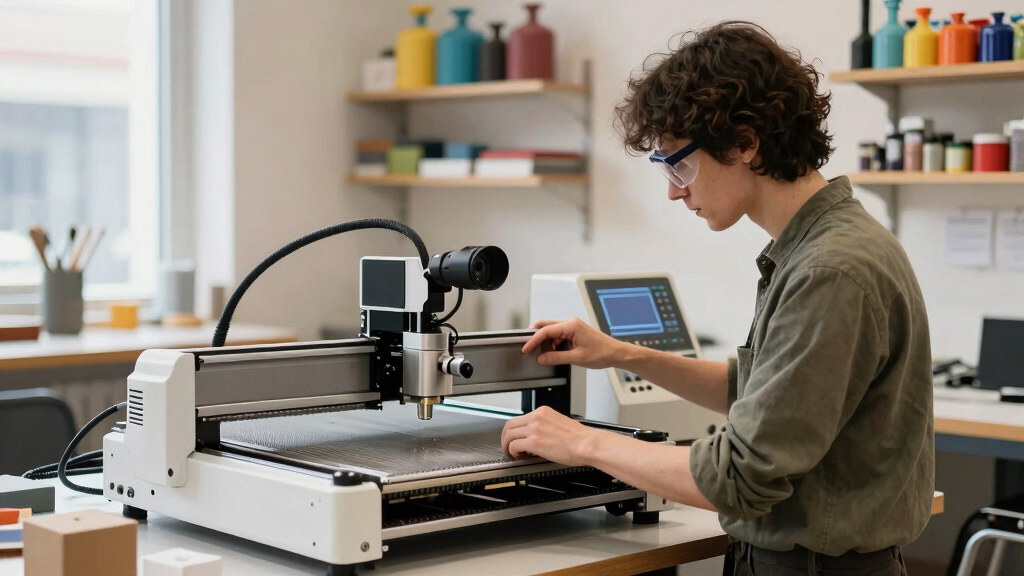
We evaluated each laser based on core factors such as camera resolution, laser power, ease of use, automation features, build quality, and safety. Products with high-quality cameras and reliable auto-positioning were prioritized because these directly influence alignment accuracy and project precision. We also considered user feedback, value for money, and versatility across different materials. The ranking reflects a balance between performance, usability, and affordability, aiming to guide both hobbyists and professionals toward the best fit for their craft projects.Factors to Consider When Choosing Best Craft Laser With Camera Alignment
Choosing the best craft laser with camera alignment involves understanding several key factors. Beyond raw power, camera quality and automation features can significantly influence your workflow. Material compatibility, safety considerations, and ease of use also play crucial roles. Recognizing these factors helps prevent common mistakes, such as overspending on unnecessary features or selecting models lacking critical automation for your skill level. Here are the main considerations to keep in mind:Camera Quality and Auto-Positioning
The clarity and resolution of the camera directly impact how accurately you can align your designs. Higher megapixel cameras provide sharper images, making it easier to position intricate artwork precisely. Auto-positioning features save time and reduce errors, especially on uneven surfaces or larger projects. When evaluating models, consider whether the camera system suits your project complexity and whether the auto-alignment process is reliable and user-friendly.
Laser Power and Material Compatibility
The power output determines the types of materials you can work with and the speed of engraving or cutting. Higher wattage lasers can handle thicker or denser materials like metal, while lower powers are ideal for delicate crafts on wood or acrylic. Matching your laser’s power to your typical projects prevents frustration and ensures efficient operation. Be cautious of models that claim high power but lack precise control or safety features.
Ease of Use and Automation Features
Automation, including auto-focus, auto-positioning, and smart material recognition, can dramatically improve your workflow. These features reduce setup time and minimize user error, which is especially valuable for beginners. However, they often come with increased complexity and cost. Consider your comfort with technology and whether the automation tools align with your project volume and precision needs.
Build Quality and Safety
Robust construction and safety features are essential for both longevity and peace of mind. Enclosed designs with proper ventilation and safety interlocks protect users from laser exposure and fumes. Look for certifications like Class 1 safety standards to ensure safe operation at home or in shared spaces. Cheaper models may compromise on these aspects, risking safety or durability.
Price and Value
While it might be tempting to choose the most affordable option, investing in a reliable, feature-rich model can pay off through better results and fewer frustrations. Balance your budget against the need for automation, camera quality, and material compatibility. Sometimes, paying more upfront saves time and money repairing or upgrading less capable systems later.
Frequently Asked Questions
Can I use a craft laser with camera alignment for metal engraving?
Yes, many craft lasers with camera systems are capable of engraving on metal, especially those with higher wattage (around 40W or more). However, ensure the laser is rated for metal and has appropriate features like air assist or specialized lenses. Some models are better suited to multi-material projects, so check specifications carefully. Proper safety measures and protective gear are also essential when working with metal and high-powered lasers.
Is camera auto-alignment reliable enough for detailed designs?
Auto-alignment systems have improved significantly, with high-resolution cameras and sophisticated software algorithms. For intricate designs, these features can be quite dependable, reducing manual adjustments. Nonetheless, it’s wise to calibrate the system periodically and verify alignment before critical projects. In some cases, manual fine-tuning may still be necessary for ultra-detailed or large-scale work.
What safety features should I prioritize in a craft laser with camera?
Prioritize models with enclosed housings, safety interlocks, and certified Class 1 safety ratings. These features prevent accidental exposure to laser beams and contain fumes or debris. An automatic shutoff feature or emergency stop button adds an extra layer of protection. Always follow manufacturer guidelines and wear appropriate eye protection when operating a laser system.
Are more expensive models worth the extra investment?
Higher-priced models often offer better camera resolution, faster operation, more automation, and improved safety features, which can enhance your workflow and project quality. For frequent or professional use, these benefits justify the additional cost. However, casual hobbyists or beginners might find mid-range options sufficient, especially if they are just starting or working on smaller projects.
How much maintenance do these laser systems require?
Regular maintenance involves cleaning lenses, mirrors, and the camera system, along with checking the alignment and replacing consumables like filters or lenses. Enclosed models tend to require less frequent cleaning of internal parts, but all systems benefit from routine inspections to ensure consistent performance. Proper maintenance extends the lifespan of your machine and preserves engraving accuracy.
Conclusion
For general hobbyists and small business owners seeking a balance of ease of use and precision, the xTool P3 80W CO2 Laser Cutter stands out as the best overall choice. Budget-conscious buyers should consider the WECREAT Vision 20W for reliable performance without a hefty price tag. Beginners will find the Creality Falcon A1 10W ideal due to its safety features and straightforward setup. Those needing high-speed, detailed work on multiple materials might prefer the xTool F2 Dual Laser with its powerful camera and rapid operation. Your ideal pick depends on your specific project scope, budget, and experience level.NFL season / tailgating Picks
team gear
As an affiliate, we earn on qualifying purchases.