The xTool F1 Ultra is my best overall pick among the best modular laser engravers because its fiber and diode sources cover more material types than a single-source machine. The Creality Falcon T1 40W stands out for its enclosed, quick-swap setup, while the xTool P2S suits buyers who need a powerful CO₂ platform for larger jobs. The main tradeoffs are laser compatibility, working area, enclosure and how much a modular design can actually expand. A higher wattage alone does not guarantee the right fit for your materials or workflow. Read on for the full comparison and a guide to choosing the setup that fits your shop.

Get business pricing on tools and workshop supplies
- Business-only prices and quantity discounts
- Tax-exempt purchasing
- Multiple users, one account, clear invoices
Complete the kit


Key Takeaways
- Dual-source flexibility drives the top ranking: the xTool F1 Ultra combines fiber and diode lasers, giving it a broader material range than the single-source options.
- Modular means different things across this lineup: the Falcon T1 40W emphasizes quick-swap components, while the S1 and P2S offer distinct enclosed platforms and laser types.
- CO₂ and diode machines solve different jobs: the P2S and OMTech Maker suit buyers prioritizing CO₂ cutting workflows; they are not direct substitutes for compact diode or IR engravers.
- Compact and foldable picks trade throughput for convenience: the Ortur R1 is aimed at limited-space IR engraving, while larger frames such as the AlgoLaser DIY Kit MK3 offer more room for stock.
- Enclosure and cameras affect daily workflow: enclosed options such as the xTool M2 and BlazeX M3 can make positioning and operation more contained, but buyers still need to check ventilation and material compatibility.
| Creality Falcon T1 20W Fiber Laser Engraver |  | Best for Module Flexibility | Included module: 20W fiber laser (title; one module included based on selected configuration) | Supported module types: 20W diode, 40W diode, 20W fiber, 5W UV, 60W MOPA | Module swap: Tool-free; as little as 15 seconds | VIEW LATEST PRICE | See Our Full Breakdown |
| Longer RAY5 20W Laser Engraver and Cutter |  | Best for a Large Work Area | Laser optical output: 20,000–24,000 mW | Work area: 400 × 365 mm | Engraving speed: Up to 24,000 mm/min | VIEW LATEST PRICE | See Our Full Breakdown |
| xTool F1 Ultra 20W Fiber and Diode Dual Laser Engraver |  | Best for Metal and Mixed Materials | Fiber laser power: 20W | Diode laser power: 20W | Maximum speed: 10,000 mm/s | VIEW LATEST PRICE | See Our Full Breakdown |
| xTool M2 10W Enclosed Laser Engraver with Dual Cameras |  | Best for Camera-Guided Crafting | Laser power: 10W diode | Safety class: Class 1 | Design: Fully enclosed | VIEW LATEST PRICE | See Our Full Breakdown |
| BlazeX M3 10W Laser Engraver with Smart Camera, Ultra-Precision 0.01mm Cutter for Wood, Metal, Glass, Leather – Includes Enclosure and Honeycomb Bed, Class 1 |  | Best Compact Starter Kit | Power: 10W | Stated precision: 0.01 mm | Safety class: Class 1 | VIEW LATEST PRICE | See Our Full Breakdown |
| AlgoLaser MK3 15W Laser Engraver and Cutter |  | Best for Offline Projects | Laser type: 15W diode | Work area: 400 × 400 mm | Assembly: 95% pre-assembled | VIEW LATEST PRICE | See Our Full Breakdown |
| xTool S1 40W Laser Cutter and Engraver with Rotary Bundle |  | Best Enclosed Diode Pick | Laser power: 40W | Work bed: 23.93 × 15.16 in | Maximum engraving speed: 600 mm/s | VIEW LATEST PRICE | See Our Full Breakdown |
| xTool P2S 55W CO2 Laser Cutter and Engraver |  | Best for Camera-Assisted CO2 Work | Laser power: 55W | Work area: 26 × 14 in | Engraving speed: Up to 600 mm/s | VIEW LATEST PRICE | See Our Full Breakdown |
| OMTech Maker 60W CO₂ Laser Engraver with LightBurn and Water Chiller |  | Best for Oversized Workshop Jobs | Laser power: 60W CO₂ | Work area: 20 × 28 in (500 × 700 mm) | Maximum speed: 600 mm/s | VIEW LATEST PRICE | See Our Full Breakdown |
| Creality Falcon T1 Enclosed Laser Engraver, 40W Diode Module, 10,000 mm/s Galvo Speed, Quick-Swap Modular Design |  | Best for Modular Expansion | Laser module: 40W diode module | Supported modules: Five interchangeable modules | Module change: Tool-free, approximately 15 seconds; power must be off | VIEW LATEST PRICE | See Our Full Breakdown |
| xTool F2 Ultra 60W MOPA and 40W Diode Dual Laser Engraver |  | Best for Metal and Material Range | Fiber laser: 60W MOPA | Diode laser: 40W | Standard work area: 8.7 × 8.7 in | VIEW LATEST PRICE | See Our Full Breakdown |
| Ortur R1 Foldable Class 1 Laser Engraver with 1000 mW 1064 nm Infrared Laser |  | Best Compact Metal Engraver | Laser power: 1000 mW | Wavelength: 1064 nm | Laser class: Class 1 | VIEW LATEST PRICE | See Our Full Breakdown |
| AlgoLaser DIY Kit MK3 8W Laser Engraver with 400 × 400 mm Work Area and Touchscreen |  | Best for Standalone Craft Projects | Laser power: 8W | Work area: 400 × 400 mm | Maximum speed: 15,000 mm/min | VIEW LATEST PRICE | See Our Full Breakdown |
| ELIDOR Z6-6W Laser Engraver and Cutter, Class 1 Compatible |  | Best Lightweight Software-Driven Pick | Model: Z6-6W | Working area: 300 × 300 mm (11.8 × 11.8 in) | Laser spot: 0.04 × 0.14 mm | VIEW LATEST PRICE | See Our Full Breakdown |
| xTool F2 Dual Laser Engraver with 5W IR and 15W Diode Lasers |  | Best Compact Dual-Laser Pick | Infrared laser output: 5W | Diode laser output: 15W | Maximum speed: 6,000 mm/s | VIEW LATEST PRICE | See Our Full Breakdown |
More Details on Our Top Picks
Creality Falcon T1 20W Fiber Laser Engraver
The Falcon T1’s quick-swap laser platform makes it the most adaptable pick here: the platform supports diode, fiber, UV, and MOPA modules, so buyers can match the laser type to different materials and jobs. That breadth gives it a wider path to expansion than the xTool M2, whose optional upgrades are limited to CMYK printing and 3W IR engraving. The tradeoff is that only one module is included in the selected configuration; expanding means sourcing additional modules, and performance depends on which one is installed. Its enclosed Class 1 safety system, autofocus, and flame detection suit a desktop workspace, while batch processing and LightBurn support add room for repeat jobs. At 66 pounds, though, this is a machine to give a dedicated place rather than move around often.
Pros:- Supports interchangeable diode, fiber, UV, and MOPA modules
- Tool-free module swaps can take as little as 15 seconds
- Enclosed Class 1 system includes autofocus and flame detection
- Supports batch processing and LightBurn
Cons:- Only one laser module is included with the selected configuration
- Speed and repeat accuracy vary by module
- At 66 pounds, it is cumbersome to relocate
Best for: Makers and small studios that want one enclosed desktop platform they can expand across several laser technologies over time.
Not ideal for: Buyers who need multiple laser types immediately or a lightweight machine they can move between workspaces.
- Included module:20W fiber laser (title; one module included based on selected configuration)
- Supported module types:20W diode, 40W diode, 20W fiber, 5W UV, 60W MOPA
- Module swap:Tool-free; as little as 15 seconds
- Maximum engraving speed:10,000 mm/s
- Repeat accuracy:Down to 0.001 mm, module dependent
- Safety class:Class 1
- Software:Falcon Design Space and LightBurn
- Item weight:66 pounds
Our verdict“Choose the Falcon T1 if expanding one enclosed desktop engraver across different laser technologies matters more than portability or having several modules out of the box.”
Longer RAY5 20W Laser Engraver and Cutter
The RAY5’s 400 × 365 mm work area gives it a practical advantage for larger flat projects over the compact xTool F1 Ultra, whose standard area is 220 × 220 mm. Its 20W optical output and air-assist interface suit buyers making cuts as well as engravings, though some cutting claims require multiple passes and the air pump may be separate. The 3.5-inch touchscreen and USB, TF card, Wi-Fi, and app connections offer several ways to run jobs, including without relying on a single connection method. Compared with the Falcon T1, however, the RAY5 is a fixed 20W machine rather than a platform built around interchangeable laser technologies. It makes more sense for a maker who values work area and accessible controls than one seeking modular expansion.
Pros:- 400 × 365 mm work area accommodates larger flat projects
- 3.5-inch touchscreen supports on-device operation and progress checks
- USB, TF card, Wi-Fi, and app connections
- Air-assist interface can support cleaner cutting
Cons:- Some cutting jobs may require multiple passes
- An air pump for the air-assist interface may be needed separately
- Fixed laser configuration offers less material flexibility than the Falcon T1
Best for: Makers producing larger signs, panels, or batch layouts who want a generous open work area and several connection options.
Not ideal for: Buyers who need an enclosed modular system, fiber or UV capability, or a compact machine with a clearly stated safety class.
- Laser optical output:20,000–24,000 mW
- Work area:400 × 365 mm
- Engraving speed:Up to 24,000 mm/min
- Laser focus area:0.08 × 0.1 mm
- Motherboard:32-bit
- Display:3.5-inch color touchscreen
- Connection methods:USB, TF card, Wi-Fi, app
- Item weight:11.13 pounds
Our verdict“Pick the RAY5 if a large work area and flexible job connections matter more than enclosure and interchangeable laser modules.”
xTool F1 Ultra 20W Fiber and Diode Dual Laser Engraver
The 20W fiber and 20W diode pairing gives the F1 Ultra a clear role for buyers who need to mark metals and also engrave materials such as wood, acrylic, leather, and glass. That dual-laser setup is built in, unlike the Falcon T1, which ships with one module per selected configuration and relies on separate modules for other laser types. The 16MP camera helps with design placement, and support for deep engraving and 3D embossing gives it scope beyond surface marking. Its 220 × 220 mm work area is much smaller than the Longer RAY5 bed, so larger flat projects are a poorer fit. The optional conveyor can extend the work area to 220 × 500 mm, but it is sold separately. Also, this is a Class 4 laser, so buyers need appropriate safety precautions.
Pros:- Fiber and diode lasers cover metal and a range of nonmetal materials
- Supports deep engraving and 3D embossing
- 16MP camera assists with design placement
- Enclosed design includes smoke extraction, a fire alarm, and emergency stop
Cons:- Standard 220 × 220 mm working area is smaller than the Longer RAY5’s
- Auto conveyor is sold separately
- Class 4 laser requires appropriate safety precautions
Best for: Small businesses and makers who switch between metal marking and diode-compatible materials and want both laser types in one enclosed machine.
Not ideal for: Users who prioritize a large standard work area, want a Class 1 system, or need conveyor handling included.
- Fiber laser power:20W
- Diode laser power:20W
- Maximum speed:10,000 mm/s
- Working area:220 × 220 mm
- Expandable working area:220 × 500 mm with auto conveyor
- Camera:16MP
- Laser class:Class 4
- Item weight:43.8 pounds
- Warranty:1 year
Our verdict“Choose the F1 Ultra if built-in fiber and diode capability is worth more to you than a larger bed or Class 1 operation.”
xTool M2 10W Enclosed Laser Engraver with Dual Cameras
The M2 pairs a fully enclosed Class 1 design with dual cameras, making material placement and workspace previews central to its appeal. That setup suits craft projects in wood, leather, felt, fabric, and paper, especially for buyers who want a more guided workflow than the open-frame Longer RAY5 provides. Its 10W diode laser is less powerful on paper than the 20W options in this roundup, and its material range does not match the xTool F1 Ultra’s fiber-and-diode combination for metal work. Optional CMYK printing and 3W IR modules add different capabilities, but they are sold separately; the rotary accessory is not included either. The M2 is therefore a focused craft machine with useful visual guidance, rather than a ready-made multi-laser system.
Pros:- Fully enclosed Class 1 design
- Dual cameras help preview and position materials
- Works with several common craft materials
- xTool Studio includes templates and an AI image generator
Cons:- 10W diode output is less suited to demanding cutting than the 20W options
- CMYK printing and 3W IR engraving require separately sold modules
- Rotary accessory is not included
Best for: Home crafters who work mainly with wood, leather, fabric, felt, or paper and value camera previews and an enclosed Class 1 setup.
Not ideal for: Buyers cutting thicker stock, engraving metals with a fiber laser, or expecting printing and IR capabilities in the base package.
- Laser power:10W diode
- Safety class:Class 1
- Design:Fully enclosed
- Cameras:Dual built-in cameras
- Compatible materials:Cardstock, felt, leather, wood, fabric, paper
- Optional modules:CMYK Inkjet module and 3W IR laser, sold separately
- Item weight:36.2 pounds
- Model number:MLM-K610-001
Our verdict“The M2 suits craft-focused buyers who want camera-guided placement and enclosure more than higher power or built-in multi-laser capability.”
BlazeX M3 10W Laser Engraver with Smart Camera, Ultra-Precision 0.01mm Cutter for Wood, Metal, Glass, Leather – Includes Enclosure and Honeycomb Bed, Class 1
The BlazeX M3 bundles an enclosure, honeycomb bed, and camera, giving a new maker more of the basic workspace setup in one package than the xTool M2, whose description lists a base material kit and sells its extra modules separately. Its stated 0.01 mm precision and camera preview are aimed at detailed placement, while the Class 1 enclosure, automatic shut-off, and exhaust fan support home or studio use. But the listed 10W output limits its fit for thick stock or demanding cutting, and the supplied data does not identify the laser type or provide a working area. Compared with the Falcon T1, it is a simpler, less expandable proposition: a compact kit for routine projects rather than a modular platform for changing laser technologies.
Pros:- Package includes an enclosure and honeycomb work surface
- Built-in camera supports design preview and placement
- Class 1 safety features include automatic shut-off
- Compact desktop footprint compared with the 66-pound Falcon T1
Cons:- 10W output may be insufficient for thick or highly reflective materials
- Provided product data does not identify the laser type or work area
- No interchangeable laser modules are specified
Best for: First-time home makers who want an enclosed 10W engraver with a camera and core work-surface accessories in the package.
Not ideal for: Users who need high-power cutting, verified metal compatibility for a specific laser type, or documented module expansion options.
- Power:10W
- Stated precision:0.01 mm
- Safety class:Class 1
- Camera:Built-in high-definition smart camera
- Included accessories:Enclosure and honeycomb bed
- Item weight:14.97 pounds
- Product dimensions:14.28 × 11.6 × 8.28 inches
- Package quantity:1
Our verdict“Choose the BlazeX M3 for a compact, accessory-rich starting setup if you do not need the power or expansion options of larger modular machines.”
AlgoLaser MK3 15W Laser Engraver and Cutter
The AlgoLaser MK3 suits makers who want a roomy diode machine with useful controls built into the unit. Its 3.5-inch touchscreen and library of more than 400 projects let buyers start simple jobs without making a computer the center of every session; LightBurn and LaserGRBL remain options for more involved work. The 400 × 400 mm area gives it more room for signs and batches than a compact engraver such as the Ortur R1. At 15W, though, it is a lighter-duty choice than the enclosed xTool S1 40W for buyers focused on thicker cuts or higher output. Its 95% pre-assembly reduces setup, but advanced software still calls for a compatible computer. I’d choose it for accessible, mostly small-shop work, not demanding production cutting.
Pros:- 400 × 400 mm work area fits signs and multiple components
- Touchscreen and 400+ built-in projects support offline creation
- 95% pre-assembled for a simpler initial setup
- Compatible with LightBurn and LaserGRBL
Cons:- 15W diode output is less suited to demanding cutting than the 40W xTool S1
- Advanced software workflows require a compatible computer
Best for: Makers who want a large work area, built-in project controls, and the option to work offline
Not ideal for: Buyers prioritizing faster, heavier cutting who would benefit from a higher-power machine such as the xTool S1 40W
- Laser type:15W diode
- Work area:400 × 400 mm
- Assembly:95% pre-assembled
- Display:3.5-inch touchscreen
- Built-in projects:400+
- Compatible software:LightBurn, LaserGRBL
- Weight:7.59 lb
- Laser safety classification:Class 1
Our verdict“Choose the MK3 if you want a roomy diode engraver with touchscreen-led offline projects and can work within its 15W cutting capability.”
xTool S1 40W Laser Cutter and Engraver with Rotary Bundle
The xTool S1 40W is the enclosed diode choice for buyers who want substantial cutting capacity and a guided setup. Its stated ability to cut 18 mm cherry wood in one pass sets it apart from the 15W AlgoLaser MK3, while auto-focus and material settings help reduce setup guesswork. The large bed and passthrough also make long pieces possible, and the rotary bundle broadens the kinds of projects it can handle. That capability comes with a real placement cost: at 86.8 lb, this is not a machine to move casually between work areas. The listed product height is only 0.04 inches, an apparent data anomaly that buyers should verify before planning a bench or enclosure. I’d pick it over an open-frame diode model when enclosure and cutting power matter most.
Pros:- 40W laser with stated capacity to cut 18 mm cherry wood in one pass
- Enclosure, flame sensors, emergency stop, and lid-open stop provide built-in safety features
- Auto-focus and material settings support a more guided setup
- Passthrough accommodates material up to 118 inches long
Cons:- 86.8 lb weight makes relocation difficult
- Listed product dimensions report a height of just 0.04 inches, which may be inaccurate
Best for: Makers and small workshops seeking an enclosed diode machine for substantial wood cutting, long workpieces, and rotary projects
Not ideal for: Users who need a lightweight, frequently moved engraver or a machine with dimensions that are fully clear before purchase
- Laser power:40W
- Work bed:23.93 × 15.16 in
- Maximum engraving speed:600 mm/s
- Maximum passthrough length:118 in (3000 mm)
- Stated cutting capacity:Up to 18 mm cherry wood in one pass
- Bundle:Rotary bundle
- Item weight:86.8 lb
- Safety features:Enclosure, 5 flame sensors, emergency stop, lid-open stop
Our verdict“Choose the S1 if you want an enclosed 40W diode machine with a rotary bundle and can give its heavy frame a permanent place.”
xTool P2S 55W CO2 Laser Cutter and Engraver
The xTool P2S is built for buyers whose material range and project size justify moving to CO2. Its 55W laser is listed to cut acrylic up to 20 mm and black walnut up to 18 mm in a single pass, capabilities that make it a different class of machine from the diode-based xTool S1 40W. Dual 16MP cameras and LiDAR autofocus help position jobs and focus across a generous 26 × 14-inch area. Automatic passthrough and a riser base also make long or tall pieces more practical. This flexibility has a sizable footprint and a 130.7 lb weight, while its Class 4 laser calls for careful safety practices. I’d choose it for a well-planned workshop that needs CO2 cutting range, rather than a casual or easily moved setup.
Pros:- 55W CO2 laser with stated single-pass cutting capacity for acrylic and black walnut
- Dual 16MP cameras and LiDAR autofocus aid setup and positioning
- Passthrough handles material up to 118 inches long
- Riser base supports projects up to 8.4 inches tall
Cons:- 130.7 lb weight and large footprint make placement a significant commitment
- Class 4 laser requires careful safety practices
Best for: Established makers who regularly cut acrylic or wood and need camera-assisted alignment, long passthrough, or tall-project capacity
Not ideal for: Beginners or shared-space users who need a lighter, simpler machine and are not prepared for Class 4 laser safety practices
- Laser power:55W
- Work area:26 × 14 in
- Engraving speed:Up to 600 mm/s
- Maximum passthrough length:118 in
- Maximum height with riser base:8.4 in
- Autofocus precision:0.001 in
- Cameras:Dual 16MP
- Weight:130.7 lb
- Cutting capacity:Up to 20 mm acrylic and 18 mm black walnut in a single pass
Our verdict“Choose the P2S if your workshop needs CO2 cutting capacity and camera-guided work on long or tall projects.”
OMTech Maker 60W CO₂ Laser Engraver with LightBurn and Water Chiller
The OMTech Maker 60W prioritizes a broad work area and shop-ready equipment over easy relocation. Its 20 × 28-inch bed and four-way pass-through suit oversized panels and pieces that are awkward to fit on the 26 × 14-inch xTool P2S. A water chiller and LightBurn are included, while autofocus, adjustable beds, and built-in air assist simplify several parts of a typical CO2 setup. Those inclusions make it a more complete workshop package, but its 249 lb weight and roughly 47-inch-wide footprint call for dedicated floor space. The supplied data also lists Class 2 and a 0.827 mW laser output, details worth checking against the exact configuration before purchase. I’d favor it for stationary production of larger work, not for a compact home bench.
Pros:- 20 × 28-inch work area accommodates larger jobs than the xTool P2S bed
- Four-way pass-through supports oversized items
- Water chiller and LightBurn software are included
- Autofocus, adjustable beds, and built-in air assist support workshop workflows
Cons:- 249 lb weight and large dimensions require a dedicated, sturdy location
- Listed Class 2 classification and 0.827 mW output should be verified for the exact configuration
Best for: Small production shops that routinely engrave oversized pieces and want a CO2 machine supplied with a chiller and LightBurn
Not ideal for: Home makers with limited floor space or anyone who needs to move the engraver between work areas
- Laser power:60W CO₂
- Work area:20 × 28 in (500 × 700 mm)
- Maximum speed:600 mm/s
- Autofocus:Preinstalled
- Pass-through:Four-way
- Included accessories:Water chiller, LightBurn software
- Air assist:Built-in
- Dimensions:47.2 × 34.3 × 36.6 in
- Weight:249 lb
Our verdict“Choose the OMTech Maker if oversized work and included CO2 accessories matter more than a compact footprint or portability.”
Creality Falcon T1 Enclosed Laser Engraver, 40W Diode Module, 10,000 mm/s Galvo Speed, Quick-Swap Modular Design
The Creality Falcon T1 earns its place through module flexibility: its platform supports five interchangeable laser modules, with a tool-free change designed to take about 15 seconds. That gives it a stronger modular case than the fixed 40W xTool S1, particularly for makers who expect their material needs to change. The galvo system is specified at up to 10,000 mm/s, and AI autofocus plus mobile monitoring can streamline repeated jobs. Module changes require power off, and only one module runs at a time, so this is not an instant material switch during a production run. At 54.3 lb, it also needs a sturdy home despite its smaller dimensions. The supplied specs do not state the capabilities of each module, so buyers should confirm module compatibility and output for their intended work.
Pros:- Modular platform supports five interchangeable laser modules
- Tool-free quick-swap mechanism is designed for 15-second changes
- Galvo scanning speed is specified up to 10,000 mm/s
- AI autofocus and mobile monitoring support setup and oversight
Cons:- Only one module operates at a time, and changes require power to be off
- At 54.3 lb, it is not a light portable engraver
- Provided product data does not detail the output or capabilities of each supported module
Best for: Makers or small businesses planning to expand across different laser tasks and willing to buy compatible modules as needs evolve
Not ideal for: Buyers who need uninterrupted switching between laser types or require detailed module output specifications before choosing a machine
- Laser module:40W diode module
- Supported modules:Five interchangeable modules
- Module change:Tool-free, approximately 15 seconds; power must be off
- Galvo speed:Up to 10,000 mm/s
- Product dimensions:12 × 19 × 18 in
- Item weight:54.3 lb
- Safety classification:Class 1
- Safety features:Flame detection, emergency stop, door interlock
Our verdict“Choose the Falcon T1 if future module options are central to your buying decision and you can plan for powered-down module changes.”
xTool F2 Ultra 60W MOPA and 40W Diode Dual Laser Engraver
The 60W MOPA fiber and 40W diode pairing gives this machine the broadest material reach in this group: the fiber laser handles metal color marking and deep engraving, while the diode covers materials such as wood, acrylic, leather, and glass. Compared with the smaller xTool F2 Dual, this model offers substantially more laser power and a larger standard work area, which better suits demanding production jobs. Its dual cameras and claimed 15,000 mm/s speed support positioning and batch work, and an optional conveyor extends the bed for longer pieces. The tradeoff is a Class 4 laser that calls for serious safety practices, plus the expanded area depends on buying the conveyor. Its 67.9-pound frame also suits a dedicated bench better than a portable setup.
Pros:- Combines MOPA fiber and diode lasers for metal and nonmetal work
- Supports color marking and 3D deep engraving
- Dual 48MP cameras assist with placement and setup
- Optional conveyor expands the work area for longer pieces
Cons:- Class 4 laser requires careful safety controls
- Expanded work area requires the optional conveyor
- At 67.9 pounds, it is difficult to move frequently
Best for: Makers and small shops that need to mark metals and process a broad mix of materials in repeated or larger jobs.
Not ideal for: Casual home users who want a lightweight, low-complexity machine or do not have a suitable Class 4 laser workspace.
- Fiber laser:60W MOPA
- Diode laser:40W
- Standard work area:8.7 × 8.7 in
- Expanded work area:8.7 × 19.7 in with optional auto conveyor
- Maximum engraving speed:15,000 mm/s
- Camera system:Dual 48MP AI cameras
- Maximum cutting thickness:2 mm metal; 20 mm acrylic; 23 mm wood (claimed)
- Laser class:Class 4
- Weight:67.9 lb
Our verdict“Choose the F2 Ultra if metal capability and broad material coverage matter more than portability and a simpler safety setup.”
Ortur R1 Foldable Class 1 Laser Engraver with 1000 mW 1064 nm Infrared Laser
The foldable, ready-to-use frame makes the Ortur R1 the easiest model here to store between small engraving jobs. Its 1064 nm infrared laser targets metals and items such as jewelry, giving it a different purpose from the larger diode-focused AlgoLaser DIY Kit MK3, whose 8W diode is better suited to a generous work area and everyday craft projects. App-based text and QR tools also keep simple designs accessible without a full desktop workflow. The R1’s main tradeoff is its 1W laser output: it is aimed at engraving small items, not fast cutting or deep work across large sheets. While its Class 1 designation and safety features suit a more contained setup, its compact footprint limits the size of projects it can accommodate.
Pros:- Foldable design requires little storage space
- Unfolds for use without installation
- 1064 nm infrared laser supports engraving on metals and jewelry
- App includes text and QR code design tools
Cons:- 1W laser output limits cutting and deeper engraving tasks
- Compact format restricts project size
- App-based workflow may be limiting for users who want detailed desktop control
Best for: Jewelry makers and occasional hobbyists who want a foldable machine for small metal and personal-item engraving.
Not ideal for: Users who need a large work area, deep cuts, or a faster machine for repeated production.
- Laser power:1000 mW
- Wavelength:1064 nm
- Laser class:Class 1
- Design:Foldable
- Control:App
- Dimensions:10.71 × 9.84 × 8.58 in
- Weight:7.72 lb
- Warranty:365 days
Our verdict“Pick the Ortur R1 for portable, small-item metal engraving, and choose a larger, more powerful model for cutting or batch work.”
AlgoLaser DIY Kit MK3 8W Laser Engraver with 400 × 400 mm Work Area and Touchscreen
For a maker who wants to start jobs at the machine, the 3.5-inch touchscreen and AlgoOS are the MK3’s defining advantages: projects can run without a computer, and Wi-Fi, USB, or SD card transfers leave room for different workflows. Its 400 × 400 mm work area is much larger than the compact ELIDOR Z6, making it a better fit for broad signs and craft panels. The machine arrives 95% pre-assembled and includes flame detection, overheat alerts, goggles, and a two-year warranty. The compromise is its 8W diode: compared with the more powerful xTool F2 models, it is less suited to fast cutting or thick material. Advanced control also depends on compatible software, so the built-in screen is convenient but not a substitute for every desktop workflow.
Pros:- Touchscreen and AlgoOS can run projects without a computer
- 400 × 400 mm work area accommodates larger craft pieces
- Supports Wi-Fi, USB, and SD card transfers
- 95% pre-assembled with listed safety features and a two-year warranty
Cons:- 8W diode is limiting for deep or fast cutting
- Advanced computer control requires compatible software
- Diode setup does not provide the metal-marking range of fiber or infrared models
Best for: Home crafters who want a sizeable work area and the option to run straightforward projects directly from the machine.
Not ideal for: Small businesses focused on fast, deep cutting or users who need fiber-laser metal marking.
- Laser power:8W
- Work area:400 × 400 mm
- Maximum speed:15,000 mm/min
- Display:3.5-inch HD IPS touchscreen
- Operating system:AlgoOS
- Material presets:400+
- Connectivity:Wi-Fi, USB, SD card
- Assembly:95% pre-assembled
- Warranty:2 years
Our verdict“Choose the AlgoLaser DIY Kit MK3 for computer-free craft work on larger pieces, provided its 8W cutting capacity fits your projects.”
ELIDOR Z6-6W Laser Engraver and Cutter, Class 1 Compatible
The ELIDOR Z6 makes a case for buyers who value a lightweight frame and fine engraving detail over built-in automation. Its 0.04 × 0.14 mm laser spot and stated accuracy up to 0.01 mm suit detailed designs, while compatibility with LaserGRBL and LightBurn across Windows, macOS, and Linux offers a flexible computer-based workflow. Compared with the larger AlgoLaser DIY Kit MK3, the Z6 has a smaller 300 × 300 mm bed and no listed touchscreen, so it gives up some convenience and project area in exchange for a compact 4.7-pound machine. The Class 1 setup requires a compatible protective enclosure, which is a real added requirement. The product data also lists two slightly different weights, so buyers should treat the exact figure as uncertain.
Pros:- Fine 0.04 × 0.14 mm laser spot for detailed engraving
- Listed engraving accuracy reaches 0.01 mm
- Lightweight design is easy to relocate
- Works with LightBurn and LaserGRBL on three operating systems
Cons:- Class 1 setup requires a compatible protective enclosure
- 300 × 300 mm work area is smaller than the AlgoLaser DIY Kit MK3
- Product information gives inconsistent weight figures
Best for: Hobbyists who move their engraver between workspaces and already use LightBurn or LaserGRBL for detailed designs.
Not ideal for: Buyers seeking a ready-to-run enclosed system, a large work area, or reliable cutting performance from higher laser power.
- Model:Z6-6W
- Working area:300 × 300 mm (11.8 × 11.8 in)
- Laser spot:0.04 × 0.14 mm
- Engraving accuracy:Up to 0.01 mm
- Engraving speed:Up to 10,000 mm/min
- Compatible software:LaserGRBL, LightBurn
- Operating systems:Windows, macOS, Linux
- Laser class setup:Class 1 compatible with a protective enclosure
Our verdict“Choose the Z6 for a portable, software-driven engraving setup if you can supply the required protective enclosure.”
xTool F2 Dual Laser Engraver with 5W IR and 15W Diode Lasers
The 5W infrared and 15W diode combination gives the xTool F2 a useful split: infrared handles metal marking, while diode power covers engraving and cutting across many common materials. Its 50MP camera and stated 0.1 mm alignment accuracy help place designs on small objects, and the assembled, fully enclosed 4.6 kg format is easier to fit into a home workspace than the much larger F2 Ultra. It also claims support for more than 300 materials and speeds up to 6,000 mm/s. The tradeoff is lower laser power and a smaller footprint for ambitious production work; the F2 Ultra is the stronger choice for deeper metal engraving and larger batches. The enclosure supports indoor use, though the listed Class 4 designation still calls for careful operation.
Pros:- Infrared and diode lasers cover distinct material and engraving tasks
- 50MP camera supports precise material positioning
- Fully enclosed design is suited to indoor workspaces
- Arrives assembled and weighs 4.6 kg
Cons:- Less laser power than the xTool F2 Ultra for demanding jobs
- Productivity accessories and air purifier are optional
- Class 4 designation calls for careful operation
Best for: Home makers and small studios that want both metal marking and diode engraving in a compact, enclosed machine.
Not ideal for: Shops that need high-throughput work, deeper metal engraving, or a conveyor-expanded work area.
- Infrared laser output:5W
- Diode laser output:15W
- Maximum speed:6,000 mm/s
- Camera:50MP
- Alignment accuracy:Up to 0.1 mm
- Material compatibility:300+ materials
- Design:Fully enclosed
- Weight:4.6 kg (10 lb)
- Warranty:1 year
Our verdict“Pick the xTool F2 for a compact enclosed dual-laser setup, and step up to the F2 Ultra when power and throughput matter more.”
How We Picked
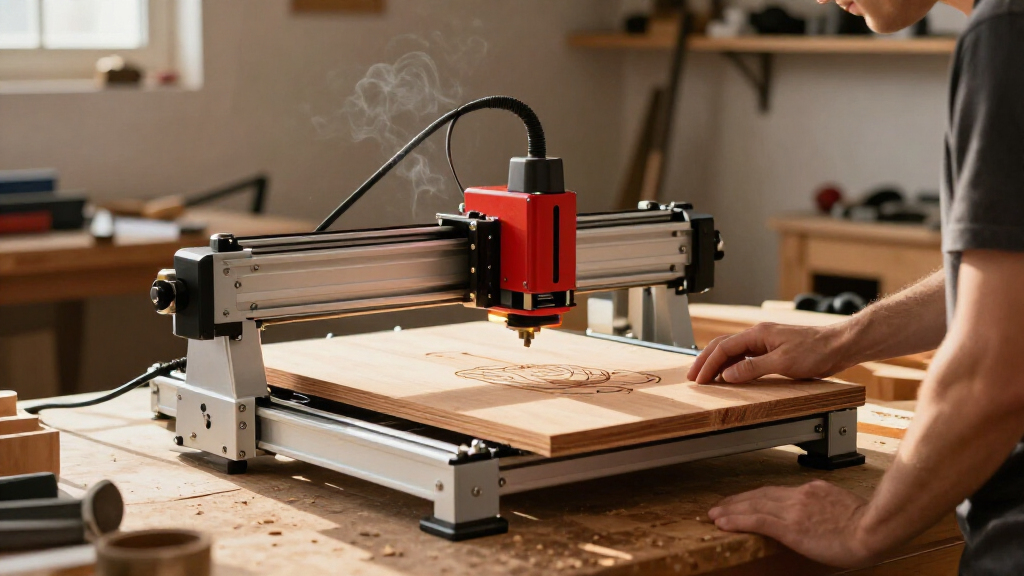
I ranked these machines around the question that matters for a modular engraver: whether its source, accessories and physical design can adapt to the buyer’s actual work. I compared laser types and stated power, work area, enclosure, positioning aids, stated modular or upgrade features, and the likely fit for common workshop needs. A dual-laser system earns a higher place when its sources cover meaningfully different jobs; a large CO₂ machine ranks well for buyers needing that format but lower for compact, flexible setups. I also weighed workflow details such as cameras, touchscreen controls, foldability and included accessories, since these influence setup and repeatability.
The order favors versatility first, then more specialized strengths. I did not treat wattage as a universal performance score: fiber, diode, infrared and CO₂ sources behave differently, and the best match depends on materials, work size and production needs. Where product names or listed specifications do not establish compatibility, speed on a given material or upgrade scope, I avoid assuming it. Each option has a tradeoff, so the rankings reward a clear use case rather than a feature count.
Factors to Consider When Choosing Best Modular Laser Engravers
Before choosing a modular laser engraver, define the work you expect it to do and the space it will occupy. The right setup depends on material, part size, repeatability and the practical limits of ventilation and maintenance. These broader checks can prevent a feature-rich machine from becoming a poor fit for your shop.
Match the laser source to your materials
Start with the materials you plan to process regularly, then check which laser source is specified for them. Diode, fiber, infrared and CO₂ systems have different strengths, so a machine that handles one type of work well may not cover another. A dual-source engraver can reduce the need to switch machines, but only if each source maps to a real task in your workflow. Do not infer compatibility from broad phrases such as “works on metal” or “cuts wood”; confirm the material, coating and operation in the manufacturer’s specifications. If your material list is short, a single-source machine may be simpler to operate and maintain. If it changes often, source flexibility may justify a more involved setup.
Size the work area around finished parts
Measure the largest object you intend to engrave, including any space needed to position it and secure it. A frame’s stated work area does not always tell you whether an irregular or bulky object will fit comfortably. Rotary work also changes the clearance a machine needs, so confirm compatible accessories and usable dimensions before buying a bundle. Larger-format machines take up more bench or floor space and may call for a dedicated station. Choosing too small a bed can force awkward workarounds or repeated repositioning. Choosing too large a machine can consume space you need for material storage and finishing.
Check what modularity lets you change
“Modular” can describe a quick-swap laser head, an accessory ecosystem, a frame that accepts upgrades, or a machine with multiple sources. Those features do not automatically mean that parts are interchangeable across models. Before treating an upgrade path as future-proofing, check the specific modules supported, what is included, and whether installation changes alignment or software setup. A quick-swap design can help when switching between recurring job types, but it adds little value if you rarely change processes. For a first machine, a clearly defined current setup may be more useful than paying for expansion you have not planned. Ask whether the upgrade solves a known limitation in your work.
Plan for ventilation and safe operation
An enclosure can contain the working area, but it does not remove the need to manage smoke, fumes and heat. Confirm the machine’s ventilation approach and the space needed to route exhaust before setting it on a bench. Class labels and included enclosures should be checked against the maker’s documentation and your intended operating environment. Some materials release hazardous fumes when processed, so verify suitability before using them. Leave room for access, maintenance and safe handling of stock rather than squeezing the machine into an enclosed cabinet. A compact footprint is useful only when the complete operating setup fits your space.
Compare workflow aids with real setup needs
Cameras, touchscreens and software support can reduce positioning effort, but their value depends on the jobs you repeat. A camera may help place artwork on irregular stock, while a touchscreen can simplify basic controls for a shared workshop. Neither guarantees accurate results without setup, focus and material checks. Review which software is supported and whether your preferred workflow depends on particular file formats or controls. If more than one person will use the machine, clear setup steps and repeatable positioning may matter more than headline speed. Choose workflow aids that remove a task you currently expect to perform often.
Account for maintenance and operating demands
Laser type and machine format affect what ongoing care and supporting equipment a setup requires. Larger CO₂ systems may involve a chiller and exhaust planning, while other formats have their own cleaning, alignment or module considerations. Check what consumables or maintenance procedures the manufacturer specifies and whether those tasks fit your schedule. A machine that appears capable on paper may be a poor fit if its support equipment overwhelms your available space. For occasional hobby work, ease of setup may matter more than maximum throughput. For sustained production, service access and a documented maintenance routine deserve more weight.
Frequently Asked Questions
Is a dual-laser engraver worth choosing over a single-laser model?
It can be worthwhile when the two sources cover different materials or tasks that you expect to do regularly. The xTool F1 Ultra and F2 family show how dual-source designs can broaden a machine’s role, but added capability also means more setup choices. Check which source handles each intended material and whether changing sources is practical for your workflow. If nearly all your jobs use one source, a single-source model may be easier to operate. Compare the supported materials and process details before treating “dual laser” as a guarantee of universal coverage.
Should I choose a diode engraver or a CO₂ machine for a small workshop?
Choose based on the materials and part sizes you process, then account for the full installation footprint. The diode options in this roundup include compact and modular formats, while the xTool P2S and OMTech Maker represent larger CO₂-oriented setups. CO₂ may suit a workflow centered on its material and cutting capabilities, but the machine and supporting equipment can require more room. A diode model may fit a smaller bench more readily, though it is not a substitute for every CO₂ task. Check each manufacturer’s material guidance and ventilation requirements before deciding.
Does an enclosed Class 1 engraver mean I can skip ventilation?
No. An enclosure can help contain the work area, but engraving and cutting can still produce smoke and fumes that need appropriate exhaust. Check the product’s ventilation instructions and plan where the exhaust will go before choosing a location. Also verify that each material is suitable for laser processing; some materials can release harmful fumes. Class labeling does not tell you that every material or operating setup is safe. Follow the machine documentation and applicable workplace guidance.
How much work area do I need if I plan to engrave objects rather than flat stock?
Measure the largest object you expect to process and account for its shape, height and how it will be held in place. Flat-bed dimensions alone may not describe clearance for bulky objects or rotary work. Check accessory compatibility and the machine’s usable space with the accessory installed. A larger bed can reduce repositioning, but it also increases the space required for the complete setup. If your projects vary, leave margin around your largest typical item rather than sizing the machine to a single unusually large object.
What should I verify before buying a modular laser for future upgrades?
Confirm which specific modules, accessories and software features the manufacturer supports for that exact model. Do not assume that a quick-swap head or an upgrade sold for a related machine will fit yours. Check whether an upgrade requires new alignment steps, added ventilation or changes to the available work area. It also helps to identify the job the upgrade would enable, rather than buying expansion based on a vague promise of flexibility. A defined path tied to your likely work is more useful than a long list of possible add-ons.
Conclusion
For the broadest blend of material options, I recommend the xTool F1 Ultra as best overall. Buyers who want a clearly modular enclosed setup should look at the Creality Falcon T1 40W, while the xTool P2S is my premium pick for a workshop built around a CO₂ platform. The AlgoLaser DIY Kit MK3 8W is a more approachable starting point for buyers who value a larger work area and touchscreen controls; check its capabilities against your intended materials before choosing it as a first machine. For compact IR engraving, the foldable Ortur R1 has a distinct role, while the xTool S1 40W and OMTech Maker 60W suit buyers weighing enclosed diode and CO₂ workflows. Pick by material, work area and operating setup first, then let modular features break the tie.