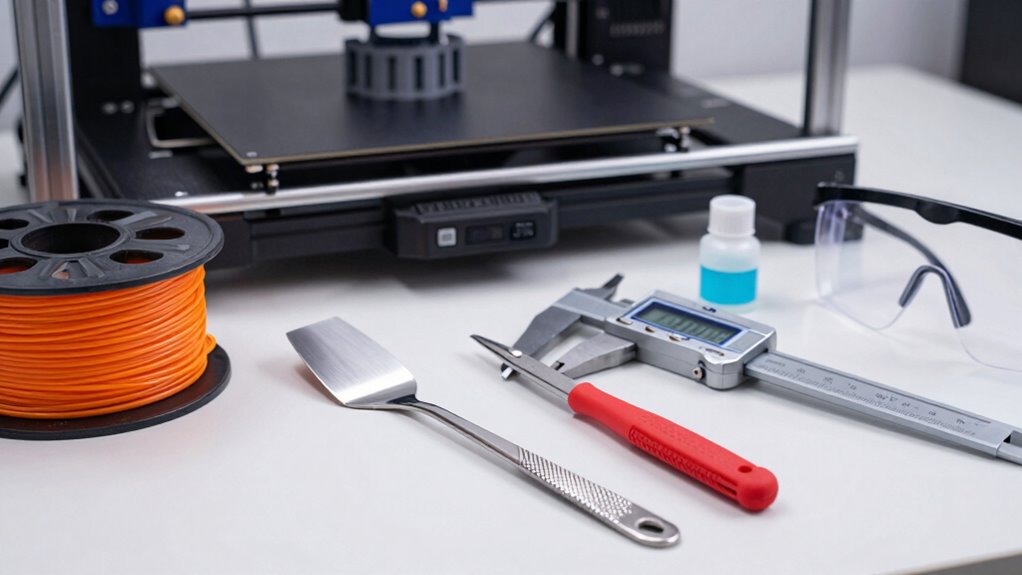
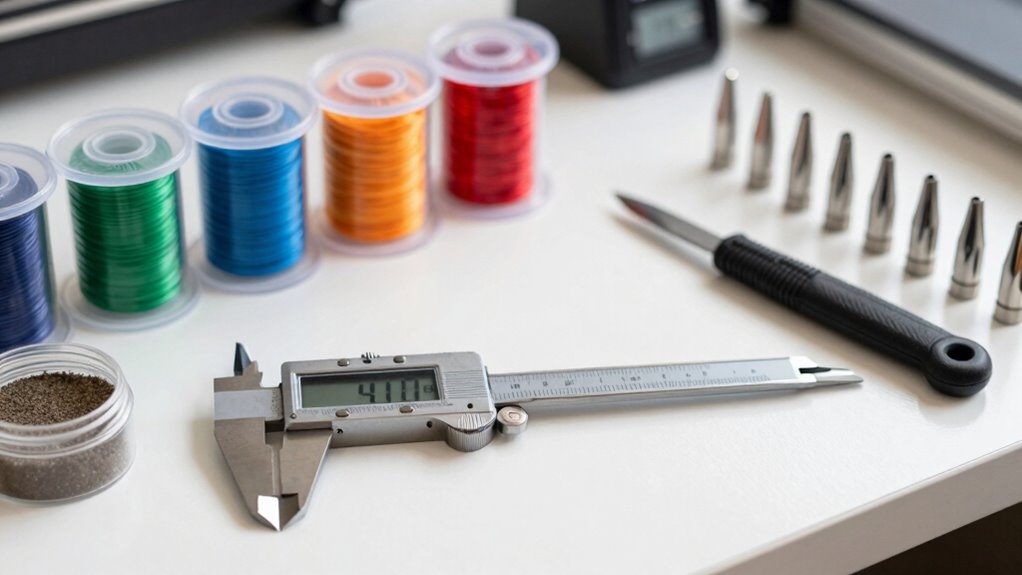
Before your first 3D print, you’ll want essential accessories like a spatula or scraper for removing prints easily, a flexible build plate for smooth removal, and a digital caliper for precise measurements. Extra nozzles can save time if your filament clogs or needs changing. Proper filament storage containers prevent moisture damage. These tools help you prepare for a successful print and reduce common issues. Keep exploring to discover even more tips to improve your 3D printing experience.
Key Takeaways
- A spatula or scraper for removing prints without damaging the bed or model
- Flexible build plates or print removal tools for easier object detachment
- Digital caliper to measure parts accurately for quality and fit
- Extra nozzles for quick swaps during troubleshooting or filament changes
- Proper filament storage containers to keep filament dry and maintain quality
Starting your first 3D print can be exciting, but having the right accessories on hand makes the process smoother and more successful. Before you hit “print,” it’s essential to confirm you have the necessary tools and supplies ready. One of the most important considerations is selecting the right filament types. Different filaments, like PLA, ABS, PETG, and TPU, each have unique properties, so understanding which one suits your project is key. For beginners, PLA is often recommended because it’s easy to work with, produces minimal odor, and adheres well to the print bed. However, if you’re planning more durable or flexible prints, exploring other filament types might be worth it. Stocking a variety of filaments ensures you’re prepared for different designs and requirements, making your first experience less frustrating.
Choosing the right filament and ensuring proper calibration are key for successful first 3D prints.
Alongside filament choices, printer calibration is a critical step you shouldn’t overlook. Proper calibration ensures your print bed is level and the nozzle height is correct, which directly impacts print quality. Before starting your first project, you’ll want to adjust the bed leveling using calibration tools or manual tweaks. Many printers come with auto-calibration features, but it’s still good to double-check. Proper calibration prevents issues like warping, poor adhesion, and layer misalignment. It’s worth spending time on this step, as it can save you hours of failed prints and material waste. Keep a small set of tools handy, such as a leveling card or feeler gauges, to make this process easier. Additionally, understanding filament storage and handling can help maintain filament quality and improve print success. Consistent filament storage helps prevent moisture absorption, which can negatively affect print quality. Investing in proper storage solutions can extend the lifespan of your filaments and ensure consistent results. Moreover, learning about humidity control can further preserve filament quality, especially in humid environments.
In addition to filament and calibration tools, having a few other accessories can streamline your first print. A spatula or scraper will help remove prints from the bed without damage. Some users also invest in print removal tools or flexible build plates, which make removing finished objects much simpler. A digital caliper can be helpful for measuring dimensions accurately, especially if you’re working on precise parts. Additionally, having extra nozzles on hand allows you to swap out if one becomes clogged or damaged, saving time during troubleshooting.
Ultimately, preparing with these accessories ensures your first 3D print goes smoothly. Focus on understanding filament types and taking the time to calibrate your printer properly. These steps might seem minor, but they profoundly influence your success rate. With the right tools and a little patience, you’ll find yourself producing high-quality prints and gaining confidence in your 3D printing journey.

Premium 3D Print Removal Tool Kit – Durable 3D Printer Tools with Sturdy Comfort Grips, Sharp and Hardened Blades for Easy Separation of Prints, Knife and Spatula Set of 2 – Enhanced Version
- Durable construction with solid rivets: Secure blade attachment for longevity
- Long beveled knife for easy prying: Gentle under-print sliding with good reach
- Hardened stainless steel blades: Flexible, safe, and versatile for various prints
As an affiliate, we earn on qualifying purchases.
As an affiliate, we earn on qualifying purchases.
Frequently Asked Questions
How Do I Choose the Right Filament for My Project?
To choose the right filament for your project, consider the filament types like PLA, ABS, or PETG, and match them with your needs. Think about material properties such as strength, flexibility, temperature resistance, and ease of use. For detailed, colorful prints, go with PLA. If durability matters, ABS or PETG are better. Understanding these factors helps you select the ideal filament for your specific application.
What Safety Gear Should I Wear During 3D Printing?
You shouldn’t underestimate the risks involved in 3D printing. Always wear protective eyewear to shield your eyes from potential splashes of hot filament or debris. A respirator mask is essential too, as fumes from certain filaments can be harmful if inhaled. Skipping safety gear might seem minor, but it can lead to serious health issues. Stay vigilant, stay protected—your safety depends on it during every print.
Can I Use Recycled Materials as Filament?
Yes, you can use recycled materials as filament, but you need to take into account recycling options and material compatibility. Not all recycled plastics work well, so check if your 3D printer supports those materials. Make certain the recycled filament is clean, properly processed, and consistent in diameter. This helps prevent print failures and maintains quality. Always research specific recycled filaments to make sure they suit your printer and project needs.
How Do I Troubleshoot Common 3D Printing Issues?
Did you know that over 30% of failed prints are due to adhesion issues? To troubleshoot common 3D printing problems, start by checking your print bed adhesion; clean and level the bed, and use adhesion aids if needed. Also, make certain your filament is stored properly—sealed and dry—since moisture can cause print defects. Regular maintenance and proper filament storage considerably improve print quality and reduce troubleshooting time.
What Software Is Best for Preparing 3D Print Files?
For preparing 3D print files, you should choose user-friendly software like Cura or PrusaSlicer, which help optimize print quality and troubleshoot issues. These programs assist in adjusting filament settings, ensuring proper filament storage, and improving print bed adhesion. They also offer helpful features like support generation and layer preview, making it easier to create successful prints and avoid common problems before starting your project.
Conclusion
Getting the right accessories sets you up for success on your 3D printing journey. With the basics in place, you’ll find the process smoother and more enjoyable. Remember, a chain is only as strong as its weakest link—so don’t skimp on quality tools and supplies. As you learn and grow, you’ll discover that the right accessories make all the difference, turning a challenging task into a rewarding creative adventure.