To stop warping, fine-tune five key print settings. First, make certain your bed is level and use adhesion aids like glue or tape. Adjust your extruder temperature within recommended ranges, and slow down your print speed for better layer bonding. Use a heated bed with a suitable surface like glass or PEI, and keep filament dry. Mastering these adjustments helps your prints stick better and stay flat—continue carefully tweaking these settings for the best results.

Get business pricing on tools and workshop supplies
- Business-only prices and quantity discounts
- Tax-exempt purchasing
- Multiple users, one account, clear invoices
Key Takeaways
- Use a heated bed with appropriate temperature settings for your filament to improve adhesion.
- Apply adhesion aids like glue stick, hairspray, or painter’s tape to enhance print stickiness.
- Ensure the bed surface is clean, level, and compatible with your filament type for optimal adhesion.
- Adjust print speed and layer cooling to promote better bonding and reduce warping risks.
- Enclose the printer or maintain a stable environment to prevent temperature fluctuations and drafts.
As an affiliate, we earn on qualifying purchases.
Why Does Warping Happen and How Can You Prevent It?

Warping happens when a print cools unevenly or when moisture causes the material to distort. Understanding filament properties helps you prevent this. Some filaments, like ABS, are more prone to warping because of their thermal expansion rates. Others, like PLA, are more forgiving but still affected by environmental factors. Environmental conditions, such as high humidity or drafts, can cause uneven cooling and moisture absorption, leading to warping. To minimize these issues, choose filaments suited for your environment and store them properly. Keep your printing area stable, dry, and free from drafts. Using a heated bed, proper enclosure, and controlling room temperature can considerably reduce warping. Paying attention to filament properties and environmental factors can help you achieve smoother, warping-free prints. Additionally, understanding thermal expansion can guide you in selecting the best materials and settings for your specific project, and utilizing proper bed adhesion techniques can further improve print stability. Being aware of environmental controls is essential for consistent results.
How to Adjust Your Bed Leveling and Adhesion for Flat Prints
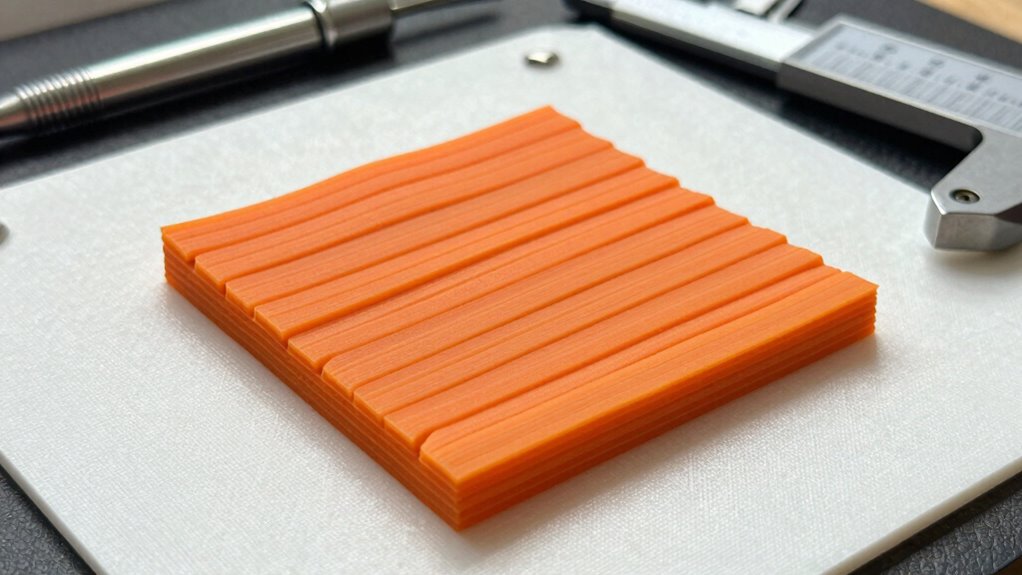
Are your prints coming out uneven or detached from the bed? Proper bed leveling and adhesion are key to flat, successful prints. Start by ensuring your bed is level; use a calibration sheet to check the distance across different points. Adjust the print orientation to minimize overhangs and reduce warping risks. Keep filament storage in mind—dry filament adheres better and reduces print issues. Consider applying adhesion aids like glue stick or painter’s tape for extra grip. Also, regularly clean the bed surface to remove dust and grease, ensuring better contact. Maintaining an adequate enclosure can also help stabilize temperatures and prevent warping during printing. Incorporating connected equipment like smart sensors can help monitor bed temperature and alignment in real time. These small tweaks can dramatically improve adhesion and help your prints stay flat without warping. Remember, consistent bed leveling and smart print orientation are your best allies for perfect, warping-free results. Proper bed surface conditioning plays a crucial role in achieving optimal adhesion and flatness. Regularly checking and calibrating your bed leveling ensures ongoing success in producing flat, high-quality prints. Additionally, using quality filament can significantly impact print adhesion and overall success.
Tweak Temperature and Speed Settings to Minimize Warping

Adjusting your printer’s temperature and speed settings can considerably reduce warping by promoting better layer adhesion and minimizing internal stresses. If your filament has absorbed moisture, it can cause uneven extrusion and increase warping risks, so drying filament before printing helps. Set your extruder temperature slightly higher within recommended ranges to improve bonding without causing stringing. Slower print speeds allow layers to bond more thoroughly, reducing internal stresses that lead to warping. Using a print enclosure helps maintain consistent temperature, preventing rapid cooling that can cause warping. Proper filament storage helps prevent moisture absorption, further reducing warping risks. Optimizing printing parameters is essential for achieving high-quality, warp-free prints. Balancing temperature and speed is key—too hot or fast can worsen warping, while optimized settings promote solid adhesion and even cooling. Fine-tuning these parameters makes a significant difference in achieving warp-free prints. Additionally, understanding the material properties of your filament can guide more precise adjustments for improved results. Paying attention to print environment conditions can also make a notable difference in minimizing warping during your prints. Being aware of ambient temperature fluctuations helps maintain consistent conditions for better print quality.
Choosing the Best Bed Surface and Adhesives for Warping-Free Prints

Choosing the right bed surface and adhesives can dramatically improve your print’s stability and prevent warping. The key is matching your filament selection with an appropriate bed surface and optimizing print orientation. A heated bed with a glass or PEI surface works well for many filaments, while painter’s tape or BuildTak can suit others. Proper adhesion techniques, like using glue stick or hairspray, ensure your print stays put. Keep in mind that print orientation influences warping—placing parts flat on the bed minimizes stress. Experiment with different surfaces and adhesives to find what works best for your filament type. Remember, consistent bed leveling and cleanliness also enhance adhesion, making warping a thing of the past. Your perfect setup is just a few tweaks away. Additionally, understanding safe installation practices can help prevent print failures caused by improper bed setup. Ensuring your bed leveling is precise and stable can significantly reduce warping issues. Using temperature settings effectively for your filament can further improve adhesion and overall print quality. Furthermore, selecting the appropriate adhesion aids tailored to your filament can make a noticeable difference in preventing warping. Incorporating proper bed preparation techniques can also lead to more reliable prints and less warping over time.
Advanced Techniques to Keep Prints Flat Over Time

Even after achieving a warp-free print, maintaining flatness over time requires proactive techniques. Proper filament storage is vital; keep your filament in an airtight container with desiccants to prevent moisture absorption, which can lead to warping or curling as the print ages. Additionally, pay attention to print orientation. Position your model to minimize overhangs and reduce stress on the layers, helping it stay flat longer. Consider adding a slight chamfer or fillet to sharp edges to reduce stress concentrations. Post-processing methods like applying a protective coating or using a heat press can also help flatten and stabilize your print over time. Incorporating local automation techniques, such as setting up heating elements or controlled environments, can further ensure your prints remain smooth and flat long after the initial print is complete. Proper filament handling practices are essential for preserving print quality over time.
Frequently Asked Questions
Can Filament Type Affect Warping Despite Optimal Settings?
Yes, filament type can affect warping even with ideal settings. You need to take into account filament storage to keep it dry, as moisture can cause warping. Additionally, adjusting the nozzle temperature appropriately for your filament type is vital; too high or low can lead to poor adhesion and warping. Experimenting with these factors helps guarantee your prints stick well, regardless of filament differences.
Do Environmental Factors Like Humidity Influence Print Adhesion?
Yes, humidity effects can impact print adhesion. High humidity can cause filament to absorb moisture, resulting in poor extrusion and weaker layer bonds. To improve print quality, you should practice environmental control by storing filament in a dry, sealed container and using a dehumidifier if necessary. Maintaining consistent ambient conditions helps guarantee ideal adhesion and reduces warping, giving you more reliable, high-quality 3D prints.
How Does Print Geometry Impact Warping Risk?
Imagine a perfectly aligned puzzle, each piece fitting snugly—your print geometry works the same way. If your design has sharp corners or thin walls, warping risk increases because stress concentrates there. To minimize this, guarantee proper filament storage to prevent moisture absorption and maintain accurate bed leveling. Adjusting print geometry, like adding chamfers or increasing contact area, helps distribute stress evenly, making prints stick better and reducing warping.
Are There Specific Printer Models Better at Preventing Warping?
Yes, some printer models are better at preventing warping because they often feature advanced print bed materials and surface coatings. Look for printers with heated beds, flexible build plates, or specialized coatings like PEI or glass, which promote better adhesion. These models help maintain consistent temperatures and surface grip, reducing warping risks. Choose a printer with these features, and you’ll see improved print quality with fewer warping issues.
What Maintenance Practices Help Sustain Adhesion Over Multiple Prints?
Think of your printer as a well-tuned orchestra; regular maintenance keeps everything harmonious. You should consistently perform bed leveling to ensure a flat, even surface and clean your print bed thoroughly before each print. This prevents debris or residue from causing adhesion issues. By maintaining proper bed leveling and keeping your print bed spotless, you guarantee your prints stick reliably over multiple jobs, much like a symphony that stays in tune.
Conclusion
By mastering these five settings, you’re channeling your inner Da Vinci, transforming your 3D printer into a masterpiece of precision. No longer will warped prints be your Mona Lisa’s shadow; instead, they’ll stand as proof to your skill. Remember, patience and tweaks are your brushes—treat each print like a work of art. With these tips, you’ll keep your creations as steadfast and flawless as a timeless sculpture.
Columbus Day / Indigenous Peoples' Day Picks
long weekend sales
As an affiliate, we earn on qualifying purchases.